1
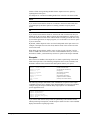
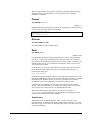
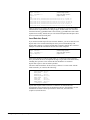
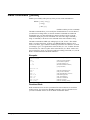
#!/bin/ksh
#
# Make sure the PATH variable includes /opt/robelle/bin
# where Suprtool and STExport usually reside.
#
PATH=$PATH:/opt/robelle/bin
#
# Create a temporary logfile
# and get a file name for the temporary extract file
#
temp_sxlog=`mktemp`
touch $temp_sxlog
temp_sxdata=`mktemp`
#
# Run Suprtool and extract the data.
# - Read commands using "here-is"
# - write messages to temporary logfile
#
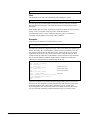
suprtool <<!EOD
>> $temp_sxlog
Open Allbase /users/orders/db/OrdersDBE clerk
Select * From clerk.sales
Item purchasedate, date, yyyymmdd
Item deliverydate, date, yyyymmdd
Item price, decimal, 2
Item salestax, decimal, 2
Item salestotal, decimal, 2
If purchasedate = \$today(-1)
Sort customernum
Output $temp_sxdata,Link
Exit
!EOD
#
# Check return code in case Suprtool had a problem
# If so, send the "failed" return string to the CGI script
# including the name of the logfile
#
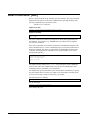
if [ $? -eq 1 ]
then
echo failed=$temp_sxlog
exit 1
else
#
#
#
#
#
#
#
#
Suprtool task worked correctly.
Can go on with STExport.
Must go to the target directory
because of file name limit in STExport
and get a file name to store HTML output
cd /users/htmluser/public_html
temp_stexpdata=`mktemp -d .`
> /dev/null
#
# Execute STExport to create the html file
#
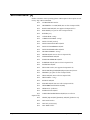
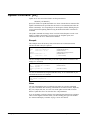
stexport <<!EOD
>> $temp_sxlog
Input $temp_sxdata
HTML Table Title "Orders Created Yesterday"
\
Heading "Orders Created Yesterday (sorted by customer)"
Heading Fieldnames
Date YYYYMMDD "/"
Output $temp_stexpdata.html
Exit
!EOD
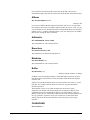
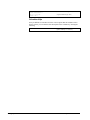
#
# Check return code in case STExport had a problem.
260 • STExport Commands
Suprtool 5.0 for HP-UX User Manual