1
Suprtool Issues and Solutions
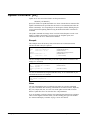
A Suprtool Task
Suprtool's primary function is to extract data quickly; its focus is batch extraction.
The key principle is: the bigger the input data source and the smaller the subset of
data selected, the more performance improves.
Your aim is to replace serial reads and selection with Suprtool. To do this, break
your task into components: an input choice, some processing selections, and the
output choice.
Input Choices
Suprtool reads fixed-length data files. You can create self-describing files with
Suprtool's Query or Link output options. It is easier to work with self-describing files
because they have information about the fields in each input record.
Often you select a subset of the input records using the If command. Only selected
records are passed to the processing stage and the output choice.
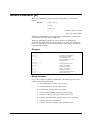
Processing Selections
If you do not specify any processing, the input records are quickly copied to the
output choice. Some of your processing choices are
1.
Sort the records into ascending or descending sequence (Sort or Key).
No records are output until all of the selected input records have been
sorted.
2.
Total one or more input record fields (Total).
3.
Remove or select duplicate records (Duplicate).
Output Choices
Usually you wish to extract a subset of your records to feed into a report program, so
the default output file is a data file. The default output file format matches the input
file format, unless you use the Extract command. You can specify different formats
for the output file by qualifying the Output command. To have readable ASCII
output, use "output xxx,ascii". To produce "self-describing" files, use Output
xxx,Link.
62 • Suprtool Issues and Solutions
Suprtool 5.0 for HP-UX