1
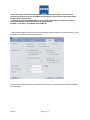
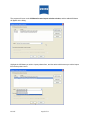
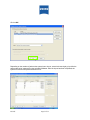
 The above procedure assumes that the customer has connected both the computer with the Holladay IOL Consultant
software (HIC – PRO) AND the IOL Master XP to their network, and that the network is a DHCP configured network.
If the network settings are different, a CZMI Field Engineer will have to grant access to the configuration of the
IOLMaster network connection.
This procedure has been presented for informational purposes only. CZMI does not provide technical support for the
Holladay IOL Consultant software. For support of this product, please contact Dr. Holladay at www.docholladay.com
IOLMaster 500
NOTE:
The IOLMaster 500 is pre-configured for a DHCP network.
If a Static IP address is needed for the IOLMaster XP, it will require a visit by a CZMI Field Engineer to obtain access to
the network configuration files in Control Panel.
The Professional Edition of the IOL Consultant program is required for the import feature to work.
For details on obtaining the IOL Consultant program, contact www.docholladay.com
NOTE:
This presentation addresses only a NETWORK type connection between the IOLMaster XP
system and a remote PC that has the Holladay Consultant software installed. Older IOLMasters,
or IOLMasters which are NOT connected to a network, utilize the export features of the IOLMaster to export patient data
to either a floppy diskette, a CD-RW disc, or a USB memory stick, and the import features of the Holladay Consultant
software.
The IOLMaster shall only be connected to private networks, which are protected from public networks (Internet) by
IOL.3435
Page 21 of 32