1
www.tinysine.com
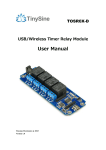
Module Overview
1.Mini USB Port: this port is used to communicate between TSTR04 and computer when
you choose the USB mode to control your board, meanwhile, computer can power
TSTR04.
2.DC Power Port: considering some circumstance that the board maybe controlled by
remote mode, you can power the board with DC5V power by this port.
3.Power Jumper: the jumper is used to choose the power source between USB and DC
power.
4.Configuration Switch: the switch is used to configure WiFi module with AP mode. Please
set the switch to AP when configuring, and set the switch to Normal under normal
circumstance.
5.Wireless Module Socket: you can plug wireless communication module to the socket if
you want to control the board with wireless mode, compatible with XBee, Bluetooth and
WiFi.
6.Relays: These 4 relays are SPDT types, each one can be turned ON/OFF independently.
This kind of relay can stand high voltage up to 10A 250VAC.
7.Output Screw Terminals: these four screw terminals are used to connect electrical
equipment, such as light bulbs, fans, heaters or anything you want to control with TSTR.
You need to power equipment with extra power, but don’t exceed the voltage that relays
can stand, and be careful!