1
TRC Development - Project The Real Cockpit
CCU User Manual
Upon the start of this program (before you start FS2002), the necessary firmware is
automatically loaded into the memory of the Central Control Unit. Please check if you have
connected the USB cable properly and if the power to the Central Control Unit is switched on.
Installing the software
Create a folder called TRC Controller and download the latest software and drivers from
http://www.therealcockpit.com/support/index.php?boxaction=support_software
into this folder.
You have to download the following software:
- driver.zip (the USB driver which enables the computer to recognize the Central Control
Unit USB connection)
- setup.zip (the Calibration and Interface software)
Both files are compressed with Winzip in order to make the files as small as possible. The size
of the file “driver.zip” is approx. 50Kb. The size of the file “setup.zip” is approx. 2,6 Mb.
Once downloaded they can be extracted in the same folder. If you do not have the Winzip
extractor, you can download a trial version from http://www.winzip.com/ddchomea.htm at
no cost.
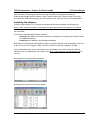
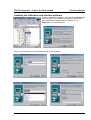
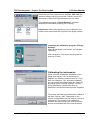
Extracting the file driver.zip into folder TRC Software
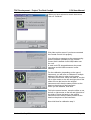
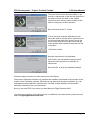
Extracting the file setup.zip into directory TRC Software
Version1.2 – May 2004
Page 3