1
3 Overview
Modbus Poll uses a multiple document interface. That means several windows can be opened. Each one
with different data contents from different slave devices at the same time.
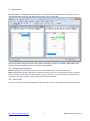
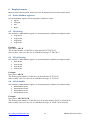
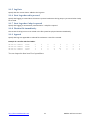
This picture shows two open windows. One reading 10 Holding registers from address 4000 (44001) and
another reading 10 Holding registers from address 2000 (42001).
3.1 Help from anywhere
Press F1 and get context sensitive help on a topic associated with the current selected item.
SHIFT + F1 invokes a special “help mode” in which the courser turns into a help courser (arrow + question
mark). The user can then select a visible object in the user interface, such as a menu item, toolbar button,
or window. This opens help on a topic that describes the selected item.
3.2 Alias cells
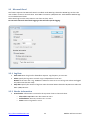
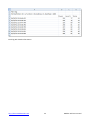
Here you can type any text for designation of the value cells. You can also copy/paste text from Excel cells.
http://www.modbustools.com
7
Modbus Poll User manual