1
USER’S MANUAL
3
Commands & Functions
3.1
Starting and stopping
When Testtool is launched, the user must at first type on any key (*). Then a prompt is displayed. At the prompt,
the user can enter any command according to this manual.
To quit Testtool, enter END or EXIT at the keyboard. The user is again required for a key (*). Press on Backspace
key to exit, or press another key to go again in Testtool.
(*) This mechanism was implemented in an old release to allow the user to choose between DCU and UART
interface ; this choice is unavailable since STTBX driver is used by Testtool.
3.2
Language Basics
The Testtool implements an interpreted language environnement - that is the lines of the language are analysed
and executed individually as entered. This is some’what slower than the used of a compiled language at execution
time but offers many advantages for an interactive environnement. The general characteristics of the language,
and therefore the interactive “feel” of the tool, are defined by the interpreter engine that accepts and tokenises the
lines of input. Some of these characteristics are important in understanding the synthax that the language features
possess and the errors that may be encountered when using the tool. These general features are described in the
sections below.
3.2.1
Statements
Executable language consists of a series of commands, assignments or control flow statements. Commands can be
built in - i.e. the code that determines their action has been compiled and linked with the interpreter - or they can
be macros, which are simply parameterised collections of other language statements. No terminator is required
for a language statement - they are all assumed to be contained on one line and entry of a carriage-return
character terminates the statement and begins the interpretation and execution.
Comments can be included in streams of commands by using the “:” character to indicate the end of a legal
statement and the beginning of a comment. All tokens in the statement must be clearly distinguishable from the
comment character, usually by employing white space. A special case o this, of course, is a comment only line
where “,” is the first character.
3.2.2
Delimiters
White space on a line (spaces and CR/LF) is significant to the Testtool and generally used to delimit components
of the command statements. The number of spaces between components is not significant. In particular, any
number of spaces at the beginning of the language statement will not affect its meaning or interpretation. Nor will
the number of spaces between parameters within the statement. Other command or parameter delimiters that
can be used interchangeably are commas (,) and backslash (\) characters. The number of these used within a
statement is significant and can be used, for instance, to introduce place-holders into command statements. For
instance, the statements:
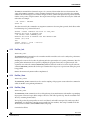
> SOURCE "DEFAULT.COM" TRUE
> SOURCE, TRUE
are equivalent since the default filename for a set of commands to be “sourced” is “default.com”. To indicate that
this default value should be used, a comma is used to delimit a null token for this first positional parameter whilst
explicitly giving the non-default value (echo of input lines) for the second parameter.
TST 2/24
STMicroelectronics Confidential
Version 1.7
03 November 2006