1
pug.book Page 13 Thursday, May 6, 1999 10:46 AM
pRISM+ User’s Guide
Board-Support Package Information
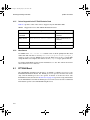
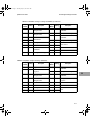
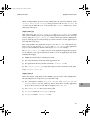
NOTE: The IDT 79S466 Daughtercard will work with the same IDT79S465
Evaluation Board jumper/switch settings described in Tables A-8 and
A-9.
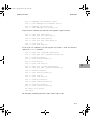
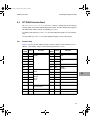
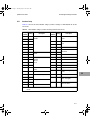
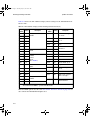
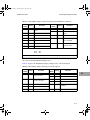
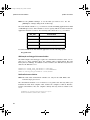
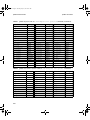
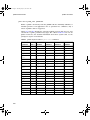
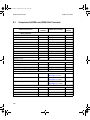
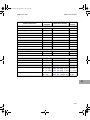
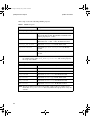
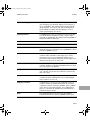
Table A-10 gives the jumper settings for the IDT79S440 with R4650 enabled and for
the IDT79S465 with R4640 enabled, respectively.
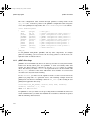
TABLE A-10 Jumper Settings for IDT 79S440 (R4650 Enabled) and IDT 79S465 (R4640
Enabled)
Jumper/
Switch
IDT 79S440 with R4650 Enabled
IDT 79S465 with R4640 Enabled
Setting
Setting
W1
2-3
2-3
W2
2-3
2-3
W3
2-3
2-3
W4
2-3
2-3
W5
1-2
2-3
W6
1-2
1-2
W7
1-2
2-3
W8
2-3
1-2
W9
2-3
1-2
W10
1-2
2-3
W11
1-2
2-3
W12
1-2
2-3
J3
2-3
2-3
J4
open
open
A
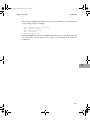
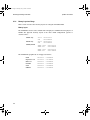
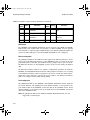
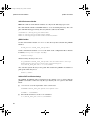
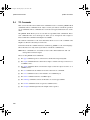
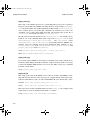
The IDT79S440 Daughtercard operates at a different clock frequency than the
default clock frequency in the IDT79S465 BSP. The CPU clock frequency setting
must be changed for accurate timing. To change the CPU clock frequency, edit the
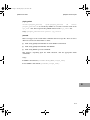
file bspcfg.c in the PSS_BSP directory and change this variable:
const ULONG cpuClkFreq=50000000;
to the proper value and recompile the application.
A-13