1
pug.book Page 49 Thursday, May 6, 1999 10:46 AM
pRISM+ User’s Guide
pRISM+ Shell Commands
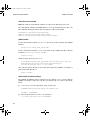
Examples
■
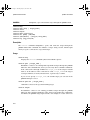
To set a dispatch OS breakpoint:
osbreakpoint set dispatch 0x00010000
osbreakpoint set dispatch ’IDLE’
■
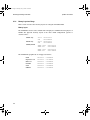
To set an absolute timer breakpoint at 14:12:10 on July 4, 1999:
osbreakpoint set time 14 12 10 JUL 4 1999
■
To set a relative timer breakpoint to break after 100 ticks have elapsed:
osbreakpoint set ticks 100
■
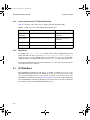
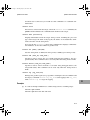
To set a system-call breakpoint to break when the program calls the pSOS+
system call q_send (for any queue and from any task or ISR):
osbreakpoint set syscall q_send * *
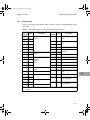
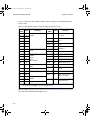
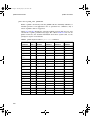
Refer to Table D-1 on page D-47 for the list of supported system calls.
■
To show information about all the OS breakpoints set:
osbreakpoint show
■
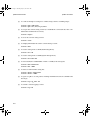
To clear the OS breakpoint whose index number is 3:
osbreakpoint clear 3
■
To clear all OS breakpoints for the current session:
osbreakpoint clear session
■
To clear all OS breakpoints:
osbreakpoint clear all
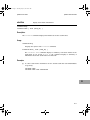
See Also
breakpoint on page D-5
cb on page D-8
db on page D-14
lb on page D-39
D
D-49