1
USER MANUAL
LCDtool
Programming tool for LCD240 devices
Pictures and glyphs
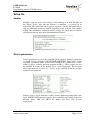
LCDtool software is delivered with a “standard” bitmap library and an example
configuration file. They make it possible to test that the configuration system
works properly. These files also provide an easier start-up for the build of your
own feel and look creation.
Bitmap library includes 57 bitmap files and 12 “floor info pictures”. All
pictures are replaceable and editable, but the size, colour depth and filename
must not be changed (the names of floor info pictures can be changed, but
extension must remain “.bmp”). Type of all pictures is “black and white
picture” (i.e. color depth is 2 colours). Other features are listed in the table
below.
Please notice that in vertical version of LCD240 all pictures have been rotated
90° clock-wise and logo picture size has been changed to 48x128 (WxH).
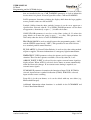
File name
(*.bmp)
0...9
10
11...36
37
38
39
40
41
42
43
44 (**
45...54 (*
55 (*
56 (*
Description
numbers 0...9
minus sign "-"
letters A...Z
arrow up
arrow down
arrows up and down
Symbol 1 (default Fire alarm)
Symbol 2 (default Overload)
Symbol 3 (default Service)
Symbol 4
logo
numbers 0...9 (for clock and calendar)
*dot "." (for clock and calendar)
*colon ":" (for clock and calendar)
Display field Image
size
floor marking 48x96
floor marking 48x96
floor marking 48x96
arrow/symbol 48x96
arrow/symbol 48x96
arrow/symbol 48x96
arrow/symbol 80x96
arrow/symbol 80x96
arrow/symbol 80x96
arrow/symbol 80x96
logo
160x32
time and date 8x16
time and date 8x16
time and date 8x16
*) Not displayed in LCD240B and Vertical version (no clock); existence is, however, required.
**) In LCD240 Vertical logo picture size is 48x128.
Table 1. Names, descriptions and sizes of pictures in LCD240B/W devices.
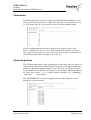
First 37 bitmap files (0.bmp…36.bmp) are glyphs that appear in floor markings
(the word “glyph” means the shape of a character). Each of these files
corresponds to a letter, a number or the minus sign. When you e.g. use the letter
“B” in a floor marking, the bitmap file 12.bmp is selected and displayed in the
corresponding place. The next 3 bitmap files (37.bmp…39.bmp) are the arrows
that are used for movement indication of the car. The next 4 bitmap files
(40.bmp…43.bmp) are symbols that are normally used to indicate special
situations, but the use is not limited by any means. The logo (44.bmp) is
displayed in such field that, if preferred, it can be always visible. Most often the
company’s name or a logo is placed here. The last 12 bitmap files
Vuolas Electronics Oy Ltd.
[email protected]
Rev. 1.5
November 2006
Page 6 of 14