1
EditRec – User Manual
EVS Broadcast Equipment
2.2.2
Issue 10.04.C
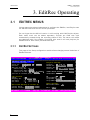
EVS MENU CONFIGURATION
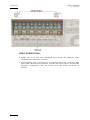
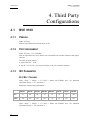
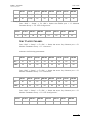
Here i s th e ty pica l ba sic confi gura tion for a 6 ch S erver.
You mu st r espe ct t he f oll owing rest rict ions :
• “S potb ox S ony ” as basi c confi gura tion .
• EditRe c has to be decla red for one P GM and on e REC (no spec ial p airi ng is
requir ed), and use the sa me ser ial conn ecti on n um ber.
• No res tric tion s f or o ther chan nels . Usu ally PGM 2 and PGM3 are con trol l ed in
Sony p roto col by L inea r Edit C ontr olle r as “sou rc e ” VTR. Thi s ca n be in p rimary
or sec onda ry c ontr ol (C T RL+F1) .
With some lin ear con trol l ers, it is also po ssib le to use VDCP co ntro l a llowi ng t o
list a nd l oad c lips pres ent on the serv er as s ource for e dit (if T he VDCP
Contro ller is a Sony Swi tcher , it is ne cessa ry to add a pa ramet er in E XE C.bat
(Conta ct t he s uppo rt)) .
• “2 , 4 , 8 audi o ” c onfi gura ti on is poss ibl e.
EditRe c ca n be us ed i n SD or HD f ormat s (e xept 1080 p), Pal or N TSC. A ll co dec
are su ppor ted.
2.2.3
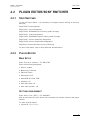
STARTING APPLICATION
Procee d to the fo llowi ng actio ns a t ap plic atio n st a rtup:
1. Clear Vide o Dis k (o ptio na l)
2. Verifi cat ion of G enloc k s i gnal vali dity
3. Verifi cat ion of TC in sign al va lidi ty.
7