1
This chapter describes how to easily create a fixture Profile with the software in
a very short time. The Profile Editor is included in the software making it is very easy
to access the Editor and create or update Profiles. You must start the software before
you begin to create the Profile.
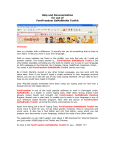
Opening the Profile Editor
After starting up the software, you must click on the Add button to open the
Profile Editor. The Add function is the first button on the left of the 2D tool ribbon.
2D tool ribbon
The Patch Editor will appear and you can choose between the Patch or Profile
pages. Select the Profile page to use the Profile Editor.
Profile Editor page
Create Profiles (libraries) User Manual
3