1
Adapt Your Programs for Dynamic Server 7.3x
Adapt Your Programs for Dynamic Server 7.3x
After you successfully move the data to Dynamic Server 7.3x, verify that your
application developers know the differences between both database servers.
Dynamic Server 7.3x supports the same products and features as Workgroup
Edition 7.3x, plus the High-Performance Loader (HPL) and the following
features:
■
Fragmentation (also known as partitioning)
■
Parallel data query (PDQ)
■
Role separation
For information on the SQL statements that Dynamic Server 7.3x supports,
see the Informix Guide to SQL: Syntax and the Informix Guide to SQL: Reference.
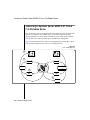
Moving Data Between SE and Dynamic Server 7.3x
or Workgroup Edition 7.3x
This section describes the following procedures:
■
Moving data to Dynamic Server 7.3x or Workgroup Edition 7.3x from
SE
■
Moving data to SE from Dynamic Server 7.3x or Workgroup Edition
7.3x
Moving Data to Dynamic Server 7.3x or Workgroup Edition
7.3x from SE
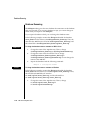
The following sections describe the steps for moving data to Dynamic Server
7.3x or Workgroup Edition 7.3x from SE. To move the data, you need to
choose a migration method, eliminate SE-specific features, migrate the data
from SE, and modify client applications.
Migrating Between Database Servers and Operating Systems 10-29