1
Guidelines and Restrictions for Using onxfer
Guidelines and Restrictions for Using onxfer
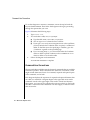
The following guidelines and restrictions provide information about using
onxfer:
■
You must execute the onxfer command from the computer on which
the target database server is installed. When invoked, the
$INFORMIXDIR environment variable should point to the installed
target database server distribution.
■
Currently, onxfer supports the unload and data unload commandline options when you execute it from the computer on which the
source database server is installed, the same computer on which the
target database server is installed.
■
For the load and data load command-line options, the directory
pathnames that you specify in the DISK device option must be the
pathnames as seen on the computer(s) on which the target database
server instance is installed. The directories, however can be NFS
mounted from other computers.
Important: Informix database servers support only certified versions of NFS. For
information about the NFS products you can use to NFS mount a storage space for an
Informix database server, see the product compatibility information on the Informix
web site at http://www.informix.com/idn-secure/pacc/prodcompat.html.
■
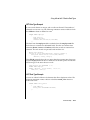
When you use the move command-line option, onxfer optimizes the
speed of data transfer by first creating all the tables with the RAW
type on the target database server instance, by executing the
<database>_pre.sql file from the SCHEMA_DIR destination
directory.
The onxfer utility then transfers data in iterative mode, one table at
a time, from the source database to the target database using the
EXPRESS mode of loading. Finally, onxfer creates the rest of the
schema by executing the <database>_post.sql file from the
SCHEMA_DIR destination directory.
When, however, you specify the data or data load command-line
option, onxfer cannot use the EXPRESS mode of loading because the
tables are typically not of the RAW type and there might be pre-existing constructs like indexes, check constraints, and triggers defined
on the tables. Onxfer uses DELUXE mode to load data in such cases.
The onxfer Utility
17-15