1
Simple Large Objects
2.
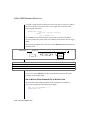
Change the name of the schema file. That is, change
D:\work\exports\stores_demo.exp\stores_demo.sql to
D:\work\exports\stores_demo.exp\newname.sql. Do not change
the names of the .unl files.
3.
Import the database with the following command:
dbimport -i D:\work\exports
IDS 9.x
Simple Large Objects
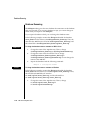
When dbimport, dbexport, and DB-Access process simple-large-object data,
they create temporary files for that data. Before you export or import data
from tables that contain simple large objects, you must have one of the
following items:
Windows
■
A \tmp directory on your currently active drive
■
The DBTEMP environment variable set to point to a directory that is
available for temporary storage of the simple large objects
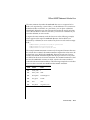
Windows sets the TMP and TEMP environment variables in the command
prompt sessions, by default. However, if the TMP, TEMP, and DBTEMP
environment variables are not set, dbimport places the temporary files for
the simple large objects in the \tmp directory. ♦
Warning: If a table has a CLOB or BLOB in a column, you cannot use dbexport to
export the table to a tape. If a table has a user-defined type in a column, using
dbexport to export the table to a tape might yield unpredictable results, depending
on the export function of the user-defined type. Exported CLOB sizes are stored in hex
format in the unload file.
The dbexport and dbimport Utilities 11-19