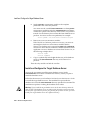
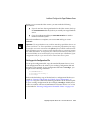
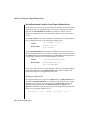
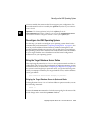
1
IBM Informix Migration Guide UNIX, Linux, and Windows Informix Dynamic Server, Version 9.3x, 9.2x, 7.3x, or 7.24 Informix Dynamic Server, Linux Edition, Version 7.3x Informix Dynamic Server, Workgroup Edition, Version 7.3x or 7.24 Informix Extended Parallel Server, Version 8.3x Informix Dynamic Server with Advanced Decision Support and Extended Parallel Options, Version 8.21 Informix SE, Version 7.25, 7.24, 7.23, 7.22, or 5.1x Informix OnLine, Version 5.1x Version 9.3/8.3x August 2001 Part No. 000-8343 © Copyright International Business Machines Corporation 2001. All rights reserved. Trademarks AIX; DB2; DB2 Universal Database; Distributed Relational Database Architecture; NUMA-Q; OS/2, OS/390, and OS/400; IBM Informix; C-ISAM; Foundation.2000TM; IBM Informix 4GL; IBM Informix DataBlade Module; Client SDKTM; CloudscapeTM; CloudsyncTM; IBM Informix Connect; IBM Informix Driver for JDBC; Dynamic ConnectTM; IBM Informix Dynamic Scalable ArchitectureTM (DSA); IBM Informix Dynamic ServerTM; IBM Informix Enterprise Gateway Manager (Enterprise Gateway Manager); IBM Informix Extended Parallel ServerTM; i. Financial ServicesTM; J/FoundationTM; MaxConnectTM; Object TranslatorTM; Red Brick Decision ServerTM; IBM Informix SE; IBM Informix SQL; InformiXMLTM; RedBack; SystemBuilderTM; U2TM; UniData; UniVerse; wintegrate are trademarks or registered trademarks of International Business Machines Corporation. Java and all Java-based trademarks and logos are trademarks or registered trademarks of Sun Microsystems, Inc. in the United States and other countries. Windows, Windows NT, and Excel are either registered trademarks or trademarks of Microsoft Corporation in the United States and/or other countries. UNIX is a registered trademark in the United States and other countries licensed exclusively through X/Open Company Limited. Other company, product, and service names used in this publication may be trademarks or service marks of others. Documentation Team: Twila Booth, Jennifer Leland, Bonnie Vaughan ii IBM Informix Migration Guide Table of Contents Table of Contents Introduction In This Introduction . . . . . . . . . . . . . . About This Manual . . . . . . . . . . . . . . . Types of Users . . . . . . . . . . . . . . . Software Dependencies . . . . . . . . . . . . Assumptions About Your Locale. . . . . . . . . Demonstration Databases . . . . . . . . . . . New Features in Database Servers . . . . . . . . . Organizational Changes to This Manual Since Version 9.2/8.3 Documentation Conventions . . . . . . . . . . . Typographical Conventions . . . . . . . . . . Icon Conventions . . . . . . . . . . . . . . Syntax Conventions . . . . . . . . . . . . . Command-Line Conventions . . . . . . . . . . Sample-Code Conventions . . . . . . . . . . . Additional Documentation . . . . . . . . . . . . Related Reading . . . . . . . . . . . . . . . . Compliance with Industry Standards . . . . . . . . Informix Welcomes Your Comments . . . . . . . . . . . . . . . . . . . . . . . . . . . . . . . . . . . . . . . . . . . . . . . . . . . . . . . . . . . . . . . 3 3 4 4 6 7 8 8 9 9 10 13 16 19 20 23 23 23 Section I Overview of Informix Migration Chapter 1 Database Server Migration In This Chapter . . . . . . . . . . . . . . . . Informix Database Server Products . . . . . . . . . Migration on the Same Operating System . . . . . . . Source and Target Database Servers on UNIX . . . . Source and Target Database Servers on Linux . . . . Source and Target Database Servers on Windows NT . Source and Target Database Servers on Windows 2000 . Source and Target Database Servers on Windows 95 . Database Server Migration Paths . . . . . . . . . . Chapter 2 IBM Informix Migration Guide . . . . . . . . . . . . . . . . . . 1-3 1-3 1-6 1-7 1-8 1-9 1-10 1-10 1-11 Data Migration In This Chapter . . . . . . . . . . . . . Migrating a Database or Selected Data . . . . . Migrating Between Different Versions of a Database Server . . . . . . Changing Database Servers, Operating Systems, or GLS Locales . Distributing a Client Application . . . . . Importing Non-Informix Data . . . . . . Setting Environment Variables Before Using Utilities Choosing Data Migration Tools . . . . . . . Automatic Data Migration . . . . . . . The onunload and onload Utilities . . . . . The dbexport and dbimport Utilities . . . . LOAD, UNLOAD, and dbload . . . . . . The dbschema Utility . . . . . . . . . External Tables . . . . . . . . . . . The High-Performance Loader . . . . . . Nonlogging Raw Tables . . . . . . . . The onxfer Utility . . . . . . . . . . Informix Enterprise Command Center . . . Movement of TEXT and BYTE Data . . . . Moving Data Between Computers and Dbspaces . Importing Data from a Non-Informix Source . Importing Data with Informix Enterprise Gateway Products . . . iv . . . . . . . . . . . . . . . . . . . . . 2-3 2-3 . . . . . . 2-3 . . . . . . . . . . . . . . . . . . . . . . . . . . . . . . . . . . . . . . . . . . . . . . . . . . . . . . . . . . . . . . . . . . . . . . . . . . . . . . . . . . . . . . . . . . . . . . . . . . . . . . . . . . . . 2-4 2-4 2-4 2-5 2-5 2-8 2-9 2-13 2-15 2-17 2-19 2-19 2-20 2-21 2-22 2-22 2-22 2-23 . 2-23 . . . . . Section II Migration to a Later Version of a Database Server Chapter 3 Migrating to Dynamic Server 9.30 or 9.2x In This Chapter . . . . . . . . . . . . . . . Preparing for Migration . . . . . . . . . . . . Migration Guidelines . . . . . . . . . . . . Changes in Dynamic Server 9.30 and 9.2x . . . . . Storage-Manager Validation and Installation. . . . Migrating to Dynamic Server 9.30 from Dynamic Server 9.2x . . . . . . . . Migrating to Dynamic Server 9.21 from Dynamic Server 9.20 . . . . . . . . Migrating to Dynamic Server 9.30 with Enterprise Replication . . . . . . . . Converting to Dynamic Server 9.30 with Enterprise Replication . . . . . . Converting Replication of 9.2x User-Defined Data Types . . . . . . . Reverting from Dynamic Server 9.30 with Enterprise Replication . . . . . . Migrating Between 32-bit and 64-Bit Database Servers . . Converting to Dynamic Server 9.30 or 9.2x . . . . . . Check and Configure Available Space . . . . . . Save Copies of the Current Configuration Files . . . For Dynamic Server 9.2x, Stop Enterprise Replication Close All Transactions and Shut Down the Source Database Server . . . . . . Check for Any Open Transactions . . . . . . . Verify the Integrity of the Data . . . . . . . . Verify the Database Server Mode . . . . . . . . Make a Final Backup of the Source Database Server . Verify That the Source Database Server Is Offline . . On UNIX or Linux, Modify Kernel Parameters . . . Install Dynamic Server 9.30 or 9.2x . . . . . . . Set Environment Variables . . . . . . . . . . Customize the ONCONFIG Configuration File . . . Add Any Communications Support Modules . . . Install and Configure Any DataBlade Modules . . . Initialize Dynamic Server 9.30 or 9.2x . . . . . . Monitor the Conversion Complete Status . . . . . . . . . . . . . . . . . . . . 3-3 3-4 3-5 3-6 3-28 . . . 3-29 . . . 3-29 . . . 3-30 . . . 3-30 . . . 3-31 . . . . . . . . . . . . . . . . . . 3-32 3-34 3-34 3-36 3-38 3-39 . . . . . . . . . . . . . . 3-40 3-40 3-41 3-42 3-42 3-43 3-43 3-43 3-44 3-45 3-45 3-46 3-46 3-47 . . . . . . . . . . . . . . . . . . . . . . . . . . . . Table of Contents v For ON-Bar, Rename the sm_versions.std File . . . . Update Statistics . . . . . . . . . . . . . . Verify the Integrity of the Data . . . . . . . . . Make an Initial Backup of Dynamic Server 9.30 or 9.2x . Tune Dynamic Server 9.30 or 9.2x for Performance . . Reverting from Dynamic Server 9.30 or 9.2x . . . . . . Determine Whether Reversion Is Possible . . . . . Save Copies of the Current Configuration Files . . . Stop Enterprise Replication in Dynamic Server 9.2x . . Verify the Integrity of the Data . . . . . . . . . Back Up Dynamic Server 9.30 or 9.2x . . . . . . . Remove Version 9.30 and Version 9.2x Features . . . Run the Reversion Utility . . . . . . . . . . . Modify Configuration Parameters . . . . . . . . Reset Environment Variables. . . . . . . . . . Remove Any Communications Support Module Settings Reinstall and Start the Target Database Server . . . . Update Statistics . . . . . . . . . . . . . . Verify the Integrity of the Data . . . . . . . . . Back Up the Target Database Server . . . . . . . Return the Target Database Server to Online Mode . . Chapter 4 IBM Informix Migration Guide . . . . . . . . . . . . . . . . . . . . . . . . . . . . . . . . . . . . . . . . . . 3-48 3-48 3-49 3-50 3-50 3-50 3-51 3-56 3-56 3-56 3-57 3-57 3-57 3-58 3-58 3-58 3-58 3-59 3-60 3-60 3-60 . . . . . . . . . . . . . . . . . . . . 4-3 4-3 4-4 4-5 4-8 Migrating to Extended Parallel Server 8.3x In This Chapter . . . . . . . . . . . . . . . Preparing for Migration . . . . . . . . . . . . Migration Guidelines . . . . . . . . . . . Changes in Extended Parallel Server 8.3x . . . . Changes in Migration Procedures . . . . . . . Conversion and Reversion Paths for 32-Bit and 64-Bit Database Servers . . Storage-Manager Validation and Installation . . . Converting to Extended Parallel Server 8.3x . . . . . Check the Available Space . . . . . . . . . Save Copies of the Current Configuration Files . . Put the Source Database Server in Quiescent Mode . Verify the Integrity of the Data . . . . . . . . Make a Final Backup of the Source Database Server . Check for Open Transactions and Shut Down the Source Database Server . . Install Extended Parallel Server 8.3x . . . . . . vi . . . . . . . . . . . . . . . . . . . . . . . . . . . . . . . . . . . . . . . . . . . . . . . . . . . . . 4-10 4-11 4-11 4-12 4-13 4-13 4-14 4-15 . . . . . . . . 4-16 4-17 Copy Configuration Files to Extended Parallel Server 8.3x . . . . . . . Verify Environment Variable Settings on Each Node . . Start Extended Parallel Server 8.3x . . . . . . . . Rename the sm_versions.std File for ON-Bar . . . . Make an Initial Backup of Extended Parallel Server 8.3x . Tune Extended Parallel Server 8.3x for Performance . . Moving Extended Parallel Server 8.3x Between 32-Bit and 64-Bit Operating Systems . . Reverting from Extended Parallel Server 8.3x . . . . . . Save Copies of the Current Configuration Files . . . . Verify the Integrity of the Data . . . . . . . . . Back Up Extended Parallel Server 8.3x . . . . . . . Run the Reversion Script in Check Mode . . . . . . Remove Version 8.3x Features . . . . . . . . . . Leave Extended Parallel Server 8.3x in Online Mode . . Run the Reversion Script . . . . . . . . . . . Reset Environment Variables . . . . . . . . . . Install the Target Database Server . . . . . . . . Copy and Customize Configuration Files . . . . . . Start the Target Database Server Without Initializing Disks . . . . . . . . Verify the Integrity of the Data . . . . . . . . . Back Up the Target Database Server . . . . . . . . Chapter 5 . . . . . . . . . . . . 4-18 4-18 4-19 4-20 4-20 4-21 . . . . . . . . . . . . . . . . . . . . . . . . 4-22 4-22 4-23 4-23 4-23 4-24 4-24 4-26 4-26 4-28 4-28 4-29 . . . . . . 4-30 4-30 4-30 Migrating to Dynamic Server 7.3x from Dynamic Server 7.30 or 7.24 In This Chapter . . . . . . . . . . . . . . . . Preparing for Migration . . . . . . . . . . . . . Changes in Dynamic Server 7.3x . . . . . . . . . Converting to Dynamic Server 7.3x . . . . . . . . . Install the Latest Maintenance Release for the Source Database Server . . . . . . Verify and Install a Validated Storage Manager . . . . Check Available Space and System Requirements . . . Save Copies of the Current Configuration Files . . . . Shut Down the Source Database Server . . . . . . Verify the Integrity of the Data . . . . . . . . . Back Up the Source Database Server Files . . . . . . Save an Output File of SQL Statements for Access Paths. Bring the Source Database Server Offline . . . . . . . . . . . . . . 5-5 5-6 5-7 5-11 . . . . . . . . . 5-13 5-13 5-14 5-14 5-15 5-16 5-17 5-18 5-18 . . . . . . . . . Table of Contents vii On UNIX or Linux, Change Kernel Parameters . . . Install Dynamic Server 7.3x . . . . . . . . . . Install Informix Enterprise Command Center . . . . Verify Port Numbers and Services File . . . . . . Customize the Dynamic Server 7.3x Environment . . Update the ONCONFIG Configuration Parameters . . Update the Configuration Files . . . . . . . . . Prepare Dynamic Server 7.3x to Use Enterprise Replication . . . . . . . Install and Configure SNMP . . . . . . . . . . Bring Dynamic Server 7.3x Online . . . . . . . . Rename the sm_versions.std File for ON-Bar . . . . Update Statistics . . . . . . . . . . . . . . Verify the Integrity of the Data . . . . . . . . . Make an Initial Backup of Dynamic Server 7.3x . . . Verify the Access Path of the SQL Statements . . . . Complete Migration. . . . . . . . . . . . . Adapt Your Programs for Dynamic Server 7.3x . . . Change Database Server Definitions . . . . . . . Migrating to Workgroup Edition 7.3x from Dynamic Server 7.3x . . . . . . . . . Save a Copy of the Current Configuration Files . . . Verify the Integrity of the Data . . . . . . . . . Back Up the Source Database Server . . . . . . . Shut Down the Source Database Server . . . . . . Install and Configure Workgroup Edition 7.3x. . . . Verify Port Numbers and Services File . . . . . . Customize the Environment for Workgroup Edition 7.3x Bring Workgroup Edition 7.3x Online. . . . . . . Verify the Integrity of the Data . . . . . . . . . Back Up Workgroup Edition 7.3x . . . . . . . . Update Statistics . . . . . . . . . . . . . . Complete Migration. . . . . . . . . . . . . Adapt Your Programs for Workgroup Edition 7.3x . . Reverting from Dynamic Server 7.3x . . . . . . . . Remove Unsupported SQL Features and Newly Created Objects . . . . . . . Save System Catalog Information . . . . . . . . Stop Enterprise Replication . . . . . . . . . . Uninstall Informix Enterprise Command Center . . . viii IBM Informix Migration Guide . . . . . . . . . . . . . . . . . . . . . 5-18 5-18 5-19 5-20 5-20 5-21 5-21 . . . . . . . . . . . . . . . . . . . . . . . . . . . . . . . . . 5-22 5-23 5-23 5-24 5-24 5-24 5-24 5-25 5-25 5-26 5-26 . . . . . . . . . . . . . . . . . . . . . . . . . . . . . . . . . . . . . . . . . . . . . 5-27 5-28 5-28 5-29 5-29 5-30 5-31 5-31 5-31 5-32 5-32 5-32 5-32 5-33 5-33 . . . . . . . . . . . . 5-34 5-35 5-35 5-36 Close All Transactions and Put the Source Database Server in Quiescent Mode Verify the Integrity of the Data . . . . . . . Back Up the Source Database Server . . . . . Run the Reversion Utility to Revert to Dynamic Server 7.24 . . . Modify Configuration Parameters . . . . . . Reset Environment Variables . . . . . . . . Reinstall the 7.30 or 7.24 Database Server . . . . Install and Configure SNMP . . . . . . . . Bring the Target Database Server Online . . . . Verify the Integrity of the Data . . . . . . . Back Up the Target Database Server Files . . . . Return the Target Database Server to Online Mode Complete Reversion . . . . . . . . . . . Chapter 6 . . . . . . . . . . . . 5-37 5-38 5-38 . . . . . . . . . . 5-39 5-39 5-39 5-40 5-40 5-40 5-41 5-42 5-42 5-42 . . . . . . . . . . . . . . . . . . . . . . . . . . . . . . Migrating to Dynamic Server 7.3x or 7.24 from OnLine 5.1x In This Chapter . . . . . . . . . . . . . . . Preparing for Migration . . . . . . . . . . . . Migration Guidelines . . . . . . . . . . . . Changes in Database Servers Since OnLine 5.1x . . . . Changes in Dynamic Server 7.3x . . . . . . . . Changes in Earlier Database Servers . . . . . . Storage-Manager Validation and Installation. . . . Converting to a 7.3x or 7.24 Database Server from OnLine 5.1x . . . . . Install the Latest Maintenance Release for the Source Database Server . . . . . Capture Configuration and Chunk-Layout Information Close All Transactions and Make a Final Backup of the Source Database Server . Bring OnLine 5.1x Offline . . . . . . . . . . Configure a Relay Module for Version 5.1x Tools . . Install and Configure the Target Database Server . . Reconfigure the UNIX Operating System . . . . . Bring the Target Database Server Online . . . . . Convert User-Table Indexes . . . . . . . . . Verify the Integrity of the Data . . . . . . . . Make an Initial Backup of the Target Database Server. . . . . . . . . . . . . . . . . . . . . . 6-5 6-6 6-6 6-7 6-7 6-7 6-34 . . . 6-35 . . . . . . 6-36 6-36 . . . . . . . . . 6-37 6-40 6-41 6-42 6-45 6-45 6-47 6-51 6-51 . . . . . . . . . . . . . . . . . . Table of Contents ix Add rowid Columns to Fragmented Tables . . . . . Complete Migration. . . . . . . . . . . . . Convert a Database to a Different Locale . . . . . Reverting from Dynamic Server 7.3x or 7.24 to OnLine 5.1x Save Copies of the Current Configuration Files . . . Remove Database Server Users . . . . . . . . . Verify the Integrity of the Data . . . . . . . . . Back Up the Source Database Server . . . . . . . Remove Features That Later Versions Introduced . . Update Altered Tables . . . . . . . . . . . . Run the Reversion Utility . . . . . . . . . . . Prepare the TBCONFIG Configuration File . . . . . Reset Environment Variables. . . . . . . . . . Put OnLine 5.1x in Quiescent Mode . . . . . . . Verify the Integrity of the Data . . . . . . . . . Back Up OnLine 5.1x . . . . . . . . . . . . Return Online 5.1x to Online Mode . . . . . . . Chapter 7 . . . . . . . . . . . . . . . . . . . . . . . . . . . . . . . . . . 6-52 6-52 6-53 6-54 6-55 6-55 6-55 6-55 6-56 6-57 6-57 6-58 6-59 6-59 6-59 6-60 6-60 . . . . . . . . . . . . . . . . . . . . . . . . . . . . . . . . . . . 7-3 7-3 7-4 7-4 7-6 7-6 7-7 Migrating to SE 7.2x In This Chapter . . . . . . . . . . . . . . Importing and Exporting Data . . . . . . . . Migrating Between Different Versions of SE . . . . Preparing to Convert to SE 7.2x . . . . . . . Preparing to Convert to a Later Version of SE 7.2x Reverting to an Earlier Version of SE . . . . . . Converting C-ISAM Files to SE . . . . . . . . Section III Migration of Data Between Database Servers Chapter 8 Migrating to Extended Parallel Server 8.3x from a 7.3x or 7.2x Database Server In This Chapter . . . . . . . . . . . . . . . . Preparing for Migration . . . . . . . . . . . . . Migration Guidelines . . . . . . . . . . . . Changes That Extended Parallel Server 8.3x Introduced Storage-Manager Validation and Installation . . . . Converting to Extended Parallel Server 8.3x from a 7.3x or 7.2x Database Server . . . . . . x . . . . . . . . . . . . . . . . . IBM Informix Migration Guide . . . . . . . . . . . . . . . 8-3 8-4 8-4 8-5 8-6 . 8-7 . . Configure and Check Available Space . . . . . . . Save Copies of the Current Configuration Files . . . . Close All Transactions in the Source Database Server . . Put the Source Database Server in Quiescent Mode . . Verify the Integrity of the Data . . . . . . . . . Verify the Mode. . . . . . . . . . . . . . . Back Up the Source Database Server . . . . . . . Change UNIX Kernel Parameters . . . . . . . . Edit the Schema File to Suit Extended Parallel Server 8.3x . . . . . . . Set Environment Variables . . . . . . . . . . . Install Extended Parallel Server 8.3x . . . . . . . Copy Database Server Utilities to Each Node . . . . Update the ONCONFIG Configuration File . . . . . Bring Extended Parallel Server 8.3x Online . . . . . Use onutil to Create Cogroups and Dbslices . . . . . Edit the onxfer Configuration File . . . . . . . . Unload the 7.3x or 7.2x Database Schema and Data . . Load the Database Schema and Data . . . . . . . Make an Initial Backup of Extended Parallel Server 8.3x . Tune Extended Parallel Server 8.3x for Performance . . Reverting from Extended Parallel Server 8.3x to a 7.3x or 7.2x Database Server . . . Unloading Data to External Tables . . . . . . . . Loading Data from External Tables . . . . . . . . Chapter 9 . . . . . . . . . . . . . . . . 8-8 8-10 8-10 8-11 8-11 8-12 8-12 8-13 . . . . . . . . . . . . . . . . . . . . . . . . 8-13 8-13 8-14 8-15 8-15 8-16 8-16 8-17 8-17 8-17 8-17 8-18 . . . . . . 8-18 8-19 8-19 Migrating to Dynamic Server AD/XP 8.21 from a 7.2x Database Server In This Chapter . . . . . . . . . . . . . . . Preparing for Migration . . . . . . . . . . . . Changes That Dynamic Server AD/XP 8.21 Introduced Storage-Manager Validation and Installation. . . . Loading and Unloading Data . . . . . . . . . . Express Mode . . . . . . . . . . . . . . Deluxe Mode . . . . . . . . . . . . . . Converting to Dynamic Server AD/XP 8.21 from a 7.2x Database Server . . . Configure and Check Available Space . . . . . . Save Copies of the Current Configuration Files . . . Close All Transactions in the Source Database Server . . . . . . . . . . . . . . . . . . . . . . 9-3 9-4 9-5 9-20 9-20 9-21 9-21 . . . . . . . . . . . . 9-22 9-25 9-26 9-27 Table of Contents xi Put the 7.2x Database Server in Quiescent Mode . . . Verify the Integrity of the Data . . . . . . . . . Verify the Mode . . . . . . . . . . . . . . Make a Final Backup of the 7.2x Database Server . . . Unload the Data . . . . . . . . . . . . . . Take the 7.2x Database Server Offline . . . . . . . Change UNIX or Linux Kernel Parameters . . . . . Install Dynamic Server AD/XP 8.21 . . . . . . . Set Environment Variables . . . . . . . . . . Copy Database Server Utilities to Each Node . . . . Update the ONCONFIG Configuration File . . . . Update the sqlhosts File or Registry Key. . . . . . Update the Backup and Restore Configuration Parameters . . . . . . . Bring Dynamic Server AD/XP 8.21 Online . . . . . Use onutil to Create Cogroups and Dbslices . . . . Create a Database . . . . . . . . . . . . . Load Data from External Tables . . . . . . . . . Run UPDATE STATISTICS and Build Indexes . . . . Verify the Integrity of the Data . . . . . . . . . Make an Initial Backup of Dynamic Server AD/XP 8.21 Check Rejection Files . . . . . . . . . . . . Recompile ESQL/C Programs . . . . . . . . . Complete Migration. . . . . . . . . . . . . Reverting from Dynamic Server AD/XP 8.21 to a 7.2x Database Server . . . . . Unloading Data to External Tables . . . . . . . . Loading Data from External Tables . . . . . . . Chapter 10 IBM Informix Migration Guide . . . . . . . . . . . . . . . . . . . . . . . . 9-27 9-28 9-29 9-29 9-30 9-30 9-31 9-31 9-32 9-33 9-33 9-33 . . . . . . . . . . . . . . . . . . . . . . . . . . . . . . . . . 9-34 9-34 9-34 9-35 9-35 9-38 9-38 9-39 9-39 9-40 9-40 . . . . . . . . . 9-41 9-41 9-42 Migrating Between Database Servers and Operating Systems In This Chapter . . . . . . . . . . . . . . Choosing a Migration Method . . . . . . . . Adjusting Database Tables for File-System Variations Moving Data to a Database Server on a Different Operating System . . . . . Using the Migration Utilities . . . . . . . . Adapting Your Programs for UNIX or Windows . Completing Migration . . . . . . . . . . Moving Data Between Dynamic Server and Workgroup Edition on Different Operating Systems . . xii . . . . . . . . . . . . . . . . . . . . . . . . . . . 10-3 10-4 10-5 . . . . . . . . . . . . . . . . . . . . 10-5 10-6 10-7 10-7 . . . . . 10-8 Migrating to Workgroup Edition 7.3x from Dynamic Server 7.3x on a Different Operating System . Save Copies of the Current Configuration Files . . Verify the Integrity of the Data . . . . . . . Back Up Dynamic Server 7.3x . . . . . . . . Export Data from Dynamic Server 7.3x. . . . . Shut Down Dynamic Server 7.3x . . . . . . . Install and Configure Workgroup Edition 7.3x . . Verify Port Numbers and the Services File . . . Customize the Database Server Environment . . Bring Workgroup Edition 7.3x Online . . . . . Import Data into Workgroup Edition 7.3x . . . . Verify the Integrity of the Data . . . . . . . Make an Initial Backup of Workgroup Edition 7.3x Run UPDATE STATISTICS . . . . . . . . . Complete Migration . . . . . . . . . . . Adapt Your Programs for Workgroup Edition 7.3x. Migrating to Dynamic Server 7.3x from Workgroup Edition 7.3x on a Different Operating System . Save Copies of the Current Configuration Files . . Verify the Integrity of the Data . . . . . . . Back Up Workgroup Edition 7.3x. . . . . . . Export Data from Workgroup Edition 7.3x . . . Shut Down Workgroup Edition 7.3x. . . . . . Install and Configure Dynamic Server 7.3x . . . Verify Port Numbers and the Services File . . . Customize the Database Server Environment . . Bring Dynamic Server 7.3x Online . . . . . . Import the Data into the Dynamic Server 7.3x . . Verify the Integrity of the Data . . . . . . . Back Up Dynamic Server 7.3x . . . . . . . . Run UPDATE STATISTICS . . . . . . . . . Complete Migration . . . . . . . . . . . Adapt Your Programs for Dynamic Server 7.3x . . Moving Data Between SE and Dynamic Server 7.3x or Workgroup Edition 7.3x . . . Moving Data to Dynamic Server 7.3x or Workgroup Edition 7.3x from SE. . . Moving Data to SE from Dynamic Server 7.3x or Workgroup Edition 7.3x . . . . . . . . . . . . . . . . . . . . . . . . . . . . . . . . . . . . . . . . . . . . . . . . . . . . . . . . . . . . . . . . . . . . . . 10-10 10-11 10-11 10-12 10-12 10-16 10-17 10-17 10-17 10-18 10-18 10-18 10-19 10-19 10-19 10-20 . . . . . . . . . . . . . . . . . . . . . . . . . . . . . . . . . . . . . . . . . . . . . . . . . . . . . . . . . . . . . . . . 10-20 10-21 10-21 10-21 10-22 10-25 10-25 10-26 10-26 10-27 10-27 10-27 10-28 10-28 10-28 10-29 . . . . 10-29 . . . . 10-29 . . . . 10-34 Table of Contents xiii Section IV Data Migration Utilities Chapter 11 The dbexport and dbimport Utilities In This Chapter . . . . . . . Syntax of the dbexport Command Syntax of the dbimport Command Simple Large Objects . . . . . Database Locale Changes . . . Chapter 12 . . . . . . . . . . . . . . . . . . . . . . . . . . . . . . . . . . . . . . . . . . . . . . . . . . . . . . . . 11-3 . 11-5 . 11-11 . 11-19 . 11-20 The dbload Utility In This Chapter . . . . . . . . . . . . . . . . . . . 12-3 Syntax of the dbload Command . . . . . . . . . . . . . 12-4 Command File for dbload . . . . . . . . . . . . . . . 12-8 Command File to Load Complex Data Types . . . . . . . . 12-20 Chapter 13 The dbschema Utility In This Chapter . . . . . . . . . . . . Syntax of the dbschema Command . . . . . Database Schema Creation . . . . . . Server-Specific Information . . . . . . User-Defined and Complex Data Types . . Synonym Creation . . . . . . . . . . . Privileges . . . . . . . . . . . . . . Granting Privileges . . . . . . . . . Displaying Privilege Information for a Role Table, View, or Procedure Creation . . . . . Table Information . . . . . . . . . . . Role Creation . . . . . . . . . . . . Distribution Information for Tables . . . . . Example Output . . . . . . . . . . Distribution Description . . . . . . . Distribution Information . . . . . . . Overflow Information . . . . . . . . DB-Access Input from dbschema Output . . . Inserting a Table into a Database Example . Re-Creating the Schema of a Database . . xiv IBM Informix Migration Guide . . . . . . . . . . . . . . . . . . . . . . . . . . . . . . . . . . . . . . . . . . . . . . . . . . . . . . . . . . . . . . . . . . . . . . . . . . . . . . . . . . . . . . . . . . . . . . . . . . . . . . . . . . . . . . . . . . . . . . . . . . . . . . . . . . . . . . . . . . . . 13-3 13-4 13-6 13-8 13-8 13-10 13-11 13-11 13-12 13-13 13-14 13-15 13-16 13-17 13-17 13-18 13-19 13-20 13-20 13-20 Chapter 14 The LOAD and UNLOAD Statements In This Chapter . . . . . . . . . . . . . . . . . . Syntax of the UNLOAD Statement . . . . . . . . . . . Syntax of the LOAD Statement . . . . . . . . . . . . . Chapter 15 The onmode Utility In This Chapter . . . . . . . . . . . . . . . . . . Use of the onmode -b Command for Reversion . . . . . . . Preparation for Reversion . . . . . . . . . . . . . . . Syntax of the onmode -b Command . . . . . . . . . . . Chapter 16 15-3 15-3 15-4 15-4 The onunload and onload Utilities In This Chapter . . . . . . . . . . How onunload and onload Work . . . . Syntax of the onunload Command . . . Syntax of the onload Command . . . . Constraints That Affect onload and onunload Steps for Using onunload and onload . . Chapter 17 14-3 14-3 14-4 . . . . . . . . . . . . . . . . . . . . . . . . . . . . . . . . . . . . . . . . . . . . . . . . 16-3 16-4 16-4 16-8 16-11 16-14 . . . . . . . . . . . . . . . . . . . . . . . . . . . . . . . . . . . . . . . . 17-3 17-4 17-5 17-6 17-15 The onxfer Utility In This Chapter . . . . . . . . . . Environment Variables for onxfer . . . . Syntax of the onxfer Command . . . . . Configuration File for onxfer . . . . . Guidelines and Restrictions for Using onxfer Index Table of Contents xv Introduction Introduction In This Introduction . . . . . . . . . . . . . 3 About This Manual . . . . . . . Types of Users . . . . . . . Software Dependencies . . . . Assumptions About Your Locale . Demonstration Databases . . . . . . . . . . . . . . . . . . . . . . . . . . . . . . . . . . . . . . . . . . . . . . . . . . . . . . . . . . . . . . . 3 4 4 6 7 New Features in Database Servers . . . . . . . . . . . . 8 Organizational Changes to This Manual Since Version 9.2/8.3 . . . . 8 Documentation Conventions . . . . . . . Typographical Conventions . . . . . . Icon Conventions . . . . . . . . . . Comment Icons . . . . . . . . . Feature, Product, and Platform Icons . . Syntax Conventions . . . . . . . . . Syntax Elements in a Statement Path . . How to Read a Syntax Diagram . . . . Command-Line Conventions . . . . . . Syntax Elements in a Command-Line Path How to Read a Command-Line Diagram Sample-Code Conventions . . . . . . . . . . . . . . . . . . . . . . . . . . . . . . . . . . . . . . . . . . . . . . . . . . . . . . . . . . . . . . . . . . . . . . . . . . . . . . . . . . . . . . . . . . . . . . . . . . . . . . . 9 9 10 10 11 13 13 15 16 17 18 19 Additional Documentation . . . . . . . . . . . . . . . . 20 Related Reading . . . . . . . . . . . . . . . . 23 Compliance with Industry Standards . . . . . . . . . . . . 23 Informix Welcomes Your Comments . . . . . . . . . . . . . 23 . . . . . . . . . . 2 IBM Informix Migration Guide In This Introduction This introduction provides an overview of the information in this manual and describes the conventions it uses. About This Manual This manual describes the migration procedures to convert to newer Informix database servers, revert to older database servers, and move data between databases, database servers, and computers. This manual explains migration for Version 9.x, Version 8.x, Version 7.x, and Version 5.x Informix database servers. It also explains how to use the dbexport, dbimport, dbload, dbschema, onload, onunload, and onxfer data migration utilities and the LOAD and UNLOAD SQL statements. Migration includes conversion (upgrading) to a later version of a database server, reversion to an earlier version of a database server, and movement of data between databases, database servers on the same operating system, database servers on different operating systems, and different kinds of database servers. Conversion or reversion often involves changing connectivity information in the sqlhosts file or registry key, host environment variables, configuration parameters, and other database server features. Introduction 3 Types of Users Types of Users This manual is for the following users: ■ Database users ■ Database administrators ■ Database server administrators ■ System administrators ■ Database-application programmers ■ Backup operators ■ Performance engineers To understand this manual, you need to have the following background: ■ A working knowledge of your computer, your operating system, and the utilities that your operating system provides ■ Some experience working with relational databases or exposure to database concepts ■ Some experience with computer programming ■ Some experience with database server administration, operating system administration, or network administration If you have limited experience with relational databases, SQL, or your operating system, refer to the Getting Started manual for your database server for a list of supplementary titles. Software Dependencies This guide covers migration to or from the Informix database servers that Figure 1 lists. The chapters in this guide use the short database server names to refer to the database servers. 4 IBM Informix Migration Guide Software Dependencies Figure 1 Informix 9.x, 8.x, 7.x, and 5.x Database Servers Short Database Server Name Complete Database Server Name Dynamic Server 9.30 Informix Dynamic Server, Version 9.30 Dynamic Server 9.21 Informix Dynamic Server, Version 9.21 Workgroup Edition 9.21 Informix Dynamic Server, Workgroup Edition, Version 9.21 Dynamic Server 9.20 Informix Dynamic Server, Version 9.20 Extended Parallel Server 8.31 Informix Extended Parallel Server, Version 8.31 Extended Parallel Server 8.30 Informix Extended Parallel Server, Version 8.30 Dynamic Server with AD and XP Options 8.21 Informix Dynamic Server with Advanced Decision Support and Extended Parallel Options, Version 8.21 Dynamic Server 7.31 Informix Dynamic Server, Version 7.31 Workgroup Edition 7.31 Informix Dynamic Server, Workgroup Edition, Version 7.31 Dynamic Server, Linux Edition 7.31 Informix Dynamic Server, Linux Edition, Version 7.31 Dynamic Server 7.30 Informix Dynamic Server, Version 7.30 Workgroup Edition 7.30 Informix Dynamic Server, Workgroup Edition, Version 7.30 Dynamic Server, Linux Edition 7.30 Informix Dynamic Server, Linux Edition, Version 7.30 Dynamic Server 7.24 Informix Dynamic Server, Version 7.24 Workgroup Edition 7.24 Informix Dynamic Server, Workgroup Edition, Version 7.24 OnLine 5.1x Informix OnLine, Version 5.1x SE 7.25 Informix SE, Version 7.25 SE 7.24 Informix SE, Version 7.24 SE 7.23 Informix SE, Version 7.23 SE 7.22 Informix SE, Version 7.22 SE 5.1x Informix SE, Version 5.1x Introduction 5 Assumptions About Your Locale In this guide, a short database server name followed by a version number refers only to that version, or set of versions, of the database server. A version number without an “x” refers to a single version of the database server; for example, Dynamic Server 9.21 refers only to Informix Dynamic Server, Version 9.21. A version number with an “x” can refer to more than one version of the database server; for example, Extended Parallel Server 8.3x refers to Informix Extended Parallel Server, Version 8.31 and Version 8.30. The migration can be between operating systems. Each of the Informix database servers can run on one or more of the following operating systems: ■ UNIX ■ Linux ■ Windows 2000 ■ Windows NT ■ Windows 95 Assumptions About Your Locale Informix products can support many languages, cultures, and code sets. All the information related to character set, collation, and representation of numeric data, currency, date, and time is brought together in a single environment, called a GLS (Global Language Support) locale. The examples in this manual are for the default locale, en_us.8859-1. This locale supports U.S. English format conventions for date, time, and currency. In addition, this locale supports the ISO 8859-1 code set, which includes the ASCII code set plus many 8-bit characters such as é, è, and ñ. If you plan to use nondefault characters in your data or your SQL identifiers, or if you want to conform to the nondefault collation rules of character data, you need to specify the appropriate nondefault locale. For instructions on how to specify a nondefault locale, additional syntax, and other considerations related to GLS locales, see the Informix Guide to GLS Functionality. 6 IBM Informix Migration Guide Demonstration Databases Demonstration Databases The DB-Access utility, which Informix provides with its database server products, includes one or more of the following demonstration databases: ■ The stores_demo database illustrates a relational schema with information about a fictitious wholesale sporting-goods distributor. Many examples in Informix manuals are based on the stores_demo database. ■ The superstores_demo database illustrates an object-relational schema. The superstores_demo database contains examples of extended data types, type and table inheritance, and user-defined routines. For information about how to create and populate the demonstration databases, see the DB-Access User’s Manual. For descriptions of the databases and their contents, see the Informix Guide to SQL: Reference. The scripts that you use to install the demonstration databases reside in the $INFORMIXDIR/bin directory on UNIX or Linux and in the %INFORMIXDIR%\bin directory on Windows. Introduction 7 New Features in Database Servers New Features in Database Servers For a comprehensive list of new database server features, see your Getting Started manual and your release notes. This manual includes information about new features in the following sections: ■ “Changes in Dynamic Server 9.30 and 9.2x” on page 3-6 ■ “Changes in Extended Parallel Server 8.3x” on page 4-5 ■ “Changes in Dynamic Server 7.3x” on page 5-7 ■ “Changes in Database Servers Since OnLine 5.1x” on page 6-7 Organizational Changes to This Manual Since Version 9.2/8.3 The Informix Migration Guide has been reorganized as follows: ■ Information about migration to Dynamic Server 9.30 and 9.21 and Extended Parallel Server 8.31 was added to existing chapters. ■ Information about migration to and from older database server products was removed. For migration information on 4.x, 5.0x, 6.x, 7.1x, 7.2x, 8.1x, and 9.1x database servers, see the 9.2/8.3 version of the Informix Migration Guide. ■ 8 Sections II through V have been reorganized into the following two sections, with some chapters deleted and others combined: ❑ Section II, “Migration to a Newer Database Server” ❑ Section III, “Data Migration Between Database Servers” ■ Section VI, “Locale Changes,” was deleted because it applied to older database servers. ■ Appendix A, “Database Server Environment Variables,” was deleted because the information is in the Informix Guide to SQL: Reference. ■ Appendix B, “Upgrade and Reversion Messages,” was deleted because the messages are listed in the Administrator’s Reference. IBM Informix Migration Guide Documentation Conventions Documentation Conventions This section describes the conventions that this manual uses for typography, icons, function syntax, and DataBlade API module code. These conventions make it easier to gather information from this and other volumes in the documentation set. Typographical Conventions This manual uses the following typographical conventions to introduce new terms, illustrate screen displays, describe command syntax, and so forth. Convention Meaning KEYWORD All primary elements in a programming language statement (keywords) appear in uppercase letters in a serif font. italics italics italics Within text, new terms and emphasized words appear in italics. Within syntax and code examples, variable values that you are to specify appear in italics. boldface boldface Names of program entities (such as classes, events, and tables), environment variables, file and pathnames, and interface elements (such as icons, menu items, and buttons) appear in boldface. monospace monospace Information that the product displays and information that you enter appear in a monospace typeface. KEYSTROKE Keys that you are to press appear in uppercase letters in a sans serif font. ♦ This symbol indicates the end of one or more product- or platformspecific paragraphs. ➞ This symbol indicates a menu item. For example, “Choose Tools➞Options” means choose the Options item from the Tools menu. Tip: When you are instructed to “enter” characters or to “execute” a command, immediately press RETURN after the entry. When you are instructed to “type” the text or to “press” other keys, no RETURN is required. Introduction 9 Icon Conventions Icon Conventions Throughout this guide, several different icons identify comment text or text that applies only to a specific product, feature, or computer platform. This section describes these icons. Comment Icons Comment icons identify three types of information, as the following table describes. This information always appears in italics. Icon 10 IBM Informix Migration Guide Label Description Warning: Identifies paragraphs that contain vital instructions, cautions, or critical information Important: Identifies paragraphs that contain significant information about the feature or operation that is being described Tip: Identifies paragraphs that offer additional details or shortcuts for the functionality that is being described Icon Conventions Feature, Product, and Platform Icons Feature, product, and platform icons identify paragraphs that contain feature-specific, product-specific, or platform-specific information. Icon Description AD/XP ALS D/B Identifies information that is specific to Dynamic Server with AD and XP Options 8.21 Identifies information that is specific to an Asian Language Support (ALS) database or application Identifies information that is valid only for DB-Access E/C Identifies information that is specific to the Informix ESQL/C product GLS Identifies information that relates to the Informix Global Language Support (GLS) feature IDS Identifies information that is specific to Dynamic Server 9.30, 9.21, 9.20, 7.31, 7.30, or 7.24 IDS 9.x Identifies information that is specific to Dynamic Server 9.30, 9.21, or 9.20 IDS 9.2x Identifies information that is specific to Dynamic Server 9.21 or 9.20 IDS 7.3x Identifies information that is specific to Dynamic Server 7.31 or 7.30 IDS 7.24 Identifies information that is specific to Dynamic Server 7.24 LINUX NLS OL 5.1x Identifies information that is specific to Linux Identifies information that is specific to a Native Language Support (NLS) database or application Identifies information that is specific to OnLine 5.1x (1 of 2) Introduction 11 Icon Conventions Icon Description SE UNIX UNIX/Linux WE WIN 2000 Identifies information that is specific to SE 7.25, 7.24, 7.23, 7.22, or 5.1x Identifies information that is specific to UNIX Identifies information that is specific to UNIX or Linux Identifies information that is specific to Workgroup Edition 7.31, 7.30, or 7.24 Identifies information that is specific to Windows 2000 WIN 95 Identifies information that is specific to Windows 95 WIN NT Identifies information that is specific to Windows NT WIN NT/2000 Identifies information that is specific to the Windows NT and Windows 2000 environments WIN NT/95 Identifies information that is specific to the Windows NT and Windows 95 environments Windows Identifies information that applies to all Windows environments XPS 8.3x Identifies information that is specific to Extended Parallel Server 8.31 or 8.30 (2 of 2) Any of these icons can apply to an entire section or to one or more paragraphs within a section. If an icon appears next to a section heading, the information that applies to the indicated feature, product, or platform ends at the next heading at the same or higher level. A ♦ symbol indicates the end of feature-, product-, or platform-specific information that appears within one or more paragraphs within a section. 12 IBM Informix Migration Guide Syntax Conventions Syntax Conventions This section describes conventions for syntax diagrams. Each diagram displays the sequences of required and optional keywords, terms, and symbols that are valid in a given statement or segment, as Figure 2 shows. Figure 2 Example of a Simple Syntax Diagram ON SET EXPLAIN OFF Each syntax diagram begins at the upper-left corner and ends at the upperright corner with a vertical terminator. Between these points, any path that does not stop or reverse direction describes a possible form of the statement. Syntax elements in a path represent terms, keywords, symbols, and segments that can appear in your statement. The path always approaches elements from the left and continues to the right, except in the case of separators in loops. For separators in loops, the path approaches counterclockwise. Unless otherwise noted, at least one blank character separates syntax elements. Syntax Elements in a Statement Path You might encounter one or more of the following syntax elements in the diagram of a statement path. Element Description KEYWORD A word in UPPERCASE letters is a keyword. You must spell the word exactly as shown; however, you can use either uppercase or lowercase letters. (.,;@+*-/) Punctuation and other nonalphanumeric characters are literal symbols that you must enter exactly as shown. ' ' Single quotation marks are literal symbols that you must enter as shown. (1 of 3) Introduction 13 Syntax Conventions Element Description variable A word in italics represents a value that you must supply. A table immediately following the diagram explains the value. ADD Clause p. 3-288 A reference in a box represents a subdiagram. Imagine that the subdiagram is spliced into the main diagram at this point. When a page number is not specified, the subdiagram appears on the same page. ADD Clause Back to ADD Clause p. 1-14 E/C A reference in a box in the upper-right corner of a subdiagram refers to the next higher-level diagram of which this subdiagram is a member. An icon is a warning that this path is valid only for some products, or only under certain conditions. Characters on the icons indicate what products or conditions support the path. These icons might appear in a syntax diagram: XPS 8.3x This path is valid only for Extended Parallel Server 8.31 or 8.30. AD/XP This path is valid only for Dynamic Server with AD and XP Options. DB This path is valid only for DB-Access. E/C This path is valid only for ESQL/C. IDS ALL This path is valid only for Dynamic Server 9.30, 9.21, 9.20, 7.31, 7.30, or 7.24. A shaded option is the default action. Syntax within a pair of arrows is a subdiagram. (2 of 3) 14 IBM Informix Migration Guide Syntax Conventions Element Description The vertical line terminates the syntax diagram. IS NULL NOT NOT FOUND ERROR A branch below the main path indicates an optional path. (Any term on the main path is required, unless a branch can circumvent it.) A set of multiple branches indicates that a choice among more than two different paths is available. WARNING , variable A loop indicates a path that you can repeat. Punctuation along the top of the loop indicates the separator symbol for list items. If no symbol appears, a blank space is the separator. statement , 3 size A gate ( 3 ) on a path indicates that you can only use that path the indicated number of times, even if it is part of a larger loop. You can specify size no more than three times within this statement segment. (3 of 3) How to Read a Syntax Diagram Figure 3 shows a syntax diagram that uses most of the path elements that the previous table lists. Figure 3 Example of a Syntax Diagram DELETE FROM table view synonym Condition p. 4-5 WHERE E/C CURRENT OF cursor Introduction 15 Command-Line Conventions To use this diagram to construct a statement, start at the top left with the keyword DELETE FROM. Then follow the diagram to the right, proceeding through the options that you want. Figure 3 illustrates the following steps: 1. Type DELETE FROM. 2. You can delete a table, view, or synonym: 3. ■ Type the table name, view name, or synonym. ■ You can type WHERE to limit the rows to delete. ■ If you type WHERE and you are using DB-Access or the SQL Editor, you must include the Condition clause to specify a condition to delete. To find the syntax for specifying a condition, go to the “Condition” segment on the specified page. ■ If you are using ESQL/C, you can include either the Condition clause to delete a specific condition or the CURRENT OF cursor clause to delete a row from the table. Follow the diagram to the terminator. Your DELETE statement is complete. Command-Line Conventions This section defines and illustrates the format of commands that are available in Informix products. These commands have their own conventions, which might include alternative forms of a command, required and optional parts of the command, and so forth. Each diagram displays the sequences of required and optional elements that are valid in a command. A diagram begins at the upper-left corner with a command. It ends at the upper-right corner with a vertical line. Between these points, you can trace any path that does not stop or back up. Each path describes a valid form of the command. You must supply a value for words that are in italics. 16 IBM Informix Migration Guide Command-Line Conventions Syntax Elements in a Command-Line Path You might encounter one or more of the following syntax elements in the diagram of a command-line path. Element Description command This required element is usually the product name or other short word that invokes the product or calls the compiler or preprocessor script for a compiled Informix product. It might appear alone or precede one or more options. You must spell a command exactly as shown and use lowercase letters. variable A word in italics represents a value that you must supply, such as a database, file, or program name. A table following the diagram explains the value. -flag A flag is usually an abbreviation for a function, menu, or option name, or for a compiler or preprocessor argument. You must enter a flag exactly as shown, including the preceding hyphen. .ext A filename extension, such as .sql or .cob, might follow a variable that represents a filename. Type this extension exactly as shown, immediately after the name of the file. The extension might be optional in certain products. (.,;+*-/) Punctuation and mathematical notations are literal symbols that you must enter exactly as shown. ' ' Single quotation marks are literal symbols that you must enter as shown. Privileges p. 5-17 Privileges ALL A reference in a box represents a subdiagram. The subdiagram fits into the main diagram at this point. When a page number is not specified, the subdiagram appears on the same page. A shaded option is the default action. Syntax within a pair of arrows indicates a subdiagram. (1 of 2) Introduction 17 Command-Line Conventions Element Description The vertical line terminates the command. -f OFF ON , variable , 3 size A branch below the main path indicates an optional path. (Any term on the main path is required, unless a branch can circumvent it.) A loop indicates a path that you can repeat. Punctuation along the top of the loop indicates the separator symbol for list items. A gate ( 3 ) on a path indicates that you can only use that path the indicated number of times, even if it is part of a larger loop. You can specify size no more than three times within this statement segment. (2 of 2) How to Read a Command-Line Diagram Figure 4 shows a command-line diagram that uses some of the elements that are listed in the preceding table. Figure 4 Example of a Command-Line Diagram setenv INFORMIXC compiler pathname To construct a command correctly, start at the top left with the command. Follow the diagram to the right, including the elements that you want. The elements in the diagram are case sensitive. 18 IBM Informix Migration Guide Sample-Code Conventions Figure 4 illustrates the following steps: 1. Type setenv. 2. Type INFORMIXC. 3. Supply either a compiler name or a pathname. After you choose compiler or pathname, you come to the terminator. Your command is complete. 4. Press RETURN to execute the command. Sample-Code Conventions Examples of SQL code occur throughout this manual. Except where noted, the code is not specific to any single Informix application development tool. If only SQL statements are listed in the example, they are not delimited by semicolons. For instance, you might see the code in the following example: CONNECT TO stores_demo ... DELETE FROM customer WHERE customer_num = 121 ... COMMIT WORK DISCONNECT CURRENT To use this SQL code for a specific product, you must apply the syntax rules for that product. For example, if you are using DB-Access, you must delimit multiple statements with semicolons. If you are using an SQL API, you must use EXEC SQL at the start of each statement and a semicolon (or other appropriate delimiter) at the end of the statement. Tip: Ellipsis points in a code example indicate that more code would be added in a full application, but it is not necessary to show it to describe the concept being discussed. For detailed directions on using SQL statements for a particular application development tool or SQL API, see the manual for your product. Introduction 19 Additional Documentation Additional Documentation Informix Dynamic Server documentation is provided in a variety of formats: ■ Online manuals. An Answers OnLine Web site at http://www.informix.com/answers contains manuals that Informix provides for your use. This Web site enables you to print chapters or entire books. To order a printed manual, call 1-800-331-1763 or send email to [email protected]. Provide the following information when you place your order: ■ ❑ The documentation that you need ❑ The quantity that you need ❑ Your name, address, and telephone number Online help. Informix provides online help with each graphical user interface (GUI) that displays information about those interfaces and the functions that they perform. Use the help facilities that each GUI provides to display the online help. This facility can provide context-sensitive help, an error message reference, language syntax, and more. ■ 20 IBM Informix Migration Guide Documentation notes. Documentation notes, which contain additions and corrections to the manuals, are also located at the OnLine Documentation site at http://www.informix.com/answers. Examine these files before you begin using your database server. Additional Documentation ■ Release notes. Release notes contain vital information about application and performance issues. These files are located at http://www.informix.com/informix/services/techinfo. This site is a password controlled site. Examine these files before you begin using your database server. Documentation notes, release notes, and machine notes are also located in the directory where the product is installed. The following table describes these files. UNIX/Linux On UNIX or Linux, the following online files are in the $INFORMIXDIR/release/en_us/0333 directory. Online File Purpose migrate_docnotes_9.30.html The documentation notes file for your version of this manual describes topics that are not covered in the manual or that were modified since publication. release_notes_9.30.html The release notes file describes feature differences from earlier versions of Informix products and how these differences might affect current products. This file also contains information about known problems and their workarounds. machine_notes_9.30.txt The machine notes file describes special actions that you must take to configure and use Informix products on your computer. ♦ Introduction 21 Additional Documentation On Windows, the following items are in the Informix folder. To display this folder, choose Start➞Programs➞Informix Dynamic Server 9.30➞Documentation Notes or Release Notes from the task bar. Windows Program Group Item Description Documentation Notes The documentation notes file for your version of this manual describes topics that are not covered in the manual or that were modified since publication. Release Notes The release notes file describes feature differences from earlier versions of Informix products and how these differences might affect current products. This file also contains information about known problems and their workarounds. Machine notes do not apply to Windows. ♦ ■ UNIX/Linux Error message files. Informix software products provide ASCII files that contain Informix error messages and their corrective actions. For a detailed description of these error messages, see Informix Error Messages in Answers OnLine. To read error messages and corrective actions on UNIX or Linux, use the following command. Command Description finderr Displays descriptions of error messages online ♦ Windows 22 IBM Informix Migration Guide To read error messages and corrective actions on Windows, use the Informix Find Error utility. To display this utility, choose Start➞Programs➞Informix from the task bar. ♦ Related Reading Related Reading For a list of publications that provide an introduction to database servers and operating-system platforms, see your Getting Started manual. Compliance with Industry Standards The American National Standards Institute (ANSI) has established a set of industry standards for SQL. Informix SQL-based products are fully compliant with SQL-92 Entry Level (published as ANSI X3.135-1992), which is identical to ISO 9075:1992. In addition, many features of Informix database servers comply with the SQL-92 Intermediate and Full Level and X/Open SQL CAE (common applications environment) standards. Informix Welcomes Your Comments We want to know about any corrections or clarifications that you would find useful in our manuals that would help us with future versions. Include the following information: ■ The name and version of the manual that you are using ■ Any comments that you have about the manual ■ Your name, address, and phone number Send electronic mail to us at the following address: [email protected] This address is reserved for reporting errors and omissions in our documentation. For immediate help with a technical problem, contact Informix Customer Services. We appreciate your suggestions. Introduction 23 Chapter 1 Database Server Migration Chapter 2 Data Migration Section I Overview of Informix Migration Chapter Database Server Migration In This Chapter . . . . . . . 1 . . . . . . . . . . . . . 1-3 Informix Database Server Products . . . . . . . . . . . . . 1-3 Migration on the Same Operating System . . . . . . Source and Target Database Servers on UNIX . . . Source and Target Database Servers on Linux . . . Source and Target Database Servers on Windows NT. Source and Target Database Servers on Windows 2000 Source and Target Database Servers on Windows 95 . . . . . . . . . . . . . . . . . . . . . . . . . . . . . . . 1-6 1-7 1-8 1-9 1-10 1-10 Database Server Migration Paths . . . . . . 1-11 . . . . . . . . 1-2 IBM Informix Migration Guide In This Chapter This chapter provides an overview of database server migration, including the following topics: ■ Informix database server products ■ Migration on the same operating system ■ Database server migration paths For information about how to move data between database servers on different operating systems, see Chapter 10, “Migrating Between Database Servers and Operating Systems.” Informix Database Server Products Figure 1-1 lists Version 9.x, 8.x, 7.x, and 5.1x Informix database servers with the operating systems on which you can run them. Figure 1-1 uses short names for the database servers. For the complete database server names that correspond to these short names, see “Software Dependencies” on page 4 of the Introduction. Database Server Migration 1-3 Informix Database Server Products Figure 1-1 Operating Systems on Which to Run Informix Database Servers Database Server Operating Systems Dynamic Server 9.30 UNIX Linux Windows 2000 Windows NT Dynamic Server 9.21 UNIX Linux Windows 2000 Windows NT Workgroup Edition 9.21 UNIX Windows 2000 Windows NT Windows 95 Dynamic Server 9.20 UNIX Linux Windows 2000 Windows NT Extended Parallel Server 8.31 UNIX Extended Parallel Server 8.30 UNIX Dynamic Server with AD and XP Options 8.21 UNIX Linux Windows NT Dynamic Server 7.31 UNIX Windows 2000 Windows NT Windows 95 Workgroup Edition 7.31 UNIX Windows 2000 Windows NT Windows 95 Dynamic Server, Linux Edition 7.31 Linux UNIX (1 of 2) 1-4 IBM Informix Migration Guide Informix Database Server Products Database Server Operating Systems Dynamic Server 7.30 UNIX Linux Windows NT Windows 95 Workgroup Edition 7.30 UNIX Windows NT Windows 95 Dynamic Server, Linux Edition 7.30 Linux UNIX Dynamic Server 7.24 UNIX Windows NT Windows 95 Workgroup Edition 7.24 UNIX Windows NT Windows 95 OnLine 5.1x UNIX Linux SE 7.25 UNIX SE 7.24 UNIX Linux Windows NT SE 7.23 UNIX Windows NT SE 7.22 UNIX Windows NT SE 5.1x UNIX (2 of 2) Database Server Migration 1-5 Migration on the Same Operating System You can also convert from the following obsolete database servers to a later database server: ■ Informix Universal Server, Version 9.14 (Universal Server 9.14) ■ Informix OnLine Dynamic Server, Version 7.22 through Version 7.23 (OnLine Dynamic Server 7.22 through 7.23) If you have a version of Universal Server earlier than 9.14, you need to convert to Version 9.14 before converting to a 9.30 or 9.2x database server. If you have a version of a 7.x database server earlier than 7.24, you need to convert to a 7.3x or 7.24 database server before you convert to a 9.30 database server. If you have a version of a 7.x database server earlier than 7.24, you need to convert to a 7.3x, 7.23 or 7.22 database server before you convert to a 9.2x database server. To become more familiar with the Informix client-server environment, read Getting Started with Informix Database Server Products. It discusses the differences between Informix database servers and network and server configurations. Also, read the Getting Started manual for your database server. Migration on the Same Operating System This section provides tables that show migration paths between database servers on the same operating system. 1-6 IBM Informix Migration Guide Source and Target Database Servers on UNIX Source and Target Database Servers on UNIX UNIX Figure 1-2 lists the source and target versions for migration of database servers on UNIX. Figure 1-2 Migrating Between Database Servers on UNIX 9.30.U ● ● ● ● ● ● ● 9.21.U ● ● ● ● ● ● ● ● ● 9.20.U ● ● ● ● ● ● ● ● ● 9.14.U ● ● ● ● ● ● ● ● ● 8.31.U ● ● ● ● ● ● 8.30.U ● ● ● ● ● ● 8.21.UD4 ● ● ● ● ● ● 8.21.U 5.1x.U 7.22.U 7.23.U 7.24.U 7.25.U 7.30.U 7.31.U 8.21.U 8.21.UD4 8.30.U 8.31.U 9.14.U 9.20.U 9.21.U Source Version 9.30.U Target Version ● 7.31.U ● ● ● ● ● ● ● ● ● ● ● ● 7.30.U ● ● ● ● ● ● ● ● ● ● ● ● ● ● ● ● ● 7.25.U 7.24.U ● ● ● 7.23.U ● ● 7.22.U ● ● 5.1x.U ● ● ● ● ● ● ● ● ● ● ● ● ● ● ● ● ● ● ● ● ● ● ● ● ● ● ● ● ● ● ● ● ● ● Database Server Migration 1-7 Source and Target Database Servers on Linux Linux Source and Target Database Servers on Linux Figure 1-3 lists the source and target versions for migration of Informix database servers on Linux. Figure 1-3 Migrating Between Database Servers on Linux Target Version 9.30.F 9.21.F 9.20.F 7.31.F 7.30.F 9.30.F ● ● ● ● ● 9.21.F ● ● ● ● ● 9.20.F ● ● ● ● ● 7.31.F ● ● ● ● ● 7.30.F ● ● ● ● ● Source Version 1-8 IBM Informix Migration Guide Source and Target Database Servers on Windows NT Source and Target Database Servers on Windows NT Figure 1-4 lists the source and target versions for migration of Informix database servers on Windows NT. Figure 1-4 Migrating Between Database Servers on Windows NT 7.22.T 7.23.T 7.24.T 7.30.T 7.31.T 8.21.T 9.14.T 9.20.T Source Version 9.21.T Target Version 9.30.T WIN NT 9.30.T ● ● ● ● ● ● ● 9.21.T ● ● ● ● ● ● ● ● ● 9.20.T ● ● ● ● ● ● ● ● ● 9.14.T ● ● ● ● ● ● ● ● ● ● ● ● 8.21.T ● 7.31.T ● ● ● ● ● ● ● ● ● ● 7.30.T ● ● ● ● ● ● ● ● ● ● 7.24.T ● ● ● ● ● ● ● ● ● ● 7.23.T ● ● ● ● ● ● ● ● ● 7.22.T ● ● ● ● ● ● ● ● ● Database Server Migration 1-9 Source and Target Database Servers on Windows 2000 WIN 2000 Source and Target Database Servers on Windows 2000 Figure 1-5 lists the source and target versions for migration of Informix database servers on Windows 2000. Figure 1-5 Migrating Between Database Servers on Windows 2000 Target Version 9.30.T 9.21.T 9.20.T 7.31.T 9.30.T ● ● ● ● 9.21.T ● ● ● ● 9.20.T ● ● ● ● 7.31.T ● ● ● ● Source Version WIN 95 Source and Target Database Servers on Windows 95 Figure 1-6 lists the source and target versions for migration of Informix database servers on Windows 95. Figure 1-6 Migrating Between Database Servers on Windows 95 Target Version 7.31.T 7.30.T 7.24.T 7.31.T ● ● ● 7.30.T ● ● ● 7.24.T ● ● ● Source Version 1-10 IBM Informix Migration Guide Database Server Migration Paths Database Server Migration Paths Figure 1-7 lists migration paths for converting from an existing source database server to a newer target database server. The Page column shows where to find information in this manual about how to convert. Figure 1-7 Converting to a Newer Database Server Source Database Server Target Database Server Page Dynamic Server 9.21 Dynamic Server 9.30 3-1 Dynamic Server 9.20 Dynamic Server 9.30 Dynamic Server 9.21 3-1 Universal Server 9.14 Dynamic Server 9.30 Dynamic Server 9.21 Dynamic Server 9.20 3-1 Dynamic Server with AD and XP Options 8.21 Extended Parallel Server 8.3x 4-1 Dynamic Server 7.31 Dynamic Server 9.30 Dynamic Server 9.2x Extended Parallel Server 8.3x 3-1 3-1 8-1 Dynamic Server, Linux Edition 7.31 Dynamic Server 9.30 Dynamic Server 9.2x Extended Parallel Server 8.3x 3-1 3-1 8-1 Workgroup Edition 7.31 Dynamic Server 9.30 Dynamic Server 9.2x Extended Parallel Server 8.3x 3-1 3-1 8-1 Dynamic Server 7.30 Dynamic Server 9.30 Dynamic Server 9.2x Extended Parallel Server 8.3 Dynamic Server 7.31 3-1 3-1 8-1 5-1 Dynamic Server, Linux Edition 7.30 Dynamic Server 9.30 Dynamic Server 9.2x Extended Parallel Server 8.3 Dynamic Server, Linux Edition 7.31 3-1 3-1 8-1 5-1 (1 of 2) Database Server Migration 1-11 Database Server Migration Paths Source Database Server Target Database Server Page Workgroup Edition 7.30 Dynamic Server 9.30 Dynamic Server 9.2x Extended Parallel Server 8.3 Workgroup Edition 7.31 3-1 3-1 8-1 5-1 Dynamic Server 7.24 Dynamic Server 9.30 Dynamic Server 9.2x Extended Parallel Server 8.3 Dynamic Server with AD and XP Options 8.21 Dynamic Server 7.3x 3-1 3-1 8-1 9-1 5-1 Workgroup Edition 7.24 Dynamic Server 9.30 Dynamic Server 9.2x Extended Parallel Server 8.3 Dynamic Server with AD and XP Options 8.21 Workgroup Edition 7.3x 3-1 3-1 8-1 9-1 5-1 OnLine Dynamic Server 7.23 Dynamic Server 9.2x Dynamic Server 7.3x Dynamic Server 7.24 3-1 5-1 5-1 OnLine Dynamic Server 7.22 Dynamic Server 9.2x Dynamic Server 7.3x Dynamic Server 7.24 OnLine Dynamic Server 7.23 3-1 5-1 5-1 5-1 OnLine 5.1x Dynamic Server 7.3x Dynamic Server 7.24 OnLine Dynamic Server 7.2x 6-1 SE 7.24 SE 7.25 7-1 SE 7.23 SE 7.25 SE 7.24 7-1 SE 7.22 SE 7.25 SE 7.24 SE 7.23 7-1 SE 5.1x SE 7.2x 7-1 (2 of 2) 1-12 IBM Informix Migration Guide Database Server Migration Paths Figure 1-8 shows migration paths for reverting from an existing target database server to an older source database server. The Page column shows where to find information in this manual about how to revert. Figure 1-8 Reverting to an Older Database Server Source Target Page Dynamic Server 9.30 Dynamic Server 9.2x Universal Server 9.14 Dynamic Server 7.3x Dynamic Server, Linux Edition Version 7.3x Workgroup Edition 7.3x Dynamic Server 7.24 Dynamic Server, Linux Edition Version 7.3x Workgroup Edition 7.24 3-1 Dynamic Server 9.21 Dynamic Server 9.20 Universal Server 9.14 Dynamic Server 7.3x Dynamic Server, Linux Edition Version 7.3x Workgroup Edition 7.3x Dynamic Server 7.24 Workgroup Edition 7.24 OnLine Dynamic Server 7.23 OnLine Dynamic Server 7.22 3-1 Dynamic Server 9.20 Universal Server 9.14 Dynamic Server 7.3x Dynamic Server, Linux Edition Version 7.3x Workgroup Edition 7.3x Dynamic Server 7.24 Workgroup Edition 7.24 OnLine Dynamic Server 7.23 OnLine Dynamic Server 7.22 3-1 Extended Parallel Server 8.3x Dynamic Server with AD and XP Options 8.21 8-1 Dynamic Server 7.3x Dynamic Server, Linux Edition Version 7.3x Workgroup Edition 7.3x Dynamic Server 7.24 Workgroup Edition 7.24 Dynamic Server with AD and XP Options 8.21 Dynamic Server 7.24 Workgroup Edition 7.24 9-1 (1 of 2) Database Server Migration 1-13 Database Server Migration Paths Source Target Page Dynamic Server 7.31 Dynamic Server 7.30 Dynamic Server, Linux Edition 7.30 Workgroup Edition 7.30 Dynamic Server 7.24 Workgroup Edition 7.24 OnLine Dynamic Server 7.23 OnLine Dynamic Server 7.22 OnLine 5.1x 9-1 9-1 9-1 9-1 9-1 9-1 9-1 5-1 Dynamic Server, Linux Edition 7.31 Dynamic Server, Linux Edition 7.30 5-1 Workgroup Edition 7.31 Workgroup Edition 7.30 Workgroup Edition 7.24 5-1 Workgroup Edition 7.30 Workgroup Edition 7.24 5-1 Dynamic Server 7.30 Dynamic Server 7.24 Workgroup Edition 7.24 OnLine Dynamic Server 7.23 OnLine Dynamic Server 7.22 OnLine 5.1x 9-1 9-1 9-1 9-1 5-1 Dynamic Server 7.24 OnLine Dynamic Server 7.23 OnLine Dynamic Server 7.22 OnLine 5.1x 9-1 9-1 5-1 SE 7.25 SE 7.24 SE 7.23 SE 7.22 SE 5.1x 7-1 SE 7.24 SE 7.23 SE 7.22 SE 5.1x 7-1 SE 7.23 SE 7.22 SE 5.1x 7-1 SE 7.22 SE 7.25 SE 7.24 SE 7.23 7-1 SE 5.1x SE 7.2x 7-1 (2 of 2) 1-14 IBM Informix Migration Guide Chapter Data Migration In This Chapter . . . . . . . . 2 . . . . . . . 2-3 Migrating a Database or Selected Data . . . . . . . . . . . . Migrating Between Different Versions of a Database Server . . . Changing Database Servers, Operating Systems, or GLS Locales . . . . . . . . . . Distributing a Client Application . . . . . . . . . . . . Importing Non-Informix Data. . . . . . . . . . . . . . 2-3 2-3 Setting Environment Variables Before Using Utilities . . . . . . . 2-5 Choosing Data Migration Tools . . . . . . . Automatic Data Migration . . . . . . . . The onunload and onload Utilities . . . . . Constraints on Using onunload and onload Restrictions on Using onunload and onload The dbexport and dbimport Utilities . . . . Destination Options . . . . . . . . . Location Options . . . . . . . . . . Database Server Options . . . . . . . SE Options . . . . . . . . . . . . LOAD, UNLOAD, and dbload . . . . . . The dbschema Utility. . . . . . . . . . Guidelines for Using dbschema . . . . . DB-Access Input from dbschema Output . Object Modes and Violation Detection . . External Tables . . . . . . . . . . . . The High-Performance Loader . . . . . . HPL Tools . . . . . . . . . . . . Performance Advantage of the HPL . . . . . . . . . . . . . . . . . . . . . . . . . . . . . . . . . . . . . . . . . . . . . . . . . . . . . . . . . . . . . . . . . . . . . . . . . . . . . . . . . . . . . . . . . . . . . . . . . . . . . . . . . . . . . . . . . . . . . 2-5 2-8 2-9 2-11 2-12 2-13 2-14 2-14 2-15 2-15 2-15 2-17 2-17 2-18 2-18 2-19 2-19 2-20 2-20 . . . . . . . . . . . . . . . . . . . . . . . . 2-4 2-4 2-4 Nonlogging Raw Tables . . . . . The onxfer Utility . . . . . . . Informix Enterprise Command Center Movement of TEXT and BYTE Data . . . . . . . . . . . . . . . . . . . . . . . . . . . . . . . . . . . . . . . . . . . . . Moving Data Between Computers and Dbspaces . . . . . . Importing Data from a Non-Informix Source. . . . . . . Importing Data with Informix Enterprise Gateway Products . 2-2 IBM Informix Migration Guide . . . . . . 2-20 2-21 2-22 2-22 2-22 2-23 2-23 In This Chapter This chapter provides an overview of data migration and compares the Informix migration utilities. This chapter covers the following topics: ■ Migrating a database or selected data ■ Setting environment variables before using utilities ■ Choosing the most effective data migration tool ■ Moving data between computers and dbspaces Migrating a Database or Selected Data You might need to perform data migration on a database or selected data to complete any of the following tasks: ■ Migrating between different versions of a database server ■ Changing database servers, operating systems, or GLS locales ■ Distributing a client application ■ Importing non-Informix data Migrating Between Different Versions of a Database Server When you convert to a later version of a database server or revert to an earlier version, you need to consider the following data migration issues: ■ Changes in the configuration parameters and environment variables ■ Amount of memory and dbspace space required ■ Organization of the data Later chapters discuss these issues in detail. Data Migration 2-3 Changing Database Servers, Operating Systems, or GLS Locales Changing Database Servers, Operating Systems, or GLS Locales You might want to move between database servers, to a different operating system, or to a different GLS locale. You also might want to change the database schema to accommodate more information, to provide for growth, or to enhance performance. AD/XP SE If you are migrating to Dynamic Server with AD and XP Options 8.21 on a different operating system or to SE, you must unload the data into text files and then load it back again into the target database server. ♦ For information about how to move data to a different operating system, see Chapter 10, “Migrating Between Database Servers and Operating Systems.” GLS For information about how to move to a different GLS locale, see the Informix Guide to GLS Functionality. ♦ Distributing a Client Application After you convert a database server on the same operating system or move the database server to another, compatible computer, review the client applications and sqlhosts file or registry-key connections. You might need to recompile or modify client applications, or update the sqlhosts file or registry key. Verify that the client-application version you use is compatible with your database server version. Update the sqlhosts file or registry key for the client applications with the new database server information. For more information about interactions between client applications and different database servers, refer to a client manual. Importing Non-Informix Data You can use the dbimport and dbload utilities, the High-Performance Loader (HPL), the Informix Enterprise Gateway products, or external tables to import data from non-Informix sources. 2-4 IBM Informix Migration Guide Setting Environment Variables Before Using Utilities Setting Environment Variables Before Using Utilities Before you use any data migration utility, you must set your PATH, INFORMIXDIR, and INFORMIXSERVER environment variables. For information about environment variables, see the Informix Guide to SQL: Reference. Tip: If you are using SE, Informix recommends that you not use the .dbs directory as your current directory when you use a database-related utility. This practice keeps the .dbs directory free from file clutter and prevents multiple users from overwriting files that belong to other users. SE For information about SE administration utilities, see your INFORMIX-SE Administrator’s Guide. ♦ Choosing Data Migration Tools You can use the following tools, utilities, and SQL statements to move data from one database to another: ■ The onunload and onload utilities (only between database servers of the same version) ■ The dbexport and dbimport utilities ■ UNLOAD and LOAD statements and the dbload utility ■ The dbschema utility ■ External tables ■ The High-Performance Loader (HPL) ■ Nonlogging raw tables ■ The onxfer utility ■ Informix Enterprise Command Center (IECC) You can use this tool for Dynamic Server with AD and XP Options 8.21, Dynamic Server 7.3x, and some earlier database servers Data Migration 2-5 Choosing Data Migration Tools This section provides brief descriptions of these data migration tools and information to help you choose the most effective ones to move your data. For additional details about how to use these tools and for utility command and statement syntax, see the chapters in Section IV, “Data Migration Utilities.” For more information about external tables and the HPL, see the Administrator’s Reference, your Administrator’s Guide, or the Informix Guide to SQL: Syntax. For more information about IECC, see the Informix Enterprise Command Center User Guide. Figure 2-1 lists which tools you can use for each database server. Figure 2-1 Utilities for Moving Data Database Server Utility IDS 7.3x or 7.24 SE 7.2x and 5.1x OL 5.1x ● ● ● ● ● ● ● ● ● ● IDS 9.30 IDS 9.2x dbexport/dbimport ● dbload ● External tables HPL XPS 8.3x ● ● AD/XP 8.21 ● ● ● IECC ● onunload/onload ● ● onxfer UNLOAD/LOAD ● ● ● ● ● ● ● ● ● The best method for moving data depends on your operating system and whether you want to move an entire database, selected tables, or selected columns from a table. Figure 2-2 summarizes the characteristics of the methods for loading data and the constraints and advantages of each method. 2-6 IBM Informix Migration Guide Choosing Data Migration Tools Figure 2-2 Comparison of Tools for Loading Data dbexport/ dbimport dbload External Tables HPL IECC onunload/ onload onxfer UNLOAD/ LOAD Partial or complete table Partial or complete table Partial or complete table Table or database Table or database Table or database Partial or complete table Very fast Moderate Granularity of Data Database only Performance Moderate Slow Very fast Fast Moderate Fast Source of Data Usually produced by dbexport Any data in the format specified by the input file Any data in the format specified by the input file Any ASCII or COBOL data. User can create custom read capabilities. Data must be unloaded by IECC Must be Table or produced database by onunload Any data in the specified format, usually produced by UNLOAD Database Schema Can modify Can modify Can modify Can modify Cannot modify Cannot modify Can modify Can modify Location of Data Disk or tape Disk only Disk, tape, or pipe Disk, tape, or pipe Disk or tape Disk or tape Disk or pipe Disk only Type of File Text Text Text Text Text Binary Text Text Logging Status Logging optional Logging optional Logging optional Logging optional Logging optional Logging must be turned off Logging optional Logging optional (1 of 2) Data Migration 2-7 Automatic Data Migration dbexport/ dbimport dbload Operating System Can use when you move data between operating systems Can use when you move data between operating systems Ease of Use Moderate Moderate External Tables HPL IECC onunload/ onload onxfer UNLOAD/ LOAD Can use when you move data between operating systems or from a nonInformix database Can use when you move data between operating systems or from a nonInformix database Can use when you move data between operating systems Cannot use when you move data between operating systems Can use when you move data between operating systems Most difficult Most difficult Easy to use More difficult Moderate Easiest Can use when you move between operating systems (2 of 2) The following sections provide guidelines on how to choose the appropriate migration tool or tools. Automatic Data Migration Data migration is automatic. Automatic data migration means that when you migrate from one database server to another, you do not need to use any data migration tools to move the data. The data migrates automatically from the source database server to the target database server after you bring up the target database server. For example, data migration between Dynamic Server 7.3x and Workgroup Edition 7.3x is automatic if the database servers use the same operating system. Data migration can also be automatic when you move between different versions of a database server in the same operating system. 2-8 IBM Informix Migration Guide The onunload and onload Utilities The onunload and onload Utilities The onunload and onload utilities provide the fastest way to move data, but they do not let you modify the database schema or move from one operating system or database server version to another. The onunload utility unloads data from the specified database or table onto a tape or a file on disk in diskpage-sized units, making this utility more efficient than dbexport. The onload utility takes a tape or a file that the onunload utility creates and recreates the database or the table. The onunload and onload utilities are faster than dbimport, dbload, or LOAD but are much less flexible. Because the data is written in page-sized units, you can use onunload and onload only when certain constraints are met. For example, you cannot use onunload and onload to move data between UNIX and Windows. You can, however, use the onunload and onload utilities to move data between computers that use the same database server on the same platform. Figure 2-3 summarizes the questions that you need to ask before you use onunload and onload. Data Migration 2-9 The onunload and onload Utilities Figure 2-3 Criteria for Using the onunload and onload Utilities Do you want to move to another database server of the same version? no yes Do you want to move data between GLS and non-GLS databases? yes no Do you want to modify the database schema? yes no Do you want to move an entire database or an entire table? no yes Are the page images compatible? Are the numeric representations the same? Is the target database server on the same hardware platform? no yes You can use onunload and onload. 2-10 IBM Informix Migration Guide You cannot use onunload and onload. Refer to Figure 2-4 on page 2-16. The onunload and onload Utilities Constraints on Using onunload and onload The onunload and onload utilities are the fastest way to unload and load data, but you can use them only when all the following criteria are the same for the source and target computers: ■ Page size ■ Representation of numeric data ■ Byte alignment for structures and unions ■ Informix database server version You cannot use onunload and onload to move data between UNIX or Linux and Windows because they use different page sizes. For example, the page size is two kilobytes on some UNIX systems and four kilobytes on Windows NT. You can use the onunload and onload utilities to unload from and load data into the following database servers between computers that have the same operating system: ■ Dynamic Server 9.30 or 9.2x (only databases that do not contain extended data types) ■ Dynamic Server 7.3x or 7.24 ■ Dynamic Server, Linux Edition 7.3x ■ Workgroup Edition 7.3x or 7.24 For example, your site purchases a more powerful UNIX computer to allow faster access for users. You need to transfer existing databases to the new database server on the new computer. Use onunload to unload data from the first database server and then use onload to load the data into the second database server. Both database servers must have the same version number, or they must have compatible version numbers. You can move an entire database or selected tables only, but you cannot modify the database schema. Data Migration 2-11 The onunload and onload Utilities Restrictions on Using onunload and onload The onunload and onload utilities have the following restrictions: GLS ■ You cannot use onunload and onload to move data between nonGLS and GLS locales. ♦ IDS 9.x ■ Do not use onunload and onload to move data between two Dynamic Server 9.30 or 9.2x databases if either database contains an extended data type. Use the HPL instead to move the data. ♦ ■ SE SE does not support onunload and onload. Use dbexport and dbimport to move data between SE database servers. ♦ XPS 8.3x ■ AD/XP Extended Parallel Server 8.3x and Dynamic Server with AD and XP Options 8.2x do not support onunload and onload. For Dynamic Server with AD and XP Options 8.21, use external tables to unload and load your data or to move data between operating systems. For more information on how to unload and load this data, see “External Tables” on page 2-19 and “Loading and Unloading Data” on page 9-20. ♦ You can use onunload and onload to move data between databases if the NLS and GLS locales are identical. For example, if user A has a French locale NLS table on server A and tries to load data into a German locale GLS table on server B, onload and onunload report errors. However, if both the NLS and GLS tables were created with the same French locale, onload and onunload would work. The tape that onload reads contains binary data that is stored in disk-pagesized units. For this reason, the computers where the original database resides (where you use onunload) and where the target database will reside (where you use onload) must have the following characteristics: 2-12 ■ The same page size ■ The same representation of numeric data ■ The same byte alignment for structures and unions IBM Informix Migration Guide The dbexport and dbimport Utilities If the page sizes are different, onload fails. If the alignment or numeric data types on the two computers are different (for example, with the mostsignificant byte last instead of first or different float-type representations), the contents of the data page could be misinterpreted. Important: You cannot use the onload and onunload utilities to move data from one version of a database server to another. You also cannot use these utilities to move data between different types of database servers. For additional constraints and restrictions, see Chapter 16, “The onunload and onload Utilities.” The dbexport and dbimport Utilities If you cannot use onunload and onload, you have three other methods to choose from: ■ The dbload utility (to load data) ■ The dbexport and dbimport utilities ■ The UNLOAD and LOAD SQL statements All these methods enable you to modify the database schema. The dbexport and dbimport utilities provide some flexibility, but you must move an entire database. If you cannot use onunload and onload to export and import data, you can unload your data to text files. You can use the dbexport utility to unload data to tape from any of the following database servers: ■ Dynamic Server 9.30, 9.2x, 7.3x, or 7.24 ■ Dynamic Server, Linux Edition 7.3x ■ Workgroup Edition 7.3x or 7.24 ■ SE The UNLOAD statement lets you manipulate the data as you unload it, but it requires that you unload to files on disk instead of to tape. If you unload to disk files, you might need to use UNIX, Linux, or Windows utilities to load those files onto tape. Data Migration 2-13 The dbexport and dbimport Utilities The dbexport utility unloads a database into text files and creates a schema file. You can use the schema file with dbimport to re-create the database schema in another Informix environment. You can edit the schema file to modify the database that dbimport creates. The dbexport utility supports Dynamic Server 9.30 and 9.2x data types. Destination Options The dbexport utility supports the following destination options: ■ Unload a database and its schema file to disk ■ Unload a database and its schema file to tape ■ Unload the schema file to disk and unload the data to tape The dbimport utility creates a database and loads it with data from text files. The input files consist of a schema file that is used to re-create the database and data files that contain the database data. Normally, you generate the input files with the dbexport utility, but you can use any properly formatted input files. The dbimport utility supports new data types in Dynamic Server 9.30 and 9.2x. Location Options The dbimport utility can use files from the following location options: 2-14 ■ All input files are located on disk ■ All input files are located on tape ■ The schema file is located on disk, and the data files are located on tape IBM Informix Migration Guide LOAD, UNLOAD, and dbload Database Server Options The dbimport utility supports the following options for a new Informix database server (except SE): SE ■ Create an ANSI-compliant database (includes unbuffered logging). ■ Establish transaction logging for a database (unbuffered or buffered logging). ■ Specify the dbspace where the database will reside. SE Options The dbimport utility supports the following options for a new SE database: ■ Create an ANSI-compliant database (ANSI-compliant logging). ■ Establish transaction logging for a database (unbuffered logging). LOAD, UNLOAD, and dbload The LOAD statement is moderately fast and easy to use, but it can only accept specified data formats. You usually use LOAD with data that is prepared with an UNLOAD statement. You can use the UNLOAD statement in DB-Access to unload selected rows from a table into a text file. To load tables, use LOAD or dbload. To manipulate a data file that you are loading or to access a database while it is loading, use the dbload utility. The cost of the flexibility is the time you spend creating the dbload command file and slower execution. When possible, use the LOAD statement, which is faster than dbload. Figure 2-4 summarizes questions to help you choose among these methods. Data Migration 2-15 LOAD, UNLOAD, and dbload Figure 2-4 Choosing Among dbimport, dbload, and LOAD Do you want to move an entire database? yes dbimport no Do you need to commit inserts during the load? yes no Do you need to skip some rows before you start to load the data? yes dbload no Is the data format acceptable to LOAD? no yes LOAD The dbload utility gives you a great deal of flexibility, but it is not as fast as the other methods, and you must prepare a command file to control the input. You can use dbload with data in a variety of formats. The dbload utility offers the following advantages over the LOAD statement: 2-16 ■ You can use dbload to load data from input files that were created with a variety of format arrangements. The dbload command file can accommodate data from entirely different database management systems. ■ You can specify a starting point in the load by directing dbload to read but ignore x number of rows. IBM Informix Migration Guide The dbschema Utility ■ You can specify a batch size so that after every x number of rows are inserted, the insert is committed. ■ You can limit the number of bad rows read, beyond which dbload ends. The cost of dbload flexibility is the time and effort spent creating the dbload command file, which is required for dbload operation. The input files are not specified as part of the dbload command line, and neither are the tables into which the data is inserted. This information is contained in the command file. The dbschema Utility You can use the dbschema utility for the following purposes: ■ To display the SQL statements (the schema) that are required to replicate a database or a specific table, view, or procedure ■ To display the schema for the Information Schema views ■ To display the distribution information that is stored for one or more tables in the database ■ To display information on user-defined data types and row types Guidelines for Using dbschema XPS 8.3x AD/XP SE GLS For Extended Parallel Server 8.3x or Dynamic Server with AD and XP Options 8.21, you need to edit your schema files to incorporate the dbslices feature and the syntax definition of dbspaces. In these database servers, the dbschema utility produces dbslice information. For information on these schema issues, see Chapter 8, “Migrating to Extended Parallel Server 8.3x from a 7.3x or 7.2x Database Server” and Chapter 9, “Migrating to Dynamic Server AD/XP 8.21 from a 7.2x Database Server.” ♦ If you are using SE, the database must exist in your current directory or in a directory that is cited in your DBPATH environment variable. ♦ When the GLS environment variables are set correctly, as the Informix Guide to GLS Functionality describes, dbschema can handle foreign characters in Dynamic Server 9.30, 9.2x, 7.3x, or 7.24; Dynamic Server, Linux Edition 7.3x; or Workgroup Edition 7.3x or 7.24. ♦ Data Migration 2-17 The dbschema Utility You can use delimited identifiers with the dbschema utility. It detects database objects that are keywords, mixed case, or have special characters, and places double quotation marks around them. DB-Access Input from dbschema Output You can use the dbschema utility to get the schema of a database and redirect the dbschema output to a file. Later, you can feed this file to DB-Access to recreate the database. Object Modes and Violation Detection The dbschema output supports object modes and violation detection, as follows: ■ The output shows the names of not-null constraints after the not-null specifications. You can use the output of the utility as input to create another database. If the same names were not used for not-null constraints in both databases, problems could result. ■ The output shows the object mode of objects that are in the disabled state. These objects can be constraints, triggers, or indexes. ■ The output shows the object mode of objects that are in the filtering state. These objects can be constraints or unique indexes. ■ The output shows the violations and diagnostics tables that are associated with a base table (if violations and diagnostics tables were started for the base table). For more information about object modes and violation detection, see the SET, START VIOLATIONS TABLE, and STOP VIOLATIONS TABLE statements in the Informix Guide to SQL: Syntax. 2-18 IBM Informix Migration Guide External Tables External Tables You can use external tables to unload and load data when no other data migration tool is available. AD/XP ODS For Dynamic Server with AD and XP Options 8.21, you need to use external tables to unload and load data. These database servers use high-performance parallel loading with external tables. External tables can hold data that you back up from a database server. You can move the data from the external tables to another database server. To load and unload data in an 8.21 database server, use external tables formatted in the Informix internal data representation format. You can load and unload files with the default delimiter (|) format. ♦ Important: You do not need to use external tables to move data to Extended Parallel Server 8.3x from Dynamic Server 7.3x or 7.24 or to Dynamic Server with AD and XP Options 8.21 from a 7.2x database server. You can use the onxfer utility instead. For information on how to use the onxfer utility, see Chapter 8, “Migrating to Extended Parallel Server 8.3x from a 7.3x or 7.2x Database Server” or Chapter 9, “Migrating to Dynamic Server AD/XP 8.21 from a 7.2x Database Server.” For detailed information on external tables, see the description of the CREATE EXTERNAL TABLE statement in the Informix Guide to SQL: Syntax. The High-Performance Loader The High-Performance Loader (HPL) utility uses parallel processing to perform fast data loading and unloading. The HPL is available with the following database servers: ■ Dynamic Server 9.30, 9.2x, 7.3x, and 7.24 ■ Workgroup Edition 7.3x and 7.24 The HPL requires significant preparation time but is fast. Use the HPL for large migration jobs. The HPL can load data from any ASCII or COBOL file that meets certain format requirements. You can use the HPL to load from large ASCII or COBOL databases. COBOL is supported up to Version 7.3. Data Migration 2-19 Nonlogging Raw Tables HPL Tools In addition to the advantage of speed, the following HPL features provide powerful tools for handling data from non-Informix sources: ■ Drivers to handle different database types ■ Filters and functions to manipulate data ■ Code-set conversion The onpload utility is the command-line portion of the HPL. Performance Advantage of the HPL For extremely large databases, the HPL has a performance advantage over other Informix data-migration utilities because it performs I/O and code-set conversions in parallel. The user, however, must invest significant preparation time before using the HPL, and the HPL program has a significant startup time. Therefore, use the HPL only for large databases, for which the time savings in the actual loading or unloading of data makes the preparation time worthwhile. For more information about the HPL, refer to the Guide to the High-Performance Loader. IDS 9.x Nonlogging Raw Tables You can use nonlogging raw tables in a logging database to speed up the initial loading and validation of data in Dynamic Server 9.30 or 9.2x, which creates standard tables that use logging by default. Data warehousing and other applications can have very large tables that take a long time to load. Nonlogging tables are faster to load than logging tables. 2-20 IBM Informix Migration Guide The onxfer Utility To create a nonlogging table for loading, you can use the CREATE RAW TABLE statement, or you can use the ALTER TABLE statement to change the table type from STANDARD to RAW. Tables of type RAW do not allow indexes or referential constraints, so the initial loading is faster than with tables of type STANDARD. After the loading of a raw table is complete, you can change it to a logging table (in a logging database) by changing the table type to STANDARD. Then you can use ALTER TABLE statements to add referential constraints to the table and CREATE INDEX statements to add indexes. For more information on these SQL statements, see the Informix Guide to SQL: Syntax. To load raw tables, you can use any data loading utility, such as dbimport or HPL in express mode. After you load data, perform a level-0 backup. Before you modify any data in a raw table or use it in a transaction, change the table type to STANDARD. If an error or failure occurs during the loading of a raw table, the resulting data is whatever was on the disk at the time of the failure. The dbexport and dbschema utilities support the CREATE RAW TABLE and ALTER TABLE...TYPE (RAW) statements. For more information on nonlogging tables, see your Administrator’s Guide. For more information on how to improve the performance of loading very large tables, see your Performance Guide. For more information on the ALTER TABLE statement, see the Informix Guide to SQL: Syntax. XPS 8.3x The onxfer Utility You can use the onxfer utility to move a database or individual tables to Extended Parallel Server 8.3x coservers from Dynamic Server 7.3x or 7.24. You can use onxfer to transfer a database or selected tables to disk. This data movement utility combines the speed of the HPL and external tables functionality with the usability of the dbexport and dbimport utilities. Data Migration 2-21 Informix Enterprise Command Center Windows Informix Enterprise Command Center Informix Enterprise Command Center (IECC) provides a graphical user interface that you can use on 8.2x, 7.3x, and 7.2x database servers to load and unload single tables or entire databases to and from Informix database servers. For more information, refer to the Informix Enterprise Command Center User Guide. Movement of TEXT and BYTE Data An Informix database server scans TEXT and BYTE data into an existing table in one of the following ways. ■ SQL LOAD statement ■ The dbload utility ■ Informix ESQL/C program ■ The HPL ■ External table Informix database servers do not have any mechanisms for compressing TEXT and BYTE data after the data has been scanned into a database. Moving Data Between Computers and Dbspaces This section discusses moving data between different computers and importing data from non-Informix environments. Except when you use the HPL or external tables, you must unload your data to ASCII files before you move the data to another computer. If you are moving to an Informix database server on another computer, you can use the dbimport and dbload utilities to load the data that you exported. If you are moving data to a non-Informix application, you might need to use the UNLOAD statement because it lets you specify the delimiter that is used in the data files. 2-22 IBM Informix Migration Guide Importing Data from a Non-Informix Source Importing Data from a Non-Informix Source The dbimport and dbload utilities can import data from any ASCII file that is properly formatted. Most applications that produce data can export the data into files that have a suitable format for dbimport. If the format of the data is not suitable, use UNIX, Linux, or Windows utilities to reformat the data before you import it into one of the following database servers: ■ Dynamic Server 9.30, 9.2x, 7.3x, or 7.24 ■ Dynamic Server, Linux Edition 7.3x ■ Workgroup Edition 7.3x or 7.24 ■ SE In addition to dbimport and dbload, the Informix Enterprise Gateway products and the HPL provide ways to access information from non-Informix sources. Importing Data with Informix Enterprise Gateway Products Informix Enterprise Gateway with DRDA lets you query databases that conform to the DRDA protocol published by IBM. You can use this Gateway product to query a DRDA database and then insert the results into an Informix database. For example, to import data, execute a SELECT statement to select data from the non-Informix database and then execute an INSERT statement to insert data into the Informix database. For more information, refer to the Informix Enterprise Gateway with DRDA User Manual. UNIX/Linux WIN NT Informix Enterprise Gateway provides a single, standards-based gateway to multiple data sources. Gateway Manager connects the Informix environment with that of any shared-library ODBC Level 2-compliant driver manager and driver(s) on UNIX or Linux. For instance, you can use Gateway Manager with the Informix Enterprise Gateway driver products to access UNIX or Linux database server products such as SYBASE SQL Server 10 and ORACLE7 Server. For more information, refer to the INFORMIX-Enterprise Gateway Manager User Manual. ♦ Data Migration 2-23 Chapter 3 Migrating to Dynamic Server 9.30 or 9.2x Chapter 4 Migrating to Extended Parallel Server 8.3x Chapter 5 Migrating to Dynamic Server 7.3x from Dynamic Server 7.30 or 7.24 Chapter 6 Migrating to Dynamic Server 7.3x or 7.24 from OnLine 5.1x Chapter 7 Migrating to SE 7.2x Section II Migration to a Later Version of a Database Server Chapter Migrating to Dynamic Server 9.30 or 9.2x In This Chapter . . . . . . . . . . . . . . 3 . . . . . . 3-3 Preparing for Migration . . . . . . . . . . . . Migration Guidelines. . . . . . . . . . . . Changes in Dynamic Server 9.30 and 9.2x. . . . . Environment Variables . . . . . . . . . . Configuration Parameters . . . . . . . . . SQL Reserved Words . . . . . . . . . . System Catalog and sysmaster Changes . . . . Feature Changes . . . . . . . . . . . . New Features . . . . . . . . . . . . . Version 9.20 Features from Universal Server 9.14 . Version 9.20 Features from Dynamic Server 7.30 . Storage-Manager Validation and Installation . . . . . . . . . . . . . . . . . . . . . . . . . . . . . . . . . . . . . . . . . . . . . . . . . . . . . . . . . . . . . . . 3-4 3-5 3-6 3-6 3-7 3-9 3-10 3-15 3-19 3-25 3-26 3-28 Migrating to Dynamic Server 9.30 from Dynamic Server 9.2x . . . . 3-29 Migrating to Dynamic Server 9.21 from Dynamic Server 9.20 . . . . 3-29 Migrating to Dynamic Server 9.30 with Enterprise Replication . Converting to Dynamic Server 9.30 with Enterprise Replication . . . . . . . . . . Converting Replication of 9.2x User-Defined Data Types . Reverting from Dynamic Server 9.30 with Enterprise Replication . . . . . . . . . . . . . 3-30 . . . . . . 3-30 3-31 . . . 3-32 Migrating Between 32-bit and 64-Bit Database Servers . . . . . . 3-34 Converting to Dynamic Server 9.30 or 9.2x. . . . . . Check and Configure Available Space . . . . . . Save Copies of the Current Configuration Files . . . For Dynamic Server 9.2x, Stop Enterprise Replication . . . . . . . . . . . . . . . . . . . . 3-34 3-36 3-38 3-39 Close All Transactions and Shut Down the Source Database Server . . . . . . . . . . Check for Any Open Transactions . . . . . . . Verify the Integrity of the Data . . . . . . . . Verify the Database Server Mode . . . . . . . . Make a Final Backup of the Source Database Server . Verify That the Source Database Server Is Offline . . On UNIX or Linux, Modify Kernel Parameters . . . Install Dynamic Server 9.30 or 9.2x . . . . . . . Set Environment Variables . . . . . . . . . . Customize the ONCONFIG Configuration File . . . Add Any Communications Support Modules . . . Install and Configure Any DataBlade Modules . . . Initialize Dynamic Server 9.30 or 9.2x . . . . . . Monitor the Conversion Complete Status . . . . . For ON-Bar, Rename the sm_versions.std File . . . Update Statistics . . . . . . . . . . . . . Verify the Integrity of the Data . . . . . . . . Make an Initial Backup of Dynamic Server 9.30 or 9.2x Tune Dynamic Server 9.30 or 9.2x for Performance. . 3-2 . . . . . . . . . . . . . . . . . . . . . . . . . . . . . . . . . . . . . . . . . . . . . . . . . . . . . . . . . . . . . . . . . . . . . . . . . . . . . . . . . . . . . . . . . . . . . . . 3-40 3-40 3-41 3-42 3-42 3-43 3-43 3-43 3-44 3-45 3-45 3-46 3-46 3-47 3-48 3-48 3-49 3-50 3-50 Reverting from Dynamic Server 9.30 or 9.2x . . . . . . Determine Whether Reversion Is Possible . . . . . . Save Copies of the Current Configuration Files . . . . Stop Enterprise Replication in Dynamic Server 9.2x . . Verify the Integrity of the Data . . . . . . . . . Back Up Dynamic Server 9.30 or 9.2x . . . . . . . Remove Version 9.30 and Version 9.2x Features . . . . Run the Reversion Utility . . . . . . . . . . . Modify Configuration Parameters . . . . . . . . Reset Environment Variables . . . . . . . . . . Remove Any Communications Support Module Settings Reinstall and Start the Target Database Server . . . . Update Statistics . . . . . . . . . . . . . . Verify the Integrity of the Data . . . . . . . . . Back Up the Target Database Server . . . . . . . . Return the Target Database Server to Online Mode . . . . . . . . . . . . . . . . . . . . . . . . . . . . . . . . . . . . . . . . . . . . . . . . . . . . . . . . . . . . . . . . . . 3-50 3-51 3-56 3-56 3-56 3-57 3-57 3-57 3-58 3-58 3-58 3-58 3-59 3-60 3-60 3-60 IBM Informix Migration Guide In This Chapter This chapter describes migrating to Dynamic Server 9.30 and Dynamic Server 9.2x, including conversion (upgrading) and reversion. You can convert to Dynamic Server 9.30 from the following database servers: ■ Dynamic Server 9.21 or 9.20 ■ Workgroup Edition 9.21 ■ Universal Server 9.14 ■ Dynamic Server 7.31, 7.30, or 7.24 You can convert to Dynamic Server 9.2x from the following database servers: ■ An earlier version of Dynamic Server 9.2x ■ Universal Server 9.14 ■ Dynamic Server 7.31, 7.30, or 7.24 ■ Dynamic Server, Linux Edition 7.31 or 7.30 ■ Workgroup Edition 7.31, 7.30, or 7.24 ■ OnLine Dynamic Server 7.23 or 7.22 If necessary, you can revert to the database server that you converted from. This chapter covers the following topics: ■ Preparing for migration ■ Migrating to Dynamic Server 9.30 from Dynamic Server 9.2x ■ Migrating to Dynamic Server 9.21 from Dynamic Server 9.20 ■ Migrating to Dynamic Server 9.30 with Enterprise Replication ■ Migrating between 32-bit and 64-bit database servers ■ Converting to Dynamic Server 9.30 or 9.2x ■ Reverting from Dynamic Server 9.30 or 9.2x Migrating to Dynamic Server 9.30 or 9.2x 3-3 Preparing for Migration The instructions for Dynamic Server 9.21 in this chapter also apply to Workgroup Edition 9.21. The instructions for Dynamic Server 7.3x in this chapter also apply to Dynamic Server, Linux Edition 7.3x and Workgroup Edition 7.3x. The instructions for Dynamic Server 7.24 in this chapter also apply to Workgroup Edition 7.24. Important: To convert from an earlier database server, you need to convert to an intermediate database server first. To convert to Dynamic Server 9.30 or 9.2x from a 9.x database server earlier than Version 9.14, you must first convert to Universal Server 9.14 and open each database. To convert to Dynamic Server 9.30 from a database server earlier than Version 7.24, you must first convert to a 7.3x or 7.24 database server and open each database. To convert to Dynamic Server 9.2x from a database server earlier than Version 7.22, you must first convert to a 7.3x, 7.24, 7.23, or 7.22 database server and open each database. The same applies to reversion. To revert to an earlier database server, you need to revert to an intermediate database server first. For information about how to convert from OnLine 5.1x, see “Converting to a 7.3x or 7.24 Database Server from OnLine 5.1x” on page 6-35. For information about how to revert to OnLine 5.1x, see “Reverting from Dynamic Server 7.3x or 7.24 to OnLine 5.1x” on page 6-54. For information about how to convert from other earlier database servers, see the 9.2/8.3 version of the “Informix Migration Guide.” Preparing for Migration To prepare for migration to Dynamic Server 9.30 or 9.2x from a 9.14, 7.3x, or 7.2x database server, you need to understand the Informix guidelines for migrating between database servers. You also need to know about any new features that might affect migration. To prepare for migration from a 7.3x or 7.2x database server, see “Version 9.20 Features from Universal Server 9.14” on page 3-25. In addition, for migration from a database server earlier than Version 7.31, see “Changes in Dynamic Server 7.3x” on page 5-7 and “Version 9.20 Features from Dynamic Server 7.30” on page 3-26. 3-4 IBM Informix Migration Guide Migration Guidelines No conversion or reversion is required between Dynamic Server 9.30 or 9.2x or between Dynamic Server 9.21 and 9.20, except to specify the version number for reversion. Conversion and reversion are required, however, to and from Dynamic Server 9.30 for Enterprise Replication, as “Migrating to Dynamic Server 9.30 with Enterprise Replication” describes later in this section. Migration Guidelines Informix suggests that you observe the following guidelines when you migrate to Dynamic Server 9.30 or 9.2x: ■ Check the release notes for information about the correct operatingsystem release and any patches that you need for successful installation and operation of the database server. The release notes are in one of the following directories: ❑ Windows The Informix folder on Windows To display the release notes, you can choose Start➞Programs➞Informix➞Dynamic Server 9.30➞Release Notes from the task bar. ♦ ❑ UNIX/Linux $INFORMIXDIR/release/en_us/0333 on UNIX or Linux ■ On UNIX or Linux, retain both versions of the Informix product software on disk, if you have enough disk resources. You cannot retain both versions of the Informix product software on disk on Windows. ♦ ■ Retain the installation media from both versions of the Informix product software. ■ Before you convert to the target database server from the source database server, make sure that no open transactions exist in the source database server. Fast recovery will fail when rolling back open transactions during the conversion. For information about how to close the source database server properly prior to conversion, see “Close All Transactions and Shut Down the Source Database Server” on page 3-40. Migrating to Dynamic Server 9.30 or 9.2x 3-5 Changes in Dynamic Server 9.30 and 9.2x ■ Before migration, perform a level-0 backup of all storage spaces with the source database server. After you complete the migration, perform another level-0 backup with Dynamic Server 9.30 or 9.2x. You need to make a backup with each database server because you can restore a backup only with the same version of the database server on which you did the backup. ■ Use a test instance of your database server to test the installation and migration procedures. ■ Verify storage-manager validation for the target database server. For details, see “Storage-Manager Validation and Installation” on page 3-28. For additional installation information and guidelines, refer to your Installation Guide and your Getting Started manual. Changes in Dynamic Server 9.30 and 9.2x This section describes changes in Dynamic Server 9.30, 9.20, and 9.21: ■ New and changed environment variables ■ New and changed configuration parameters ■ New SQL reserved words ■ System catalog and sysmaster changes ■ Feature changes ■ New features Environment Variables Dynamic Server 9.30, 9.21, and 9.20 introduced new environment variables that might affect your installation. You might also need to adjust the values of existing environment variables. For more information on environment variables, see the Informix Guide to SQL: Reference and your Administrator’s Guide. 3-6 IBM Informix Migration Guide Changes in Dynamic Server 9.30 and 9.2x Environment Variable Changes in Dynamic Server 9.30 Dynamic Server 9.30 introduced IFX_DEF_TABLE_LOCKMODE, a new environment variable that was not available in Dynamic Server 9.21. In Dynamic Server 9.30, the environment variable DELIMIDENT must be set before a client starts to manipulate a table with an SQL DELETE statement that omits the FROM keyword. Environment Variable Changes in Dynamic Server 9.21 Dynamic Server 9.21 introduced the following new environment variables that were not available in Dynamic Server 9.20: AFDEBUG JAR_TEMP_PATH JAVA_COMPILER JVM_MAX_HEAP_SIZE Environment Variable Changes in Dynamic Server 9.20 Dynamic Server 9.20 introduced the following new environment variables that were not available in Dynamic Server 7.3x or Universal Server 9.14: IFX_LONGID IFX_UPDDESC STMT_CACHE STMT_CACHE_DEBUG Configuration Parameters Dynamic Server 9.30, 9.21, and 9.20 introduced new configuration parameters that might affect your installation. You might also need to adjust the values of existing parameters. For more information on configuration parameters, see the Administrator’s Reference and your Administrator’s Guide. Migrating to Dynamic Server 9.30 or 9.2x 3-7 Changes in Dynamic Server 9.30 and 9.2x Configuration Parameter Changes in Dynamic Server 9.30 Dynamic Server 9.30 introduced the following new configuration parameters that were not available in Dynamic Server 9.21: CDR_QHDR_DBSPACE CDR_QDATA_SBSPACE CDR_QDATA_SBFLAGS DEF_TABLE_LOCKMODE DYNAMIC_LOGS (not in the default ONCONFIG file) SBSPACETEMP The default values of the following Java configuration parameters changed in the 9.30 ONCONFIG file: JDKVERSION JVPJAVAHOME JVPJAVALIB JVPJAVAVM The following configuration parameters have been removed from the default ONCONFIG file but are still in Dynamic Server 9.30: LTXHWM LTXEHWM The following ONCONFIG configuration parameters have been discontinued: AFF_NPROCS AFF_SPROC NOAGE NUMAIOVPS NUMCPUVPS The following configuration parameters that were available in Dynamic Server 9.21 are not available in Dynamic Server 9.30: CDR_LOGBUFFERS CDR_LOGDELTA CDR_NIFRETRY 3-8 IBM Informix Migration Guide CDR_NUMCONNECT LBU_PRESERVE LOGSMAX Changes in Dynamic Server 9.30 and 9.2x New Configuration Parameters in Dynamic Server 9.21 Dynamic Server 9.21 introduced the following new configuration parameters that were not available in Dynamic Server 9.20: DS_HASHSIZE DS_POOLSIZE STMT_CACHE_HITS STMT_CACHE_NOLIMIT STMT_CACHE_NUMPOOL New Configuration Parameters in Dynamic Server 9.20 Dynamic Server 9.20 introduced the following new configuration parameters that were not available in Universal Server 9.1x: ALLOW_NEWLINE DD_HASHMAX DD_HASHSIZE OPT_GOAL PC_HASHSIZE PC_POOLSIZE STMT_CACHE STMT_CACHE_SIZE SYSSBSPACENAME SQL Reserved Words Dynamic Server 9.30, 9.21, and 9.20 support new SQL keywords that are reserved words and might affect migration of your applications. Although you can use almost any word as an SQL identifier, syntactic ambiguities might occur if you use an SQL reserved word. An ambiguous statement might not produce the results you want. This section lists the new SQL reserved words. For more information about SQL reserved words, see the Informix Guide to SQL: Syntax. New SQL Reserved Words in Dynamic Server 9.30 The following SQL keywords are new in Dynamic Server 9.30: AVOID_EXECUTE USE_SUBQF AVOID_SUBQF Migrating to Dynamic Server 9.30 or 9.2x 3-9 Changes in Dynamic Server 9.30 and 9.2x New SQL Reserved Words in Dynamic Server 9.21 The following SQL keywords are new in Dynamic Server 9.21: RAW STANDARD New SQL Reserved Words in Dynamic Server 9.20 The following SQL keywords are new in Dynamic Server 9.20: AGGREGATE CACHE COSTFUNC ITEM SELCONST The following SQL keywords are new in Dynamic Server 9.20 and Dynamic Server 7.31: INNER JOIN LEFT LOCKS RETAIN The following SQL keywords are new in Dynamic Server 9.20 and Dynamic Server 7.30: ALL_ROWS CASE CRCOLS DECODE FIRST_ROWS MEMORY_RESIDENT NON_RESIDENT NVL REPLICATION SUBSTR SUBSTRING System Catalog and sysmaster Changes The system catalog tables and sysmaster database are different from those for database servers earlier than Dynamic Server 9.20, which includes changes to some column widths, data types, and treatment of null values. Also, some tables have additional columns, and some tables were added or deleted. Difference in sysindexes In Version 7.x, sysindexes is a table. In Dynamic Server 9.30 and 9.2x, sysindexes is a view. The ALTER TABLE statement would fail for sysindexes because this statement is not valid for altering a view. 3-10 IBM Informix Migration Guide Changes in Dynamic Server 9.30 and 9.2x Column-Width Changes Version 9.20 and later versions of Dynamic Server provide long identifiers. All identifiers in the system catalog tables and the sysmaster database reflect these new limits on identifier length. The Informix Guide to SQL: Syntax defines identifiers, which specify the names of database objects. The column widths for identifiers that refer to database objects and other identifiers changed from CHAR(18) to VARCHAR(128,0) in the following system catalog tables: sysaggregates sysams sysattrtypes sysblobs syscasts syscolattribs syscolumns sysconstraints sysdomains sysfragauth sysfragments sysindexes sysindices sysobjstate sysopclasses sysopclstr sysprocedures sysroutinelangs syssynonyms syssyntable systabamdata systables systracemsgs systriggers sysxtdtypes Identifiers changed from CHAR(18) to CHAR(128) in the following sysmaster database tables: arc_dbspace arc_dbspace_set arc_phys_dev arc_rep_table arc_replicate arc_server arc_version arc_vset arc_vset_view flags_text syscfgtab sysconfig syscrtadt sysdatabases sysdbslocale sysdbspaces sysdbspartn sysdbstab sysdic sysdiccache sysdistcache sysdsc sysextents sysextspaces syslocks sysopendb sysprc sysproccache sysptprof syssdblock syssqlcurall syssqlcurses syssqlstat systabnames systrans systxptab Migrating to Dynamic Server 9.30 or 9.2x 3-11 Changes in Dynamic Server 9.30 and 9.2x Column widths for user login identifiers changed from CHAR(8) to CHAR(32) in some system catalog tables and sysmaster database tables. The following system catalog tables changed: sysaggregates sysams syscasts syscolauth sysconstraints sysdomains sysfragauth sysindexes sysindices syslangauth sysobjstate sysopclasses sysopclstr sysprocauth sysprocedures sysroleauth syssynonyms syssyntable systabauth systables systriggers sysusers sysxtdtypeauth sysxtdtypes The following sysmaster database tables changed: sysaudit sysdatabases sysdbspaces sysdbspartn sysdbstab sysdic sysdiccache sysdistcache sysdsc sysextspaces sysprc sysproccache sysrstcb sysscblst syssessions systabnames sysuserthreads Columns that include pathnames or other values changed from CHAR(128) to CHAR(256) in the following sysmaster database tables: sysadtinfo syschktab syschunks syscrtadt sysdrcb sysdri sysmchktab The path for a physical device changed from CHAR(128) to CHAR(260) in the following sysmaster database table: arc_phys_dev Columns widths changed from CHAR(20) to CHAR(128) for longer object names in the following sysmaster database tables: sysdrcb 3-12 IBM Informix Migration Guide sysdri Changes in Dynamic Server 9.30 and 9.2x Column widths changed from CHAR(37) to CHAR(257) in the following sysmaster database tables: sysdistcache sysdsc sysprc sysproccache Column widths changed from DECIMAL(16,0) to DECIMAL(32,0) in the following sysmaster database table: syssesprof The tabauth column of the systabauth system catalog table is now CHAR(9) instead of CHAR(8). The 9th character indicates the Under privilege. Data Type Changes The preceding section on column-width changes lists columns that have changed from the CHAR data type to the VARCHAR data type. One or more columns changed from the SMALLINT data type to the INTEGER data type in the following sysmaster database tables: sysdbspaces sysdbstab sysdic sysrstcb syssdblock The CHAR data type changed to the STAT data type in the following system catalog table: sysdistrib Changes in Treatment of Null Values No nulls allowed changed to nulls allowed for some columns in the following sysmaster database tables: arc_ae_view arc_db_file_view arc_directory_view arc_file_copy_view arc_file_view arc_pendreq_view arc_req_vset_view arc_request_view arc_save_set_view arc_vol_lock_view arc_volume_view arc_vset_user_view arc_vset_view Migrating to Dynamic Server 9.30 or 9.2x 3-13 Changes in Dynamic Server 9.30 and 9.2x Columns Added One or more columns have been added to the following system catalog tables: sysams sysdistrib sysprocedures sysroutinelangs Several columns have been added to the following sysmaster database table: sysdbstab Tables Added or Deleted The following tables have been added to the sysmaster database: logmessage syscdrack_buf syscdrack_txn syscdrctrl_buf syscdrctrl_txn syscdrprog syscdrq syscdrrecv_buf syscdrrecv_txn syscdrtx The following table has been deleted from the sysmaster database: arc_change_log The following tables have been deleted from the sysmaster database as of Version 9.30: arc_ae_view arc_db_file_view arc_dbspace arc_dbspace_set arc_directory_view arc_file_view arc_file_copy_view 3-14 IBM Informix Migration Guide arc_pendreq_view arc_phys_dev arc_rep_table arc_replicate arc_req_vset_view arc_request_view arc_save_set_view arc_server arc_version arc_vol_lock_view arc_volume_view arc_vset arc_vset_user_view arc_vset_view Changes in Dynamic Server 9.30 and 9.2x Feature Changes The following feature changes are in Dynamic Server 9.30 and 9.2x: ■ Detached indexes ■ Limited root chunk space for chunk creation ■ Case-sensitive name space ■ Management of the SQLHOSTS connectivity information on Windows ■ New administration tools Detached Indexes By default, all new indexes that the CREATE INDEX statement creates in Dynamic Server 9.30 or 9.2x are detached. Dynamic Server 9.30 and 9.2x support attached indexes that were created in any Version 7.x release. To get the Version 7.x attached index behavior, you can set the environment variable DEFAULT_ATTACH in the application environment. You can attach only B-tree indexes that are nonfragmented and that are on nonfragmented tables (the Version 7.x behavior). All other indexes, including extensibility related indexes such as R-trees and UDT indexes, must be detached. Limited Root Chunk Space for Chunk Creation Because of the increased space needed in the root chunk to support long identifiers in Dynamic Server 9.30 or 9.2x, it is possible to fill the root chunk in the rootdbs. One reason for this is that certain tables in the sysmaster database can grow extremely large when a large number of tables are created. If the root chunk becomes full, it will no longer be possible to add a chunk, even though disk space is available for the chunk itself. This is because metadata about the chunk must be stored in the root chunk of the rootdbs. Migrating to Dynamic Server 9.30 or 9.2x 3-15 Changes in Dynamic Server 9.30 and 9.2x If the chunk creation fails for this reason, the following message is reported: Unable to extend %d reserved pages for Chunk descriptor page in ROOT chunk. If you get this message during an attempt to create a new chunk and sufficient disk space exists for the requested chunk, then you can create additional space in the root chunk by dropping the sysmaster database. Although sysmaster must reside in the rootdbs, it does not need to reside in the root chunk. When sysmaster is re-created, part of it is moved to other chunks in the rootdbs. To increase root chunk space 1. Drop the sysmaster database. ■ UNIX or Linux: $INFORMIXDIR/etc/conv/rebuildsmi.sh -droponly ■ Windows: $INFORMIXDIR\etc\conv\rebuildsmi.bat -droponly 2. Add the required chunks. 3. Create the sysmaster database. ■ UNIX or Linux: ■ Windows: $INFORMIXDIR/etc/conv/rebuildsmi.sh -createonly $INFORMIXDIR\etc\conv\rebuildsmi.bat -createonly Case-Sensitive Name Space If you have case-insensitive schemas, you might need to revise them because Dynamic Server 9.30 or 9.2x has a case-sensitive name space. This can affect the resolution of blobspaces and SPL names. 3-16 IBM Informix Migration Guide Changes in Dynamic Server 9.30 and 9.2x Management of the SQLHOSTS Connectivity Information on Windows The Network Properties dialog box enables you to specify connectivity information for Informix database servers and to create database server groups. The Network Properties dialog box was formerly part of the Informix Enterprise Command Center (IECC). In Dynamic Server 9.30 and 9.21, this dialog box is an option in the Client Configuration tool. On Windows, Informix products store the SQLHOSTS information in registry keys. Windows provides the regedt32 utility, which enables you to manage registry keys, but Informix recommends that you do not use regedt32. If you have used Setnet32 to manage SQLHOSTS information, you can continue to do so; however, Setnet32 does not enable you to assign a database server to a database server group. For Enterprise Replication, use the Client Configuration tool. New Administration Tools Dynamic Server 9.30 and 9.21 do not support IECC. The IECC functionality for these database servers comes from the following two sources: ■ Informix DB Administrator (IDBA) ■ Informix Server Administrator (ISA) Informix DB Administrator Informix DB Administrator is a CD bundle that includes I-Connect and the following tools that Informix previously packaged with IECC: ■ Enterprise Replication Manager (ERM) (Windows 2000 and Windows NT only) ■ Client Configuration Tool (Windows 2000, Windows NT, Windows 98, and Windows 95) ■ Schema Tools (Windows 2000, Windows NT, Windows 98, and Windows 95) ■ ISM 2.2 Graphical User Interface (Windows 2000, Windows NT, Windows 98, and Windows 95) The ERM is a graphical user interface (GUI) for Enterprise Replication. Migrating to Dynamic Server 9.30 or 9.2x 3-17 Changes in Dynamic Server 9.30 and 9.2x The Client Configuration tool combines the functions of the Network Properties dialog box of IECC and Setnet32 and offers additional options. With the Client Configuration tool, you can take any of the following actions: ■ Change the settings that are applied to all database connections ■ Change or set Informix-specific environment variables ■ Specify the username, password, and login options for each database ■ Display and modify available computer and server definitions ■ Set the buffer size for transfers between client and server ■ Change certain Informix system settings The Schema Tools include the following editors: ■ SQL Editor ■ Table Editor ■ Privilege Editor You can use the ISM 2.2 Graphical User Interface to manage Informix Storage Manager (ISM). If you prefer, you can control ISM entirely from the command line. Informix Server Administrator Informix Server Administrator (ISA) is a browser-based tool that provides Web-based system administration for all Informix 9.2x, 8.3x, 8.21, 7.3x, and 7.2x database servers. ISA provides access to database server command-line functions and presents the output in an easy-to-read format. The database server CD-ROM distributed with your product includes ISA. For information on how to install ISA, see the following file on the CD-ROM. Operating System File 3-18 UNIX or Linux /SVR_ADM/README Windows \SVR_ADM\readme.txt IBM Informix Migration Guide Changes in Dynamic Server 9.30 and 9.2x New Features This section list new features in Dynamic Server 9.30, 9.21, and 9.20. New Features in Dynamic Server 9.30 Dynamic Server 9.30 has the following new features: ■ ■ ■ Database server usability enhancements ❑ The ability to display the maximum number of connections ❑ Microsoft Transaction Server/XA support ❑ A modifiable shell script, ex_alarm.sh, to handle event alarms DataBlade API enhancements ❑ New PER_STMT_EXEC and PER_STMT_PREP memory durations ❑ The ability to use mi_lo routines without a connection ❑ New mi_collection_card( ) function to return the cardinality for a collection (number of items in the collection) ❑ Access to files on a client computer one buffer at a time ❑ New mi_transaction_state( ) function to return the current transaction state (none, implicit, or explicit) Enterprise Replication enhancements ❑ Improvements to parallel processing ❑ External Enterprise Replication conversion ❑ SERIAL column primary keys ❑ Replicate sets Pre-Version 9.30 replicate groups are not supported in Version 9.30. Before you migrate to Version 9.30, you must remove any replicate groups. For instructions, see “Migrating to Dynamic Server 9.30 with Enterprise Replication” on page 3-30. Migrating to Dynamic Server 9.30 or 9.2x 3-19 Changes in Dynamic Server 9.30 and 9.2x ■ Replicating only changed columns ❑ Spooling changes ❑ In-place processing of ALTER statements to add or drop shadow columns ❑ Command-line changes to support new features Extensibility enhancements ❑ New deepcopy( ) function for multirepresentational data types ❑ Nearest neighbor queries in R-trees ❑ Temporary sbspaces ❑ Temporary smart large objects ❑ Improved partitioning of user data and metadata in sbspaces ■ Java Virtual Machine (JVM) 1.3 support ■ Performance enhancements ■ 3-20 ❑ ❑ The onstat -g stm option ❑ The ability to display the query plan without executing the query ❑ Optimizer directives for subqueries ❑ Dynamic addition of logical logs ❑ Performance improvement for smart large objects SQL enhancements ❑ Configurable default lock modes ❑ REVOKE...AS USER statement ❑ DELETE statement that does not require the FROM keyword IBM Informix Migration Guide Changes in Dynamic Server 9.30 and 9.2x New Features in Dynamic Server 9.21 Dynamic Server 9.21 introduced the following new features: ■ ■ ■ ■ Database server features ❑ The onpladm utility for High-Performance Loader (HPL) jobs ❑ SQL statement cache to store SQL statements for re-execution ❑ Access to synonyms on remote 7.x database servers through DB-Access Extensibility features ❑ C++ support for writing user-defined routines (UDRs) with fewer restrictions ❑ DataBlade API functions for controlling the virtual processor environment ❑ The mi_fp_funcname( ) function to get the SQL name of a function Java features ❑ JVM 1.2 support ❑ Changes in default values of Java configuration parameters ❑ GLS support for J/Foundation ❑ The update_jars.sql script ❑ Run-time environment variables ❑ JVP virtual-processor classes dropped dynamically ❑ Support for variable-length opaque types and opaque-type send/receive, import/export, and importbin/exportbin functions Support for MaxConnect and new network protocols: ontliimc and onsocimc Migrating to Dynamic Server 9.30 or 9.2x 3-21 Changes in Dynamic Server 9.30 and 9.2x New Features in Dynamic Server 9.20 Dynamic Server 9.20 introduced the following new features: ■ Extensibility enhancements ❑ Dynamic lock allocation ❑ SQL enhancements Embedded newline characters in quoted strings Nested dot expressions for row types Triggers on SELECT statements ❑ Enhancements to smart large objects Round-robin fragmentation for smart large objects ALTER TABLE for smart large objects Data type conversion: BYTE to BLOB and TEXT to CLOB Change of sbspace characteristics (onspaces -ch) Immediate deletion of smart large objects ❑ Enhancements to collections Collection constructors that use arbitrary expression elements Collection-derived tables Collection subqueries ❑ Enhancements to row types Serial types in row types GRANT/REVOKE UNDER on row types ❑ Enhancements to UDRs Ability to write UDRs in the Java language GRANT/REVOKE on UDR external languages ALTER FUNCTION/PROCEDURE/ROUTINE statements User-defined aggregates 3-22 IBM Informix Migration Guide Changes in Dynamic Server 9.30 and 9.2x ❑ Extensions to the DataBlade API Ability to obtain database server environment values with the mi_get_serverenv( ) function Ability to obtain database connection information with the mi_get_connection_option( ) function Ability to obtain a function descriptor from a routine identifier with the mi_funcdesc_by_typeid( ) function Ability to obtain a DATETIME or INTERVAL qualifier from a type descriptor with the mi_type_qualifier( ) function Ability to access a collection subquery with the mi_collection_open_with_options( ) function Ability to delete a smart large object immediately with the mi_lo_delete_immediate( ) function Removal of restrictions on callback extensions ❑ Extensions to the ON-Bar suite onsmsync tool for object expiration and synchronization onbar tools: override (with -O option), progress feedback, restartable restore, and external backup and restore ❑ The oncheck and onlog utilities for R-tree indexes ❑ Enhancements to R-tree indexes: A support interface for bulk loading of R-tree indexes A new SQL UDR that lets users access the bounding box of the root page of an R-tree index Migrating to Dynamic Server 9.30 or 9.2x 3-23 Changes in Dynamic Server 9.30 and 9.2x ■ Performance improvements ❑ Fuzzy checkpoints ❑ Parallel statement-local variables (SLVs) ❑ SQL statement cache ❑ Compiled expressions ❑ Improvements for smart large objects Incremental backup support Lightweight I/O Metadata compaction Byte-range locking Dirty read ❑ Improvements for UDRs Expensive-function optimization Parallel UDRs Support for parallel UDR execution in HPL User-defined statistics routines ■ 3-24 ❑ Parallel scan for Virtual-Table Interface (VTI) and Virtual-Index Interface (VII) ❑ Set read and write for VTI and VII Enterprise Replication enhancements ❑ Improvements in management of storage queues ❑ Faster processing for large transactions ❑ Better management to avoid long transactions ❑ Improvements in the log reader ❑ Updates to the GUI and the command-line interface ❑ Hierarchical routing; direct connections no longer required ❑ Support for database servers with intermittent connections ❑ Reduced global catalog available ❑ New CONNECT and DISCONNECT functions in the Enterprise Replication Manager IBM Informix Migration Guide Changes in Dynamic Server 9.30 and 9.2x ■ Special features ❑ Long identifiers: 128-byte identifiers and 32-byte user names ❑ Ability to retain update locks Version 9.20 Features from Universal Server 9.14 Dynamic Server 9.20 includes the following features that were first released in Universal Server 9.1x: ■ Lightweight I/O ■ Dynamic addition of locks ■ Nonroot execution of virtual processors (VPs) ■ EXECUTE FUNCTION in FOREACH EXECUTE statement ■ Re-entrant triggers ■ Limit of SET SESSION AUTHORIZATION scope to the current database ■ INFORMIXCONTIME environment variable, which needs to be set to a large number to make the DCE CSM work (not necessary for nonCSM environments) ■ Optical subsystem support ■ TP/XA support added ■ ON-Bar support for GLS ■ oncheck enhancement to display access-method data ■ onstat enhancement to display the access-method cache ■ New interface routines added to the Virtual Table Interface and Virtual Index Interface: ❑ mi_string *mi_qual_funcname(MI_AM_QUAL_DESC *qd) ❑ mi_integer mi_scan_nprojs(MI_AM_SCAN_DESC *sd) ❑ mi_smallint *mi_scan_projs(MI_AM_SCAN_DESC *sd) ❑ MI_UPDATE_STAT_MODE mi_tab_update_stat_mode(MI_AM_TABLE_DESC *td) ■ DataBlade API functions mi_current_command_name( ), mi_file_errno( ), and mi_get_id( ) ■ The superstores_demo database ■ The ifxrltree.1.00 DataBlade module Migrating to Dynamic Server 9.30 or 9.2x 3-25 Changes in Dynamic Server 9.30 and 9.2x Version 9.20 Features from Dynamic Server 7.30 Dynamic Server 9.20 also has features first released in Dynamic Server 7.30: ■ ALTER FRAGMENT ATTACH/DETACH enhancements ■ In-place ALTER TABLE MODIFY/DROP (for built-in data types) ■ External backup and restore and restartable restore ■ Performance enhancements, including new optimizer directives, select first n rows, SET OPTIMIZATION statement enhancements, memory-resident tables, correlated subquery enhancements, and key-first index scan ■ Features for a database server on Windows: ■ ❑ Multiple residency ❑ Raw device support ❑ High-Performance Loader (HPL) ❑ ON-Bar XBSA certification ❑ ON-Bar parallelism ❑ Nondomain Administrator install ❑ Microsoft cluster support ❑ Local-connection support with named pipes ❑ Three gigabytes of shared memory Application migration: ❑ UPPER, LOWER, and INITCAP functions for case-insensitive search (for built-in data types) ❑ REPLACE, SUBSTR, LPAD, and RPAD functions for string manip- ulation (for built-in data types) 3-26 ❑ UNION operator in CREATE VIEW statement ❑ CASE expression ❑ NVL and DECODE functions ❑ TO_CHAR and TO_DATE date-conversion functions (for built-in data types) IBM Informix Migration Guide Changes in Dynamic Server 9.30 and 9.2x ❑ IFX_UPDDESC environment variable to describe an UPDATE statement ❑ EXECUTE PROCEDURE syntax to update triggering columns ❑ New arguments to the dbinfo( ) function to obtain the hostname and version of the database server ■ ISM to manage the storage devices and media that contain backups ■ Additional information for onsnmp Management Information Bases ■ Connectivity features: ■ ❑ Greater network security available through support of thirdparty security services ❑ Client interfaces (ESQL/C, CLI, C++, Java, JDBC, GLS) supported in a single package ❑ Compatible with Data Director 3.6 and higher Enterprise Replication features: ❑ Hierarchical routing; direct connections no longer required ❑ Additional support and performance enhancements for database servers with intermittent connections ❑ Reduced global catalog available ❑ Enhanced Global Language Support (GLS) to replicate multiple locales within a single replication environment ❑ Command-line utility ❑ Scripting view in the Replication Manager graphical interface ❑ CONNECT and DISCONNECT functions in the Enterprise Replication application programming interface ■ Optical Subsystem shared-library support ■ Additional options for the oncheck utility: ❑ The oncheck -w option to check and print an index without placing a shared lock on the table ❑ The oncheck -R option to check the reserved pages, physical-log pages, and logical-log pages Migrating to Dynamic Server 9.30 or 9.2x 3-27 Storage-Manager Validation and Installation Storage-Manager Validation and Installation When you convert or revert an Informix database server, the storage manager that you used on the old version might not be certified for the version to which you are migrating. Verify that Informix has certified the storage manager for the target database server version and platform by checking the following web site: http://www.informix.com/idn/WebPages/SMVmatrix/smvinfo.html If not, you need to install a certified storage manager before you perform backups with ON-Bar. Before you convert to a later version of the database server, save a copy of your current sm_versions file, which should be in the $INFORMIXDIR/etc directory on UNIX or Linux or the %INFORMIXDIR%\etc directory on Windows. If you are using a different directory as INFORMIXDIR for the new database server, copy sm_versions to the new $INFORMIXDIR/etc or %INFORMIXDIR%\etc directory, or copy sm_versions.std to sm_versions in the new directory, and then edit the sm_versions file with appropriate values before starting the conversion. When you convert to the new database server version, install the storage manager before you bring up the database server. That way if you have automatic log backup set up on the database server, ON-Bar can start backing up the logs when the database server comes online. Warning: If you migrate ISM Version 1.0 catalogs to Version 2.0 using the ism_catalog utility, the catalogs become corrupted. When the ISM 2.0 server is restarted after catalog migration, error messages occur in various logs. Dynamic Server 9.30 uses ISM 2.2. When setting up ISM, you might need setup information about the following features: ■ ISMData or ISMLogs name change ■ NSRADMIN utility ■ Year 2000 compliant status ■ ISM installation and certification during migration Important: If you are using NetWare IPX/SPX, it should be installed on the same computer as the ISM server. 3-28 IBM Informix Migration Guide Migrating to Dynamic Server 9.30 from Dynamic Server 9.2x For information on how to install and upgrade the storage manager, see the Informix Storage Manager Administrator’s Guide. Migrating to Dynamic Server 9.30 from Dynamic Server 9.2x No conversion or reversion is required between Dynamic Server 9.30 and Dynamic Server 9.2x. To convert to Dynamic Server 9.30 from Dynamic Server 9.21 or 9.20, simply bring up the 9.30 database server on the same root dbspace as the earlier database server. To revert from Dynamic Server 9.30 to Dynamic Server 9.21 or 9.20, give the following onmode command: onmode -b 9.2 Then bring up the 9.2x database server on the same root dbspace as the later database server. Conversion and reversion are required, however, to and from Version 9.30 for Enterprise Replication, as described later in this section under “Migrating to Dynamic Server 9.30 with Enterprise Replication.” Migrating to Dynamic Server 9.21 from Dynamic Server 9.20 No conversion or reversion is required between Dynamic Server 9.21 and Dynamic Server 9.20. To convert to Dynamic Server 9.21 from Dynamic Server 9.20, simply bring up the 9.21 database server on the same root dbspace as the earlier database server. To revert from Dynamic Server 9.21 to Dynamic Server 9.20, enter the following onmode command: onmode -b 9.2 Then bring up the 9.20 database server on the same root dbspace as the later database server. Migrating to Dynamic Server 9.30 or 9.2x 3-29 Migrating to Dynamic Server 9.30 with Enterprise Replication Migrating to Dynamic Server 9.30 with Enterprise Replication This section describes how to convert to and revert from Dynamic Server 9.30 if you are running Enterprise Replication. All the conversion and reversion operations must be performed by user informix. Converting to Dynamic Server 9.30 with Enterprise Replication You can use the following procedure only to convert to Dynamic Server 9.30 from Dynamic Server 9.2x or 7.31. To convert to Dynamic Server 9.30 with Enterprise Replication 1. Remove all replicate groups, which Dynamic Server 9.30 does not support. 2. Stop applications doing replicatable transactions. 3. Make sure that control and TRG send queues are empty: 4. ■ Run onstat -g grp to ensure that grouper does not have any pending transactions. ■ Run onstat -g rqm to check for queued messages. Shut down Enterprise Replication with the following command: cdr stop 3-30 5. Shut down Dynamic Server 9.2x or 7.31. 6. Before you bring up Dynamic Server 9.30, set CDR_QDATA_SBSPACE in the ONCONFIG file as the sbspace for Enterprise Replication to use. 7. Bring up Dynamic Server 9.30 on the same root dbspace as the earlier database server. 8. Back up the syscdr databases with dbschema or UNLOAD. 9. Make sure that no replicatable transactions occur before Enterprise Replication starts. IBM Informix Migration Guide Converting Replication of 9.2x User-Defined Data Types 10. Create an sbspace for Enterprise Replication. The CDR_QDATA_SBSPACE parameter specifies this sbspace. Version 9.30 of Enterprise Replication uses an sbspace for spooling. 11. Run the conversion script, named concdr.sh in the $INFORMIXDIR/etc/conv directory on UNIX or concdr.bat in the %INFORMIXDIR%\etc\conv directory on Windows: % sh concdr.sh from_version 9.3 Valid from_version values follow: 9.21 9.20 7.31 12. Wait for one of the following messages: ’syscdr’ conversion completed successfully. ’syscdr’ conversion failed. For details about the conversion, see the following file: $INFORMIXDIR/etc/concdr.out or %INFORMIXDIR%\etc\concdr.out 13. If conversion fails, resolve the problem reported in the concdr.out file, restore the syscdr database from a backup, and then attempt conversion again. 14. After successful conversion, bring up Enterprise Replication: % cdr start Warning: After you convert to Dynamic Server 9.30 with Enterprise Replication from Dynamic Server 9.2x or Version 7.31, do not drop the syscdr database. If syscdr is dropped, then reversion from Dynamic Server 9.30 to the older version with Enterprise Replication cannot be done because the data required to carry out the reversion is stored in the syscdr database. Converting Replication of 9.2x User-Defined Data Types Dynamic Server 9.2x has limited support for the replication of user-defined data types (UDTs). That limited support is available in Dynamic Server 9.30 by setting the ONCONFIG parameter CDR_FEATURES 92UDT. However, the 9.2x limited support of UDT replication and the 9.30 full support of UDT replication are mutually exclusive. The same enterprise cannot contain 9.30 and 9.2x UDT replication support at the same time. Migrating to Dynamic Server 9.30 or 9.2x 3-31 Reverting from Dynamic Server 9.30 with Enterprise Replication To take advantage of 9.30 UDT replication, the user-defined routines (UDRs) for a UDT must contain streamwrite( ) and streamread( ) functions. The following migration path is suggested for existing 9.2x UDT replication: 1. Migrate to Dynamic Server 9.30 with the CDR_FEATURES 92UDT parameter set. You can do this on all existing 9.2x database servers. Follow the migration procedure under “Converting to Dynamic Server 9.30 with Enterprise Replication” on page 3-30. 2. Implement the streamwrite( ) and streamread( ) functions for any currently replicated UDTs. Perform this step on all database servers within the enterprise. You can do this while still using 9.2x UDT replication. 3. Remove the CDR_FEATURES 92UDT parameter from the ONCONFIG configuration file on all database servers. All stable send queues should be empty when you do this. 4. Restart all the Informix database servers. Reverting from Dynamic Server 9.30 with Enterprise Replication You can use the following procedure only to revert from Dynamic Server 9.30 to Dynamic Server 9.2x or 7.31. To revert from Dynamic Server 9.30 with Enterprise Replication 3-32 1. Drop all replicate sets. 2. Drop any replicate that contains a smart large object or user-defined data type. 3. Stop applications doing replicatable transactions. 4. Make sure that control and TRG send queues are empty: ■ Run onstat -g grp to ensure that grouper does not have any pending transactions. ■ Run onstat -g rqm to check for queued messages. IBM Informix Migration Guide Reverting from Dynamic Server 9.30 with Enterprise Replication 5. Shut down Enterprise Replication with the following command: cdr stop 6. Shut down Dynamic Server 9.30. 7. Back up the syscdr databases with dbschema or UNLOAD. 8. Run the reversion script, named revcdr.sh in the $INFORMIXDIR/etc/conv directory on UNIX or revcdr.bat in the %INFORMIXDIR%\etc\conv directory on Windows: % sh revcdr.sh 9.3 to_version Valid to_version values follow: 9.21 9.20 7.31 This script does a reversion test followed by the actual Enterprise Replication reversion. 9. If the reversion test or actual reversion fails, then check the file $INFORMIXDIR/etc/revtestcdr.out or revcdr.out respectively. Attempt reversion after resolving problems reported. 10. Drop the Enterprise Replication sbspace. 11. Revert the rest of the database server with the onmode -b command: % onmode -b to_version Valid to_version values follow: 9.21 9.20 7.31 This reversion automatically brings down the 9.30 database server. 12. Bring up Dynamic Server 9.2x or 7.31 on the same root dbspace as the earlier database server. 13. Bring up Enterprise Replication: % cdr start Migrating to Dynamic Server 9.30 or 9.2x 3-33 Migrating Between 32-bit and 64-Bit Database Servers Migrating Between 32-bit and 64-Bit Database Servers To migrate between a 64-bit version of Dynamic Server 9.30 and an earlier database server (64-bit as well as 32-bit), follow the same migration process as “Converting to Dynamic Server 9.30 or 9.2x” on page 3-34 and “Reverting from Dynamic Server 9.30 or 9.2x” on page 3-50 describe. Some additional steps would be required in the following cases: ■ If you are migrating from a 32-bit version of Dynamic Server 9.30 to a 64-bit version of Dynamic Server 9.30 ■ If you are reverting from 64-bit version of Dynamic Server 9.30 to a 9.30 or 9.2x 32-bit version These steps are required to update certain internal tables. These steps are documented in the platform-specific machine notes that Informix provides with your database server, as “Additional Documentation” on page 20 of the Introduction indicates. All UDRs and DataBlades that were built in 32-bit mode need to be recompiled in 64-bit mode because they will not work with the 64-bit database server. If you have any UDRs that were developed in a 32-bit mode, make sure that proper size and alignment of the data structures are used in order to work correctly on a 64-bit computer after recompilation in 64-bit mode. For more information, refer to your machine notes. Converting to Dynamic Server 9.30 or 9.2x This section describes the procedures for converting to Dynamic Server 9.30 or 9.2x from any of the following database servers: 3-34 ■ Universal Server 9.14 ■ Dynamic Server 7.31, 7.30, or 7.24 ■ OnLine Dynamic Server 7.23 or 7.22 (convert to 9.2x only) IBM Informix Migration Guide Converting to Dynamic Server 9.30 or 9.2x When you migrate to Dynamic Server 9.30 or 9.2x, you can install and test a database server instance with the same configuration files, environment variables, and sqlhosts information that you used for your source database server. After you install Dynamic Server 9.30 or 9.2x and verify that it works, you might want to modify configuration files and environment variables to take advantage of Dynamic Server 9.30 or 9.2x features. For more information, refer to your Getting Started manual and your Administrator’s Guide. To convert to Dynamic Server 9.30 or 9.2x, you need to complete the following steps. Later sections describe these steps in detail. 1. Check and configure available space. 2. Save copies of the current configuration files. 3. For a conversion to Dynamic Server 9.2x, stop Enterprise Replication if it is running. (For Dynamic Server 9.30, see “Migrating to Dynamic Server 9.30 with Enterprise Replication” on page 3-30.) 4. Close all transactions and shut down the source database server. 5. Check for any open transactions. 6. Verify the integrity of the data. 7. Verify the database server mode. 8. Make a final backup of the source database server. 9. Verify that the source database server is offline. Important: Repeat steps 2 through 9 for each instance of an earlier database server that you are converting to Dynamic Server 9.30 or 9.2x. UNIX/Linux 10. On UNIX or Linux, modify kernel parameters. ♦ 11. Install Dynamic Server 9.30 or 9.2x. Important: Monitor the message log, online.log, during the conversion for any error messages. 12. Set environment variables. 13. Customize the ONCONFIG configuration file. 14. Add any Communications Support Modules. 15. Install and configure any DataBlade modules. 16. Initialize Dynamic Server 9.30 or 9.2x. 17. Monitor the conversion complete status. Migrating to Dynamic Server 9.30 or 9.2x 3-35 Check and Configure Available Space 18. For ON-Bar, rename the sm_versions.std file. 19. Update statistics. 20. Verify the integrity of the data. 21. Make an initial backup of Dynamic Server 9.30 or 9.2x. 22. Tune Dynamic Server 9.30 or 9.2x for performance. Important: Repeat steps 13 through 22 for each instance of Dynamic Server 9.30 or 9.2x that you plan to run on the computer. Warning: If a serious error occurs during the conversion, it might be necessary to return to the previous version, restore from a backup, and then correct the problem prior to restarting the update procedure at step 9. Check and Configure Available Space UNIX/Linux Windows Dynamic Server 9.30 or 9.2x requires 3000 free pages of logical-log space (approximately 6000 kilobytes for a 2-kilobyte page size) to build the sysmaster database on UNIX or Linux. ♦ Dynamic Server 9.30 or 9.2x requires 1500 to 3000 free pages of logical-log space (approximately 6000 kilobytes for a 4-kilobyte page size) to build the sysmaster database on Windows. ♦ You need to add any additional free space to the system prior to the conversion. If the dbspaces are nearly full, you need to add space before you start the conversion procedure. Run ckconvsp.sh on UNIX or Linux or ckconvsp.bat on Windows to determine if you have enough space in your root chunk to perform a conversion to Dynamic Server 9.30 or 9.2x. If you do not have enough space, the following message appears: Conversion to 9.30 will not succeed, because the root chunk does not have enough contiguous space on it. The script also informs you about how much more space is needed in the root chunk. You can use oncheck -pe rootdbsname to see your current allocation in the root chunk extents. 3-36 IBM Informix Migration Guide Check and Configure Available Space In some cases, even if the database server conversion is successful, internal conversion of some databases might fail because of insufficient space for system catalog tables. For more information, see your release notes, as “Additional Documentation” on page 20 of the Introduction indicates. When you initialize Dynamic Server 9.30 or 9.2x on the same root dbspace of the earlier database server, Dynamic Server 9.30 or 9.2x automatically converts the sysmaster database and then each database individually. For a successful conversion of each database, ensure that 2000 kilobytes of free space per database is available in each dbspace, as follows: 1. Calculate the amount of free space that each dbspace requires. In the following equation, n is the number of databases in the dbspace and X is the kilobytes of free space they require: X kilobytes free space = 2000 kilobytes * n 2. Check the amount of free space in each dbspace to determine whether you need to add more space. Use the following SQL statements to determine the free space that each dbspace requires and the free space available. These statements return the free-space calculation in page-size units. The free_space_req column value is the free-space requirement, and the free_space_avail column value is the free space available. The following SQL statement shows how to determine the free space that each dbspace requires: DATABASE sysmaster; SELECT partdbsnum(partnum) dbspace_num, trunc(count(*) * 2000) free_space_req FROM sysdatabases GROUP BY 1 ORDER BY 1; The following SQL statement queries the syschunks table and displays the free space available for each dbspace: SELECT dbsnum dbspace_num, sum(nfree) free_space_avail FROM syschunks GROUP BY 1 ORDER BY 1; Important: If less free space is available than the dbspace requires, either move a table from the dbspace to another dbspace or add a chunk to the dbspace. Migrating to Dynamic Server 9.30 or 9.2x 3-37 Save Copies of the Current Configuration Files The dbspace estimates could be higher if you have an unusually large number of SPL routines or indexes in the database. Save Copies of the Current Configuration Files Save copies of the configuration files for each instance of your source database server. Keep the copies available to use later. Save the configuration files that Figure 3-1 lists, if they exist. Figure 3-1 Configuration Files to Save from the Source Database Server UNIX or Linux Windows $INFORMIXDIR/etc/$ONCONFIG %INFORMIXDIR%\etc\%ONCONFIG% $INFORMIXDIR/etc/onconfig.std %INFORMIXDIR%\etc\onconfig.std $INFORMIXDIR/etc/oncfg* %INFORMIXDIR%\etc\oncfg* $INFORMIXDIR/etc/sm_versions %INFORMIXDIR%\etc\sm_versions $INFORMIXDIR/aaodir/adtcfg %INFORMIXDIR%\aaodir\adtcfg.* $INFORMIXDIR/dbssodir/adtmasks %INFORMIXDIR%\dbssodir\adtmasks.* $INFORMIXDIR/etc/sqlhosts $INFORMIXDIR/etc/tctermcap $INFORMIXDIR/etc/termcap If you use ON-Bar to back up your source database server and the logical logs, you also need to save a copy of any important storage manager files as well as the following file: 3-38 UNIX or Linux: $INFORMIXDIR/etc/ixbar.servernum Windows: %INFORMIXDIR%\etc\ixbar.servernum IBM Informix Migration Guide For Dynamic Server 9.2x, Stop Enterprise Replication For Dynamic Server 9.2x, Stop Enterprise Replication If you are converting to Dynamic Server 9.2x and your database server uses Enterprise Replication, you need to stop any applications that are doing replicatable transactions and then check that both the TRG Send and the Control Send queues are empty. For a conversion to Dynamic Server 9.30, see “Migrating to Dynamic Server 9.30 with Enterprise Replication” on page 3-30. To stop Enterprise Replication for a conversion to Dynamic Server 9.2x 1. Stop the applications from performing replicatable transactions. 2. Verify that the TRG Send and the Control Send queues are empty. To verify this, run the onstat -g grp and onstat -g rqm commands, as the following examples show: % onstat -g grp Dynamic Server Version 7.30.UC3 -- On-Line -- Up 00:28:15 -- 18752 Kbytes Grouper: Last Idle Time: 98/11/09 15:12:01 Log update buffers: 1024 Log update buffers in use: 0 Log update buffers in use should be zero. % onstat -g rqm RQM Statistics for Queue #3 Database name: Table name: Index name: Flags: Elements in memory: Elements on disk only: Memory used for data: Total memory used: Element high water mark: Data high water mark: Elements stored on disk: syscdr control_sendq control sendq_key 0x00000301 0 0 0 Bytes 0 Bytes 2000 140000 Bytes 0 Elements in memory and Elements stored on disk should be zero. 3. Stop Enterprise Replication with the following command: % cdr stop Migrating to Dynamic Server 9.30 or 9.2x 3-39 Close All Transactions and Shut Down the Source Database Server Close All Transactions and Shut Down the Source Database Server Communicate to client users how long you expect the database server to be offline for the migration. Terminate all database server processes and shut down your source database server. This lets users exit and shuts down the database server gracefully. If necessary, you can perform an immediate shutdown of the database server, which does not let users save their work. Before you convert the source database server to the target database server, make sure that no open transactions exist. Otherwise, fast recovery will fail when rolling back open transactions during the conversion. To let users exit and shut down the database server gracefully 1. Execute the onmode –sy command to put the database server in quiescent mode. 2. Wait for all users to exit. 3. Execute the onmode –l command to move to the next logical log. 4. Execute the onmode -c to force a checkpoint. 5. Make a level-0 backup of the database server. 6. Execute the onmode –yuk command to shut down the system. To perform an immediate shutdown of the database server onmode -l onmode -c onmode -ky Check for Any Open Transactions A shutdown procedure does not guarantee to roll back all open transactions. To guarantee that the 9.14, 7.3x, or 7.2x database server has no open transactions prior to the conversion, you need to put the source database server in quiescent mode. Execute the following command to enter quiescent mode and initiate a fast recovery: oninit -s 3-40 IBM Informix Migration Guide Verify the Integrity of the Data UNIX/Linux On UNIX or Linux, the oninit –s command rolls forward all committed transactions and rolls back all incomplete transactions since the last checkpoint and then leaves a new checkpoint record in the log with no open transactions pending. You need to execute oninit -s before you initialize Dynamic Server 9.30 or 9.2x. If the 9.14, 7.3x, or 7.2x database server is not left in quiescent mode, you will receive the following error when you try to initialize the new database server, and it goes offline: Open transaction detected when changing log versions. For more information about fast recovery, see your Administrator’s Guide. ♦ After you put the database server in quiescent mode and initiate fast recovery, issue the onmode -yuk command again to shut down the database server. Then review online.log for any possible problems and fix them. Only after proper shutdown can you bring the new database server (Dynamic Server 9.30 or 9.2x) through the conversion path. Any open transaction during the conversion would cause an execution failure in fast recovery. Verify the Integrity of the Data Use the oncheck utility to verify the integrity of the data before you make a level-0 backup. If you find any problems with the data, fix them before you make the backup. You can verify the integrity of the reserve pages, extents, system catalog tables, data, and indexes. To obtain the database names, use the following statements with DB-Access: DATABASE sysmaster; SELECT name FROM sysdatabases; Migrating to Dynamic Server 9.30 or 9.2x 3-41 Verify the Database Server Mode Figure 3-2 lists the commands that verify the data integrity. Figure 3-2 Commands for Verifying the Data Integrity Action oncheck Command Check reserve pages oncheck -cr Check extents oncheck -ce Check system catalog tables oncheck -cc database_name Check data oncheck -cD database_name Check indexes oncheck -cI database_name For information on oncheck, refer to your Administrator’s Guide. Verify the Database Server Mode Before you make a backup, execute the following command to verify that your source database server is in quiescent mode: onstat - The first line of the onstat output contains the status of your source database server. Figure 3-3 shows that the database server is in quiescent mode. Figure 3-3 Example of onstat Status Line Informix Dynamic Server Version x.xx.xxx -- Quiescent -- Up xx:xx:xx -- xxxx Kbytes Dynamic Server is in quiescent mode. Make a Final Backup of the Source Database Server Use ON-Bar or ontape to make a level-0 backup of the source database server, including all storage spaces and all used logs. After you make a level-0 backup, also perform a complete backup of the logical log, including the current logical-log file. Be sure to retain and properly label the tape volume that contains the backup. For more information about making backups, refer to the Backup and Restore Guide. 3-42 IBM Informix Migration Guide Verify That the Source Database Server Is Offline Important: Make a final backup for each source database server instance that you plan to convert. For ON-Bar, remove the ixbar file, if any, from the $INFORMIXDIR%/etc or %INFORMIXDIR%\etc directory after the final backup. This ensures that backups for the source database server are not confused with backups about to be done for the target database server. Follow the instructions regarding expiration in your storage-manager documentation. Verify That the Source Database Server Is Offline The source database server must be offline because the target database server uses the same files. You cannot install the target database server if any of the files that it uses are active. Check the message log to verify that you obtain the following message for offline mode. shared memory not initialized… UNIX/Linux On UNIX or Linux, Modify Kernel Parameters You might need to change some of the kernel parameters for your UNIX or Linux operating system before you install Dynamic Server 9.30 or 9.2x. To reconfigure the operating system, follow the directions in the machine notes file included on your database server distribution media and the kernelconfiguration instructions for your operating system. Install Dynamic Server 9.30 or 9.2x On UNIX or Linux, you must be logged in as user root to install Dynamic Server 9.30 or 9.2x. On Windows, you must be a member of the InformixAdmin group. Set the INFORMIXDIR environment variable to the directory where you plan to install the database server. Migrating to Dynamic Server 9.30 or 9.2x 3-43 Set Environment Variables Warning: If you install the target database server in the same directory where the source database server resided, the installation script overwrites the older files. If you want to preserve your source database server files, you must install the target database server in a different directory. If you install the target database server in a different directory, you need to change the value of the INFORMIXDIR environment variable, or the older version of the database server will start up when you reboot. Before you overwrite the source database server, you must take the following precautions: ■ If you do not have the original media for the source database server, back up the INFORMIXDIR directory before you install Dynamic Server 9.30 or 9.2x. ■ Copy the configuration and sqlhosts files from the etc directory of INFORMIXDIR to another location in the file system. To install and configure Dynamic Server 9.30 or 9.2x, follow the directions in your Installation Guide and in your Administrator’s Guide. The installation script installs Dynamic Server 9.30 or 9.2x into the INFORMIXDIR directory specified for user root on UNIX or Linux or for the Informix-Admin group on Windows. Important: Monitor the database server message log, online.log, during the conversion for any error messages. If you see an error message, resolve the error condition before you continue the conversion procedure. Set Environment Variables After you install Dynamic Server 9.30 or 9.2x, verify that the following environment variables are set to the correct values: INFORMIXSERVER ONCONFIG PATH INFORMIXSQLHOSTS (if used) Important: On UNIX or Linux, the client application looks for the sqlhosts file in the etc directory in the INFORMIXDIR directory. However, you can use the INFORMIXSQLHOSTS environment variable to change the location or name of the sqlhosts file. 3-44 IBM Informix Migration Guide Customize the ONCONFIG Configuration File Customize the ONCONFIG Configuration File You can customize your ONCONFIG configuration file and environment variables to take advantage of the new features that Dynamic Server 9.30 or 9.2x introduced. When you initialize Dynamic Server 9.30 or 9.2x, use the same configuration that the source database server used. After you observe the performance of Dynamic Server 9.30 or 9.2x, you might want to adjust the configuration. Informix recommends that you set the ALARMPROGRAM configuration parameter to either nothing or no_log.sh to prevent the generation of errors if the logical log fills during the conversion. For more details, see “Initialize Dynamic Server 9.30 or 9.2x” on page 3-46. After the conversion, change the value of ALARMPROGRAM to log_full.sh. For information on how to configure Dynamic Server 9.30 or 9.2x, refer to your Administrator’s Guide. For information about environment variables, refer to the Informix Guide to SQL: Reference. For information about how to tune the configuration parameters, refer to your Performance Guide. Important: Use the same values for your target database server for ROOTOFFSET, ROOTSIZE, and ROOTPATH that you used for the source database server. Also, keep the same size for physical logs and logical logs, including the same number of logical logs, and the same sqlhosts file. UNIX/Linux Add Any Communications Support Modules You can use a Communications Support Module (CSM) with Dynamic Server 9.30 or 9.2x. After you install the CSM components, create entries in the concsm.cfg file and in the options field of the sqlhosts file to configure the CSM. For information on how to set up the CSM, refer to your Administrator’s Guide. Existing client applications do not need to be recompiled or relinked if your database server does not use CSMs. If your database server uses a CSM, client applications must relink with new Informix libraries. The client applications must also have a CSM installed and configured. Migrating to Dynamic Server 9.30 or 9.2x 3-45 Install and Configure Any DataBlade Modules Install and Configure Any DataBlade Modules After you install Dynamic Server 9.30 or 9.2x, and before you initialize the database server, install and register any DataBlade modules, supplied by Informix or third-party vendors, that you want to add to the database server. Registration is the process that makes the DataBlade module code available to use in a particular database. For more information on how to use DataBlade modules, refer to the DataBlade documentation. Important: Test Dynamic Server 9.30 or 9.2x completely with traditional relational data before you start to use DataBlade modules. After you successfully use DataBlade modules, you can begin to use extended data types, routines, and access methods. Warning: A conversion to Dynamic Server 9.30 or 9.2x from Universal Server 9.14 might fail if you do not install and set up DataBlade modules after installation of Dynamic Server 9.30 or 9.2x and before initialization. Initialize Dynamic Server 9.30 or 9.2x Initialize Dynamic Server 9.30 or 9.2x without disk initialization. Warning: Dynamic Server 9.30 or 9.2x writes to the logical logs with the transactions that result from creating the sysmaster database. If you run out of log space before the creation of the sysmaster database is complete, Dynamic Server 9.30 or 9.2x halts and indicates that you must back up the logical logs. After you back up the logical logs, the database server can finish building the sysmaster database. You cannot use ON-Bar to back up the logical logs because the database has not been converted yet. If you have ALARMPROGRAM set to “log_full.sh” in the ONCONFIG configuration file, errors are generated as each log file fills during the conversion. Informix recommends that you change the value of ALARMPROGRAM to either nothing or “no_log.sh” so that these errors are not generated. If your logical log does fill up during the conversion, you need to back it up with ontape, the only backup tool you can use at this point. Issue the ontape -a command. Execute the following command to bring Dynamic Server 9.30 or 9.2x online for the first time: oninit 3-46 IBM Informix Migration Guide Monitor the Conversion Complete Status As Dynamic Server 9.30 or 9.2x comes online for the first time, it modifies certain disk structures. This operation should extend the initialization process by only a minute or two. In the unlikely event that your disks cannot accommodate the growth in disk structures, you will find a message in the message-log file that instructs you to run oncheck on a table. The oncheck utility will tell you that you need to rebuild an index. You should rebuild the index as instructed. Monitor the Conversion Complete Status Check your message log (online.log) for status messages that pertain to bringing Dynamic Server 9.30 or 9.2x online. The conversion process ends when the following message is written to online.log: Conversion completed successfully This message indicates that the conversion process completed successfully, but it does not guarantee that each individual database was converted successfully. The message log could contain additional information regarding the success or failure of each individual database conversion. If a particular database conversion fails, then you should try to connect to the database to find out the exact cause of the failure. At the end of the conversion of each individual database, the conversion process runs a script to update some system catalog table entries. The message log includes messages related to this script. The success or failure of the script does not prevent the usage of a database. If the script fails for a database, however, for better performance Informix recommends that you run one of the following scripts as user informix while connected to the database: ■ Script for converting to Dynamic Server 9.30 or 9.2x from Universal Server 9.14: $INFORMIXDIR/etc/dummyupds914.sql ■ Script for converting to Dynamic Server 9.30 or 9.2x from Dynamic Server 7.3x or OnLine Dynamic Server 7.2x: $INFORMIXDIR/etc/dummyupds7x.sql If you encounter a failure during the conversion, you should revert to the source database server and then restore it from a backup. Migrating to Dynamic Server 9.30 or 9.2x 3-47 For ON-Bar, Rename the sm_versions.std File The conversion process involves two phases: internal conversion and external conversion. Internal conversion is the process of converting each individual database in the system. External conversion is the process of converting the utilities, such as ON-Bar. For information about any messages in the message log, refer to the Administrator’s Guide. Important: If the message file notes problems, solve the problems before you continue to the next step. For ON-Bar, Rename the sm_versions.std File After installation of the database server, you need to rename the sm_versions.std file to sm_versions for the ON-Bar backup and restore system to run. If you did not upgrade ISM, you can copy the same sm_versions file from your source database server to the target database server installation. Update Statistics After a successful conversion, you need to run UPDATE STATISTICS on some of the system catalog tables in your databases, as the following lists show. For a conversion to Dynamic Server 9.30 or 9.2x from a Version 7.3x or Version 7.2x database server, run UPDATE STATISTICS on the following system catalog tables in Dynamic Server 9.30 or 9.2x: sysblobs syscolauth syscolumns sysconstraints sysdefaults sysdistrib sysfragauth 3-48 IBM Informix Migration Guide sysfragments sysindices sysobjstate sysopclstr sysprocauth sysprocedures sysroleauth syssynonyms syssyntable systabauth systables systriggers sysusers Verify the Integrity of the Data For a conversion to Dynamic Server 9.30 or 9.2x from Universal Server 9.14, run UPDATE STATISTICS on the following system catalog tables in Dynamic Server 9.30 or 9.2x: sysaggregates sysams sysattrtypes sysblobs syscasts syscolattribs syscolauth syscolumns sysconstraints sysdefaults sysdistrib sysfragauth sysfragments sysindices syslangauth sysobjstate sysopclasses sysopclstr sysprocauth sysprocedures sysroleauth sysroutinelangs syssynonyms syssyntable systabamdata systabauth systables systracemsgs systriggers sysusers sysxtdtypes sysxtdtypeauth Verify the Integrity of the Data After Dynamic Server 9.30 or 9.2x finishes converting the system catalog tables, open each database with DB-Access and use oncheck to verify that no data was corrupted in the migration process. You can verify the integrity of the reserve pages, extents, system catalog tables, data, indexes, and smart large objects, as Figure 3-4 shows. Action oncheck Command Check reserve pages oncheck -cr Check extents oncheck -ce Figure 3-4 Commands for Verifying the Data Integrity Check system catalog tables oncheck -cc database_name Check data oncheck -cD database_name Check indexes oncheck -cI database_name Check smart large objects oncheck -cs sbspace_name Check smart large objects plus extents oncheck -cS sbspace_name Migrating to Dynamic Server 9.30 or 9.2x 3-49 Make an Initial Backup of Dynamic Server 9.30 or 9.2x Make an Initial Backup of Dynamic Server 9.30 or 9.2x Use your Dynamic Server 9.30 or 9.2x backup and restore tool (ON-Bar or ontape) to make a level-0 backup of the new database server. Do not overwrite the tapes that contain the final backup of the source database server. If you use ON-Bar, refer to the Backup and Restore Guide. If you use ontape, refer to the Archive and Backup Guide. Important: Do not restore the backed up logical-log files from your source database server for your target database server. Tune Dynamic Server 9.30 or 9.2x for Performance When you finish the level-0 backup, the migration process is complete and users can safely use Dynamic Server 9.30 or 9.2x to access data. After successful migration to Dynamic Server 9.30 or 9.2x, you can tune the database server to obtain maximum performance. If you created sample queries for comparison, you can use them to characterize the performance differences between the source database server and Dynamic Server 9.30 or 9.2x. The results of these comparisons might suggest adjustments to configuration parameters or to the layout of databases, tables, and chunks. For details on performance topics, refer to your Performance Guide. Reverting from Dynamic Server 9.30 or 9.2x This section describes the steps for reverting from Dynamic Server 9.30 or 9.2x to Universal Server 9.14 or Dynamic Server 7.3x or 7.24. You can also use these steps to revert from Dynamic Server 9.2x to OnLine Dynamic Server 7.23 or 7.22. Important: Before you revert from Dynamic Server 9.30 or 9.2x to a 9.14, 7.3x, or 7.2x database server, you need to remove all Version 9.30 and Version 9.2x objects from the databases except those that the boot scripts created in the system catalog. Do not remove the objects that the boot90.sql and boot901.sql scripts created because the reversion utility uses them. For Version 7.3x, also remove any Version 9.14 features. For Version 7.2x, also remove any Version 9.14 and Version 7.3x features. 3-50 IBM Informix Migration Guide Determine Whether Reversion Is Possible To revert to a 9.14, 7.3x, or 7.2x database server, complete the steps that the following sections describe: 1. Review the database schema to determine whether reversion is possible. 2. Save copies of the current configuration files. 3. Stop Enterprise Replication in Dynamic Server 9.2x. (For Dynamic Server 9.30, see “Migrating to Dynamic Server 9.30 with Enterprise Replication” on page 3-30.) 4. Verify the integrity of the data. 5. Back up Dynamic Server 9.30 or 9.2x. 6. Remove any Version 9.30 and Version 9.2x features. 7. Run the reversion utility (onmode -b). 8. Modify configuration parameters. 9. Reset environment variables. 10. Remove any Communications Support Module settings. 11. Reinstall and start the target database server. 12. Update statistics. 13. Verify the integrity of the data. 14. Back up the target database server. 15. Return the target database server to online mode. Determine Whether Reversion Is Possible The easiest reversion scenario is a Dynamic Server 9.30 or 9.2x database that does not contain any new features. Run the reversion utility and modify the values of the configuration parameters. You can revert from Dynamic Server 9.30 or 9.2x to a 9.14, 7.3x, or 7.2x database server if you have not added any extensions to the 9.30 or 9.2x database server. Migrating to Dynamic Server 9.30 or 9.2x 3-51 Determine Whether Reversion Is Possible When you run BladeManager against a database, you automatically create extensions because BladeManager registers its utility DataBlade module, which adds extensions to the database. If you need to revert from a 9.30 or 9.2x database server and you have run BladeManager against a database, you must first run BladeManager and specify the following command to remove the BladeManager extensions: unprep database name Warning: When you revert back to a previous version of the database server, do not reinitialize the database server by using the -i command-line parameter. Using the -i parameter for reversion would reinitialize the root dbspace, which would destroy your databases. If you converted from an older version of the database server to a newer version and then started to revert back to the older version, you would see a message similar to the following one: This will make all necessary modifications to disk structures so that the Informix Dynamic Server space will be compatible with INFORMIX-OnLine Version 7.2 Beginning process of reverting system to 7.2 ... ... Reversion complete. Install Informix Dynamic Server Version 7.2 before reinitializing. Do you wish to continue (y/n)? qaonmode -b 7.2: passed In the next-to-last line of the message, reinitializing refers to restarting the database server (sometimes referred to as reinitializing shared memory), not to reinitializing the existing root dbspace. Review the database schema to determine whether reversion to the earlier database server is possible. Ask the following questions: ■ Does the schema file contain SQL statements that the earlier database server does not support? ■ Does the database contain features that the earlier database server does not support, such as long identifiers? ■ Have any new SPL routines been created in Dynamic Server 9.30 or 9.2x? To review the database schema, execute the dbschema utility command. The following example displays complete information about the database db1: dbschema -d db1 -ss 3-52 IBM Informix Migration Guide Determine Whether Reversion Is Possible Database reversion occurs in two phases: a check phase and an actual reversion phase. If a database cannot be reverted, the check phase would highlight it and prevent reversion. The following restrictions apply to reversion from Dynamic Server 9.30 to a 9.14, 7.3x, or 7.2x database server: 1. Indexes created with Dynamic Server 9.30 and an opclass that supports nearest-neighbor search cannot be reverted to the earlier database server. 2. If Dynamic Server 9.30 uses a newly added log file, you cannot reset the status of the file to “newly added” after reversion to the earlier database server. 3. A DataBlade that uses the PER_STMT_EXEC or PER_STMT_PREP memory duration cannot be used with the earlier database server. The following restrictions apply to reversion from Dynamic Server 9.30 or 9.2x to a 9.14, 7.3x, or 7.2x database server: 1. You cannot revert a database that was created with the database server from which you are reverting. Drop the database before you attempt reversion. 2. You cannot revert to an earlier database server from a database server that has had extensions added unless you remove the extensions. You need to remove any new data types or routines that you created either explicitly or by registering a different version of a DataBlade module. To be able to revert, you need to downgrade any DataBlade module back to the version that was registered prior to reversion and explicitly drop any data types and routines that were created outside of any DataBlade registration. For information on how to use DataBlade modules, see the DataBlade documentation. 3. No new routines should have been created in the converted databases (either implicitly or explicitly). 4. No new triggers should have been defined in the converted databases. 5. Select triggers should not be in use. 6. User-defined statistics should not be in use. Migrating to Dynamic Server 9.30 or 9.2x 3-53 Determine Whether Reversion Is Possible 7. No long identifiers or long usernames should be in use. Before reversion, make sure that the R-tree indexes do not use long identifiers as indexed column names, opclass names, or opclass function names. Also, make sure that the following disk structures do not use long identifiers: ■ Database tablespaces (owner and database name length) ■ Tablespace tablespaces (owner and tablespace name length) ■ Dbspaces (owner and dbspace name length) and chunks (path length) 8. No storage space should have a name more than 18 characters long. 9. No in-place ALTER TABLE statement should be pending against any table. If a user table has an incomplete in-place ALTER operation, then you need to ensure that the in-place ALTER operation is complete by running a dummy UPDATE statement against the table. If the reversion process does not complete successfully because of in-place ALTER operations, it lists all the tables that need dummy updates. You need to perform a dummy update on each of the tables in the list before you can revert to the older database server. If an in-place ALTER operation is incomplete against a system table, run one of the following scripts while connected to the database. ■ For reversion to Universal Server 9.14 from Dynamic Server 9.30 or 9.2x: $INFORMIXDIR/etc/dummyupds914.sql ■ For reversion to a 7.3x or 7.2x database server from Dynamic Server 9.30 or 9.2x: $INFORMIXDIR/etc/dummyupds7x.sql 10. No fragment expressions or constraints created on the 9.30 or 9.2x database server should exist in the databases. You cannot use ALTER TABLE or ALTER INDEX statements to change fragment strategies that existed before the conversion to Dynamic Server 9.30 or 9.2x. 3-54 IBM Informix Migration Guide Determine Whether Reversion Is Possible The following restrictions also apply to reversion from Dynamic Server 9.30 or 9.2x to Universal Server 9.14: 1. No new routine languages should be defined in the converted databases. 2. No new language authorizations must have been done in the converted databases. 3. No new operator classes, casts, or extended types should be defined in the 9.30 or 9.2x database server. The following restrictions also apply to reversion from Dynamic Server 9.30 or 9.2x to a 7.3x or 7.2x database server: 1. No semidetached indexes should be in the databases. 2. The databases cannot have tables whose primary access method is a user-defined access method. 3. Databases cannot have typed tables. 4. Tables cannot have any user-defined type columns. 5. Tables cannot have named row types with default values. 6. All indexes must be B-tree indexes with a total key length less than or equal to 255. 7. Tables cannot have any functional or VII indexes. 8. Databases cannot use any extensibility features, including userdefined access methods, user-defined types, aggregates, routine languages, language authorizations, trace messages, trace message classes, operator classes, errors, type authorizations, and casts. Important: You can revert from Dynamic Server 9.30 or 9.2x to a 9.14, 7.3x, or 7.2x database server only if you remove all Version 9.30 or Version 9.2x features from the databases. If a database contains any Version 9.30 or Version 9.2x feature, the reversion will fail. Migrating to Dynamic Server 9.30 or 9.2x 3-55 Save Copies of the Current Configuration Files UNIX/Linux Save Copies of the Current Configuration Files Save copies of the ONCONFIG and concsm.cfg files for when you convert to Dynamic Server 9.30 or 9.2x again. Dynamic Server 9.30 or 9.2x uses the concsm.cfg file to configure CSMs. Stop Enterprise Replication in Dynamic Server 9.2x If you are reverting from a 9.2x database server that uses Enterprise Replication, you need to stop any applications that are doing replicatable transactions and then check that the TRG Send and Control Send queues are empty. If you are reverting from a 9.30 database server that uses Enterprise Replication, see “Migrating to Dynamic Server 9.30 with Enterprise Replication” on page 3-30. To stop Enterprise Replication in Dynamic Server 9.2x 1. Stop the applications from performing replicatable transactions. 2. Verify that the TRG Send and Control Send queues are empty. To verify this, run the onstat -g grp and onstat -g rqm commands, as the example on page 3-39 shows. 3. Stop Enterprise Replication with the following command: % cdr stop Verify the Integrity of the Data Execute the following commands to verify the integrity of the data: oncheck oncheck oncheck oncheck 3-56 IBM Informix Migration Guide -cI database_name -cD database_name -cr -cc database_name Back Up Dynamic Server 9.30 or 9.2x Back Up Dynamic Server 9.30 or 9.2x Before you begin the reversion, make a complete backup of Dynamic Server 9.30 or 9.2x. For more information, refer to the Backup and Restore Guide. Remove Version 9.30 and Version 9.2x Features Before you revert, remove all Version 9.30 and Version 9.2x features that the 9.14, 7.3x, or 7.2x database server does not support. For Dynamic Server 7.3x, also remove all Version 9.1x features that the 7.3x database server does not support. For a 7.2x database server, also remove all Version 9.1x and Version 7.3x features that the 7.2x database server does not support. For a list of features that you need to remove before reversion, see “Determine Whether Reversion Is Possible” on page 3-51. Run the Reversion Utility Dynamic Server 9.30 or 9.2x must be running when you execute the reversion utility. The reversion utility detects and lists any remaining features that are specific to Dynamic Server 9.30 or 9.2x. You need to remove these features before reversion can complete. Execute the reversion utility with one of the following commands: onmode -b 9.14 onmode -b 7.3 onmode -b 7.2 After the reversion is complete, Dynamic Server 9.30 or 9.2x is offline. The reversion utility drops the Dynamic Server 9.30 or 9.2x system catalog tables and restores compatibility so that users can access the data with the earlier database server. The reversion utility does not revert changes made to the layout of the data that do not affect compatibility. For more information about the onmode -b command, see Chapter 15, “The onmode Utility.” Migrating to Dynamic Server 9.30 or 9.2x 3-57 Modify Configuration Parameters Modify Configuration Parameters Replace the Dynamic Server 9.30 or 9.2x ONCONFIG configuration file with the ONCONFIG file that you used before you converted. Alternatively, you can remove the following configuration parameters that the earlier database server does not support: ALLOW_NEWLINE DD_HASHMAX DD_HASHSIZE OPT_GOAL PC_HASHSIZE PC_POOLSIZE STMT_CACHE STMT_CACHE_SIZE SYSSBSPACENAME You might also need to adjust the values of existing configuration parameters. Reset Environment Variables Reset the environment variables to values that are appropriate for the earlier database server. UNIX/Linux UNIX Remove Any Communications Support Module Settings If your Dynamic Server 9.30 or 9.2x instance used CSMs, remove the csm option settings from the sqlhosts file entries for the database server. Otherwise, the older database server will return an invalid sqlhosts options error. Also delete the concsm.cfg file. Reinstall and Start the Target Database Server Reinstall and configure the 9.14, 7.3x, or 7.2x database server according to the instructions in your Installation Guide and your Administrator’s Guide. Execute the oninit -s command to put the 9.14, 7.3x, or 7.2x database server in quiescent mode. 3-58 IBM Informix Migration Guide Update Statistics Update Statistics After a successful reversion, you need to run UPDATE STATISTICS on some of the system catalog tables in your databases when the database server starts. For reversion to a 7.3x or 7.2x database server from Dynamic Server 9.30 or 9.2x, run UPDATE STATISTICS on the following system catalog tables in the 7.3x or 7.2x database server: SYSBLOBS SYSCOLAUTH SYSCOLUMNS SYSCONSTRAINTS SYSDEFAULTS SYSDISTRIB SYSFRAGAUTH SYSFRAGMENTS SYSINDEXES SYSOBJSTATE SYSOPCLSTR SYSPROCAUTH SYSPROCEDURES SYSROLEAUTH SYSSYNONYMS SYSSYNTABLE SYSTABAUTH SYSTABLES SYSTRIGGERS SYSUSERS For reversion to a 9.14 database server from Dynamic Server 9.30 or 9.2x, run UPDATE STATISTICS on the following system catalog tables in Universal Server 9.14: SYSAGGREGATES SYSAMS SYSATTRTYPES SYSBLOBS SYSCASTS SYSCOLAUTH SYSCOLATTRIBS SYSCOLUMNS SYSCONSTRAINTS SYSDEFAULTS SYSDISTRIB SYSFRAGAUTH SYSFRAGMENTS SYSINDICES SYSLANGAUTH SYSOBJSTATE SYSOPCLASSES SYSOPCLSTR SYSPROCAUTH SYSPROCEDURES SYSROLEAUTH SYSROUTINELANGS SYSSYNONYMS SYSSYNTABLE SYSTABAMDATA SYSTABAUTH SYSTABLES SYSTRACEMSGS SYSTRIGGERS SYSUSERS SYSXTDTYPES SYSXTDTYPEAUTH Migrating to Dynamic Server 9.30 or 9.2x 3-59 Verify the Integrity of the Data Verify the Integrity of the Data Before you allow users to access the databases, check the integrity of the data. Follow the steps under “Verify the Integrity of the Data” on page 3-41. Back Up the Target Database Server After you complete the reversion, use ON-Bar or ontape to make a level-0 backup of the 9.14, 7.3x, or 7.2x database server. For more information about making backups, refer to your Backup and Restore Guide. Important: Do not overwrite the tapes that you used to back up your source database server. Return the Target Database Server to Online Mode To bring the 9.14, 7.3x, or 7.2x database server online, execute the onmode -m command. Then users can access the data. 3-60 IBM Informix Migration Guide Chapter Migrating to Extended Parallel Server 8.3x In This Chapter . . . . . . . . . . . . . . . . . . . . 4-3 Preparing for Migration . . . . . . . . . . . Migration Guidelines. . . . . . . . . . . Changes in Extended Parallel Server 8.3x . . . . Environment Variables . . . . . . . . . Configuration Parameters . . . . . . . . New Features in Extended Parallel Server 8.3x New Administration Tools . . . . . . . Changes in Migration Procedures . . . . . . Conversion Changes . . . . . . . . . Reversion Changes . . . . . . . . . . Conversion and Reversion Paths for 32-Bit and 64-Bit Database Servers . . . Storage-Manager Validation and Installation . . . . . . . . . . . . . . . . . . . . . . . . . . . . . . . . . . . . . . . . . . . . . . . . . . . . . . . . . . . . . . 4-3 4-4 4-5 4-5 4-5 4-6 4-7 4-8 4-9 4-9 . . . . . . . . . . . . 4-10 4-11 . . . . . . . . . . . . . . . . . . . . . . . . 4-11 4-12 4-13 4-13 4-14 4-15 . . . . . . . . . . . . . . . . . . . . 4-16 4-17 4-18 4-18 4-19 Converting to Extended Parallel Server 8.3x . . . . . . Check the Available Space . . . . . . . . . . . Save Copies of the Current Configuration Files . . . . Put the Source Database Server in Quiescent Mode . . Verify the Integrity of the Data . . . . . . . . . Make a Final Backup of the Source Database Server . . Check for Open Transactions and Shut Down the Source Database Server . . . Install Extended Parallel Server 8.3x . . . . . . . Copy Configuration Files to Extended Parallel Server 8.3x Verify Environment Variable Settings on Each Node . . Start Extended Parallel Server 8.3x . . . . . . . . 4 Rename the sm_versions.std File for ON-Bar. . . . . Make an Initial Backup of Extended Parallel Server 8.3x . Tune Extended Parallel Server 8.3x for Performance . . . . . . . . . . . . . . 4-20 4-20 4-21 . . . . 4-22 Reverting from Extended Parallel Server 8.3x . . . . . . . Save Copies of the Current Configuration Files . . . . . Verify the Integrity of the Data . . . . . . . . . . Back Up Extended Parallel Server 8.3x . . . . . . . . Run the Reversion Script in Check Mode . . . . . . . Remove Version 8.3x Features . . . . . . . . . . . Leave Extended Parallel Server 8.3x in Online Mode . . . Run the Reversion Script . . . . . . . . . . . . Reset Environment Variables . . . . . . . . . . . Install the Target Database Server . . . . . . . . . Copy and Customize Configuration Files . . . . . . . Start the Target Database Server Without Initializing Disks . Verify the Integrity of the Data . . . . . . . . . . Back Up the Target Database Server . . . . . . . . . . . . . . . . . . . . . . . . . . . . . . . . . . . . . . . . . . . . . . . . . . . 4-22 4-23 4-23 4-23 4-24 4-24 4-26 4-26 4-28 4-28 4-29 4-30 4-30 4-30 Moving Extended Parallel Server 8.3x Between 32-Bit and 64-Bit Operating Systems . 4-2 IBM Informix Migration Guide . . . UNIX In This Chapter This chapter describes the following procedures for migrating to Extended Parallel Server 8.31 from Extended Parallel Server 8.30 or to Extended Parallel Server 8.3x (8.31 or 8.30) from Dynamic Server with AD and XP Options 8.21.UD4 or later Version 8.21 release. The description covers the following topics: ■ Preparing for migration ■ Converting to Extended Parallel Server 8.3x ■ Moving Extended Parallel Server 8.3x between 32-bit and 64-bit operating systems ■ Reverting from Extended Parallel Server 8.3x Important: You can convert directly from Dynamic Server with AD and XP Options 8.21 to Extended Parallel Server 8.3x only from Version 8.21.UD4 or later. In this chapter, 8.21 refers to 8.21.UD4 or later. Preparing for Migration To prepare for migration to Extended Parallel Server 8.3x, you need to understand the Informix guidelines for migrating between database servers. You also need to know about any new features that might affect migration. Migrating to Extended Parallel Server 8.3x 4-3 Migration Guidelines Migration Guidelines Informix recommends that you observe the following guidelines when you migrate to Extended Parallel Server 8.3x: ■ Check the release notes and machine notes for information about the correct operating-system release and any patches that you need for successful installation and operation of the database server. The release notes and machine notes are in the following directory: $INFORMIXDIR/release/en_us/0333 ■ Retain the installation media for both versions of the Informix product software. ■ Before you convert to Extended Parallel Server 8.3x, make sure that no open transactions exist in the source database server. Open transactions can cause problems during the fast recovery phase of conversion. For information about how to close the source database server properly prior to migration, see “Put the Source Database Server in Quiescent Mode” on page 4-13. ■ Before you start the migration procedure, perform a level-0 backup of all dbspaces of the source database server. After you complete the migration, perform another level-0 backup of the target database server. For information about how to perform level-0 backups, see “Make a Final Backup of the Source Database Server” on page 4-15 and “Make an Initial Backup of Extended Parallel Server 8.3x” on page 4-20. ■ Use a test instance of your database server to test the migration procedure. ■ Verify storage-manager validation for the target database server. For details, see “Storage-Manager Validation and Installation” on page 4-11. For additional installation information and guidelines, refer to your Installation Guide and your Getting Started manual. 4-4 IBM Informix Migration Guide Changes in Extended Parallel Server 8.3x Changes in Extended Parallel Server 8.3x This section describes the changes in Extended Parallel Server 8.3x that can affect migration or initial configuration. Environment Variables Extended Parallel Server 8.31 and 8.30 introduced new environment variables that might affect your installation. You might also need to adjust the values of existing environment variables. For more information on environment variables, see the Informix Guide to SQL: Reference and your Administrator’s Guide. Environment Variable Change in Extended Parallel Server 8.31 In Extended Parallel Server 8.31, you no longer need to set the IFMX_DCM_ENABLED environment variable to enable dynamic coserver management. Dynamic coserver management is always available. New Environment Variables in Extended Parallel Server 8.30 Extended Parallel Server 8.30 introduced the following new environment variables: DBCENTURY NODEFDAC SOURCE_REMOTE_SHELL XFER_CONFIG Configuration Parameters Extended Parallel Server 8.30 introduced new configuration parameters that might affect your installation. You might also need to adjust the values of existing parameters. For more information on configuration parameters, see the Administrator’s Reference and your Administrator’s Guide. You might also need to adjust platform-specific parameters that specify communication buffers between coservers. For more information, refer to your UNIX machine notes. Migrating to Extended Parallel Server 8.3x 4-5 Changes in Extended Parallel Server 8.3x New Configuration Parameters in Extended Parallel Server 8.31 Extended Parallel Server 8.31 introduced the following new configuration parameters: CAPABILITIES DS_TOTAL_TMPSPACE (available since Version 8.30.UC2) New Configuration Parameters in Extended Parallel Server 8.30 Extended Parallel Server 8.30 introduced the following new configuration parameters: DEADLOCK_DETECTION_INTERVAL DEADLOCK_REPORT_METHOD DEADLOCK_RESOLUTION DEADLOCK_VICTIM DS_TOTAL_MEMORY PAGESIZE SENDEPDS TBLSPACE_STATS New Features in Extended Parallel Server 8.3x Extended Parallel Server 8.31 introduced the following new features: ■ 4-6 Features for mixed-query workload management ❑ Dynamic hash tables ❑ Implicit PDQ ❑ Proportional memory allocation ❑ Compute quota ❑ Temp DBSPACE quotas ❑ onmode controls for queries ❑ Zigzag query plans ❑ DBA stored procedures ❑ SET ENVIRONMENT command IBM Informix Migration Guide Changes in Extended Parallel Server 8.3x ■ I-SPY 2.0 ■ Secure-auditing facility for C2 auditing of database server events ■ Clustered OLTP Enhancements ❑ X/Open DTP/XA ❑ Read-Only duplicated tables Extended Parallel Server 8.30 introduced the following new features that affect migration: ■ ■ Data-migration enhancements ❑ The onxfer data-movement utility for moving data to Extended Parallel Server 8.3x from Dynamic Server 7.3x 7.24 (see Chapter 8, “Migrating to Extended Parallel Server 8.3x from a 7.3x or 7.2x Database Server”) ❑ A reversion utility for reverting to Extended Parallel Server 8.30 from Extended Parallel Server 8.31 or to Dynamic Server with AD and XP Options 8.21 from Extended Parallel Server 8.3x Environment variables NODEFDAC DBCENTURY SOURCE_REMOTE_SHELL XFER_CONFIG New Administration Tools Extended Parallel Server 8.30 and 8.31 do not support Informix Enterprise Command Center (IECC). IECC functionality for these database servers comes from the following two sources: ■ Informix DB Administrator (IDBA) ■ Informix Server Administrator (ISA) Migrating to Extended Parallel Server 8.3x 4-7 Changes in Migration Procedures Informix DB Administrator You can use the Informix DB Administrator (IDBA) tools instead of IECC, including the Query Monitor, ISM 2.2 GUI, Table Editor, and SQL Editor. You can use the ISM 2.2 GUI on Windows 2000, Windows NT, Windows 98, or Windows 95 to manage ISM; however, Informix recommends that you use the ISM command-line utilities. Informix Server Administrator Informix Server Administrator (ISA) is a browser-based tool that provides Web-based system administration for all Informix 9.2x, 8.3x, 8.21, 7.3x, and 7.2x database servers. ISA provides access to database server command-line functions and presents the output in an easy-to-read format. The database server CD-ROM distributed with your product includes ISA. For information on how to install ISA, see the /SVR_ADM/README file on the CD-ROM. Changes in Migration Procedures The procedures for converting to and reverting from Extended Parallel Server 8.31 are the same as the procedures for Extended Parallel Server 8.30, with the following exceptions: ■ Additional conversion step, not visible to users: Initialize page 0 of noncritical dbspaces. ■ Additional reversion steps, not visible to users: ❑ Eliminate table duplicates (silently) ❑ Remove unsupported ONCONFIG parameters (CAPABILITIES, DS_TOTAL_TMPSPACE) During reversion to Version 8.30.UC2 or later, when the environment variable IFX_DCM_ENABLED is set to ‘Y’, the CAPABILITIES parameter is not removed. (This environment variable is not available in Version 8.31.) Important: On-Bar does not support cross-release restores. Version 8.31 does not support Version 8.30 archives, and vice versa. Make new level-0 archives after you convert or revert the database server. 4-8 IBM Informix Migration Guide Changes in Migration Procedures Conversion Changes The following changes apply to converting to Extended Parallel Server 8.31: ■ The sysmaster database gets an updated version number and is rebuilt. ■ If you plan to use the new secure-auditing facility for C2 auditing, you might need extra disk space later for the sysaudit table. ■ To support EBR, page 0 of noncritical dbspace chunks will be initialized during the conversion. Reversion Changes The following changes apply to reversion from Extended Parallel Server 8.31: ■ For the duplicated tables feature, table duplicates are automatically dropped during reversion. Duplicated tables are not searched for or reported during a reversion test (running revert_to with the check option). ■ Before reversion to Version 8.21, in addition to deleting configuration parameters that are new in Version 8.30, you also need to delete the following parameters that are new in Version 8.31: CAPABILITIES DS_TOTAL_TMPSPACE These two parameters are also the configuration parameters to delete before reversion to Version 8.30. For reversion to Version 8.30.UC2 or later, you need not delete CAPABILITIES if the environment variable IFX_DCM_ENABLED is set to ‘Y’. (This environment variable is not available in Version 8.31.) Migrating to Extended Parallel Server 8.3x 4-9 Conversion and Reversion Paths for 32-Bit and 64-Bit Database Servers Conversion and Reversion Paths for 32-Bit and 64-Bit Database Servers Extended Parallel Server 8.3x offers a 32-bit or 64-bit database server and supports the following conversion paths. Source Database Server Target Database Server Dynamic Server with AD and XP Options 8.21.UD4 or later, 32 bit Extended Parallel Server 8.3x, 32 bit Dynamic Server with AD and XP Options 8.21.UD4 or later, 32 bit Extended Parallel Server 8.3x, 64 bit Dynamic Server with AD and XP Options 8.21.UD4 or later, 64 bit Extended Parallel Server 8.3x, 64 bit Extended Parallel Server 8.30, 32 bit Extended Parallel Server 8.31, 32 bit Extended Parallel Server 8.30, 32 bit Extended Parallel Server 8.31, 64 bit Extended Parallel Server 8.30, 64 bit Extended Parallel Server 8.31, 64 bit Extended Parallel Server 8.3x supports the following reversion paths. 4-10 Source Database Server Target Database Server Extended Parallel Server 8.3x, 32 bit Dynamic Server with AD and XP Options 8.21.UD4 or later, 32 bit Extended Parallel Server 8.3x, 64 bit Dynamic Server with AD and XP Options 8.21.UD4 or later, 32 bit Extended Parallel Server 8.3x, 64 bit Dynamic Server with AD and XP Options 8.21.UD4 or later, 64 bit Extended Parallel Server 8.31, 32 bit Extended Parallel Server 8.30, 32 bit Extended Parallel Server 8.31, 64 bit Extended Parallel Server 8.30, 32 bit Extended Parallel Server 8.31, 64 bit Extended Parallel Server 8.30, 64 bit IBM Informix Migration Guide Storage-Manager Validation and Installation Storage-Manager Validation and Installation When you convert or revert an Informix database server, the storage manager that you used on the source database server might not be validated for the version of the database server to which you are migrating. Verify that Informix has validated the storage manager for the target database server version and platform by checking the following web site: http://www.informix.com/idn/WebPages/SMVmatrix/smvinfo.html If not, you need to install a validated storage manager before you perform backups with the ON-Bar backup and restore system. When you convert to a new database server version, install the storage manager before you bring up the database server. That way, if you have automatic log backup set up on the database server, ON-Bar can start backing up the logs when the database server comes online. Warning: If you migrate Informix Storage Manager (ISM)Version 1.0 catalogs to ISM Version 2.0 using the ism_catalog utility, the catalogs become corrupted. Once the ISM Version 2.0 server is restarted after catalog migration, error messages occur in various logs. For information on how to install and upgrade the storage manager, see the Informix Storage Manager Administrator’s Guide. Converting to Extended Parallel Server 8.3x This section describes the procedures for converting to Extended Parallel Server 8.31 from Extended Parallel Server 8.30 or to Extended Parallel Server 8.3x from Dynamic Server with AD and XP Options 8.21. When you convert to Extended Parallel Server 8.3x, you must install a database server instance with the same configuration files, environment variables, and sqlhosts information that you used for your source database server. After that, you might want to modify configuration files and environment variables to take advantage of the Extended Parallel Server 8.3x features. For more information, refer to your Getting Started manual, your Performance Guide, and your Administrator’s Guide. Migrating to Extended Parallel Server 8.3x 4-11 Check the Available Space To convert to Extended Parallel Server 8.3x, complete the following steps, which later sections describe in detail: 1. Check the available space. 2. Save copies of the current configuration files. 3. Put the source database server to quiescent mode. 4. Verify the integrity of the data. 5. Make a final backup of the source database server. 6. Check for open transactions and shut down the source database server. Important: Repeat steps 1 through 6 for each instance of Extended Parallel Server 8.30 or Dynamic Server with AD and XP Options 8.21 that you are converting. 7. Install Extended Parallel Server. 8. Copy the 8.21 configuration files to the 8.3x installation. 9. Verify environment variable settings on each node. 10. Start Extended Parallel Server 8.3x. 11. Rename the sm_versions.std file for ON-Bar. 12. Make an initial backup of Extended Parallel Server. 13. Tune Extended Parallel Server 8.3x for performance. Important: Repeat steps 7 through 13 for each instance of Extended Parallel Server 8.3x. The sections that follow describe these steps in detail. The conversion procedure might not be restartable. In case of a failure, you might need to restore your source database server from a backup. Check the Available Space Converting to Extended Parallel Server 8.3x does not affect the data pages. A minor amount of extra space is required for new and updated tables in the sysmaster database and system catalogs. To determine the minimum amount of free space required in the 8.30 or 8.21 database server before converting to Extended Parallel Server 8.3x, use the following formula: freespace = (MAX_SYSIND_SIZE_BYTES + (MAX_SYSIND_NROWS * 4) + 16384) bytes 4-12 IBM Informix Migration Guide Save Copies of the Current Configuration Files In the formula, MAX_SYSIND_SIZE_BYTES is the size of the biggest SYSINDEXES table and MAX_SYSIND_NROWS is the number of rows in the biggest SYSINDEXES table. Save Copies of the Current Configuration Files Save copies of the following configuration files, if they are present, for each instance of the source database server. Keep the copies available for later use. $INFORMIXDIR/etc/$ONCONFIG $INFORMIXDIR/etc/sqlhosts $INFORMIXDIR/etc/tctermcap $INFORMIXDIR/etc/termcap $INFORMIXDIR/etc/oncfg* $INFORMIXDIR/etc/xcfg* $INFORMIXDIR/etc/sm_versions If you use ON-Bar to back up your source database server and the logical logs, you also need to save a copy of any important storage manager files as well as the following file from all nodes: $INFORMIXDIR/etc/*ixbar_*.servernum Important: Log backups attempted during conversion would fail, so you need to set LOG_BACKUP_MODE to MANUAL in the ONCONFIG configuration file before the conversion. Later you can set LOG_BACKUP_MODE to CONT to have log files backed up automatically as they fill. Put the Source Database Server in Quiescent Mode Before you convert to Extended Parallel Server 8.3x, you need to make sure that no connections to the source database server exist. Communicate to client users how long you expect the database server to be offline for the migration. You also need to make sure that no open transactions exist in the source database server. Fast recovery would fail when rolling back open transactions during the conversion. Migrating to Extended Parallel Server 8.3x 4-13 Verify the Integrity of the Data To put the source database server in quiescent mode 1. Make sure that there are no user sessions on the 8.30 or 8.21 database server. 2. Put the database server in quiescent mode with the following command: xctl onmode -sy 3. Move the database server to the next logical log with the following command: 4. Force a checkpoint with the following command: 5. Execute the following command to verify that your database server is in quiescent mode: xctl onmode -l xctl onmode -c onstat - The first line of the onstat output contains the status of the database server. Figure 4-1 shows that the database server is in quiescent mode. Figure 4-1 Example of onstat Status Line Informix Dynamic Server AD/XP Version x.xx.xxx -- Quiescent -- Up xx:xx:xx -- xxxx Kbytes Dynamic Server with AD and XP Options is in quiescent mode. Verify the Integrity of the Data Use the onutil utility to verify the integrity of the data before you make a level-0 backup of the source database server. If you find any problems with the data, fix them before you make the backup. You can verify the integrity of the reserve pages, extents, system catalog tables, data, and indexes. To obtain the database names, use the following statements with DB-Access: DATABASE sysmaster; SELECT name FROM sysdatabases; 4-14 IBM Informix Migration Guide Make a Final Backup of the Source Database Server Figure 4-2 lists the onutil commands you can use to verify data integrity. Figure 4-2 Commands for Verifying Data Integrity Action onutil Command Check reserve pages onutil CHECK RESERVED Check extents onutil CHECK SPACE Check system catalog tables onutil CHECK CATALOGS Check indexes for every database in the database server onutil CHECK INDEX WITH DATA database_name Informix recommends that you also run the following onutil command for every table in the database server before the conversion to make sure that all data pages are in a consistent state: CHECK DATA [WITH BLOBS] IN database_name.table_name Important: If any of these integrity checks fails, you have to resolve the detected integrity violations before you can proceed with the 8.3x conversion. You might want to test and run your queries on Extended Parallel Server 8.3x to make sure they produce the same results. For more information about onutil, refer to the Administrator’s Reference. Make a Final Backup of the Source Database Server Use ON-Bar or external tables to make a level-0 backup of the 8.30 or 8.21 database server. After you make a level-0 backup, perform a complete backup of the logical log, including the current logical-log file. To back up each instance of the 8.30 or 8.21 database server, execute the following commands: xctl onmode -l xctl onmode -c onbar -b -L 0 -- to advance server to the next logical log -- to force a checkpoint -- to take a level-0 backup Migrating to Extended Parallel Server 8.3x 4-15 Check for Open Transactions and Shut Down the Source Database Server For more information about making backups, refer to your Backup and Restore Guide. Important: Make a final backup for each source database server instance that you plan to convert. For ON-Bar, remove the *ixbar file, if any from the $INFORMIXDIR% or %INFORMIXDIR%\etc\ directory on each node after the final backup. This ensures that backups for the source database server are not confused with backups about to be done for the target database server. Follow the instructions regarding expiration in your storage manager documentation. Check for Open Transactions and Shut Down the Source Database Server You should have no open transactions when you convert to Extended Parallel Server 8.3x from the 8.30 or 8.21 database server. To verify that no open transactions remain, run the following command: xctl onstat -g xtm grep IDLE This command should return the following status: Coordinator state = IDLE If the coordinator state is IDLE, you can shut down the database server. If the state is not IDLE, take the following steps: 1. Make sure that the 8.3x or 8.21 database server is in quiescent mode, as described under “Put the Source Database Server in Quiescent Mode” on page 4-13. 2. Run xctl onmode –l. 3. Run xctl onmode –c. If coordinator state is IDLE, you can shut down the database server. If coordinator state is still not IDLE, contact Informix Technical Support. You can let users exit and shut down the database server gracefully or, if necessary, you can perform an immediate shutdown of the database server. 4-16 IBM Informix Migration Guide Install Extended Parallel Server 8.3x To let users exit and shut down the system gracefully 1. Execute the xctl onmode –sy command. 2. Wait for all users to exit. 3. Execute the xctl onmode –l command. 4. Execute the xctl onmode –c command. 5. Execute the xctl onmode –yuk command. To perform an immediate shutdown xctl onmode -ky Verify that you get the message shared memory not initialized... for offline mode, as follows: onstat - Install Extended Parallel Server 8.3x To install Extended Parallel Server 8.3x, follow the instructions in your Installation Guide. Warning: If you install Extended Parallel Server 8.3x in the same directory where the 8.30 or 8.21 database server resides, the installation script overwrites the older files. If you want to preserve your Version 8.30 or Version 8.21 files, copy them to a different directory and then install Extended Parallel Server 8.3x in the same directory. Check the machine notes and release notes for information about the correct operating-system patches, recommended shared-memory parameters, and configurations that successful installation and operation of the database server requires. The release notes are in the following directory: $INFORMIXDIR/release/en_us/0333 Make any changes that the machine notes or release notes recommend on every node. For more information on how to install Extended Parallel Server 8.3x, refer to your Installation Guide and your Performance Guide. Migrating to Extended Parallel Server 8.3x 4-17 Copy Configuration Files to Extended Parallel Server 8.3x Converting to Extended Parallel Server 8.3x from the 8.30 or 8.21 database server begins when you start the 8.3x database server. It detects an older version stamp and verifies that the last log record is an 8.30 or 8.21 checkpoint log record. The 8.30 or 8.21 database server needs to be shut down before the conversion because any open transactions would cause the conversion to fail in fast recovery. Copy Configuration Files to Extended Parallel Server 8.3x Before you start the conversion to Extended Parallel Server 8.3x, copy the following files to the Version 8.3x installation from the 8.30 or 8.21 installation: $INFORMIXDIR/etc/oncfg* $INFORMIXDIR/etc/xcfg* $INFORMIXDIR/etc/$ONCONFIG $INFORMIXDIR/etc/sqlhosts Informix recommends that the 8.3x ONCONFIG configuration file be identical to the 8.30 or 8.21 ONCONFIG file before you start the conversion to Extended Parallel Server 8.3x, except for necessary changes. You cannot change the values for some of the ONCONFIG parameters until after the conversion is complete. After the conversion, you can customize your configuration files and environment variables to take advantage of the new features that Extended Parallel Server 8.3x introduced. After you observe the performance of Extended Parallel Server 8.3x, you might want to make further adjustments. For configuration information, refer to your Administrator’s Guide. For information about environment variables, refer to the Informix Guide to SQL: Reference. For performance monitoring and tuning information, refer to your Performance Guide. Verify Environment Variable Settings on Each Node Verify that the following environment variables are set correctly on every node: INFORMIXDIR INFORMIXSERVER 4-18 IBM Informix Migration Guide ONCONFIG PATH INFORMIXSQLHOSTS Start Extended Parallel Server 8.3x The client applications look for the sqlhosts file in the $INFORMIXDIR/etc directory. However, you can use the INFORMIXSQLHOSTS environment variable to change the location or name of the sqlhosts file. Set the environment variable PATH so that the local directory is searched before the INFORMIXDIR directory. The installation script installs Extended Parallel Server 8.3x into the INFORMIXDIR directory specified for user root or informix. You can change the values of these environment variables after you install Extended Parallel Server 8.3x and before you invoke DB-Access. Important: If continuous logs backup was configured on the 8.30 or 8.21 database server, you either need to switch logs backup to off by setting logs backup to NONE in the $INFORMIXDIR/etc/$ONCONFIG file or you need to have a validated storage manager installed and configured for Extended Parallel Server 8.3x. Failure to take one of these actions might cause conversion errors. Start Extended Parallel Server 8.3x Using the same configuration parameters as for the 8.30 or 8.21 database server, start Extended Parallel Server 8.3x without initializing the disks. To do this, issue the following command: xctl -C oninit Warning: Do not use oninit -iy because the -iy option would initialize your disks, which would erase your data. Log messages that refer to the conversion are written to the message log file. The message log should contain transaction log records. The results of the conversion for each subsystem are written to the file until the conversion is complete. To view the message log, run the following command: onstat -m The following message indicates the end of the conversion process: Conversion to 8.3 completed successfully. Migrating to Extended Parallel Server 8.3x 4-19 Rename the sm_versions.std File for ON-Bar If the sysmaster database takes a while to build, the log file contains the following message: [001 11:48:33 External conversion thread is waiting for ‘sysmaster’ database to be converted/built. This thread will wait for approximately 10 minutes before aborting. After the conversion is complete, review the message log to verify that your sysmaster and sysutils databases were created successfully. Also check the message log for information about coservers. To verify that all your coservers are up and running, execute the following command: xctl onstat - If the message log reports any conversion failure, contact Informix Technical Support. For more information about messages in the message log, see your Administrator’s Guide. For a list of conversion/reversion messages, see the information on error messages in the Administrator’s Reference. Important: If the message log indicates any problems, solve each problem before you continue with the next step. Rename the sm_versions.std File for ON-Bar After installation of the database server, you need to rename the sm_versions.std file to sm_versions for the ON-Bar backup and restore system to run. If you did not upgrade ISM, you can copy the same sm_versions file from your source database server to the target database server installation. Make an Initial Backup of Extended Parallel Server 8.3x Use the ON-Bar backup and restore system to make a level-0 backup of Extended Parallel Server. The 8.30 or 8.21 backups are not readable by Extended Parallel Server 8.3x. If the conversion completed successfully, you need to do a level-0 backup of the new database server instance. 4-20 IBM Informix Migration Guide Tune Extended Parallel Server 8.3x for Performance Make sure that the storage manager is installed and properly configured, as “Storage-Manager Validation and Installation” on page 4-11 describes. Also make sure that the 8.30 or 8.21 backup tapes will not be overwritten. You can then take the database server to quiescent mode and run the following command: onbar -b -L 0 For more information about ON-Bar, see the Backup and Restore Guide. Extended Parallel Server 8.3x supports unloading directly to a pipe or to a tape drive. You do not need to unload data first to disk. Instead of ON-Bar, you can use external tables to perform a backup. For information about loading data with external tables, see the description of the CREATE EXTERNAL TABLE statement in the Informix Guide to SQL: Syntax. Important: Do not restore the backed up logical-log files from the 8.30 or 8.21 database server for Extended Parallel Server 8.3x. Tune Extended Parallel Server 8.3x for Performance When you finish the level-0 backup, the migration process is complete and users can use Extended Parallel Server 8.3x to access data safely. After you have your applications running normally on Extended Parallel Server 8.3x, consider using new features in Version 8.3x to improve application performance. If you created sample queries for comparison, you can use them to characterize the performance differences between the 8.30 or 8.21 database server and Extended Parallel Server 8.3x. The results of these comparisons might suggest adjustments to configuration parameters or to the layout of databases, tables, and chunks. For details on performance topics, refer to your Performance Guide. Migrating to Extended Parallel Server 8.3x 4-21 Moving Extended Parallel Server 8.3x Between 32-Bit and 64-Bit Operating Systems Moving Extended Parallel Server 8.3x Between 32-Bit and 64-Bit Operating Systems To move Extended Parallel Server 8.3x to a 64-bit operating system from a 32bit operating system, shut down the database server cleanly and bring it back up on the 64-bit operating system. Similarly, to move Extended Parallel Server 8.3x to a 32-bit operating system from a 64-bit operating system, shut down the database server cleanly and bring it back up on the 32-bit operating system. Reverting from Extended Parallel Server 8.3x You can revert from Extended Parallel Server 8.3x to the same version of the 8.30 or 8.21 database server from which you converted. Before the reversion, you need to remove all Version 8.3x objects from the databases except those created by the boot scripts in the system catalog. This section describes the steps for reverting from Extended Parallel Server 8.3x: 4-22 1. Save copies of the current configuration files. 2. Verify the integrity of the data. 3. Back up Extended Parallel Server 8.3x. 4. Run the reversion script in check mode. 5. Remove features that Extended Parallel Server 8.3x introduced. 6. Leave Extended Parallel Server 8.3x in online mode. 7. Run the reversion script. 8. Reset environment variables. 9. Install the target database server. 10. Copy and customize configuration files. 11. Start the target database server without initializing disks. 12. Verify the integrity of the data. 13. Back up the target database server. IBM Informix Migration Guide Save Copies of the Current Configuration Files The following sections describe these steps in detail. Important: The reversion procedure might not be restartable. In case of a failure, you might need to restore your database server from a backup. Save Copies of the Current Configuration Files Save copies of the current configuration files for when you convert to Extended Parallel Server 8.3x again. Important: Log backups attempted during reversion would fail, so you need to set LOG_BACKUP_MODE to manual in the ONCONFIG configuration file before the reversion. Verify the Integrity of the Data Execute the following commands to check the integrity of the data: onutil onutil onutil onutil onutil CHECK CHECK CHECK CHECK CHECK RESERVED DISPLAY DATA SPACE DISPLAY DATA CATALOGS TABLE DATA DISPLAY DATA INDEX DISPLAY DATA For details on how to use these commands, see “Verify the Integrity of the Data” on page 4-14. Back Up Extended Parallel Server 8.3x Before you begin the reversion script, make a complete backup of Extended Parallel Server 8.3x. You can use ON-Bar or external tables to make the backup. For information about how to use ON-Bar, see your Backup and Restore Guide. For information about how to unload data to external tables, see the Administrator’s Reference. Migrating to Extended Parallel Server 8.3x 4-23 Run the Reversion Script in Check Mode Run the Reversion Script in Check Mode You can run the revert_to reversion script in check mode to list the Version 8.3x features that you need to remove before reverting to the 8.30 or 8.21 database server. This script is in the $INFORMIXDIR/bin directory. To execute this script, you must be user informix and you must be connected to the primary coserver. Before you run the script, place Extended Parallel Server 8.3x in online mode. While the database server is in online mode, do not allow any user activity because modified data would cause the check script to fail. To run the script in check mode, issue one of the following commands, depending on whether you are reverting to a 32-bit or 64-bit database server: revert_to 8.3 32b check revert_to 8.3 64b check revert_to 8.21 32b check revert_to 8.21 64b check Look in the message log file for messages about the progress of the operation. The ONCONFIG parameter MSGPATH specifies the name of the message log file. Remove Version 8.3x Features Before you revert, remove any Version 8.3x features that the 8.30 or 8.21 database server does not support, according to the instructions in the message log file. For reversion to Dynamic Server with AD and XP Options 8.21, you need to remove any of the following Version 8.3x features that your database server uses: ■ Violations table To remove this feature, stop violations. ■ ON-Bar enhancements Remove ON-Bar features new in Extended Parallel Server 8.3x. ■ External BLOB columns To remove this feature, use ALTER TABLE...DROP COLUMN statements. 4-24 IBM Informix Migration Guide Remove Version 8.3x Features ■ Pending in-place ALTER operations If a user table has an incomplete in-place ALTER operation, you need to ensure that the in-place ALTER operation is complete by running a dummy UPDATE statement against the table. ■ Triggers To remove triggers, use the DROP TRIGGER statement. ■ SPL routine enhancements ■ Coarse grain locking ■ Range clustered indexes To remove this feature, use the ALTER INDEX statement. ■ Range fragmentation If a table uses range fragmentation, either drop the table or use ALTER FRAGMENT to give the table a different fragmentation scheme. You can restart the range in terms of a hybrid fragmentation for similar data layout. You can run the reversion script in check mode to determine what features you need to remove from Extended Parallel Server 8.3x. If you start the reversion without removing a Version 8.3x feature that is incompatible with the 8.30 or 8.21 database server, the message log contains messages like the following ones: [001] 16:49:00 [001] 16:49:04 [001] 16:49:00 Trigger reversion test start. ** WARNING ** Please drop all triggers first and try again. Trigger reversion test failed. The following message indicates that the reversion process was cancelled due to a failure in the test phase: [001] 12:23:27 Reversion Cancelled due to Reversion Test Failure. Such a failure means that you need to remove one or more incompatible features before reversion can complete successfully. At this point Extended Parallel Server 8.3x is in online mode and none of the actual reversion changes has taken place. You can remove the incompatible feature or features and attempt reversion again. Migrating to Extended Parallel Server 8.3x 4-25 Leave Extended Parallel Server 8.3x in Online Mode Leave Extended Parallel Server 8.3x in Online Mode Before you start the reversion, execute the following command to verify that Extended Parallel Server 8.3x is in online mode: onstat - The first line of the onstat output contains the status of the database server. Figure 4-3 shows that the database server is in online mode. Figure 4-3 Verification of the Database Server Mode Extended Parallel Server Version x.xx.xxx -- On-line -- Up xx:xx:xx -- xxxx Kbytes Extended Parallel Server is in online mode. Run the Reversion Script The reversion script, revert_to, performs the reversion from Extended Parallel Server 8.3x to Extended Parallel Server 8.30 or Dynamic Server with AD and XP Options 8.21. This script is in the $INFORMIXDIR/bin directory. To execute this script, you must be user informix and you must be connected to the primary coserver. Before you run the script, place Extended Parallel Server 8.3x in online mode. While the database server is in online mode, do not allow any user activity because modified data would cause the check script to fail. To run the script, issue one of the following commands, depending on whether you are reverting to a 32-bit or 64-bit database server: revert_to 8.30 32b revert_to 8.30 64b revert_to 8.21 32b revert_to 8.21 64b Before the reversion, the database server implicitly checks for any features that are incompatible with the 8.30 or 8.21 database server and reports them (similar to the check mode, which “Run the Reversion Script in Check Mode” on page 4-24 describes). The database server will not proceed with the actual reversion until all incompatibilities are resolved. 4-26 IBM Informix Migration Guide Run the Reversion Script Messages like the following ones can appear in the message log file during reversion: [001] 11:34:30 [001] 11:35:19 [001] 11:35:19 [001] 11:35:24 [001] 11:35:25 [001] 11:35:26 [001] 11:35:27 [001] 11:35:33 [001] 11:35:35 [001] 11:35:40 [001] 11:35:42 [001] 11:35:47 successfully. [001] 11:35:49 [001] 11:35:54 [001] 11:35:56 [001] 11:36:03 [001] 11:36:04 [001] 11:36:08 [001] 11:36:50 [001] 11:36:57 [001] 11:37:02 [001] 11:37:02 reversion.... [001] 11:37:02 [001] 11:37:02 [001] 11:37:04 [001] 11:37:04 [001] 11:37:04 [001] 11:37:04 [001] 11:37:05 [001] 11:37:06 [001] 11:37:06 [001] 11:37:11 [001] 11:37:11 [001] 11:37:11 [001] 11:37:11 [001] 11:37:11 [001] 11:37:11 [001] 11:37:16 On-Line mode. Reversion test started... Doing internal reversion test... Internal reversion test complete. CM reversion test start. CM reversion test completed successfully. Range fragmentation reversion test start. Range fragmentation reversion test completed successfully. External table blob reversion test start. External table blob reversion test completed successfully. Range clustered indexes reversion test start. Range clustered indexes reversion test completed Trigger reversion test start. Trigger reversion test completed successfully. Violations table reversion test start. Violations table reversion test completed successfully. SPL routine reversion test start. SPL routine reversion test completed successfully. Reversion test done. Local table duplication reversion start. Local table duplication reversion completed successfully. External reversion done. Continuing with internal Reverting system catalogs for database sysmaster started. Quiescent mode. Reverting system catalogs for database sysmaster succeeded. Reverting system catalogs for database sysutils started. Reverting system catalogs for database sysutils succeeded. Reverting partition header pages started. On-Line mode. Reverting partition header pages started succeeded. Reverting tables which underwent In-Place Alter. Checkpoint completed: duration was 4 seconds. Starting CM safewrite reversion. CM safewrite reversion successfully completed. Checkpoint completed: duration was 6 seconds. Reversion complete. WARNING: A restart of the current XPS version will undo this reversion. Install the Informix server (8.21) you reverted to. Bringing coserver down. Informix Extended Parallel Server stopped. The Administrator’s Reference lists conversion and reversion messages, with recovery actions for error messages. When reversion is complete, the database server writes a checkpoint log record that is compatible with the 8.30 or 8.21 database server and shuts down Extended Parallel Server 8.3x. Migrating to Extended Parallel Server 8.3x 4-27 Reset Environment Variables The syntax of the revert_to command follows. revert_to version # 32b 64b CHECK HELP Element version # 32b 64b CHECK HELP Purpose Key Considerations Specifies the version of the target database For reversion from Extended Parallel server for reversion Server, this value must be 8.30 or 8.21. Indicates that the reversion is to a 32-bit database server Indicates that the reversion is to a 64-bit database server Displays the source database server features that you need to remove before reversion, with instructions for removing the features Displays information about the reversion script Reset Environment Variables Reset the environment variables to values that are appropriate for the 8.30 or 8.21 database server. Install the Target Database Server Install the 8.30 or 8.21 database server, according to the instructions in your Installation Guide. 4-28 IBM Informix Migration Guide Copy and Customize Configuration Files Copy and Customize Configuration Files After reversion is complete and before you bring up the target database server, copy the following files to the 8.30 or 8.21 installation from the Version 8.3x installation: $INFORMIXDIR/etc/oncfg* $INFORMIXDIR/etc/xcfg* Remove any configuration parameters that the 8.30 or 8.21 database server does not support: ■ For reversion from Extended Parallel Server 8.31, remove the following parameter: ■ For reversion from Extended Parallel Server 8.30.UC2 or later, remove the following parameter: DS_TOTAL_TMPSPACE CAPABILITIES For reversion to Version 8.30.UC2 or later, you need not delete CAPABILITIES if the environment variable IFX_DCM_ENABLED is set to ‘Y’. (This environment variable is not available in Version 8.31.) ■ For reversion to an 8.21 database server, remove the following parameters: DEADLOCK_DETECTION_INTERVAL DEADLOCK_REPORT_METHOD DEADLOCK_RESOLUTION DEADLOCK_VICTIM DS_TOTAL_MEMORY PAGESIZE SENDEPDS TBLSPACE_STATS You might also need to adjust the values of existing configuration parameters. Alternatively, you can replace the 8.3x ONCONFIG configuration file with the ONCONFIG file that you used before the conversion. You can customize configuration files for the 8.30 or 8.21 database server. Configure the database server according to the instructions in your Administrator’s Guide. Migrating to Extended Parallel Server 8.3x 4-29 Start the Target Database Server Without Initializing Disks Start the Target Database Server Without Initializing Disks Start the 8.30 or 8.21 database server without initializing the disks. To do this, issue the following command: xctl -C oninit Warning: Do not use oninit -iy because the -iy option will initialize your disks, which will erase your data. Verify the Integrity of the Data Before you allow users to access the databases, verify the integrity of the data and fix any problems. Follow the steps under “Verify the Integrity of the Data” on page 4-14. Back Up the Target Database Server After you complete the reversion, make a level-0 backup of the target database server. You can use ON-Bar or external tables to make the backup. For information about how to use ON-Bar, refer to your Backup and Restore Guide. For information about how to unload data to external tables, see the Administrator’s Reference. Important: Do not overwrite the tapes that you used to back up Extended Parallel Server 8.3x. 4-30 IBM Informix Migration Guide Chapter Migrating to Dynamic Server 7.3x from Dynamic Server 7.30 or 7.24 In This Chapter . . . . . . . . . . . . . . . . . . . . 5-5 Preparing for Migration . . . . . . . . . . . . . . Changes in Dynamic Server 7.3x . . . . . . . . . . Environment Variable Changes in Dynamic Server 7.3x New Configuration Parameters in Dynamic Server 7.3x New SQL Reserved Words in Dynamic Server 7.3x . . New Features in Dynamic Server 7.3x . . . . . . . . . . . . . . . . . . . . . . . . 5-6 5-7 5-7 5-8 5-8 5-9 Converting to Dynamic Server 7.3x . . . . . . . . . . Install the Latest Maintenance Release for the Source Database Server . . . . . . Verify and Install a Validated Storage Manager . . . . . Check Available Space and System Requirements . . . . Save Copies of the Current Configuration Files . . . . . Shut Down the Source Database Server . . . . . . . Verify the Integrity of the Data . . . . . . . . . . Back Up the Source Database Server Files. . . . . . . Save an Output File of SQL Statements for Access Paths . Bring the Source Database Server Offline . . . . . . . On UNIX or Linux, Change Kernel Parameters . . . . . Install Dynamic Server 7.3x . . . . . . . . . . . Install Informix Enterprise Command Center . . . . . Verify Port Numbers and Services File . . . . . . . . Customize the Dynamic Server 7.3x Environment . . . . Update the ONCONFIG Configuration Parameters . . . Update the Configuration Files . . . . . . . . . . Prepare Dynamic Server 7.3x to Use Enterprise Replication Install and Configure SNMP . . . . . . . . . . . . . . 5-11 . . . . . . . . . . . . . . . . . . . . . . . . . . . . . . . . . . . . . . . . . . . . . . . . . . . . . . 5-13 5-13 5-14 5-14 5-15 5-16 5-17 5-18 5-18 5-18 5-18 5-19 5-20 5-20 5-21 5-21 5-22 5-23 5 Bring Dynamic Server 7.3x Online . . . . . Rename the sm_versions.std File for ON-Bar. . Update Statistics . . . . . . . . . . . Verify the Integrity of the Data . . . . . . Make an Initial Backup of Dynamic Server 7.3x . Verify the Access Path of the SQL Statements . Complete Migration . . . . . . . . . . Adapt Your Programs for Dynamic Server 7.3x . Change Database Server Definitions. . . . . 5-2 . . . . . . . . . . . . . . . . . . . . . . . . . . . . . . . . . . . . 5-23 5-24 5-24 5-24 5-24 5-25 5-25 5-26 5-26 Migrating to Workgroup Edition 7.3x from Dynamic Server 7.3x Save a Copy of the Current Configuration Files . . . . . Verify the Integrity of the Data . . . . . . . . . . Back Up the Source Database Server . . . . . . . . Shut Down the Source Database Server . . . . . . . Install and Configure Workgroup Edition 7.3x . . . . . Verify Port Numbers and Services File . . . . . . . . Customize the Environment for Workgroup Edition 7.3x . Bring Workgroup Edition 7.3x Online . . . . . . . . Verify the Integrity of the Data . . . . . . . . . . Back Up Workgroup Edition 7.3x . . . . . . . . . . Update Statistics . . . . . . . . . . . . . . . Complete Migration . . . . . . . . . . . . . . Adapt Your Programs for Workgroup Edition 7.3x . . . . . . . . . . . . . . . . . . . . . . . . . . . . . . . . . . . . . . . . . . . . . . 5-27 5-28 5-28 5-29 5-29 5-30 5-31 5-31 5-31 5-32 5-32 5-32 5-32 5-33 Reverting from Dynamic Server 7.3x . . . . . . . . . . Remove Unsupported SQL Features and Newly Created Objects . . . . . . . Save System Catalog Information . . . . . . . . . Stop Enterprise Replication . . . . . . . . . . . . Uninstall Informix Enterprise Command Center . . . . Close All Transactions and Put the Source Database Server in Quiescent Mode . . . Verify the Integrity of the Data . . . . . . . . . . Back Up the Source Database Server . . . . . . . . Run the Reversion Utility to Revert to Dynamic Server 7.24 Modify Configuration Parameters . . . . . . . . . Reset Environment Variables . . . . . . . . . . . . . . 5-33 . . . . . . . . . . . . 5-34 5-35 5-35 5-36 . . . . . . 5-37 5-38 5-38 5-39 5-39 5-39 IBM Informix Migration Guide . . . . . . . . . . . . . . . . . . . . . . . . . . . . . . . . . . . . . . . Reinstall the 7.30 or 7.24 Database Server . . . Install and Configure SNMP . . . . . . . . Bring the Target Database Server Online . . . . Verify the Integrity of the Data . . . . . . . Back Up the Target Database Server Files . . . Return the Target Database Server to Online Mode Complete Reversion . . . . . . . . . . . . . . . . . . . . . . . . . . . . . . . . . . . . . . . . . . . . . . . . . . . . . . . . . . . . 5-40 5-40 5-40 5-41 5-42 5-42 5-42 Migrating to Dynamic Server 7.3x from Dynamic Server 7.30 or 7.24 5-3 5-4 IBM Informix Migration Guide In This Chapter This chapter describes migrating to Dynamic Server 7.3x from the following database servers, including conversion (upgrading) and reversion: ■ Dynamic Server 7.30 ■ Dynamic Server 7.24 ■ Dynamic Server, Linux Edition 7.3x ■ Workgroup Edition 7.3x ■ Workgroup Edition 7.24 The information in this chapter for Dynamic Server 7.3x also applies to Dynamic Server, Linux Edition 7.3x, and the information for Dynamic Server 7.24 also applies to Workgroup Edition 7.24. Except for the conversion procedure, the information for Dynamic Server 7.3x also applies to Workgroup Edition 7.3x. This chapter does not describe the procedures for migrating from earlier database servers. For information on how to migrate to Dynamic Server 7.3x or 7.24 from OnLine 5.1x, see Chapter 6, “Migrating to Dynamic Server 7.3x or 7.24 from OnLine 5.1x.” For information on how to migrate to Dynamic Server 7.3x or 7.24 from other earlier database servers, see the 9.2/8.3 version of the Informix Migration Guide. For information on how to convert from OnLine 5.1x, see Chapter 6, “Migrating to Dynamic Server 7.3x or 7.24 from OnLine 5.1x.” For information on how to move data between different kinds of database servers or between database servers on different operating systems, see Chapter 8, “Migrating to Extended Parallel Server 8.3x from a 7.3x or 7.2x Database Server,” Chapter 9, “Migrating to Dynamic Server AD/XP 8.21 from a 7.2x Database Server,”, or Chapter 10, “Migrating Between Database Servers and Operating Systems.” Migrating to Dynamic Server 7.3x from Dynamic Server 7.30 or 7.24 5-5 Preparing for Migration When you convert to a newer version of a database server, you might want to convert database applications to take advantage of new features. The release notes files that accompany the software describe new features. This chapter covers the following topics: ■ Preparing for migration ■ Converting to Dynamic Server 7.3x ■ Migrating to Workgroup Edition 7.3x from Dynamic Server 7.3x ■ Reverting from Dynamic Server 7.3x Preparing for Migration To prepare for migration to Dynamic Server 7.3x, you need to understand the Informix guidelines for migrating between database servers. You also need to know about any new features that might affect migration, described under “Changes in Dynamic Server 7.3x” on page 5-7. When you migrate from one version of the database server to another, Informix recommends that you consider the following guidelines: ■ Review the release notes for the version of your database server for information about new features, installation, and fixes to problems. Modify applications as needed. The release notes are in one of the following directories: UNIX/Linux Windows ❑ $INFORMIXDIR/release/en_us/0333. ♦ ❑ %INFORMIXDIR%\release\en_us\0333 Release notes are in the Informix folder. To display this folder, choose Start➞Programs➞Informix from the Task Bar. ♦ ■ 5-6 Retain both versions of the Informix product software on disk, if you have enough disk resources. On Windows, you can retain multiple versions of Informix products as of Dynamic Server 7.30. IBM Informix Migration Guide Changes in Dynamic Server 7.3x ■ Check the documentation notes for information about features not covered in the manuals. ■ Retain the installation media from both versions of the Informix product software. ■ Make a level-0 backup of the database server before and after migration. ■ Verify storage-manager validation for the target database server. For details, see “Verify and Install a Validated Storage Manager” on page 5-13. For additional installation information and guidelines, refer to your Installation Guide and your Getting Started manual. Changes in Dynamic Server 7.3x This section lists new and changed environment variables, configuration parameters, new SQL reserved words, and new and changed features that affect migration. Environment Variable Changes in Dynamic Server 7.3x Dynamic Server 7.3x introduced several new environment variables and maintains several otherwise obsolete environment variables for backward compatibility. The Informix Guide to SQL: Reference describes the following new environment variables: INFORMIXKEYTAB IFX_DIRECTIVES Dynamic Server 7.3x includes the Informix Storage Manager (ISM), a backup and recovery media-management utility, with new environment variables. For more information, refer to the Informix Storage Manager Administrator’s Guide. Migrating to Dynamic Server 7.3x from Dynamic Server 7.30 or 7.24 5-7 Changes in Dynamic Server 7.3x New Configuration Parameters in Dynamic Server 7.3x Dynamic Server 7.3x introduced the following new configuration parameters. The Guide to Informix Enterprise Replication describes configuration parameters that start with CDR. The Informix Storage Manager Administrator’s Guide describes ISM parameters. Your Performance Guide describes optimizer configuration parameters. Your Administrator’s Guide describes other parameters. UNIX/Linux Windows ■ CDR_DSLOCKWAIT ■ CDR_EVALTHREADS ■ CDR_LOGBUFFERS ■ CDR_QUEUEMEM ■ DIRECTIVES (optimizer directives) ■ ISM_DATA_POOL ■ ISM_LOG_POOL ■ OPT_GOAL ■ RESTARTABLE_RESTORE (defaults to ‘Off’) ■ SYSALARMPROGRAM ■ TBLSPACE_STATS ♦ ■ LOG_BACKUP_MODE ■ OPTICAL_LIB_PATH (For new optical functionality) ■ STAGEBLOB (new for Windows) ♦ New SQL Reserved Words in Dynamic Server 7.3x Dynamic Server 7.3x supports new SQL keywords that are reserved words and might affect migration of your applications. Although you can use almost any word as an SQL identifier, syntactic ambiguities can occur. An ambiguous statement might not produce the results you want. This section lists the new SQL reserved words. For more information about SQL reserved words, see the Informix Guide to SQL: Syntax. 5-8 IBM Informix Migration Guide Changes in Dynamic Server 7.3x The following SQL keywords are new in Dynamic Server 7.31: INNER JOIN LEFT LOCKS RETAIN The following SQL keywords are new in Dynamic Server 7.30: ALL_ROWS CASE CRCOLS DECODE FIRST_ROWS MEMORY_RESIDENT NON_RESIDENT NVL REPLICATION SUBSTR SUBSTRING New Features in Dynamic Server 7.3x Dynamic Server 7.3x introduced several features that affect migration. These features include new built-in functions to the database server, changes to backup and restore mechanisms, and multiple residency options on Windows. For Dynamic Server 7.3x, the Informix Enterprise Command Center (IECC) interface is available on UNIX or Linux and Windows. New Functions The following new built-in functions are available in Dynamic Server 7.3x to facilitate migration to Informix database servers: DECODE NVL TO_DATE TO_CHAR LPAD RPAD SUBSTR SUBSTRING REPLACE The names of these functions are reserved words in the database server. For more information on these functions, see the Informix Guide to SQL: Syntax. ON-Bar Backup and Restore System Dynamic Server 7.30 includes ON-Bar, ontape, and ON-Archive for backup and recovery. If you migrate from an earlier version of the database server, you might want to convert to ON-Bar from ontape or ON-Archive. For more information on ON-Bar, refer to your Backup and Restore Guide. Migrating to Dynamic Server 7.3x from Dynamic Server 7.30 or 7.24 5-9 Changes in Dynamic Server 7.3x In 7.3x, ON-Bar uses ISM to read data from or to write data to tape or disk. You can administer ISM through the ISM Administrator, which you can start from IECC. For more information on ISM, refer to the Informix Storage Manager Administrator’s Guide. Important: To restore data, always use the same backup and restore method you used to create your backup. Windows Multiple Residency and High Availability As of Dynamic Server 7.30, multiple residency is available on Windows. Multiple residency enables multiple database servers and their associated shared memory and disk structures to coexist on a single computer. Each instance of the database server has its own INFORMIXSERVER, INFORMIXDIR, and ONCONFIG values. In Dynamic Server 7.3x on Windows, multiple residency enables you to install the database server as a cluster-aware application, which in turn can facilitate high availability. A cluster-aware application is an application that is registered with the resource manager and provides dynamically linked libraries (resource DLLs). Tip: A 7.2x or 5.1x database server cannot coexist with Dynamic Server 7.3x because multiple residency is available only as of 7.30. If an earlier version of the database server is present, you must uninstall it and reinstall the new version to migrate on Windows. The installation process uses configuration files from the earlier version. For more information on how to install Dynamic Server 7.3x on Windows, see your “Installation Guide.” High availability provides redundant components in a cluster of two or more nodes at an operating-system level. Whenever a failure occurs on one node (one Windows computer), the cluster manager restarts the failed application on the surviving node. The cluster manager and resource manager detect failures and communicate to other subsystems and applications. Tip: When you convert a database server, you might need to reinstall backups of the target database server to ensure that an entire cluster is converted. For more information on multiple residency and high availability, see your Administrator’s Guide. 5-10 IBM Informix Migration Guide Converting to Dynamic Server 7.3x Converting to Dynamic Server 7.3x This section describes how to convert to Dynamic Server 7.31 from Dynamic Server 7.30 or to Dynamic Server 7.3x from Dynamic Server 7.24. The instructions for Dynamic Server 7.3x also apply to Dynamic Server, Linux Edition 7.3x. The instructions for Dynamic Server 7.3x and 7.24 also apply to Workgroup Edition 7.3x and 7.24, respectively. You should have completed the preparatory steps, described in “Preparing for Migration” on page 5-6. When you convert, you can install and test Dynamic Server 7.3x with the same database server name, configuration files, environment variables, and sqlhosts information or registry information that you used for the earlier version. After you install Dynamic Server 7.3x and verify that it works, you might want to modify the configuration files and environment variables to take advantage of new features. Important: When you convert to Dynamic Server 7.31 from Dynamic Server 7.30,keep track of all newly created or modified objects in the 7.31 database server. This will ensure a timely reversion to Dynamic Server 7.30 in case of problems. Any new or modified objects would need to be dropped before reversion because they cannot be reverted. The reversion utility, onmode -b, does not have a 7.30 option to find and revert incompatible database objects from Version 7.31 to Version 7.30. Before you migrate your database server, complete the following steps, which the next sections describe: 1. Install the latest maintenance release for the source database server. 2. Verify and, if necessary, install a storage manager. 3. Check available space and system requirements. 4. Save copies of the current configuration files. 5. Shut down your database server. 6. Verify the integrity of the data. 7. Back up your database server files. Important: Repeat steps 4 through 7 for each instance of the database server that you are migrating. Migrating to Dynamic Server 7.3x from Dynamic Server 7.30 or 7.24 5-11 Converting to Dynamic Server 7.3x When you convert your database server, complete the following steps, which the sections that follow describe in detail: UNIX/Linux UNIX/Linux Windows 5-12 1. Save an output file of SQL statements for access paths. 2. Bring the source database server offline. 3. On UNIX or Linux, change kernel parameters. ♦ 4. Install Dynamic Server 7.3x. 5. Install IECC. 6. Customize the database server environment. 7. Update the ONCONFIG configuration file. 8. For ON-Archive, update the configuration files. ♦ 9. For Enterprise Replication, configure the database server. 10. Install and configure SNMP. ♦ 11. Bring Dynamic Server 7.3x online. 12. For ON-Bar, rename the sm_versions.std file. 13. Update statistics. 14. Verify the integrity of the data. 15. Make an initial backup of Dynamic Server 7.3x. 16. Verify the access paths of your SQL statements. 17. Complete migration. 18. Adapt your programs for Dynamic Server 7.3x. 19. Change database server definitions. IBM Informix Migration Guide Install the Latest Maintenance Release for the Source Database Server Install the Latest Maintenance Release for the Source Database Server Informix recommends that you install the latest maintenance release for your current database server before you migrate to a new version. For additional information, refer to the installation guide for your database server and the chapters on installation and configuration in your Administrator’s Guide. Verify and Install a Validated Storage Manager When you convert to a new version of Dynamic Server, the storage manager that you used on the source database server might not be validated for the version of the database server to which you are migrating. Verify that Informix has validated the storage manager for the target database server version and platform by checking the following web site: http://www.informix.com/idn/WebPages/SMVmatrix/smvinfo.html If not, you need to install a validated storage manager before you perform backups with the ON-Bar backup and restore system. When you migrate to Dynamic Server 7.3x, install the storage manager before you bring up the database server. Then if you have automatic log backup set up on the Dynamic Server 7.3x, ON-Bar can start backing up the logs when the new database server comes online. Warning: If you migrate Informix Storage Manager (ISM) Version 1.0 catalogs to ISM Version 2.0 using the ism_catalog utility, the catalogs become corrupted. Once the ISM Version 2.0 server is restarted after catalog migration, error messages occur in various logs. For information on how to install and upgrade the storage manager, see the Informix Storage Manager Administrator’s Guide. Migrating to Dynamic Server 7.3x from Dynamic Server 7.30 or 7.24 5-13 Check Available Space and System Requirements Check Available Space and System Requirements The database server requires 1100 free pages of logical-log space (around 2000 kilobytes) to build the sysmaster database. Before you install your database server and IECC, verify that your system meets the minimum space and hardware requirements. Dynamic Server 7.3x requires 15 to 20 percent more space than Dynamic Server 7.24 because 7.3x includes administration tools, such as IECC and the Relational Object Manager. Save Copies of the Current Configuration Files Save copies of the configuration files for each instance of your source database server. Keep the copies available to use later. Save the configuration files that Figure 5-1 lists, if they exist. Figure 5-1 Dynamic Server 7.30 or 7.24 Configuration Files UNIX or Linux Windows $INFORMIXDIR/etc/$ONCONFIG %INFORMIXDIR%\etc\ONCONFIG $INFORMIXDIR/etc/onconfig %INFORMIXDIR%\etc\onconfig $INFORMIXDIR/etc/onconfig.std %INFORMIXDIR%\etc\onconfig.std $INFORMIXDIR/etc/sm_versions %INFORMIXDIR%\etc\sm_versions $INFORMIXDIR/aaodir/adtcfg * %INFORMIXDIR%\aaodir\adtcfg.* $INFORMIXDIR/dbssodir/adtmasks * %INFORMIXDIR%\dbssodir\adtmasks.* $INFORMIXDIR/etc/sqlhosts $INFORMIXDIR/etc/termcap $INFORMIXSQLHOSTS 5-14 IBM Informix Migration Guide Shut Down the Source Database Server If you use ON-Bar to back up your source database server and the logical logs, you also need to save a copy of the following file: UNIX/Linux UNIX or Linux: $INFORMIXDIR/etc/ixbar.<servernum> Windows: $INFORMIXDIR\etc\ixbar.<servernum> If you use ON-Archive to back up and restore your database server and the logical logs, you must also copy and save the configuration files in the following list: $INFORMIXDIR/etc/$ARC_CONFIG $INFORMIXDIR/etc/config.arc $INFORMIXDIR/etc/oper_deflt.arc $INFORMIXDIR/etc/tctermcap Windows ON-Archive is not available on Windows. ♦ Shut Down the Source Database Server Before you shut down the source database server, communicate to client users how long you expect the database server to be offline for the migration. Terminate all database server processes and place your database server in quiescent mode (also called administration mode). To shut down the database server gracefully 1. Warn all users that you plan to shut down the database server and wait for them to exit. 2. Become user informix on UNIX or Linux or a member of the Informix-Admin group on Windows. Use Services in the Windows Control Panel. ♦ Windows 3. Execute the following command to put the database server in quiescent mode: onmode –sy Migrating to Dynamic Server 7.3x from Dynamic Server 7.30 or 7.24 5-15 Verify the Integrity of the Data 4. Wait until your database server is in quiescent mode. To verify the mode of your database server, execute the onstat - command. The first line of the onstat output contains the status of your database server. Figure 5-2 shows that the database server is in quiescent mode. Figure 5-2 Example of onstat Status Line Informix Dynamic Server Version x.xx.xxx -- Quiescent -- Up xx:xx:xx -- xxxx Kbytes Dynamic Server or Workgroup Edition is in quiescent mode. 5. Execute the following command to force a new logical log: onmode -l 6. Execute the following command to force a checkpoint: 7. Execute the following command to shut down the database server: onmode-c onmode -yuk Tip: Monitor your log activity to verify that all commands were executed properly and to check for inconsistencies prior to migration. Verify the Integrity of the Data Use the oncheck utility to verify the integrity of the data before you make a level-0 (complete) backup. If you find any problems with the data, fix them before you make the backup. You can verify the integrity of the reserve pages, extents, system catalog tables, data, and indexes. First, you need to obtain a list of the databases on your database server. 5-16 IBM Informix Migration Guide Back Up the Source Database Server Files Figure 5-3 lists the oncheck commands that verify data integrity. Informix recommends that at a minimum you run the -cr and -ce options. Action oncheck Command Check reserve pages oncheck -cr Check extents oncheck -ce Figure 5-3 Commands for Verifying the Data Integrity Check system catalog tables oncheck -cc database_name Check data oncheck -cD database_name Check indexes oncheck -cI database_name For information about oncheck, refer to your Administrator’s Guide. Back Up the Source Database Server Files Use your preferred backup method (ON-Bar, ontape, or ON-Archive) to make a complete (level-0) backup of each database server that you plan to migrate. UNIX/Linux To start a backup of the database server on UNIX or Linux, you can enter $INFORMIXDIR/bin/bar where the database server is installed. ♦ Windows On Windows, you can double-click the Backup and Restore icon in the Informix Administration Tools program group. The Windows environment does not support ON-Archive. ♦ Tape parameters must specify a valid tape device. Be sure to retain and properly label every tape volume that contains a backup. For more information about how to use ON-Bar, ontape, or ON-Archive to back up your database server, refer to your Backup and Restore Guide or your Archive and Backup Guide. Warning: Backups that you make under earlier versions of the database server are not compatible with later versions. Do not try to restore a backup of an earlier database server to a later version. Migrating to Dynamic Server 7.3x from Dynamic Server 7.30 or 7.24 5-17 Save an Output File of SQL Statements for Access Paths Save an Output File of SQL Statements for Access Paths Save a file of output from any SET EXPLAIN statements. Later you can use this file to verify that access paths of your SQL statements do not change when you migrate to your target database server. SET EXPLAIN writes the access path that the optimizer chooses for each query to the SET EXPLAIN output file. The optimizer chooses the fastest path of execution for table joins. Windows For Windows, the SET EXPLAIN output filename is %INFORMIXDIR%\ sqlexpln\username.out. ♦ Bring the Source Database Server Offline Shut down your database server to ensure that all common files are inactive. The database server must be offline because the older and newer versions of the database server share common files. You cannot install the new database server if any of the common files are active. Windows UNIX/Linux The installation program automatically shuts down the old database server and starts the new database server. ♦ On UNIX or Linux, Change Kernel Parameters You might need to change some of the kernel parameters for your UNIX or Linux operating system before you install Dynamic Server 7.3x. To reconfigure the operating system, follow the directions in the machine notes file included on your Dynamic Server 7.3x distribution media and the kernelconfiguration instructions for your operating system. Install Dynamic Server 7.3x To install Dynamic Server 7.3x, you must be logged in as user root on UNIX or Linux, or you must be a member of the Administration group on Windows. Set the INFORMIXDIR environment variable to the directory where you plan to install your database server. UNIX/Linux 5-18 The installation script installs your database server into the INFORMIXDIR directory specified for user root. The installation script does not bring the database server online. ♦ IBM Informix Migration Guide Install Informix Enterprise Command Center Windows The setup program installs and brings up the database server on Windows. Use the Setup program to specify the network protocol and the computer on which Dynamic Server 7.3x looks for the database server definitions (sqlhosts and osahosts definitions). ♦ To install your database server, follow the directions in your Installation Guide. Warning: If you install Dynamic Server 7.3x in the same directory where the earlier version of the database server resides, the newer version overwrites the older files. If you want to preserve the files for the earlier version, you must install the newer database server in a different directory. Before you overwrite the older version, take the following precautions: ■ If you do not have the original media for the older version, back up the INFORMIXDIR directory before you install your target database server. ■ Copy the configuration file(s) in INFORMIXDIR in the etc directory to another location on the file system. UNIX/Linux When you finish the installation and system reconfiguration, exit as user root and log on as user informix. ♦ Windows On Windows, you need to run the Installation wizard twice. First, convert the database server and then install the administration tools. The Installation wizard replaces the files but does not reconfigure the database server. If a previous version of the database server is on the computer, the Upgrade page appears when you install the new product. The installation program automatically verifies and brings down your source database server, copies the new files, and preserves the database configuration information. The installation program starts your target database server with the same configuration and shared-server computer. ♦ Install Informix Enterprise Command Center After you install the database server, install the administration tool, IECC. Windows After you install the database server or IECC or both, IECC is available in your Windows environment. ♦ Migrating to Dynamic Server 7.3x from Dynamic Server 7.30 or 7.24 5-19 Verify Port Numbers and Services File You can install Dynamic Server 7.3x and IECC either on the same computer or on different computers. For example, you can install IECC on a personal computer that runs Windows 95 or Windows NT and the database server on a UNIX computer. The installation program also starts the server agent, which is the communications link between Dynamic Server 7.3x and the IECC client. For information on how to install IECC, refer to the Informix Enterprise Command Center Installation Guide. For information about how to use IECC, refer to the Informix Enterprise Command Center User Guide. Verify Port Numbers and Services File The services file contains service names, port numbers, and protocol information. If you installed the database server and the administration tools on different computers, verify that the port number listed in the services file is the same on the client and on the server computers. UNIX/Linux Windows For UNIX or Linux operating systems not running NIS, the services file resides in the /etc/services directory on the database server and in the \windir\services directory on the Windows 95 client. ♦ The services file resides in the \windir\system32\drivers\etc directory on Windows. ♦ Customize the Dynamic Server 7.3x Environment After you install your database server, ensure that the following environment variables are set to the correct values: INFORMIXSERVER ONCONFIG PATH INFORMIXSQLHOSTS (if used) Important: On UNIX or Linux, the client application looks for the sqlhosts file in the etc directory in the INFORMIXDIR directory. On Windows, INFORMIXSQLHOSTS points to the computer that contains the sqlhosts registry information. However, you can use the INFORMIXSQLHOSTS environment variable to change the location or name of the sqlhosts file. 5-20 IBM Informix Migration Guide Update the ONCONFIG Configuration Parameters Windows On Windows, the installation program sets the configuration parameters and environment variables for you. However, you can customize the configuration parameters in the ONCONFIG file and environment variables for your database server. Use Setnet32 to customize the environment variables on the client computer. ♦ For more information on environment variables, see the Informix Guide to SQL: Reference. UNIX/Linux Update the ONCONFIG Configuration Parameters You can customize your ONCONFIG configuration file to take advantage of the new features that Dynamic Server 7.3x introduced. Use a text editor to edit the ONCONFIG file. For more information on customizing configuration parameters, see your Installation Guide. For example, you can add and adjust new ISM configuration parameters. After you observe the performance of your database server, you might want to make further adjustments. Important: Use the same values for the target database server for ROOTOFFSET, ROOTSIZE, and ROOTPATH that you used for the source database server. Also, use the same values for size and number of physical logs, logical logs, and for mirroring (if available). For information on how to configure your database server, see your Administrator’s Guide. For information about how to tune the configuration parameters, see your Performance Guide. Update the Configuration Files During the installation procedure, the install script checks the etc directory in the INFORMIXDIR directory for files named config.arc, oper_deflt.arc, termcap, logevent.sh, sessalrm, and permalrm. If these files do not exist, the install script provides them. If the files do exist, the install script does not overwrite the files. Instead, the install script provides additional files named Config.arc, Oper_deflt.arc, Termcap, Logevent.sh, Sessalrm, and Permalrm (note the initial uppercase letters). Migrating to Dynamic Server 7.3x from Dynamic Server 7.30 or 7.24 5-21 Prepare Dynamic Server 7.3x to Use Enterprise Replication Compare your current versions of the files with the new versions and determine whether new or changed configuration parameters or qualifiers exist. Prepare Dynamic Server 7.3x to Use Enterprise Replication Perform this step only if you plan to use Enterprise Replication with your database server. Before you can activate Enterprise Replication, you need to update the sqlhosts file or registry key for each database server that participates in Enterprise Replication. To activate Enterprise Replication for the first time 1. Bring your database server offline. 2. Define a group name for Enterprise Replication. 3. Assign a group identifier to the group and include this group ID in the sqlhosts option key or column. 4. Bring your database server online. 5. If you plan to use the Enterprise Replication Monitoring Program, verify that the SNMP service is installed on the host and that the SNMP subagents are registered. Dynamic Server 7.31 does not include the Enterprise Replication Monitoring Program. 6. Use the Replication Manager to define each database server for replication. This step starts Enterprise Replication. When you convert to Dynamic Server 7.3x, the conversion upgrades the syscdr database and the sysmaster and sysutils databases and system tables to Version 7.3x. When you convert to Dynamic Server 7.3x from Dynamic Server 7.24, the Enterprise Replication state is the same in Version 7.3x as it was in Version 7.24. For information on how to configure Enterprise Replication, refer to the Guide to Informix Enterprise Replication. For information on how to use SNMP, refer to the Informix SNMP Subagent Guide. 5-22 IBM Informix Migration Guide Install and Configure SNMP Windows Install and Configure SNMP If you plan to use the Enterprise Replication Monitoring Program in Dynamic Server 7.30, you must install SNMP. Enterprise Replication does not require SNMP. The SNMP management tools use the OnSnmpSubagent to respond to queries. Bring Dynamic Server 7.3x Online UNIX When you bring your target database server online for the first time, bring it first to quiescent mode and then to online mode. Execute the following command to bring your database server from offline mode to quiescent mode: oninit -s After the database server is in quiescent mode, check the message log for status messages. Important: If you note problems in the message file, solve the problems before you continue to the next step. Execute the following command to change your database server mode from quiescent mode to online mode: onmode -m The sysmaster and sysutils databases are created after your database server is brought online. Warning: The logical logs continue to fill with the transactions that result from the creation of the sysmaster database. If you run out of log space before the creation of the sysmaster database is complete, the database server halts with a “Logs Full” error. Thus, you must back up the logical logs. Use ON-Bar, ontape, or ON-Archive to back up logical logs. ♦ Windows The setup program on Windows brings your database server online automatically. ♦ If you customized the database server environment, you can use IECC to bring down and restart the database server. When you restart the database server, the changes to the configuration parameters and environment variables take effect. Migrating to Dynamic Server 7.3x from Dynamic Server 7.30 or 7.24 5-23 Rename the sm_versions.std File for ON-Bar You can start the database server with or without the IECC interface. For more information, see the Informix Enterprise Command Center User Guide or your Installation Guide. Rename the sm_versions.std File for ON-Bar After installation of the database server, you need to rename the sm_versions.std file to sm_versions for the ON-Bar backup and restore system to run. If you did not upgrade Informix Storage Manager (ISM), you can copy the same sm_versions file from your source database server to the target database server installation. Update Statistics After you complete the migration procedure, execute the UPDATE STATISTICS statement according to the recommended procedure in the Informix Guide to SQL: Syntax. UPDATE STATISTICS updates the information that your database server uses to plan efficient queries. For more information about UPDATE STATISTICS, refer to the Informix Guide to SQL: Syntax. Verify the Integrity of the Data Before you give users access to the databases, use the oncheck utility to verify that no data was corrupted in the migration process. You can verify the integrity of the reserve pages, extents, system catalog tables, data, and indexes. For more information, see “Verify the Integrity of the Data” on page 5-16. Make an Initial Backup of Dynamic Server 7.3x Use your database server backup utility to make a level-0 backup. Do not overwrite the tapes you used earlier when you made the final backup of your source database server. UNIX/Linux 5-24 On UNIX or Linux, use ON-Bar, ontape, or ON-Archive to make the backup. ♦ IBM Informix Migration Guide Verify the Access Path of the SQL Statements Windows On Windows, double-click the Backup and Restore icon in the Informix Administration Tools program group. ♦ For more information about making a backup, refer to your Backup and Restore Guide or your Archive and Backup Guide. Important: Do not restore the backed-up logical logs from the earlier version of your database server to the newer version of your database server. Verify the Access Path of the SQL Statements Use the SET EXPLAIN statement to verify that the access path of your SQL statements did not change when you migrated to your target database server. If you have SET EXPLAIN output from the source database server, run SET EXPLAIN for your target database server. Compare the SET EXPLAIN output from both the source and target database servers. SET EXPLAIN writes the access path that the optimizer chooses for each query to the SET EXPLAIN output file. The optimizer chooses the fastest path of execution for table joins. Windows For Windows, the SET EXPLAIN output filename is %INFORMIXDIR%\ sqlexpln\username.out. ♦ If the SET EXPLAIN output file shows that a different access path was used, complete the following steps: 1. Check the OPTCOMPIND environment variable or configuration parameter. 2. Check the DBSPACETEMP environment variable or configuration parameter to ensure that adequate temporary dbspaces are defined. You might need to define more temporary dbspaces. 3. Analyze the query access paths and modify the schema to improve the performance, if necessary. Complete Migration The first time your target database server is brought online, the sysmaster database is built. Check the message log to ensure that the sysmaster database build is complete before you allow users to access the database server. After you complete a level-0 backup and you ensure that client users can access data on your database server, the migration process is complete. Migrating to Dynamic Server 7.3x from Dynamic Server 7.30 or 7.24 5-25 Adapt Your Programs for Dynamic Server 7.3x After you successfully migrate to Dynamic Server 7.3x, you might want to seek ways to obtain maximum performance. If you created sample queries for comparison, you can use them to characterize the performance differences between your earlier version and your new version. The results of these comparisons might suggest adjustments to configuration parameters or to the layout of databases, tables, and chunks. For details on topics related to performance, refer to your Performance Guide. Adapt Your Programs for Dynamic Server 7.3x After you successfully migrate to Dynamic Server 7.3x from Workgroup Edition 7.3x or 7.24, verify that your application developers know the differences between the database servers. Workgroup Edition supports the same features as Dynamic Server 7.3x except for the High-Performance Loader (HPL) and the following features: ■ Fragmentation (also known as partitioning) ■ Parallel data query (PDQ) ■ Role separation For information on the SQL statements that Workgroup Edition supports, see the Informix Guide to SQL: Syntax and the Informix Guide to SQL: Reference. Change Database Server Definitions Use IECC if you want to change the informix user password, specify a different computer as the shared-server computer, or edit database server definitions (the database server name, TCP/IP host names, network types, and the service names). For example, you might specify a different sharedserver computer if you have migrated the database server to a new computer or connected a single client to several database servers. Windows The installation program automatically updates the Windows registry information. ♦ For information on how to use IECC to configure database servers, see the Informix Enterprise Command Center User Guide. For information on connectivity, see your Administrator’s Guide. 5-26 IBM Informix Migration Guide Migrating to Workgroup Edition 7.3x from Dynamic Server 7.3x Migrating to Workgroup Edition 7.3x from Dynamic Server 7.3x This section describes the steps for migrating to Workgroup Edition 7.3x from Dynamic Server 7.3x on the same operating system. Migration of data to Workgroup Edition 7.3x from Dynamic Server 7.3x is automatic if the database servers share the same operating system. Automatic migration means you do not need to use a migration utility such as dbexport to move the data; the migration occurs automatically when you bring up the target database server. The same operating system can be UNIX on the same computer, Windows NT on the same computer, or the same version of Windows NT on different computers. For information about migrating to a different operating system, see “Moving Data to a Database Server on a Different Operating System” on page 10-5. To migrate on the same operating system, complete the following migration steps, which later sections describe in detail: 1. Save a copy of the current configuration files. 2. Verify the integrity of the data. 3. Make a final, complete backup of the source database server. 4. Bring the source database server offline. 5. Install and configure the Workgroup Edition 7.3x. 6. Verify port numbers and services file. 7. Customize the database server environment. (This step is optional.) 8. Bring Workgroup Edition 7.3x online. 9. Verify the integrity of the data. 10. Make an initial, complete backup of Workgroup Edition 7.3x. 11. Run UPDATE STATISTICS. 12. Complete migration. 13. Adapt your programs for Workgroup Edition 7.3x. Migrating to Dynamic Server 7.3x from Dynamic Server 7.30 or 7.24 5-27 Save a Copy of the Current Configuration Files Save a Copy of the Current Configuration Files Save a copy of the current configuration files that you have modified. These should include the following files: ■ Current ONCONFIG file, located in the etc subdirectory of your installation directory ■ sqlhosts information ■ adtcfg, located in the aaodir subdirectory ■ adtmasks.*, located in the dbssodir subdirectory ■ ON-Archive configuration files, located in the etc subdirectory Verify the Integrity of the Data Use the oncheck utility to verify the integrity of the data. Figure 5-4 lists the commands for verifying data integrity. Action oncheck Command Check reserve pages oncheck -cr Check extents oncheck -ce Figure 5-4 Commands for Verifying Data Integrity Check system catalog tables oncheck -cc database_name Check data oncheck -cD database_name Check indexes oncheck -cI database_name For information about oncheck, refer to your Administrator’s Guide. 5-28 IBM Informix Migration Guide Back Up the Source Database Server Back Up the Source Database Server Use your preferred backup method to make a complete (level-0) backup of Dynamic Server 7.3x. Windows The Windows environment does not support ON-Archive. ♦ The tape parameters must specify a valid tape device. Be sure to retain and properly label the tape volume that contains the backup. For more information on how to make backups, refer to your Archive and Backup Guide. Shut Down the Source Database Server Before you shut down Dynamic Server 7.3x, communicate to client users how long you expect the database server to be offline for the migration. Terminate all database server processes and place your database server in quiescent mode (also called administration mode). To shut down the source database server gracefully 1. Warn all users that you plan to shut down the database server and wait for them to exit. 2. Become user informix on UNIX or Linux. On Windows, you must be a member of the Informix-Admin group Use Services in the Windows Control Panel. ♦ Windows 3. Execute the following command to take the database server to quiescent mode: onmode –sy Migrating to Dynamic Server 7.3x from Dynamic Server 7.30 or 7.24 5-29 Install and Configure Workgroup Edition 7.3x 4. Wait until your database server is in quiescent mode. To verify the mode of your database server, execute the onstat - command. The first line of the onstat output contains the status of your database server. Figure 5-5 shows that the database server is in quiescent mode. Figure 5-5 Example of onstat Status Line Informix Dynamic Server Version x.xx.xxx -- Quiescent -- Up xx:xx:xx -- xxxx Kbytes Dynamic Server is in quiescent mode. 5. Execute the following command to force a new logical log: onmode -l 6. Execute the following command to force a checkpoint: 7. Execute the following command to shut down the database server: onmode -c onmode -yuk Tip: Monitor your log activity to verify that all commands were executed properly and to check for inconsistencies prior to migration. Install and Configure Workgroup Edition 7.3x Follow the instructions in your Installation Guide to install and configure Workgroup Edition 7.3x. You can install Workgroup Edition 7.3x and Informix Enterprise Command Center (IECC) either on the same computer or on different computers. For example, you can install IECC on a personal computer that runs Windows 95 or Windows NT and the database server on a UNIX computer. The installation program also starts the server agent, which is the communications link between Dynamic Server, Workgroup and Developer Editions, and the IECC client. Use the Setup program to specify the network protocol and the computer on which Workgroup Edition 7.3x looks for the database server definitions (sqlhosts and osahosts definitions). 5-30 IBM Informix Migration Guide Verify Port Numbers and Services File Verify Port Numbers and Services File The services file contains service names, port numbers, and protocol information. If you installed the database server and the administration tools on different computers, verify that the port number listed in the services file is the same on the client and on the server computers. UNIX/Linux Windows For UNIX or Linux operating systems not running NIS, the services file resides in the /etc/services directory on the database server and in the \windir\services directory on the Windows 95 client. ♦ The services file resides in the \windir\system32\drivers\etc directory on Windows. ♦ Customize the Environment for Workgroup Edition 7.3x If you are an advanced user, you can customize the ONCONFIG configuration file and environment variables for Workgroup Edition 7.3x. Use a text editor to edit the ONCONFIG file. For more information on configuration parameters, refer to your Installation Guide. Important: Use the same values for your target database server for ROOTOFFSET, ROOTSIZE, and ROOTPATH that you used for your source database server. You might want to customize new environment variables on the client. For more information on environment variables, refer to the Informix Guide to SQL: Reference. Bring Workgroup Edition 7.3x Online UNIX/Linux Windows To start Workgroup Edition 7.3x at the UNIX or Linux command line, enter oninit on the server computer. ♦ The installation program on Windows brings the target database server online automatically. ♦ If you customized the database server environment, you can bring down and restart your database server with IECC. For more information, refer to the Informix Enterprise Command Center User Guide. Migrating to Dynamic Server 7.3x from Dynamic Server 7.30 or 7.24 5-31 Verify the Integrity of the Data When you restart Workgroup Edition 7.3x, the changes to the configuration parameters and environment variables take effect. Verify the Integrity of the Data To verify the integrity of data, use the oncheck utility, as “Verify the Integrity of the Data” on page 5-28 describes. Back Up Workgroup Edition 7.3x Make a complete, whole-system backup of Workgroup Edition 7.3x. UNIX/Linux Windows On UNIX or Linux, use ON-Bar, ontape, or ON-Archive to make the backup. ♦ On Windows, double-click the Backup and Restore icon in the Informix Administration Tools program group. ♦ For more information on backing up, refer to your Backup and Restore Guide or Archive and Backup Guide. Update Statistics After you complete the migration procedure, run the UPDATE STATISTICS statement on the databases. The UPDATE STATISTICS statement updates the information that Workgroup Edition 7.3x uses to plan efficient queries. For more information about UPDATE STATISTICS, see the Informix Guide to SQL: Syntax. Complete Migration The first time your target database server is brought online, the sysmaster and the sysutils databases are built. Check the message log to ensure that the sysutils and sysmaster databases are created successfully before you allow users to access the database server. After you ensure that client users can access data on Workgroup Edition 7.3x, the migration process is complete. 5-32 IBM Informix Migration Guide Adapt Your Programs for Workgroup Edition 7.3x Adapt Your Programs for Workgroup Edition 7.3x After you successfully migrate the database server data, verify that your application developers know the differences between the source and target database servers. Workgroup Edition 7.3x supports the same features as Dynamic Server 7.3x, except for the High-Performance Loader (HPL) and the following features: ■ Fragmentation (also known as partitioning) ■ Parallel data query (PDQ) ■ Role separation For information on the SQL statements that Workgroup Edition 7.3x supports, see the Informix Guide to SQL: Syntax and the Informix Guide to SQL: Reference. Reverting from Dynamic Server 7.3x This section describes the steps to revert from Dynamic Server 7.3x to Dynamic Server 7.30 or Dynamic Server 7.24. When you revert, you need to consider changes in the definitions of configuration parameters and environment variables. Follow the preparatory steps, described in “Preparing for Migration” on page 5-6, and then complete the following steps. To revert from Dynamic Server 7.3x to a 7.30 or 7.24 database server 1. Remove unsupported SQL features and newly created objects. 2. Save system catalog information (for reversion to Version 7.24). 3. Stop and uninstall Enterprise Replication, if it is installed. 4. Uninstall IECC. 5. Close all transactions and put the source database server in quiescent mode. 6. Verify the integrity of the data. Migrating to Dynamic Server 7.3x from Dynamic Server 7.30 or 7.24 5-33 Remove Unsupported SQL Features and Newly Created Objects 7. Back up the source database server. 8. For reversion to Dynamic Server 7.24, run the reversion utility (onmode -b 7.2). 9. Modify configuration parameters. 10. Reset environment variables. 11. Reinstall the 7.30 or 7.24 database server. 12. Install and configure SNMP. 13. Bring the 7.30 or 7.24 database server online. 14. Verify the integrity of the data. 15. Back up the 7.30 or 7.24 database server files. 16. Return the 7.30 or 7.24 database server to online mode. 17. Complete the reversion. Warning: On Windows, for reversion from Dynamic Server 7.30, you need to uninstall Enterprise Replication Manager and your database server and then reinstall the old version of your database server. You cannot have two versions installed concurrently. Remove Unsupported SQL Features and Newly Created Objects Before you revert, you must remove SQL features that the earlier version of your database server does not support. For reversion from Dynamic Server 7.31 to Dynamic Server 7.30, you also need to drop all database objects that were created since conversion to Dynamic Server 7.31. For information about new SQL features, see “Changes in Dynamic Server 7.3x” on page 5-7 and the Informix Guide to SQL: Syntax. 5-34 IBM Informix Migration Guide Save System Catalog Information Save System Catalog Information If your current database server instance uses secure-auditing masks or ON-Archive, and you want to preserve the associated catalog information, you must unload these system catalog tables before you continue. Execute the following command to unload the system catalog tables: $INFORMIXDIR/etc/smi_unld When the smi_unld utility finishes unloading the information, the utility displays instructions for reloading the information. Save these instructions. After you complete the reversion and initialize your database server, you can reload the data that you preserved. Follow the instructions given with the smi_unld utility for reloading the information. Typically, you should execute the following command: $INFORMIXDIR/etc/smi_load $INFORMIXDIR/etc/ Stop Enterprise Replication Skip this section if Enterprise Replication is not installed on your system. To revert to an earlier version if Enterprise Replication is active UNIX/Linux 1. Stop Enterprise Replication. 2. For altered tables with CRCOLS, issue the following command: alter table drop CRCOLS ♦ 3. Modify any SQL SELECT statements that are larger than 255 bytes in the partdef table. These SELECT statements are truncated during reversion so that they fit into the table definition of the source version. Fix any SQL SELECT statements that might have been truncated before making Enterprise Replication active again. Migrating to Dynamic Server 7.3x from Dynamic Server 7.30 or 7.24 5-35 Uninstall Informix Enterprise Command Center 4. Execute the onmode -b command to revert to the 7.30 or 7.24 database server. Warning: If you try to revert to a previous version of the database server while Enterprise Replication is active, the reversion will fail. 5. After you bring up the 7.30 or 7.24 database server, type the following command to change the Enterprise Replication state to ACTIVE: start_cdr To revert to an earlier version if Enterprise Replication is inactive UNIX/Linux 1. In this situation, Enterprise Replication was previously active on the source database server. For altered tables with CRCOLS, issue the command: alter table drop CRCOLS ♦ 2. Modify any SQL SELECT statements that are larger than 255 bytes in the partdef table. These SELECT statements are truncated during reversion so that they fit into the table definition for the older version. Fix any SQL SELECT statements that might have been truncated before you make Enterprise Replication active again. 3. Execute the onmode -b command to revert to the 7.30 or 7.24 database server. The syscdr database is dropped during reversion. For more information, see the Guide to Informix Enterprise Replication. Uninstall Informix Enterprise Command Center Uninstall the administration tool, IECC. Warning: Do not check Remove all OnLine databases, supporting files and all database information. If you check this option, your configuration, dbspaces, and database information will be lost, making reversion impossible. For more information, see the Informix Enterprise Command Center Installation Guide. 5-36 IBM Informix Migration Guide Close All Transactions and Put the Source Database Server in Quiescent Mode Close All Transactions and Put the Source Database Server in Quiescent Mode Communicate to client users how long you expect the database server to be offline for the migration. Terminate all database server processes and place your database server in quiescent mode (also called administration mode). To shut down the database server gracefully 1. Warn all users that you plan to shut down the database server and wait for them to exit. 2. Become user informix on UNIX or Linux. On Windows, you must be a member of the Informix-Admin group. 3. Execute the onmode –sy command. 4. To verify the mode of your database server, execute the onstat command. The first line of the onstat output contains the status of your database server. Figure 5-6 shows that the database server is in quiescent mode. Figure 5-6 Example of onstat Status Line Informix Dynamic Server Version x.xx.xxx -- Quiescent -- Up xx:xx:xx -- xxxx Kbytes Dynamic Server is in quiescent mode. 5. Execute the following command to force a new logical log: 6. Execute the following command to force a checkpoint: onmode -l onmode-c Important: Monitor your log to verify that all commands were executed properly and to check for inconsistencies prior to migration. Migrating to Dynamic Server 7.3x from Dynamic Server 7.30 or 7.24 5-37 Verify the Integrity of the Data Verify the Integrity of the Data Use the oncheck utility to verify the integrity of data before you make a level-0 (complete) backup. If you find any problems with the data, fix them before you make the backup. You can verify the integrity of the reserve pages, extents, system catalog tables, data, and indexes. First, you need to obtain a list of the databases on your database server. Figure 5-7 lists the oncheck commands that verify data integrity. Informix recommends that at a minimum you run the -cr and -ce options. Action oncheck Command Check reserve pages oncheck -cr Check extents oncheck -ce Figure 5-7 Commands for Verifying the Data Integrity Check system catalog tables oncheck -cc database_name Check data oncheck -cD database_name Check indexes oncheck -cI database_name For information about oncheck, refer to your Administrator’s Guide. Back Up the Source Database Server Informix recommends that you make a level-0 backup of each database server that you plan to migrate. Use ON-Bar, ON-Archive, or the ontape utility to perform the backup. Windows The Windows environment does not support ON-Archive. ♦ For information about how to perform a backup, see your Backup and Restore Guide or your Archive and Backup Guide. Warning: Backups that you perform under older versions of your database server are not compatible with the newer version. Do not try to restore these backups to the newer version. 5-38 IBM Informix Migration Guide Run the Reversion Utility to Revert to Dynamic Server 7.24 Run the Reversion Utility to Revert to Dynamic Server 7.24 If you are reverting to a 7.24 database server, you need to run the reversion utility, onmode -b, to restore the databases to a format that is compatible with the earlier version. The 7.3x database server must be running when you execute the reversion utility. You must use this reversion utility to restore compatibility before users can access the data with the earlier version. The onmode utility does not revert changes made to the layout of the data that do not affect compatibility. To revert to a 7.24 database server, execute the reversion utility: onmode -b 7.2 The reversion utility forcibly removes all users and shuts down the database server. After the reversion is complete, the database server is offline. For more information about the onmode -b command, see Chapter 15, “The onmode Utility.” Tip: The onmode -b command also rebuilds the user-table indexes automatically. Modify Configuration Parameters Dynamic Server 7.3x uses configuration parameters that were not in earlier versions of the database server. You might want to remove or modify these configuration parameters. For more information, see “New Configuration Parameters in Dynamic Server 7.3x” on page 5-8. Reset Environment Variables Reset the environment variables to values that are appropriate for your version of your database server. For information on environment variables, refer to the Informix Guide to SQL: Reference. Migrating to Dynamic Server 7.3x from Dynamic Server 7.30 or 7.24 5-39 Reinstall the 7.30 or 7.24 Database Server Reinstall the 7.30 or 7.24 Database Server Reinstall the 7.30 or 7.24 database server in the same directory as the files for Dynamic Server 7.3x. For installation instructions, see your Installation Guide. Warning: Do not select Copy all files and reconfigure the product. If you select this option, your configuration and database information will be lost. WIN NT/95 WE 7.24 Install and Configure SNMP For Workgroup Edition 7.24, if you use Workgroup Replication on Windows NT or Windows 95, the onsnmp utility requires Windows SNMP. The installation and conversion program checks the registry for the SNMP master agent. If the master agent was not installed, the program displays a warning message but does not configure the registry for Workgroup Replication or onsnmp. If you later choose to install the SNMP master agent, you must run the %INFORMIXDIR%\bin\inssnmp.exe command-line utility to install the SNMP subagents. You do not need to reinstall the database server. Bring the Target Database Server Online Execute the following command to bring the 7.30 or 7.24 database server from offline mode to quiescent mode: oninit -s After the database server is in quiescent mode, check the message log for status messages. Important: If you note problems in the message file, solve the problems before you continue to the next step. Execute the following command to change your database server mode from quiescent mode to online mode: onmode -m 5-40 IBM Informix Migration Guide Verify the Integrity of the Data The database server initializes the shared memory and builds the sysmaster database. After the sysmaster database is built, the reversion process is complete. Warning: If you start the database server with the -iy parameters after the first time, it will overwrite the existing root dbspace unless you first change the ROOTPATH parameter in the ONCONFIG file. If the database server overwrites the existing root dbspace, it destroys the information that the root dbspace contains, including information about any databases that you created. Consequently, you must then restore the databases from backup tapes. Verify the Integrity of the Data Use the oncheck utility to verify the integrity of data before you make a level-0 (complete) backup. If you find any problems with the data, fix them before you make the backup. You can verify the integrity of the reserve pages, extents, system catalog tables, data, and indexes. First, you need to obtain a list of the databases on your database server. Figure 5-8 lists the oncheck commands that verify data integrity. Informix recommends that at a minimum you run the -cr and -ce options. Action oncheck Command Check reserve pages oncheck -cr Check extents oncheck -ce Figure 5-8 Commands for Verifying the Data Integrity Check system catalog tables oncheck -cc database_name Check data oncheck -cD database_name Check indexes oncheck -cI database_name For information about oncheck, refer to your Administrator’s Guide. Migrating to Dynamic Server 7.3x from Dynamic Server 7.30 or 7.24 5-41 Back Up the Target Database Server Files Back Up the Target Database Server Files After you complete the reversion, Informix recommends that you make a level-0 backup. Use your preferred backup administration utility, ON-Bar, ON-Archive, or ontape, to make the backup. For information about how to make a backup, refer to your Backup and Restore Guide or your Archive and Backup Guide. Important: Do not overwrite the tapes that you used to back up your database server. Return the Target Database Server to Online Mode To bring the database server online, execute the following command: onmode -m Complete Reversion To complete the reversion, ensure that client users can access data on the earlier version of the database server. 5-42 IBM Informix Migration Guide Chapter Migrating to Dynamic Server 7.3x or 7.24 from OnLine 5.1x In This Chapter . . . 6 . . . . . . . . . . . . . . . . . 6-5 Preparing for Migration . Migration Guidelines. . . . . . . . . . . . . . . . . . . . . . . . . . . . . . . . . 6-6 6-6 Changes in Database Servers Since OnLine 5.1x . . . . . . Changes in Dynamic Server 7.3x . . . . . . . . . . Changes in Earlier Database Servers . . . . . . . . In-Place ALTER TABLE New in Dynamic Server 7.24 . Enhancements to sqlhosts File or Registry Key in OnLine Dynamic Server 7.23 Environment Variable Changes in OnLine Dynamic Server 7.2x . . . . . . Configuration Parameter Changes in OnLine Dynamic Server 7.2x . . . . . . Language Support Changes in OnLine Dynamic Server 6.0 to 7.2x . . . . Environment Variable Changes in OnLine Dynamic Server 7.10.UD1 . . . . Configuration Parameter Changes in OnLine Dynamic Server 7.10.UD1 . . . . Changes to Blobspace Requirements in OnLine Dynamic Server 7.10.UD1 . . . . Environment Variable Changes in OnLine Dynamic Server 7.10 . . . . . . Configuration Parameter Changes in OnLine Dynamic Server 7.10 . . . . . . ON-Archive Changes in OnLine Dynamic Server 7.10 . Changes in OnLine Dynamic Server 6.0 . . . . . . Operating-System Configuration Issues . . . . . . . . . . . . . . . . . . 6-7 6-7 6-7 6-7 . . . 6-8 . . . 6-9 . . . 6-11 . . . 6-12 . . . 6-12 . . . 6-13 . . . 6-14 . . . 6-14 . . . . . . . . . . . . 6-14 6-15 6-15 6-17 Disk-Utilization Issues . . . . . . . . . . . . . . . Managing Secure-Auditing Log Files . . . . . . . . . . Database Server Configuration Issues . . . . . . . . . . Storage-Manager Validation and Installation. . . . . . . . . Converting to a 7.3x or 7.24 Database Server from OnLine 5.1x . Install the Latest Maintenance Release for the Source Database Server . . . . . . . . . Capture Configuration and Chunk-Layout Information . . Copying Chunk-Layout and Space-Use Information . . Adding Chunks or Moving Tables for Disk-Use Requirements . . . . . . . . Close All Transactions and Make a Final Backup of the Source Database Server . . . . . Initiating a Fast Recovery . . . . . . . . . . . Verifying the Operating Mode . . . . . . . . . Verifying the Integrity of the Data . . . . . . . . Making a Final Backup of OnLine 5.1x . . . . . . Bring OnLine 5.1x Offline . . . . . . . . . . . . Configure a Relay Module for Version 5.1x Tools . . . . Install and Configure the Target Database Server . . . . Setting up the Configuration File . . . . . . . . Setting Environment Variables for the Target Database Server . . . . . . . Reconfigure the UNIX Operating System . . . . . . . Bring the Target Database Server Online . . . . . . . Bringing the Target Database Server to Quiescent Mode . . . . . . . . Bringing the Target Database Server to Online Mode . . . . . . . . . Convert User-Table Indexes . . . . . . . . . . . Moving Tables to Another dbspace . . . . . . . . Using the oncheck Utility to Convert Indexes . . . . Using UPDATE STATISTICS to Convert Indexes . . . Using DROP INDEX and CREATE INDEX to Convert Indexes . . . Verify the Integrity of the Data . . . . . . . . . . Make an Initial Backup of the Target Database Server. . . 6-2 IBM Informix Migration Guide . . 6-24 6-31 6-31 6-34 . 6-35 . . . . . . . . . 6-36 6-36 6-37 . . . 6-37 . . . . . . . . . . . . . . . . . . . . . . . . . . . 6-37 6-38 6-38 6-39 6-39 6-40 6-41 6-42 6-43 . . . . . . . . . 6-44 6-45 6-45 . . . 6-45 . . . . . . . . . . . . . . . 6-46 6-47 6-48 6-49 6-49 . . . 6-50 6-51 6-51 . . . . . . Add rowid Columns to Fragmented Tables . Complete Migration . . . . . . . . . Convert a Database to a Different Locale. . . . . . . . . . . . . . . . . . . . . . . . . . . 6-52 . 6-52 . 6-53 Reverting from Dynamic Server 7.3x or 7.24 to OnLine 5.1x Save Copies of the Current Configuration Files . . . Remove Database Server Users . . . . . . . . . Verify the Integrity of the Data . . . . . . . . . Back Up the Source Database Server . . . . . . . Remove Features That Later Versions Introduced. . . Update Altered Tables . . . . . . . . . . . . Run the Reversion Utility . . . . . . . . . . . Prepare the TBCONFIG Configuration File . . . . . Reset Environment Variables . . . . . . . . . . Put OnLine 5.1x in Quiescent Mode . . . . . . . Verify the Integrity of the Data . . . . . . . . . Back Up OnLine 5.1x . . . . . . . . . . . . Return Online 5.1x to Online Mode . . . . . . . . . . . . . . . . . . . . . . . . . . . . . . . . . . . . . . . . . . . . . . . . . . . . . . . . . . . . . . . . . . . . . . . . . . . . . 6-54 6-55 6-55 6-55 6-55 6-56 6-57 6-57 6-58 6-59 6-59 6-59 6-60 6-60 Migrating to Dynamic Server 7.3x or 7.24 from OnLine 5.1x 6-3 6-4 IBM Informix Migration Guide UNIX In This Chapter This chapter describes how to migrate to Dynamic Server 7.3x or 7.24 from OnLine 5.1x. This chapter covers the following topics: ■ Preparing for migration ■ Converting to a 7.3x or 7.24 database server from OnLine 5.1x ■ Reverting from a 7.3x or 7.24 database server to OnLine 5.1x Under “Preparing for Migration,” this chapter lists new features since Version 5.1x in database servers earlier than 7.3x. For new features in Dynamic Server 7.3x, see “Changes in Dynamic Server 7.3x” on page 5-7. For information about how to migrate from OnLine Dynamic Server 7.x or 6.x or from OnLine 5.0x or 4.1 to a later database server, see the 9.2/8.3 version of the Informix Migration Guide. ALS If you are migrating from OnLine 5.1x with Asian Language Support (ALS), see the 9.2/8.3 version of the Informix Migration Guide for instructions on converting databases to Global Language Support (GLS) and reverting databases to ALS. ♦ Migrating to Dynamic Server 7.3x or 7.24 from OnLine 5.1x 6-5 Preparing for Migration Preparing for Migration To prepare for migration to Dynamic Server 7.3x or 7.24, you need to understand the Informix guidelines for migration. You also need to know about any new features that might affect migration. This section describes the planning and preparations required to migrate to a 7.3x or 7.24 database server because of the changes that occurred since Version 5.1x. Migration Guidelines When you migrate from one version of a database server to another, Informix recommends that you consider the following guidelines: ■ Review the release notes for the version of your database server for information about new features, installation, and fixes to problems. Modify applications as needed. The release notes are in $INFORMIXDIR/release/en_us/0333. ■ Retain both versions of the Informix product software on disk (if you have enough disk resources). ■ Check the documentation notes for information about features not covered in the manuals. ■ Retain the installation media from both versions of the Informix product software. ■ Make a level-0 backup of the database server before and after migration. ■ Verify storage-manager validation. For details, see “Storage-Manager Validation and Installation” on page 6-34. For installation and configuration, refer to your Installation Guide and your Administrator’s Guide. 6-6 IBM Informix Migration Guide Changes in Database Servers Since OnLine 5.1x Changes in Database Servers Since OnLine 5.1x This section describes changes to environment variables and configuration parameters and discusses database server functionality and new features that affect migration. Different versions of Informix database servers introduced the changes, which this section describes in descending version order. Changes in Dynamic Server 7.3x Dynamic Server 7.3x introduced new and changed environment variables, new and changed configuration parameters, new SQL reserved words, and new and changed features that affect migration. For information about these changes, see “Changes in Dynamic Server 7.3x” on page 5-7. Changes in Earlier Database Servers This section describes changes in database servers between Dynamic Server 7.3x and OnLine 5.1x. In-Place ALTER TABLE New in Dynamic Server 7.24 Dynamic Server 7.24 introduced an In-Place option to the ALTER TABLE statements that was not available in previous versions. With the In-Place modifier, you can change a table without creating a duplicate copy of the table. For more information on In-Place ALTER TABLE statements, see your Performance Guide. Migrating to Dynamic Server 7.3x or 7.24 from OnLine 5.1x 6-7 Changes in Earlier Database Servers Enhancements to sqlhosts File or Registry Key in OnLine Dynamic Server 7.23 Version 7.23 of OnLine Dynamic Server introduced formatting changes and new syntax options in the sqlhosts file or registry key. The fifth field, the options field, was modified to accommodate new syntax options. The following list is a review of the sqlhosts or registry fields: field 1 dbservername field 2 nettype field 3 hostname field 4 servicename field 5 options The options field can contain columns separated by a comma or white space that represents the end of the column. Client and database server applications check each column to determine whether the option is supported in the database server release. In earlier versions, the options field could contain only a single character. Version 7.23 and later versions of the database server support longer names. Earlier versions, such as Version 7.10, cannot process the longer syntax. Tip: If you maintain more than one version of the database server on UNIX, use separate sqlhosts file entries for each version. Alternatively, you can use separate entries with an alias to the appropriate database server. Figure 6-1 lists the OnLine Dynamic Server 7.23 and later sqlhosts file or registry key components. Figure 6-1 sqlhosts File or Registry Fields 6-8 dbservername nettype hostname servicename options dbservername.server1 olsoctcp clipper 14000 k=1,r=1 b=2000 IBM Informix Migration Guide Changes in Earlier Database Servers In the sample sqlhosts file, the options field contains three options in three columns. Column Option Column 1 k=1 Column 2 r=1 Column 3 b=2000 Important: Informix recommends that you use field 5, options, in Version 7.23 and later, for the following options only: b, k, r, s. If you do not want any of these options but do want other options, use k=1 in column 5, which is the default. Place other options in subsequent columns. For more information on the components of the sqlhosts file or registry key or on how to define two sqlhosts files, see your Administrator’s Guide. Environment Variable Changes in OnLine Dynamic Server 7.2x OnLine Dynamic Server 7.20 introduced several new environment variables and maintains several otherwise obsolete environment variables for backward compatibility. New Environment Variables in OnLine Dynamic Server 7.2x Figure 6-2 on page 6-10 shows new environment variables in OnLine Dynamic Server 7.2x. Review the descriptions of these environment variables to determine whether you need to set them. The Reference column in Figure 6-2 indicates the Version 7.2 Informix manuals that provide information about these environment variables. Figure 6-2 uses the following abbreviations for the manuals: ■ HPL: Guide to the High-Performance Loader ■ GLS: Informix Guide to GLS Functionality ■ ESQL/C: INFORMIX-ESQL/C Programmer’s Manual ■ SQL-R: Informix Guide to SQL: Reference Migrating to Dynamic Server 7.3x or 7.24 from OnLine 5.1x 6-9 Changes in Earlier Database Servers Figure 6-2 Environment Variables Introduced in Version 7.2x Environment Variable Variable Affects Reference CC8BITLEVEL ESQL/C only GLS CLIENT_LOCALE Client applications only GLS DBCENTURY SQL APIs only SQL-R, GLS DBONPLOAD High-Performance Loader only SQL-R, HPL DB_LOCALE Database locale GLS ESQLMF ESQL/C compilation GLS GLS8BITFSYS 8-bit clean GLS GL_DATE Date format GLS GL_DATETIME Time format GLS IFX_AUTOFREE ESQL/C compilation ESQL/C NODEFDAC Default privileges SQL-R ONPLOAD High-Performance Loader SQL-R, HPL OPTOFC ESQL/C compilation ESQL/C PLCONFIG High-Performance Loader SQL-R, HPL SERVER_LOCALE Database server locale GLS THREADLIB ESQL/C only SQL-R, ESQL/C Tip: The IFX_AUTOFREE environment variable introduced in Version 7.22 is discontinued in future releases. If you want to take advantage of this feature, use SET AUTOFREE syntax in your application. 6-10 IBM Informix Migration Guide Changes in Earlier Database Servers NLS Environment Variables for Backward Compatibility OnLine Dynamic Server 7.2x supports the environment variables in the following list for backward compatibility with earlier Informix products. If you do not have databases and applications from pre-7.20 versions, you would not use these environment variables. Version 7.1x of the Informix Guide to SQL: Reference describes these environment variables. The Informix Guide to GLS Functionality describes the interaction of these environment variables with variables that control GLS. The following environment variables maintain backward compatibility: COLLCSHAR DBAPICODE DBNLS LANG LC_COLLATE LC_CTYPE LC_MONETARY LC_NUMERIC LC_TIME Configuration Parameter Changes in OnLine Dynamic Server 7.2x OnLine Dynamic Server 7.2x includes new configuration parameters that might affect your installation. You might also need to adjust the values of existing parameters. These configuration parameters are described in your Administrator’s Guide. Configuration Parameter Changes in OnLine Dynamic Server 7.22 The default value of ALARMPROGRAM changed. New Configuration Parameters in OnLine Dynamic Server 7.20 OnLine Dynamic Server 7.20 introduced the following new configuration parameters: BUFFERS (new definition) HETERO_COMMIT MAX_PDQPRIORITY (new definition) Migrating to Dynamic Server 7.3x or 7.24 from OnLine 5.1x 6-11 Changes in Earlier Database Servers Configuration Parameters That Online Dynamic Server 7.20 Dropped OnLine Dynamic Server 7.20 did not include the following configuration parameters: BUFFSIZE PDQPRIORITY (the default value is always zero) If you do not set PDQPRIORITY through the environment variable or SQL statement, PDQPRIORITY is turned off for queries (PDQPRIORITY = 0). For information on where to set environment variables, refer to the Informix Guide to SQL: Reference. Language Support Changes in OnLine Dynamic Server 6.0 to 7.2x NLS GLS Version 6.0 of OnLine Dynamic Server introduced Native Language Support (NLS). NLS supports single-byte locales but not multibyte locales. ♦ Informix Version 7.2x products use Global Language Support (GLS). GLS enables Version 7.2x and later versions of the database server to handle different languages, cultural conventions, and code sets for Asian, European, Latin American, and Middle Eastern countries. The Informix Guide to GLS Functionality provides a full description of GLS. ♦ Environment Variable Changes in OnLine Dynamic Server 7.10.UD1 Version 7.10.UD1 of OnLine Dynamic Server introduced the following new environment variables: INFORMIXOPCACHE INFORMIXSQLHOSTS NODEFDAC 6-12 IBM Informix Migration Guide OPTCOMPIND (new definition) PSORT_NPROCS (new definition) Changes in Earlier Database Servers Configuration Parameter Changes in OnLine Dynamic Server 7.10.UD1 Version 7.10.UD1 of OnLine Dynamic Server introduced several new configuration parameters and dropped several others. New Configuration Parameters in OnLine Dynamic Server 7.10.UD1 Version 7.10.UD1 of OnLine Dynamic Server introduced the following configuration parameters: LBUPRESERVE ONDBSPACEDOWN OPCACHEMAX OPTCOMPIND (new default value) Configuration Parameters That OnLine Dynamic Server 7.10.UD1 Dropped Version 7.10.UD1 of OnLine Dynamic Server dropped the following configuration parameters. OnLine Dynamic Server allocates resources dynamically for the structures that these parameters controlled in previous releases. CHUNKS DBSPACES USERTHREADS TBLSPACES TRANSACTIONS You might need to reset the value of the LOCKS configuration parameter because it previously depended on the value of TRANSACTIONS. Configuration Parameters OnLine Dynamic Server 7.10.UD1 Moved Version 7.10.UD1 of OnLine Dynamic Server moved the following configuration parameters from the ONCONFIG configuration file: ADTPATH ADTSIZE ADTERR ADTMODE These configuration parameters are in the audit configuration file, $INFORMIXDIR/aaodir/adtcfg.std. Migrating to Dynamic Server 7.3x or 7.24 from OnLine 5.1x 6-13 Changes in Earlier Database Servers Changes to Blobspace Requirements in OnLine Dynamic Server 7.10.UD1 Versions of OnLine Dynamic Server before Version 7.10.UD1 marked a partition blob page as full if the page was more than one-third full. Version 7.10.UD1 uses a threshold of one-half the page size. In cases where partition blobs have a random size, both schemas use about the same amount of disk space. However, in certain situations the required disk space changes. If you have many partition blobs that are just larger than one-third of a page but less than one-half of a page, the new schema reduces your space requirements by a factor of two. On the other hand, if you have partition blobs that are just less than one-third of a page and others that are just less than two-thirds of a page, you might see an increase in disk requirements of about 33 percent. Environment Variable Changes in OnLine Dynamic Server 7.10 Version 7.10 of OnLine Dynamic Server introduced the following environment variables: DELIMIDENT FET_BUF_SIZE Configuration Parameter Changes in OnLine Dynamic Server 7.10 Version 7.10 of OnLine Dynamic Server introduced the following configuration parameters: ALARMPROGRAM DATASKIP DS_MAX_QUERIES DS_MAX_SCANS DS_TOTAL_MEMORY MAX_PDQPRIORITY OPTCOMPIND In addition, the PDQPRIORITY configuration parameter was introduced in Version 7.10 but dropped in Version 7.20. In Version 7.10, the default values for the configuration parameters LTXHWM and LTXEHWM changed from 80 and 90 to 50 and 60, respectively. OnLine Dynamic Server initialization provides a warning if your ONCONFIG configuration file contains values for these parameters greater than 50 and 60. 6-14 IBM Informix Migration Guide Changes in Earlier Database Servers ON-Archive Changes in OnLine Dynamic Server 7.10 The names of the ON-Archive error message and help files changed between Version 6.0 and Version 7.10. If you use a config.arc file from Version 6.0, you must change the filenames in $INFORMIXDIR/etc/config.arc. If you use the default Config.arc file (with initial uppercase letter) that is installed with Version 7.10, you do not need to make any changes. For more information, refer to your Archive and Backup Guide. Changes in OnLine Dynamic Server 6.0 Version 6.0 of OnLine Dynamic Server introduced an architecture that differs greatly from the architecture used in OnLine 5.1x. This new architecture requires significant changes in allocation and disk usage. Major Changes in OnLine Dynamic Server 6.0 Figure 6-3 describes the major changes in OnLine Dynamic Server 6.0. Figure 6-3 Changes Introduced in Version 6.0 Area of Change Comments Backup-tape format Backups and logical-log backups made with pre-Version 6.0 tbtape are not compatible with either of the two Version 7.2x tape utilities, ON-Archive and ontape. Informix recommends that you make a backup before you convert to Version 7.2x and then make a second backup after you complete the conversion. sqlhosts file The sqlhosts file is mandatory. You must create an sqlhosts file or modify your current sqlhosts file to the format for OnLine Dynamic Server 7.2x. Utility names Version 6.0 introduced a new naming convention for the utilities. The OnLine Dynamic Server utilities use the prefix on (for example, oninit) and the INFORMIX-SE utilities use the prefix se (for example, selog). (1 of 2) Migrating to Dynamic Server 7.3x or 7.24 from OnLine 5.1x 6-15 Changes in Earlier Database Servers Area of Change Comments sysmaster database When you initialize Dynamic Server 7.3x or 7.24, a script automatically creates the sysmaster and sysutils databases. You must ensure that at least 1,100 free pages exist in the root dbspace to build these databases. System resources The Version 6.0 changes include new requirements for system resources such as shared memory, semaphores, and disk space. When you migrate to a later version from OnLine 5.1x, you must reconfigure the operating-system kernel. Index requirements To accommodate new features such as key-value locking, the indexing scheme requires an additional 1 byte of disk space per index-key entry. You must rebuild all user indexes after you migrate from OnLine 5.1x. An index on a table with one million records requires approximately 1 additional megabyte of disk space. (2 of 2) Changes to Database Utilities Utility names that began with tb in a 5.1x database server begin with on in later versions. For instance, tbcheck was replaced by oncheck. For the complete list of utilities, refer to your Administrator’s Guide. Tip: Plan to update all references to tb* utilities. You cannot use utilities that use binary formats to load and unload data between a 5.1x database server and a later version. To transfer data between a 5.1x database server and a later version, you can use only those utilities that load and unload data in ASCII format. For instance, the tbload, tbunload, and tbtape utilities in 5.1x use binary data, so you cannot use them to transfer data to Dynamic Server 7.3x or 7.24. The onload, onunload, and ontape utilities in Version 7.3x and Version 7.24 use binary data, so you cannot use them to transfer data to OnLine 5.1x. You can use dbexport (5.1x version) and dbimport (7.3x or 7.24 version) to transfer ASCII data to a 7.3x or 7.24 database server. You can also use the SQL LOAD and UNLOAD statements to transfer data between versions. 6-16 IBM Informix Migration Guide Changes in Earlier Database Servers Environment Variable Changes in OnLine Dynamic Server 6.0 Version 6.0 of OnLine Dynamic Server introduced name changes for environment variables and utilities. Environment variable names that began with TB in a 5.1x database server begin with ON in later versions. For instance, the TBCONFIG environment variable was replaced by the ONCONFIG environment variable. Utility names that began with tb in earlier versions begin with on in OnLine Dynamic Server 6.0 and later. For instance, tbcheck was replaced by oncheck. For a complete list of utilities, refer to your Administrator’s Guide. If you have not already changed the names of these environment variables and utilities in your shell scripts and in the login files of your users, make the changes now. Operating-System Configuration Issues Database servers later than Version 5.1x require system resources in addition to those required in OnLine 5.1x. These resources include additional sharedmemory segments, additional semaphores, and additional open-file descriptors per process. The specific tunable parameters and methods that you use to configure these resources into the operating system vary from platform to platform. For more information, consult the machine notes file that is installed with your distribution of your target database server and the configuration instructions for your operating system. Estimating the Size and Number of Shared-Memory Segments When you convert from OnLine 5.1x, you must recalculate your memory requirements. Database servers later than Version 5.1x make more extensive use of shared memory. For example, in database servers later than Version 5.1x, in addition to housing the buffer cache, virtual processors use shared memory to manage user threads and other activities that individual server processes handled in earlier versions. When you convert to Dynamic Server 7.3x or 7.24 from OnLine 5.1x, add an additional 8 megabytes of shared memory. Migrating to Dynamic Server 7.3x or 7.24 from OnLine 5.1x 6-17 Changes in Earlier Database Servers From the standpoint of the operating system, virtual memory that previously was allocated to individual server processes in Version 5.1x is now included in the virtual segment attached by Version 7.20 or later. This new arrangement requires a new method for calculating sharedmemory requirements in the target database server that takes the following items into account: ■ The virtual segment, which is used to manage multiple user threads, data distributions, and other data ■ The familiar RSAM or resident segment, which is used to manage the buffer cache ■ A new message segment, which is used to support the shared-memory communication interface Tip: Data distributions in the database server provide the query optimizer with statistical information about the contents of columns and tables. For information about data distributions, refer to UPDATE STATISTICS in the “Informix Guide to SQL: Syntax.” The overall system requirement for user virtual memory includes all three shared-memory segments as well as the space that is needed to hold process images. However, the system requirement for actual physical memory includes only the resident segment and the working sets from other segments and processes. Thus, the physical memory that the target database server requires is proportional to the resident segment, while the requirement for swap space is proportional to the total amount of shared memory that the database server uses. Database servers since Version 5.1x require at least one virtual sharedmemory segment. The default size of a shared-memory segment is 8 megabytes. 6-18 IBM Informix Migration Guide Changes in Earlier Database Servers You can use the following steps to generate a rough estimate for the size and number of shared-memory segments that are required for your instance of your target database server: 1. Estimate the total amount of shared memory that you need to initialize the target database server. You must make separate estimates for each of the three shared-memory segments, as described in the following paragraphs, and add up the total: ■ For an initial estimate of the resident segment size, use the size of shared memory as displayed in the output of tbmonitor under OnLine 5.1x. Because the resident segment in your target database server does not include big buffers, you can deduct 4 kilobytes for each 100 buffers in the BUFFERS parameter of your OnLine 5.1x tbconfig file. ■ Depending on your application, an initial estimate for the virtual segment might be as low as 100 kilobytes per user, or as high as 500 kilobytes per user, plus up to 4 megabytes in addition if you intend to use data distributions. You can obtain an estimate of the number of users under your target database server by adding 12 to the value of the USERS parameter in your OnLine 5.1x tbconfig file. The initial size of the virtual segment corresponds to the SHMVIRTSIZE configuration parameter in your target database server configuration file. ■ Use the following formula to estimate the size of the message segment: msgseg = (10,531 * connections) + 50,000 connections is the number of user sessions that can connect through the shared-memory interface. You can set the number of sessions with the NETTYPE parameter in the Dynamic Server 7.3x or Dynamic Server 7.24 ONCONFIG configuration file. After you start your target database server, you can obtain a more precise value for SHMVIRTSIZE with onstat –g mem. You can then reconfigure shared memory more precisely with the actual value for SHMVIRTSIZE reported by this command. Migrating to Dynamic Server 7.3x or 7.24 from OnLine 5.1x 6-19 Changes in Earlier Database Servers 2. A 7.3x or 7.24 database server can attach additional shared-memory resources during operation when it performs a large sort or other operation that might require more memory than it has previously acquired. To allow the database server to expand its use of shared memory while it is operating, reserve a suitable margin of shared memory over that which you estimate is necessary to initialize your target database server. The SHMADD parameter in the ONCONFIG file specifies the size of a dynamically added segment. If you do not specify a value for this parameter in your ONCONFIG file, the database server attempts to attach additional shared memory in 8megabyte segments. The SHMTOTAL parameter in the ONCONFIG file places an absolute maximum on the amount of shared memory that an instance of your target database server can request. To avoid the risk of exceeding the shared memory provided for a given instance of your target database server, you can set this parameter to indicate the maximum amount of shared memory for that instance. If you set SHMTOTAL to 0 or leave it unassigned, the database server continues to attach additional shared memory as needed until no more virtual memory is available on the system. 6-20 IBM Informix Migration Guide Changes in Earlier Database Servers 3. Estimate the size and number of shared-memory segments that the operating system needs to provide and then modify your kernel. If your operating system does not have a segment-size limit, take the following actions: a. Set the maximum-segment-size parameter, typically SHMMAX or SHMSIZE, to the total size that is required for your target database server. Include both the amount of memory that is required to initialize the database server as calculated in step 1 on page 6-19, and the amount of memory that you want to allow for dynamic growth as described in step 2 on page 6-20. b. Set the operating-system configuration parameter for the maximum number of segments, typically SHMMNI, to at least 1 per instance of the database server. If your operating system does have a segment-size limit, take the following actions: a. Set the maximum segment-size parameter for the operating system, typically SHMMAX or SHMSIZE, to the largest value that your system allows. b. Use the following formula to calculate the number of segments for your instance of your target database server: SHMMNI =((initial_segment) / SHMMAX) + dynamic_segments initial_segment is the segment size that is required to initialize your target database server. dynamic_segments is the number of segments that you allow to be added during operation of your target database server. If a remainder exists, round up to the nearest integer value. 4. If your operating system uses the SHMSEG configuration parameter to indicate the maximum number of shared-memory segments to which a process can attach, set this system-configuration parameter to a value that is equal to or greater than the largest number of segments that you allocated for any one instance of your target database server. Migrating to Dynamic Server 7.3x or 7.24 from OnLine 5.1x 6-21 Changes in Earlier Database Servers Configuring Semaphore Parameters The operating-system configuration parameters for semaphores are calculated differently for Dynamic Server 7.3x or 7.24 than for OnLine 5.1x. On UNIX or Linux, the SEMMNI parameter gives the number of semaphore sets. Each instance of your target database server requires one set of semaphores for each group of (up to) 100 virtual processors (VPs) that are initialized with the database server, one set for each additional VP that you might add dynamically (while the database server is running), and one set for each group of 100 (or fewer) user sessions that are connected through the shared-memory communication interface. Because the target database server utilities such as onmode use shared-memory connections, you must configure a minimum of two semaphore sets for each instance of your target database server: one for the initial set of VPs and one for the shared-memory connections that the database server utilities use. The SEMMSL operating-system configuration parameter typically gives the maximum number of semaphores per set; set this parameter to (no less than) 100. On systems that require you to configure a maximum for the total number of semaphores across all sets, typically given by the SEMMNS operating-system configuration parameter, use the following formula to calculate the total required for each instance of your target database server: SEMMNS = init_vps + added_vps + shmem_users + concurrent_utils 6-22 init_vps is the number of VPs that are initialized with your target database server. This number includes CPU, PIO, LIO, AIO, SHM, TLI, SOC, and ADM VPs. (For a description of these virtual processors, see your Administrator’s Guide.) The minimum value for this term is 15. added_vps is the number of VPs that you can add dynamically. shmem_users is the number of shared-memory connections that are allowed for this instance of your target database server. concurrent_utils is the number of concurrent database server utilities that can connect to this instance. Informix suggests that you allow for a minimum of six utility connections: two for onarchive and four for other utilities such as onmonitor, oncheck, and onstat. IBM Informix Migration Guide Changes in Earlier Database Servers For example, if you start a single instance of your target database server with two CPU VPs and 110 shared-memory users, and you intend to add two CPU VPs dynamically as needed, you must include at least five semaphore sets in the SEMMNI parameter: one set for the initial VPs, two sets for the dynamically added CPU VPs, and two sets for the shared-memory connections. You must set the SEMMSL parameter to at least 100. If your system requires a value for the SEMMNS parameter, you must indicate a total of no less than 133 (15 + 2 + 110 + 6). If your system uses software packages that require semaphores in addition to the ones that your target database server needs, you must include the total number of semaphore sets that are required by both the database server and your other software packages in the SEMMNI parameter. You must set the SEMMSL parameter to the largest number of semaphores per set that any package requires. For systems that require the SEMMNS parameter, you can multiply SEMMNI by the value of SEMMSL to calculate an acceptable value. Or, to arrive at a more precise value for SEMMNS, you can calculate the number of semaphores that are needed for each software package and add those numbers to obtain the total. Configuring the Number of Open File Descriptors Some operating systems require you to specify a limit on the number of file descriptors that a process can have open at any one time. You specify this limit with an operating-system configuration parameter, typically NOFILE, NOFILES, NFILE, or NFILES. The number of open file descriptors that each instance of your target database server needs is the number of chunks in your database plus the number of network connections that your database server instance must support. Installing Operating-System Updates The target database server might require you to install operating-system updates or patch releases. For information about operating-system patches that your target database server installation might require, refer to the machine notes file. Migrating to Dynamic Server 7.3x or 7.24 from OnLine 5.1x 6-23 Changes in Earlier Database Servers Disk-Utilization Issues When you convert from a 5.1x database server, you must allow for increased disk use both during and after the conversion process. Some disk resources that must be allocated to the root dbspace during the conversion process can be freed for other uses after the process completes. The additional disk space that is required falls into the following categories: ■ Space for the conversion processes ■ Space in each index entry ■ Space for data distributions The initial requirements during the conversion include 1,100 additional pages in the root dbspace over its size in a 5.1x database server. The database server uses these added pages to build the sysmaster database. You must also provide additional space in the root dbspace for automatic conversion of system catalog indexes. An additional byte per index entry for each user-table index must be allocated to the dbspace in which each corresponding table resides. If you intend to use data distributions, you must provide enough temporary space to hold the largest table for which you intend to establish a distribution. For information about data distributions, refer to UPDATE STATISTICS in the Informix Guide to SQL: Syntax. The remainder of this section outlines the additional hard-disk requirements for migration to your target database server. You need to examine carefully the amount of disk space left in each dbspace. The first time that you start up your target database server, the database server performs the following tasks automatically: ■ Conversion of system catalog indexes to your target database server, (occurs at the start of quiescent mode) ■ Creation of sysmaster and sysutils databases (occurs at the start of online mode) You must provide enough space for these actions to take effect. After the database server begins normal operation, you must rebuild the indexes for user tables. You must allocate adequate disk resources for those indexes as well. 6-24 IBM Informix Migration Guide Changes in Earlier Database Servers Accommodating System Catalog Indexes The following formula indicates how many additional pages you must provide to accommodate the growth in system catalog indexes for a given database: growth_in_pages = (Total * .10) + (Largest * 1.10) Total is the total number of leaf pages for all system catalog indexes. Largest is the number of leaf pages in the largest index. The additional space that is available during the conversion process must include room for the following items: ■ A copy of the largest index plus 10 percent ■ 10 percent of the current total of system catalog index pages The database server requires this amount of additional space to accommodate those brief periods in which the old and new versions of an index both reside on disk. The additional 10 percent allows for the case in which the largest index also is the last one to be converted. You can use the following SQL query within DB-Access or INFORMIX-SQL to determine how many added pages the new system catalog indexes require: UPDATE STATISTICS; SELECT ((SUM(leaves) * 0.10) + (MAX(leaves) * 1.10)) sci_added FROM sysindexes WHERE tabid < 100; Important: You must perform this query from OnLine 5.1x. If sufficient space is not already available in the root dbspace, you must allocate additional chunks or move tables to other dbspaces to make room. You can use the tbstat –d command to find the number of free pages in the root dbspace. For details, refer to your Administrator’s Guide, Version 5.1x. Accommodating the sysmaster Database The sysmaster database is created in the root dbspace and cannot be moved or redirected. The sysmaster database contains pseudotables for monitoring and real tables to store backup information for ON-Archive. To create the sysmaster database, you need up to 1,100 free pages in the root dbspace. Migrating to Dynamic Server 7.3x or 7.24 from OnLine 5.1x 6-25 Changes in Earlier Database Servers Locating Temporary Files and Tables Version 6.0 and later versions of the database server let you use the DBSPACETEMP configuration parameter or the DBSPACETEMP environment variable to specify the location of temporary files and tables in either raw or cooked space in UNIX or Linux. (Previous versions of the database server create temporary tables in the root dbspace by default. Version 6.0 and later versions of the database server do not use the DBPATH environment variable to locate sort files.) If your computer has at least two hard disks, you might consider mirroring your root dbspace and redirecting the temporary table creation elsewhere. This setup prevents hard-disk failures on the root dbspace from affecting your day-to-day business activities. Accommodating Data Distributions If you intend to use data distributions, you must provide adequate space for them in the dbspace that contains the system catalog tables for each database in which they are used. (Use the UPDATE STATISTICS statement, described in the Informix Guide to SQL: Syntax, to create data distributions.) The following formula gives the maximum amount of space in bytes that might be required for a data distribution on an individual column. Add the results for each column to obtain the total amount of additional space that is needed for the distributions themselves: dist_space = (ceil((4 * ((1/d_res) + 1) * (4 + c_len))/765) * 1,116) + 2 ceil represents a mathematical function that rounds its argument to the next larger integer. On many systems, this function is called ceil or ceiling. d_res is the decimal representation of the resolution that is specified in the UPDATE STATISTICS statement. The default resolution for a HIGHmode data distribution is 0.5 percent, or 0.005 in this formula. c_len is the length in bytes for the column. A FLOAT column typically contains 8 bytes; a CHAR 20 column contains 20 bytes. Tip: This formula yields the maximum possible size for a distribution that contains a number of overflow entries. A typical distribution with few or no overflow entries uses only 25 percent of the maximum space that this formula projects. 6-26 IBM Informix Migration Guide Changes in Earlier Database Servers For MEDIUM-mode distributions, you must also provide sort space in the dbspace equivalent to 3,000 rows of the widest table. For HIGH-mode distributions, you must provide space for a complete copy of the largest table for which you want a HIGH-mode data distribution. For example, if you intend to use a HIGH-mode data distribution with the default resolution of 0.5 percent on a CHAR 20 column, the following calculation shows the maximum space that is needed for that distribution in bytes: (ceil((4 * ((1/0.005) +1) * (4 + 20))/765) * 1,116) + 26 This formula works out to 29,042 bytes, as the following calculations show: (ceil((4 * (200 +1) * 24)/765) * 1,116) + 26 (ceil((4 * 201 * 24)/765) * 1,116) + 26 (ceil(19,296/765) * 1,116) + 26 (ceil(25.223) * 1,116) + 26 (26 * 1,116) + 26 29,016 + 26 If this column appears in a table that contains 100,000 rows of 28 bytes each, you must provide a minimum of approximately 2.8 megabytes of sort space in the dbspace to build this distribution. For a MEDIUM-mode distribution, calculate the required amount of sort space as follows: sort_space = 28B * 3,000 = 84,000B Accommodating User-Table Indexes The following formula indicates the number of additional pages necessary to accommodate the growth in user-table indexes for a given database: index_growth_pages = (total * 0.10) total is the total number of leaf pages for all user-table indexes. Migrating to Dynamic Server 7.3x or 7.24 from OnLine 5.1x 6-27 Changes in Earlier Database Servers You might need to add chunks to your existing dbspaces or perhaps add new dbspaces and move tables to that dbspace to provide additional room. You can use the tbstat –d command to find out the number of free pages in the current dbspace. For details, refer to your Administrator’s Guide, Version 5.1x. You can use the following SQL query in DB-Access or INFORMIX-SQL to determine the number of additional pages that user-table indexes need for an entire database: SELECT (SUM(leaves) * 0.1) uti_added FROM sysindexes WHERE tabid >= 100; Indexes reside in the same dbspace as the tables to which they refer. Tables can be located in different dbspaces than the databases in which they are managed. If all your tables reside in the current dbspace, the result of this query indicates the number of pages to add to the database. However, if one or more tables reside in separate dbspaces, you must make sure that those dbspaces include enough room for the new indexes. To find out the dbspace in which each external table resides, use the following SQL query: SELECT tabname, tabid, (partnum / "0x100000") dbspace_num FROM systables WHERE tabid >= 100 AND partnum > 0; For each table that resides in a separate dbspace, use the following SQL query to find out how many additional index pages must be added to the estimate for its dbspace. Add the resulting number of pages to the estimate for that dbspace and deduct it from your estimate for the current dbspace, as follows: SELECT (leaves * 0.1) tbl_added FROM sysindexes WHERE tabid = alt_tabid; alt_tabid 6-28 IBM Informix Migration Guide is the tabid (table ID number) of the table in a separate dbspace as returned by the previous query. Changes in Earlier Database Servers Accommodating the Conversion of User-Table Indexes The process of converting user-table indexes for your target database server to use is not automatic and requires preliminary planning. You convert user indexes in the last steps of the conversion procedure, after you install the target database server. For more information, refer to “Using the oncheck Utility to Convert Indexes” on page 6-49. You can choose from three different methods to convert indexes for a user table. The method that you choose for a given table depends on the size of the table, the degree to which availability of the table is seen as critical, the logging mode of the database, and the time that you can allow for your target database server to stay closed to other users. You can use the following conversion methods: ■ The oncheck –cI –y command ■ The UPDATE STATISTICS statement ■ The DROP INDEX and CREATE INDEX statements Tip: The time you need to convert user-table indexes is proportional to the time you need to rebuild indexes in pre-6.0 versions of the database server. Factors that affect the conversion time include the number of indexes per table, the size of each index, the number of available CPUs, and the absence or presence of other user activity on the system. The oncheck –cI –y command converts indexes while the database is in quiescent mode. This method is preferred for converting large or critical tables. You can also use this method to convert an entire ANSI-compliant database in a single operation. Usually, this method is also the easiest method to use for any table or database. However, the database server remains unavailable to other users as long as the oncheck utility is running. For more information about the oncheck utility, refer to your Administrator’s Guide. The UPDATE STATISTICS statement provides added flexibility. You can use it to convert indexes while other users are online. However, if you execute this statement within a transaction while other users are working, you risk bringing the database server offline with a long-transaction error. Handle small tables in ANSI-compliant databases one at a time if other users are working on the database server. Do not use this method to convert large or multiple tables in ANSI-compliant databases. Migrating to Dynamic Server 7.3x or 7.24 from OnLine 5.1x 6-29 Changes in Earlier Database Servers Dropping and rebuilding indexes is another conversion option that you can use in place of UPDATE STATISTICS. Because the UPDATE STATISTICS statement also allows you to generate data distributions, it is generally preferred over dropping and rebuilding indexes with the DROP INDEX and CREATE INDEX statements. For more information about these statements, refer to the Informix Guide to SQL: Syntax. To prepare for converting a user index 1. Execute the following query in each database: SELECT tabname FROM systables WHERE tabid >= 100 2. Determine which method to use for each table in your list. The following chart gives recommendations for tables depending on their size, importance, the type of database in which they reside, and the urgency with which the database server must be brought back online. Use oncheck to convert large, critical tables. The choice for small, but critical, or large, but noncritical tables depends on which scenario produces the smaller effect: having the database server unavailable or rebuilding indexes while your system is active. Type of Table Needed Quickly Less Urgent Large, critical oncheck -cI -y oncheck -cI -y Small, critical oncheck -cI -y UPDATE STATISTICS Large, noncritical oncheck -cI -y UPDATE STATISTICS Small, noncritical UPDATE STATISTICS UPDATE STATISTICS Tip: You might be able to use a single method to convert the indexes on all or most tables within a database. Both the oncheck command and UPDATE STATISTICS statement allow you to use a single command to convert the indexes for an entire database. For details, see the “Informix Guide to SQL: Syntax.” 6-30 IBM Informix Migration Guide Changes in Earlier Database Servers Managing Secure-Auditing Log Files If you intend to use the secure-auditing features of the target database server, be advised that the database server audit-record log files can grow rapidly to take up a significant amount of space in the file system. Be sure to allow adequate space for the file system in which these files reside. You can configure audit records to minimize the effect of secure auditing on disk use. For details, refer to your Trusted Facility Manual. Database Server Configuration Issues This section provides an overview of database configuration issues involved in the migration process. The following discussions describe only those configuration issues that affect the migration process. For detailed information about the database server configuration parameters, refer to your Administrator’s Guide. Changing Environment Variables Version 6.0 and later versions of the database server include new environment variables that replace those in OnLine 5.1x. Environment variable names that began with TB in a 5.1x database server begin with ON in later versions. For instance, the TBCONFIG environment variable is replaced by the ONCONFIG environment variable. The SQLEXEC environment variable is not used in database servers later than Version 5.1x. When you initialize an instance of your target database server, you must set the INFORMIXSERVER environment variable to the dbservername of that instance. Applications must also set the INFORMIXSERVER environment variable to gain access to databases that your target database server manages. Migrating to Dynamic Server 7.3x or 7.24 from OnLine 5.1x 6-31 Changes in Earlier Database Servers Revising Configuration Parameter Values Database servers later than Version 5.1x recognize new minimum values for certain configuration parameters. As of Version 7.10, the BUFFERS parameter indicates the maximum number of buffers for disk I/O. To improve performance, increase the BUFFERS and DBSPACETEMP values, if necessary. You must increase the value of the LOCKS parameter to at least 2,000. The database server puts a message in the message log if more locks are needed. Increasing Logical-Log Space Make sure that at least 2,000 total log pages are allocated and free for logical logs because the building of the sysmaster database requires 1,000 log pages. Informix recommends a 1,000 log-page safety factor. Run tbstat -l for your current log-usage status. Planning for Additional Shared-Memory Usage The later database server architecture, introduced withVersion 6.0, combines all the memory that sqlturbo processes use in previous versions of the database server into a shared-memory section called the virtual segment of shared memory. When you migrate from OnLine 5.1x, you must allocate enough shared memory with the SHMVIRTSIZE configuration parameter, in the ONCONFIG file, to accommodate the user threads that separate database server processes serviced in Version 5.1x. A reasonable initial estimate for SHMVIRTSIZE is 500 kilobytes for each user thread. Additional space might be required for use with data distributions. Use the SHMVIRTSIZE configuration parameter to specify the amount of shared memory for the database server. The database server requires three segments of shared memory as opposed to the one segment that was required in a 5.1x database server. For information about how to configure shared-memory segments in the operating system, refer to “Estimating the Size and Number of Shared-Memory Segments” on page 6-17. 6-32 IBM Informix Migration Guide Changes in Earlier Database Servers You use the SHMADD parameter in the ONCONFIG file to set the size of a dynamically added segment. If you do not specify a value for this parameter, the database server attempts to attach additional shared memory in 8-megabyte segments. The SHMTOTAL parameter in the ONCONFIG file places an absolute maximum on the amount of shared memory that an instance of Dynamic Server 7.3x or 7.24 can request. To avoid the risk of exceeding the shared memory provided for the database server, set this parameter to the maximum amount of shared memory for that instance requires. If you set SHMTOTAL to 0 or leave it unassigned, the database server continues to attach additional shared memory as needed until no more virtual memory is available on the system. Saving Pre-Existing sysmaster Databases OnLine 5.1x includes the makeps.sql script, which creates a sysmaster database. If this database exists on your system, you can run dropps.sql to drop it. If you do not drop the old sysmaster database, the conversion process renames it sysmaster_pre60. Configuring Secondary Database Servers for Data Replication When you configure a secondary database server for use in data replication, the version of your target database server on the secondary host computer must match that on the primary host computer. Chunk names and offsets must also match between instances of your target database server on the primary and secondary hosts. For more information about data replication, refer to your Administrator’s Guide. Managing Backups The ON-Archive backup-management system, introduced in OnLine Dynamic Server 6.0, and table fragmentation, introduced in OnLine Dynamic Server 7.10, might change the placement of databases and tables on disk. The ON-Archive menu uses a special termcap file that is located in the tctermcap file in $INFORMIXDIR/etc. If your terminal is not listed in this file, you might need to add a new entry to use the menu interface. For more information about backup strategies, table organization, and the tctermcap file, refer to your Administrator’s Guide. Migrating to Dynamic Server 7.3x or 7.24 from OnLine 5.1x 6-33 Storage-Manager Validation and Installation Making Performance Comparisons Informix recommends that you run and record time- and resource-use statistics for sample queries and other operations to help you compare performance before and after migration to your target database server. You can compare these statistics with equivalent operations you perform after the conversion to characterize performance enhancement or degradation. The comparison might help you identify database configuration parameters that you can adjust to obtain better performance. Storage-Manager Validation and Installation When you convert or revert an Informix database server, the storage manager that you used on the source database server might not be validated for the version of the database server to which you are migrating. Verify that Informix has validated the storage manager for the target database server version and platform by checking the following web site: http://www.informix.com/idn/WebPages/SMVmatrix/smvinfo.html If not, you need to install a validated storage manager before you perform backups with the ON-Bar backup and restore system. When you migrate to a new database server version, install the storage manager before you bring up the database server. Then if you have automatic log backup set up on the database server, ON-Bar can start backing up the logs when the new database server comes online. For information on how to install and upgrade the storage manager, see the Informix Storage Manager Administrator’s Guide. Warning: If you migrate Informix Storage Manager (ISM) 1.0 catalogs to ISM 2.0 using the ism_catalog utility, the catalogs become corrupted. Once the ISM 2.0 server is restarted after catalog migration, error messages occur in various logs. 6-34 IBM Informix Migration Guide Converting to a 7.3x or 7.24 Database Server from OnLine 5.1x Converting to a 7.3x or 7.24 Database Server from OnLine 5.1x The procedure for converting to Dynamic Server 7.3x or 7.24 from OnLine 5.1x includes the following steps, which the rest of this section describes: 1. Install the latest maintenance release for the source database server. 2. Capture configuration and chunk-layout information in the source database server. 3. Close all transactions and make a final (level-0) backup of the source database server. 4. Bring the source database server offline. 5. Configure a relay module for Version 5.1x tools. 6. Install and configure Dynamic Server 7.3x or 7.24. 7. Reconfigure the operating system. 8. Bring Dynamic Server 7.3x or 7.24 online. 9. Convert user-table indexes. 10. Verify the integrity of the database. 11. Make an initial (level-0) backup of Dynamic Server 7.3x or 7.24. 12. Add rowid columns to fragmented tables. 13. Complete migration. 14. Convert a database to a different locale (optional). Migrating to Dynamic Server 7.3x or 7.24 from OnLine 5.1x 6-35 Install the Latest Maintenance Release for the Source Database Server Install the Latest Maintenance Release for the Source Database Server Informix recommends that you install the latest maintenance release for OnLine 5.1x before you migrate to Dynamic Server 7.3x or 7.24. Capture Configuration and Chunk-Layout Information Before you can safely configure your target database server, you need to capture the configuration and chunk-layout information in each instance of OnLine 5.1x. You use this information when you configure your target database server. To copy database server configuration files 1. Log in as user informix. 2. Ask all database server users to exit their applications. 3. Rename or make a copy of the configuration file(s) if the current name is in the following list: $INFORMIXDIR/etc/onconfig $INFORMIXDIR/etc/onconfig.std $INFORMIXDIR/etc/sqlhosts $INFORMIXDIR/etc/tbconfig $INFORMIXDIR/etc/tbconfig.std $INFORMIXDIR/etc/tctermcap $INFORMIXDIR/etc/termcap You need to save these files because the installation procedure for your target database server overwrites them during the installation. Keep the copies available to use later. 6-36 IBM Informix Migration Guide Close All Transactions and Make a Final Backup of the Source Database Server Copying Chunk-Layout and Space-Use Information Execute the following command to save a listing of your chunk layout and space use in case you need to refer to it: tbstat -d > $INFORMIXDIR/chunk.layout Adding Chunks or Moving Tables for Disk-Use Requirements If you need to add chunks or to move tables out of the root dbspace to make room for the sysmaster database and system catalog indexes, you can do so at this time. You can also add chunks or move tables in this and other dbspaces to accommodate user-table indexes. For more information about disk-space requirements in your target database server, refer to “Disk-Utilization Issues” on page 6-24. For information about adding chunks or moving tables, refer to your Administrator’s Guide, Version 5.1x. Close All Transactions and Make a Final Backup of the Source Database Server Communicate to client users how long you expect the database server to be offline for migration. Then close all transactions and make a final backup of each instance of the source database server. The following procedures prepare the transaction log for migration to your target database server and creates a final backup of OnLine 5.1x. To perform an immediate shutdown 1. Execute the following command to perform an immediate shutdown: tbmode -k 2. Answer yes to all the prompts. This step terminates all database server processes that might still be running. Migrating to Dynamic Server 7.3x or 7.24 from OnLine 5.1x 6-37 Close All Transactions and Make a Final Backup of the Source Database Server To shut down the system gracefully 1. Execute the tbmode –sy command. 2. Wait for all users to exit. 3. Execute the tbmode –k command and then answer yes to all the prompts. Make sure the system has shut down completely before you proceed to the next step. Initiating a Fast Recovery Execute the following command to enter quiescent mode and initiate a fast recovery: tbinit -s The tbinit –s option rolls forward all committed transactions, rolls back all incomplete transactions since the last checkpoint, and leaves a new checkpoint record in the log with no open transactions pending. (Refer to your Administrator’s Guide, Version 5.1x.) Verifying the Operating Mode Execute the following command to verify that OnLine 5.1x is in quiescent mode: tbstat - The first line of the tbstat output contains the status of OnLine 5.1x. Figure 6-4 shows that OnLine 5.1x is in quiescent mode. RSAM Version x.xx.xxx - - OnLine is in quiescent mode. 6-38 IBM Informix Migration Guide Quiescent - - Up xx:xx:xx - - xxxx Kbytes Record the shared-memory size for later use. Figure 6-4 Example of tbstat Status Line Close All Transactions and Make a Final Backup of the Source Database Server Verifying the Integrity of the Data Before you make a level-0 backup, you might want to verify the integrity of the data. Use the tbcheck utility to verify the integrity of data before you start the backup. You can verify the integrity of the reserve pages, system catalog tables, data, and indexes. (Refer to your Administrator’s Guide, Version 5.1x.) Execute the following commands. To check Use the command Reserve pages tbcheck -cr System catalog tables tbcheck -cc database_name Data tbcheck -cD database_name Indexes tbcheck -cI database_name Making a Final Backup of OnLine 5.1x Use tbtape or tbmonitor to make a level-0 backup of OnLine 5.1x. The tape parameters must specify a valid tape device. Be sure to retain and properly label the tape volume that contains the backup. (For more information on making a level-0 tape backup, refer to your Administrator’s Guide, Version 5.1x.) Important: Backups that you made of OnLine 5.1x are not compatible with your target database server tape format. Use only the older version of the source database server to restore the backup tape that you made in this step. You cannot use this backup tape with your target database server. Migrating to Dynamic Server 7.3x or 7.24 from OnLine 5.1x 6-39 Bring OnLine 5.1x Offline Bring OnLine 5.1x Offline Use the following procedure to shut down each instance of OnLine 5.1x. To shut down the instance of OnLine 5.1x 1. Execute the following command: tbmode -k 2. Answer yes to all prompts. 3. Execute the following command to verify that OnLine 5.1x is in offline mode: tbmonitor Tip: Use tbmonitor instead of tbstat to verify the operating mode. The tbstat utility is not designed to return the operating-mode status when the database server is offline. The third line of the DB-Monitor main menu contains the status of OnLine 5.1x. The screen in Figure 6-5 indicates that the database server is offline. (Refer to your Administrator’s Guide, Version 5.1x.) INFORMIX-OnLine: Status Parameters Dbspaces Mode Force-Ckpt Status menu to view INFORMIX-OnLine -------------Off-Line--------------Press CRTL-W for Help -------------------- Figure 6-5 DB-Monitor Main Menu The database server must be offline because the older and the newer versions share common files. You cannot install the new database server if any of the common files are active. Bring the older database server offline to ensure that all common files are inactive. 6-40 IBM Informix Migration Guide Configure a Relay Module for Version 5.1x Tools Configure a Relay Module for Version 5.1x Tools This section describes how to configure a database server later than Version 5.1x to use a relay module for Version 5.1x tools. To use the relay module for Version 5.x tools with a later database server 1. Verify that a shared-memory connection between the database server and a client application of the same version works correctly. The sqlhosts file does not contain an entry for the connection between the client and the relay module. The relay module does not affect the sqlhosts file. 2. Install the database server in the same directory as the Version 5.1x products, if you can. In this case, set the SQLEXEC environment variable to the pathname of the relay module, as the following example shows. (The installation process stores the relay module as $INFORMIXDIR/lib/sqlrm.) setenv SQLEXEC 3. $INFORMIXDIR/lib/sqlrm If you cannot install the database server in the same directory as the Version 5.1x Informix products, take the following steps: a. Copy or symbolically link the subdirectories from the $INFORMIXDIR/msg directory of the database server products to the $INFORMIXDIR/msg directory of the Version 5.1x products. b. Change the INFORMIXDIR environment variable to point to the directory that contains the Version 5.1x products. c. Modify the PATH environment variable to include the $INFORMIXDIR/bin directory of the Version 5.1x database server. Migrating to Dynamic Server 7.3x or 7.24 from OnLine 5.1x 6-41 Install and Configure the Target Database Server d. Set the SQLEXEC environment variable to the complete pathname of the of the relay module. You cannot use the variable $INFORMIXDIR to set the SQLEXEC environment variable because the INFORMIXDIR environment variable now points to the directory of the Version 5.1x products instead of to the directory that contains the later database server products. You must use the exact pathname; for example: setenv SQLEXEC /usr/versionUSvr/informix/lib/sqlrm e. Remove any extra environment variables. If the Version 5.1x Informix products are in use, your environment might include two environment variables that the Version 5.1x database server required: SQLRM and SQLRMDIR. You need to unset these environment variables before the client application can use a database server later than Version 5.1x, as the following example shows: unsetenv SQLRM unsetenv SQLRMDIR f. Copy or symbolically link the gls subdirectory of the database server to the $INFORMIXDIR directory of the Version 5.1x products. Then the relay module can find the GLS files. Install and Configure the Target Database Server You must be user root to install the target database server. Set the $INFORMIXDIR environment variable to the directory where you plan to install the database server. Follow the directions in your Installation Guide and your Administrator’s Guide to install the target database server. The installation script installs the database server into the $INFORMIXDIR directory specified for user root. The installation script does not bring the database server online. Warning: If you install the target database server in the same directory where the older version of the database server currently resides, the newer version overwrites the older files. If you want to preserve your product files of earlier versions, you must install your target database server in a different directory. 6-42 IBM Informix Migration Guide Install and Configure the Target Database Server Before you overwrite the older version, you must take the following precautions: ■ If you do not have the original media for the older version, back up the $INFORMIXDIR directory before you install your target database server. ■ Copy the configuration file(s) in $INFORMIXDIR/etc to another location on the file system. When the installation is complete, exit as user root and log in as user informix. Important: The target database server includes networking capabilities that are not present in OnLine 5.1x. These capabilities use networking information from configuration files such as the ONCONFIG and sqlhosts files to establish communications with application processes. You must ensure that these files are present and contain the needed information. To verify these files, establish a connection from DB-Access to test the database server instance before you proceed with your installation. If your configuration calls for it, you can also test a remote client-server system. Setting up the Configuration File To set up the configuration file, copy the standard Dynamic Server 7.3x or 7.24 configuration file to the name of your working configuration file and then edit it. For example, if your configuration filename is onconfig.1, you might use the following commands: cd $INFORMIXDIR/etc cp onconfig.std onconfig.1 vi onconfig.1 Refer to the backed-up copy of the OnLine 5.1x configuration file that you saved in “Capture Configuration and Chunk-Layout Information” on page 6-36. Copy the values from matching parameters in the backed-up file to your working configuration file (for example, onconfig.1). Modify those values to conform with revised minimums for Dynamic Server 7.3x or 7.24, as described in “Revising Configuration Parameter Values” on page 6-32. Migrating to Dynamic Server 7.3x or 7.24 from OnLine 5.1x 6-43 Install and Configure the Target Database Server Setting Environment Variables for the Target Database Server At this point, you must set up the environment variables that both the client applications and your target database server need to communicate. Make sure that the INFORMIXDIR and PATH environment variables were set during the installation. (For more information, refer to your Administrator’s Guide.) Set the ONCONFIG environment variable to the name of your target database server configuration file, as the following examples show: C shell: setenv ONCONFIG onconfig.1 Bourne shell: NCONFIG=onconfig.1; export ONCONFIG Set the INFORMIXSERVER environment variable for all users that need to access the target database server. Set this variable to the name that is listed in the sqlhosts file and in the DBSERVERNAME or DBSERVERALIASES parameter of your target database server configuration file, as follows: C shell: setenv INFORMIXSERVER dbserver1 Bourne shell: INFORMIXSERVER=dbserver1; export INFORMIXSERVER If you use a dbspace or file to store temporary tables, set the DBSPACETEMP configuration parameter or DBSPACETEMP environment variable to the name of the dbspace or full pathname of that file. Modifying the sqlhosts File The target database server requires an sqlhosts file. An sqlhosts.demo file is included in $INFORMIXDIR/etc as an example of the setup that your target database server requires. If you do not have an sqlhosts file already, the installation program renames the sqlhosts.demo file to sqlhosts. The sqlhosts file should include an entry with the following information for each instance of your target database server: dbservername 6-44 IBM Informix Migration Guide nettype hostname service_name options Reconfigure the UNIX Operating System You must modify the entries in this file to support your configuration. For more information on how to modify the sqlhosts file, refer to your Administrator’s Guide. Important: The client application looks for the sqlhosts file in the $INFORMIXDIR/etc directory. However, you can use the INFORMIXSQLHOSTS environment variable to change the location or name of the sqlhosts file. Reconfigure the UNIX Operating System For this step, you need to reconfigure your operating system based on the estimates that you determined in “Preparing for Migration” on page 6-6. You need to provide additional shared memory, additional semaphores, and possibly additional hardware resources such as disk drives. To reconfigure the operating system, follow the directions in the machine notes file included in your target database server distribution and the kernel-configuration instructions for your operating system. Bring the Target Database Server Online This step brings Dynamic Server 7.3x or 7.24 to quiescent mode and then to online mode. The success of this step depends on adequate operating-system and disk resources, as discussed in “Preparing for Migration” on page 6-6. If the system is not brought up in quiescent mode, you get the following error when you attempt to initialize your target database server, and the database server goes offline: Open transaction detected when changing log versions. Bringing the Target Database Server to Quiescent Mode To bring Dynamic Server 7.3x or 7.24 from offline to quiescent mode, execute the following command: oninit -s Execute the onstat -m command to check the message log for the status of the mode change and to create the sysmaster database. Migrating to Dynamic Server 7.3x or 7.24 from OnLine 5.1x 6-45 Bring the Target Database Server Online The system automatically creates the sysmaster database when the target database server is brought online. If the system fails to create this database, the root dbspace might not include the additional 550 pages that are needed for the conversion. Return to “Install and Configure the Target Database Server” on page 6-42, provide enough space in the root dbspace, and repeat the steps in this section. If the sysmaster database does not already exist, the database server keeps trying to create it each time that you start the database server. Warning: The logical logs continue to fill with the transactions that result from the creation of the sysmaster database. If you run out of log space before the creation of the sysmaster database is complete, the database server halts with a longtransaction error. Thus, you must back up the logical logs. Execute the ontape -a or ontape -c command. Once the logical logs are backed up, processing resumes. When the system reaches quiescent mode successfully, you can note whether you need to adjust the shared memory and semaphore values for your operating system, which you configured in “Reconfigure the UNIX Operating System” on page 6-45. Check your database server message log for status messages that pertain to the change to quiescent mode. Bringing the Target Database Server to Online Mode To change the database server mode from quiescent to online mode, execute the following command: onmode -m At this point, the system attempts to rebuild system catalog indexes. If you try to access them at this time, you might find some of them locked. If these catalogs cannot be rebuilt, you might need to allocate more space in your root dbspace. To the 1,100 extra pages that you need to create the sysmaster database, add the number of additional pages that the formula gives in “Accommodating System Catalog Indexes” on page 6-25. Return to this section and allocate sufficient space. 6-46 IBM Informix Migration Guide Convert User-Table Indexes Convert User-Table Indexes If you have not already done so, use the formula provided in “Accommodating User-Table Indexes” on page 6-27 to allocate the additional disk space that you need for user-table indexes in your target database server. You can now begin converting user-table indexes. The conversion of user-table indexes requires planning. You can use several methods to convert indexes for various tables. Depending on the size and demand for a table, you might prefer one method over another. If you have not already done so, generate a list of tables in each of your databases and identify the appropriate conversion method for each index, as “Accommodating the Conversion of User-Table Indexes” on page 6-29 describes. Before you make the database server available to regular users, execute the oncheck -cI -y command to convert indexes for large or critical tables, as “Using the oncheck Utility to Convert Indexes” on page 6-49 describes. You can defer smaller and less-critical tables until after the database server is brought online. You can then convert these tables through SQL with the UPDATE STATISTICS statement or the DROP INDEX and CREATE INDEX statements. You might be able to expedite the process of converting indexes by taking advantage of enhanced features that are provided with your target database server, such as support for multiple CPUs or parallel index builds. For more information, see your Administrator’s Guide. The new indexes will be larger than the old indexes no matter which method you choose. Make sure that you allocate enough room in each dbspace for the new indexes. Otherwise, you might need to move tables to other dbspaces before you convert indexes, as the following section describes. Migrating to Dynamic Server 7.3x or 7.24 from OnLine 5.1x 6-47 Convert User-Table Indexes Moving Tables to Another dbspace If you neglected to make the proper adjustments to your dbspaces as described under “Accommodating User-Table Indexes” on page 6-27, you might need to move one or more tables to another dbspace to accommodate the larger index in your target database server. If you know that you have enough room for your new indexes, you can skip ahead to “Using the oncheck Utility to Convert Indexes.” You can use either of the following techniques to move tables during the conversion process: ■ The INSERT statement ■ The onunload and onload utilities To use INSERT to move tables to a new dbspace 1. Create a table in the new dbspace with a temporary name. 2. Use INSERT INTO newtab SELECT * FROM oldtab. 3. Drop the old table. 4. Create all the indexes in the new table. 5. Rename the new table to the original name. To use onunload and onload to move tables to a new dbspace 6-48 1. Create a new table in another dbspace. 2. Drop all the indexes from the old table. 3. Use onunload to copy the old table to a file. 4. Drop the table and then update the database to create a new version of the table in the new dbspace. 5. Use onload to load the data back into the table. 6. Create all the indexes in the new table. IBM Informix Migration Guide Convert User-Table Indexes Using the oncheck Utility to Convert Indexes The oncheck utility can be helpful when you convert ANSI-compliant databases, and in situations where critical tables must be made accessible as soon as possible. You can run oncheck –cI –y to convert indexes for a single table or an entire database when your target database server is in quiescent mode. After you make sure that no users are present, use onmode –s to bring the system into quiescent mode. To convert indexes for a single table, issue the following command: oncheck -cI -y database_name:table_name database_name is the name of the database. table_name is the name of the table. To convert indexes for the entire database, issue the following command: oncheck -cI -y database_name The oncheck command displays messages of the following form: Index index-name is bad. OK to repair it? This message indicates that the existing (5.1x) index is not in the correct format for your target database server. The –y option automatically answers yes to this prompt, allowing your target database server to convert each index in turn automatically. Using UPDATE STATISTICS to Convert Indexes Tip: The UPDATE STATISTICS statement includes new options that were introduced in OnLine Dynamic Server 6.0. For details, see the “Informix Guide to SQL: Syntax.” You can execute an UPDATE STATISTICS statement to convert the indexes for a single table or, in some circumstances, for an entire database. On the target database server, the UPDATE STATISTICS statement automatically converts Version 5.1x indexes, provided that the dbspace has enough space. For more information, see “Moving Tables to Another dbspace” on page 6-48. Migrating to Dynamic Server 7.3x or 7.24 from OnLine 5.1x 6-49 Convert User-Table Indexes This method is especially useful for nonlogging databases. Or you can use UPDATE STATISTICS in a database without ANSI logging by issuing the statement outside of a transaction. When you take the proper precautions, you can even use this method within a transaction or an ANSI-compliant database. Warning: If you execute an UPDATE STATISTICS statement within a transaction, you must follow up with a COMMIT WORK or ROLLBACK WORK statement to close the transaction. Otherwise, the Dynamic Server 7.3x or 7.24 instance eventually halts with a long-transaction error. When you convert indexes within a transaction or an ANSI-compliant database, Informix recommends that you use one of the following approaches to limit the risk of encountering a long transaction: ■ Limit the scope of each UPDATE STATISTICS statement to a single table. This approach reduces your risk of encountering a long transaction. Execute separate UPDATE STATISTICS statements for each table, followed by separate COMMIT WORK statements. ■ Update statistics for an entire database only when no other users have access to the current instance of your target database server. ■ Use oncheck to convert indexes while the database server is in quiescent mode. For more information, see “Using the oncheck Utility to Convert Indexes” on page 6-49. Using DROP INDEX and CREATE INDEX to Convert Indexes If neither of the previous two methods seem suitable, you can drop and rebuild the indexes for your tables individually. When you drop and rebuild indexes, you can override the default fill factor that is specified in the FILLFACTOR parameter in the ONCONFIG file. For details, refer to the Informix Guide to SQL: Syntax. 6-50 IBM Informix Migration Guide Verify the Integrity of the Data Verify the Integrity of the Data Informix recommends that you verify the integrity of your data before you run the reversion utility. Figure 6-6 lists the oncheck commands for verifying data integrity. Figure 6-6 Commands for Verifying Data Integrity Action oncheck Command Check reserve pages oncheck -cr Check extents oncheck -ce Check system catalog tables oncheck -cc database_name Check data oncheck -cD database_name Check indexes oncheck -cI database_name Tip: You might see the following warning. It means that you have not defined any synonyms. WARNING: No syssyntable records found. Make an Initial Backup of the Target Database Server Use your target database server backup tool (ON-Bar, ON-Archive, or ontape) to make a level-0 backup. Do not overwrite the tapes you used earlier when you made your final backup of your database server. For more information, refer to your Archive and Backup Guide or your Backup and Restore Guide. Important: Do not restore the backed up logical logs to the newer version of your database server from your source database server. Migrating to Dynamic Server 7.3x or 7.24 from OnLine 5.1x 6-51 Add rowid Columns to Fragmented Tables Add rowid Columns to Fragmented Tables In the 7.x database servers, fragmented tables do not have a rowid field by default. If you migrate fragmented data tables to Dynamic Server 7.3x or 7.24, you must add a rowid column to each table before you use applications that use rowid values to access data. Complete Migration When you finish the level-0 backup, the migration process is complete and users can use your database server to access data safely. The first time you bring up the target database server, the sysmaster database is built in 15 to 30 minutes. Check the message log to ensure that the sysmaster database build has completed before you allow users to access the database server. After you successfully migrate to your target database server, you might want to seek ways to obtain maximum performance. If you created sample queries for comparison, you can use them to characterize the performance differences between your earlier version and your target database server. The results of these comparisons might suggest adjustments to configuration parameters or to the layout of databases, tables, and chunks. For details on topics related to performance, refer to your Performance Guide. 6-52 IBM Informix Migration Guide Convert a Database to a Different Locale GLS Convert a Database to a Different Locale When you complete the migration to Dynamic Server 7.3x or 7.24 from OnLine 5.1x, your databases use the default locale, U.S. English. After the target database server is running successfully, you can take the following steps to convert a database to a nondefault locale. To convert a database to a nondefault locale 1. Use the UNLOAD statement or the dbexport utility to unload data from the database to be converted. 2. Set the CLIENT_LOCALE and DB_LOCALE environment variables to support the new GLS locale. 3. Create a database with the new locale by issuing the CREATE DATABASE statement from an application that has the correct client locale variables set in its environment. 4. Modify the schema representation to replace CHAR and VARCHAR columns with NCHAR and NVARCHAR columns, respectively. 5. Use the LOAD statement or the dbimport utility to load the data into the new database. For more information about the GLS feature, see the Informix Guide to GLS Functionality. Migrating to Dynamic Server 7.3x or 7.24 from OnLine 5.1x 6-53 Reverting from Dynamic Server 7.3x or 7.24 to OnLine 5.1x Reverting from Dynamic Server 7.3x or 7.24 to OnLine 5.1x This section describes the process to revert from Dynamic Server 7.3x or 7.24 to OnLine 5.1x. Before you can revert to OnLine 5.1x, you must modify the configuration limits and remove constructs that OnLine 5.1x does not support. The procedure for reverting to OnLine 5.1x includes the following steps, which the rest of this section describes: 6-54 1. Save copies of the current configuration files. 2. Remove database server users. 3. Verify the integrity of the data. 4. Back up the source database server. 5. Remove features that later versions introduced. 6. Update altered tables. 7. Run the reversion utility (onmode -b). 8. Prepare the TBCONFIG configuration file. 9. Reset environment variables. 10. Bring up OnLine 5.1x in quiescent mode. 11. Verify the integrity of the data. 12. Back up OnLine 5.1x. 13. Return OnLine 5.1x to online mode. IBM Informix Migration Guide Save Copies of the Current Configuration Files Save Copies of the Current Configuration Files Before you start the reversion process, save copies of your configuration files. Remove Database Server Users Remove all users from the source database server before you begin the reversion process. Warn the users that you plan to shut down the database server and then execute the following command: onmode -s The -s flag on onmode restricts new access to the database server but allows current processing to finish. When all processing is finished, the database server goes to quiescent mode, and you can continue the reversion process. Verify the Integrity of the Data Before you allow users to access the databases, use the oncheck utility to verify that no data was corrupted in the migration process. You can verify the integrity of the reserve pages, extents, system catalog tables, data, and indexes. For more information, see “Verify the Integrity of the Data” on page 6-51. Back Up the Source Database Server Informix recommends that you use ontape or ON-Archive to make a level-0 backup. For details on how to make backups, refer to your Archive and Backup Guide. Migrating to Dynamic Server 7.3x or 7.24 from OnLine 5.1x 6-55 Remove Features That Later Versions Introduced Remove Features That Later Versions Introduced Before you can revert to OnLine 5.1x, you must remove features that later versions of the database server introduced, as follows: ■ Modify In-Place ALTER TABLE. ■ Remove any GLS databases. ■ Disable data replication. ■ Change all fragmented tables back into unfragmented tables. For instructions on how to defragment tables, see your Administrator’s Guide. ■ Disable role separation. ■ Remove unsupported SQL statements. ■ Adjust configuration parameters. Figure 6-7 shows configuration parameter limits for Version 5.1x. Figure 6-7 Configuration Parameter Limits for Version 5.1x Resource Parameter 5.0 Limit Logical logs LOGFILES, LOGSMAX <= 1 page of entries Dbspaces DBSPACES <= 40 Chunks CHUNKS <= 1 page of entries Buffers BUFFERS <= 512 kilobytes The chunk limit depends on the length of the pathname that you choose for the chunk. The limit could range from 13 to 58. Tip: Logical-log files of differing sizes that were created after initialization of 7.3x or 7.24 do not impair the reversion. 6-56 IBM Informix Migration Guide Update Altered Tables Update Altered Tables Reverting to an earlier version of the database server from Version 7.24 or later is not possible if outstanding In-Place ALTER TABLE statements exist. An In-Place ALTER TABLE statement is outstanding when data pages exist with the old definition. If you attempt to revert to a previous version, the code checks for outstanding alter operations and lists any that it finds. You need to update every row of each table in the outstanding alter list with an ALTER TABLE version and then perform the reversion. If an In-Place ALTER TABLE statement was performed on a table, you can convert the older version to the newest version by running a test UPDATE statement. For example, run the following test UPDATE statement: update tab1 set column1 = column1 For more information on In-Place ALTER TABLE, see your Performance Guide. Run the Reversion Utility To restore the database server files to a form that is compatible with OnLine 5.1x, execute the following command: onmode -b 5.0 The reversion utility includes an implicit onmode –yuk. This command forcibly removes all users. After the reversion is complete, the database server is in offline mode. Tip: The onmode -b command also rebuilds the user-table indexes automatically. Migrating to Dynamic Server 7.3x or 7.24 from OnLine 5.1x 6-57 Prepare the TBCONFIG Configuration File Depending on the version of the database server from which you are reverting, the onmode utility performs the following actions: ■ Verifies that no GLS database exists ■ Verifies that data replication is off ■ Removes the second slot in the archive reserved page for data replication ■ Drops the sysmaster database ■ Rewrites leaf pages of all indexes ■ Frees reserved-page extensions ■ Removes the data-replication slot from the archive reserved page ■ Rewrites all partnums on disk (systables, database tablespace, tablespace pages, blob freemap pages) in their old formats ■ Rewrites dbspace page in the old format ■ Writes a checkpoint record in Version 5.1x format to a clean logicallog file The reformatting does not make the data space identical to its earlier format. Some of the changes made during a conversion to Dynamic Server 7.3x or 7.24 from an earlier version do not make the space incompatible with earlier versions, and the -b option does not modify these changes. Prepare the TBCONFIG Configuration File Modify the configuration file to eliminate parameters that OnLine 5.1x does not recognize. You might find it easier to compare your saved configuration file with the tbconfig.std file and make adjustments accordingly. Be sure to include the USERS configuration parameter, which was replaced by USERTHREADS in later versions. Important: Use the same values for ROOTPATH, ROOTSIZE, and ROOTOFFSET for both versions of your database server. 6-58 IBM Informix Migration Guide Reset Environment Variables Reset Environment Variables Reset the environment variables to values that are appropriate for the selected version of your database server. Remember that in Version 5.1x you specify the configuration file with the TBCONFIG environment variable instead of ONCONFIG. Put OnLine 5.1x in Quiescent Mode Bring up OnLine 5.1x from offline to quiescent mode. Execute the following command: tbinit -s Verify the Integrity of the Data Before you allow users to access the databases, check the integrity of the data. Figure 6-8 lists the tbcheck commands for verifying data integrity. Action oncheck Command Check reserve pages tbcheck -cr Figure 6-8 Commands for Verifying the Data Integrity Check system catalog tables tbcheck -cc database_name Check data tbcheck -cD database_name Check indexes tbcheck -cI database_name When you run tbcheck, you might see the following message: OLD pn_bytes != NEW pn_nbytes This message does not require any action on your part. It indicates that a later version of the database server accessed your database. Migrating to Dynamic Server 7.3x or 7.24 from OnLine 5.1x 6-59 Back Up OnLine 5.1x Back Up OnLine 5.1x After you complete the reversion, Informix recommends that you make a level-0 backup of OnLine 5.1x. Use the tbtape utility to prepare backups. For details on making backups, refer to the appropriate Administrator’s Guide. Return Online 5.1x to Online Mode To change your OnLine 5.1x mode from quiescent to online, execute the following command: tbmode -m The reversion is now complete, and users can access the data. 6-60 IBM Informix Migration Guide Chapter Migrating to SE 7.2x In This Chapter . . . . . 7 . . . . . . . . . . . . . . . 7-3 Importing and Exporting Data . . . . . . . . . . . . . . . 7-3 Migrating Between Different Versions of SE . . . . Preparing to Convert to SE 7.2x . . . . . . . The sqlhosts File . . . . . . . . . . . Environment Variables . . . . . . . . . SE Utilities . . . . . . . . . . . . . Preparing to Convert to a Later Version of SE 7.2x . . . . . . . . . . . . . . . . . . . . . . . . . . . . . . . . . . . . . 7-4 7-4 7-4 7-4 7-5 7-6 Reverting to an Earlier Version of SE . . . . . . . . . . . . . 7-6 Converting C-ISAM Files to SE. . . . . . . . . . . . . 7-7 . . 7-2 IBM Informix Migration Guide In This Chapter This chapter describes how to migrate to Informix SE 7.2x from an earlier version of SE. This chapter also describes how to convert C-ISAM files to SE. The latest version of SE is Version 7.25. You can convert to any 7.2x version of SE from an earlier version. To convert from Version 5.1x, you need to change the environment variables and the sqlhosts file. If you are migrating from SE 5.1x with Asian Language Support (ALS), see the 9.2/8.3 version of the Informix Migration Guide for instructions on converting databases to Global Language Support (GLS) and reverting databases to ALS. For information about migration between SE and Dynamic Server 7.3x, see “Moving Data Between SE and Dynamic Server 7.3x or Workgroup Edition 7.3x” on page 10-29 Importing and Exporting Data You can use the following utilities to import and export data to and from SE database servers: ■ dbexport/dbimport ■ UNLOAD/dbschema/LOAD ■ UNLOAD/dbschema/dbload Let your target database server, performance, and ease-of-use requirements determine the method that you use. For details, see Figure 2-2 on page 2-7. Chapter 10, “Migrating Between Database Servers and Operating Systems,” describes the procedures for exporting and importing data. Section IV, “Data Migration Utilities,” describes the syntax of the dbexport, dbimport, UNLOAD, dbschema, LOAD, and dbload utilities. Migrating to SE 7.2x 7-3 Migrating Between Different Versions of SE Migrating Between Different Versions of SE Unlike Dynamic Server data, SE data is stored in ordinary UNIX or Linux files. The structure of these files remained the same between versions of SE, so that migrating from one version to a later version requires little preparation. SE manages the file contents, but the operating system manages the input and output. Preparing to Convert to SE 7.2x Since Version 5.1x, SE and other Informix products introduced changes in the way clients connect to database servers. The names of database server utilities also changed. UNIX/Linux The sqlhosts File SE 5.1x did not require an sqlhosts file on UNIX unless you used SE with INFORMIX-NET. SE 7.2x requires an sqlhosts file on UNIX or Linux to specify connections between clients and servers. For information about how to prepare your sqlhosts file, refer to your Administrator’s Guide. Environment Variables SE 7.2x requires the following environment variables: INFORMIXDIR PATH INFORMIXSERVER Depending on your network configuration, you might also need the following environment variables: SQLEXEC SQLRMDIR SQLRM For information about how to set these environment variables, refer to your Administrator’s Guide. 7-4 IBM Informix Migration Guide Preparing to Convert to SE 7.2x SE Utilities After Version 5.1x, the names of the SE utilities bcheck and dblog changed to secheck and selog, respectively. If you have scripts that use these utilities, you must update the names of the utilities. To migrate to SE 7.2x from SE 5.1x or earlier 1. Ask all users to exit from their applications. 2. Verify the validity of your data. Execute the following command for each table in the database: bcheck tablename For more information about the bcheck utility, refer to your Administrator’s Guide. 3. Use the dbexport utility to export the data from the 5.1x database server. For more information, see Chapter 11, “The dbexport and dbimport Utilities.” 4. Install SE 7.2x. For information on how to install SE, refer to your Installation Guide. 5. Use the dbimport utilities to import the data into the 7.2x database server. For more information, see Chapter 11, “The dbexport and dbimport Utilities.” Migrating to SE 7.2x 7-5 Preparing to Convert to a Later Version of SE 7.2x Preparing to Convert to a Later Version of SE 7.2x When you convert to SE 7.2x from a version of SE later than Version 5.1x, you do not need to change the sqlhosts file or the environment variables. To migrate to SE 7.2x from a version of SE later than 5.1x 1. Ask all users to exit from their applications. 2. Verify the validity of the data. Execute the following command for each table in the database: secheck tablename For more information about the secheck utility, refer to your Administrator’s Guide. 3. Install SE 7.2x. For information on how to install SE, refer to your Installation Guide. Reverting to an Earlier Version of SE Informix does not provide a reversion utility for SE. To move your database to an earlier version of SE, you must unload and then reload your data. For information about how to use dbexport, dbimport, and UNLOAD to move your data, see “Importing and Exporting Data” on page 7-3. 7-6 IBM Informix Migration Guide Converting C-ISAM Files to SE Converting C-ISAM Files to SE This section describes how to convert C-ISAM files to SE format. C-ISAM files are organized differently than relational tables. C-ISAM files tend to be much larger and are not normalized. Therefore, you need to convert C-ISAM applications to the SQL format that you can use with SE, as follows: 1. In SE, use the SQL CREATE TABLE statement to create a table that corresponds to the data fields in the C-ISAM application. (Do not use the name of the C-ISAM file for the table name.) 2. Delete the empty .dat file that SE created in the CREATE TABLE statement. It has the name tabname|tabid|".dat". Also, delete the empty .idx file. 3. Either move the C-ISAM file to the .dbs directory or update the systables system catalog with the name of the C-ISAM data file. If you update both the C-ISAM and SE files with logging turned on, you must use common logging. Migrating to SE 7.2x 7-7 Chapter 8 Migrating to Extended Parallel Server 8.3x from a 7.3x or 7.2x Database Server Chapter 9 Migrating to Dynamic Server AD/XP 8.21 from a 7.2x Database Server Chapter 10 Migrating Between Database Servers and Operating Systems Section III Migration of Data Between Database Servers Chapter Migrating to Extended Parallel Server 8.3x from a 7.3x or 7.2x Database Server In This Chapter . . . . . . . . . . . . . . . . . . . . 8-3 Preparing for Migration . . . . . . . . . . . . . Migration Guidelines. . . . . . . . . . . . . Changes That Extended Parallel Server 8.3x Introduced . Environment Variables . . . . . . . . . . . Configuration Parameters . . . . . . . . . . Data Movement Utility . . . . . . . . . . . Backup Tools and ON-Bar Configuration . . . . Storage-Manager Validation and Installation . . . . . . . . . . . . . . . . . . . . . . . . . . . . . . . . . . . . 8-4 8-4 8-5 8-5 8-5 8-5 8-6 8-6 Converting to Extended Parallel Server 8.3x from a 7.3x or 7.2x Database Server . . . . Configure and Check Available Space . . . . . . . Save Copies of the Current Configuration Files . . . . Close All Transactions in the Source Database Server. . Put the Source Database Server in Quiescent Mode . . Verify the Integrity of the Data . . . . . . . . . Verify the Mode . . . . . . . . . . . . . . Back Up the Source Database Server . . . . . . . Change UNIX Kernel Parameters . . . . . . . . Edit the Schema File to Suit Extended Parallel Server 8.3x Set Environment Variables . . . . . . . . . . . Install Extended Parallel Server 8.3x . . . . . . . Copy Database Server Utilities to Each Node . . . . Update the ONCONFIG Configuration File . . . . . Bring Extended Parallel Server 8.3x Online . . . . . Use onutil to Create Cogroups and Dbslices . . . . . Edit the onxfer Configuration File . . . . . . . . . . . . . . . . . . . . . . . . . . . . . . . . . . . . . . . . . . . . . . . . . . . . . . . . . . . . . . . . . . . . . . . . . . . . 8-7 8-8 8-10 8-10 8-11 8-11 8-12 8-12 8-13 8-13 8-13 8-14 8-15 8-15 8-16 8-16 8-17 8 Unload the 7.3x or 7.2x Database Schema and Data . . Load the Database Schema and Data . . . . . . . Make an Initial Backup of Extended Parallel Server 8.3x . Tune Extended Parallel Server 8.3x for Performance . . Reverting from Extended Parallel Server 8.3x to a 7.3x or 7.2x Database Server . Unloading Data to External Tables . . . . Loading Data from External Tables . . . . 8-2 IBM Informix Migration Guide . . . . . . . . . . . . . . . . . . . . . . . . . . . . 8-17 8-17 8-17 8-18 . . . . . . . . . . . . 8-18 8-19 8-19 UNIX In This Chapter This chapter describes the procedures to migrate to Extended Parallel Server 8.3x from Dynamic Server 7.3x or 7.24. The description covers the following topics: ■ Preparing for migration ■ Converting to Extended Parallel Server 8.3x from Dynamic Server 7.3x or 7.24. ■ Reverting from Extended Parallel Server 8.3x to Dynamic Server 7.3x or 7.24 Tip: You can also migrate to Extended Parallel Server 8.3x from OnLine Dynamic Server 7.23, 7.22, 7.21, or 7.20. The migration procedures are the same as for Dynamic Server 7.3x or 7.24. Migrating to Extended Parallel Server 8.3x from a 7.3x or 7.2x Database Server 8-3 Preparing for Migration Preparing for Migration To prepare for migration to Extended Parallel Server 8.3x from a 7.3x or 7.2x database server, you need to understand the Informix guidelines for migrating between database servers. You also need to know about any new features that might affect migration. The new data movement utility, onxfer, facilitates database schema and data transfer to Extended Parallel Server 8.3x from a 7.3x or 7.2x database server. Migration Guidelines Informix suggests that you observe the following precautions when you migrate to Extended Parallel Server 8.3x from a 7.3x or 7.2x database server: ■ Check the release notes and machine notes for information about the proper operating-system release and any patches that you need for successful installation and operation of the database server. The release notes and machine notes are in the following directory: $INFORMIXDIR/release/en_us/0333. Retain both versions of the Informix product software on disk (if you have enough disk resources). ■ Retain the installation media from both versions of the Informix product software. ■ Perform a level-0 backup of the 7.3x or 7.2x database server. After you complete the migration, perform another level-0 backup with Extended Parallel Server 8.3x. ■ Use a test instance of your database server to test the installation and migration procedures. ■ Verify storage-manager validation for Extended Parallel Server 8.3x. For details, see, “Storage-Manager Validation and Installation” on page 8-6. For additional installation information and guidelines, refer to your Installation Guide and your Getting Started manual. 8-4 IBM Informix Migration Guide Changes That Extended Parallel Server 8.3x Introduced Changes That Extended Parallel Server 8.3x Introduced This section describes changes that Extended Parallel Server 8.3x introduced that can affect migration or initial configuration. Changes that Dynamic Server with AD and XP Options 8.21 introduced also affect migration to Extended Parallel Server 8.3x from a 7.3x or 7.2x database server. For information about Version 8.21 changes, see “Changes That Dynamic Server AD/XP 8.21 Introduced” on page 9-5. Environment Variables Extended Parallel Server 8.3x introduced XFER_CONFIG and SOURCE_REMOTE_SHELL, new environment variables that were not available in a 7.3x or 7.2x database server. The Informix Guide to SQL: Reference describes these environment variables. For performance implications and guidelines, refer to your Performance Guide. Configuration Parameters Extended Parallel Server 8.3x introduced new configuration parameters that might affect your installation. You might also need to adjust the values of existing parameters. Your Administrator’s Guide describes the following new configuration parameters: MAX_CHUNKS MAX_DBSLICES MAX_DBSPACES PAGESIZE TBLSPACE_STATS Data Movement Utility The onxfer utility facilitates data movement to Extended Parallel Server 8.3x from a 7.3x or 7.2x database server. This chapter includes information about using onxfer to unload the 7.3x or 7.2x data and database schema and to load them into Extended Parallel Server 8.3x. Migrating to Extended Parallel Server 8.3x from a 7.3x or 7.2x Database Server 8-5 Storage-Manager Validation and Installation This utility can unload and load data between database servers in iterative mode, when the source and target database servers are running simultaneously, or in staged mode, when the database servers are not running simultaneously. For the iterative mode, you can configure onxfer to unload and load a subset of the database tables. For details about onxfer syntax and configuration parameters, see Chapter 17, “The onxfer Utility.” Backup Tools and ON-Bar Configuration Extended Parallel Server 8.3x does not support the ontape utility or ON-Archive. To back up Extended Parallel Server 8.3x, you need to use ON-Bar or data migration tools. If you use ON-Bar when you migrate to Extended Parallel Server 8.3x from a 7.3x or 7.2x database server, you need to make substantial changes in the ON-Bar configuration. For details about how to configure ON-Bar, refer to your Backup and Restore Guide. Storage-Manager Validation and Installation When you convert or revert an Informix database server, the storage manager that you used on the source database server might not be validated for the version of the database server to which you are migrating. Verify that Informix has validated the storage manager for the target database server version and platform by checking the following web site: http://www.informix.com/idn/WebPages/SMVmatrix/smvinfo.html If not, you need to install a validated storage manager before you perform backups with the ON-Bar backup and restore system. 8-6 IBM Informix Migration Guide Converting to Extended Parallel Server 8.3x from a 7.3x or 7.2x Database Server When you migrate to a new database server version, install the storage manager before you bring up the database server. Then if you have automatic log backup set up on the database server, ON-Bar can start backing up the logs when the new database server comes online. Warning: If you migrate Informix Storage Manager (ISM) 1.0 catalogs to ISM 2.0 using the ism_catalog utility, the catalogs become corrupted. Once the ISM 2.0 server is restarted after catalog migration, error messages occur in various logs. For information on how to install and upgrade the storage manager, see the Informix Storage Manager Administrator’s Guide. Converting to Extended Parallel Server 8.3x from a 7.3x or 7.2x Database Server This section describes the procedures for converting to Extended Parallel Server 8.3x from a 7.3x or 7.2x database server. When you convert to Extended Parallel Server 8.3x, complete the following steps, which the sections that follow describe in more detail: 1. Configure and check available space. 2. Save copies of the current configuration files. 3. Close all transactions in the source database server. 4. Put the source database server in quiescent mode. 5. Verify the integrity of the data. 6. Verify the mode. 7. Back up the source database server. 8. Change UNIX kernel parameters. 9. Edit the schema file to suit Extended Parallel Server 8.3x. 10. Set environment variables. 11. Install Extended Parallel Server 8.3x. 12. Copy database server utilities to each node. 13. Update the ONCONFIG configuration file. 14. Bring Extended Parallel Server 8.3x online. Migrating to Extended Parallel Server 8.3x from a 7.3x or 7.2x Database Server 8-7 Configure and Check Available Space 15. Use onutil to create cogroups and dbslices. 16. Edit the onxfer configuration file. 17. Unload the 7.3x or 7.2x database schema and data. 18. Load the database schema and data. 19. Make an initial backup of Extended Parallel Server 8.3x. 20. Tune Extended Parallel Server 8.3x for performance. Important: Repeat steps 12 through 20 for each instance of Extended Parallel Server 8.3x. Configure and Check Available Space Configure your computer memory equally among all the nodes. Because only one ONCONFIG file exists in Extended Parallel Server 8.3x and the configuration parameter is configured globally, the amount of memory you configure in your ONCONFIG file is limited to the node with the smallest amount of memory. If your system memory is configured unequally, Extended Parallel Server 8.3x cannot take advantage of the nodes that have extra memory. If you want multiple coservers in Extended Parallel Server 8.3x, add a COSERVER section to the ONCONFIG file. You can copy the onconfig.xps template file and customize it for your database server. For more information about multiple coserver configuration, see your Administrator’s Guide and the Administrator’s Reference. When you calculate disk-space requirements for Extended Parallel Server 8.3x, take into account the size of your tables. You need additional space for control information for your tables (approximately 60 bytes per page). Also consider disk space for the following needs: ■ Root dbspace for all your nodes ■ Physical logs ■ Logical-log space (If you require logging during loads, add the additional space.) 8-8 ■ Temporary dbspace ■ Indexes IBM Informix Migration Guide Configure and Check Available Space ■ Summary tables and index from your online transaction processing (OLAP) tools ■ Mirroring ■ Future growth ■ File-system space for your operating system and Informix products ■ Staging space for loading and unloading files ■ Safe write area ■ New system catalog tables ■ New sysmaster tables For information on disk-space requirements for Extended Parallel Server 8.3x, refer to your Administrator’s Guide. To ensure that sufficient space is available, check the amount of free space in each dbspace to determine whether you need to add more space. Use the following SQL statements to determine the free space you require and the free space available. These statements return the free-space calculation in pagesize units. The free_space_req column value is the free space you require and the free_space_avail column value is the free space available. The following SQL statement shows how to determine the free space that each dbspace requires: DATABASE sysmaster; SELECT partdbsnum(partnum) dbspace_num, trunc(count(*) * x) free_space_req FROM sysdatabases GROUP BY 1 ORDER BY 1; The following SQL statement queries the syschunks table and displays the free space available for each dbspace: SELECT dbsnum dbspace_num, sum(nfree) free_space_avail FROM syschunks GROUP BY 1 ORDER BY 1; Important: If a dbspace has less free space available than it requires, either move a table from the dbspace to another dbspace or add a chunk to it. The dbspace estimates could be higher if you have an unusually large number of SPL routines or indexes in the database. Migrating to Extended Parallel Server 8.3x from a 7.3x or 7.2x Database Server 8-9 Save Copies of the Current Configuration Files Save Copies of the Current Configuration Files Save copies of the configuration files for each instance of the 7.3x or 7.2x database server. Keep the copies available to use later. Save the configuration files that the following list shows, if they exist: $INFORMIXDIR/etc/$ONCONFIG $INFORMIXDIR/etc/ONCONFIG.std $INFORMIXDIR/aaodir/adtcfg $INFORMIXDIR/dbssodir/adtmasks $INFORMIXDIR/etc/sqlhosts $INFORMIXDIR/etc/tctermcap $INFORMIXDIR/etc/termcap $INFORMIXDIR/etc/$ONCONFIG If you use ON-Bar to back up your source database server and the logical logs, you also need to save a copy of the following file: $INFORMIXDIR/etc/ixbar.<servernum> If you use ON-Archive to back up the 7.3x or 7.2x database server and logical logs, you must also copy and save the configuration files in the following list: $INFORMIXDIR/etc/$ARC_CONFIG $INFORMIXDIR/etc/config.arc $INFORMIXDIR/etc/oper_deflt.arc Close All Transactions in the Source Database Server Communicate to client users how long you expect the database server to be offline for the migration. Terminate all database server processes and shut down the 7.3x or 7.2x database server. To let users exit and shut down the source database server gracefully 8-10 1. Execute the onmode –sy command. 2. Wait for all users to exit. 3. Execute the onmode –ky command. IBM Informix Migration Guide Put the Source Database Server in Quiescent Mode Put the Source Database Server in Quiescent Mode Execute the following command to put the 7.3x or 7.2x database server in quiescent mode and initiate a fast recovery of your current database: oninit -s The oninit –s option rolls forward all committed transactions and rolls back all incomplete transactions since the last checkpoint and then leaves a new checkpoint record in the log with no open transactions pending. (For more information about fast recovery, refer to your Administrator’s Guide.) Verify the Integrity of the Data Use the onutil utility to verify the integrity of data before you make a level-0 backup. If you find any problems with the data, fix them before you make the backup. You can verify the integrity of the reserve pages, extents, system catalog tables, data, and indexes. To obtain the database names, use the following statements with DB-Access: DATABASE sysmaster; SELECT name FROM sysdatabases; Figure 8-1 lists the onutil commands you can use to verify data integrity. Figure 8-1 Commands for Verifying Data Integrity Action onutil Command Check reserve pages onutil CHECK RESERVED DISPLAY DATA Check extents onutil CHECK SPACE DISPLAY DATA Check system catalog tables onutil CHECK CATALOGS Check data onutil CHECK TABLE DATA DISPLAY DATA Check indexes onutil CHECK INDEX DISPLAY DATA For information about onutil, refer to the Administrator’s Reference. Migrating to Extended Parallel Server 8.3x from a 7.3x or 7.2x Database Server 8-11 Verify the Mode Verify the Mode Before you make a backup, execute the following command to verify that your source database server is in quiescent mode: onstat - The first line of the onstat output contains the status of your source database server. Figure 8-2 shows that the database server is in quiescent mode. Figure 8-2 Example of onstat Status Line Informix Dynamic Server Version x.xx.xxx -- Quiescent -- Up xx:xx:xx -- xxxx Kbytes Dynamic Server is in quiescent mode. Back Up the Source Database Server Use ON-Bar, ontape, or ON-Archive to make a level-0 backup and logical-log backup of the 7.3x or 7.2x database server. If you use ontape, execute the following command to make a level-0 backup: ontape -s The tape parameters must specify a valid tape device. Be sure to retain and properly label the tape volume that contains the backup. (For more information, see your Archive and Backup Guide.) After you make a level-0 backup, perform a complete backup of the logical log, including the current logical-log file. If you use ON-Archive, execute the following command to make a fullsystem, level-0 backup: Onarchive> ARCHIVE/DBSPACESET=* 8-12 IBM Informix Migration Guide Change UNIX Kernel Parameters Change UNIX Kernel Parameters You might need to change some of the UNIX kernel parameters before you install Extended Parallel Server 8.3x. To reconfigure the operating system, follow the directions in the machine notes file included on your database server distribution media and the kernel-configuration instructions for your operating system. For information on the location of the machine notes file, see “Additional Documentation” on page 20 of the Introduction. Important: Make sure you modify the kernel parameters on every node. Edit the Schema File to Suit Extended Parallel Server 8.3x Configure the downloaded schema for Extended Parallel Server 8.3x. For information about schema configuration for Extended Parallel Server 8.3x, see “Database Schema” on page 9-11. Set Environment Variables Before you install Extended Parallel Server 8.3x or invoke DB-Access, set up the following environment variables on every node: INFORMIXDIR INFORMIXSERVER ONCONFIG PATH INFORMIXSQLHOSTS The client application looks for the sqlhosts file in the $INFORMIXDIR/etc directory. However, you can use the INFORMIXSQLHOSTS environment variable to change the location or name of the sqlhosts file. Set the environment variable PATH so that the local directory that contains Informix commands is searched before the INFORMIXDIR directory. Important: The installation script installs Extended Parallel Server 8.3x into the INFORMIXDIR directory specified for user root or informix on UNIX. The installation script does not bring Extended Parallel Server 8.3x online. Migrating to Extended Parallel Server 8.3x from a 7.3x or 7.2x Database Server 8-13 Install Extended Parallel Server 8.3x Install Extended Parallel Server 8.3x To install and configure Extended Parallel Server 8.3x, follow the directions in your Installation Guide and in your Administrator’s Guide. You must log in as user root or informix and set the INFORMIXDIR environment variable to the directory where you plan to install the database server. Install it on the node that contains the connection coserver in the directory that was NFS mounted on all the other nodes. Install the entire distribution on a single node within a file system that is shared across all the nodes that are assigned to Extended Parallel Server 8.3x. Important: Informix database servers support only certified versions of NFS. For information about the NFS products you can use to NFS mount a storage space for an Informix database server, see the product compatibility information on the Informix web site at http://www.informix.com/idn-secure/pacc/prodcompat.html. Check that the file system can hold the entire Extended Parallel Server 8.3x distribution of approximately 180 megabytes. Export this file system with write access as user root or informix over the NFS and mount it to the same mount point on every node. Warning: If you install Extended Parallel Server 8.3x in the same directory where the 7.3x or 7.2x database server resides, the installation script overwrites the older files. If you want to transfer data directly to Extended Parallel Server 8.3x from the 7.3x or 7.2x database server, install Extended Parallel Server 8.3x in a different directory. If you want to install Extended Parallel Server 8.3x in the same directory, copy the the 7.3x or 7.2x database server files to a different directory before you begin the installation. Before you overwrite the source database server, take the following precautions: ■ If you do not have the original media for the source database server, back up the INFORMIXDIR directory before you install Extended Parallel Server 8.3x. ■ Copy the configuration files in the etc directory of INFORMIXDIR to another location on the file system. The installation script installs Extended Parallel Server 8.3x into the INFORMIXDIR directory specified for user root. The installation script does not bring Extended Parallel Server 8.3x online. 8-14 IBM Informix Migration Guide Copy Database Server Utilities to Each Node Check the release notes for information about the correct operating-system patches, recommended shared-memory parameters, and configurations that are required for successful installation and operation of the database server. The machine notes and release notes are in the following directory: $INFORMIXDIR/release/en_us/0333 directory. Make any changes that the machine notes and release notes recommend on every node. For more information on how to install Extended Parallel Server 8.3x, refer to your Installation Guide and your Administrator’s Guide. Copy Database Server Utilities to Each Node To ensure rapid and proper initialization, create local copies of the following utilities on each node: oninit onmode onstat When you finish copying the utilities to each node, log out as root. Update the ONCONFIG Configuration File You can customize your ONCONFIG configuration file and environment variables to take advantage of the new features that Extended Parallel Server 8.3x introduced. After you observe the performance of Extended Parallel Server 8.3x, you might want to make further adjustments. For information on how to configure Extended Parallel Server 8.3x, refer to your Administrator’s Guide. For information about environment variables, refer to the Informix Guide to SQL: Reference. For information about how to tune the configuration parameters, refer to your Performance Guide. Migrating to Extended Parallel Server 8.3x from a 7.3x or 7.2x Database Server 8-15 Bring Extended Parallel Server 8.3x Online Bring Extended Parallel Server 8.3x Online Execute the following command to bring Extended Parallel Server 8.3x online for the first time: xctl -C oninit -iy Check your database server message log to verify that all coservers are up. To view the message log, execute: onstat -m To verify that all your coservers are up and running, execute: xctl onstat - For information about messages in the message log, refer to your Administrator’s Guide. Important: If the message file notes problems, solve the problems before you continue to the next step. Use onutil to Create Cogroups and Dbslices Create cogroups and dbslices of equal sizes across all coservers. When you create a dbslice, you specify the cogroup name so that Extended Parallel Server 8.3x knows the coservers on which to create dbspaces. For example, you might create a dbslice from an accounting cogroup. The following example shows how to create a cogroup and a dbslice: % onutil 1> CREATE COGROUP acctg_cogroup 2> FROM xps.%r(1..8); Cogroup successfully created. 3> CREATE DBSLICE acctg_dbslc 6> FROM COGROUP acctg_cogroup ... You do not need to specify the names explicitly for all the individual dbspaces that are associated with the partitioned tables. Extended Parallel Server 8.3x generates the dbspace names for you. Run xctl to verify that all your dbspaces were created correctly on each coserver: xctl onstat -d 8-16 IBM Informix Migration Guide Edit the onxfer Configuration File Edit the onxfer Configuration File You can configure each onxfer process by setting parameters in the configuration file before you start the utility. The default name of the onxfer configuration file is xfer_config in the $INFORMIXDIR/etc directory. You can specify a different directory in the XFER_CONFIG environment variable. For details about onxfer configuration parameters, see Chapter 17, “The onxfer Utility.” Unload the 7.3x or 7.2x Database Schema and Data Start the onxfer utility to unload the 7.3x or 7.2x schema and data. For details about onxfer syntax, see Chapter 17, “The onxfer Utility.” The schema on the source database is downloaded into the directory that you specified. The directory contains the following three unloaded files: db_pre.sql db_post.sql db_incompat.sql Load the Database Schema and Data The schema is created based on the db_pre.sql and db_post.sql files. You need to check the db_incompat.sql file for parts of the schema that you might need to create after the initial loading. Make an Initial Backup of Extended Parallel Server 8.3x Use the ON-Bar backup and restore system to make a level-0 backup of Extended Parallel Server 8.3x. Do not overwrite the tapes you used to make the final backup of the 7.3x or 7.2x database server. For more information about ON-Bar, see your Backup and Restore Guide. Extended Parallel Server 8.3x supports unloading directly to a pipe or to a tape drive. You do not need to unload data first to disk. Migrating to Extended Parallel Server 8.3x from a 7.3x or 7.2x Database Server 8-17 Tune Extended Parallel Server 8.3x for Performance You can also use external tables to perform a backup. For information about loading data into and unloading data from external tables, see your Administrator’s Guide. Tune Extended Parallel Server 8.3x for Performance When you finish the level-0 backup, the migration process is complete and users can use Extended Parallel Server 8.3x to access data safely. After you successfully migrate to Extended Parallel Server 8.3x, you might want to seek ways to obtain maximum performance. If you created sample queries for comparison, you can use them to characterize the performance differences from the 7.3x or 7.2x database server. The results of these comparisons might suggest adjustments to configuration parameters or to the layout of databases, tables, and chunks. For details on performance, refer to your Performance Guide. Reverting from Extended Parallel Server 8.3x to a 7.3x or 7.2x Database Server After you migrate to Extended Parallel Server 8.3x from a 7.3x or 7.2x database server, you cannot revert back automatically. To revert, you need to unload the data into an external table from the 8.3x database server and then load it back into the 7.3x or 7.2x database server. Use the onutil utility to check for outstanding in-place ALTER TABLE versions, as follows: >onutil >CHECK TABLE INFO If pages exist with old table definitions, update and convert all data pages to current table definitions. To do this, run a dummy update to change all data pages to the latest definition, as your Performance Guide describes. 8-18 IBM Informix Migration Guide Unloading Data to External Tables Unloading Data to External Tables To unload data to an external file, issue SELECT with INTO EXTERNAL statements. You can implicitly or explicitly specify an external table. (If you are loading data, an explicit definition is mandatory.) The SELECT with INTO EXTERNAL statements create a default external table description for unloading data. Issue the following SQL statement: SELECT * FROM customer WHERE customerNum > 100 AND lastName [1] = “A” INTO EXTERNAL TABLE custExtII USING ( FORMAT “informix”, DATAFILES ( “DISK:1:/tmp/dat.out”, “DISK:2:/tmp/dat.out”, “DISK:3:/tmp/dat.out” )); In this example, the external table is implicitly defined when the table is unloaded. If the external table already exists, you can use the following syntax: INSERT INTO extTableName SELECT * FROM tableName WHERE...; For more information about external tables, see the description of the CREATE EXTERNAL TABLE statement in the Informix Guide to SQL: Syntax. Loading Data from External Tables After the data is unloaded into external tables, you can use the load utilities in the 7.3x or 7.2x database server to load the data. For load-utility information, see Chapter 2, “Data Migration.” Migrating to Extended Parallel Server 8.3x from a 7.3x or 7.2x Database Server 8-19 Chapter Migrating to Dynamic Server AD/XP 8.21 from a 7.2x Database Server In This Chapter . . . . . . . . . . . . . . . 9 . . . . . 9-3 Preparing for Migration . . . . . . . . . . . . . Changes That Dynamic Server AD/XP 8.21 Introduced . Environment Variables . . . . . . . . . . . Configuration Parameters . . . . . . . . . . The sqlhosts File or Registry Key . . . . . . . Database Schema . . . . . . . . . . . . . Logging and Nonlogging Table Types . . . . . Utilities . . . . . . . . . . . . . . . . Informix Enterprise Command Center . . . . . New Indexes . . . . . . . . . . . . . . Global Language Support . . . . . . . . . . Backup Tools and ON-Bar Configuration . . . . Storage-Manager Validation and Installation . . . . . . . . . . . . . . . . . . . . . . . . . . . . . . . . . . . . . . . . . . . . . . . . . . . . . . . . 9-4 9-5 9-5 9-5 9-9 9-11 9-14 9-16 9-18 9-18 9-19 9-19 9-20 Loading and Unloading Data . . . . . . . . . . . . . . . Express Mode . . . . . . . . . . . . . . . . . . . Deluxe Mode . . . . . . . . . . . . . . . . . . . 9-20 9-21 9-21 Converting to Dynamic Server AD/XP 8.21 from a 7.2x Database Server . . . . . Configure and Check Available Space . . . . . . Save Copies of the Current Configuration Files . . . Close All Transactions in the Source Database Server. Put the 7.2x Database Server in Quiescent Mode . . Verify the Integrity of the Data . . . . . . . . Verify the Mode . . . . . . . . . . . . . Make a Final Backup of the 7.2x Database Server . . Unload the Data . . . . . . . . . . . . . Take the 7.2x Database Server Offline . . . . . . 9-22 9-25 9-26 9-27 9-27 9-28 9-29 9-29 9-30 9-30 . . . . . . . . . . . . . . . . . . . . . . . . . . . . . . . . . . . . . . . . . . . . . . . . . . Change UNIX or Linux Kernel Parameters . . . . . . Install Dynamic Server AD/XP 8.21 . . . . . . . . . Set Environment Variables . . . . . . . . . . . . Copy Database Server Utilities to Each Node . . . . . Update the ONCONFIG Configuration File . . . . . . Update the sqlhosts File or Registry Key . . . . . . . Update the Backup and Restore Configuration Parameters . Bring Dynamic Server AD/XP 8.21 Online . . . . . . Use onutil to Create Cogroups and Dbslices . . . . . . Create a Database . . . . . . . . . . . . . . . Load Data from External Tables . . . . . . . . . . Specify DATAFILES . . . . . . . . . . . . . Set Log File and Maximum Errors . . . . . . . . Run UPDATE STATISTICS and Build Indexes . . . . . Verify the Integrity of the Data . . . . . . . . . . Make an Initial Backup of Dynamic Server AD/XP 8.21 . . Check Rejection Files . . . . . . . . . . . . . . Recompile ESQL/C Programs . . . . . . . . . . . Complete Migration . . . . . . . . . . . . . . 9-2 . . . . . . . . . . . . . . . . . . . 9-31 9-31 9-32 9-33 9-33 9-33 9-34 9-34 9-34 9-35 9-35 9-36 9-37 9-38 9-38 9-39 9-39 9-40 9-40 Reverting from Dynamic Server AD/XP 8.21 to a 7.2x Database Server . . . . . . . . . . . Unloading Data to External Tables . . . . . . . . . . . . Loading Data from External Tables . . . . . . . . . . . . 9-41 9-41 9-42 IBM Informix Migration Guide . . . . . . . . . . . . . . . . . . . . . . . . . . . . . . . . . . . . . . In This Chapter This chapter describes the procedure to migrate between Dynamic Server with AD and XP Options 8.21 and Dynamic Server 7.24 or OnLine Dynamic Server 7.2x. This chapter covers the following topics: ■ Preparing for migration ■ Loading and unloading data ■ Converting to Dynamic Server with AD and XP Options 8.21 from a 7.2x database server ■ Reverting from Dynamic Server with AD and XP Options 8.21 to a 7.2x database server Tip: To migrate to Dynamic Server with AD and XP Options 8.21 from Dynamic Server 7.3x, revert to Dynamic Server 7.24 first. Migrating to Dynamic Server AD/XP 8.21 from a 7.2x Database Server 9-3 Preparing for Migration Preparing for Migration To prepare for migration to Dynamic Server with AD and XP Options 8.21 from a 7.2x database server, you need to understand the Informix guidelines for migrating between database servers. You also need to know about any new features that might affect migration. Informix suggests that you observe the following precautions when you migrate to Dynamic Server with AD and XP Options 8.21: ■ Check the release notes for information about the proper operatingsystem release and any patches that you require for successful installation and operation of the database server. The release notes are in one of the following directories: UNIX/Linux WIN NT ❑ $INFORMIXDIR/release/en_us/0333 ♦ ❑ %INFORMIXDIR%\release\en_us\0333. Release notes are in the Informix folder. To display this folder, choose Start➞Programs➞Informix from the Task Bar. ♦ On UNIX or Linux, retain both versions of the Informix product software on disk (if you have enough disk resources). On Windows NT, you cannot retain two versions of the Informix product on disk. ■ Retain the installation media from both versions of the Informix product software. ■ Perform a level-0 backup of all dbspaces and blobspaces with the 7.2x database server. After you complete the migration, perform another level-0 backup with Dynamic Server with AD and XP Options 8.21. ■ Use a test instance of Dynamic Server with AD and XP Options 8.21 to test the installation and migration procedures. Use a test instance in the desired communications mode to practice bringing the new database server online before you attempt to convert the production database. ■ Verify storage-manager validation for the target database server. For details, see, “Storage-Manager Validation and Installation” on page 9-20. 9-4 IBM Informix Migration Guide Changes That Dynamic Server AD/XP 8.21 Introduced For additional installation information and guidelines, refer to your Installation Guide and your Getting Started manual. Changes That Dynamic Server AD/XP 8.21 Introduced This section describes the changes that Dynamic Server with AD and XP Options 8.21 introduced that can affect initial configuration and migration. Dynamic Server with AD and XP Options introduced new features and associated terminology, including coservers, cogroups, and dbslices that facilitate a high degree of parallelism. For descriptions of these features and terms, see your Getting Started manual. Environment Variables Dynamic Server with AD and XP Options 8.21 introduced significant changes to the following environment variables: INFORMIXSERVER PDQPRIORITY PSORT_NPROCS The Informix Guide to SQL: Reference describes these environment variables. For performance implications and guidelines, see the Performance Guide for Informix Dynamic Server with Advanced Decision Support and Extended Parallel Options. Configuration Parameters Dynamic Server with AD and XP Options 8.21 introduced new configuration parameters that might affect installation. You might also need to adjust the values of existing parameters. The following figures list the parameters. For more information on these configuration parameters, see your Administrator’s Guide or the Administrator’s Reference. Migrating to Dynamic Server AD/XP 8.21 from a 7.2x Database Server 9-5 Changes That Dynamic Server AD/XP 8.21 Introduced Figure 9-1 lists the ON-Bar and ISM parameters for a database server. Figure 9-1 ON-Bar and ISM Configuration Parameters for a Database Server ON-Bar Parameters Added ISM Parameters Added BAR_ACT_LOG ISM_DATA_POOL BAR_BSALIB_PATH ISM_LOG_POOL BAR_DBS_COSVR BAR_IDLE_TIMEOUT BAR_LOG_COSVR BAR_RETRY BAR_SM BAR_SM_NAME BAR_WORKER_COSVR BAR_WORKER_MAX BAR_XFER_BUFSIZE BAR_XPORT_COUNT Single Coserver For a single coserver configuration, use the default values in the onconfig.std template in the etc directory in INFORMIXDIR. Important: Do not modify onconfig.std. The database server provides the onconfig.std configuration file as a template and not as a functional configuration. 9-6 IBM Informix Migration Guide Changes That Dynamic Server AD/XP 8.21 Introduced Figure 9-2 lists the ONCONFIG parameters for a single coserver configuration for Dynamic Server with AD and XP Options 8.21. Figure 9-2 Single Coserver Configuration Parameters Parameters Added Parameters Changed Parameters Dropped BAR_ACT_LOG DBSERVERNAME DS_MAX_SCANS BAR_BSALIB_PATH DBTEMPSPACE BAR_RETRY DS_TOTAL_MEMORY BAR_WORKER_MAX MAX_PDQPRIORITY BAR_XFER_BUFSIZE MIRRORPATH BAR_XPORT_COUNT ROOTNAME CONFIGSIZE ROOTPATH DS_ADM_POLICY ISM_LOG_POOL ISO_CURLOCKS LOG_BACKUP_MODE PHYSDBS ROOTSLICE Multiple Coservers For a multiple coserver configuration, use the default values in the onconfig.xps template that is located in the etc directory in INFORMIXDIR. Important: Do not modify onconfig.xps. The database server provides the onconfig.xps configuration file as a template and not as a functional configuration. Migrating to Dynamic Server AD/XP 8.21 from a 7.2x Database Server 9-7 Changes That Dynamic Server AD/XP 8.21 Introduced Figure 9-3 lists the ONCONFIG parameters for a multiple coserver configuration for Dynamic Server with AD and XP Options 8.21. Figure 9-3 Multiple Coserver Configuration Parameters Parameters Added Parameters Changed Parameters Dropped BAR_ACT_LOG DBSERVERNAME DS_MAX_SCANS BAR_BSALIB_PATH DBTEMPSPACE BAR_DBS_COSVR DS_TOTAL_MEMORY BAR_IDLE_TIMEOUT MAX_PDQPRIORITY BAR_LOG_COSVR MIRRORPATH BAR_RETRY ROOTNAME BAR_SM ROOTPATH BAR_SM_NAME BAR_WORKER_COSVR BAR_WORKER_MAX BAR_XFER_BUFSIZE BAR_XPORT_COUNT CONFIGSIZE COSERVER DS_ADM_POLICY END ISM_DATA_POOL ISM_LOG_POOL ISO_CURLOCKS LOG_BACKUP_MODE (1 of 2) 9-8 IBM Informix Migration Guide Changes That Dynamic Server AD/XP 8.21 Introduced Parameters Added Parameters Changed Parameters Dropped NODE PHYSSLICE ROOTSLICE (2 of 2) The sqlhosts File or Registry Key Dynamic Server with AD and XP Options 8.21 contains formatting changes and new options in the sqlhosts file or registry key. The dbservername format and the options within the options field are different from any prior version. The dbservername Identifier Within the sqlhosts file or registry key for Dynamic Server with AD and XP Options 8.21, the value of the dbservername field identifies each connection coserver uniquely, in the following format: dbservername.coserver-number dbservername The value that you specify in the DBSERVERNAME or DBSERVERALIASES configuration parameter coserver-number The integer that you specify in each COSERVER configuration parameter This form of the dbservername value is referred to as a coserver name. Dynamic Server with AD and XP Options 8.21 uses the DBSERVERNAME (or DBSERVERALIASES) and COSERVER values specified in the ONCONFIG configuration file to generate the following coserver names automatically: … dbservername.1 dbservername.n Migrating to Dynamic Server AD/XP 8.21 from a 7.2x Database Server 9-9 Changes That Dynamic Server AD/XP 8.21 Introduced New Options Syntax The fifth field in the sqlhosts or registry fields, the options field, accommodates new options and future options. The following list is a review of the sqlhosts or registry key fields: field 1 dbservername field 2 nettype field 3 hostname field 4 servicename field 5 options The dbservername value in field 1 is a key for connectivity information in the remaining fields in the sqlhosts file or registry key. The options field contains columns. Each column is separated by a comma or white space that represents an end of the column. Client and database server applications check each column to determine whether the option is supported in the database server release. Tip: If you maintain more than one version of the database server, use separate sqlhosts files or registry entries for older versions of the database server. Alternatively, you can use separate entries with an alias to the appropriate database server. For Dynamic Server with AD and XP Options 8.21, an sqlhosts entry must exist for every coserver. The sqlhosts file or registry key contains a line for each connection type that the database server provides, for each coserver that makes up Dynamic Server with AD and XP Options, and for each Version 8.21 database server to which a client connects. Figure 9-4 lists sample sqlhosts file or registry key fields for Dynamic Server with AD and XP Options 8.21. Figure 9-4 The sqlhosts File or Registry Fields servername.1 onsoctcp node1 sqlexec.1 e=x100,r=1,s=1 servername.2 onsoctcp node2 sqlexec.2 k=1,r=1, b=200 servername.8 9-10 IBM Informix Migration Guide onsoctcp … options … servicename … hostname … nettype … dbservername node8 sqlexec.8 g=abcd,i=2300 Changes That Dynamic Server AD/XP 8.21 Introduced In the sample sqlhosts file, the options field for the first coserver contains three options in three columns, as follows. Column Option Column 1 e=x100 Column 2 r=1 Column 3 s=1 Important: Informix recommends that you use field 5, options, for Dynamic Server with AD and XP Options 8.21 for the following options only: b, k, r, s, g, e, c, i. Place any other options in subsequent columns. If you do not want any of these options but do want other options, use k=1 in column 5, which is the default. For example, for options for dbservername.coserver_8, use k=1, g=abcd,i=2300. For more information on the components of the sqlhosts file or registry key, see the Administrator’s Guide for Informix Dynamic Server with Advanced Decision Support and Extended Parallel Options. Database Schema The Version 8.21 database schema supports flexible fragmentation strategies, system-defined hash fragmentation, hybrid fragmentation, and unique serial columns across coservers. When you migrate to Dynamic Server with AD and XP Options, make sure to configure your database schema to take advantage of these features, which allow for a high degree of parallelism. Hybrid Fragmentation Hybrid fragmentation is a schema that incorporates multiple fragmentation strategies. Prior to Dynamic Server with AD and XP Options 8.21, tablefragmentation strategy was based on a single strategy, either hash, expression, or round-robin. Dynamic Server with AD and XP Options 8.21 allows fragmentation by system-defined hash and you can combine two fragmentation strategies on the same table. Migrating to Dynamic Server AD/XP 8.21 from a 7.2x Database Server 9-11 Changes That Dynamic Server AD/XP 8.21 Introduced When you prepare to migrate to Dynamic Server with AD and XP Options 8.21, define the dbspace or dbspaces where your fragmented tables reside, as the following example shows: … CREATE TABLE account (account_id integer, account_bal integer, account_date date, account_name char(30) ) FRAGMENT BY HASH(account_date) IN account_dbsp1, account_dbsp2, account_dbspn; This CREATE TABLE statement fragments the table across multiple dbspaces, which can reside on different coservers. You can create dbslices to manage the multiple dbspaces across coservers. The dbslices simplify administration of multiple dbspaces that reside on different coservers. For example, you can create a dbslice account_dbslc dbslice that includes the dbspaces account_dbsp1 to account_dbspn dbspaces The following statement shows how the CREATE TABLE statement is simpler with the IN dbslice clause: CREATE TABLE account (account_id integer, account_bal integer, account_date date, account_name char(30) ) FRAGMENT BY HASH(account_date) IN account_dbslc; For more information on how to create a dbslice, refer to your Administrator’s Guide. 9-12 IBM Informix Migration Guide Changes That Dynamic Server AD/XP 8.21 Introduced Hybrid fragmentation allows you to further fragment the table within each dbslice. You might want to fragment each time period by account number, as the following sample CREATE TABLE statement shows: … CREATE TABLE account (account_id integer, account_bal integer, account_date date, account_name char(30) ) FRAGMENT BY HYBRID (HASH (account_date)) EXPRESSION account_id < 100 IN account_dbslc.1 account_id >= 100 AND account_id > 200 IN account_dbslc.2 <expression_n> in account_dbslc.n; For more information on hybrid fragmentation syntax, see the Informix Guide to SQL: Syntax. For more information and performance implications of using various fragmentation strategies, see your Performance Guide. Unique Record Identifiers: Serial Columns Serial columns in Dynamic Server with AD and XP Options are unique identifiers across coservers. In a 7.2x database server, ROWIDs uniquely identify records, but Dynamic Server with AD and XP Options 8.21 does not use ROWIDs across multiple coservers as unique record identifiers. You can use ROWIDs in Dynamic Server with AD and XP Options, but they act as unique identifiers only if your tables are not fragmented. Tip: When you migrate to Dynamic Server with AD and XP Options 8.21, make sure your applications do not assume that ROWIDs are unique. Dynamic Server with AD and XP Options 8.21 uses serial columns that are contiguous within each coserver to serve as unique identifiers, although a gap in numbers between coservers might occur. You can load values into serial columns, such as from the original data file, or use values that Dynamic Server with AD and XP Options generates automatically. However, when you create a table, you must specify that you want serial columns. Design your database schema to take advantage of fragmentation strategies and serial columns before you migrate to it. For general information about fragmentation and serial columns, see the Informix Guide to Database Design and Implementation. Migrating to Dynamic Server AD/XP 8.21 from a 7.2x Database Server 9-13 Changes That Dynamic Server AD/XP 8.21 Introduced Logging and Nonlogging Table Types In Dynamic Server with AD and XP Options 8.21, no method exists to create a nonlogging database. The default logging mode is set to unbuffered logging. This database server, however, offers the ability to have logging and nonlogging tables, and you can mix logging and nonlogging tables within the same database. Dynamic Server with AD and XP Options 8.21 has permanent and temporary tables with logging or nonlogging capabilities. Permanent tables have four classes: raw, standard, operational, and static. Temporary tables have two classes: scratch and temp. Both permanent and temporary tables can be altered from one class to another. The logging mode of a table restricts the type of data load you can use for a table as well as the recoverability of the table. Tip: Use raw tables to initially load and scrub data and later alter the tables to another class, if necessary. Raw tables can be loaded in express mode only. For a description of express-load mode, see “Express Mode” on page 9-21. The following table lists the logging and loading characteristics of permanent and temporary table types. Express- and deluxe-loading modes are discussed in “Loading and Unloading Data” on page 9-20. Table Type Permanent Temporary 9-14 IBM Informix Migration Guide Logging or Nonlogging Load Mode Options Raw Nonlogging Express Standard Logging Deluxe Operational Logging Express or deluxe Static Nonlogging No loading Scratch Nonlogging Temp Logging Changes That Dynamic Server AD/XP 8.21 Introduced Permanent Tables Use raw tables to initially load and scrub data. Raw tables use light appends that bypass the buffer cache and allow fast loading. They do not support indexes, referential constraints, rollback and recovery, or restoration from backup. You can use raw tables only with express-mode loads. For a description of express-load mode, see “Express Mode” on page 9-21. Standard tables are similar to tables in a logged database in a 7.2x database server. They do not use light appends but support recovery and rollback. Standard tables allow restores. However, you cannot use express mode to load standard tables. Use operational tables to load data from a source outside the database system. Operational tables use light appends—unbuffered, unlogged insert operations. They allow rollback and recovery but do not allow restoration from backup. If indexes are enabled, deluxe-mode load is automatic. For descriptions, see “Deluxe Mode” on page 9-21. Use static tables for read-only operations. Static tables use light scans and do not need locking. They allow constraints and nonclustered indexes but do not allow rollback and recovery or restoration from backup. Static tables permit advanced indexing methods created especially for decision-support system (DSS) queries. Static tables do not support data manipulation operations (inserts, updates, and deletes) and they cannot be used for loading. To load the tables, alter the table type to load and then change the table type back to static. Temporary Tables Scratch tables are unlogged and use light appends. They do not support indexes, referential constraints, or rollback. Temporary tables are logged and support bulk operations, including light appends. Temporary tables also support indexes, referential constraints, and rollback but do not support recovery. Migrating to Dynamic Server AD/XP 8.21 from a 7.2x Database Server 9-15 Changes That Dynamic Server AD/XP 8.21 Introduced For information on correct SQL statement syntax and use when you create and change tables, see the Informix Guide to SQL: Syntax. For more details about table characteristics, see your Administrator’s Guide. For more information on how to work with table types and fragmentation to design your database, see the Informix Guide to Database Design and Implementation. Utilities Dynamic Server with AD and XP Options 8.21 uses new command-line utilities, onutil and xctl. The onutil utility consolidates much of the functionality of oncheck, onparams, and onspaces into one command. (Dynamic Server with AD and XP Options does not support the oncheck utility.) For a multiple coserver configuration, the xctl utility lets you execute command utilities and operating-system commands on one or more coservers. Informix recommends that you use onutil in Dynamic Server with AD and XP Options rather than other command utilities. onutil For a single coserver, use onutil to define or modify the following objects in Dynamic Server with AD and XP Options 8.21: ■ Cogroups ■ Dbslices ■ Dbspaces ■ Logical logs ■ Logslices (an object name for a collection of logs) Tip: The onutil utility replaces the functionality of the -cd, -pd, -pt, -pT, -pr, -pd, -cI, -ci, -pk, -pp, -pP, and -cc options of oncheck. To define or modify physical logs, use onparams. 9-16 IBM Informix Migration Guide Changes That Dynamic Server AD/XP 8.21 Introduced Figure 9-5 compares the oncheck commands to the onutil equivalent. WIN NT oncheck Command onutil Command -cd, -pd CHECK TABLE DATA -pt, -pT CHECK TABLE INFO -cr, -pr CHECK RESERVED -cI CHECK INDEX WITH DATA -ci, -pk CHECK INDEX -pp, -pP DISPLAY PAGE -cc CHECK CATALOGS -ce, -pe CHECK SPACE Figure 9-5 Comparable oncheck and onutil Commands The installation procedure prepares a file, setenv.cmd, that sets the environment variables to their correct values. The setenv.cmd file is stored in the %INFORMIXDIR% directory. You must execute setenv.cmd before you can use any of the command-line utilities. You can execute the file automatically from Informix Enterprise Command Center (IECC). You can also execute setenv.cmd from the command line. ♦ xctl For a multiple coserver configuration, you can use xctl with onstat, oninit, and onmode to execute command-line utilities and operating-system commands on a per-coserver basis. For example, use xctl to initiate Dynamic Server with AD and XP Options 8.21 on all your coservers: xctl -C oninit -y Migrating to Dynamic Server AD/XP 8.21 from a 7.2x Database Server 9-17 Changes That Dynamic Server AD/XP 8.21 Introduced Several new options to onstat are available to check for database server statistics. Use the following command to view the new onstat options: xctl -onstat -- The following command brings down all coservers on a Dynamic Server with AD and XP Options 8.21 instance: xctl onmode -ky For more information on onutil and xctl, see your Administrator’s Guide. WIN NT Informix Enterprise Command Center IECC for Dynamic Server with AD and XP Options 8.21 runs on Windows NT. It enables the database server administrator to configure, control, and monitor the status of Dynamic Server with AD and XP Options 8.21. IECC provides a graphical interface that simplifies the process of database server administration and automates common database server administration functions. IECC includes online help files. For additional information about IECC, see the Informix Enterprise Command Center User Guide. New Indexes Dynamic Server with AD and XP Options 8.21 supports generalized-key (GK) and bitmap indexes. GK indexes enable you to create indexes with any of the following key values: ■ Subset of rows from a table ■ Derived from an expression ■ Join of columns from multiple tables ■ Combination of various indexes on a table Bitmap indexes can store a list of record identifiers (ROWIDS) for key values in a compressed bitmap format. GK indexes can be bitmap indexes as well. 9-18 IBM Informix Migration Guide Changes That Dynamic Server AD/XP 8.21 Introduced When you convert to Dynamic Server with AD and XP Options 8.21, system catalog tables are added automatically to support GK indexes. However, because GK indexes are not supported in earlier versions of the database server, if you revert to an earlier version of the database server, drop GK indexes. When you migrate to Dynamic Server with AD and XP Options 8.21, bitmap indexes that you create with the USING BITMAP syntax are not accessible by earlier versions of the database server. If you revert to an earlier version, drop bitmap indexes. For more information on GK indexes and bitmap indexes, refer to your Administrator’s Guide and your Performance Guide. For strategic use of different index types, refer to the Informix Guide to Database Design and Implementation. GLS Global Language Support Dynamic Server with AD and XP Options 8.21 incorporates Global Language Support (GLS). GLS enables Dynamic Server with AD and XP Options 8.21 to handle different languages, cultural conventions, and code sets for Asian, European, Latin American, and Middle Eastern countries. The Informix Guide to GLS Functionality provides a full description of GLS. Backup Tools and ON-Bar Configuration Dynamic Server with AD and XP Options 8.21 does not support the ontape utility or ON-Archive. To back up a 8.21 database server, you need to use ON-Bar or data migration tools. If you use ON-Bar, when you migrate to Dynamic Server with AD and XP Options 8.21 from a 7.2x database server, you need to make substantial changes in the ON-Bar configuration. For details about how to configure ON-Bar, refer to your Backup and Restore Guide. Migrating to Dynamic Server AD/XP 8.21 from a 7.2x Database Server 9-19 Storage-Manager Validation and Installation Storage-Manager Validation and Installation When you convert or revert an Informix database server, the storage manager that you used on the source database server might not be validated for the version of the database server to which you are migrating. Verify that Informix has validated the storage manager for the target database server version and platform by checking the following web site: http://www.informix.com/idn/WebPages/SMVmatrix/smvinfo.html If not, you need to install a validated storage manager before you perform backups with the ON-Bar backup and restore system. When you migrate to a new database server version, install the storage manager before you bring up the database server. That way, if you have automatic log backup set up on the database server, ON-Bar can start backing up the logs when the database server comes online. Warning: If you migrate Informix Storage Manager (ISM) 1.0 catalogs to ISM 2.0 using the ism_catalog utility, the catalogs become corrupted. Once the ISM 2.0 server is restarted after catalog migration, error messages occur in various logs. For information on how to install and upgrade the storage manager, see the Informix Storage Manager Administrator’s Guide. Loading and Unloading Data Dynamic Server with AD and XP Options 8.21 uses high-performance parallel loading with external tables to load and unload data. You can load tables from different sources and perform a variety of data-format conversions with external tables. The database server uses multiple threads to read data files in parallel and then convert the data into internal Informix format. A roundrobin algorithm distributes the database server to the conversion threads. You can use the default delimiter (|) format to load and unload files with INSERT...SELECT statements. You can also use other formats. For loading instructions, see “Create a Database” on page 9-35. High-performance parallel loading in Dynamic Server with AD and XP Options 8.21 uses two modes: express and deluxe. 9-20 IBM Informix Migration Guide Express Mode Express Mode Express mode provides the highest performance during loads because it uses light appends. Light-append operations append rows to a table and bypass the buffer cache that eliminates buffer-management overhead. The table is locked exclusively during an express load so that no other user can access the table during the load. You cannot use express mode on a table with BYTE and TEXT data. Use express mode on tables that do not have active indexes or referential constraints. Express mode is the default mode. Warning: Data is not logged during an express-mode load, so you cannot recover data automatically. Deluxe Mode Deluxe mode combines fast parallel loading with an evaluation of indexes and unique constraints on a per-row basis. Deluxe mode is preferred if the cost of rebuilding an index is too high for the amount of data loaded. Data is logged during the load. If errors occur during a deluxe load, the load fails. You can lock the table in shared mode to allow concurrent access by users, or alternatively, you can lock the table exclusively until the load is complete. Use deluxe mode if indexes, triggers, and referential constraints are enabled. For complete documentation on external tables and deluxe- and expressmode loading syntax, see your Administrator’s Guide and the Informix Guide to SQL: Syntax. Migrating to Dynamic Server AD/XP 8.21 from a 7.2x Database Server 9-21 Converting to Dynamic Server AD/XP 8.21 from a 7.2x Database Server Converting to Dynamic Server AD/XP 8.21 from a 7.2x Database Server You can use four options to migrate data to Dynamic Server with AD and XP Options 8.21 from a 7.2x database server. Your data-migration options depend primarily on connectivity between the source and target database servers and on the amount of disk space available for staging files. Figure 9-6 illustrates the four options for migrating data to Dynamic Server with AD and XP Options 8.21 from a 7.2x database server. Figure 9-6 7.2x to AD/XP Migration 1 Tape drive Tape drive 2 FTP FTP 7.2x AD/XP 3 Network NFS NFS 4 PIPE 9-22 IBM Informix Migration Guide Converting to Dynamic Server AD/XP 8.21 from a 7.2x Database Server ■ Option 1. To migrate from a 7.2x database server when no connectivity is available between source and target database servers, unload tables to tape before you load to Dynamic Server with AD and XP Options 8.21. ■ Option 2. To migrate when the required disk space for staging files is available on both the source database server and the target database server, unload data from the source database to file. Use file transfer protocol (FTP) to transfer the file to Dynamic Server with AD and XP Options 8.21. ■ Option 3. To migrate when you have sufficient disk space for staging files only on Dynamic Server with AD and XP Options 8.21 or the source database, use network file system (NFS) mount points. For example, if Dynamic Server with AD and XP Options 8.21 has enough disk space to handle your staging files, you can NFS mount a directory from Dynamic Server with AD and XP Options 8.21 to a 7.2x database server and unload your data from the 7.2x database server to that NFS mounted directory. Important: Informix database servers support only certified versions of NFS. For information about the NFS products you can use to NFS mount a storage space for an Informix database server, see the product compatibility information on the Informix web site at http://www.informix.com/idn-secure/pacc/prodcompat.html. ■ Option 4. You can use named pipes to support loading data to and unloading data from storage devices, including tape drives and direct network connections to mainframes. To convert data when you load, you can create a filter program that writes converted data to a named pipe. The 8.21 database server then reads its input from the named pipe in one of the common formats. ♦ UNIX/Linux Tip: Option 4 is the fastest. Options 2 and 3 are faster than option 1 because of the time required to read and write to tape. This section describes the procedure for migrating to Dynamic Server with AD and XP Options 8.21 from a 7.2x database server. When you migrate, complete the following steps, which the sections that follow describe in more detail: 1. Configure and check available space. 2. Save copies of the current configuration files. 3. Close all transactions in the source database server. Migrating to Dynamic Server AD/XP 8.21 from a 7.2x Database Server 9-23 Converting to Dynamic Server AD/XP 8.21 from a 7.2x Database Server 4. Go to quiescent mode. 5. Verify the integrity of the data. 6. Verify the mode. 7. Make a final (level-0) backup. 8. Unload the data. 9. Take the source database server offline. Important: Repeat steps 1 through 9 for each instance of the 7.2x database server that you are migrating to Dynamic Server with AD and XP Options 8.21 10. Reconfigure the operating system, if necessary. 11. Install Dynamic Server with AD and XP Options 8.21 and copy INFORMIXDIR to each node. 12. Set environment variables on each node. 13. Copy database server utilities to each node. 14. Update the ONCONFIG configuration files. 15. Update the sqlhosts file or registry key. 16. Update the backup and restore configuration parameters. 17. Bring Dynamic Server with AD and XP Options 8.21 online. 18. Use onutil to create cogroups and dbslices. 19. Create a database instance. 20. Load data from external tables. 21. Run UPDATE STATISTICS and build indexes. 22. Verify the integrity of the data. 23. Make an initial backup of Dynamic Server with AD and XP Options 8.21. 24. Check rejection files for each table you load. 25. Recompile ESQL/C programs. 26. Complete migration. Important: Repeat steps 11 through 23 for each instance of Dynamic Server with AD and XP Options 8.21. 9-24 IBM Informix Migration Guide Configure and Check Available Space Configure and Check Available Space Configure your computer memory equally among all the nodes. Because only one ONCONFIG file exists in Dynamic Server with AD and XP Options 8.21 and the configuration parameter is configured globally, the amount of memory you configure in your ONCONFIG file is limited to the node with the smallest amount of memory. If your system memory is configured unequally, Dynamic Server with AD and XP Options 8.21 cannot take advantage of the nodes that have extra memory. When you calculate disk-space requirements for Dynamic Server with AD and XP Options 8.21, take into account the size of your tables. You need additional space for control information for your tables (approximately 60 bytes per page). Also consider disk space for the following needs: ■ Root dbspace for all your nodes ■ Physical logs ■ Logical-log space (If you require logging during loads, add the additional space.) UNIX/Linux ■ Temporary dbspace ■ Indexes ■ Summary tables and index from your online transaction processing (OLTP) tools ■ Mirroring ■ Future growth ■ File-system space for your operating system and Informix products ■ Staging space for loading and unloading files ■ Safe write area ■ New system catalog tables ■ New sysmaster tables Make sure you modify the kernel parameter on every node. ♦ Migrating to Dynamic Server AD/XP 8.21 from a 7.2x Database Server 9-25 Save Copies of the Current Configuration Files For information on disk-space requirements for Dynamic Server with AD and XP Options 8.21, refer to your Administrator’s Guide. Important: If a dbspace has less free space available than it requires, either move a table from the dbspace to another dbspace or add a chunk to it. The dbspace estimates could be higher if you have an unusually large number of SPL routines or indexes in the database. Save Copies of the Current Configuration Files Save copies of the configuration files, if they are present, for each instance of the 7.2x database server. Keep the copies available for later use. Figure 9-7 lists the configuration files for each operating system. Figure 9-7 7.2x Configuration Files UNIX or Linux Windows NT $INFORMIXDIR/etc/$ONCONFIG %INFORMIXDIR%\etc\ONCONFIG $INFORMIXDIR/etc/onconfig %INFORMIXDIR%\etc\onconfig\ $INFORMIXDIR/etc/onconfig.std %INFORMIXDIR%\etc\onconfig.std $INFORMIXDIR/etc/sm_versions %INFORMIXDIR%\etc\sm_versions $INFORMIXDIR/aaodir/adtcfg %INFORMIXDIR%\aaodir\adtcfg.* $INFOMIXDIR/dbssodir/adtmasks %INFORMIXDIR%\dbssodir\adtmasks.* $INFORMIXDIR/etc/sqlhosts $INFORMIXDIR/etc/tctermcap $INFORMIXDIR/etc/termcap If you use ON-Bar to back up your source database server and the logical logs, you also need to save a copy of the following file: 9-26 UNIX or Linux: $INFORMIXDIR/etc/ixbar.<servernum> Windows NT: $INFORMIXDIR\etc\ixbar.<servernum> IBM Informix Migration Guide Close All Transactions in the Source Database Server UNIX/Linux If you use ON-Archive to back up the 7.2x database server and logical logs, you must also copy and save the configuration files in the following list: $INFORMIXDIR/etc/$ARC_CONFIG $INFORMIXDIR/etc/config.arc $INFORMIXDIR/etc/oper_deflt.arc ♦ WIN NT You do not need to copy these files for Windows NT because the Windows NT version of the 7.2x database server does not use ON-Archive. ♦ Close All Transactions in the Source Database Server Communicate to client users how long you expect the database server to be offline for the migration. Terminate all database server processes and shut down the source database server. This procedure lets users exit and shuts down the 7.2x database server gracefully. If necessary, you can perform an immediate shutdown. To let users exit and shut down the source database server gracefully 1. Execute the onmode –sy command. 2. Wait for all users to exit. 3. Execute the onmode –ky command. To perform an immediate shutdown onmode -ky Put the 7.2x Database Server in Quiescent Mode Execute the following command to enter quiescent mode and initiate a fast recovery of the 7.2x database server: oninit -s The oninit –s option rolls forward all committed transactions and rolls back all incomplete transactions since the last checkpoint and then leaves a new checkpoint record in the log with no open transactions pending. (For more information about fast recovery and quiescent mode, refer to your Administrator’s Guide.) Migrating to Dynamic Server AD/XP 8.21 from a 7.2x Database Server 9-27 Verify the Integrity of the Data You must execute oninit -s before you initialize your target database server. If the system is not left in a quiescent state, you receive the following error when you attempt to initialize Dynamic Server with AD and XP Options 8.21, and the 8.21 database server goes offline: Open transaction detected when changing log versions. Verify the Integrity of the Data Use the oncheck utility to verify the integrity of the data before you make a level-0 backup. If you find any problems with the data, fix them before you make the backup. You can verify the integrity of the reserve pages, extents, system catalog tables, data, and indexes. To obtain the database names, use the following statements with DB-Access: DATABASE sysmaster; SELECT name FROM sysdatabases; Figure 9-8 lists the oncheck commands you can use to verify data integrity. Action oncheck Command Check reserve pages oncheck -cr Check extents oncheck -ce Check system catalog tables oncheck -cc database_name Check data oncheck -cD database_name Check indexes oncheck -cI database_name Figure 9-8 Commands for Verifying the Data Integrity For information about oncheck, refer to your Administrator’s Guide. 9-28 IBM Informix Migration Guide Verify the Mode Verify the Mode Before you make a backup, execute the following command to verify that your database server is in quiescent mode: onstat - The first line of the onstat output contains the status of the database server. Figure 9-9 shows that the database server is in quiescent mode. Figure 9-9 Example of onstat Status Line Informix Dynamic Server Version x.xx.xxx -- Quiescent -- Up xx:xx:xx -- xxxx Kbytes Dynamic Server is in quiescent mode. Make a Final Backup of the 7.2x Database Server Use ON-Bar, ontape, or ON-Archive to make a level-0 backup and logical-log backup of the 7.2x database server. If you use ontape, execute the following command to make a level-0 backup: ontape -s The tape parameters must specify a valid tape device. Be sure to retain and properly label the tape volume that contains the backup. After you make a level-0 backup, perform a complete backup of the logical log, including the current logical-log file. UNIX/Linux If you use ON-Archive, execute the following command to make a fullsystem, level-0 backup: Onarchive> ARCHIVE/DBSPACESET=* ♦ For details about making backups, refer to your Backup and Restore Guide for ON-Bar information or to your Archive and Backup Guide for ontape or ON-Archive information. Migrating to Dynamic Server AD/XP 8.21 from a 7.2x Database Server 9-29 Unload the Data Unload the Data You can unload your data from your source database server into ASCII or internal Informix format, which yields the fastest unload. You can use the UNLOAD statement, the High-Performance Loader (HPL), or dbexport. The HPL is the fastest of these methods. For information about these options to unload your data, refer to Chapter 2, “Data Migration.” When unloading floats or small floats to a fixed-position file, if the internal precision of the float is greater than the fixed field can support, the number is truncated to fit the field. If you want more control over the formatted result of a float, use the SQL functions ROUND() or TRUNC() to define the output precision and to convert the float to a decimal. Take the 7.2x Database Server Offline Execute the following command to put the 7.2x database server in offline mode: onmode -ky Bring your source database server offline to ensure that all common files are inactive. Your source database server must be offline because Dynamic Server with AD and XP Options 8.21 uses the same files. You cannot install Dynamic Server with AD and XP Options 8.21 if any of the files that it uses are active. After you shut down your source database server, execute the following command to verify that it is offline: onstat - Verify that you get the message shared memory not initialized... for offline mode. Important: Make a final backup for each source database server instance that you plan to convert. 9-30 IBM Informix Migration Guide Change UNIX or Linux Kernel Parameters UNIX/Linux Change UNIX or Linux Kernel Parameters You might need to change some of the kernel parameters for your operating system before you install Dynamic Server with AD and XP Options 8.21. To reconfigure the operating system, follow the directions in the machine notes file included in your distribution media for your operating system. For information on the location of the machine notes file, refer to “Additional Documentation” on page 20 of the Introduction. Important: Make sure you modify the kernel parameters on every node. Install Dynamic Server AD/XP 8.21 To install Dynamic Server with AD and XP Options 8.21 on UNIX or Linux, you must log in as user root or informix. To install Dynamic Server with AD and XP Options 8.21 on Windows NT, you must be a member of the InformixAdmin group. Set the INFORMIXDIR environment variable to the directory where you plan to install the database server. Install it on the node that contains the connection coserver in the directory that was NFS mounted on all the other nodes. Install the entire distribution on a single node within a file system that is shared across all the nodes that are assigned to Dynamic Server with AD and XP Options 8.21. Important: Informix database servers support only certified versions of NFS. For information about the NFS products you can use to NFS mount a storage space for an Informix database server, see the product compatibility information on the Informix web site at http://www.informix.com/idn-secure/pacc/prodcompat.html. Check that the file system can hold the entire Dynamic Server with AD and XP Options 8.21 distribution of approximately 180 megabytes. Export this file system with write access as user root or informix over the NFS and mount it to the same mount point on every node. Warning: If you install Dynamic Server with AD and XP Options 8.21 in the same directory where the 7.2x database server resides, the installation script overwrites the older files. If you want to preserve your 7.2x database server files, you must install Dynamic Server with AD and XP Options 8.21 in a different directory on UNIX or Linux or on different computers on Windows NT. Migrating to Dynamic Server AD/XP 8.21 from a 7.2x Database Server 9-31 Set Environment Variables Check the release notes for information about the proper operating-system patches, recommended shared-memory parameters, and configurations that are required for successful installation and operation of the database server. UNIX/Linux WIN NT The release notes are in the $INFORMIXDIR/release/en_us/0333 directory. ♦ The release notes are in %INFORMIXDIR%\release\en_us\0333. ♦ Make any required changes that the release notes recommend on every node. For more information on how to install Dynamic Server with AD and XP Options 8.21, see your Installation Guide and your Performance Guide. Set Environment Variables After you install Dynamic Server with AD and XP Options 8.21 and before you invoke DB-Access, set up the following environment variables on every node: INFORMIXDIR INFORMIXSERVER UNIX/Linux WIN NT ONCONFIG PATH INFORMIXSQLHOSTS The client application looks for the sqlhosts file in the $INFORMIXDIR/etc directory. However, you can use the INFORMIXSQLHOSTS environment variable to change the location or name of the sqlhosts file. ♦ The client application looks for connectivity information in a key in the Windows NT registry named HKEY_LOCAL_MACHINE\SOFTWARE\ Informix\SQLHOSTS. ♦ Set the environment variable PATH so that the local directory that contains the Informix commands is searched before the INFORMIXDIR directory is searched. Important: The installation script installs Dynamic Server with AD and XP Options 8.21 into the INFORMIXDIR directory specified for user root or informix on UNIX or Linux or for a member of the Informix-Admin group on Windows NT. The installation script does not bring Dynamic Server with AD and XP Options 8.21 online. 9-32 IBM Informix Migration Guide Copy Database Server Utilities to Each Node Copy Database Server Utilities to Each Node To ensure rapid and proper initialization, create local copies of the following utilities on each node: oninit onmode onstat When you finish copying the utilities to each node, log out as root. Update the ONCONFIG Configuration File You can customize your ONCONFIG configuration file and environment variables to take advantage of the new features that Dynamic Server with AD and XP Options 8.21 introduced. After you observe the performance of Dynamic Server with AD and XP Options 8.21, you might want to make further adjustments. For configuration information, refer to your Administrator’s Guide. For information about environment variables, refer to the Informix Guide to SQL: Reference. Update the sqlhosts File or Registry Key The sqlhosts file or registry key contains a line for each connection type that the database server provides, for each coserver that makes up Dynamic Server with AD and XP Options 8.21, and for each Version 8.21 database server to which a client connects. An sqlhosts entry must exist for every coserver. For details, see “The sqlhosts File or Registry Key” on page 9-9. Migrating to Dynamic Server AD/XP 8.21 from a 7.2x Database Server 9-33 Update the Backup and Restore Configuration Parameters Update the Backup and Restore Configuration Parameters You might need to change the values of the backup and restore configuration parameters. Figure 9-2 on page 9-7 lists these parameters. Bring Dynamic Server AD/XP 8.21 Online Execute the following command to bring Dynamic Server with AD and XP Options 8.21 online for the first time: xctl -C oninit -iy Review the message logs to verify that your sysmaster database and sysmaster catalog tables were created successfully. Check your database server message log to verify that all coservers are up. To view the message log, run: onstat -m To verify that all your coservers are up and running, execute: xctl onstat - For information about messages in the message log, see your Administrator’s Guide. Important: If the message file indicates problems, solve the problems before you continue to the next step. Use onutil to Create Cogroups and Dbslices Create cogroups and dbslices of equal sizes across all coservers. When you create a dbslice, you specify the cogroup name so that Dynamic Server with AD and XP Options 8.21 knows the coservers on which to create dbspaces. For example, you might create a dbslice from an accounting cogroup. The following example shows how to create a cogroup and a dbslice: … % onutil 1> CREATE COGROUP acctg_group 5> CREATE DBSLICE acctg_dbslc 6> FROM acctg_group ... 9-34 IBM Informix Migration Guide Create a Database You do not need to specify the names explicitly for all the individual dbspaces that are associated with the partitioned tables. Dynamic Server with AD and XP Options 8.21 generates the dbspace names for you. Run xctl to verify that all your dbspaces were created correctly: xctl onstat -d Create a Database Create a database instance on Dynamic Server with AD and XP Options 8.21 and choose the optimal loading scheme from the data-loading options discussed in “Loading and Unloading Data” on page 9-20. After you install Dynamic Server with AD and XP Options 8.21, you can create a database using DB-Access as your client application or issue SQL statements to connect to and disconnect from Dynamic Server with AD and XP Options 8.21. You can start IECC from a Windows NT console to customize one or more database servers. For instructions on how to customize a database server, see your Administrator’s Guide. Load Data from External Tables This section describes how to load data into Dynamic Server with AD and XP Options 8.21 external tables and convert the data into internal Informix format. To create tables for loading data, you can issue SQL statements in the DB-Access utility or embed them in Informix ESQL/C. Use a CREATE TABLE statement to create a table in your database to which you plan to load the data from a 7.2x database server. For example: … CREATE TABLE account (account_id integer, account_bal integer, account_date date, account_name char(30) ) FRAGMENT BY HASH(account_date) IN account_dbsp1, account_dbsp2, account_dbspn; Migrating to Dynamic Server AD/XP 8.21 from a 7.2x Database Server 9-35 Load Data from External Tables Issue a series of SQL statements to create external tables for loading data. The CREATE EXTERNAL TABLE statement describes the location of the external file (on file or from pipe) and the format of external data. When you load with external tables, you can select FILE or PIPE for named pipes for your data source. You can load DELIMITED format data, FIXED format data or Informix internal format data (which is created when you unload data in this format). Loading with Informix internal format is fast because no conversion is required. Delimited or fixed-format data can be in ASCII or EBCDIC code sets. The CREATE EXTERNAL TABLE statement can also describe data-conversion information and specify a file for error and diagnostic information, as in the following example: CREATE EXTERNAL TABLE extTableName SAME AS sourceTableName USING FORMAT “informix”, DATAFILES ( “DISK: COGROUP_ALL:/data/file.%c”, REJECTFILE “/pload/reject” ); If the files you are loading were unloaded from a database in Informix internal format, specify an Informix format in the USING clause. The SAME AS clause creates the external table with the same definitions for the columns of the data files from the existing database. Specify DATAFILES The USING DATAFILES clause specifies the file type, coserver or cogroup, and the location of the file, and the file format definition and location for a reject file for error and diagnostic information. The USING DATAFILES clause takes double quoted strings separated by commas. The DATAFILES statement has three parts, separated by colons: the data type, the data location, and the absolute path to the file. 9-36 IBM Informix Migration Guide Load Data from External Tables To move data between external tables and internal tables, issue data manipulation language (DML) SQL statements. Load data files into the database by issuing the INSERT AND SELECT statements. The INSERT and SELECT statements map the movement of the external data from or to the database table. The data in the data files is loaded from the external table into an internal table using the INSERT into SELECT statements, as in the following example: LOCK TABLE IN EXCLUSIVE MODE; # for deluxe mode INSERT INTO account (account_id, account_bal, account_date date, account_name) SELECT * FROM extTableName USING (FORMAT “informix”, DATAFILES ( “DISK:3:/tmp/data.1” “DISK:5:/tmp/data.1” ) WHERE account_name [1] = “A”; Tip: Specify the format informix only for data files you unload from an Informix database. The WHERE clause can specify which data file rows to load. Set Log File and Maximum Errors You can set a log file that stores session information and statistics gathered about each load and unload when it completes. The log file also lists reject files. For information on reject files, see “Check Rejection Files” on page 9-39. If the WITH APPEND keywords are used, the new log information is appended to an existing file; otherwise the file is truncated. To set this log file, issue the following statement: SET PLOAD FILE TO filename [WITH APPEND]; Tip: You can only have one file open at a time. If you issue multiple SET PLOAD FILE statements, the last one you issue is in effect. To control the maximum number of errors allowed per coserver before a load is aborted, you can set the MAXERRORS option in the external table. Include the following statement in your CREATE EXTERNAL TABLE statement: MAXERRORS maxNumErrPerCoserver Migrating to Dynamic Server AD/XP 8.21 from a 7.2x Database Server 9-37 Run UPDATE STATISTICS and Build Indexes For more information on the CREATE EXTERNAL TABLE statement, refer to the Informix Guide to SQL: Syntax. You can also use onstat -g xmp and onstat -g dfm to monitor the query segments and data flow. For more information, see your Performance Guide. Run UPDATE STATISTICS and Build Indexes Run UPDATE STATISTICS on all the tables you load into your database. Build indexes on the tables in Dynamic Server with AD and XP Options 8.21 that were indexed in the 7.2x database server. You might want to wait before you build indexes to see if your queries run fast enough without them. Verify the Integrity of the Data After Dynamic Server with AD and XP Options 8.21 finishes converting the system catalog tables, use onutil to verify that no data was corrupted in the migration process. The onutil commands are not SQL statements; neither DB-Access nor any other SQL utility or application supports them. Only user informix or root can use the CHECK and DISPLAY DATA clauses. The onutil CHECK options place a shared lock on tables when they check indexes. They also place shared locks on system catalog tables when they check them. You can verify the integrity of the reserve pages, extents, system catalog tables, data, and indexes, as Figure 9-10 shows. Figure 9-10 Commands for Verifying Data Integrity 9-38 Action onutil Command Check reserve pages onutil CHECK RESERVED DISPLAY DATA Check extents onutil CHECK SPACE DISPLAY DATA Check system catalog tables onutil CHECK CATALOGS Check data onutil CHECK TABLE DATA DISPLAY DATA Check indexes onutil CHECK INDEX DISPLAY DATA IBM Informix Migration Guide Make an Initial Backup of Dynamic Server AD/XP 8.21 You might want to test and run your queries on Dynamic Server with AD and XP Options 8.21 and make sure they produce the same results. For more information about onutil, see your Administrator’s Guide. Make an Initial Backup of Dynamic Server AD/XP 8.21 Use your backup and restore tool (ON-Bar) to make a level-0 backup. Do not overwrite the tapes you used earlier when you made your final backup of your source database server. Dynamic Server with AD and XP Options 8.21 supports unloading to pipes, so you can unload directly to a tape device. You do not need to unload data first to disk. You can use external tables to perform a backup. This process requires adequate disk space to stage your data for loading and unloading. To back up, unload a table to an external table and back up to tape. To restore, load data from your external tables. For more information about ON-Bar, see your Backup and Restore Guide. Important: Do not restore the backed up logical-log files from the 7.2x database server for Dynamic Server with AD and XP Options 8.21. Check Rejection Files The REJECTFILE file specifies which rows were rejected during a load for each coserver. Each coserver must have a unique REJECTFILE name. Enter the REJECTFILE parameter in the USING clause of the CREATE EXTERNAL TABLE statement, as the example on page 9-36 and the following example show: REJECTFILE absolutePathName Warning: Do not use shared files across coservers to ensure that the data in the reject files retains integrity. Check the REJECTFILE file from your load command and see if any records were not loaded during the load. If necessary, manually update tables. You can also monitor message files using onstat -g xmf. For more information on how to monitor options, see your Performance Guide. Migrating to Dynamic Server AD/XP 8.21 from a 7.2x Database Server 9-39 Recompile ESQL/C Programs Recompile ESQL/C Programs Informix ESQL/C enables programmers to embed SQL statements directly into a C program. Once your database server migration is complete, recompile your ESQL/C programs. Make sure to set the environment variables before you invoke an ESQL/C program. When the ESQL/C program is recompiled, check the functionality of your ESQL/C programs to make sure they run as you expect them to. For more information, see your INFORMIX-ESQL/C Programmer’s Manual. Complete Migration When you finish the level-0 backup, the migration process is complete and users can use Dynamic Server with AD and XP Options 8.21 to access data safely. Once you successfully migrate to Dynamic Server with AD and XP Options 8.21, you might want to seek ways to obtain maximum performance. If you created sample queries for comparison, you can use them to characterize the performance differences between the 7.2x database server and Dynamic Server with AD and XP Options 8.21.The results of these comparisons might suggest adjustments to configuration parameters or to the layout of databases, tables, and chunks. For details on performance topics, see your Performance Guide. 9-40 IBM Informix Migration Guide Reverting from Dynamic Server AD/XP 8.21 to a 7.2x Database Server Reverting from Dynamic Server AD/XP 8.21 to a 7.2x Database Server After you convert to Dynamic Server with AD and XP Options 8.21 from a 7.2x database server, you cannot revert back automatically. To revert, you need to unload the data into an external table from Dynamic Server with AD and XP Options 8.21and then load it back into the 7.2x database server. Unloading Data to External Tables To unload data to an external file, issue SELECT and INTO EXTERNAL statements. You can implicitly or explicitly specify an external table. (If you are loading data, an explicit definition is mandatory.) The SELECT and INTO EXTERNAL statements create a default external table description for unloading data. Issue the following SQL statement: SELECT * FROM customer WHERE customerNum > 100 AND lastName [1] = “A” INTO EXTERNAL TABLE custExtII USING ( FORMAT “informix”, DATAFILES ( “DISK:1:/tmp/dat.out”, “DISK:2:/tmp/dat.out”, “DSIK:3:/tmp/dat.out” )); In this example, the external table is implicitly defined when the table is unloaded. If the external table already exists, you can use the following syntax: INSERT INTO extTableName SELECT * FROM tableName WHERE...; For more information about external tables, see the description of the CREATE EXTERNAL TABLE statement in the Informix Guide to SQL: Syntax. Migrating to Dynamic Server AD/XP 8.21 from a 7.2x Database Server 9-41 Loading Data from External Tables Loading Data from External Tables After the data is unloaded into external tables, you can use Version 7.2x load utilities to load the data. For load utility information, see Chapter 2, “Data Migration.” 9-42 IBM Informix Migration Guide Chapter Migrating Between Database Servers and Operating Systems In This Chapter . . . . . . . . . . . . . . . . . . . . 10-3 Choosing a Migration Method . . . . . . . . . . . . . . . 10-4 Adjusting Database Tables for File-System Variations . . . . . . . 10-5 Moving Data to a Database Server on a Different Operating System . . . . . . Using the Migration Utilities . . . . . . . Adapting Your Programs for UNIX or Windows Completing Migration . . . . . . . . . . . . . . . . . . . . . . . . . . . . . . . . . 10-5 10-6 10-7 10-7 Moving Data Between Dynamic Server and Workgroup Edition on Different Operating Systems . . . . 10-8 . . . . Migrating to Workgroup Edition 7.3x from Dynamic Server 7.3x on a Different Operating System Save Copies of the Current Configuration Files . . . Verify the Integrity of the Data . . . . . . . . Back Up Dynamic Server 7.3x . . . . . . . . . Export Data from Dynamic Server 7.3x . . . . . Using the dbexport and dbimport Utilities . . . Using the UNLOAD Statement . . . . . . . Shut Down Dynamic Server 7.3x . . . . . . . . Install and Configure Workgroup Edition 7.3x . . . Verify Port Numbers and the Services File . . . . Customize the Database Server Environment . . . Bring Workgroup Edition 7.3x Online . . . . . . Import Data into Workgroup Edition 7.3x. . . . . Verify the Integrity of the Data . . . . . . . . Make an Initial Backup of Workgroup Edition 7.3x . . . . . . 10-10 . . . . . 10-11 . . . . . 10-11 . . . . . 10-12 . . . . . 10-12 . . . . . 10-13 . . . . . 10-14 . . . . . 10-16 . . . . . 10-17 . . . . . 10-17 . . . . . 10-17 . . . . . 10-18 . . . . . 10-18 . . . . . 10-18 . . . . . 10-19 10 Run UPDATE STATISTICS . . . . . . . . . Complete Migration . . . . . . . . . . . Adapt Your Programs for Workgroup Edition 7.3x . . . . . . . . . . . . . . 10-19 . 10-19 . 10-20 Migrating to Dynamic Server 7.3x from Workgroup Edition 7.3x on a Different Operating System Save Copies of the Current Configuration Files . . . . Verify the Integrity of the Data . . . . . . . . . Back Up Workgroup Edition 7.3x . . . . . . . . . Export Data from Workgroup Edition 7.3x . . . . . Using the dbexport and dbimport Utilities . . . . Using the UNLOAD Statement . . . . . . . . Shut Down Workgroup Edition 7.3x. . . . . . . . Install and Configure Dynamic Server 7.3x . . . . . Verify Port Numbers and the Services File . . . . . Customize the Database Server Environment . . . . Bring Dynamic Server 7.3x Online . . . . . . . . Import the Data into the Dynamic Server 7.3x . . . . Verify the Integrity of the Data . . . . . . . . . Back Up Dynamic Server 7.3x . . . . . . . . . . Run UPDATE STATISTICS . . . . . . . . . . . Complete Migration . . . . . . . . . . . . . Adapt Your Programs for Dynamic Server 7.3x . . . . . . . . . . . . . . . . . . . . . . . . . . . . . . . . . . . . . . . . . . . . . . . . . . . . . . . . . . . . . . . . . . . . . . . . . . . . . . . . 10-29 Moving Data Between SE and Dynamic Server 7.3x or Workgroup Edition 7.3x . . . . . Moving Data to Dynamic Server 7.3x or Workgroup Edition 7.3x from SE . . . . Using the dbexport and dbimport Utilities . . Using the UNLOAD Statement . . . . . . Moving C-ISAM Data to Dynamic Server 7.3x or Workgroup Edition 7.3x . Adapting Programs for Dynamic Server 7.3x or Workgroup Edition 7.3x . Moving Data to SE from Dynamic Server 7.3x or Workgroup Edition 7.3x . . . Eliminating Features That SE Does Not Support Using the dbexport and dbimport Utilities . . Using the UNLOAD Statement . . . . . . Adapting Your Programs for SE . . . . . . 10-2 IBM Informix Migration Guide . . . . . 10-20 10-21 10-21 10-21 10-22 10-22 10-23 10-25 10-25 10-26 10-26 10-27 10-27 10-27 10-28 10-28 10-28 10-29 . . . . . . 10-29 . . . . . . 10-30 . . . . . . 10-31 . . . . . . 10-33 . . . . . . 10-34 . . . . . . . . . . . . . . . . . . . . . . . . . . . . . . 10-34 10-34 10-35 10-36 10-37 In This Chapter This chapter describes the steps for moving data between database servers. This chapter covers the following topics: ■ Choosing a migration method ■ Adjusting database tables for file-system variations ■ Moving data to a database server on a different operating system ■ Moving data between Dynamic Server and Workgroup Edition on different operating systems ■ Migrating to Dynamic Server 7.3x from Workgroup Edition 7.3x on a different operating system ■ Migrating to Workgroup Edition 7.3x from Dynamic Server 7.3x on a different operating system ■ Moving data between SE and Dynamic Server 7.3x or Workgroup Edition 7.3x Migrating Between Database Servers and Operating Systems 10-3 Choosing a Migration Method Choosing a Migration Method UNIX or Linux and Windows store data in different page sizes. When your migration involves different operating systems, you must export data and its schema information from one database server and import the exported data into the other database server. The method that you choose for exporting and importing data depends on how much data you plan to move. All these methods deliver similar performance and enable you to modify the schema of the database. You can use the following migration methods: ■ dbexport and dbimport To move an entire database, use the dbexport and dbimport utilities. ■ UNLOAD and LOAD To move selected columns or tables, use the UNLOAD statement. Use LOAD when you do not want to change the data format. ■ UNLOAD, dbload, and dbschema To move selected columns or tables, use the UNLOAD statement. Use dbload to change the data format. ■ onunload and onload To unload data in page-sized chunks, use the onunload utility. Use the onload utility to move data to an identical database server on a computer of the same type. ■ The High-Performance Loader (HPL) To move selected columns or tables or an entire database, use the HPL. AD/XP ■ External Tables To load and unload data in Dynamic Server with AD and XP Options 8.21, use external tables. For more information on this topic, see “External Tables” on page 2-19 and “Loading and Unloading Data” on page 9-20. ♦ Important: Do not use onunload and/or onload with Dynamic Server 9.30 or 9.2x, Extended Parallel Server 8.3x, or Dynamic Server with AD and XP Options 8.21 data. Instead, use the HPL for Dynamic Server 9.2x, onxfer for Extended Parallel Server 8.3x, or external tables for Dynamic Server with AD and XP Options 8.21. 10-4 IBM Informix Migration Guide Adjusting Database Tables for File-System Variations SE stores data in a different format than does Dynamic Server 7.3x. When your migration involves SE, you must export data and its schema infor- mation from one database server and import the exported data into the other database server. Adjusting Database Tables for File-System Variations File-system limitations vary between NFS and non-NFS file systems. You might need to break up large tables when you migrate to a new operating system. For example, if you have a three-gigabyte table, but your operating system allows only two-gigabyte files, break up your table into separate files before you migrate. For more information, see your Administrator’s Guide. Important: Informix database servers support only certified versions of NFS. For information about the NFS products you can use to NFS mount a storage space for an Informix database server, see the product compatibility information on the Informix web site at http://www.informix.com/idn-secure/pacc/prodcompat.html. Moving Data to a Database Server on a Different Operating System This section describes the steps for moving data between Informix database servers on UNIX or Linux and Windows. To move data to a database server on a different operating system XPS 8.3x AD/XP 1. Save a copy of the current configuration files. For detailed steps, see “Save Copies of the Current Configuration Files” on page 10-21. 2. Use ON-Bar, ON-Archive, or ontape to make a final level-0 backup. For more information, refer to your Backup and Restore Guide or your Archive and Backup Guide. Extended Parallel Server 8.3x and Dynamic Server with AD and XP Options 8.21 do not support ON-Archive or ontape. ♦ Migrating Between Database Servers and Operating Systems 10-5 Using the Migration Utilities 3. AD/XP Choose one of the following sets of migration utilities to unload the databases: ■ dbexport and dbimport ■ UNLOAD, dbschema, and LOAD ■ UNLOAD, dbschema, and dbload ■ External tables with dbschema (for Dynamic Server with AD and XP Options 8.21) ♦ 4. Bring the source database server offline. 5. Install and configure the target database server. If you are migrating to Windows, also install the administration tools. 6. Bring the target database server online. 7. Use dbimport, LOAD, or dbload, or external tables to load the databases into the target database server, depending on which utility you used to export the databases. 8. Make an initial level-0 backup of the target database server. 9. Run UPDATE STATISTICS to update the information that the target database server uses to plan efficient queries. Using the Migration Utilities Choose one of the following migration utilities: IDS 10-6 ■ If you intend to move an entire database on Dynamic Server 9.30, 9.2x, 7.3x, or 7.24 between different environments, the dbexport and dbimport combination is the easiest migration method. Follow the steps in “Using the dbexport and dbimport Utilities” on page 10-35. ♦ ■ If you want to move selected tables or columns, instead of an entire database, use the UNLOAD and LOAD statements with the dbschema utility. Follow the steps in “Using the UNLOAD Statement” on page 10-23. IBM Informix Migration Guide Adapting Your Programs for UNIX or Windows AD/XP ■ If you need to manipulate the data in the specified UNLOAD file before you load it into a new table, use a combination of the UNLOAD statement and the dbschema and dbload utilities. Follow the steps in “Using UNLOAD, dbschema, and dbload” on page 10-25. ■ For Dynamic Server with AD and XP Options 8.21, use external tables, as the Administrator’s Reference describes. ♦ Adapting Your Programs for UNIX or Windows Certain database server configuration parameters and environment variables are environment dependent, as follows: ■ Dynamic Server 9.30 and 9.2x support Enterprise Replication. ■ Dynamic Server 7.3x supports Enterprise Replication and uses Version 3.0 of Informix Enterprise Command Center (IECC). ■ Workgroup Edition 7.3x on Windows supports GLS, ON-Bar, Enterprise Replication, and the Gateway products and uses Version 3.0 of IECC. ■ Workgroup Edition 7.24 on UNIX supports GLS and uses Version 1.0 of IECC. For details, see the information on configuration parameters in your Administrator’s Guide and the Administrator’s Reference and the information on environment variables in your Administrator’s Guide and the Informix Guide to SQL: Reference. Completing Migration The first time the target database server is brought online, the sysmaster and sysutils databases are built. Check the message log to ensure that the sysmaster and sysutils databases have been created successfully before you allow users to access the database server. After you ensure that client users can access data on the database server, the migration process is complete. Then you might want to seek ways to obtain maximum performance. For details on topics related to performance, see your Performance Guide. Migrating Between Database Servers and Operating Systems 10-7 Moving Data Between Dynamic Server and Workgroup Edition on Different Operating Systems Moving Data Between Dynamic Server and Workgroup Edition on Different Operating Systems The UNLOAD statement lets you retrieve selected rows from a database and write those rows to a text file. If you want to move selected tables or columns instead of an entire database between Dynamic Server and Workgroup Edition, use the UNLOAD and LOAD statements in the DB-Access utility with the dbschema utility. To use UNLOAD, dbschema, and LOAD to move data between Dynamic Server 7.3x or 7.24 and Workgroup Edition 1. Make sure that you have sufficient disk space to store the unloaded data. (The UNLOAD statement does not allow you to unload to tape.) 2. Invoke the DB-Access utility. 3. To move the selected data into text files, use the UNLOAD statement. Use a separate UNLOAD statement for each target table. 4. Exit from DB-Access. 5. If you plan to load data into a table or tables that do not exist, follow these steps: a. Use the dbschema utility to create a schema file from the source database server. b. Edit the schema file so that it describes the new table or tables. If you prefer, you can omit this step and, in step 12, enter the statements that create the tables. 10-8 6. Follow the instructions in your Installation Guide and your Administrator’s Guide to install and configure the target database servers. 7. Change the INFORMIXSERVER environment variable to specify your new database server. IBM Informix Migration Guide Moving Data Between Dynamic Server and Workgroup Edition on Different Oper- 8. If necessary, use your standard file-transfer process to move the export files to the target computer. Ensure that both database servers use the same DBDATE and DBMONEY formats. 9. Invoke the DB-Access utility. 10. Select the target database. 11. If you are creating a new database, execute the CREATE DATABASE statement or choose Database➞Create from the DB-Access menu. 12. If you plan to load data into a new table or tables, choose and run the schema file that you prepared in step 5, or enter CREATE TABLE statements to create the new tables. 13. If you created a new database, you might need to update the DBPATH environment variable with the new database location. 14. To load the data into the desired tables, use LOAD statements. If you need to manipulate the data in the specified UNLOAD file before you load it into a new table, use a combination of the UNLOAD statement and the dbschema and dbload utilities. To use UNLOAD, dbschema, and dbload to move data between Dynamic Server 7.3x or 7.24 and Workgroup Edition 1. Follow steps 1 through 13 from “Using UNLOAD, dbschema, and LOAD” on page 10-14. 2. Build a command file to use with the dbload utility, which loads the data files into the tables. 3. Execute dbload to load the data as your command file directs. For information on UNLOAD, LOAD, dbload, and dbschema, see Section IV, “Data Migration Utilities.” For information on how to use DB-Access, see the DB-Access User Manual. Migrating Between Database Servers and Operating Systems 10-9 Migrating to Workgroup Edition 7.3x from Dynamic Server 7.3x on a Different Operating System Migrating to Workgroup Edition 7.3x from Dynamic Server 7.3x on a Different Operating System The following sections describe the steps for migrating to Workgroup Edition 7.3x from Dynamic Server 7.3x on a different operating system. When you move data between UNIX or Linux and Windows, you must choose a migration utility, eliminate features that are specific to the database server or environment, migrate the data, and modify applications. Complete the following migration steps, which later subsections describe in detail: 10-10 1. Save copies of the current configuration files. 2. Verify the integrity of the data. 3. Make a final backup of Dynamic Server 7.3x. 4. Export data from Dynamic Server 7.3x. 5. Shut down Dynamic Server 7.3x. 6. Install and configure Workgroup Edition. 7. Verify port numbers and the services file. 8. Customize the database server environment (optional). 9. Bring Workgroup Edition 7.3x online. 10. Import data into Workgroup Edition 7.3x. 11. Verify the integrity of the data. 12. Make an initial backup of Workgroup Edition 7.3x. 13. Run UPDATE STATISTICS. 14. Complete migration. 15. Adapt your programs for Workgroup Edition 7.3x. IBM Informix Migration Guide Save Copies of the Current Configuration Files Save Copies of the Current Configuration Files Save copies of the current configuration files that you modified. These should include the following files: ■ Current ONCONFIG file, located in the etc subdirectory of your installation directory ■ sqlhosts information ■ adtcfg, located in the aaodir subdirectory ■ adtmasks.*, located in the dbssodir subdirectory ■ ON-Archive configuration files, located in the etc subdirectory If you use ON-Bar to back up your source database server and the logical logs, you also need to save a copy of the following file: UNIX or Linux: $INFORMIXDIR/etc/ixbar.<servernum> Windows: $INFORMIXDIR\etc\ixbar.<servernum> Verify the Integrity of the Data Use the oncheck utility to verify the integrity of the data. Figure 10-1 lists the commands for verifying data integrity. Action oncheck Command Check reserve pages oncheck -cr Check extents oncheck -ce Figure 10-1 Commands for Verifying Data Integrity Check system catalog tables oncheck -cc database_name Check data oncheck -cD database_name Check indexes oncheck -cI database_name For information about oncheck, refer to your Administrator’s Guide. Migrating Between Database Servers and Operating Systems 10-11 Back Up Dynamic Server 7.3x Back Up Dynamic Server 7.3x Use your preferred backup method to make a complete (level-0) backup of your database server. You can use ON-Bar, ontape, or ON-Archive to perform a backup. UNIX/Linux To start a backup of the database server on UNIX or Linux, you can enter $INFORMIXDIR/bin/bar where the database server is installed. ♦ Windows On Windows, you can double-click the Backup and Restore icon in the Informix Administration Tools program group. Windows does not support ON-Archive. ♦ The tape parameters must specify a valid tape device. Be sure to retain and properly label the tape volume that contains the backup. For more information on how to make backups, see your Backup and Restore Guide or your Archive and Backup Guide. Export Data from Dynamic Server 7.3x If you are migrating to a different environment (for example, to UNIX from Windows NT), choose one of the following sets of migration utilities: ■ dbexport and dbimport (see “Using the dbexport and dbimport Utilities”) ■ UNLOAD, dbschema, and LOAD (see “Using UNLOAD, dbschema, and LOAD” on page 10-14) ■ UNLOAD, dbschema, and dbload (see “Using UNLOAD, dbschema, and dbload” on page 10-15) 10-12 IBM Informix Migration Guide Export Data from Dynamic Server 7.3x Using the dbexport and dbimport Utilities If you intend to move an entire database to Workgroup Edition 7.3x from Dynamic Server 7.3x in different environments, the dbexport and dbimport combination is the easiest migration method. Perform the following steps: 1. Use dbexport to export the data from Dynamic Server 7.3x. You can move the data to a directory or directly to tape. Do not use the -ss option when you move data between database servers. 2. Remove table-fragmentation expressions from the CREATE TABLE statements in the schema file (the.sql file that dbexport creates). If tables are fragmented, dbimport might not work. Informix recommends that you defragment the tables before you export the database. 3. You can also make the following changes in the schema file: ■ Alter ownership or SQL privileges for specific tables and indexes ■ Change the logging status of the database ■ Change the ANSI-compliance status of the database ■ Remove unsupported SQL syntax, if necessary 4. Follow the instructions in your Installation Guide and your Administrator’s Guide to install and configure Workgroup Edition 7.3x. 5. Change the INFORMIXSERVER environment variable to specify your target database server. 6. If necessary, use your standard file-transfer process to move the export files to the target computer. Ensure that both database servers use the same DBDATE and DBMONEY formats. 7. Move to the directory where dbimport will store the Workgroup Edition 7.3x database. 8. Use dbimport to move the data to a Workgroup Edition 7.3x database. For detailed descriptions of the dbexport and dbimport utilities, refer to Chapter 11, “The dbexport and dbimport Utilities.” Migrating Between Database Servers and Operating Systems 10-13 Export Data from Dynamic Server 7.3x Using the UNLOAD Statement The UNLOAD statement lets you retrieve selected rows from a database and write those rows to a text file. Using UNLOAD, dbschema, and LOAD If you want to move selected tables or columns instead of an entire Dynamic Server 7.3x database to Workgroup Edition 7.3x, use the UNLOAD and LOAD statements in the DB-Access utility with the dbschema utility. To use UNLOAD, dbschema, and LOAD to move data to Workgroup Edition 7.3x from Dynamic Server 7.3x 1. Make sure that you have sufficient disk space to store the unloaded data. (The UNLOAD statement does not allow you to unload to tape.) 2. Invoke the DB-Access utility. 3. To move the selected data into text files, use UNLOAD statements. Use a separate UNLOAD statement for each target table. 4. Exit DB-Access. 5. If you plan to load data into a table or tables that do not exist, follow these steps: a. To create a schema file from the source database server, use the dbschema utility. b. Edit the schema file so that it describes the new tables. If you prefer, you can omit this step and, in step 12, enter the statements that create the tables. 10-14 6. Follow the instructions in your Installation Guide and your Administrator’s Guide to install and configure Workgroup Edition 7.3x. 7. Change the INFORMIXSERVER environment variable to specify your target database server. IBM Informix Migration Guide Export Data from Dynamic Server 7.3x 8. If necessary, use your standard file-transfer process to move the export files to the target computer. Ensure that both database servers use the same DBDATE and DBMONEY formats. 9. Invoke the DB-Access utility. 10. Select the target database. 11. If you are creating a new database, execute the CREATE DATABASE statement or choose Database➞Create from the DB-Access menu. 12. If you plan to load data into a new table, choose and run the schema file that you prepared in step 5 or enter CREATE TABLE statements to create the new tables. 13. If you created a new database, you might need to update the DBPATH environment variable with the new database location. 14. To load the data into the desired tables, use LOAD statements. Using UNLOAD, dbschema, and dbload If you need to manipulate the data in the specified UNLOAD file before you load it into a new table, use a combination of the UNLOAD statement and the dbschema and dbload utilities. To use UNLOAD, dbschema, and dbload to move data to Workgroup Edition 7.3x from Dynamic Server 7.3x 1. Follow steps 1 through 13 from “Using UNLOAD, dbschema, and LOAD” on page 10-14. 2. Build a command file to use with the dbload utility, which loads the data files into the tables. 3. Execute dbload to load the data as your command file directs. For information on UNLOAD, LOAD, dbload, and dbschema, refer to Section IV, “Data Migration Utilities.” For information on how to use DB-Access, refer to the DB-Access User’s Manual. Migrating Between Database Servers and Operating Systems 10-15 Shut Down Dynamic Server 7.3x Shut Down Dynamic Server 7.3x Communicate to client users how long you expect the database server to be offline for the migration. Terminate all database server processes and place your database server in quiescent mode (also called administration mode). To shut down the source database server gracefully 1. Warn all users that you plan to shut down the database server and wait for them to exit. 2. Become user informix on UNIX. On Windows, you must be a member of the Informix-Admin group. Use Services in the Windows Control Panel. ♦ Windows 3. Execute the following command to take the database server to quiescent mode: 4. Wait until your database server is in quiescent mode. onmode –sy To verify the mode of your database server, execute the onstat - command. The first line of the onstat output contains the status of your database server. Figure 10-2 shows that the database server is in quiescent mode. Figure 10-2 Example of onstat Status Line Informix Dynamic Server Version x.xx.xxx -- Quiescent -- Up xx:xx:xx -- xxxx Kbytes Dynamic Server is in quiescent mode. 5. Execute the following command to force a new logical log: onmode -l 6. Execute the following command to force a checkpoint: onmode -c 7. Execute the following command to shut down the database server: onmode -yuk Tip: Monitor your log activity to verify that all commands were executed properly and to check for inconsistencies prior to migration. 10-16 IBM Informix Migration Guide Install and Configure Workgroup Edition 7.3x Install and Configure Workgroup Edition 7.3x If you have not already done so, follow the instructions in your Installation Guide to install and configure your target database server. You can install Workgroup Edition 7.3x and IECC either on the same computer or on different computers. For example, you can install IECC on a personal computer that runs Windows 95 or Windows NT and the database server on a UNIX computer. The installation program also starts the server agent, which is the communications link between Workgroup Edition 7.3x and the IECC client. Use the Setup program to specify the network protocol and the computer on which Workgroup Edition 7.3x looks for the database server definitions (sqlhosts and osahosts definitions). Verify Port Numbers and the Services File The services file contains service names, port numbers, and protocol information. If you have installed the database server and the administration tools on different computers, verify that the port number listed in the services file is the same on the client and on the server computers. UNIX/Linux Windows For UNIX or Linux operating systems not running NIS, the services file resides in the /etc/services directory on the database server and in the \windir\services directory on the Windows 95 client. ♦ The services file resides in the \windir\system32\drivers\etc directory on Windows. ♦ Customize the Database Server Environment If you are an advanced user, you can customize the ONCONFIG configuration file and environment variables for Workgroup Edition 7.3x. Use a text editor to edit the ONCONFIG file. For more information on configuration parameters, see your Installation Guide. Important: Use the same values for your target database server for ROOTOFFSET, ROOTSIZE, and ROOTPATH that you used for your source database server. Migrating Between Database Servers and Operating Systems 10-17 Bring Workgroup Edition 7.3x Online You might want to customize new environment variables on the client. For more information on environment variables, refer to the Informix Guide to SQL: Reference. Bring Workgroup Edition 7.3x Online UNIX/Linux To start your database server at the UNIX or Linux command line, enter oninit on the server computer. ♦ If you customized the database server environment, you can bring down and restart your database server with IECC. When you restart Workgroup Edition 7.3x, the changes to the configuration parameters and environment variables take effect. Windows To start the database server with IECC on Windows 1. In the Informix Administration Tools program group, double-click the Command Center icon. 2. In IECC, select the database server in the All Servers tree view or the Servers list box. 3. Choose Server➞On-line. For more information, refer to the Version 7.3 IECC manual. ♦ Import Data into Workgroup Edition 7.3x To load data into Workgroup Edition 7.3x, use dbimport, LOAD, or dbload, depending on which utility you used to export the databases. Verify the Integrity of the Data To verify the integrity of data, use the oncheck utility, as described in your Administrator’s Guide. 10-18 IBM Informix Migration Guide Make an Initial Backup of Workgroup Edition 7.3x Make an Initial Backup of Workgroup Edition 7.3x Use your preferred backup method to make a complete (level-0) backup of your database server. You can use ON-Bar, ontape, or ON-Archive to perform a backup. UNIX/Linux To start a backup of the database server on UNIX or Linux, you can enter $INFORMIXDIR/bin/bar where the database server is installed. ♦ Windows On Windows, you can double-click the Backup and Restore icon in the Informix Administration Tools program group. Windows does not support ON-Archive. ♦ The tape parameters must specify a valid tape device. Be sure to retain and properly label the tape volume that contains the backup. For more information on how to make backups, see your Backup and Restore Guide or Archive and Backup Guide. Run UPDATE STATISTICS After you complete the migration procedure, run the UPDATE STATISTICS statement on the database server. The UPDATE STATISTICS statement updates the information that Workgroup Edition 7.3x uses to plan efficient queries. For more information about UPDATE STATISTICS, refer to the Informix Guide to SQL: Syntax. Complete Migration The first time your target database server is brought online, the sysmaster and the sysutils databases are built. Check the message log to ensure that the sysutils and sysmaster databases are created successfully before you allow users to access the database server. After you ensure that client users can access data on your target database server, the migration process is complete. Migrating Between Database Servers and Operating Systems 10-19 Adapt Your Programs for Workgroup Edition 7.3x Adapt Your Programs for Workgroup Edition 7.3x After you successfully migrate the database server data, verify that your application developers know the differences between the source and target database servers. Workgroup Edition 7.3x supports the same products and features as Dynamic Server 7.3x, except for the High-Performance Loader (HPL) and the following features: ■ Fragmentation (also known as partitioning) ■ Parallel data query (PDQ) ■ Role separation For information on the SQL statements that Workgroup Edition 7.3x supports, see the Informix Guide to SQL: Syntax and the Informix Guide to SQL: Reference. Migrating to Dynamic Server 7.3x from Workgroup Edition 7.3x on a Different Operating System The following sections describe the steps for moving data to Dynamic Server 7.3x from Workgroup Edition 7.3x on a different operating system. When you move data between UNIX or Linux and Windows, you must choose a migration utility, eliminate features that are specific to the database server or environment, migrate the data, and modify applications. Complete the following migration steps: 10-20 1. Save copies of the current configuration files. 2. Verify the integrity of the data. 3. Make a final backup of the source database server. 4. Export data from the source database server. 5. Bring the source database server offline. 6. Install and configure Dynamic Server 7.3x. 7. Verify port numbers and the services file. 8. Customize the database server environment (optional). IBM Informix Migration Guide Save Copies of the Current Configuration Files 9. Bring Dynamic Server 7.3x online. 10. Import data into Dynamic Server 7.3x. 11. Verify the integrity of the data. 12. Make an initial backup of Dynamic Server 7.3x. 13. Run UPDATE STATISTICS. 14. Complete migration. 15. Adapt your programs for Dynamic Server 7.3x. Save Copies of the Current Configuration Files Save copies of the current configuration files that you have modified, as follows: ■ Current ONCONFIG file, located in the etc subdirectory of your installation directory ■ sqlhosts information ■ adtcfg, located in the aaodir subdirectory ■ adtmasks.*, located in the dbssodir subdirectory ■ ON-Archive configuration files, located in the etc subdirectory Verify the Integrity of the Data Use the oncheck utility to verify the integrity of data, as described in your Administrator’s Guide. Back Up Workgroup Edition 7.3x Use your preferred backup method to make a complete (level-0) backup of your database server. You can use ON-Bar, ontape, or ON-Archive to perform a backup. UNIX/Linux To start a backup of the database server on UNIX or Linux, you can enter $INFORMIXDIR/bin/bar where the database server is installed. ♦ Migrating Between Database Servers and Operating Systems 10-21 Export Data from Workgroup Edition 7.3x Windows On Windows, you can double-click the Backup and Restore icon in the Informix Administration Tools program group. Windows does not support ON-Archive. ♦ The tape parameters must specify a valid tape device. Be sure to retain and properly label the tape volume that contains the backup. For more information on how to make backups, refer to your Backup and Restore Guide or the Archive and Backup Guide. Export Data from Workgroup Edition 7.3x To migrate to a different operating system (such as to Windows NT from UNIX), choose one of the following sets of data migration utilities: ■ dbexport and dbimport (see “Using the dbexport and dbimport Utilities” on page 10-22) ■ UNLOAD, dbschema, and LOAD (see “Using UNLOAD, LOAD, and dbschema” on page 10-23) ■ UNLOAD, dbschema, and dbload (see “Using UNLOAD, dbschema, and dbload” on page 10-25) Using the dbexport and dbimport Utilities If you intend to move an entire database to Dynamic Server 7.3x from Workgroup Edition 7.3x in different environments, the dbexport and dbimport combination is the easiest migration method. Take the following steps: 1. Use dbexport to export the data from the source database server. You can move the data to a directory or directly to tape. Do not use the -ss option when you move data between database servers. UNIX 10-22 2. You might want to add the following information that Dynamic Server 7.3x databases and tables can use: ■ Fragmentation schemes ■ PDQ support ♦ IBM Informix Migration Guide Export Data from Workgroup Edition 7.3x 3. You can also make the following changes in the schema file: ■ Alter ownership or SQL privileges for specific tables and indexes. ■ Change the logging status of the database. ■ Change the ANSI-compliance status of the database. ■ Remove unsupported SQL syntax, if necessary. 4. Follow the instructions to install and configure Dynamic Server 7.3x. 5. Change the INFORMIXSERVER environment variable to specify your new database server. 6. If necessary, use your standard file-transfer process to move the export files to the target computer. Ensure that both database servers use the same DBDATE and DBMONEY formats. 7. Move to the directory where dbimport will store the Dynamic Server 7.3x database. 8. Use dbimport to move the data to a Dynamic Server 7.3x database. For detailed descriptions of the dbexport and dbimport utilities, refer to Chapter 11, “The dbexport and dbimport Utilities.” Using the UNLOAD Statement The UNLOAD statement lets you retrieve selected rows from a database and write those rows to a text file. Using UNLOAD, LOAD, and dbschema If you want to move selected tables or columns instead of an entire Workgroup Edition database to Dynamic Server 7.3x, use the UNLOAD and LOAD statements in DB-Access with the dbschema utility. Migrating Between Database Servers and Operating Systems 10-23 Export Data from Workgroup Edition 7.3x To use UNLOAD, LOAD, and dbschema to move data to Dynamic Server 7.3x from Workgroup Edition 7.3x 1. Make sure that you have sufficient disk space to store the unloaded data. (The UNLOAD statement does not allow you to unload to tape.) 2. Invoke DB-Access. 3. Use UNLOAD statements to move the selected data into text files. Use a separate UNLOAD statement for each target table. 4. Exit from DB-Access. 5. If you plan to load data into a table or tables that do not exist, follow these steps: a. Use the dbschema utility to create a schema file from the Dynamic Server 7.3x database. b. Edit the schema file so that it describes the new tables. If you prefer, you can omit this step and, in step 12, enter the statements that create the tables. 10-24 6. Follow the instructions to install and configure Dynamic Server 7.3x. 7. Change the INFORMIXSERVER environment variable to specify your new database server. 8. If necessary, use your standard file-transfer process to move the export files to the target computer. Ensure that both database servers use the same DBDATE and DBMONEY formats. 9. Invoke the DB-Access utility. 10. Select the target database. 11. If you are creating a new database, execute the CREATE DATABASE statement or choose Database➞Create from the DB-Access menu. 12. If you plan to load data into a new table, choose and run the schema file that you prepared in step 5 or enter CREATE TABLE statements to create the new tables. 13. If you created a new database, you might need to update the DBPATH environment variable with the new database location. 14. Use LOAD statements to load the data into the desired tables. IBM Informix Migration Guide Shut Down Workgroup Edition 7.3x Using UNLOAD, dbschema, and dbload If you need to manipulate the data in the specified UNLOAD file before you load it into a new table, use a combination of the UNLOAD statement and the dbschema and dbload utilities. To use UNLOAD, dbschema, and dbload to move data to Dynamic Server 7.3x from Workgroup Edition 7.3x 1. Follow steps 1 through 13 from “Using UNLOAD, LOAD, and dbschema” on page 10-23. 2. Build a command file to use with the dbload utility, which loads the data files into the tables. 3. Execute dbload to load the data as your command file directs. For information on UNLOAD, LOAD, dbload, and dbschema, refer to Section IV, “Data Migration Utilities.” For information on how to use DB-Access, see the DB-Access User’s Manual. Shut Down Workgroup Edition 7.3x UNIX Windows Select Off-Line from the Server Mode list box in the General tab of IECC. ♦ In IECC, select the database server in the All Servers tree view or the Servers list box. Choose Server➞Off-line. ♦ Install and Configure Dynamic Server 7.3x Install and configure Dynamic Server 7.3x according to the instructions in your Installation Guide. UNIX Windows You must be user root to install the product. When you finish the installation and system reconfiguration, exit as user root and log in as user informix. ♦ You can install the target database server and the administration tools on either the same or different computers. The installation program automatically starts the target database server. Migrating Between Database Servers and Operating Systems 10-25 Verify Port Numbers and the Services File You can install Dynamic Server 7.3x and IECC either on the same computer or on different computers. For example, you can install IECC on a personal computer that runs Windows 95 or Windows NT and the database server on a UNIX computer. The installation program also starts the server agent, which is the communications link between Dynamic Server 7.3x and the IECC client. Use Setup to specify the network protocol and the computer on which the target database server looks for the database server definitions. ♦ Verify Port Numbers and the Services File The services file contains service names, port numbers, and protocol information. If you have installed the database server and the administration tools on different computers, verify that the port number listed in the services file is the same on the client and the server computers. UNIX The services file resides in the /etc/services directory on the server and in the \windir\services directory on the Windows 95 client. ♦ Windows The services file resides in the \windir\system32\drivers\etc directory. ♦ Customize the Database Server Environment If you are an advanced user, you can customize the ONCONFIG configuration file and environment variables for Dynamic Server 7.3x. To edit the ONCONFIG file, use a text editor. For more information on configuration parameters, see your Administrator’s Guide. For more information on environment variables, see the Informix Guide to SQL: Reference. Important: Use the same values for your target database server for ROOTOFFSET, ROOTSIZE, and ROOTPATH that you used for your source database server. 10-26 IBM Informix Migration Guide Bring Dynamic Server 7.3x Online Bring Dynamic Server 7.3x Online The installation program brings Dynamic Server 7.3x online automatically. If you customized the database server environment, you can bring down and restart the target database server with IECC. When you restart the target database server, the changes to the configuration parameters and environment variables take effect. UNIX/Linux Windows To start Dynamic Server 7.3x on UNIX or Linux 1. Enter oninit at the command-line prompt. 2. If you want to initialize the database server, enter oninit -i. To start Dynamic Server 7.3x on Windows 1. In the Informix Administration Tools program group, double-click the IECC icon. 2. In IECC, select the database server in the All Servers tree view or the Servers list box. 3. Choose Server➞On-line. For more information, refer to the Version 7.3 IECC manual. Import the Data into the Dynamic Server 7.3x Use dbimport, LOAD, or dbload to load the data into Dynamic Server 7.3x, depending on which utility you used to export the data. Verify the Integrity of the Data Use the oncheck utility to verify the integrity of data, as described in your Administrator’s Guide. Migrating Between Database Servers and Operating Systems 10-27 Back Up Dynamic Server 7.3x Back Up Dynamic Server 7.3x Use your preferred backup method to make a complete (level-0) backup of your database server. You can use ON-Bar, ontape, or ON-Archive to perform a backup. UNIX/Linux To start a backup of the database server on UNIX or Linux, you can enter $INFORMIXDIR/bin/bar where the database server is installed. ♦ Windows On Windows, you can double-click the Backup and Restore icon in the Informix Administration Tools program group. Windows does not support ON-Archive. ♦ The tape parameters must specify a valid tape device. Be sure to retain and properly label the tape volume that contains the backup. For more information on how to make backups, refer to your Backup and Restore Guide or Archive and Backup Guide. Run UPDATE STATISTICS After you complete the migration procedure, run the UPDATE STATISTICS statement on the database server. The UPDATE STATISTICS statement updates the information that Dynamic Server 7.3x uses to plan efficient queries. For more information about UPDATE STATISTICS, refer to the Informix Guide to SQL: Syntax. Complete Migration The first time the target database server is brought online, the sysmaster and sysutils databases are built. Check the message log to ensure that the database builds are complete before you allow users to access the database server. After you ensure that client users can access data on your target database server, the migration process is complete. 10-28 IBM Informix Migration Guide Adapt Your Programs for Dynamic Server 7.3x Adapt Your Programs for Dynamic Server 7.3x After you successfully move the data to Dynamic Server 7.3x, verify that your application developers know the differences between both database servers. Dynamic Server 7.3x supports the same products and features as Workgroup Edition 7.3x, plus the High-Performance Loader (HPL) and the following features: ■ Fragmentation (also known as partitioning) ■ Parallel data query (PDQ) ■ Role separation For information on the SQL statements that Dynamic Server 7.3x supports, see the Informix Guide to SQL: Syntax and the Informix Guide to SQL: Reference. Moving Data Between SE and Dynamic Server 7.3x or Workgroup Edition 7.3x This section describes the following procedures: ■ Moving data to Dynamic Server 7.3x or Workgroup Edition 7.3x from SE ■ Moving data to SE from Dynamic Server 7.3x or Workgroup Edition 7.3x Moving Data to Dynamic Server 7.3x or Workgroup Edition 7.3x from SE The following sections describe the steps for moving data to Dynamic Server 7.3x or Workgroup Edition 7.3x from SE. To move the data, you need to choose a migration method, eliminate SE-specific features, migrate the data from SE, and modify client applications. Migrating Between Database Servers and Operating Systems 10-29 Moving Data to Dynamic Server 7.3x or Workgroup Edition 7.3x from SE Using the dbexport and dbimport Utilities If you intend to move an entire database to Dynamic Server 7.3x or Workgroup Edition 7.3x from SE, the dbexport and dbimport combination is the easiest migration method. To use dbexport and dbimport to move data to Dynamic Server 7.3x or Workgroup Edition 7.3x from SE 1. Use the dbexport utility to export the data from SE. You can move the data to another directory or directly to tape. Warning: Do not use the -ss option with dbexport when you move data between database servers. The -ss option generates SE-specific syntax that Dynamic Server 7.3x or Workgroup Edition 7.3x does not recognize. 2. Edit the database schema file (the .sql file that dbexport creates). You might want to add information that Dynamic Server 7.3x or Workgroup Edition 7.3x databases and tables can use, such as the following data: 3. ■ Initial- and next-extent values for a table ■ Lock mode for a table ■ Blobspace where TEXT or BYTE data types should reside ■ Dbspace where the tables should reside ■ VARCHAR or NVARCHAR column specifications ■ Fragmentation schemes You can also make the following changes to the schema file: ■ Alter ownership or SQL privileges on specific tables and indexes. ■ Specify the dbspace location of the database. ■ Change the logging status of the database. ■ Change the ANSI-compliance status of the database. ■ Remove unsupported SQL syntax, if necessary. (You can write a script to automate the task of modifying the SQL statements.) For details about supported SQL statements, see the Informix Guide to SQL: Syntax. 10-30 IBM Informix Migration Guide Moving Data to Dynamic Server 7.3x or Workgroup Edition 7.3x from SE 4. If necessary, install the new database server. For installation procedures, see your Installation Guide. Important: For Dynamic Server 7.3x, you must access rows that were fragmented using column values (primary key values) in a row rather than ROWID. 5. Change the INFORMIXSERVER environment variable to specify your target database server. 6. If necessary, use your standard file-transfer process to move the export files to the target computer. Ensure that both database servers use the same DBDATE and DBMONEY formats. 7. Start the new database server. 8. Use the dbimport utility to move the database data into the new database server. For detailed descriptions of the dbexport and dbimport utilities, see Chapter 11, “The dbexport and dbimport Utilities.” Using the UNLOAD Statement The UNLOAD statement lets you retrieve selected rows from a database and write those rows into a text file. Using UNLOAD, LOAD, and dbschema If you want to move selected tables or columns instead of an entire SE database to your target database server, use the SQL statements UNLOAD and LOAD in the DB-Access utility with the dbschema database utility. To use UNLOAD, LOAD, and dbschema to move data to Dynamic Server 7.3x or Workgroup Edition 7.3x from SE 1. Make sure that you have sufficient disk space to store the unloaded data. (You cannot unload data to tape with UNLOAD.) 2. Invoke DB-Access. 3. Use the UNLOAD statement to move the selected data into a text file. Use a separate UNLOAD statement for each target table. Migrating Between Database Servers and Operating Systems 10-31 Moving Data to Dynamic Server 7.3x or Workgroup Edition 7.3x from SE 4. Exit from DB-Access. 5. If you plan to load data into a table or tables that do not exist, follow these steps: a. Use the dbschema utility to create a schema file from the SE database. b. Edit the schema file so that it describes the new tables. c. Make any of the following changes to the schema file: ■ Alter ownership or SQL privileges on specific tables and indexes. ■ Specify the dbspace location for the table. ■ Change the logging status of the database. ■ Change the ANSI-compliance status of the database. ■ Remove unsupported SQL syntax, if necessary. For details about supported SQL statements, see the Informix Guide to SQL: Syntax. If you prefer, you can omit this step and, in step 12, enter the statements that create the tables. 6. If necessary, install your target database server. 7. Change the INFORMIXSERVER environment variable to specify your target database server. 8. If necessary, use your standard file-transfer process to move the export files to the target computer. Ensure that both database servers use the same DBDATE and DBMONEY formats. 9. Start the new database server. 10. Invoke the DB-Access utility. 11. Select the target database. If you are creating a new database, execute the CREATE DATABASE statement or choose Database➞Create from the DB-Access menu. 10-32 12. If you plan to load data into a new table or tables, choose and run the schema file that you prepared in step 5 or enter CREATE TABLE statements to create the new tables. 13. If you created a new database, you might need to update the DBPATH environment variable with the new database location. 14. Use LOAD statements to load the data into the desired tables. IBM Informix Migration Guide Moving Data to Dynamic Server 7.3x or Workgroup Edition 7.3x from SE Using UNLOAD, dbload, and dbschema If you need to manipulate the data before you load it into a new table, use a combination of the UNLOAD statement and the dbschema and dbload utilities. To use UNLOAD, dbload, and dbschema to move data to Dynamic Server 7.3x or Workgroup Edition 7.3x from SE 1. Follow steps 1 through 13 of “Using UNLOAD, LOAD, and dbschema” on page 10-31. 2. Build a command file to use with the dbload utility, which loads the data files into the tables. 3. Execute dbload to load the data as your command file directs. For information on UNLOAD, LOAD, dbload, and dbschema, see Section IV, “Data Migration Utilities.” For information on how to use DB-Access, see the DB-Access User Manual. Moving C-ISAM Data to Dynamic Server 7.3x or Workgroup Edition 7.3x After you convert the C-ISAM data files to SE format, use dbexport and dbimport to move the data to Dynamic Server 7.3x or Workgroup Edition 7.3x from SE. To convert the data files to SE format, follow the procedure under “Converting C-ISAM Files to SE” on page 7-7. For more information on how to work with C-ISAM files, see the C-ISAM Programmer’s Manual. Tip: For details on how to convert C-ISAM data files to SE, contact your local systems engineer for assistance. Migrating Between Database Servers and Operating Systems 10-33 Moving Data to SE from Dynamic Server 7.3x or Workgroup Edition 7.3x Adapting Programs for Dynamic Server 7.3x or Workgroup Edition 7.3x After you successfully move the SE data to Dynamic Server 7.3x or Workgroup Edition 7.3x, verify that your application developers know the differences between the database servers. For more information about the server-specific limitations of SQL statements, see the Informix Guide to SQL: Syntax and the Informix Guide to SQL: Reference. For information about environment variables, see the Informix Guide to SQL: Reference. For more information about how to configure your database server, see your Administrator’s Guide. SE The following statements contain syntax and keywords that only SE recognizes: CHECK TABLE CREATE AUDIT DROP AUDIT RECOVER TABLE REPAIR TABLE ROLLFORWARD DATABASE START DATABASE ♦ Moving Data to SE from Dynamic Server 7.3x or Workgroup Edition 7.3x When you move data to SE from Dynamic Server 7.3x or Workgroup Edition 7.3x, you must choose a migration method, eliminate features that SE does not support, migrate the data, and modify applications. Eliminating Features That SE Does Not Support Before you export your source database server data to SE, you must eliminate all occurrences of the following unsupported data types or convert them to data types that SE supports: VARCHAR BYTE TEXT 10-34 IBM Informix Migration Guide Moving Data to SE from Dynamic Server 7.3x or Workgroup Edition 7.3x Using the dbexport and dbimport Utilities If you intend to move an entire database to SE, the dbexport and dbimport combination is the easiest migration method. To use dbexport and dbimport to move data to SE from your source database server 1. Use dbexport to export the data from your source database server. You can move the data to a directory or directly to tape. Warning: Do not use the -ss option with dbexport when you move data between database servers. The -ss option generates Dynamic Server 7.3x or Workgroup Edition 7.3x syntax that SE does not recognize. 2. 3. Remove the following information from the CREATE TABLE statements in the schema file (the.sql file that dbexport creates): ■ Initial- and next-extent sizes ■ Lock modes ■ Dbspace names ■ Blobspace names ■ Logging modes ■ Table-fragmentation expressions You can also make the following changes in the schema file: ■ Alter ownership or SQL privileges on specific tables and indexes ■ Change the logging status of the database ■ Change the ANSI-compliance status of the database 4. If necessary, install SE. For installation instructions, see your Installation Guide. 5. Change the INFORMIXSERVER environment variable to specify your new database server. 6. If necessary, use your standard file-transfer process to move the export files to the target computer. Ensure that both database servers use the same DBDATE and DBMONEY formats. 7. Move to the directory where dbimport will store the SE database. 8. Use dbimport to move the data into an SE database. Migrating Between Database Servers and Operating Systems 10-35 Moving Data to SE from Dynamic Server 7.3x or Workgroup Edition 7.3x For detailed descriptions of the dbexport and dbimport utilities, refer to Chapter 11, “The dbexport and dbimport Utilities.” Using the UNLOAD Statement The UNLOAD statement lets you retrieve selected rows from a database and write those rows into a text file. Using UNLOAD, LOAD, and dbschema If you want to move selected tables or columns to SE instead of moving an entire database, use the UNLOAD and LOAD statements in DB-Access with the dbschema utility. To use UNLOAD, LOAD, and dbschema to move data to SE 1. Make sure that you have sufficient disk space to store the unloaded data. (The UNLOAD statement does not allow you to unload to tape.) 2. Invoke DB-Access. 3. Use UNLOAD statements to move the selected data into text files. Use a separate UNLOAD statement for each target table. 4. Exit from DB-Access. 5. If you plan to load data into a table or tables that do not exist, follow these steps: a. Use the dbschema utility to create a schema file from the source database server. b. Edit the schema file so that it describes the new tables. If you prefer, you can omit this step and, in step 11, enter the statements that create the tables. 10-36 6. If necessary, install SE. 7. Change the INFORMIXSERVER environment variable to specify your new database server. 8. If necessary, use your standard file-transfer process to move the export files to the target computer. Ensure that both database servers use the same DBDATE and DBMONEY formats. 9. Invoke DB-Access. IBM Informix Migration Guide Moving Data to SE from Dynamic Server 7.3x or Workgroup Edition 7.3x 10. Select the target database. If you are creating a new database, execute the CREATE DATABASE statement or choose Database➞Create from the DB-Access menu. 11. If you plan to load data into a new table, choose and run the schema file that you prepared in step 5 or enter CREATE TABLE statements to create the new tables. 12. If you created a new database, you might need to update the DBPATH environment variable with the new database location. 13. Use LOAD statements to load the data into the desired tables. Using UNLOAD, dbload, and dbschema If you need to manipulate the data before you load it into a new table, use a combination of the UNLOAD statement and the dbschema and dbload utilities. To use UNLOAD, dbload, and dbschema to move data to SE from Dynamic Server 7.3x or Workgroup Edition 7.3x 1. Follow steps 1 through 12 of “Using UNLOAD, LOAD, and dbschema” on page 10-36. 2. Build a command file to use with the dbload utility, which loads the data files into the tables. 3. Execute dbload to load the data as your command file directs. For more information on UNLOAD, LOAD, dbload, and dbschema, see Section IV, “Data Migration Utilities.” For information on how to use DB-Access, refer to the DB-Access User Manual. Adapting Your Programs for SE After you migrate data to SE, verify that your application developers know the differences between both database servers. SE SE does not use the ONCONFIG configuration file. SE supports a subset of the environment variables that Dynamic Server 7.3x or Workgroup Edition 7.3x support. For more information about how to use SE, see the INFORMIX-SE Administrator’s Guide. ♦ Migrating Between Database Servers and Operating Systems 10-37 Moving Data to SE from Dynamic Server 7.3x or Workgroup Edition 7.3x For more information about the differences between database servers and their interpretation of SQL, refer to the Informix Guide to SQL: Reference. IDS 7.3x Dynamic Server 7.3x supports the following SQL statements, which SE does not support: ALTER FRAGMENT GRANT FRAGMENT REVOKE FRAGMENT IDS 7.3x SET DATASKIP SET PDQPRIORITY ♦ Dynamic Server 7.3x and Workgroup Edition 7.3x support the following SQL statements, which SE does not support: WE CREATE ROLE DROP ROLE RENAME DATABASE SET ISOLATION SET LOG SET ROLE SET SESSION AUTHORIZATION ♦ If you change the name or pathname of the database server, update the DBPATH environment variable with the location of the new database. For information about DBPATH, see the Informix Guide to SQL: Reference. 10-38 IBM Informix Migration Guide Chapter 11 The dbexport and dbimport Utilities Chapter 12 The dbload Utility Chapter 13 The dbschema Utility Chapter 14 The LOAD and UNLOAD Statements Chapter 15 The onmode Utility Chapter 16 The onunload and onload Utilities Chapter 17 The onxfer Utility Section IV Data Migration Utilities Chapter The dbexport and dbimport Utilities In This Chapter . . . . . . 11 . . . . . . . . . . . . . . 11-3 Syntax of the dbexport Command . . . . . . . . . . . . . 11-5 Syntax of the dbimport Command . . . . . . . . . . . . . 11-11 Simple Large Objects . . . . . . . . . . . . . . . . . . 11-19 Database Locale Changes . . . . . . . . . . . . . . . . 11-20 11-2 IBM Informix Migration Guide In This Chapter This chapter describes the dbexport and dbimport utilities and how to use them. You can use dbexport and dbimport with the following database servers: ■ Dynamic Server 9.30, 9.2x, 7.3x, or 7.24 ■ Dynamic Server, Linux Edition 7.3x ■ Workgroup Edition 7.3x or 7.24 ■ SE ■ OnLine 5.1x The dbexport and dbimport utilities are not part of the following database servers: ■ Extended Parallel Server 8.3x ■ Dynamic Server with AD and XP Options 8.21 The dbexport utility unloads a database into text files for later import into another database and creates a schema file. The dbimport utility creates and populates a database from text files. You can use the schema file with dbimport to re-create the database schema in another Informix environment. You can edit the schema file to modify the database that dbimport creates. The dbexport and dbimport utilities support Dynamic Server 9.30 and 9.2x extended data types. The dbexport and dbimport Utilities 11-3 Informix stores dates in four-digit year dates. By default, dbexport exports dates in four-digit year dates unless the environment variable DBDATE is set to “mdy2”. Informix does not recommended this setting for exporting a database because data imported back into the database depends on either the DBCENTURY environment variable, if set, or the current century if DBCENTURY is not set. Warning: When you import a database, use the same variables that were used when the database was created or you might get unexpected results. If any fragmentation expressions, check constraints, triggers, or user-defined routines were created with different settings than you use with dbimport, you cannot reproduce the database accurately with a single import. If the date context during import is not the same as when these objects were created, you might get explicit errors, you might not be able to find your data, a check constraint might not work as expected, and so forth. Many of these problems do not generate errors. The date context for an object includes the date on which the object was created, the values of the DBCENTURY and DBDATE environment variables, and some other environment variables. To avoid such problems with the date context, use four-digit dates in all cases. GLS 11-4 Similar problems might occur with environment variables that specify GLS locales. such as DB_LOCALE, SERVER_LOCALE, and CLIENT_LOCALE. For more information, see the “Informix Guide to GLS Functionality." ♦ IBM Informix Migration Guide Syntax of the dbexport Command Syntax of the dbexport Command database dbexport -c -d -q Destination Options p. 11-8 -ss -X -V Element -c -d -q -ss -X Purpose Makes dbexport complete exporting unless a fatal error occurs Makes dbexport export simple-largeobject descriptors only, not simplelarge-object data Suppresses the display of error messages, warnings, and generated SQL data-definition statements Generates database server-specific information for all tables in the specified database Recognizes HEX binary data in character fields Key Considerations References: For details on this option, see “Errors” on page 11-7. References: For more information about simple-largeobject descriptors, refer to the Guide to the Optical Subsystem. Restrictions: Not supported by SE. None. References: For details on this option, see “ServerSpecific Information” on page 11-7. None. (1 of 2) The dbexport and dbimport Utilities 11-5 Termination of dbexport Element -V database Purpose Displays product version information Specifies the name of the database that you want to export Key Considerations None. Additional Information: If your locale is set to use multibyte characters, you can use multibyte characters for the database name. References: If you want to use more than the simple name of the database, refer to the Database Name section of the Informix Guide to SQL: Syntax. (2 of 2) You must have DBA privileges or log in as user informix to export a database. GLS When the environment variables are set correctly, as described in the Informix Guide to GLS Functionality, dbexport can handle foreign characters in data and export the data from GLS databases. For more information, refer to “Database Renaming” on page 11-18. ♦ You can use delimited identifiers with the dbexport utility. The utility detects database objects that are keywords, mixed case, or have special characters and places double quotes around them. In addition to the data files and the schema file, dbexport creates a file of messages named dbexport.out in the current directory. This file contains error messages, warnings, and a display of the SQL data definition statements that it generates. The same material is also written to the standard output unless you specify the -q option. During the export, the database is locked in exclusive mode. If dbexport cannot obtain an exclusive lock, it displays a diagnostic message and exits. Termination of dbexport You can press the INTERRUPT key at any time to cancel dbexport. The dbexport utility asks for confirmation before it terminates. 11-6 IBM Informix Migration Guide Errors Errors The -c option tells dbexport to complete exporting unless a fatal error occurs. Even if you use the -c option, dbimport interrupts processing if one of the following fatal errors occurs: ■ Unable to open the tape device specified ■ Bad writes to the tape or disk ■ Invalid command parameters ■ Cannot open database or no system permission Server-Specific Information The -ss option generates server-specific information. The -ss option specifies initial- and next-extent sizes, fragmentation information if the table is fragmented, the locking mode, the dbspace for a table, the blobspace for any simple large objects, and the dbspace for any smart large objects. SE For SE databases, the -ss option generates the pathname of each table that is in a path other than the database directory. ♦ The dbexport and dbimport Utilities 11-7 Destination Options Destination Options Destination Options -o directory name -t device -b blocksize -s tapesize -f pathname Element -b blocksize -f pathname -o directory name -s tapesize -t device Purpose Specifies, in kilobytes, the block size of the tape device Specifies the pathname where you want the schema file stored, if you are storing the data files on tape Names the directory on disk in which dbexport creates the database.exp directory Key Considerations None. Additional Information: The pathname can be a complete pathname or simply a filename. If only a filename is given, the file is stored in the current directory. Restrictions: The directory specified as directory name must already exist. This directory holds the data files and the schema file that dbexport creates for the database. Specifies, in kilobytes, the amount of Restrictions: The tape size is limited to data that you can store on the tape 2,097,151 kilobytes. The limit is required because of the way dbexport and dbimport track their positions into the tape. Specifies the pathname of the tape Restrictions: The -t option does not allow device where you want the text files you to specify a remote tape device. and, possibly, the schema file stored When you write to disk, dbexport creates a subdirectory, database.exp, in the directory that the -o option specifies. The dbexport utility creates a file with the .unl extension for each table in the database. The schema file is written to the file database.sql. The .unl and .sql files are in the database.exp directory. If you do not specify a destination for the data and schema files, the subdirectory database.exp is placed in the current working directory. 11-8 IBM Informix Migration Guide Destination Options When you write the data files to tape, you can use the -f option to store the schema file to disk. You are not required to name the schema file database.sql. You can give it any name. SE The following dbexport command creates a reports.exp subdirectory in the current directory. It then unloads the reports database in the turku directory on the SE database server called finland and places the resulting files in the reports.exp directory, as follows: dbexport //finland/turku/reports ♦ UNIX/Linux For non-SE database servers on UNIX or Linux, the command is as follows: dbexport //finland/reports The following command exports the database stores_demo to tape with a block size of 16 kilobytes and a tape capacity of 24,000 kilobytes. The schema file is written to /tmp/stores_demo.imp. dbexport -t /dev/rmt0 -b 16 -s 24000 -f /tmp/stores_demo.imp stores_demo The following command exports the same stores_demo database to the directory named /work/exports/stores_demo.exp. The resulting schema file is /work/exports/stores_demo.exp/stores_demo.sql. dbexport -o /work/exports stores_demo ♦ Windows For Windows, the following command exports the database stores_demo to tape with a block size of 16 kilobytes and a tape capacity of 24,000 kilobytes. The schema file is written to C:\temp\stores_demo.imp. dbexport -t \\.\TAPE2 -b 16 -s 24000 -f C:\temp\stores_demo.imp stores_demo The following command exports the same stores_demo database to the directory named D:\work\exports\stores_demo.exp. The resulting schema file is D:\work\exports\stores_demo.exp\stores_demo.sql. dbexport -o D:\work\exports stores_demo ♦ The dbexport and dbimport Utilities 11-9 Contents of the Schema File Contents of the Schema File The schema file contains the SQL statements that you need to re-create the exported database. You can edit the schema file to modify the schema of the database. IDS 9.x The schema file supports all Dynamic Server 9.30 and 9.2x data types. ♦ If you use the -ss option, the schema file contains server-specific information, such as initial- and next-extent sizes, fragmentation information, lock mode, the dbspace where each table resides, the blobspace where each simple-largeobject column resides, and the dbspace for smart large objects. The following information is not retained: ■ Logging mode of the database For information about logging modes, see the Informix Guide to SQL: Reference. ■ The starting values of SERIAL columns The statements in the schema file that create tables, views, indexes, roles, and grant privileges do so with the name of the user who originally created the database. In this way, the original owner retains DBA privileges for the database and is the owner of all the tables, indexes, and views. In addition, the person who executes the dbimport command also has DBA privileges for the database. The schema file that dbexport creates contains comments, enclosed in curly braces, with information about the number of rows, columns, and indexes in tables, and information about the unload files. The dbimport utility uses the information in these comments to load the database. Warning: Do not delete any comments in the schema file. Informix strongly recommends that you do not change any existing comments or add any new comments, or the dbimport might abort or produce unpredictable results. The number of rows should match in the unload file and the corresponding unload comment in the schema file. If you change the number of rows in the unload file but not the number of rows in the schema file, a mismatch occurs. Tip: If you delete some rows from an unload file, update the comment in the schema file with the correct number of rows for that unload file. Then dbimport will be successful. 11-10 IBM Informix Migration Guide Syntax of the dbimport Command Syntax of the dbimport Command dbimport -c Input-File Location p. 11-14 Create Options p. 11-16 database -q -X -V Element -c -q -V -X database Purpose Instructs dbimport to complete importing even though it encounters certain nonfatal errors Suppresses the display of error messages, warnings, and generated SQL data-definition statements Displays product version information Recognizes HEX binary data in character fields Specifies the name of the database to create Key Considerations References: For more information, see “Errors and Warnings” on page 11-13. None. None. None. Additional Information: If you want to use more than the simple name of the database, see the information about database names in the Informix Guide to SQL: Syntax. The dbimport utility can use files from the following location options: ■ All input files are located on disk. ■ All input files are located on tape. ■ The schema file is located on disk, and the data files are located on tape. Important: Do not put comments into your input file. Comments might cause unpredictable results when the dbimport utility reads them. The dbexport and dbimport Utilities 11-11 Termination of dbimport The dbimport utility supports the following tasks for a new Informix database server (excluding SE): SE ■ Create an ANSI-compliant database (includes unbuffered logging) ■ Establish transaction logging for a database (unbuffered or buffered logging) ■ Specify the dbspace where the database will reside The dbimport utility supports the following tasks for a new SE database: ■ Create an ANSI-compliant database (ANSI-compliant logging) ■ Establish transaction logging for a database (unbuffered logging) ♦ The user who runs dbimport is granted the DBA privilege on the newly created database. The dbimport process locks each table as it is being loaded and unlocks the table when the loading is complete. GLS When the GLS environment variables are set correctly, as the Informix Guide to GLS Functionality describes, dbimport can import data into database versions that support GLS. ♦ Termination of dbimport To cancel dbimport, press the INTERRUPT key at any time. The dbimport program asks for confirmation before it terminates. 11-12 IBM Informix Migration Guide Errors and Warnings Errors and Warnings If you include the -c option, dbimport ignores the following errors: ■ A data row that contains too many columns ■ Inability to put a lock on a table ■ Inability to release a lock Even if you use the -c option, dbimport interrupts processing if one of the following fatal errors occurs: ■ Unable to open the tape device specified ■ Bad writes to the tape or disk ■ Invalid command parameters ■ Cannot open database or no system permission ■ Cannot convert the data The dbimport utility creates a file of messages called dbimport.out in the current directory. This file contains any error messages and warnings that are related to dbimport processing. The same information is also written to the standard output unless you specify the -q option. The dbexport and dbimport Utilities 11-13 Input-File Location Options Input-File Location Options The input-file location tells dbimport where to look for the database.exp directory, which contains the files that dbimport will import. If you do not specify an input-file location, dbimport looks for data files in the directory database.exp under the current directory and for the schema file in database.exp/database.sql. Input-File Location -i directory name -t device -b blocksize -s tapesize -f pathname Element -b blocksize -f pathname -i directory name -s tapesize -t device 11-14 Purpose Specifies, in kilobytes, the block size of the tape device Key Considerations Restrictions: If you are importing from tape, you must use the same block size that you used to export the database. Specifies where dbimport can find the Additional Information: If you use the -f schema file to use as input to create the option to export a database, you typically use database when the data files are read the same pathname that you specified in the from tape dbexport command. If you specify only a filename, dbimport looks for the file in the .exp subdirectory of your current directory. Specifies the complete pathname on Additional Information: This directory disk of the database.exp directory, which should be the same directory that you holds the input data files and schema specified with the dbexport -o option. If you file that dbimport uses to create and change the directory name, you also rename load the new database your database. The directory name should be the same as the database name. Specifies, in kilobytes, the amount of Restrictions: If you are importing from tape, data that you can store on the tape you must use the same tape size that you used to export the database. Specifies the pathname of the tape Restrictions: The -t option does not allow you device that holds the input files to specify a remote tape device. IBM Informix Migration Guide Input-File Location Options UNIX/Linux The following command imports the stores_demo database from a tape with a block size of 16 kilobytes and a capacity of 24,000 kilobytes. The schema file is read from /tmp/stores_demo.imp. dbimport -c -t /dev/rmt0 -b 16 -s 24000 -f /tmp/stores_demo.imp stores_demo The following command imports the stores_demo database from the stores_demo.exp directory under the /work/exports directory. The schema file is assumed to be /work/exports/stores_demo.exp/stores_demo.sql. dbimport -c -i /work/exports stores_demo ♦ Windows The following command imports the stores_demo database from a tape with a block size of 16 kilobytes and a capacity of 24,000 kilobytes. The schema file is read from C:\temp\stores_demo.imp. dbimport -c -t \\.\TAPEDRIVE -b 16 -s 24000 -f C:\temp\stores_demo.imp stores_demo The following command imports the stores_demo database from the stores_demo.exp directory under the D:\work\exports directory. The schema file is assumed to be D:\work\exports\stores_demo.exp\stores_demo.sql. dbimport -c -i D:\work\exports stores_demo ♦ The dbexport and dbimport Utilities 11-15 Create Options Create Options Create Options OL -d dbspace -l buffered -ansi -l SE -l logfile -ansi Element -ansi Purpose Creates an ANSI-compliant database in which the ANSI rules for transaction logging are enabled -d dbspace Names the dbspace where the database is created -l -l buffered -l logfile 11-16 The default dbspace location is the rootdbs. Establishes unbuffered transaction logging for the imported database Establishes buffered transaction logging for the imported database Establishes transaction logging for the imported database and specifies the name of the transaction-log file IBM Informix Migration Guide Key Considerations Additional Information: If you specify the -ansi option, you must also specify the -l logfile option. For more information about ANSI-compliant databases, see the Informix Guide to SQL: Reference. Additional Information: For SE, the database is always in the current directory. References: For more information, see “DatabaseLogging Mode” on page 11-17. References: For more information, see “DatabaseLogging Mode” on page 11-17. Restrictions: For SE, the logfile filename must be an absolute pathname or in the current directory. References: For more information, see “DatabaseLogging Mode” on page 11-17. Database-Logging Mode UNIX/Linux The following command imports the stores_demo database from the /usr/informix/port/stores_demo.exp directory. The new database is ANSI compliant, and the transaction-log file is specified as stores_demo.log in /usr/work. dbimport -c stores_demo -i /usr/informix/port -l /usr/work/stores_demo.log -ansi ♦ Windows The following command imports the stores_demo database from the C:\USER\informix\port\stores_demo.exp directory. The new database is ANSI compliant, and the transaction-log file is specified as stores_demo.log in C:\USER\work. dbimport -c stores_demo -i C:\USER\informix\port -l C:\USER\work\stores_demo.log -ansi ♦ Database-Logging Mode The logging mode is not retained in the schema file. You can specify any of the following options when you use dbimport to import a database: ■ ANSI-compliant database with unbuffered logging ■ Unbuffered logging ■ Buffered logging For more information, see “Create Options” on page 11-16. The -l options are equivalent to the logging clauses of the CREATE DATABASE statement, as follows: SE ■ The -l option is equivalent to the WITH LOG clause. ■ The -l buffered option is equivalent to the WITH BUFFERED LOG. ■ The -l logfile option is equivalent to the WITH LOG IN clause. ♦ For more information about the CREATE DATABASE statement, see the Informix Guide to SQL: Syntax. The dbexport and dbimport Utilities 11-17 Database Renaming Database Renaming The dbimport utility gives the new database the same name as the database that you exported. If you export a database to tape, you cannot change its name when you import it with dbimport. If you export a database to disk, you can change the database name. In the following example, assume that dbexport unloaded the database stores_demo into the directory /work/exports/stores_demo.exp. Thus, the data files (the .unl files) are stored in /work/exports/stores_demo.exp, and the schema file is /work/exports/stores_demo.exp/stores_demo.sql. UNIX/Linux To change the database name to newname on UNIX or Linux 1. Change the name of the .exp directory. That is, change /work/exports/stores_demo.exp to /work/exports/newname.exp. 2. Change the name of the schema file. That is, change /work/exports/stores_demo.exp/stores_demo.sql to /work/exports/stores_demo.exp/newname.sql. Do not change the names of the .unl files. 3. Import the database with the following command: dbimport -i /work/exports newname windows To change the database name to newname on Windows In the following example, assume that dbexport unloaded the database stores_demo into the directory D:\work\exports\stores_demo.exp. Thus, the data files (the .unl files) are stored in D:\work\exports\stores_demo.exp, and the schema file is D:\work\exports\stores_demo.exp\stores_demo.sql. 1. 11-18 Change the name of the .exp directory. That is, change D:\work\exports\stores_demo.exp to D:\work\exports\newname.exp. IBM Informix Migration Guide Simple Large Objects 2. Change the name of the schema file. That is, change D:\work\exports\stores_demo.exp\stores_demo.sql to D:\work\exports\stores_demo.exp\newname.sql. Do not change the names of the .unl files. 3. Import the database with the following command: dbimport -i D:\work\exports IDS 9.x Simple Large Objects When dbimport, dbexport, and DB-Access process simple-large-object data, they create temporary files for that data. Before you export or import data from tables that contain simple large objects, you must have one of the following items: Windows ■ A \tmp directory on your currently active drive ■ The DBTEMP environment variable set to point to a directory that is available for temporary storage of the simple large objects Windows sets the TMP and TEMP environment variables in the command prompt sessions, by default. However, if the TMP, TEMP, and DBTEMP environment variables are not set, dbimport places the temporary files for the simple large objects in the \tmp directory. ♦ Warning: If a table has a CLOB or BLOB in a column, you cannot use dbexport to export the table to a tape. If a table has a user-defined type in a column, using dbexport to export the table to a tape might yield unpredictable results, depending on the export function of the user-defined type. Exported CLOB sizes are stored in hex format in the unload file. The dbexport and dbimport Utilities 11-19 Database Locale Changes Database Locale Changes You can use dbimport to change the locale of a database. To change the locale of a database 11-20 1. Set the DB_LOCALE environment variable to the name of the current database locale. 2. Run dbexport on the database. 3. Use the DROP DATABASE statement to drop the database that has the current locale name. 4. Set the DB_LOCALE environment variable to the desired database locale for the database. 5. Run dbimport to create a new database with the desired locale and import the data into this database. IBM Informix Migration Guide Chapter The dbload Utility In This Chapter . . . . . . . . . . . . . . . . . . . 12-3 Syntax of the dbload Command . . . . . . . . . . . . . . 12-4 Command File for dbload . . . . . . . . . . . . . 12-8 Command File to Load Complex Data Types . . . . . . . . . . 12-20 . . 12 . . 12-2 IBM Informix Migration Guide In This Chapter This chapter describes the dbload utility and how to use it. You can use dbload with the following database servers: ■ Dynamic Server 9.30, 9.2x, 7.3x or 7.24 ■ Dynamic Server, Linux Edition 7.3x ■ Workgroup Edition 7.3x or 7.24 ■ SE ■ OnLine 5.1x The dbload utility loads data into databases or tables that Informix products created. It transfers data from one or more text files into one or more existing tables. This utility supports new data types in Dynamic Server 9.30 and 9.2x. The dbload Utility 12-3 Syntax of the dbload Command Syntax of the dbload Command dbload -d database -c command file -l error log file -V -s -r -k -e errors -p -i ignore rows -n commit interval -X Element -c command file -d database -e errors Specifies the number of bad rows that dbload reads before terminating -i ignore rows -k Purpose Specifies the filename or pathname of a dbload command file Specifies the name of the database to receive the data The default value for errors is 10. Specifies the number of rows to ignore in the input file Instructs dbload to lock the tables listed in the command file in exclusive mode during the load operation Key Considerations References: For information about building the command file, see “Command File for dbload” on page 12-8. Additional Information: If you want to use more than the simple name of the database, see the Database Name section of the Informix Guide to SQL: Syntax. References: For more information, see “Bad-Row Limit” on page 12-6. References: For more information, see “Rows to Ignore” on page 12-6. References: For more information, see “Table Locking” on page 12-6. Restrictions: You cannot use the -k option with the -r option because the -r option specifies that no tables are locked during the load operation. (1 of 2) 12-4 IBM Informix Migration Guide Syntax of the dbload Command Element -l error log file -n commit interval -p -r -s -V -X Purpose Specifies the filename or pathname of an error log file Key Considerations Restrictions: If you specify an existing file, its contents are overwritten. If you specify a file that does not exist, dbload creates the file. Additional Information: The error log file stores diagnostic information and any input file rows that dbload cannot insert into the database. Specifies the commit interval in Additional Information: If your database supports number of rows transactions, dbload commits a transaction after the The default interval is 100 rows. specified number of new rows is read and inserted. A message appears after each commit. References: For information about transactions, see the Informix Guide to SQL: Tutorial. Prompts for instructions if the References: For more information, see “Bad-Row number of bad rows exceeds the Limit” on page 12-6. limit Prevents dbload from locking Additional Information: For more information, see the tables during a load, thus “Table Locking” on page 12-6. enabling other users to update Restrictions: You cannot use the -r option with the data in the table during the load -k option because the -r option specifies that the tables are not locked during the load operation while the -k option specifies that the tables are locked in exclusive mode. Checks the syntax of the Additional Information: The standard output statements in the command file displays the command file with any errors marked without inserting data where they are found. Displays product version information Recognizes HEX binary data in character fields (2 of 2) Tip: If you specify part (but not all) of the required information, dbload prompts you for additional specifications. The database name, command file, and error log file are all required. If you are missing all three options, you receive an error message. The dbload Utility 12-5 Table Locking Table Locking If you do not specify the -k option, the tables specified in the command file are locked in shared mode. When tables are locked in shared mode, the database server still has to acquire exclusive row or page locks when it inserts rows into the table. When you specify the -k option, the database server places an exclusive lock on the entire table. The -k option increases performance for large loads because the database server does not have to acquire exclusive locks on rows or pages as it inserts rows during the load operation. If you do not specify the -r option, the tables specified in the command file are locked during loading so that other users cannot update data in the table. Table locking reduces the number of locks needed during the load but reduces concurrency. If you are planning to load a large number of rows, use table locking and load during nonpeak hours. To override this default lock mode, specify the -k option. The -k option instructs dbload to lock the tables in exclusive mode rather than shared mode during the load operation. Rows to Ignore The -i option instructs dbload to read and ignore the specified number of new-line characters in the input file before it begins to process. This option is useful if your most recent dbload session ended prematurely. For example, if dbload ends after it inserts 240 lines of input, you can begin to load again at line 241 if you set number rows ignore to 240. It is also useful if header information in the input file precedes the data records. Bad-Row Limit The -e option lets you specify how many bad rows to allow before dbload terminates. If you set errors to a positive integer, dbload terminates when it reads (errors + 1) bad rows. If you set errors to zero, dbload terminates when it reads the first bad row. 12-6 IBM Informix Migration Guide Guidelines for Using dbload If dbload exceeds the bad-row limit and the -p option is specified, dbload prompts you for instructions before it terminates. The prompt asks whether you want to roll back or to commit all rows that were inserted since the last transaction. If dbload exceeds the bad-row limit and the -p option is not specified, dbload commits all rows that were inserted since the last transaction. Guidelines for Using dbload This section includes the following guidelines for using the dbload utility: ■ Termination of dbload ■ Network names ■ Simple large objects ■ Indexes ■ Delimited identifiers ■ SE Example Termination of dbload If you press the INTERRUPT key, dbload terminates and discards any new rows that were inserted but not yet committed to the database (if the database has transactions). Network Names If you are on a network, include the database server name and directory path with the database name to specify a database on another database server or coserver. Simple Large Objects You can load simple large objects with the dbload utility as long as the simple large objects are in text files. The dbload Utility 12-7 Command File for dbload Indexes The presence of indexes greatly affects the speed with which the dbload utility loads data. For best performance, drop any indexes on the tables that receive the data before you run dbload. You can create new indexes after dbload has finished. Delimited Identifiers You can use delimited identifiers with the dbload utility. The utility detects database objects that are keywords, mixed case, or have special characters, and places double quotes around them. If your most recent dbload session ended prematurely, specify the starting line number in the command-line syntax to resume loading with the next record in the file. SE SE Example The following command loads data into the stores_demo database in the turku directory on the SE database server finland: dbload -d //finland/turku/stores_demo -c commands -l errlog Command File for dbload Before you use dbload, you must create a command file that names the input data files and the tables that receive the data. The command file maps fields from one or more input files into columns of one or more tables within your database. The command file contains only FILE and INSERT statements. Each FILE statement names an input data file. The FILE statement also defines the data fields from the input file that are inserted into the table. Each INSERT statement names a table to receive the data. The INSERT statement also defines how dbload places the data that is described in the FILE statement into the table columns. 12-8 IBM Informix Migration Guide Command File for dbload Within the command file, the FILE statement can appear in the following forms: ■ Delimiter form ■ Character-position form The FILE statement has a size limit of 4,096 bytes. Use the delimiter form of the FILE statement when every field in the input data row uses the same delimiter and every row ends with a new-line character. This format is typical of data rows with variable-length fields. You can also use the delimiter form of the FILE statement with fixed-length fields as long as the data rows meet the delimiter and new-line requirements. The delimiter form of the FILE and INSERT statements is easier to use than the character-position form. Use the character-position form of the FILE statement when you cannot rely on delimiters and you need to identify the input data fields by character position within the input row. For example, use this form to indicate that the first input data field begins at character position 1 and continues until character position 20. You can also use this form if you must translate a character string into a null value. For example, if your input data file uses a sequence of blanks to indicate a null value, you must use this form if you want to instruct dbload to substitute null at every occurrence of the blankcharacter string. You can use both forms of the FILE statement in a single command file. However, for clarity, the two forms are described separately in the following sections. The dbload Utility 12-9 FILE and INSERT Statements: Delimiter Form FILE and INSERT Statements: Delimiter Form The following example of a dbload command file illustrates a simple delimiter form of the FILE and INSERT statements. The example is based on the stores_demo database. An UNLOAD statement created the three input data files, stock.unl, customer.unl, and manufact.unl. To see the .unl input data files, refer to the directory $INFORMIXDIR/demo/prod_name (UNIX or Linux) or %INFORMIXDIR%\demo\prod_name (Windows). FILE stock.unl DELIMITER '|' 6; INSERT INTO stock; FILE customer.unl DELIMITER '|' 10; INSERT INTO customer; FILE manufact.unl DELIMITER '|' 3; INSERT INTO manufact; Syntax for the Delimiter Form The following diagram shows the syntax of the delimiter FILE statement. FILE filename Element c Purpose Defines the field delimiter for the specific input file filename nfields Specifies the input file Indicates the number of fields in each data row DELIMITER 'c' nfields Key Considerations Restrictions: If the delimiter specified by c appears as a literal character anywhere in the input file, the character must be preceded with a backslash (\) in the input file. For example, if the value of c is specified as a square bracket ([), you must place a backslash before any literal square bracket that appears in the input file. Similarly, you must precede any backslash that appears in the input file with an additional backslash. None. None. The dbload utility assigns the sequential names f01, f02, f03, and so on to fields in the input file. You cannot see these names, but if you refer to these fields to specify a value list in an associated INSERT statement, you must use the f01, f02, f03 format. For details, refer to “How to Write a dbload Command File in Delimiter Form” on page 12-12. 12-10 IBM Informix Migration Guide FILE and INSERT Statements: Delimiter Form Two consecutive delimiters define a null field. As a precaution, you can place a delimiter immediately before the new-line character that marks the end of each data row. If the last field of a data row has data, you must use a delimiter. If you omit this delimiter, an error results whenever the last field of a data row is not empty. Inserted data types correspond to the explicit or default column list. If the data field width is different from its corresponding character column width, the data is made to fit. That is, inserted values are padded with blanks if the data is not wide enough for the column or truncated if the data is too wide for the column. If the number of columns named is fewer than the number of columns in the table, dbload inserts the default value that was specified when the table was created for the unnamed columns. If no default value is specified, dbload attempts to insert a null value. If the attempt violates a not null restriction or a unique constraint, the insert fails, and an error message is returned. If the INSERT statement omits the column names, the default INSERT specification is every column in the named table. If the INSERT statement omits the VALUES clause, the default INSERT specification is every field of the previous FILE statement. An error results if the number of column names listed (or implied by default) does not match the number of values listed (or implied by default). The syntax of dbload INSERT statements resembles INSERT statements in SQL, except that in dbload, INSERT statements cannot incorporate SELECT statements. Warning: Do not use the CURRENT, TODAY, and USER keywords of the INSERT INTO statement in a dbload command file; they are not supported in the dbload command file. These keywords are supported in SQL only. For example, the following dbload command is not supported: FILE "testtbl2.unl" DELIMITER '|' 1; INSERT INTO testtbl (testuser, testtime, testfield) VALUES ('kae', CURRENT, f01); The dbload Utility 12-11 FILE and INSERT Statements: Delimiter Form Load the existing data first and then write an SQL query to insert or update the data with the current time, date, or user login. You could write the following SQL statement: INSERT INTO testtbl (testuser, testtime, testfield) VALUES ('kae', CURRENT, f01); The CURRENT keyword returns the system date and time. The TODAY keyword returns the system date. The USER keyword returns the user login name. The following diagram shows the syntax of the dbload INSERT statement for delimiter form. INSERT INTO table name ( owner. Element column name owner. table name ; , column name ) Purpose Specifies the column that receives the new data Specifies the user name of the table owner Specifies the table that receives the new data VALUES clause see SQLS Key Considerations None. None. None. Users who execute dbload with this command file must have the Insert privilege on the named table. How to Write a dbload Command File in Delimiter Form The first FILE AND INSERT statement set in the delimiter example on page 12-10 is repeated in the following example: FILE stock.unl DELIMITER '|' 6; INSERT INTO stock; 12-12 IBM Informix Migration Guide FILE and INSERT Statements: Delimiter Form The FILE statement describes the stock.unl data rows as composed of six fields, each separated by a vertical bar (|) as the delimiter. Two consecutive delimiters define a null field. As a precaution, you can place a delimiter immediately before the new-line character that marks the end of each data row. If the last field of a data row has data, you must use a delimiter. If you omit this delimiter, an error results. Compare the FILE statement with the data rows in the following example, which appear in the input file stock.unl. (Because the last field is not followed by a delimiter, an error results if any data row ends with an empty field.) 1|SMT|baseball gloves|450.00|case|10 gloves/case 2|HRO|baseball|126.00|case|24/case 3|SHK|baseball bat|240.00|case|12/case The example INSERT statement contains only the required elements. Because the column list is omitted, the INSERT statement implies that values are to be inserted into every field in the stock table. Because the VALUES clause is omitted, the INSERT statement implies that the input values for every field are defined in the most-recent FILE statement. This INSERT statement is valid because the stock table contains six fields, which is the same number of values that the FILE statement defines. The following example shows the first data row that is inserted into stock from this INSERT statement. Field Column Value f01 stock_num 1 f02 manu_code SMT f03 description baseball gloves f04 unit_price 450.00 f05 unit case f06 unit_descr 10 gloves/case The dbload Utility 12-13 FILE and INSERT Statements: Delimiter Form The FILE and INSERT statement in the following example illustrates a more complex INSERT statement syntax: FILE stock.unl DELIMITER '|' 6; INSERT INTO new_stock (col1, col2, col3, col5, col6) VALUES (f01, f03, f02, f05, 'autographed'); In this example, the VALUES clause uses the field names that dbload assigns automatically. You must reference the automatically assigned field names with the letter f followed by a number: f01, f02, f10, f100, f999, f1000, and so on. All other formats are incorrect. Tip: The first nine fields must include a zero: f01, f02, ..., f09. The user changed the column names, the order of the data, and the meaning of col6 in the new stock table. Because the fourth column in new_stock (col4) is not named in the column list, the new data row contains a null in the col4 position (assuming that the column permits nulls). If no default is specified for col4, the inserted value is null. The following table shows the first data row that is inserted into new_stock from this INSERT statement. 12-14 Column Value col1 1 col2 baseball gloves col3 SMT col4 null col5 case col6 autographed IBM Informix Migration Guide FILE and INSERT Statements: Character-Position Form FILE and INSERT Statements: Character-Position Form The examples in this section are based on an input data file, cust_loc_data, that contains the last four columns (city, state, zipcode, and phone) of the customer table. Fields in the input file are padded with blanks to create data rows in which the location of data fields and the number of characters are the same across all rows. The definitions for these fields are CHAR(15), CHAR(2), CHAR(5), and CHAR(12), respectively. Figure 12-1 displays the character positions and five example data rows from the cust_loc_data file. 1 2 3 1234567890123456789012345678901234 Sunnyvale Denver Blue Island Brighton Tempe Figure 12-1 A Sample Data File CA94086408-789-8075 CO80219303-936-7731 NY60406312-944-5691 MA02135617-232-4159 AZ85253xxx-xxx-xxxx The following example of a dbload command file illustrates the characterposition form of the FILE and INSERT statements. The example includes two new tables, cust_address and cust_sort, to receive the data. For the purpose of this example, cust_address contains four columns, the second of which is omitted from the column list. The cust_sort table contains two columns. FILE cust_loc_data (city 1-15, state 16-17, area_cd 23-25 NULL = 'xxx', phone 23-34 NULL = 'xxx-xxx-xxxx', zip 18-22, state_area 16-17 : 23-25); INSERT INTO cust_address (col1, col3, col4) VALUES (city, state, zip); INSERT INTO cust_sort VALUES (area_cd, zip); The dbload Utility 12-15 FILE and INSERT Statements: Character-Position Form Syntax for the Character-Position Form The following diagram shows the syntax of the character-position FILE statement. , FILE filename ( fieldn ) : NULL = 'null string' start -end Element -end fieldn filename null string start Purpose Indicates the character position within a data row that ends a range of character positions Assigns a name to the data field that you are defining with the range of character positions Specifies the name of the input file Specifies the data value for which dbload should substitute a null Indicates the character position within a data row that starts a range of character positions Key Considerations Restrictions: A hyphen must precede the end value. None. None. Restrictions: Must be a quoted string. None. If you use start without end, it represents a single character. You can repeat the same character position in a data-field definition or in different fields. The null string scope of reference is the data field for which you define it. You can define an explicit null string for each field that allows null entries. Inserted data types correspond to the explicit or default column list. If the data-field width is different from its corresponding character column, inserted values are padded with blanks if the column is wider or are truncated if the field is wider. 12-16 IBM Informix Migration Guide FILE and INSERT Statements: Character-Position Form If the number of columns named is fewer than the number of columns in the table, dbload inserts the default value that is specified for the unnamed columns. If no default value is specified, dbload attempts to insert a null value. If the attempt violates a not-null restriction or a unique constraint, the insert fails, and an error message is returned. If the INSERT statement omits the column names, the default INSERT specification is every column in the named table. If the INSERT statement omits the VALUES clause, the default INSERT specification is every field of the previous FILE statement. An error results if the number of column names listed (or implied by default) does not match the number of values listed (or implied by default). The syntax of dbload INSERT statements resembles INSERT statements in SQL, except that in dbload, INSERT statements cannot incorporate SELECT statements. The following diagram shows the syntax of the dbload INSERT statement for character-position form. INSERT INTO table name ( owner. Element column name table name owner. ; , column name Purpose Specifies the column that receives the new data Specifies the table that receives the new data Specifies the user name of the table owner ) VALUES clause see SQLS Key Considerations None. None. None. The syntax for character-position form is identical to the syntax for delimiter form. The user who executes dbload with this command file must have the Insert privilege on the named table. The dbload Utility 12-17 FILE and INSERT Statements: Character-Position Form SE In SE, the dbload utility recognizes valid SE table references, including owner designations. That is, the owner name can precede the table name but the database server name or the database name cannot precede the table name. Valid table-name syntax is defined in detail in the Informix Guide to SQL: Syntax. ♦ How to Write a dbload Command File in Character-Position Form The first FILE AND INSERT statement set in the character-position example on page 12-15 is repeated in the following example: FILE cust_loc_data (city 1-15, state 16-17, area_cd 23-25 NULL = 'xxx', phone 23-34 NULL = 'xxx-xxx-xxxx', zip 18-22, state_area 16-17 : 23-25); INSERT INTO cust_address (col1, col3, col4) VALUES (city, state, zip); The FILE statement defines six data fields from the cust_loc_data table data rows. The statement names the fields and uses character positions to define the length of each field. Compare the FILE statement in the preceding example with the data rows in Figure 12-2. Figure 12-2 A Sample Data File 1 2 3 1234567890123456789012345678901234 Sunnyvale++++++CA94086408-789-8075 Tempe++++++++++AZ85253xxx-xxx-xxxx 12-18 IBM Informix Migration Guide Data row 1 Data row 2 FILE and INSERT Statements: Character-Position Form The FILE statement defines the following data fields, which are derived from the data rows in Figure 12-2. Column Values from Data Row 1 Values from Data Row 2 city Sunnyvale++++++ Tempe++++++++++ state CA AZ area_cd 408 null phone 408-789-8075 null zip 94086 85253 state_area CA408 AZxxx The null strings that are defined for the phone and area_cd fields generate the null values in those columns but do not affect the values that are stored in the state_area column. The INSERT statement uses the field names and values that are derived from the FILE statement as the value-list input. Consider the following INSERT statement: INSERT INTO cust_address (col1, col3, col4) VALUES (city, state, zip); The INSERT statement uses the data in Figure 12-2 and the FILE statement on page 12-18 to put the following information into the cust_address table. Column Values from Data Row 1 Values from Data Row 2 col1 Sunnyvale++++++ Tempe++++++++++ col2 null null col3 CA AZ col4 94086 85253 Because the second column (col2) in cust_address is not named, the new data row contains a null (assuming that the column permits nulls). The dbload Utility 12-19 Command File to Load Complex Data Types Consider the following INSERT statement: INSERT INTO cust_sort VALUES (area_cd, zip); This INSERT statement inserts the following data rows into the cust_sort table. Column Values from Data Row 1 Values from Data Row 2 col1 408 null col2 94086 85253 Because no column list is provided, dbload reads the names of all the columns in cust_sort from the system catalog. (You cannot insert data into a temporary table because temporary tables are not entered into the system catalog.) Field names from the previous FILE statement specify the values to load into each column. You do not need one FILE statement for each INSERT statement. IDS 9.x Command File to Load Complex Data Types This section describes how to write dbload command files that load columns that contain complex data types into tables. The examples cover how to use dbload with named row types, unnamed row types, sets, and lists. Using dbload with Named Row Types The procedure for how to use dbload with named row types is somewhat different than for other complex data types because named row types are actually user-defined data types. In fact, you can follow these steps for any user-defined data type. This example uses a table person that contains one column with a named row type. The person_t named row type contains six fields: name, address, city, state, zip, and bdate. 12-20 IBM Informix Migration Guide Using dbload with Named Row Types The following syntax shows how to create the named row type and the table used in this example: CREATE ROW TYPE person_t ( name VARCHAR(30) NOT NULL, address VARCHAR(20), city VARCHAR(20), state CHAR(2), zip VARCHAR(9), bdate DATE ); CREATE TABLE person of TYPE person_t; To load data for a named row type 1. Use the UNLOAD statement to unload the table to an input file. In this example, the input file sees the named row type as six separate fields: Brown, James|13 First St.|San Francisco|CA|94070|01/04/1940| Karen Smith|5820 Easy Ave #100|Fremont|CA|94502|01/13/1983| 2. Use the dbschema utility to capture the schema of the table and the row type. You must use the dbschema -u option to pick up the named row type. dbschema -d stores_demo -u person_t > schema.sql dbschema -d stores_demo -t person > schema.sql 3. Use DB-Access to re-create the person table in the new database. For detailed steps, see “DB-Access Input from dbschema Output” on page 13-20. 4. Create the dbload command file. This dbload command file inserts two rows into the person table in the new database. FILE person.unl DELIMITER '|' 6; INSERT INTO person; This dbload example shows how to insert new data rows into the person table. The number of rows in the INSERT statement and the dbload command file must match: FILE person.unl DELIMITER '|' 6; INSERT INTO person VALUES ('Jones, Richard', '95 East Ave.', 'Philadelphia', 'PA', '19115', '03/15/97'); 5. Execute the dbload command: dbload -d newdb -c uds_command -l errlog The dbload Utility 12-21 Using dbload with Unnamed Row Types Tip: To find the number of fields in an unloaded table that contains a named row type, count the number of fields between each vertical bar (|) delimiter. Using dbload with Unnamed Row Types You can use dbload with unnamed row types. In the following example, the devtest table contains two columns with unnamed row types, s_name and s_address. The s_name column contains three fields: f_name, m_init, and l_name. The s_address column contains four fields: street, city, state, and zip. CREATE TABLE devtest ( s_name ROW(f_name varchar(20), m_init char(1), l_name varchar(20) not null), s_address ROW(street varchar(20), city varchar(20), state char(20), zip varchar(9) ); The data from the devtest table is unloaded into the devtest.unl file. Each data row contains two delimited fields, one for each unnamed row type. The ROW constructor precedes each unnamed row type, as follows: ROW('Jim','K','Johnson')|ROW('10 Grove St.','Eldorado','CA','94108')| ROW('Candy','S','Cane')|ROW('7 Willy Wonka Ave.','Hershey','PA','17033')| This dbload example shows how to insert data that contains unnamed row types into the devtest table. Put double quotes around each unnamed row type or the insert will not work. FILE devtest.unl DELIMITER '|' 2; INSERT INTO devtest (s_name, s_address) VALUES ("row('Craig', 'X', 'Smith')", "row('1200 Cheese Ave.', 'Rainy City', 'OR', '97200')"); Using dbload with Collection Data Types You can use dbload with collection data types such as SET, LIST, and MULTISET. 12-22 IBM Informix Migration Guide Using dbload with Collection Data Types SET Data Type Example In a SET, each element is unique, and no nulls are allowed. The number of elements in a SET can vary. The following statement creates a table in which the children column is defined as a SET: CREATE TABLE employee ( name char(30), address char(40), children SET (varchar(30) NOT NULL) ); The data from the employee table is unloaded into the employee.unl file. Each data row contains four delimited fields. The first set contains three elements (Karen, Lauren, and Andrea) while the second set contains four elements. The SET constructor precedes each SET data row. Muriel|5555 SW Merry Sailing Dr.|02/06/1926|SET{'Karen','Lauren','Andrea'}| Larry|1234 Indian Lane|07/31/1927|SET{'Martha', 'Melissa','Craig','Larry'}| This dbload example shows how to insert data that contains SET data types into the employee table in the new database. Put double quotes around each SET data type or the insert does not work. FILE employee.unl DELIMITER '|' 4; INSERT INTO employee VALUES ('Marvin', '10734 Pardee', '06/17/27', "SET{'Joe', 'Ann'}"); LIST Data Type Example A list is an ordered collection of elements that allows duplicate values. The following statement creates a table in which the month_sales column is defined as a LIST: CREATE TABLE sales_person ( name CHAR(30), month_sales LIST(MONEY NOT NULL) ); The dbload Utility 12-23 Using dbload with Other Data Types The data from the sales_person table is unloaded into the sales.unl file. Each data row contains two delimited fields, as follows: Jane Doe|LIST{'4.00','20.45','000.99'}| Big Earner|LIST{'0000.00','00000.00','999.99'}| This dbload example shows how to insert data that contains LIST data types into the sales_person table in the new database. Put double quotes around each LIST data type or else the insert does not work. FILE sales_person.unl DELIMITER '|' 2; INSERT INTO sales_person VALUES ('Jenny Chow', "{587900, 600000}"); You can load multisets in a similar manner. Using dbload with Other Data Types You can use dbload with the following data types: ■ A BLOB or CLOB ■ A SET inside a ROW type The dbload utility does not work with the following data types: ■ A CLOB or BLOB inside a ROW type ■ A ROW type inside a SET Warning: All the load utilities (dbexport, dbimport, dbload, onload, onunload, and onxfer) rely on an export and import function. If you do not define this function when you write a user-defined type, you cannot use these utilities. Loading a new data type inside another data type can cause problems if the representation of the data contains handles. If a string represents the data, you should be able to load it. 12-24 IBM Informix Migration Guide Chapter The dbschema Utility In This Chapter . . . . 13-3 Syntax of the dbschema Command . . . . . . . . Database Schema Creation . . . . . . . . . . Creating Schemas for Databases Across a Network Changing the Owner of an Object . . . . . . Server-Specific Information . . . . . . . . . User-Defined and Complex Data Types . . . . . . . . . . . . . . . . . . . . . . . . . . . . . . . . . . . 13-4 13-6 13-7 13-7 13-8 13-8 Synonym Creation . . . . . . . . . . . . . . . . . . . . . . . . . . . . . . 13-10 Privileges . . . . . . . . . . . . . . Granting Privileges . . . . . . . . . Displaying Privilege Information for a Role . . . . . . . . . . . . . . . . . . . . . . . 13-11 . 13-11 . 13-12 Table, View, or Procedure Creation . . . . . . . . . . . . . 13-13 Table Information . . . . . . . . . . . . . . . . . . . 13-14 Role Creation . . . . . . . . . . . . . . . . . . 13-15 Distribution Information for Tables Example Output . . . . . Distribution Description. . . Distribution Information . . Overflow Information . . . . . . . . . . . . . . . . . . . . . . . . . . . . . . . . . . . . . . . . . . . . . . . . . . . . . . . . . . . . . . . . . . . . DB-Access Input from dbschema Output . . Inserting a Table into a Database Example Re-Creating the Schema of a Database . . . . . . . . . . . . . . . . . . . . . . . . . . . 13-20 . 13-20 . 13-20 . . . . . . . 13 13-16 13-17 13-17 13-18 13-19 13-2 IBM Informix Migration Guide In This Chapter This chapter describes the dbschema utility and how to use it. You can use dbschema with the following database servers: ■ Dynamic Server 9.30, 9.2x, 7.3x or 7.24 ■ Extended Parallel Server 8.3x ■ Dynamic Server with AD and XP Options 8.21 ■ Dynamic Server, Linux Edition 7.3x ■ Workgroup Edition 7.3x or 7.24 ■ SE ■ OnLine 5.1x The dbschema utility prints SQL statements necessary to replicate a specified table, view, or database. It also shows the distributions that UPDATE STATISTICS creates. You can use the dbschema utility for the following purposes: ■ To display the SQL statements (the schema) that are required to replicate a database or a specific table, view, or procedure ■ To display the schema for the Information Schema views ■ To display the distribution information that is stored for one or more tables in the database ■ To display information on user-defined data types and row types The dbschema Utility 13-3 Syntax of the dbschema Command Syntax of the dbschema Command dbschema Privileges p. 13-11 Synonyms p. 13-10 Tables, Views, or Procedures p. 13-13 Roles p. 13-15 Table Name see SQLS -hd all -d database -ss filename -x UDTs p. 13-8 -u all i -V 13-4 IBM Informix Migration Guide Syntax of the dbschema Command Element -d database/co-server -hd -ss -u -ui -V -x all filename Purpose Specifies the database or co-server to which the schema applies The database can be on a remote database server. Displays the distribution as data values Generates server-specific information Key Considerations References: If you want to use more than the simple name of the database, refer to the Database Name section of the Informix Guide to SQL: Syntax. References: For more information, refer to “Distribution Information for Tables” on page 13-16. Restrictions: This option is ignored if no table schema is generated. References: For more information, refer to “Server-Specific Information” on page 13-8. Prints the definitions of user-defined References: For more information, refer to data types “User-Defined and Complex Data Types” on page 13-8. Prints the definitions of user-defined References: For more information, refer to data types, including type inheritance “User-Defined and Complex Data Types” on page 13-8. Displays product version information None. Expands dbslice names into dbspace None. name lists in -ss output Directs dbschema to include all the None. tables in the database or all the userdefined types in the display of distributions Specifies the filename to contain the Additional Information: If you do not dbschema output supply a filename, dbschema sends output to the screen. If you do supply a filename, dbschema creates a file to contain the dbschema output and gives it the name you specify. You must be the DBA or have the Connect or Resource privilege for the database before you can run dbschema on it. The dbschema Utility 13-5 Database Schema Creation Database Schema Creation You can create the schema for an entire database or for a portion of the database. The options for dbschema allow you to perform the following actions: IDS 9.x ■ Display CREATE SYNONYM statements by owner, for a specific table or for the entire database. ■ Display the CREATE TABLE, CREATE VIEW, CREATE FUNCTION, or CREATE PROCEDURE statement for a specific table or for the entire database. ■ Display all GRANT privilege statements that affect a specified user or that affect all users for a database or a specific table. The user can be either a user name or role name. ■ Display user-defined and row data types with or without type inheritance. ♦ When you use dbschema and specify only the database name, it is equivalent to using dbschema with all its options (except for the -hd and -ss options). In addition, if Information Schema views were created for the database, this schema is shown. For example, the following two commands are equivalent: dbschema -d stores_demo dbschema -s all -p all -t all -f all -d stores_demo The SERIAL fields included in CREATE TABLE statements that dbschema displays do not specify a starting value. New SERIAL fields created with the schema file have a starting value of 1, regardless of their starting value in the original database. If this value is not acceptable, you must modify the schema file. 13-6 IBM Informix Migration Guide Database Schema Creation Creating Schemas for Databases Across a Network UNIX/Linux You can specify a database on any accessible non-SE Informix database server with the -d database syntax. The following command displays the schema for the stores_demo database on the finland database server on the UNIX or Linux system console: dbschema -d //finland/stores_demo ♦ SE To specify a database on an SE database server, include the database server name and directory path with the database name. The command in the following example displays the schema for the stores_demo database in the turku directory on the finland database server on the system console: dbschema -d //finland/turku/stores_demo ♦ Changing the Owner of an Object The dbschema utility uses the owner.object convention when it generates any CREATE TABLE, CREATE INDEX, CREATE SYNONYM, CREATE VIEW, CREATE PROCEDURE, CREATE FUNCTION, or GRANT statement, and when it reproduces any unique, referential, or check constraint. As a result, if you use the dbschema output to create a new object (table, index, view, procedure, constraint, or synonym), the owner of the original object owns the new object. If you want to change the owner of the new object, you must edit the dbschema output before you run it as an SQL script. You can use the output of dbschema to create a new function if you also specify the pathname to a file in which compile-time warnings are stored. This pathname is displayed in the dbschema output. For more information about the CREATE TABLE, CREATE INDEX, CREATE SYNONYM, CREATE VIEW, CREATE PROCEDURE, CREATE FUNCTION, and GRANT statements, see the Informix Guide to SQL: Syntax. The dbschema Utility 13-7 Server-Specific Information Server-Specific Information The -ss option generates server-specific information. In all Informix database servers except SE, the -ss option always generates the lock mode, extent sizes, and the dbspace name if the dbspace name is different from the database dbspace. In addition, if tables are fragmented, the -ss option displays information about the fragmentation strategy. When you specify the dbschema -ss option, the output also displays any GRANT FRAGMENT statements that are issued for a particular user or in the entire schema. You can use the -x option to expand dbslice names into dbspace name lists in the -ss output. Important: Use the dbschema -ss option to obtain information specific to a database server, including fragmentation and storage options. For more information about fragment-level authority, see the GRANT FRAGMENT and REVOKE FRAGMENT statements in the Informix Guide to SQL: Syntax. In SE, the -ss option generates the pathname where the table was created if the table is not in the database directory. ♦ SE IDS 9.x User-Defined and Complex Data Types When you specify the dbschema -u option, the output displays the definitions of any user-defined and complex data types that the database contains. The suboption i lets you display the type inheritance. The following command displays all the user-defined and complex data types for the stork database: dbschema -d stork -u all 13-8 IBM Informix Migration Guide User-Defined and Complex Data Types Output from dbschema that is executed with the specified option -u all might appear as the following example shows: create row type 'informix'.person_t ( name varchar(30, 10) not null, address varchar(20, 10), city varchar(20, 10), state char(2), zip integer, bdate date ); create row type 'informix'.employee_t ( salary integer, manager varchar(30, 10) ) under person_t; The following command displays the user-defined and complex data types, as well as their type inheritance for the person_t table in the stork database: dbschema -d stork -ui person_t Output from dbschema executed with the option -ui person_t might appear as the following example shows: create row type 'informix'.person_t ( name varchar(30, 10) not null, address varchar(20, 10), city varchar(20, 10), state char(2), zip integer, bdate date ); create row type 'informix'.employee_t ( salary integer, manager varchar(30, 10) ) under person_t; create row type 'informix'.sales_rep_t ( rep_num integer, region_num integer, commission decimal(16), home_office boolean ) under employee_t; The dbschema Utility 13-9 Synonym Creation Synonym Creation Synonyms -s ownername all Element -s ownername -s all Purpose Key Considerations Displays the CREATE SYNONYM statements owned by ownername None. Displays all CREATE SYNONYM statements for the database, table, None. or view specified Output from dbschema that is executed with the specified option -s alice might appear as the following example shows: CREATE SYNONYM 'alice'.cust FOR 'alice'.customer For more information about the CREATE SYNONYM statement, see the Informix Guide to SQL: Syntax. 13-10 IBM Informix Migration Guide Privileges Privileges Privileges -p user all Element -p user -p all Purpose Displays the GRANT statements that grant privileges to a user where user can be a user name or role name. Specify only one user or role Displays the GRANT statements for all users for the database, table, or view specified, or to all roles for the table specified Key Considerations Restriction: You cannot specify a specific list of users with the -p option. You can specify either one user or role, or all users and roles. None. The output also displays any GRANT FRAGMENT statements that are issued for a particular user or role or the entire schema. Granting Privileges In the dbschema output, the AS keyword indicates the grantor of a GRANT statement. The following example output indicates that norma issued the GRANT statement: GRANT ALL ON 'tom'.customer TO 'claire' AS 'norma' When the GRANT and AS keywords appear in the dbschema output, you might need to grant privileges before you run the dbschema output as an SQL script. Referring to the previous example output line, the following conditions must be true before you can run the statement as part of a script: ■ User norma must have the Connect privilege to the database. ■ User norma must have all privileges WITH GRANT OPTION for the table tom.customer. The dbschema Utility 13-11 Displaying Privilege Information for a Role For more information about the GRANT, GRANT FRAGMENT, and REVOKE FRAGMENT statements, see the Informix Guide to SQL: Syntax. Displaying Privilege Information for a Role A role is a classification with privileges on database objects granted to the role. The DBA can assign the privileges of a related work task, such as an engineer, to a role and then grant that role to users, instead of granting the same set of privileges to every user. After a role is created, the DBA can use the GRANT statement to grant the role to users or to other roles. The following dbschema command and output show the privileges that were granted for the calen role: sharky% dbschema -p calen -d stores_demo DBSCHEMA Schema Utility INFORMIX-SQL Version 7.22 Copyright (C) Informix Software, Inc., 1984-1996 Software Serial Number RDS#N000000 grant alter on table1 to 'calen' 13-12 IBM Informix Migration Guide Table, View, or Procedure Creation Table, View, or Procedure Creation Tables, Views, or Procedures -t table name i view name all -f procedure name function name f all p Element -f all -f function name -f procedure name -ff all -fp all Purpose Limits the SQL statement output to those statements that are needed to replicate all functions and procedures Limits the SQL statement output to only those statements that are needed to replicate the specified function Limits the SQL statement output to only those statements that are needed to replicate the specified procedure Limits the SQL statement output to those statements that are needed to replicate all functions Limits the SQL statement output to those statements that are needed to replicate all procedures Key Considerations None. None. None. None. None. (1 of 2) The dbschema Utility 13-13 Table Information Element -t table name -t view name -t all -ti table name -ti all Purpose Limits the SQL statement output to only those statements that are needed to replicate the specified table Limits the SQL statement output to only those statements that are needed to replicate the specified view Includes in the SQL statement output all statements that are needed to replicate all tables and views Includes in the SQL statement output all statements that are needed to replicate all table levels Includes in the SQL statement output all statements that are needed to replicate all tables and views Key Considerations None. None. None. None. None. Functionally equivalent to -t all. (2 of 2) For more information about the CREATE PROCEDURE and CREATE FUNCTION statements, see the Informix Guide to SQL: Syntax. Table Information When you use the -ss option, you can retrieve information about fragmented tables, the lock mode, and extent sizes. The following dbschema output shows the expressions specified for fragmented table. DBSCHEMA Schema Utility INFORMIX-SQL Version 7.20.UC1 Copyright (C) Informix Software, Inc., 1984-1995 { TABLE “sallyc”.t1 row size = 8 number of columns = 1 index size = 0 } create table “sallyc”.t1 ( c1 integer ) fragment by expression (c1 < 100 ) in db1 , ((c1 >= 100 ) AND (c1 < 200 ) ) in db2 , remainder in db4 extent size 16 next size 16 lock mode page; revoke all on “sallyc”.t1 from “public”; 13-14 IBM Informix Migration Guide Role Creation Role Creation Roles -r role all Element -r role -r all Purpose Displays the CREATE ROLE and GRANT statements that are needed to replicate and grant the specified role Key Considerations Restriction: You cannot specify a list of users or roles with the -r option. You can specify either one role or all roles. SE does not support the -r option. Displays all CREATE ROLE and GRANT state- None. ments that are needed to replicate and grant all roles The following dbschema command and output show that the role calen was created and was granted to cathl, judith, and sallyc: sharky% dbschema -r calen -d stores_demo DBSCHEMA Schema Utility INFORMIX-SQL Version 7.22 Copyright (C) Informix Software, Inc., 1984-1996 Software Serial Number RDS#N000000 create role calen; grant calen to cathl with grant option; grant calen to judith ; grant calen to sallyc ; The dbschema Utility 13-15 Distribution Information for Tables Distribution Information for Tables To display the distribution information that is stored for a table in a database, use the -hd option with the name of the table. If you specify the ALL keyword for the table name, the distributions for all the tables in the database are displayed. Distribution information is stored only if you have run the UPDATE STATISTICS...MEDIUM or HIGH statement for one or more columns of a table. For information about the UPDATE STATISTICS statement, refer to the Informix Guide to SQL: Syntax. The output of dbschema for distributions is provided in the following parts: ■ Distribution description ■ Distribution information ■ Overflow information Each section of dbschema output is explained in the following sections. As an example, the discussion uses the following distribution for the fictional table called invoices. This table contains 165 rows, including duplicates. You can generate the output for this discussion with a call to dbschema that is similar to the following example: dbschema -hd invoices -d pubs_stores_demo 13-16 IBM Informix Migration Guide Example Output Example Output DBSCHEMA Schema Utility INFORMIX-SQL Version 7.20.UC1 Copyright (C) Informix Software, Inc., 1984-1995 { Distribution for cathl.invoices.invoice_num Constructed on 03/10/1995 High Mode, 10.000000 Resolution --- DISTRIBUTION --- 1: 2: 3: 4: 5: 6: 7: 8: 9: 10: ( ( ( ( ( ( ( ( ( ( ( 16, 16, 16, 16, 16, 16, 16, 16, 16, 10, 7, 6, 8, 8, 7, 8, 12, 12, 11, 5, 5) 11) 17) 25) 38) 52) 73) 95) 139) 182) 200) --- OVERFLOW --1: ( 2: ( 5, 6, 56) 63) } Distribution Description The first part of the dbschema output describes which data distributions have been created for the specified table. The name of the table is stated in the following example: Distribution for cathl.invoices.invoice_num The output is for the invoices table, which is owned by user cathl. This data distribution describes the column invoice_num. If a table has distributions that are built on more than one column, dbschema lists the distributions for each column separately. The dbschema Utility 13-17 Distribution Information The date on which the distributions are constructed is listed. In this example, the date is 03/10/1995, which is the date when the UPDATE STATISTICS statement that generated the distributions was executed. You can use this date to tell how outdated your distributions are. Although the system records the date, it does not record the time. The last line of the description portion of the output describes the mode (medium or high) in which the distributions were created, and the resolution. If you create the distributions with medium mode, the confidence of the sample is also listed. For example, if the UPDATE STATISTICS statement is executed with high mode with a resolution of 10, the last line appears as the following example shows: High Mode, 10.000000 Resolution Distribution Information The distribution information describes the bins that are created for the distribution, the range of values in the table and in each bin, and the number of distinct values in each bin. Consider the following example: 1: 2: 3: 4: 5: 6: 7: 8: 9: 10: ( ( ( ( ( ( ( ( ( ( ( 16, 16, 16, 16, 16, 16, 16, 16, 16, 10, 7, 6, 8, 8, 7, 8, 12, 12, 11, 5, 5) 11) 17) 25) 38) 52) 73) 95) 139) 182) 200) The first value in the rightmost column is the smallest value in this column. In this example, it is 5. The column on the left shows the bin number, in this case 1 through 10. The first number in parentheses shows how many values are in the bin. For this table, 10 percent of the total number of rows (165) is rounded down to 16. The first number is the same for all the bins except for the last. The last row might have a smaller value, indicating that it does not have as many row values. In this example, all the bins contain 16 rows except the last one, which contains 10. 13-18 IBM Informix Migration Guide Overflow Information The middle column within the parentheses indicates how many distinct values are contained in this bin. Thus, if there are 11 distinct values for a 16value bin, it implies that one or more of those values are duplicated at least once. The right column within the parentheses is the highest value in the bin. The highest value in the last bin is also the highest value in the table. For this example, the highest value in the last bin is 200. Overflow Information The last portion of the dbschema output shows values that have many duplicates. The number of duplicates of indicated values must be greater than a critical amount that is determined as approximately 25 percent of the resolution times the number of rows. If left in the general distribution data, the duplicates would skew the distribution, so they are moved from the distribution to a separate list, as the following example shows: --- OVERFLOW --1: ( 2: ( 5, 6, 56) 63) For this example, the critical amount is 0.25 * 0.10 * 165, or 4.125. Therefore, any value that is duplicated five or more times is listed in the overflow section. Two values in this distribution are duplicated five or more times in the table: the value 56 is duplicated five times, and the value 63 is duplicated six times. The dbschema Utility 13-19 DB-Access Input from dbschema Output DB-Access Input from dbschema Output You can use the dbschema utility to get the schema of a database and redirect the dbschema output to a file. Later, you can feed this file to DB-Access to recreate the database. Inserting a Table into a Database Example The following example copies the CREATE TABLE statements for the customer table into the dbschema output file, tab.sql: dbschema -d db -t customer > tab.sql Remove the header information about dbschema from the output file, tab.sql, and then use DB-Access to re-create the table in another database, as follows: dbaccess db1 tab.sql Re-Creating the Schema of a Database You can use dbschema and DB-Access to save the schema from a database and then re-create the schema in another database. A dbschema output file can contain the statements for creating an entire database. To save a database schema and re-create the database 1. Use dbschema to save the schema to an output file, such as db.sql: dbschema -d db > db.sql You can also use the -ss option to generate server-specific information: dbschema -d db -ss > db.sql 13-20 IBM Informix Migration Guide Re-Creating the Schema of a Database 2. Remove the header information about dbschema, if any, from the output file. 3. Add a CREATE DATABASE statement at the beginning of the output file or use DB-Access to create a new database. 4. Use DB-Access to re-create the schema in a new database: dbaccess - db.sql When you use db.sql to create a database on a different database server, confirm that dbspaces exist. The databases db and testdb differ in name but have the same schema. The dbschema Utility 13-21 Chapter The LOAD and UNLOAD Statements In This Chapter . . . . . . . 14 . . . . . . . . . . . . . 14-3 Syntax of the UNLOAD Statement . . . . . . . . . . . . . 14-3 Syntax of the LOAD Statement . . . . . . . . . . . . . 14-4 . . 14-2 IBM Informix Migration Guide In This Chapter This chapter shows the syntax of the SQL UNLOAD and LOAD statements. You can use UNLOAD and LOAD with the following database servers: ■ Dynamic Server 9.3x, 9.2x, 7.3x or 7.24 ■ Extended Parallel Server 8.3x ■ Dynamic Server with AD and XP Options 8.21 ■ Dynamic Server, Linux Edition 7.3x ■ Workgroup Edition 7.3x or 7.24 ■ SE ■ OnLine 5.1x Syntax of the UNLOAD Statement You can use the UNLOAD statement in DB-Access to unload selected rows from a table into a text file. UNLOAD TO 'filename' DELIMITER 'delimiter' SELECT Statement see SQLS This syntax diagram is only for quick reference. For details about the syntax and use of the UNLOAD statement, see the Informix Guide to SQL: Syntax. The LOAD and UNLOAD Statements 14-3 Syntax of the LOAD Statement Syntax of the LOAD Statement You can use the LOAD statement in DB-Access to append rows to an existing table of a database. 'filename' DELIMITER INSERT INTO 'delimiter' Table Name see SQLS Synonym Name see SQLS , ) LOAD FROM column name ) View Name see SQLS This syntax diagram is only for quick reference. For details about the syntax and use of the LOAD statement, see the Informix Guide to SQL: Syntax. 14-4 IBM Informix Migration Guide Chapter The onmode Utility In This Chapter . . . . . . . . . . . . . . 15-3 Use of the onmode -b Command for Reversion . . . . . . . . . 15-3 Preparation for Reversion . . . . . . . . . 15 . . . . . . . . . . . . . 15-4 Syntax of the onmode -b Command . . . . . . . . . . . . . 15-4 15-2 IBM Informix Migration Guide In This Chapter This chapter describes the -b option of the onmode utility and how to use it. You can use onmode -b with the following database servers: ■ Dynamic Server 9.30, 9.2x, 7.3x or 7.24 ■ Dynamic Server, Linux Edition 7.3x ■ Workgroup Edition 7.3x or 7.24 ■ SE ■ OnLine 5.1x After you convert to a newer database server, you can use the -b option of the onmode utility for reversion to the older database server from which you converted. The onmode utility modifies the data in an Informix database so that the earlier version of the database server can access it. For information about other onmode options, see your Administrator’s Guide. Use of the onmode -b Command for Reversion When you convert a database server, several modifications make the format of the databases incompatible with the older version. The onmode -b command restores the databases to a format that is compatible with the earlier version. You must revert the databases before users can access the data with the earlier database server version. The utility does not revert changes made to the layout of the data that do not affect compatibility. UNIX/Linux Windows You must be user root or user informix to execute onmode. ♦ You must be a member of the Informix-Admin group to execute onmode. ♦ The onmode Utility 15-3 Preparation for Reversion Preparation for Reversion Before you use the -b option, notify users that you are going to bring the database server offline. The reversion utility forcibly removes all users and shuts down the database server. The -b option includes an implicit -yuk. Make sure that the INFORMIXSERVER environment variable is set to the correct database server. Syntax of the onmode -b Command onmode -b 5.0 6.0 6.0A 7.1 7.1UD1 7.2 7.3 9.1 9.2 For all other onmode options, see your Administrator’s Guide. 15-4 IBM Informix Migration Guide Syntax of the onmode -b Command Element -b 5.0 Purpose Changes the database to the Version 5.x format -b 6.0 Changes the database to the Version 6.0 format Changes the database to the Version 6.0 ALS format Changes the database to the Version 7.10.UC1 format, which is compatible with all 7.10.UCx formats Changes the database to the Version 7.1UD1 format, which is compatible with 7.11, 7.12, 7.13, and 7.14 formats Changes the database to the Version 7.2x format -b 6.0A -b 7.1 -b 7.1UD1 -b 7.2 -b 7.3 -b 9.1 -b 9.2 Changes the database to the Version 7.3x format Changes the database to the Version 9.14 format Changes the database to the Version 9.2x format Key Considerations Additional Information: See “Reverting from Dynamic Server 7.3x or 7.24 to OnLine 5.1x” on page 6-54. Additional Information: See the 9.2/8.3 version of the Informix Migration Guide. Additional Information: See the 9.2/8.3 version of the Informix Migration Guide. Additional Information: See the 9.2/8.3 version of the Informix Migration Guide. Additional Information: See the 9.2/8.3 version of the Informix Migration Guide. Additional Information: See “Reverting from Dynamic Server 9.30 or 9.2x” on page 3-50 or “Reverting from Dynamic Server 7.3x” on page 5-33. Additional Information: See “Reverting from Dynamic Server 9.30 or 9.2x” on page 3-50. Additional Information: See “Reverting from Dynamic Server 9.30 or 9.2x” on page 3-50. Additional Information: See “Reverting from Dynamic Server 9.30 or 9.2x” on page 3-50. Important: You cannot use redirection to a file when you execute onmode -b 7.2 because this command does not function with redirection. Tip: To list the available options for your database server, type onmode -b -. The onmode Utility 15-5 Chapter The onunload and onload Utilities In This Chapter . . . . . . 16 . . . . . . . . . . . . . . 16-3 How onunload and onload Work . . . . . . . . . . . . . . 16-4 Syntax of the onunload Command . . . . . . . . . . . . . 16-4 Syntax of the onload Command . . . . . . . . . . . . . . 16-8 Constraints That Affect onload and onunload . . . . . . . . . 16-11 Steps for Using onunload and onload . . . . . . . . . . 16-14 . . 16-2 IBM Informix Migration Guide In This Chapter This chapter describes the onunload and onload utilities and how to use them. You can use onunload and onload with the following database servers: ■ Dynamic Server 9.30, 9.2x, 7.3x or 7.24 ■ Dynamic Server, Linux Edition 7.3x ■ Workgroup Edition 7.3x or 7.24 Important: You can use onunload and onload with Dynamic Server 9.30 or 9.2x only if the databases contain only legacy data types and not any extended data types. XPS 8.3x AD/XP To load and unload data in Extended Parallel Server 8.3x, use the onxfer utility, which Chapter 17 describes. ♦ To load and unload data in Dynamic Server with AD and XP Options 8.21, use external tables formatted in the Informix internal data representation format. You can load and unload files with the default delimiter (|) format. For the syntax of the CREATE EXTERNAL TABLE statement and details about external tables, see the Informix Guide to SQL: Syntax. ♦ The onunload and onload utilities unload and load databases and tables. The onunload and onload Utilities 16-3 How onunload and onload Work How onunload and onload Work The onunload utility unloads data from a database. The onunload utility writes a database or table into a file on tape or disk. The onunload utility unloads the data in binary form in disk-page units, making this utility more efficient than dbexport. You can use the onunload utility to move data between computers. The onload utility loads data that was created with the onunload command into the database server. The onload utility creates a database or table in a specified dbspace. Then onload loads it with data from an input tape or disk file that the onunload utility creates. During the load, you can move simple large objects that are stored in a blobspace to another blobspace. Syntax of the onunload Command onunload database Destination Parameters p. 16-5 Element database owner. table 16-4 : table owner. Purpose Specifies the name of a database Key Considerations Additional Information: The database name cannot include a database server name (database@dbservername). Specifies the owner of the table References: Syntax must conform to the Identifier segment; see the Informix Guide to SQL: Syntax. Additional Information: The owner name must not include illegal characters. Specifies the name of the table IBM Informix Migration Guide References: For pathname syntax, see your operating-system documentation. Restriction: The table must exist. References: Syntax must conform to the Table Name segment; see the Informix Guide to SQL: Syntax. Destination Parameters If you do not specify any destination parameter options, onunload uses the device that TAPEDEV SPECIFIES. The block size and tape size are the values specified as TAPEBLK and TAPESIZE, respectively. (For information about TAPEDEV, TAPEBLK, and TAPESIZE, see your Administrator’s Guide.) Destination Parameters Destination Parameters Element -b blocksize -l -s tapesize -t source 1 -l 1 -b blocksize 1 -s tapesize 1 -t source Purpose Key Considerations Specifies in kilobytes the block size of Restrictions: The blocksize must be an integer. the tape device Additional Information: This option overrides the default value in TAPEBLK or LTAPEBLK. Directs onunload to read the values None. for tape device, block size, and tape size from LTAPEDEV, LTAPEBLK, and LTAPESIZE, respectively Specifies in kilobytes the amount of Restrictions: The tapesize must be an integer. data that can be stored on the tape Additional Information: This option overrides the Specifies the pathname of the file on disk or of the tape device where the input tape is mounted default value in TAPESIZE or LTAPESIZE. Additional Information: This option overrides the tape device specified by TAPEDEV or LTAPEDEV. It must be a legal pathname. The onunload and onload Utilities 16-5 Constraints That Affect onunload Constraints That Affect onunload The onunload utility can unload data more quickly than either dbexport or the UNLOAD statement because onunload copies the data in binary format and in page-sized units. The following constraints apply to onunload: IDS 9.x ■ You must load the data on the onunload tape into a database or table that your database server (excluding SE) manages. ■ You can use onunload and onload with Dynamic Server 9.30 or 9.2x if the databases contain only legacy data types and no extended data types. ♦ ■ You must load the tape that onunload writes onto a computer with the same page size and the same representation of numeric data as the original computer. ■ You must read the file that onunload creates with the onload utility of the same version of your database server. You cannot use onunload and onload to move data from one version to another. ■ When you unload a complete database, you cannot modify the ownership of database objects (such as tables, indexes, and views) until after you finish reloading the database. ■ When you unload and load a table, onunload does not preserve access privileges, synonyms, views, constraints, triggers, or default values that were associated with the original tables. Before you run onunload, use the dbschema utility to obtain a listing of the access privileges, synonyms, views, constraints, triggers, and default values. After you finish loading the table, use dbschema to re-create the specific information for the table. Database or Table Unloading To unload a database, you must have DBA privileges for the database or be user informix. To unload a table, you must either own the table, have DBA privileges for the database in which the table resides, or be user informix. (User root does not have special privileges with respect to onunload and onload.) 16-6 IBM Informix Migration Guide Logging Mode Unloading a Database If you unload a database, all the tables in the database, including the system catalog tables, are unloaded. All the triggers, SPL routines, defaults, constraints, and synonyms for all the tables in the database are also unloaded. Unloading a Table If you unload a table, onunload unloads the table data and information from the following system catalog tables: systables syscolumns sysindexes sysblobs When you unload a table, onunload does not unload information about constraints, triggers, or default values that are associated with a table. In addition, access privileges that are defined for the table and synonyms or views that are associated with the table are not unloaded. Logging Mode The onunload utility does not preserve the logging mode of a database. After you load the database with onload, you can make a database ANSI compliant or add logging. For information about logging modes, refer to the Informix Guide to SQL: Syntax. During the load, you can move simple large objects that are stored in a blobspace to another blobspace. If you do not specify any source-parameter options, onload uses the device that is specified as TAPEDEV. The block size and tape size are the values that are specified as TAPEBLK and TAPESIZE, respectively. (For more information about TAPEDEV, TAPEBLK, and TAPESIZE, refer to your Administrator’s Guide.) If you do not specify creation options, onload stores the database or table in the root dbspace. The onunload and onload Utilities 16-7 Locking During Unload Operation Locking During Unload Operation During the unload operation, the database or table is locked in shared mode. An error is returned if onunload cannot obtain a shared lock. The onload utility creates a database or table in a specified dbspace (excluding SE). Then onload loads it with data from an input tape or disk file that the onunload utility creates. Syntax of the onload Command onload database Source Parameters p. 16-9 Element database owner. table 16-8 Purpose Specifies the name of the database Create Options p. 16-10 : table owner. Key Considerations Restriction: The database name cannot include a database server name (database@dbservername). References: Syntax must conform to the Identifier segment; see the Informix Guide to SQL: Syntax. Specifies the owner of the Restriction: The owner name must not include illegal characters. table References: For pathname syntax, refer to your operating-system Specifies the name of the table IBM Informix Migration Guide documentation. Restriction: The table must not exist. References: Syntax must conform to the Table Name segment; see the Informix Guide to SQL: Syntax. Source Parameters Source Parameters Source Parameters 1 -l 1 Element -b blocksize -l -s tapesize -t source -b blocksize 1 -s tapesize 1 -t source Purpose Key Considerations Specifies in kilobytes the block size of Restrictions: Unsigned integer. Must specify the the tape device block size of the tape device. Additional Information: This option overrides the default value in TAPEBLK or LTAPEBLK. Additional Information: If you specify -l and then -b, -s, or -t, the value that you specify overrides the value in the configuration file. Directs onload to read the values for tape device, block size, and tape size from the configuration parameters LTAPEDEV, LTAPEBLK, and LTAPESIZE, respectively Specifies in kilobytes the amount of Restrictions: Unsigned integer. Must specify the data that the database server can store amount of data that the database server can store on on the tape the tape. Specifies the pathname of the file on disk or of the tape device where the input tape is mounted Additional Information: This option overrides the default value in TAPESIZE or LTAPESIZE. Restriction: Must be a legal pathname. Additional Information: This option overrides the tape device that TAPEDEV or LTAPEDEV specifies. References: For pathname syntax, see your operating-system documentation. The onunload and onload Utilities 16-9 Create Options Create Options Create Options 1 -d dbspace -i oldindex newindex -fd olddbsp newdbsp -fi indexname olddbsp newdbsp If you do not specify any create options, the onload utility stores the database or table in the root dbspace. You can use the -d, -i, -fd, and -fi options in any order and as often as necessary as long as you use unique pairs. Constraints That Affect onload The onload utility performs faster than the dbimport, dbload, or LOAD methods. In exchange for this higher performance, onload has the following constraints: 16-10 ■ The onload utility can only create a new database or table; you must drop or rename an existing database or table of the same name before you run onload. The onload utility prompts you to rename blobspaces during execution, if desired. ■ The onload utility places a shared lock on each of the tables in the database during the load. While you cannot update a table row with the lock in place, the database is available for queries. ■ When you load a complete database, the user who executes onload becomes the owner of the database. ■ The onload utility creates a database without logging; you must initiate logging after onload loads the database. ■ When you use onload to load a table into a logged database, you must turn off logging for the database during the operation. IBM Informix Migration Guide Constraints That Affect onload and onunload Constraints That Affect onload and onunload GLS NLS You can use onunload and onload to move data between databases if the NLS and GLS locales are identical. For example, if user A has a French locale NLS table on server A and tries to load data into a German locale GLS table on server B, onload and onunload report errors. However, if both the NLS and GLS tables were created with the same French locale, onload and onunload would work. ♦ The tape that onload reads contains binary data that is stored in disk-pagesized units. For this reason, the computer where the original database resides (where you use onunload) and the computer where the target database will reside (where you use onload) must have the following characteristics: ■ The same page size ■ The same representation of numeric data ■ The same byte alignment for structures and unions If the page sizes are different, onload fails. If the alignment or numeric data types on the two computers are different (for example, with the most significant byte last instead of first, or different float-type representations), the contents of the data page could be misinterpreted. Restrictions That Affect onload and onunload The onload and onunload utilities have the following restrictions: ■ The original database and the target database must be from the same version of the database server. GLS ■ You cannot use onload and onunload to move data between nonGLS and GLS locales. ♦ IDS 9.x ■ Do not use onload and onunload to move data between two Dynamic Server 9.30 or 9.2x databases if they contain extended data types. Use the HPL instead to move 9.30 or 9.2x data. However, you can use onload and onunload with this data if the databases contain only legacy data types. ♦ SE ■ SE does not support onload and onunload. ♦ The onunload and onload Utilities 16-11 Logging During Loading Important: You cannot use the onload and onunload utilities to move data from one version to another. You also cannot use these utilities to move data between different types of database servers. Logging During Loading The onload utility performs all its loading within a transaction. This feature allows the changes to be rolled back if an error occurs. When you use onload to create tables from an onunload input tape, onload can only load information into a database without logging. Thus, before you load a table into an existing, logged database, end logging for the database. You also might want to consider loading during off-peak hours. Otherwise, you might fill the logical-log files or consume excessive shared-memory resources. After you load the table, create a level-0 dbspace backup before you resume database logging. When you use onload to create databases from an onunload input tape, the databases that result are not ANSI compliant and do not use transaction logging. You can make a database ANSI compliant or add logging after you load the database. (For more information about logging, refer to the Informix Guide to SQL: Reference.) Movement of Simple Large Objects to a Blobspace If you load a table that contains simple large objects stored in a blobspace, onload asks you if you want to move them to another blobspace. If you respond yes, onload displays the blobspace name where the simple large objects were stored when the tape was created. It then asks you to enter the name of the blobspace where you want the simple large objects stored. If you enter a valid blobspace name, onload moves all simple-large-object columns in the table to the new blobspace. Otherwise, onload prompts you again for a valid blobspace name. 16-12 IBM Informix Migration Guide Ownership and Privileges Ownership and Privileges When you load a new database, the user who runs onload becomes the owner. Ownership within the database (tables, views, and indexes) remains the same as when the database was unloaded to tape with onunload. To load a table, you must have the Resource privilege on the database. When onload loads a new table, the user who runs onload becomes the owner unless you specify an owner in the table name. (You need the DBA privilege for the database to specify an owner in the table name.) The onunload utility does not preserve synonyms or access privileges. To obtain a listing of defined synonyms or access privileges, use the dbschema utility, which Chapter 13, “The dbschema Utility,” describes, before you run onunload. Exclusive Locking During Load Operation During the load operation, onload places an exclusive lock on the new database or table. Loading proceeds as a single transaction, and onload drops the new database or table if an error or system failure occurs. The onunload and onload Utilities 16-13 Steps for Using onunload and onload Steps for Using onunload and onload This section describes the procedure for using onunload and onload to move a database. You can use these commands to move either a complete database or a table from one computer to another. The syntax and description of the onunload utility starts on page 16-4. The syntax and description of the onload utility starts on page 16-8. To move a database from one computer to another 1. Make sure that the page size, numeric representations, and byte alignment on structures and unions are the same on both computers. (The page size is two kilobytes on certain UNIX systems and four kilobytes on Windows NT.) The page size is an Informix characteristic. For information about page size, see your Administrator’s Guide. The numeric representation and the byte alignment are characteristics of your operating system. For information about numeric representation and byte alignment, refer to the manuals for your operating systems. 2. 3. Decide where to store the unloaded data: ■ On disk. Create an empty file for onunload to hold the data. Make sure that you have write permission for the file. ■ On tape. Use the tape device and characteristics specified in the ONCONFIG configuration file by either TAPEDEV or LTAPEDEV or specify another tape device. Make sure that the tape device that you specify is available for onunload. Run the oncheck utility to make sure that your database is consistent. For information about oncheck, see your Administrator’s Guide. 4. Run the onunload utility to unload the data from the database. 5. If necessary, transfer the storage medium (tape or disk) to the new computer. If the two computers are on the same network, you can read or write the data remotely. 6. 16-14 Run the onload utility to load the data into the new database. IBM Informix Migration Guide Steps for Using onunload and onload 7. Set the desired logging status for the new database. For information about logging status, see your Administrator’s Guide. 8. If necessary, change the DBA privileges of the database. 9. If you want to restore the triggers, access privileges, SPL routines, defaults, constraints, and synonyms for the tables in the database, run the dbschema utility. 10. Create a level-0 backup of the new database. To move a table from one computer to another 1. Make sure that the page size, numeric representations, and byte alignment on structures and unions are the same on both computers. (The page size is two kilobytes on certain UNIX systems and four kilobytes on Windows NT.) 2. Decide where to store the unloaded data. (See step 2 of the previous section.) 3. Run the oncheck utility to make sure that your database is consistent. 4. If you want to save the triggers, access privileges, SPL routines, defaults, constraints, and synonyms for the table, run the dbschema utility. 5. Run the onunload utility. 6. If necessary, transfer the storage medium to the new computer. 7. If the table includes simple large objects that are stored in blobspaces, decide where to store the simple large objects. If necessary, create new blobspaces. 8. Turn off logging. When you are loading a table, logging on the target database must be turned off. (When you are creating and loading an entire database, the logging status does not matter.) 9. Run the onload utility. 10. Create a level-0 backup of the modified database. 11. Turn logging back on, if you want logging. 12. If you want to restore the triggers, access privileges, SPL routines, defaults, constraints, and synonyms for the table, run the dbschema utility or create them manually. The onunload and onload Utilities 16-15 Steps for Using onunload and onload To move a table from one dbspace to another dbspace on the same computer 1. Run the onunload utility to unload the table. 2. Turn off logging. When you are loading a table, logging on the target database must be turned off. 3. Run the onload utility. Specify a new table name and new dbspace name in the onload statement. 16-16 4. If the data loads successfully, delete the old table in the old dbspace and rename the new table to the old table name. 5. Create a level-0 backup of the modified database. 6. Turn logging back on, if you want logging. IBM Informix Migration Guide Chapter The onxfer Utility In This Chapter . . . . . . 17 . . . . . . . . . . . . . . 17-3 Environment Variables for onxfer . . . . . . . . . . . . . . 17-4 Syntax of the onxfer Command . . . . . . . . . . . . . . 17-5 Configuration File for onxfer . . . . . . . . . . . . . . 17-6 Guidelines and Restrictions for Using onxfer . . . . . . . . . . 17-15 . 17-2 IBM Informix Migration Guide UNIX In This Chapter This chapter describes the onxfer utility and how to use it. You can use onxfer with the following database servers: ■ Extended Parallel Server 8.3x (move data to only) ■ Dynamic Server with AD and XP Options 8.21(move data to only) ■ Dynamic Server 7.3x or 7.24 (move data from only) ■ Dynamic Server, Linux Edition 7.3x (move data from only) ■ Workgroup Edition 7.3x or 7.24 (move data from only) This chapter describes how to use the onxfer utility for moving data to Extended Parallel Server 8.3x or Dynamic Server with AD and XP Options 8.21 from a 7.3x or 7.24 database server on UNIX. The onxfer utility moves a database or tables to the target database server from the source database server. The onxfer Utility 17-3 Environment Variables for onxfer Environment Variables for onxfer The onxfer utility uses the following environment variables: ■ SOURCE_REMOTE_SHELL ■ XFER_CONFIG SOURCE_REMOTE_SHELL Environment Variable When the source and target database servers are installed on different computers, onxfer might use a remote shell command on the source computer to perform certain operations. However, the name of the remote shell command might be different on different computers. If the onxfer utility is not able to find the correct pathname for the remote shell command, onxfer uses rsh as the default remote shell command. You can set the SOURCE_REMOTE_SHELL environment variable to specify the remote shell command that the operating system supports on the source computer. If this environment variable is set, onxfer uses its value as the remote shell command. XFER_CONFIG Environment Variable The default name of the onxfer configuration file is xfer_config in the $INFORMIXDIR/etc directory. You can specify a different directory in the XFER_CONFIG environment variable. 17-4 IBM Informix Migration Guide Syntax of the onxfer Command Syntax of the onxfer Command onxfer -init cfgfile -force data data load data unload load move schema load schema unload unload Element data Purpose Moves the data transparently data load data unload Loads data from disk Unloads all the specified files to disk -force Before unloading data or schema onto disks, onxfer checks to see if the directories already contain previously unloaded schema or data. If they do, the default behavior is to not perform the unload operation and to ask the user to validate the unload operation by cleaning up the directories first. Key Considerations The onxfer utility moves the tables iteratively. You can use this option only when the DEVICE configuration parameter is set to DISK. See “DEVICE Configuration Parameter” on page 7. You can use the -force option to override the default behavior and force the unload operation even if the directories contain unloaded schema or data. If you use this option, onxfer deletes any previously unloaded schema and data from the directories that you specify in the DISK option and performs a fresh unload operation. (1 of 2) The onxfer Utility 17-5 Configuration File for onxfer Element -init cfgfile Purpose Key Considerations Specifies a configuration file that contains param- The default configuration file is eters for onxfer xfer_config. You can edit this file to change onxfer parameters or make your own copy of the file and specify it in the onxfer command. The XFER_CONFIG environment variable specifies the location of the xfer_config file. The default location is $INFORMIXDIR/etc. Loads both the schema and the data from disk Moves the data and the schema transparently load move The onxfer utility moves the tables iteratively. You need to edit the schema. Loads the schema into the target database server The schema load option uses the same configuration file that schema unload used. schema unload Unloads the source schema to a file unload Unloads both the schema and the data from disk schema load (2 of 2) Configuration File for onxfer You can specify a configuration file in the onxfer command. The configuration file includes the configuration parameters to use for data movement. If you do not specify a configuration file, onxfer uses the default configuration file, xfer_config. The default location of the xfer_config file is $INFORMIXDIR/etc. You can specify a different location in the XFER_CONFIG environment variable. An onxfer configuration file can include the following configuration parameters: DEVICE FORMAT MSGPATH 17-6 IBM Informix Migration Guide NSTREAMS REJECT_DIR SCHEMA_DIR SOURCE and target SOURCE_DIR TARGET_DIR DEVICE Configuration Parameter DEVICE Configuration Parameter The DEVICE configuration parameter specifies a destination device and can specify destination directories. This configuration parameter is optional. DEVICE DISK:directory_list DIRECT Element Purpose DISK:directory_list Specifies the directories for unloading data Key Considerations The number of directories should equal the value of NSTREAMS, which specifies the number of parallel data streams. A directory name cannot exceed 18 characters. See “NSTREAMS Configuration Parameter” on page 17-10. The default directory_list is a number of subdirectories under the SCHEMA_DIR directory in the form database.data.suffix, in which database is the name of the source database and suffix ranges from 1 to NSTREAMS. See “SCHEMA_DIR Configuration Parameter” on page 17-12. The directories need enough disk space to hold all the unloaded data. DIRECT Specifies direct transfer of table data using the network and pipes You must specify DISK for all onxfer command-line options except -move and except when you use the -data option without the load or unload suboption. For schema transfer, onxfer uses the disk directory that the SCHEMA_DIR parameter specifies. See “SCHEMA_DIR Configuration Parameter” on page 17-12. You must specify DIRECT for the -move command-line option and when you use the -data option without the load or unload suboption. See “Syntax of the onxfer Command” on page 17-5. The onxfer Utility 17-7 FORMAT Configuration Parameter FORMAT Configuration Parameter The FORMAT configuration parameter specifies the format of the data during transfer. This configuration parameter is optional. FORMAT: DELIMITED:delimiter FIXED:ASCII FIXED:INTERNAL Element Purpose DELIMITED:delimiter Suggests the use of ASCII-delimited format to transfer data. The value of delimiter is a field delimiter FIXED:ASCII Suggests the use of FIXED format ASCII representation to transfer data FIXED:INTERNAL Indicates that the loaders have to use Informix internal format to transfer data Key Considerations The row delimiter is always the new-line character. FIXED:INTERNAL, the default FORMAT option, provides the fastest transfer mechanism. This format does not work well for certain data types, such as DATETIME, INTERVAL, and MONEY. 17-8 IBM Informix Migration Guide MSGPATH Configuration Parameter MSGPATH Configuration Parameter The MSGPATH configuration parameter specifies the location of the onxfer message log. This configuration parameter is optional. This onxfer configuration parameter is different from the onconfig MSGPATH configuration parameter. MSGPATH pathname Element pathname Purpose Specifies the name of the message log where the onxfer utility can log errors and post progress messages Key Considerations The default message log file is database.msg in the SCHEMA_DIR directory, in which database is the name of the source database. See “SCHEMA_DIR Configuration Parameter” on page 12. The onxfer Utility 17-9 NSTREAMS Configuration Parameter NSTREAMS Configuration Parameter The NSTREAMS configuration parameter specifies the number of parallel streams for moving data, one stream for each coserver. This configuration parameter is optional. NSTREAMS number Element number 17-10 Purpose Suggests the number of parallel streams to use for unloading or loading a table IBM Informix Migration Guide Key Considerations The default value of NSTREAMS is the number of coservers in Extended Parallel Server. The onxfer utility feeds each stream of data to one coserver. REJECT_DIR Configuration Parameter REJECT_DIR Configuration Parameter The REJECT_DIR configuration parameter specifies a location for reject files, which contain incompatible SQL statements after data unloading or loading. This configuration parameter is optional. REJECT_DIR pathname Element pathname Purpose Specifies the directory in which onxfer can create reject files for unload and load operations Key Considerations The default directory for reject files is SCHEMA_DIR. The REJECT_DIR pathname cannot exceed 18 characters. See “SCHEMA_DIR Configuration Parameter” on page 17-12. Reject file names are in the form database.rej.suffix, in which database is the name of the source database and suffix is a number from 1 to the value of NSTREAMS. See “NSTREAMS Configuration Parameter” on page 17-10. The onxfer Utility 17-11 SCHEMA_DIR Configuration Parameter SCHEMA_DIR Configuration Parameter The SCHEMA_DIR configuration parameter specifies a destination directory for the schema file. The pathname for the destination directory is the path from the computer on which the target database server is installed, where onxfer is running. This configuration parameter is required. SCHEMA_DIR path_name Element path_name Purpose Key Considerations Specifies the directory into which The name of an unloaded schema file is database.sql, onxfer is to unload the schema file in which database is the name of the source database. You need to change the contents of the schema file to suit your database server requirements. 17-12 IBM Informix Migration Guide SOURCE and TARGET Configuration Parameters SOURCE and TARGET Configuration Parameters The SOURCE configuration parameter can specify individual tables to transfer as well as the source database and database server. The TARGET configuration parameter can specify the target database and database server. The onxfer configuration file can contain any number of SOURCE and TARGET configuration parameters. SOURCE server_name database @ TABLE LIST:table_list %END-TABLE TABLE QUERY tabname operator pattern TARGET_DIR $INFORMIXDIR SOURCE_DIR $INFORMIXDIR %END-SOURCE TARGET server_name database @ Element database @ Purpose Names the source or target database Key Considerations If you omit the source database name, onxfer transfers the entire instance of the source database server to the target. In this case, the sysmaster database must exist on the source database server. The target database name can be the same as or different from the source name. The onxfer utility transfers the schema for the entire database and data from selected tables. If you do not specify any tables in the TABLE LIST or TABLE QUERY option, onxfer transfers all the data from the source database server. server_name Names the source or target database server (1 of 2) The onxfer Utility 17-13 SOURCE_DIR Configuration Parameter Element Purpose TABLE LIST table_list Lists the database tables from which to transfer data TABLE QUERY Specifies part of a tabname operator WHERE clause for table pattern selection Key Considerations If you do not specify any tables, onxfer transfers all the data from the source database server. If you do not specify any tables, onxfer transfers all the data from the source database server. (2 of 2) SOURCE_DIR Configuration Parameter The SOURCE_DIR configuration parameter specifies the source database server. The pathname for the source database server is the path from the computer on which the source database server is installed. This configuration parameter is required. SOURCE_DIR $INFORMIXDIR TARGET_DIR Configuration Parameter The TARGET_DIR configuration parameter specifies the target database and database server. The pathname for the target database server is the path from the computer on which the target database server is installed, where onxfer is running. This configuration parameter is required. TARGET_DIR 17-14 $INFORMIXDIR IBM Informix Migration Guide Guidelines and Restrictions for Using onxfer Guidelines and Restrictions for Using onxfer The following guidelines and restrictions provide information about using onxfer: ■ You must execute the onxfer command from the computer on which the target database server is installed. When invoked, the $INFORMIXDIR environment variable should point to the installed target database server distribution. ■ Currently, onxfer supports the unload and data unload commandline options when you execute it from the computer on which the source database server is installed, the same computer on which the target database server is installed. ■ For the load and data load command-line options, the directory pathnames that you specify in the DISK device option must be the pathnames as seen on the computer(s) on which the target database server instance is installed. The directories, however can be NFS mounted from other computers. Important: Informix database servers support only certified versions of NFS. For information about the NFS products you can use to NFS mount a storage space for an Informix database server, see the product compatibility information on the Informix web site at http://www.informix.com/idn-secure/pacc/prodcompat.html. ■ When you use the move command-line option, onxfer optimizes the speed of data transfer by first creating all the tables with the RAW type on the target database server instance, by executing the <database>_pre.sql file from the SCHEMA_DIR destination directory. The onxfer utility then transfers data in iterative mode, one table at a time, from the source database to the target database using the EXPRESS mode of loading. Finally, onxfer creates the rest of the schema by executing the <database>_post.sql file from the SCHEMA_DIR destination directory. When, however, you specify the data or data load command-line option, onxfer cannot use the EXPRESS mode of loading because the tables are typically not of the RAW type and there might be pre-existing constructs like indexes, check constraints, and triggers defined on the tables. Onxfer uses DELUXE mode to load data in such cases. The onxfer Utility 17-15 Guidelines and Restrictions for Using onxfer ■ The DELUXE mode of loading can be considerably slower than the EXPRESS mode. Also, in DELUXE mode, the insertion of each record into the table and corresponding index updates are logically logged. Each table load is treated as a unit of transaction. This requires creation of logical-log space large enough to hold log records for the single largest table load before an attempt to load data with the data or data load option. 17-16 ■ The NSTREAMS parameter, when specified, applies to all the tables in the TABLE section. ■ The NSTREAMS parameter should not be set to a value greater than ((number of CPU VPs per co-server) * (number of co-servers)) as configured on the target database server instance. ■ Do not use the co-server extension while specifying the TARGET database server name (for example, do not use my_db@my_adxp.2). Use the prefix without the extension instead (for example, use my_db@my_adxp). ■ Do not modify or delete files under the directories that onxfer uses to load or unload data. ■ Do not modify or delete any file under the SCHEMA_DIR destination directory, except <database>_pre.sql and <database>_pre.sql, which you can edit as needed. IBM Informix Migration Guide Guidelines and Restrictions for Using onxfer ■ Before completing execution, onxfer does the necessary cleanup, whether the operation was successful or not. In case of certain fatal errors, onxfer might not be able to do so and can flag an error message for users to perform cleanup manually. In such cases, you might need to clean up the following objects: ❑ Source database server object The onxfer database, typically set to xferdb_#####, in which ##### is the process ID of the onxfer program ❑ Target database server objects The ifmx_xfer_status database, used to store results of pipebased data transfers External table definitions in the target database that correspond to the tables listed under TABLE section ❑ Disk objects Files under the SCHEMA_DIR destination directory Files under directories specified in the DISK option, if any The onxfer Utility 17-17 A B C D E F G H I J K L M N O P Q R S T U V W X Y Z @ Index Index A B aaodir subdirectory 5-28, 10-11, 10-21 Administration mode 5-33, 5-37 Administration tools, installing 5-20, 5-30, 10-17, 10-25, 10-26 adtcfg files 5-28, 10-11, 10-21 adtmasks files 5-28, 10-11, 10-21 ALL keyword, with dbschema utility 13-5 ALTER FRAGMENT statement 10-38 ALTER statements, processing 3-20 ALTER TABLE statement 5-35 Alters, in-place 3-20 ANSI compliance level Intro-23 ANSI database, moving 6-49 ANSI logging 6-50 Answers OnLine 6-18 Applications, client Communications Support Module 3-45 See also Client applications. Archive-management utility 6-33 ARC_CONFIG file, saving 5-15, 8-10, 9-27 ASCII file, produced by unloading 2-7 Audit configuration files 5-28, 10-11, 10-21 Authentication policy 3-45, 3-58 Backing up Dynamic Server 7.24 3-42, 5-17, 9-29 Dynamic Server 7.3x 3-42, 5-17, 5-24, 5-34, 5-38, 10-28 Dynamic Server 9.x 3-50, 3-57 Dynamic Server with AD and XP Options 8.21 4-30, 9-39 Extended Parallel Server 8.3x 4-20, 4-23, 4-30, 8-17 logical logs 3-46 ON-Bar 3-42, 3-50, 3-60, 4-15, 8-12, 9-29 OnLine 5.1x 6-39, 6-60 OnLine Dynamic Server 7.2x 3-42, 9-29 ontape utility 3-42, 3-50, 3-60, 8-12, 9-29 Universal Server 9.14 3-42 Workgroup Edition 7.2x 3-42, 5-17 Workgroup Edition 7.3x 3-42, 5-32, 10-19 Backup and restore tool whole-system backup 5-32, 10-19, 10-28 Workgroup Edition 7.3x 5-32 bcheck utility, changed to secheck 7-5 Binary files, loading 2-9, 2-12, 16-11 BladeManager, installing and registering DataBlade modules 3-46 A B C D E F G H Blobspace adding 10-30 backing up 3-6, 4-4, 8-4, 9-4 disk space used 6-14 moving, with onunload and onload 16-15 removing 10-35 Blobs, moving with onload 16-15 Boldface type Intro-9 boot90.sql and boot901.sql 3-50 Bringing down Dynamic Server 7.24 3-40, 3-43, 5-18, 9-30 Dynamic Server 7.3x 3-40, 3-43, 5-18 Dynamic Server with AD and XP Options 8.21 4-17 Extended Parallel Server 8.3x 4-17 OnLine 5.1x 6-40 OnLine Dynamic Server 7.2x 3-40, 3-43, 5-18, 9-30 Universal Server 9.14 3-40, 3-43 Workgroup Edition 7.3x 10⁻²⁵ Bringing up Dynamic Server 7.24 3-58, 6-45 Dynamic Server 7.3x 3-58, 5-23, 6-45, 10-27 Dynamic Server 9.x 3-46 Dynamic Server with AD and XP Options 8.21 9-34 Extended Parallel Server 8.3x 8-16 OnLine 5.1x 6-59 OnLine Dynamic Server 7.2x 3-58 Universal Server 9.14 3-58 Workgroup Edition 7.3x 5-31, 10-18 Buffer cache 6-18 BUFFERS configuration parameter 6-56 BYTE data type 10-30 2 IBM Informix Migration Guide I J K L M N O P Q R C Calculating memory requirements for Dynamic Server 7.24 6-17 for Dynamic Server 7.3x 6-17 Character-position form of FILE and INSERT statements 12-15 CHECK TABLE statement 10-34 Checking available space, Dynamic Server 9.x 3-36 Checking database integrity 3-49, 4-15, 5-17, 5-28, 5-38, 6-59, 8-11, 9-38, 10-11 Choosing a migration method 1-3 CHUNKS configuration parameter 6-56 C-ISAM, converting to SE 7-7 Client applications, Communications Support Module 3-45 Client locale. See Locale. Code-set conversion, HPL 2-20 Code, sample, conventions for Intro-19 Cogroups, creating 8-16, 9-34 Columns, replicating changed only 3-20 Command Center, installing 10-26 Command file, dbload 12-8 Command-line conventions elements of Intro-17 example diagram Intro-18 how to read Intro-18 Commands export 6-44 setenv 6-44 See also SQL statement. Comment icons Intro-10 COMMIT WORK statement 6-50 Communications Support Module client applications 3-45 configuring 3-45 removing 3-58 saving configuration 3-56, 4-23 Compliance with industry standards Intro-23 S T U V W X Y Z @ concsm.cfg file creating 3-45 deleting 3-58 saving 3-56, 4-23 Configuration file customizing 5-20 Dynamic Server 7.24 saving a copy 5-14, 9-26 setting up, example 6-43 Dynamic Server 7.3x customizing 5-12, 10-26 saving a copy 5-14, 5-28, 10-11 setting up, example 6-43 Dynamic Server 9.x customizing 3-45, 3-58 saving a copy 3-56 Dynamic Server with AD and XP Options 8.21, customizing 4-29, 9-33 Extended Parallel Server 8.3x customizing 4-18, 8-15 saving a copy 4-23 OnLine 5.1x, saving a copy 6-36 OnLine Dynamic Server 7.2x, saving a copy 9-26 onxfer utility 17-4, 17-6 Workgroup Edition 7.3x, customizing 5-31, 10-17 Configuration parameter BAR_ACT_LOG 9-6, 9-7, 9-8 BAR_BSALIB_PATH 9-6, 9-7, 9-8 BAR_DBS_COSVR 9-6, 9-8 BAR_IDLE_TIMEOUT 9-6, 9-8 BAR_LOG_COSVR 9-6, 9-8 BAR_RETRY 9-6, 9-7, 9-8 BAR_SM 9-6, 9-8 BAR_SM_NAME 9-6, 9-8 BAR_WORKER_COSVR 9-6, 9-8 BAR_WORKER_MAX 9-6, 9-7, 9-8 BAR_XFER_BUFSIZE 9-6, 9-7, 9-8 BAR_XPORT_COUNT 9-6, 9-7, 9-8 BUFFERS 6-56 CDR_DSLOCKWAIT 5-8 CDR_EVALTHREADS 5-8 CDR_LOGBUFFERS 5-8 CDR_QUEUEMEM 5-8 A B C D E F G H CHUNKS 6-56 CONFIGSIZE 9-7, 9-8 COSERVER 9-8 DBSERVERALIASES 6-44 DBSERVERNAME 6-44, 9-7, 9-8 DBSPACES 6-56 DBSPACETEMP 6-26, 6-44 DBTEMPSPACE 9-7, 9-8 DIRECTIVES 5-8 DS_ADM_POLICY 9-7, 9-8 DS_MAX_SCANS 9-7, 9-8 DS_TOTAL_MEMORY 9-7, 9-8 END 9-8 FILLFACTOR 6-50 FORMAT 17-8 ISM_DATA_POOL 5-8, 9-6, 9-8 ISM_LOG_POOL 5-8, 9-6, 9-7, 9-8 ISO_CURLOCKS 9-7, 9-8 LOCKS 6-32 LOGFILES 6-56 LOGSMAX 6-56 LOG_BACKUP_MODE 5-8, 9-7, 9-8 MAX_PDQPRIORITY 9-7, 9-8 MIRRORPATH 9-7, 9-8 MSGPATH 17-9 new in Dynamic Server 9.20 3-9 new in Dynamic Server 9.21 3-9 new in Dynamic Server 9.30 3-8 NODE 9-9 NSTREAMS 17-10 onxfer utility configuration file contents 17-6 DEVICE 17-7 FORMAT 17-8 MSGPATH 17-9 NSTREAMS 17-10 REJECT_DIR 17-11 SCHEMA_DIR 17-12 SOURCE 17-13 SOURCE_DIR 17-14 TARGET 17-13 TARGET_DIR 17-14 OPTCOMPIND 6-13 OPT_GOAL 5-8 PHYSDBS 9-7 PHYSSLICE 9-9 REJECT_DIR 17-11 RESTARTABLE_RESTORE 5-8 I J K L M N O P Q R revised minimum values 6-32 ROOTNAME 9-7, 9-8 ROOTOFFSET 3-45, 5-21, 5-31, 10-17 ROOTPATH 3-45, 5-21, 5-31, 9-7, 9-8, 10-17 ROOTSIZE 3-45, 5-21, 5-31, 10-17 ROOTSLICE 9-7, 9-9 SBSPACENAME 4-29 SCHEMA_DIR 17-12 SHMADD 6-20, 6-33 SHMTOTAL 6-20, 6-33 SHMVIRTSIZE 6-32 SOURCE 17-13 SOURCE_DIR 17-14 SYSALARMPROGRAM 5-8 TARGET 17-13 TARGET_DIR 17-14 TBLSPACE_stats 5-8 USERS 6-19 VPCLASS 4-29 Configuring open file descriptors 6-23 semaphore parameters 6-21, 6-22, 6-35 Contact information Intro-23 Conventions, documentation Intro-9 Converting from Dynamic Server 7.30 or 7.24 5-5, 5-26 from Workgroup Edition 7.30 or 7.24 5-5, 5-26 to a nondefault locale 6-53 to Dynamic Server 9.x 3-46 Coserver name, description of 9-9 Coserver number, part of coserver name 9-9 CREATE AUDIT statement 10-34 CREATE DATABASE statement 10-9, 10-15, 10-24, 10-32, 10-37 CREATE INDEX statement 6-30, 6-50 CREATE PROCEDURE statement, use of dbschema 13-6 CREATE ROLE statement 10-38 CREATE SYNONYM statement, use of dbschema 13-6 S T U V W X Y Z @ CREATE TABLE statement loading data 10-9, 10-15, 10-24, 10-32, 10-37 removing information 10-13, 10-35 use of dbschema 13-6 CREATE VIEW statement, use of dbschema 13-6 Creating a dbload command file 12-8 CSM. See Communications Support Module. D Data distributions and disk utilization 6-24, 6-26 Data type BYTE 10-30 NCHAR 6-53 NVARCHAR 6-53 TEXT 10-30 VARCHAR 10-34 Database ownership, set by onload 16-13 verifying integrity of 3-49, 4-15, 5-16, 5-28, 5-38, 5-41, 6-55, 8-11, 9-38, 10-11 Database locale. See Locale. Database server administration mode 5-33, 5-37 platforms and versions 1-3 reinstalling 5-40 DataBlade modules, installing and registering 3-46 DATAFILES 9-36 Data-replication secondary-server guidelines 6-33 dbaccess utility creating a database 10-32, 10-37 estimating size of user table indexes 6-28 updating statistics 6-25 using LOAD and UNLOAD 10-31, 10-36 DBAPICODE environment variable 6-11 Index 3 A B C D E F G H DBDATE environment variable 10-31 dbexport and dbimport utilities 6-16 dbexport utility -c option 11-7 description of 2-14, 11-3 destination options 11-8 moving a database to Dynamic Server 7.3x 10⁻³⁰ SE 10-35 Workgroup Edition 7.3x 10⁻¹³, 10-30 schema output 11-10 -ss option 10-30, 10-35, 11-7 dbimport utility -c option 11-13 changing the locale 11-20 create options 11-16 database logging mode 11-17 description of 2-14 importing from another computer 2-23 input file location options 11-14 Interrupt key 11-12 -l option 11-17 moving a database to Dynamic Server 7.3x 10⁻³¹ SE 10-35 Workgroup Edition 7.3x 10⁻¹³, 10-31 using with GLS 11-12 using with NLS 11-20 dbload utility compared to LOAD 2-16 creating a command file 12-8 description of 12-3 -e option 12-6 FILE statement 12-8 -i option 12-6 importing from another computer 2-23 INSERT statement compared to SQL INSERT statement 12-17 using 12-8, 12-11 Interrupt key 12-7 moving data to Dynamic Server 7.3x 10⁻⁷, 10-33 SE 10-37 4 IBM Informix Migration Guide I J K L M N O P Q R Workgroup Edition 7.24 10-9 Workgroup Edition 7.3x 10⁻⁹, 10-15, 10-33 number errors to allow 12-6 -r option 12-6 speed, increasing 12-8 syntax 12-3 writing a command file in character-position form 12-18 in delimiter form 12-12 dblog utility, changed to selog 7-5 DBMONEY environment variable 10-31 DB-Monitor utility 6-40 DBPATH environment variable and sort files 6-26 updating 10-38 dbschema utility create schema for a database 3-52, 13-6 description of 2-17, 13-3 distribution information 13-16 moving data to Dynamic Server 7.3x 10⁻⁷, 10-33 SE 10-37 Workgroup Edition 7.3x 10⁻³³ moving selected tables to Dynamic Server 7.3x 10⁻⁶, 10-31 SE 10-36 Workgroup Edition 7.3x 10⁻³¹ obtaining privilege schema 13-11 synonym schema 13-10 owner conventions 13-7 specifying a table, view, or procedure 13-13 specifying the role schema 13-15 -ss option 13-8 Workgroup Edition 7.24 moving data 10-9 moving selected tables 10-8 Workgroup Edition 7.3x moving data 10-9, 10-15 moving selected tables 10-8, 10-14 DBSERVERALIASES configuration parameter 6-44 dbservername format and options 9-9 part of coserver name 9-9 S T U V W X Y Z @ DBSERVERNAME configuration parameter 6-44 dbslices, creating 8-16, 9-34 Dbspace adding 10-30 backing up 3-6, 4-4, 8-4, 9-4 defining disk space for converting 6-24 data distributions 6-26 user table indexes 6-28 defining temporary dbspaces 6-26 free pages 6-28 moving tables to another dbspace 16-16 removing 10-35 DBSPACES configuration parameter 6-56 DBSPACETEMP configuration parameter 6-26, 6-44 DBSPACETEMP environment variable 6-44 dbssodir subdirectory 5-28, 10-11, 10-21 Default locale Intro-6 Delimiter form of FILE and INSERT statements 12-10 Deluxe mode loading 9-21 Dependencies, software Intro-4 DEVICE configuration parameter 17-7 Diagnostics table, displayed by dbschema utility 2-18, 13-20 Directory, installation 3-44, 4-17, 5-19, 6-42, 8-14, 9-31 Disk utilization issues during conversion 6-24 root dbspace 6-24 Display schema for a database 13-6 Distribution information for tables 13-16 dist_pages formula 6-26 Documentation notes Intro-20, Intro-21, Intro-22, 5-7, 6-6 Documentation, types of documentation notes Intro-21, Intro-22 machine notes Intro-21 online help Intro-20 online manuals Intro-20 A B C D E F G H related reading Intro-23 release notes Intro-21, Intro-22 DRDA database 2-23 DROP AUDIT statement 10-34 DROP INDEX SQL statement 6-30, 6-50 DROP ROLE statement 10-38 dropps.sql script 6-33 Dynamic Server 7.24 backing up 3-42, 5-17, 9-29 bringing down 3-40, 3-43, 5-18, 9-30 bringing up 3-58, 6-45 configuring semaphore parameters 6-21, 6-35 converting user table indexes 6-47 estimating memory requirements 6-17 initiating fast recovery 3-40, 8-11, 9-27 installing 6-42 reinstalling 5-40 revise configuration parameter values 6-32 saving configuration file 5-14 starting 3-58, 6-45 verifying data integrity 5-38, 5-41, 6-55 Dynamic Server 7.3 initiating fast recovery 9-27 using data distributions 6-26 Dynamic Server 7.3x backing up 3-42, 5-17, 5-24, 5-34, 5-38, 10-28 bringing down 3-40, 3-43, 5-18 bringing up 3-58, 5-23, 6-45, 10-27 configuration issues 6-31 configuring open file descriptors 6-23 semaphore parameters 6-22 configuring semaphore parameters 6-21, 6-35 converting user table indexes 6-27 to 6-30, 6-47 customizing configuration file 5-12, 10-26 estimating memory requirements 6-17 I J K L M N O P Q R estimating, size of system catalog indexes 6-24 importing data 2-23 initiating fast recovery 3-40, 8-11 installing 5-18, 6-42 migration from C-ISAM 10-33 to SE 10-34, 10-38 to Workgroup Edition 7.3x 5-33, 10-20 moving data between computers 2-13, 2-23 reinstalling 5-40 release notes 5-6 reverting from 5-33 revise configuration parameter values 6-32 saving configuration file 5-14, 5-28, 10-11 SQL syntax restrictions 10-38 starting 3-58, 5-23, 6-45, 10-27 using dbexport and dbimport 2-13 using dbimport 2-23 using dbload 2-23 verifying data integrity 5-38, 5-41, 6-55 database integrity 5-16 verifying database integrity 5-28 Dynamic Server 9.x authentication policies 3-45, 3-58 backing up 3-50, 3-57 bringing up 3-46 customizing configuration file 3-45, 3-58 DataBlade modules, installing 3-46 importing data 2-23 initializing 3-46 installing 3-43 migration guidelines 3-46 migration procedure 3-46 moving data between computers 2-13, 2-23 onload and onunload 2-12 release notes 3-5 reverting 3-60 saving configuration file 3-56 space requirements 3-36 starting 3-46 S T U V W X Y Z @ using dbexport and dbimport 2-13 using dbimport 2-23 using dbload 2-23 using onload and onunload 2-12 Dynamic Server with AD and XP Options 8.21 backing up 4-30, 9-39 bringing down 4-17 bringing up 9-34 customizing configuration file 9-33 GLS support 9-19 initiating fast recovery 4-16 installing 9-31 release notes 4-17, 9-4, 9-32 starting 9-34 E Enterprise Gateway Manager 2-23 Enterprise Gateway with DRDA 2-23 Enterprise Replication configuring 5-22 stopping 5-35 Environment variables changes since OnLine 5.1x 6-31 DBAPICODE 6-11 DBDATE 10-31 DBMONEY 10-31 DBPATH 6-26, 10-38 DBSPACETEMP 6-26, 6-44 ifx_directives 5-7 INFORMIXDIR 4-18, 6-44, 8-13, 9-32 INFORMIXKEYTAB 5-7 INFORMIXSERVER 3-44, 4-18, 6-31, 6-44, 8-13, 9-5, 9-32, 10-31 INFORMIXSQLHOSTS 3-44, 4-3, 4-11, 5-20, 8-13, 9-32 LOG_BACKUP_MODE 5-10 new in Dynamic Server 9.20 3-7 new in Dynamic Server 9.21 3-7 new in Dynamic Server 9.30 3-7 ONCONFIG 3-44, 4-18, 6-17, 6-31, 6-44, 8-13, 9-32 OPTCOMPIND 6-12 PATH 3-44, 4-18, 6-44, 8-13, 9-32 Index 5 A B C D E F G H PDQPRIORITY 9-5 PSORT_NPROCS 9-5 reverting Dynamic Server 7.24 6-59 reverting Dynamic Server 7.3x 5-39, 6-59 reverting Dynamic Server 8.3x 4-28 reverting Dynamic Server 9.x 3-58 SE, required 7-4 SOURCE_REMOTE_SHELL 17-4 SQLEXEC 6-31 TBCONFIG 6-17, 6-31 typographic convention Intro-9 XFER_CONFIG 17-4 en_us.8859-1 locale Intro-6 See also U.S. English locale. Example, calculating free space 3-37, 8-9 export command 6-44 Express Mode Loading 9-21 Extended data types 3-46 Extended Parallel Server 8.3x backing up 4-20, 4-23, 4-30, 8-17 bringing down 4-17 bringing up 8-16 customizing configuration file 4-18, 8-15 installing 4-17, 8-14 release notes 4-4, 4-17, 8-4, 8-15 reversion restrictions 4-22 reverting 8-18 saving configuration file 4-23 starting 8-16 Extents, checking 3-49, 4-15, 5-17, 5-28, 5-38, 6-51, 8-11, 9-38, 10-11 Extracting schema information 10-4, 10-5 F Fast recovery, initiating 3-40, 4-16, 8-11, 9-27 Feature icons Intro-11 Features of this product, new Intro-8 File descriptors 6-23 6 IBM Informix Migration Guide I J K L M N O P Q R FILE statement character-position form 12-15 delimiter form 12-10 syntax for character-position form 12-16 delimiter form 12-10 with dbload 12-8 Files documentation notes 5-7, 6-6 editing Dynamic Server 7.24 configuration 6-43 editing Dynamic Server 7.3x configuration 6-43 oncfg 3-38, 4-13, 4-18, 4-29 onconfig Dynamic Server 7.24 5-14, 9-26 Dynamic Server 7.3x 5-14, 5-28, 10-11 Dynamic Server 9.x 3-45, 3-56 Dynamic Server with AD and XP Options 8.21 9-33 Extended Parallel Server 8.3x 4-18, 4-23, 8-15 OnLine 5.1x 6-36 OnLine Dynamic Server 7.2x 9-26 onconfig.std 5-14, 6-36, 9-26 readme 6-18 release notes 6-6 secure auditing, growth of 6-31 setting up onconfig 6-43 sqlhosts 3-38, 3-44, 4-13, 4-19, 5-14, 6-44, 8-10, 8-13, 9-26, 9-32 sqlhosts.demo 6-44 sysmaster_pre60 6-33 tbconfig 6-36 tbconfig.std 6-36 tctermcap saving 3-38, 4-13, 5-15, 6-36, 8-10, 9-26 used by ON-Archive 6-33 termcap 3-38, 4-13, 5-14, 6-36, 8-10 xcfg 4-13, 4-18, 4-29 FILLFACTOR configuration parameter 6-50 finderr utility Intro-22 FORMAT configuration parameter 17-8 S T U V W X Y Z @ Formula dist_pages 6-26 for growth_in_pages 6-25 free space, Dynamic Server 9.x 3-37 idx_growth_pages 6-27 Fragmentation adding 10-4, 10-5, 10-30 removing 10-35 Free space required, Dynamic Server 9.x 3-37 G Gateway, importing from another computer 2-23 Global Language Support (GLS) Intro-6 and dbimport utility 11-12 Dynamic Server with AD and XP Options 8.21 9-19 using onload and onunload 2-12, 16-11 GLS. See Global Language Support. GRANT FRAGMENT statement 10-38 GRANT statement role privileges 13-12 use of dbschema 13-6 Group name 5-22 growth_in_pages formula 6-25 H Hardware requirements, Dynamic Server 7.3x 5-14 High Availability 5-10 High-Performance Loader (HPL) fragmentation not supported 10-20 loading ASCII or COBOL data 2-19 onpload utility 2-20 using 2-19, 2-20 Workgroup Edition 7.3x not supported 10-20 Hybrid fragmentation 9-11 A B C D E F G H I Icons feature Intro-11 Important Intro-10 platform Intro-11 product Intro-11 syntax diagram Intro-14 Tip Intro-10 Warning Intro-10 IECC. See Informix Enterprise Command Center. Important paragraphs, icon for Intro-10 Importing non-Informix data 2-23 Index and dbload utility 12-6 bitmap 9-18 checking 3-49, 4-15, 5-17, 5-28, 5-38, 6-59, 8-11, 9-38, 10-11 rebuilding 3-47 Index space needed idx_growth_pages formula 6-27 system catalog, disk utilization 6-25 Industry standards, compliance with Intro-23 Informix Enterprise Command Center 9-18 description 9-18 installing 5-20, 5-30, 10-17, 10-25 starting Dynamic Server 7.3x 10⁻²⁷ starting Workgroup Edition 7.3x 10⁻¹⁸ use of 2-5 Informix Storage Manager 3-28, 4-11, 5-13, 6-34, 8-6, 9-20 INFORMIXDIR environment variable 6-44 INFORMIXDIR/bin directory Intro-7 INFORMIXKEYTAB environment variable 5-7 INFORMIXSERVER environment variable 4-18, 8-13, 9-32 changing 10-31 Dynamic Server 7.24 6-31, 6-44 I J K L M N O P Q R Dynamic Server 7.3x 6-31, 6-44 Dynamic Server 9.x 3-44 INFORMIXSQLHOSTS environment variable Dynamic Server 7.3x 5-20 Dynamic Server 9.x 3-44 Initial- and next-extent values 10-30, 10-35 Initializing, Dynamic Server 9.x 3-46 In-Place ALTER TABLE 6-57 In-place alters, ADD and DROP CRCOLS 3-20 INSERT SQL statement 6-48 INSERT statement character-position form 12-15 delimiter form 12-10 syntax for character-position form 12-16 delimiter form 12-10 with dbload 12-8 inssnmp.exe utility 5-23, 5-40 Installation directory 3-44, 4-17, 5-19, 6-42, 8-14, 9-31 Installing Dynamic Server 7.24 6-42 Dynamic Server 7.3x 5-18, 6-42 Dynamic Server 9.x 3-43 Dynamic Server with AD and XP Options 8.21 9-31 Extended Parallel Server 8.3x 4-17, 8-14 Informix Enterprise Command Center 5-20, 5-30, 10-17, 10-25 storage manager 3-28, 4-11, 5-13, 6-34, 8-6, 9-20 Workgroup Edition 7.3x 5-30, 10-17 Interrupt key with dbimport 11-12 with dbload 12-7 Interruptions, preventing 6-55 ISM. See Informix Storage Manager. ISO 8859-1 code set Intro-6 isql utility 6-28 S T U V W X Y Z @ L Level-0 backup after moving data 16-15 Dynamic Server 7.24 3-42, 3-60, 8-12, 9-29 Dynamic Server 7.3x 3-42, 3-60, 8-12 Dynamic Server 9.x 3-50 Dynamic Server with AD and XP Options 8.21 4-15 Extended Parallel Server 8.3x 4-15 OnLine 5.1x 6-39 OnLine Dynamic Server 7.2x 3-42, 3-60, 8-12, 9-29 Universal Server 9.14 3-42, 3-60 LOAD SQL statement converting to nondefault locales 6-53 moving selected tables to Dynamic Server 7.3x 10⁻²⁴, 10-32 SE 10-37 Workgroup Edition 7.24 10-9 Workgroup Edition 7.3x 10⁻⁹, 10-15, 10-32 restriction 6-16 syntax 14-4 Loading ASCII files 2-7, 2-22 binary data 2-9, 2-12, 16-11 COBOL data 2-7, 2-19 Locale Intro-6 Lock mode for tables 10-30, 10-35 Locking, set by onload 16-13 LOCKS configuration parameter 6-13, 6-32 LOGFILES configuration parameter 6-56 Logging, and ANSI compliance 6-50 onload and onunload 16-15 Logical logs backing up 3-46, 5-23, 6-46 changing mode 10-35 logging status 10-13, 10-23 minimum page total in Dynamic Server 7.24 6-32 Index 7 A B C D E F G H minimum page total in Dynamic Server 7.3x 6-32 out of space 3-46 restoring 3-50, 4-12, 4-21, 4-23, 5-25, 6-51, 9-39 space required for Dynamic Server 9.x 3-36 usage status 6-32 LOGSMAX configuration parameter 6-56 Long transaction, risk when converting indexes 6-50 LTAPEDEV parameter, with onunload/onload 16-14 M Machine notes Intro-21 makeps.sql script 6-33 Message file for error messages Intro-22 Message segment, estimating size of 6-19 Migrating a database to Dynamic Server 7.3 using UNLOAD, dbschema, and LOAD 10-6, 10-31 Dynamic Server 7.3x using dbexport and dbimport 10-6, 10-30 Dynamic Server, Workgroup and Developer Editions using UNLOAD, dbschema, and LOAD 10-14, 10-31 overview 2-3 same platforms 2-8 SE using dbexport and dbimport 10-35 using UNLOAD, dbschema, and LOAD 10-36 Workgroup Edition 7.24 using UNLOAD, dbschema, and LOAD 10-8 Workgroup Edition 7.3x using dbexport and dbimport 10-13, 10-30 using UNLOAD, dbschema, and LOAD 10-8 8 IBM Informix Migration Guide I J K L M N O P Q R Migration onload utility 16-4, 16-8 onunload utility 16-4 paths 1-3 Migration procedure between UNIX and Windows NT 10-5 between versions of Dynamic Server 7.x 5-5, 5-26 between versions of SE 7-4 Dynamic Server 7.24 to Dynamic Server 9.x 3-46 Dynamic Server 7.3x or 7.24 to Workgroup Edition 7.3x or 7.24 10-9, 10-15 Dynamic Server 7.3x to Dynamic Server 9.x 3-46 Dynamic Server 7.3x to SE 10-34 to 10-38 OnLine 5.1x to Dynamic Server 7.24 6-35 OnLine 5.1x to Dynamic Server 7.3x 6-35 OnLine Dynamic Server 7.2x to Dynamic Server 9.x 3-46 SE to Dynamic Server 7.3x 10⁻²⁹ to 10-34 SE to Workgroup Edition 7.3x 10⁻²⁹ to 10-34 Universal Server 9.14 to Dynamic Server 9.x 3-46 Workgroup Edition 7.3x to SE 10-34 to 10-38 Mirroring 6-26 Moving data blobspaces 16-15 choosing a migration method 1-3 C-ISAM, migrating 7-7 constraints 2-6 oncheck utility 16-15 steps for using onunload and onload 16-14 MSGPATH configuration parameter 17-9 Multiple residency, definition of 5-10 S T U V W X Y Z @ N Native Language Support (NLS) GLS support for 6-53 populating with dbimport 11-20 NCHAR data type 6-53 Network File System 9-23 New features of this product Intro-8 NFILE, NFILES, NOFILE, NOFILES OS parameters 6-23 NFS. See Network File System. NLS. See Native Language Support. Non-Informix data, importing 2-23 NSTREAMS configuration parameter 17-10 NVARCHAR data type 6-53 O Offline mode, verifying 6-40 ON-Archive utility and tctermcap file 6-33 and the sysmaster database 6-25 and Windows NT 5-17, 5-29, 5-38, 10-12, 10-19, 10-22, 10-28 backing up Dynamic Server 7.24 6-51, 8-12, 9-29 Dynamic Server 7.3x 5-24, 6-51, 8-12 OnLine Dynamic Server 7.2x 8-12, 9-29 Workgroup Edition 7.3x 5-9 changes since OnLine 5.1x 6-15 ON-Bar utility backing up Dynamic Server 7.24 3-42, 8-12, 9-29 Dynamic Server 7.3x 3-42, 5-24, 8-12 Dynamic Server 9.x 3-50, 3-57 Dynamic Server with AD and XP Options 8.21 4-20, 4-30, 9-39 Extended Parallel Server 8.3x 4-20, 4-23, 4-30, 8-17 A B C D E F G H OnLine Dynamic Server 7.2x 3-42, 8-12, 9-29 Universal Server 9.14 3-42 oncfg file in $INFORMIXDIR/ etc 3-38, 4-13, 4-18, 4-29 oncfg file in %INFORMIXDIR%/ etc 3-38 oncheck utility before moving data 16-15 changed from tbcheck 6-16 converting indexes 6-29, 6-49, 6-50 rebuilding table indexes 3-47 verifying database integrity 3-49, 5-16, 5-38, 5-41, 6-55, 6-59, 9-38 ONCONFIG environment variable Dynamic Server 7.3x 6-17 Dynamic Server 9.x 3-44 not in OnLine 5.1x 6-31 OnLine Dynamic Server 6-44 onconfig file customizing 5-21, 5-31, 10-17 saving Dynamic Server 7.24 5-14, 9-26 Dynamic Server 7.3x 5-14, 5-28, 10-11 Dynamic Server 9.x 3-56 Extended Parallel Server 8.3x 4-23 OnLine 5.1x 6-36 OnLine Dynamic Server 7.2x 9-26 ONCONFIG file. See Configuration file. ONCONFIG parameters. See Configuration parameter. onconfig.std file 5-14, 6-36, 9-26 oninit utility Dynamic Server, Workgroup Edition 7.3x for UNIX 5-31 -s option 3-40, 4-16, 5-23, 8-11, 9-27 I J K L M N O P Q R starting Dynamic Server 7.24 6-45 Dynamic Server 7.3x 5-23, 6-45 Dynamic Server 9.x 3-46 Extended parallel Server 8.3x 8-16 Workgroup Edition 7.3x 5-23 Workgroup Edition 7.3x for UNIX 10-18 OnLine 5.1x backing up 6-39, 6-60 bringing down 6-40 bringing up 6-59 copying configuration files 6-36 physical memory requirement since 6-18 preventing interruption of users 6-55 saving configuration file 6-36 shutting down 6-55 starting 6-59 verifying offline mode 6-40 OnLine Dynamic Server 7.24 saving configuration file 9-26 OnLine Dynamic Server 7.2x backing up 3-42, 9-29 bringing down 3-40, 3-43, 5-18, 9-30 bringing up 3-58 initiating fast recovery 3-40, 8-11 saving configuration file 9-26 starting 3-58 Online help Intro-20 Online manuals Intro-20 onload and onunload utilities 2-11, 6-16, 6-48, 16-16 onload utility constraints on use 2-12, 16-11 create options 16-8, 16-10 logging status 16-12 moving a database 16-14 moving a table 16-15, 16-16 moving locales 2-12, 16-11 moving to another dbspace 16-16 ownership and privileges 16-13 specifying tape parameters 16-9 steps for using 16-14 syntax 16-8 using between computers 2-9, 2-11 S T U V W X Y Z @ onmode utility and shared-memory connections 6-22 -b option 15-4 changing mode to quiescent 6-49 -ky option 3-40, 4-17, 8-10, 9-27 -m option 3-60, 5-23, 5-40, 6-46 quiescent to online mode 5-23, 5-40, 6-46 reverting to OnLine 5.1x 6-57 -s option 6-49 shutting down 10-25 Dynamic Server 7.24 3-40, 8-10, 9-27 Dynamic Server 7.3x 3-40, 8-10 Dynamic Server with AD and XP Options 4-17 OnLine Dynamic Server 7.2x 3-40, 8-10, 9-27 Universal Server 9.14 3-40 -sy option 3-40, 4-17, 5-15, 5-29, 5-37, 8-10, 9-27, 10-16 onpload utility 2-20 onsnmp utility, configuring 5-23, 5-40 onstat See onstat utility. onstat utility 3-42, 4-14, 4-17, 4-26, 5-16, 5-30, 5-37, 8-12, 9-29, 10-16 ontape utility backing up Dynamic Server 7.24 3-42, 8-12, 9-29 Dynamic Server 7.3x 3-42, 8-12 Dynamic Server 9.x 3-50, 3-57 logical logs 5-23, 6-46 OnLine Dynamic Server 7.2x 3-42, 3-60, 5-24, 6-51, 8-12, 9-29 Universal Server 9.14 3-42 onunload and onload restriction 6-16 onunload utility constraints on use 2-12, 16-6, 16-11 locking 16-8 logging mode 16-7 moving a database 16-14 Index 9 A B C D E F G H moving a table 16-15, 16-16 moving locales 2-12, 16-11 moving to another dbspace 16-16 ownership and privileges 16-6 steps for using 16-14 syntax 16-4 system catalog tables 16-7 use without tape parameters 16-5 using 2-9, 2-11 what is included with a database 16-7 table 16-7 onutil 9-16 onxfer utility 17-8, 17-9, 17-10, 17-11, 17-12, 17-13, 17-14 command syntax 17-5 configuration file default name 17-4, 17-6 description 17-6 configuration parameter DEVICE 17-7 configuration parameters 17-6 data format 17-8 data streams 17-10 description 17-3 destination device 17-7 environment variables 17-4 guidelines 17-15 message log 17-9 moving data 17-3 reject file location 17-11 restrictions 17-15 schema file location 17-12 source data 17-13 source database server 17-14 SOURCE_REMOTE_SHELL environment variable 17-4 target database or tables 17-13 target database server 17-14 XFER_CONFIG file 17-4 Operating system locale. See Global language support. reconfiguring 3-43, 5-18, 6-45, 8-13, 9-31 updates 6-23 10 IBM Informix Migration Guide I J K L M N O P Q R Operating-system parameter NFILE 6-23 NFILES 6-23 NOFILE 6-23 NOFILES 6-23 SEMMNI 6-22 SEMMNS 6-22 SEMMSL 6-22 SHMMAX 6-21 SHMMNI 6-21 SHMSEG 6-21 SHMSIZE 6-21 Operating-system resources disk utilization 6-24 file descriptors 6-23 secure auditing log files 6-31 semaphores 6-22 shared memory 6-17 to 6-21 Operational table, description of 9-14 oper_deflt.arc file, saving 5-15, 8-10, 9-27 OPTCOMPIND configuration parameter 6-13 OPTCOMPIND environment variable 6-12 options field 9-10 Owner, in dbschema 13-7 P Parallel data query (PDQ) 5-33, 10-20 Parallel processing improvements 3-19 PATH environment variable Dynamic Server 7.24 6-44 Dynamic Server 7.3x 6-44 Dynamic Server 9.x 3-44 PDQ. See Parallel data query. Performance comparison 3-50, 6-34 Physical memory requirement since OnLine 5.1x 6-18 Planning converting to Dynamic Server 7.24 6-6 to 6-34 converting to Dynamic Server 7.3x 5-6, 6-6 to 6-34 data migration overview 2-3 S T U V W X Y Z @ Platform icons Intro-11 Platforms, moving data between compatible computers 2-8, 2-13, 2-23 Preparing for migration to Dynamic Server 7.24 6-6 to Dynamic Server 7.3x 6-6 Printed manuals Intro-20 Privileges access privileges for tables 16-7 required for onload 16-13 required for onunload 16-6 Processing ALTER statements 3-20 Product icons Intro-11 Program group Documentation notes Intro-22 Release notes Intro-22 Pseudotables, in sysmaster database 6-25 R Raw table, description of 9-14 Readme file 6-18 read_ods.txt file 6-18 Rebuild system catalog indexes 6-46 Reconfiguring the operating system 3-43, 5-18, 6-45, 8-13, 9-31 RECOVER TABLE statement 10-34 Registering DataBlade modules 3-46 Registry keys, SNMP master agent 5-23, 5-40 Reinstalling Dynamic Server 7.24 5-40 Reinstalling Dynamic Server 7.3x 5-40 REJECTFILE 9-39 REJECT_DIR configuration parameter 17-11 Related reading Intro-23 Release notes Intro-21, Intro-22, 6-6 Dynamic Server 9.x 3-5 Dynamic Server with AD and XP Options 8.21 4-17, 9-4, 9-32 Extended Parallel Server 8.3x 4-4, 4-17, 8-4, 8-15 A B C D E F G H RENAME DATABASE statement 10-38 REPAIR TABLE statement 10-34 Replicating columns 3-20 Replication Manager 5-22 Requirements, system 5-14 Reserve pages, checking 3-49, 4-15, 5-17, 5-28, 5-38, 6-59, 8-11, 9-38, 10-11 Resident segment, estimating size of 6-19 Restoring Dynamic Server data 5-42 Reverting Dynamic Server 7.24 6-54, 15-3 Dynamic Server 7.3x 5-33, 6-54, 15-3 Dynamic Server 9.x 3-60 Enterprise Replication 5-35 Extended Parallel Server 8.3x 8-18 reinstalling the product 5-40 REVOKE FRAGMENT statement 10-38 ROLLBACK WORK statement 6-50 ROLLFORWARD DATABASE statement 10-34 Root dbspace disk utilization 6-24 free pages 6-25 ROOTOFFSET configuration parameter 3-45, 5-21, 5-31, 10-17 ROOTPATH configuration parameter 3-45, 5-21, 5-31, 10-17 ROOTSIZE configuration parameter 3-45, 5-21, 5-31, 10-17 RSAM shared-memory segment 6-18 S Sample-code conventions Intro-19 SBSPACENAME configuration parameter 4-29 Sbspaces, spooled row data 3-20 SCHEMA_DIR configuration parameter 17-12 I J K L M N O P Q R SE converting C-ISAM files 7-7 converting unsupported data types 10-34 migration to Dynamic Server 7.3x 10⁻²⁹ to 10-34 Workgroup Edition 7.3x 10⁻²⁹ to 10-34 onload and onunload 2-12 reverting to an earlier version 7-6 SQL syntax restrictions 10-34 steps for migration 7-6 version levels 1-4, 1-5 Secure auditing, growth of log files 6-31 Segment message 6-18 resident 6-18 virtual 6-18 SELECT statement 6-28, 6-30 Semaphores 6-22 SEMMNI OS parameter 6-22 SEMMNS OS parameter 6-22 SEMMSL OS parameter 6-22 Serial columns 9-13 SERIAL data type, treatment by dbschema 13-6 Services file 5-20, 5-31, 10-17, 10-26 Services, Windows NT 5-15, 5-29, 10-16 SET CONSTRAINTS statement 10-38 SET DATASKIP statement 10-38 SET ISOLATION statement 10-38 SET LOG statement 10-38 SET PDQPRIORITY statement 10-38 SET ROLE statement 10-38 SET SESSION AUTHORIZATION statement 10-38 setenv command 6-44 setenv.cmd 9-17 Setnet32 tool 5-21 Shared-memory communication interface 6-22 Shared-memory segments added at runtime 6-20 estimating size of 6-17 to 6-21 in the operating system 6-21 S T U V W X Y Z @ SHMADD configuration parameter 6-20, 6-33 SHMMAX OS parameter 6-21 SHMMNI OS parameter 6-21 SHMSEG OS parameter 6-21 SHMSIZE OS parameter 6-21 SHMTOTAL configuration parameter 6-20, 6-33 SHMVIRTSIZE configuration parameter 6-19, 6-32 Shutting down Enterprise Replication 5-35 OnLine 5.1x 6-55 Workgroup Edition 7.3x 10⁻²⁵ Simple large objects, moving with onload 16-15 smi_load utility 5-35 SNMP, configuring 5-23, 5-40 Software dependencies Intro-4 Sort files and DBSPACETEMP 6-26 SOURCE configuration parameter 17-13 SOURCE_DIR configuration parameter 17-14 SOURCE_REMOTE_SHELL environment variable 17-4 Space additional pages for system catalog indexes 6-25 for sysmaster database 3-36, 6-25 Space requirements, Dynamic Server 7.3x 5-14 Spooling, row data to sbspaces 3-20 SQL code Intro-19 SQL reserved words 3-9, 5-8 SQL statement ALTER FRAGMENT 10-38 CHECK TABLE 10-34 COMMIT WORK 6-50 CREATE AUDIT 10-34 CREATE DATABASE 10-9, 10-15, 10-24, 10-32, 10-37 CREATE INDEX 6-30, 6-50 CREATE ROLE 10-38 CREATE TABLE loading data 10-9, 10-15, 10-24, 10-32, 10-37 removing information 10-13, 10-35 DROP AUDIT 10-34 Index 11 A B C D E F G H DROP INDEX 6-30, 6-50 DROP ROLE 10-38 FILE 12-8 GRANT FRAGMENT 10-38 INSERT 6-48, 12-8 LOAD 6-16, 6-53 RECOVER TABLE 10-34 remove unsupported syntax 10-13, 10-23, 10-32 RENAME DATABASE 10-38 REPAIR TABLE 10-34 REVOKE FRAGMENT 10-38 ROLLBACK WORK 6-50 ROLLFORWARD DATABASE 10-34 SELECT 6-28, 6-30 SET DATASKIP 10-38 SET LOG 10-38 SET PDQPRIORITY 10-38 SET ROLE 10-38 SET SESSION AUTHORIZATION 10-38 START DATABASE 10-34 syntax recognized by Dynamic Server 7.3x 10-38 SE 10-34 Workgroup Edition 7.3x 10-38 UNLOAD 6-16, 6-53 UPDATE STATISTICS data distributions 6-26, 13-16 queries 5-24, 5-32, 10-19, 10-28 system catalog indexes 6-25 user table indexes 6-29, 6-49 SQLEXEC environment variable 6-31 sqlhosts file Windows NT, database server definitions 5-19, 5-30, 10-17, 10-26 sqlhosts file, UNIX changing name or path 3-44, 4-19, 8-13, 9-32 csm option 3-45, 3-58 modify, example 6-44 OnLine 5.1x 7-4 save a copy when migrating 3-38, 4-13, 5-14, 6-36, 8-10, 9-26 sqlhosts.demo file 6-44 sqlturbo processes 6-32 12 IBM Informix Migration Guide I J K L M N O P Q R srv_agent2 10-26 Standard table, description of 9-14 START DATABASE statement 10-34 Starting Dynamic Server 7.24 3-58, 6-45 Dynamic Server 7.3x 3-58, 5-23, 6-45, 10-27 Dynamic Server 9.x 3-46 Dynamic Server with AD and XP Options 8.21 9-34 Extended Parallel Server 8.3x 8-16 OnLine 5.1x 6-59 OnLine Dynamic Server 7.2x 3-58 Universal Server 9.14 3-58 Workgroup Edition 7.3x 5-31, 10-18 Static table, description of 9-14 Storage manager 3-28, 4-11, 5-13, 6-34, 8-6, 9-20 stores_demo database Intro-7 superstores_demo database Intro-7 Swap space, size of 6-18 Syntax conventions description of Intro-13 example diagram Intro-15 icons used in Intro-14 Syntax diagrams, elements in Intro-13 sysmaster database and disk utilization 6-24 and logical logs 3-46, 6-32 automatic creation of 6-46 pre-existing 6-33 space required to build 3-36, 5-14, 6-25 sysmaster_pre60 file 6-33 System catalog indexes disk utilization 6-25 estimating pages needed 6-24 rebuild 6-46 System catalogs boot scripts, Dynamic Server 9.x 3-50 checking tables 3-49, 4-15, 5-17, 5-28, 5-38, 6-59, 8-11, 9-38, 10-11 S T U V W X Y Z @ System requirements database Intro-4 software Intro-4 System resources, additional required for 6.0 6-17 T Table type logging 9-14 nonlogging 9-14 operational 9-14 permanent 9-14 raw 9-14 scratch 9-14 standard 9-14 static 9-14 temp 9-14 temporary 9-14 Tables estimate additional index pages 6-28 finding location of 6-28 in separate dbspaces, disk utilization 6-28 moving to another dbspace 6-48 TAPEDEV parameter, with onunload and onload 16-14 TARGET configuration parameter 17-13 TARGET_DIR configuration parameter 17-14 tbcheck utility replaced by oncheck 6-16, 6-17 verifying the integrity of data 6-39 TBCONFIG environment variable 6-17, 6-31 tbconfig file 6-36 tbconfig.std file 6-36 tbinit utility 6-38, 6-59 tbload and tbunload utilities 6-16 tbmode utility 6-37, 6-38, 6-40 tbmonitor utility 6-40 tbstat utility - option 6-38 -d option 6-25, 6-28, 6-37 -l option 6-32 A B C D E F G H tbtape utility 6-16 tctermcap file saving 3-38, 4-13, 5-15, 6-36, 8-10, 9-26 used by ON-Archive 6-33 Temporary files and tables 6-26 termcap file in $INFORMIXDIR/ etc 3-38, 4-13, 5-14, 6-36, 8-10 TEXT data type 10-30 Tip icons Intro-10 Tools, migration 2-7 U Universal Server 9.14 backing up 3-42 bringing down 3-40, 3-43 bringing up 3-58 initiating fast recovery 3-40 starting 3-58 UNIX SE versions 1-5 starting Workgroup Edition 7.3x 5-31, 10-18 UNLOAD SQL statement moving data 10-9, 10-15, 10-25 moving data to Dynamic Server 7.3x 10⁻⁷, 10-33 SE 10-37 Workgroup Edition 7.3x 10⁻³³ moving selected tables to Dynamic Server 7.3x 10⁻³¹ SE 10-36 Workgroup Edition 7.24 10-8 Workgroup Edition 7.3x 10⁻⁸, 10-14, 10-31 restriction 6-16 syntax 2-15, 14-3 using nondefault locales 6-53 UPDATE STATISTICS statement data distributions 6-26, 13-16 queries 5-24, 5-32, 10-19 system catalog indexes 6-25 user table indexes 6-29, 6-49 I J K L M N O P Q R Upgrading, ISM 3-28, 4-11, 5-13, 6-34, 8-6, 9-20 Upgrading. See Converting. USERS configuration parameter 6-19 Users, types of Intro-4 User-table indexes and disk utilization 6-24 converting to Dynamic Server 7.24 6-47 converting to Dynamic Server 7.3x 6-47 preparing for conversion 6-29 risk of long transaction when converting 6-50 Utilities changes since OnLine 5.1x 6-16 dbaccess 6-25, 6-28 dbexport 2-14, 6-16, 11-3 dbimport 2-14, 6-16 dbload 12-3 DB-Monitor 6-40 dbschema 2-17, 13-3 dropps.sql script 6-33 isql 6-28 makeps.sql script 6-33 ON-Archive. See ON-Archive utility. ON-Bar. See ON-Bar utility. oncheck. See oncheck utility. oninit. See oninit utility. onload and onunload 2-11, 6-16, 6-48, 16-16 onmode. See onmode utility. onpload 2-20 ontape. See ontape utility. smi_load 5-35 tbcheck 6-16, 6-39 tbinit 6-38, 6-59 tbload and tbunload 6-16 tbmode 6-37, 6-38, 6-40 tbmonitor 6-40 tbstat. See tbstat utility. tbtape 6-16 S T U V W X Y Z @ V Validated storage manager 3-28, 4-11, 5-13, 6-34, 8-6, 9-20 VARCHAR data type 10-34 Verifying database integrity 3-49, 6-51, 9-38 Verifying storage-manager validation 3-28, 4-11, 5-13, 6-34, 8-6, 9-20 Versions, Informix database servers 1-3 View, display description with dbschema 13-6 Virtual processors 6-22 Virtual segment estimating the size of 6-19 use of 6-18, 6-32 VPCLASS configuration parameter 4-29 W Warning icons Intro-10 Windows NT, SE versions 1-5 Workgroup Edition 7.24 moving data between computers 2-13, 2-23 using onload and onunload 2-13, 2-23 Workgroup Edition 7.2x, backing up 3-42, 5-17 Workgroup Edition 7.3x backing up 3-42, 5-32, 10-19 backup and restore tool 5-32, 10-19 bringing down 10-25 bringing up 5-31, 10-18 customizing configuration file 5-31, 10-17 installing 5-30, 10-17 migration from C-ISAM 10-33 to SE 10-38 Index 13 A B C D E F G H migration to SE 10-34 moving data between computers 2-13, 2-23 PDQ not supported 5-33, 10-20 role separation not supported 10-20 shutting down 10-25 SQL syntax restrictions 10-38 using onload and onunload 2-13, 2-23 verifying database integrity 10-11 14 IBM Informix Migration Guide I J K L M N O P Q Workgroup Replication, configuring 5-23, 5-40 Writing a dbload command file in character-position form 12-18 in delimiter form 12-12 X xcfg file in $INFORMIXDIR/ etc 4-13, 4-18, 4-29 xctl 9-16 XFER_CONFIG environment variable 17-4 R S T U V W X Y Z @ xfer_config file 17-6 X/Open compliance level Intro-23 Symbols $ARC_CONFIG. See ARC_CONFIG file.