1
4200 CMS
USER MANUAL
Document Number:
Revision:
D00805R02.01
02.01
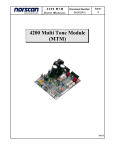
2. Multi Tone Module (MTM) Upgrade
If a Multi Tone Module (MTM) is selected for upgrade, the following menu will appear.
Multi Tone Module
No Line Selected
Tone 1: 577 Hz
Voltage: 000 V
Current: Low
Time:
1. Tone OFF – Activate Tone
2. Select Line & Apply Tone
3. Select Tone Frequency
4. Security Options
Setup Mode
X. Exit
Figure 10: MTM Menu
Press 5 for Setup Mode, the Multi Tone Module Setup Menu will appear (Figure 11).
Warning: Do not use the card connect menus to make configuration changes to any
of the 4200 modules. Configuration settings may be lost if changes are made
through these menus.
Multi Tone Module Setup Mode
MTM #00529
Rev 2.01
Ver 3.01
1. Program Line Descriptions
2. Program Tone Settings
3. Auto Shut-Off: 10 hours
4. Upgrade Firmware
X. Exit
Figure 11: MTM Setup Mode
Note the firmware version number on the Multi Tone Module Setup Mode screen. A list
of current firmware versions is available on the Internet at www.norscan.com. If a newer
firmware version has been released, contact Norscan to obtain the latest version.
To upgrade the MTM firmware, ensure the firmware file is available on the local
computer. Press 4 to begin the upgrade process. A warning message will be displayed
(Figure 12).
03/2013
Page 65
of 70