1
△
△
△
△
△
○
○
○
○
○
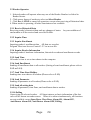
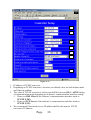
Push Button Time Zone:(reserved)
Lockup Time Zone:(reserved)
Unlock Time Zone:Door will not close or lock under selected time zone.
Aux. Time Zone:(reserved)
Invalid Password Times:Setting of numbers of invalid password
entered.
Main Reader Location:Outdoor or Indoor.
Print Mode:Reader must connect a serial printer.
When OFF is set: Printer will not print.
When Real Time is set: Printer will print immediately.
Duress Code
When Batch is set: reserved.
Duress Code:Enter Duress Code before password(Example 9 1234)
Reader System Password:Setting reader’s system password (default:5678)
Auto Record Range:Transactions will be recorded when any boxes or all boxes
of function clicked.
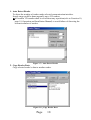
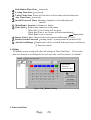
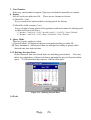
4. Holiday
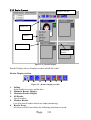
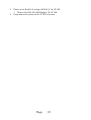
All holiday access setting will affect all settings at Time Zone Data. Click on the
date box to mark as a holiday(the box will turn into a red box when it is clicked.)
Get holiday
data from
selected reader
Figure 3.10、Holiday Setting
5. Time Zone Data
Page
20