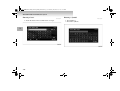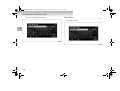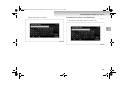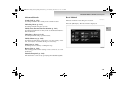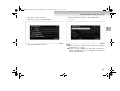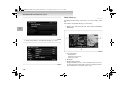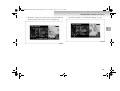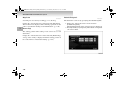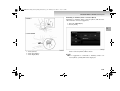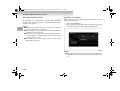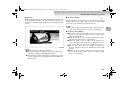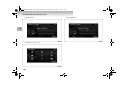
1
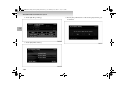
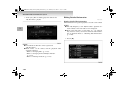
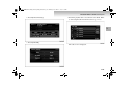
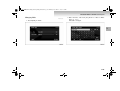
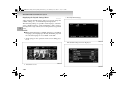
BK-MMCSE12007EN_Combi01_ENG_NLD.book Page 1 Thursday, November 16, 2006 4:13 PM
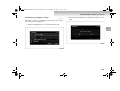
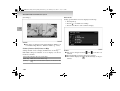
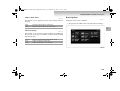
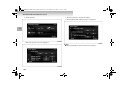
Mitsubishi Multi Communication System
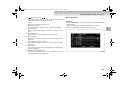
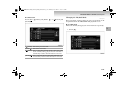
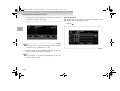
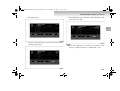
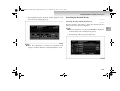
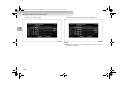
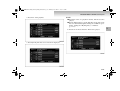
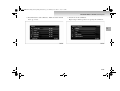
Cautions for use . . . . . . . . . . . . . . . . . . . . . . . . . . .1- 2
Introduction . . . . . . . . . . . . . . . . . . . . . . . . . . . . . .1- 3
Basic Operations . . . . . . . . . . . . . . . . . . . . . . . . . .1- 18
Destination . . . . . . . . . . . . . . . . . . . . . . . . . . . . . . .1- 40
Routes . . . . . . . . . . . . . . . . . . . . . . . . . . . . . . . . . .1- 70
Address Book. . . . . . . . . . . . . . . . . . . . . . . . . . . . .1- 87
TMC (Traffic Message Channel) . . . . . . . . . . . . . .1- 99
Audio . . . . . . . . . . . . . . . . . . . . . . . . . . . . . . . . . . .1-108
Supported disc types . . . . . . . . . . . . . . . . . . . . . . .1-152
Handling of discs . . . . . . . . . . . . . . . . . . . . . . . . . .1-157
Music Server . . . . . . . . . . . . . . . . . . . . . . . . . . . . .1-160
Visual . . . . . . . . . . . . . . . . . . . . . . . . . . . . . . . . . . .1-218
Information . . . . . . . . . . . . . . . . . . . . . . . . . . . . . .1-244
Settings. . . . . . . . . . . . . . . . . . . . . . . . . . . . . . . . . .1-269
1
BK-MMCSE12007EN_Combi01_ENG_NLD.book Page 2 Thursday, November 16, 2006 4:13 PM
Mitsubishi Multi Communication System
Cautions for use
NOTE
E08100100012
!
1
WARNING
● Do not operate the Mitsubishi Multi Communication System (MMCS) while driving.
● Always concentrate on your driving first. Keep your
eyes and mind on the road. If distracted while driving, you could cause an accident.
● For operation of the system, do not have the engine
running with the vehicle stationary in a garage or
other enclosed, poorly ventilated place. You could be
poisoned by exhaust gases
!
CAUTION
● Drive according to the actual traffic conditions. The
MMCS gives guidance to arrive at the destination,
but it cannot warn the driver of sudden dangers or
potential damage.
● The route guidance of the MMCS may sometimes
differ from the actual road conditions. Drive safely
in accordance with the new road conditions or regulations.
● Do not look at the screen for a long time while driving, as it can cause an accident.
● Do not disassemble or modify, as it could cause malfunctions, smoke emissions or fire.
1-2
● For safety reasons, some functions are not possible to
operate while driving.
● If an abnormality (e.g., water or foreign matter enters the
MMCS or the MMCS emits smoke or an abnormal smell)
occurs, do not use the MMCS. Have it inspected at an
authorized Mitsubishi dealer. Do not continue to use the
MMCS or try to repair it yourself.
● The following are characteristics of the LCD and are not
malfunctions:
• Small black spots or bright spots (red, blue, or green) on
the screen.
• When it is cold, the screen becomes darker or reddish or
operations become slower.
• Color and brightness vary according to the viewing
angle.
● Use a clean soft cloth to wipe off any dirt from the screen.
Do not use any cleaners (such as benzene, thinners, antistatic agents or chemical cloths), as they may damage the
screen.
● Do not use the MMCS for an extended time while the
engine is off, as it will discharge the vehicle battery.
BK-MMCSE12007EN_Combi01_ENG_NLD.book Page 3 Thursday, November 16, 2006 4:13 PM
Mitsubishi Multi Communication System
Introduction
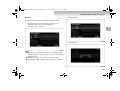
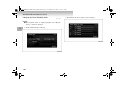
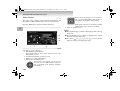
Adding an Intermediate Destination
E08100200013
Navigation System Basic Operation Reference
Guide
E08100300014
1. Storing the Home Location
→ “When Storing Your Home” (p. 1-91)
2. Searching for the Destination
Use one of the methods below to decide the destination.
• Searching from the Map Screen
→ “Destination Setting for Scrolled Position” (p. 1-30)
→ “Destination Setting” (p. 1-67)
• Searching from the Address
→ “Address/Junction” (p. 1-42)
• Searching from the Points of Interest (POI) Name
→ “Points of Interest (POI) Name” (p. 1-52)
3. Arriving at the Destination
4. Going Home
Go back to the stored home location.
→ “Go Home” (p. 1-58)
5. Deleting the Route
→ “Deleting the Route” (p. 1-86)
Add an Intermediate Destination to be visited on the way to the
destination.
→ “Adding an Intermediate Destination” (p. 1-81)
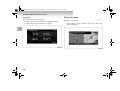
Deciding Locations to Store
Destinations and Intermediate Destinations can be easily
selected if frequently visited locations are stored.
→ “Storing a New Location” (p. 1-87)
→ “Editing a Location” (p. 1-94)
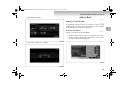
Viewing the Route
The route to the destination can be viewed.
→ “Viewing the Route” (p. 1-70)
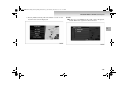
Deciding the Route Search Conditions
The route search for the destination can be changed.
→ “Showing the Route (3 Routes)” (p. 1-77)
1-3
1
BK-MMCSE12007EN_Combi01_ENG_NLD.book Page 4 Thursday, November 16, 2006 4:13 PM
Mitsubishi Multi Communication System
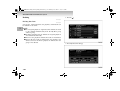
Routing
Outline of the System
E08100400015
System
1
● Male or female voice guidance is available in 9 languages.
(English, Francais, Deutsch, Nederlands*1, Portugues,
Espanol, Svenska, Italiano, Dansk)
● The schedule can be managed with the calendar function.
(p. 1-244)
● DVDs can be played. (p. 1-218)
● Music CDs can be recorded and played using the Music
Server. (p. 1-134, 1-160)
Easy Operation Setting
● Most settings are performed using the touch panel, enabling a direct operation feeling.
Destination Setting
● Addresses and nearby POIs can be easily searched for and
set as the destination. (p. 1-42, 1-59)
● A route can be set for returning home. (p. 1-58)
● A new destination can be set from the 20 destinations that
have been previously set. (p. 1-56)
Map Guidance
● POI icons can be displayed on the map. There are 40 POI
icon types. (p. 1-292)
● The map colours can be changed. (p. 1-294)
● Markings can be displayed on the road on which the vehicle is being driven. (p. 1-295)
1-4
● Detour routes can be set with specified distances or streets
to avoid. (p. 1-74)
● A route can be selected from 3 routes that have different
calculation conditions. (p. 1-77)
● Areas to avoid can be set. (p. 1-303)
Voice Guidance
● Guidance is given for the required information at the optimum time. (p. 1-34)
● A male or female voice can be selected*1. (p. 1-285)
Vehicle information display
(Available on OUTLANDER only)
● You can check or set driving information.
● You can check distance to empty, distance driven after
refuelling, and driving time.
NOTE
● *1: Only a male voice is available for Dutch, and different
dialects can be selected.
BK-MMCSE12007EN_Combi01_ENG_NLD.book Page 5 Thursday, November 16, 2006 4:13 PM
Mitsubishi Multi Communication System
Parts Name and Functions
E08100500016
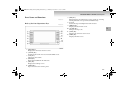
Roles of the Panel Operations Keys
E08100600017
7- [ENT] Key
Implements the selected item. For some operations, touching
and implementation are performed simultaneously.
8- Joystick
Scrolls the maps and implements item selection.
9- [MENU] Key
Displays the Navi menu screen.
10- [SCALE] Key
Changes the map scale.
11- [NAVI] Key
Displays the current location screen.
12- [INFO] Key
Displays the Info screen.
1- [MODE] Key
Displays the AV mode selection screen.
2- [AUDIO] Key
Switches between the AV screen and the NAVI screen.
3- [VOL] Key
Adjusts the AV volume.
4- [PWR] Key
Turns ON and OFF the AV functions.
5- [SET] Key
Displays the Settings screen.
6- [OPEN] Key
Opens and closes the monitor panel.
1-5
1
BK-MMCSE12007EN_Combi01_ENG_NLD.book Page 6 Thursday, November 16, 2006 4:13 PM
Mitsubishi Multi Communication System
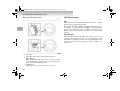
Role of the Steering Switch
GPS Measurement
E08100700018
E08100800019
GPS
GPS is the acronym for Global Positioning System, a system
developed and operated by the USA.
The system uses GPS satellites that orbit the Earth in space at
an altitude of approximately 20,000 km. Electromagnetic
waves from at least three of these satellites are received on the
Earth by the system, making it possible to learn the current
position.
1
Map Matching
When traveling with just the GPS, there may be errors in the
current position display. In such case, “map matching” is the
function that compensates for this error by assuming that vehicles travel on roads and placing the current position on a
nearby road.
1- [+], [-] Key
Adjust the volume during audio function playback.
2- [ ], [ ] Key
Move up and down radio stations, move to the next or previous track during CD playback, and moves to the next or previous chapter during DVD playback.
3- [MODE] Key
Toggles the AV mode each time this key is pressed.
1-6
BK-MMCSE12007EN_Combi01_ENG_NLD.book Page 7 Thursday, November 16, 2006 4:13 PM
Mitsubishi Multi Communication System
GPS antenna position
The position of the vehicle is determined from the weak electromagnetic waves from GPS satellites received by the GPS
antenna.
● Do not place objects on top of or close to the GPS
antenna.
● Do not use 1.5 G digital communication equipment, personal computers, etc. near the GPS antenna.
PAJERO
1
OUTLANDER
NOTE
● Since it may not be possible to accurately display the
vehicle position if the electromagnetic waves from the
GPS satellite are blocked, be sure to obey the following.
● Do not attach reflective-type films or films containing carbon to the window glass.
1-7
BK-MMCSE12007EN_Combi01_ENG_NLD.book Page 8 Thursday, November 16, 2006 4:13 PM
Mitsubishi Multi Communication System
Situations where accurate measurement is not possible
● Under a two-tier motorway
● Inside a tunnel or indoor parking area
1
● Area with many high-rise buildings
1-8
BK-MMCSE12007EN_Combi01_ENG_NLD.book Page 9 Thursday, November 16, 2006 4:13 PM
Mitsubishi Multi Communication System
● Between closely-spaced trees
The US Tracking and Control Centre controls the satellites.
Sometimes the electromagnetic waves are stopped during
upgrades or repairs to the system.
NOTE
● Do not block the electromagnetic waves, from GPS satellites by placing objects on or around the GPS antenna.
● Avoid using 1.5 G digital communication equipment close
to the GPS antenna. Doing so may make it impossible to
accurately measure position.
Situations where errors occur in the current location
and direction
● Errors sometimes occur when the accuracy of the GPS
satellite unit is poor.
● The GPS satellites are controlled by the United States
Department of Defense, so sometimes the satellite itself
intentionally sends incorrect position data. The measurement error will increase in this kind of situation.
● Sometimes sufficient accuracy is not possible because the
distribution of the GPS satellites is poor (when the satellites are aligned in approximately the same direction or
height). (The best accuracy for GPS measurement is when
signals are received from multiple satellites; a satellite
directly over the vehicle and others just over the horizon
to the north, south, east and west.)
● Regarding the height and directional accuracy of GPS
measurement, errors are slightly more likely in the horizontal direction.
● Electromagnetic waves from satellites higher than the
vehicle height can be received, but electromagnetic waves
cannot physically be received from satellites positioned
lower than the vehicle height (on the far side of the Earth).
This means that an adequate height comparison is not possible.
1-9
1
BK-MMCSE12007EN_Combi01_ENG_NLD.book Page 10 Thursday, November 16, 2006 4:13 PM
Mitsubishi Multi Communication System
3D Measurement
When valid electromagnetic waves can be received from at
least four GPS satellites, the 3D positions of latitude, longitude
and height are calculated.
2D Measurement
1
When valid electromagnetic waves can only be received from
three or less GPS satellites, the height is assumed to be
unchanged from the previous measurement and the 2D positions of latitude and longitude are calculated. If this happens,
the accuracy of the position is less than the 3D measurement.
No Measurement
If no valid electromagnetic waves can be received from the
GPS satellites, there is no measurement.
1-10
Error in the Current Location
E08100900010
In situations such as the following, the current location may not
be correctly displayed.
● Vehicle was moved without it being driven (for example
when transported on a ferry or trailer)
BK-MMCSE12007EN_Combi01_ENG_NLD.book Page 11 Thursday, November 16, 2006 4:13 PM
Mitsubishi Multi Communication System
● Vehicle direction was changed without turning on the
engine (for example on a turntable in a parking area)
● When driving on roads with elevation differences, such as
mountain roads with steep inclines
1
● After replacing the tyres or chains
1-11
BK-MMCSE12007EN_Combi01_ENG_NLD.book Page 12 Thursday, November 16, 2006 4:13 PM
Mitsubishi Multi Communication System
● When driving on roads that continue for a long time in a
straight line or gentle curve (for example motorways)
● When meandering on wide roads
1
● When driving on Y-shaped roads
● When driving around tight hairpin corners
1-12
BK-MMCSE12007EN_Combi01_ENG_NLD.book Page 13 Thursday, November 16, 2006 4:13 PM
Mitsubishi Multi Communication System
● When starting and stopping frequently at low speed, such
as in a traffic jam
● When driving on roads parallel to others
1
● When driving on grid-shaped roads
● When driving on snowy or unpaved roads
1-13
BK-MMCSE12007EN_Combi01_ENG_NLD.book Page 14 Thursday, November 16, 2006 4:13 PM
Mitsubishi Multi Communication System
● When driving on a road that turns around in the same
direction, such as a loop-shaped bridge or interchange
1
● When driving on roads where map data is not available
1-14
● When GPS measurements could not be made for a long
time
BK-MMCSE12007EN_Combi01_ENG_NLD.book Page 15 Thursday, November 16, 2006 4:13 PM
Mitsubishi Multi Communication System
Route Calculation
E08101000018
● The most up-to-date road information and regulation data
possible have been used for the maps and information
used in this system. However, subsequent road changes
may cause the information to differ from the actual conditions, and inappropriate guidance may be given. Be sure
to drive according to the actual traffic conditions.
● Not all roads are subject to the recommended route guidance.
● The calculated route is only one example of a road that
reaches the destination, which the system calculated by
taking into account road types and traffic conditions. It is
not necessarily always the best route.
● Not all ferry routes are necessarily stored in the data. Further, even if ferry routes are prioritized they are not necessarily used in the route.
● The route selection is a comprehensive judgement based
on factors such as the road type, distance and road width,
but this does not mean that the best route is always
selected. Think of the route as only one example of many
possible routes.
● The route guidance is performed for the roads subject to
the route guidance that are the nearest to the destination or
Intermediate Destination. For this reason, an inappropriate
route may be displayed if the set route includes a location
where many roads are concentrated together, such as at an
interchange. Further, if the destination or Intermediate
Destination becomes far away from the junctions of roads
subject to the route guidance, a route may be displayed
that passes the destination or Intermediate Destination.
● Traffic lanes in both directions are separately input for
wide roads or roads with central dividers. If a destination
(Intermediate Destination) is set in this kind of position, a
route may be selected that passes and then returns to the
destination (Intermediate Destination).
● The first guidance location is the road nearest to the starting position (vehicle).
● The final guidance location is the road nearest to the location set as the destination.
● If while driving along route seems very indirect, it is possible that a route has been set in the direction opposite to
the current vehicle direction.
● The guidance route may result in the vehicle being on the
opposite side of a river or station from that which is
desired. If this happens, move the destination near to the
desired road.
● Sometimes it will not be possible to avoid toll roads or
ferry routes, when there are no other suitable routes.
● If three recommended routes do not exist, the same route
may be repeated.
● Sometimes the enlarged junction map will not be displayed immediately after the route calculation, or due to
other conditions.
1-15
1
BK-MMCSE12007EN_Combi01_ENG_NLD.book Page 16 Thursday, November 16, 2006 4:13 PM
Mitsubishi Multi Communication System
End-User Licence Agreement
Gracenote Music® Recognition ServiceSM
E08101100019
1
Music recognition technology and related data are provided by
Gracenote®.
Gracenote is the industry standard in music recognition technology and related content delivery. For more information visit
www.gracenote.com.
CD and music-related data from Gracenote, Inc., copyright©
2000-2006 Gracenote. Gracenote Software, copyright© 20002006 Gracenote. This product and service may practice one or
more of the following U.S. Patents: #5,987,525; #6,061,680;
#6,154,773, #6,161,132, #6,230,192, #6,230,207, #6,240,459,
#6,330,593, and other patents issued or pending. Some services
supplied under licence from Open Globe, Inc. for U.S. Patent:
#6,304,523.
Gracenote and CDDB are registered trademarks of Gracenote.
The Gracenote logo and logotype, and the “Powered by
Gracenote” logo are trademarks of Gracenote.
1-16
USE OF THIS PRODUCT IMPLIES ACCEPTANCE OF THE
TERMS BELOW.
Gracenote® MusicID® Terms of Use
This device contains software from Gracenote, Inc. of Emeryville, California (“Gracenote”). The software from
Gracenote (the “Gracenote Software”) enables this application to do online disc identification and obtain music-related
information, including name, artist, track, and title information (“Gracenote Data”) from online servers (“Gracenote
Servers”) and to perform other functions. You may use
Gracenote Data only by means of the intended End-User
functions of this device.
You agree that you will use Gracenote Data, the Gracenote
Software, and Gracenote Servers for your own personal noncommercial use only. You agree not to assign, copy, transfer
or transmit the Gracenote Software or any Gracenote Data to
any third party. YOU AGREE NOT TO USE OR EXPLOIT
GRACENOTE DATA, THE GRACENOTE SOFTWARE,
OR GRACENOTE SERVERS, EXCEPT AS EXPRESSLY
PERMITTED HEREIN.
BK-MMCSE12007EN_Combi01_ENG_NLD.book Page 17 Thursday, November 16, 2006 4:13 PM
Mitsubishi Multi Communication System
You agree that your non-exclusive licence to use the
Gracenote Data, the Gracenote Software, and Gracenote
Servers will terminate if you violate these restrictions. If
your licence terminates, you agree to cease any and all use of
the Gracenote Data, the Gracenote Software, and Gracenote
Servers. Gracenote reserves all rights in Gracenote Data, the
Gracenote Software, and the Gracenote Servers, including all
ownership rights. Under no circumstances will Gracenote
become liable for any payment to you for any information
that you provide. You agree that Gracenote, Inc. may enforce
its rights under this Agreement against you directly in its
own name.
The Gracenote MusicID Service uses a unique identifier to
track queries for statistical purposes.
The purpose of a randomly assigned numeric identifier is to
allow the Gracenote MusicID service to count queries without knowing anything about who you are. For more information, see the web p.for the Gracenote Privacy Policy for the
Gracenote MusicID Service.
The Gracenote Software and each item of Gracenote Data
are licensed to you “AS IS.”
Gracenote makes no representations or warranties, express
or implied, regarding the accuracy of any Gracenote Data
from in the Gracenote Servers. Gracenote reserves the right
to delete data from the Gracenote Servers or to change data
categories for any cause that Gracenote deems sufficient. No
warranty is made that the Gracenote Software or Gracenote
Servers are error-free or that functioning of Gracenote Software or Gracenote Servers will be uninterrupted. Gracenote
is not obligated to provide you with new enhanced or additional data types or categories that Gracenote may provide in
the future and is free to discontinue its online services at any
time.
GRACENOTE DISCLAIMS ALL WARRANTIES
EXPRESS OR IMPLIED, INCLUDING, BUT NOT LIMITED TO, IMPLIED WARRANTIES OF MERCHANTABILITY, FITNESS FOR A PARTICULAR PURPOSE,
TITLE, AND NON-INFRINGEMENT. GRACENOTE
DOES NOT WARRANT THE RESULTS THAT WILL BE
OBTAINED BY YOUR USE OF THE GRACENOTE
SOFTWARE OR ANY GRACENOTE SERVER. IN NO
CASE WILL GRACENOTE BE LIABLE FOR ANY CONSEQUENTIAL OR INCIDENTAL DAMAGES OR FOR
ANY LOST PROFITS OR LOST REVENUES.
© Gracenote 2006Version 2.2
1-17
1
BK-MMCSE12007EN_Combi01_ENG_NLD.book Page 18 Thursday, November 16, 2006 4:13 PM
Mitsubishi Multi Communication System
Basic Operations
E08101200010
Starting the MMCS
1. Turn “ON” the ignition switch. The opening screen is displayed.
If any function other than AUDIO was used last time, go
to Step 2.
E08101300011
1
!
CAUTION
● When parking the vehicle to operate the system,
park in a safe location and do not stop in no-stopping zones.
● Do not use for a long time while the engine is off.
Depending on the condition of the battery, it could
make it impossible to start the engine.
NOTE
● If special days and anniversaries (p. 1-244) have been set,
when the date matches the settings, the set icon is displayed on screen.
1-18
BK-MMCSE12007EN_Combi01_ENG_NLD.book Page 19 Thursday, November 16, 2006 4:13 PM
Mitsubishi Multi Communication System
2. Touch the desired language.
Operation Instructions
E08101400012
With this navigation system, operations can be performed by
pressing the panel keys or touching the screen buttons.
Operate the screen by touching lightly with a fingertip.
1
3. Touch [OK]. After a moment, the display is changed to
the navigation screen.
!
WARNING
● While driving, do not perform complicated operations or concentrate on the screen. Failure to pay
attention to the road ahead may cause traffic accidents. Have a front seat passenger perform the operations, or stop the car in a safe location before
operating.
1-19
BK-MMCSE12007EN_Combi01_ENG_NLD.book Page 20 Thursday, November 16, 2006 4:13 PM
Mitsubishi Multi Communication System
NOTE
● Do not touch the screen with wet hands or press it with
hard, sharp objects, as this may cause malfunction.
1
The Screens in this Manual
The screens described in this manual are for explanation. They
may be different from actual screens, and their operation may
also be different.
Menu Screens
E08101600014
Scroll Menu
E08101700015
After scrolling the map, press the [ENT] key to display.
Lists
E08101500013
This section explains the list operation buttons when a list has
been displayed.
Scrolls forward through a list one line at a time.
Scrolls forward through a list one page at a time.
Scrolls back through a list one line at a time.
Scrolls back through a list one page at a time.
[Set as Dest]
Sets the cursor position as the destination.
→ “Destination Setting for Scrolled Position” (p. 1-30)
[Address Book]
The cursor position can be stored in the address book.
→ “Storing a New Location” (p. 1-87)
[Nearby POI]
POI can be searched for in the vicinity of the cursor position.
→ “Nearby POI” (p. 1-59)
[Location]
1-20
BK-MMCSE12007EN_Combi01_ENG_NLD.book Page 21 Thursday, November 16, 2006 4:13 PM
Mitsubishi Multi Communication System
The positional relationship between the cursor position and
the current location can be viewed.
→ “Viewing the Car Location” (p. 1-30)
[Set as Surveillance]
The cursor position can be stored and traffic information can
be checked.
→ “Set as Surveillance Map” (p. 1-103)
Navi Menu
E08101800016
Press the [MENU] key to display.
The location can be searched for using a POI name.
→ “Points of Interest (POI) Name” (p. 1-52)
[Advanced Search]
An Advanced search is possible based on the POI search.
→ “Advanced Search” (p. 1-58)
[Previous 20]
A new destination can be set from the 20 destinations that
have been previously set.
→ “Previous 20” (p. 1-56)
[Address Book]
A previously stored location can be called up and set as the
destination.
→ “Address Book” (p. 1-57)
[Go Home]
A route can be set for returning home.
→ “Go Home” (p. 1-58)
[Navigation Settings]
Various functions related to the navigation can be set.
→ “Settings” (p. 1-269)
[Navigation Tools]
The Demo of the set route and basic information related to
the navigation can be viewed.
→ “Start Demo” (p. 1-85)
[Address/Junction]
The location can be searched for using the address or street
name of the destination.
→ “Address/Junction” (p. 1-42)
[POI Name]
1-21
1
BK-MMCSE12007EN_Combi01_ENG_NLD.book Page 22 Thursday, November 16, 2006 4:13 PM
Mitsubishi Multi Communication System
Route Menu
E08101900017
Touch [Route] on the current location screen to display. The
route can be viewed or edited.
NOTE
1
● The [Route] button is displayed when a destination has
been set.
[Detour]
The route can be changed to one that detours a specified
area.
→ “Detour” (p. 1-74)
[Itinerary]
The destination position can be changed, a Intermediate
Destination can be added, and the route calculation conditions can be changed.
→ “Editing the Route (Itinerary)” (p. 1-76)
1-22
[View Route]
The route can be viewed using various methods.
→ “Viewing the Route” (p. 1-70)
[Delete Route]
Deleting a created route.
→ “Deleting the Route” (p. 1-86)
[Nearby POI]
POI can be searched for in the vicinity of the current location.
→ “Nearby POI” (p. 1-59)
BK-MMCSE12007EN_Combi01_ENG_NLD.book Page 23 Thursday, November 16, 2006 4:13 PM
Mitsubishi Multi Communication System
Map Screen
E08102000015
The current position of your vehicle is displayed on the
“Current Location Screen”.
Current Location Screen
3- Map Scale
Shows the scale of the displayed map.
4- Street Name
Displays the name of the street currently being travelled.
5- Route
Displays the Route Menu.
6- Guidance Route
When a route is set, shows the route to the destination.
7- Vehicle Mark
Shows the position of the vehicle being driven.
8- Destination/Intermediate Destination Information
When a route is set, shows the distance and time to the destination or Intermediate Destination.
9- Direction Box
When a route is set, displays the route number or street name
of the next street to turn onto.
10- Maneuver Icon
When a route is set, displays whether to turn left or right at
the next intersection of the guidance, and the distance to this
intersection.
11- TMC Icon
Displays traffic information such as traffic jams, construction, etc. When icon is touched, detailed information for the
TMC symbol displayed on the map can be checked.
1- Orientation Mark
Shows the orientation of the displayed map.
2- Destination/Intermediate Destination Direction Icon
Shows the direction to the destination or Intermediate Destination. Only displayed when a route has been set.
1-23
1
BK-MMCSE12007EN_Combi01_ENG_NLD.book Page 24 Thursday, November 16, 2006 4:13 PM
Mitsubishi Multi Communication System
Changing the Map Display
E08102100016
Changing the display method of the map screen.
E08102200017
Press the [NAVI] key. The current location screen is displayed.
1
Changing the Scale
E08102300018
The scale of the map display can be changed with in a range of
50 m (1/32 miles) to 100 km (60 miles).
● The scale display unit can be changed from “km” to
“mile”. Refer to “Unit” (p. 1-284).
1-24
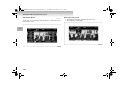
SCALE] key. A
wider area can be viewed each time the [
is pressed.
Displaying the Current Location Screen
NOTE
One Map Mode
1. To display a wider area, press the [
SCALE] key
BK-MMCSE12007EN_Combi01_ENG_NLD.book Page 25 Thursday, November 16, 2006 4:13 PM
Mitsubishi Multi Communication System
2. For a detailed display, press the [SCALE
] key. A more
detailed area can be viewed each time the [SCALE
key is pressed.
]
Two Maps Mode
When two maps are displayed, the left and right screens can be
changed to different scales. The scale of the right map is
changed with the same operations as when there is only one
map. This section explains how to change the scale of the left
map.
NOTE
● Two maps are displayed only when Guidance Mode is set
to Guidance Map. Refer to “Guidance Mode” (p. 1-299).
NOTE
● Press and hold the [ SCALE] key or the [SCALE
key to change the scale using smooth zoom.
]
1-25
1
BK-MMCSE12007EN_Combi01_ENG_NLD.book Page 26 Thursday, November 16, 2006 4:13 PM
Mitsubishi Multi Communication System
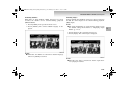
1. Touch the map section of the left map.
2. Touch [
] to display a wide area. A wider area can be
viewed each time [
] is touched.
1
A scale bar is displayed.
3. Touch [
] to display a detailed area. A more detailed
area can be viewed each time [
NOTE
] is touched.
● Perform these operations while the scale bar is being displayed.
● Touch and hold [ ] or [ ] to change the scale using
smooth zoom.
1-26
BK-MMCSE12007EN_Combi01_ENG_NLD.book Page 27 Thursday, November 16, 2006 4:13 PM
Mitsubishi Multi Communication System
Changing the Map Orientation
Heading-Up
E08102400019
The map orientation can be changed according to various conditions.
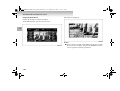
Touch the orientation mark (A). Each time the orientation mark
is touched, the map orientation is changed in the sequence
“North-Up” → “Heading-Up” → “Auto”.
1
North-Up
1-27
BK-MMCSE12007EN_Combi01_ENG_NLD.book Page 28 Thursday, November 16, 2006 4:13 PM
Mitsubishi Multi Communication System
Map Orientation
Mark
1
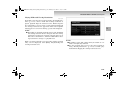
Name
Display
Contents
North-Up
The vehicle mark is rotated so that
the north of the map is always facing the front (up).
Heading-Up
The map is rotated so that the vehicle is always facing the front (up).
Auto
“Heading-Up” or “North-Up” is
selected automatically, depending
on the map scale. “Heading-Up” is
selected for a scale of 100 m (1/16
miles) or less, and “North-Up” is
selected for a scale of 250 m (1/8
miles) or more.
(Red)
(Red)
(Blue)
or
(Blue)
1-28
During Two Maps Display
When two maps are displayed, the left and right maps are
linked together, with either “Heading-Up” or “North-Up”
selected for both. However, when “Auto” is set, different orientations can be selected for the left and right maps, depending
on the scale.
BK-MMCSE12007EN_Combi01_ENG_NLD.book Page 29 Thursday, November 16, 2006 4:13 PM
Mitsubishi Multi Communication System
Scrolling the Map
The map is scrolled.
E08102500010
The map can be scrolled to search for a location to view.
Move the joystick in the direction to be viewed.
1
NOTE
● When Two Map is set, during scrolling One Map display
is shown at the scale selected for the right-side screen.
1-29
BK-MMCSE12007EN_Combi01_ENG_NLD.book Page 30 Thursday, November 16, 2006 4:13 PM
Mitsubishi Multi Communication System
Destination Setting for Scrolled Position
Viewing the Car Location
E08107700017
E08107800018
The position reached with the map scroll can be set as the destination.
1. Scroll the map and place the cursor on the desired location, and press the [ENT] key. The scroll menu screen is
displayed.
The positional relationship between the current location and
the position reached with the map scroll can be viewed.
1. Scroll the map and place the cursor on the desired location, and press the [ENT] key. The scroll menu screen is
displayed.
1
2. Touch [Set as Dest.]. Refer to “Setting as Destination”
(p. 1-67).
NOTE
● Touch [Address Book] to store the cursor position. Refer
to “From the Scroll Menu” (p. 1-88).
● Touch [Nearby POI] to search for POI (Points of Interest)
in the vicinity of the cursor position. Refer to “Nearby
POI” (p. 1-59).
1-30
BK-MMCSE12007EN_Combi01_ENG_NLD.book Page 31 Thursday, November 16, 2006 4:13 PM
Mitsubishi Multi Communication System
2. Touch [Location]. The positional relationship between the
current location and the cursor position (A) can be
viewed.
Junction Guidance
E08102600011
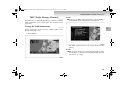
An enlarged junction map is displayed when an junction is
approached.
The guidance mode can be changed with the settings.
NOTE
● Refer to “Guidance Mode” (p. 1-299) for details on how
to change the guidance mode.
Guidance Map
E08102700012
The screen changes from the normal map screen to the junction
guidance map.
1-31
1
BK-MMCSE12007EN_Combi01_ENG_NLD.book Page 32 Thursday, November 16, 2006 4:13 PM
Mitsubishi Multi Communication System
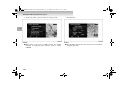
Turn List
E08102800013
The screen changes from the turn list to the junction guidance
map.
1
NOTE
● If there is a ferry section on the route, a ferry mark will be
displayed on the guidance map, etc.
1-32
BK-MMCSE12007EN_Combi01_ENG_NLD.book Page 33 Thursday, November 16, 2006 4:13 PM
Mitsubishi Multi Communication System
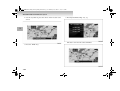
Arrow Guide
E08102900014
The screen changes from the arrow guide to the junction guidance map.
1
NOTE
● If there is a toll booth on the route, a Toll Booth mark will
be displayed.
● If there is a ferry section on the route, a Ferry mark will be
displayed on the guidance map, etc.
1-33
BK-MMCSE12007EN_Combi01_ENG_NLD.book Page 34 Thursday, November 16, 2006 4:13 PM
Mitsubishi Multi Communication System
Listening to the Voice Guide
E08103000012
Use the voice guide when you want to know the distance to the
next junction on the route, and which way to turn.
Normally the voice guide comes on automatically when
approaching an junction, but the voice guide can be activated at
any time with the following operation.
Touch the Maneuver Icon (A).
1
NOTE
● If there is a ferry section on the route, a ferry mark will be
displayed on the guidance map, etc.
1-34
BK-MMCSE12007EN_Combi01_ENG_NLD.book Page 35 Thursday, November 16, 2006 4:13 PM
Mitsubishi Multi Communication System
The junction guidance map is displayed, and voice guidance is
performed.
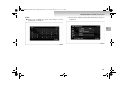
How to Enter Text
E08103100013
When searching for a stored location by name or address, the
letter input keyboard will be displayed.
Depending on the function, uppercase letters, lowercase letters,
and symbols can be input.
NOTE
● The examples in this section all show the screen for editing stored locations, but operations for other input keyboards are performed in the same way.
● The keyboard layout can be switched between Alphabet
and PC. Refer to “Keyboard Layout” (p. 1-285).
NOTE
● The voice guidance volume and male or female voice
selection can be changed. (Only a male voice is available
for Dutch, and different dialects can be selected.) Refer to
“Other Settings” (p. 1-285).
1-35
1
BK-MMCSE12007EN_Combi01_ENG_NLD.book Page 36 Thursday, November 16, 2006 4:13 PM
Mitsubishi Multi Communication System
Entering a letter
Entering a Symbol
E08103200014
1. Touch the letters. The touched letters are input.
1
1-36
E08103300015
1. Touch [More].
2. Touch the symbols.
BK-MMCSE12007EN_Combi01_ENG_NLD.book Page 37 Thursday, November 16, 2006 4:13 PM
Mitsubishi Multi Communication System
The touched symbols are input.
Deleting Text
E08103400016
1. Touch [
].
1
1-37
BK-MMCSE12007EN_Combi01_ENG_NLD.book Page 38 Thursday, November 16, 2006 4:13 PM
Mitsubishi Multi Communication System
The letters are deleted one by one.
Clear All Text
E08107600016
1. Touch [Clear All].
1
1-38
BK-MMCSE12007EN_Combi01_ENG_NLD.book Page 39 Thursday, November 16, 2006 4:13 PM
Mitsubishi Multi Communication System
All the input letters are deleted.
Switching between Large and Small Caps
E08103500017
1. Touch [A/a]. The letter changes to lower case.
1
1-39
BK-MMCSE12007EN_Combi01_ENG_NLD.book Page 40 Thursday, November 16, 2006 4:13 PM
Mitsubishi Multi Communication System
Destination
2. Touch [A/a] again. The letter returns to upper case.
E08103700019
Navigation operations start with the location search.
If a map of the destination can be displayed, the route to the
destination can be set and the location can be stored in the
address book.
The following search methods are available to search for locations according to various conditions.
1
Basic Method
Address/Junction (p. 1-42)
Used when the address or street name of the destination is
known.
Points of Interest (POI) Name (p. 1-52)
Used when the name of the desired POI is known.
Completing the Input
E08103600018
Touch [Set]. The input letters are set, and the screen returns to
the original display.
Previous 20 (p. 1-56)
A new destination can be set from the 20 destinations that have
been previously set.
Address Book (p. 1-57)
If a location has already been stored in the address book, it can
be called up and set as the destination.
Go Home (p. 1-58)
If the home location has already been stored, the route to go
home can be set.
NOTE
● “POI” = Points of Interest
1-40
BK-MMCSE12007EN_Combi01_ENG_NLD.book Page 41 Thursday, November 16, 2006 4:13 PM
Mitsubishi Multi Communication System
Advanced Search
Basic Method
Nearby POI (p. 1-59)
The basic method of searching for a location.
E08104000019
Searching for POI in the vicinity of the current location.
POI along Route (p. 1-61)
Press the [Menu] key. The Navi menu is displayed.
Searching for POI along the set route.
1
POI by Dest./Intermediate Destination (p. 1-61)
Searching for POI in the vicinity of the set destination/intermediate destination.
POI along a Street (p. 1-62)
Searching for POI along a specified street.
POI by Motorway (p. 1-64)
Searching for POI along a motorway or in the vicinity of the
exit. Can only be used when driving on a motorway.
Map Point (p. 1-66)
Searching for a location by scrolling the map.
Return Trip (p. 1-66)
The starting position when setting a route can be set as a new
destination.
Latitude/Longitude (p. 1-66)
The destination can be set by specifying the latitude/longitude.
1-41
BK-MMCSE12007EN_Combi01_ENG_NLD.book Page 42 Thursday, November 16, 2006 4:13 PM
Mitsubishi Multi Communication System
Address/Junction
NOTE
E08104100010
Used when the address or street name of the destination is
known.
1. Display the Navi Menu and touch [Address/Junction].
2. Touch the “Country” button.
1
1-42
● The name of country that was previously set is displayed
in the “Country” button.
● One of the five most recently selected countries can be
selected by touching [Last 5] of “Country”.
BK-MMCSE12007EN_Combi01_ENG_NLD.book Page 43 Thursday, November 16, 2006 4:13 PM
Mitsubishi Multi Communication System
3. Input the country name. Refer to “How to Enter Text”
(p. 1-35).
NOTE
● If there is only one candidate when a character is input for
the country name, go to step 4.
● If there are five candidates or less when a character is
input for the country name, a list is displayed and a country can be selected from the list.
● Touch [List] to select a country from the list.
1-43
1
BK-MMCSE12007EN_Combi01_ENG_NLD.book Page 44 Thursday, November 16, 2006 4:13 PM
Mitsubishi Multi Communication System
4. Touch the “City” button.
NOTE
● One of the five most recently selected cities from the corresponding country can be selected by touching [Last 5]
of “City”.
1
1-44
BK-MMCSE12007EN_Combi01_ENG_NLD.book Page 45 Thursday, November 16, 2006 4:13 PM
Mitsubishi Multi Communication System
5. Input the city name. Refer to “How to Enter Text”
(p. 1-35).
● Touch [List] to select a city from the list.
1
NOTE
● If there is only one candidate when a character is input for
the city name, go to step 6.
● If there are five candidates or less when a character is
input for the city name, a list is displayed and a city can be
selected from the list.
1-45
BK-MMCSE12007EN_Combi01_ENG_NLD.book Page 46 Thursday, November 16, 2006 4:13 PM
Mitsubishi Multi Communication System
● Touch [Keyword] to display only the city names that
include the input letters. The city can then be selected
from this list.
● Touch [Post Code] to input the post code and specify the
address. Note that [Last 5] is not stored for the post code.
1
● If there is only one candidate when a character is input for
the post code, go to step 6.
● If there are five candidates or less when a character is
input for the post code, a list is displayed and a post code
can be selected from the list.
1-46
BK-MMCSE12007EN_Combi01_ENG_NLD.book Page 47 Thursday, November 16, 2006 4:13 PM
Mitsubishi Multi Communication System
● Touch [List] on the “Post Code Input” screen after inputting a character to display only the post codes that start
with the input character. The post code can then be
selected from this list.
7. Input the street name. Refer to “How to Enter Text”
(p. 1-35).
1
6. Touch the “Street” button.
NOTE
● One of the five most recently selected streets from the corresponding country and city can be selected by touching
[Last 5] of “Street”.
1-47
BK-MMCSE12007EN_Combi01_ENG_NLD.book Page 48 Thursday, November 16, 2006 4:13 PM
Mitsubishi Multi Communication System
NOTE
1
● If there is only one candidate when a character is input for
the street name, go to step 8.
● If there are five candidates or less when a character is
input for the street name, a list is displayed and a street
can be selected from the list.
● Touch [List] to select a street from the list.
1-48
● Touch [Keyword] to display only the street names that
include the input letters. The street can then be selected
from this list.
BK-MMCSE12007EN_Combi01_ENG_NLD.book Page 49 Thursday, November 16, 2006 4:13 PM
Mitsubishi Multi Communication System
8. Touch [Set]. Refer to “Destination Setting” (p. 1-67).
House Number Input
The house number can be input to set a detailed address.
1. Input the “Country”, “City” and “Street” in
“Address/Junction” (p. 1-42).
2. Touch the “House #” button.
3. Input the house number. Refer to “How to Enter Text”
(p. 1-35).
NOTE
● The house number or junction name can then be specified
to set a more detailed address. Both cannot be specified.
● Touch [All House Numbers] to set a detailed address by
inputting the house number. Refer to “House Number
Input” (p. 49).
● Touch [All Junctions] to set a detailed address by inputting the junction name. Refer to “Junction Input”
(p. 1-51).
1-49
1
BK-MMCSE12007EN_Combi01_ENG_NLD.book Page 50 Thursday, November 16, 2006 4:13 PM
Mitsubishi Multi Communication System
NOTE
● Letters can also be input by touching [Keyboard]. Touch
[Numeric Input] to return to the original numeric input
screen.
1
1-50
4. Touch [Set].
BK-MMCSE12007EN_Combi01_ENG_NLD.book Page 51 Thursday, November 16, 2006 4:13 PM
Mitsubishi Multi Communication System
5. Touch [Set]. Refer to Continued at “Destination Setting”
(p. 1-67).
3. Touch the junction to be set as the destination.
1
4. Touch [Set]. Refer to “Destination Setting” (p. 1-67).
Junction Input
The junction name can be input to set a detailed address.
1. Input the “Country”, “City” and “Street” in
“Address/Junction” (p. 1-42).
2. Touch the “Junction” button.
1-51
BK-MMCSE12007EN_Combi01_ENG_NLD.book Page 52 Thursday, November 16, 2006 4:13 PM
Mitsubishi Multi Communication System
Points of Interest (POI) Name
4. Touch the category of the desired POI.
E08104200011
Used when the name of the desired POI is known.
1. Display the Navi Menu and touch [POI Name].
2. Input the “Country” and “City” with the same operations
as in “Address/Junction” (p. 1-244).
1
NOTE
3. Touch the “Category” button. The “POI Category” screen
is displayed. The operation in step 5 can be performed
even if a category is not selected.
1-52
● Touch [My Categories] to select frequently used categories that have already been stored. Refer to “Editing My
Categories” (p. 55) for details on storing a category.
● One of the five most recently selected categories can be
selected by touching [Last 5].
● Touch [All] to select from all categories.
5. Touch the “POI Name” button.
BK-MMCSE12007ENUK.en-uk-Section15.fm Page 53 Monday, November 20, 2006 4:01 PM
Mitsubishi Multi Communication System
6. Input the POI name. Refer to “How to Enter Text”
(p. 1-218).
1
● For large facilities such as airports,
you can select the related facility.
will be shown and
NOTE
● If there is only one candidate when a character is input for
the POI name, go to step 7.
● If there are five candidates or less when a character is
input for the POI name, a list is displayed and a POI can
be selected from the list.
1-53
BK-MMCSE12007EN_Combi01_ENG_NLD.book Page 54 Thursday, November 16, 2006 4:13 PM
Mitsubishi Multi Communication System
7. Touch [Set]. Refer to “Destination Setting” (p. 1-160)
1
NOTE
● When a facility marked with
is selected from the POI
Name List, [Sub POI] will be displayed in the lower part
of the screen.
1-54
● Touch [Sub POI] to display the list and select a detailed
POI.
BK-MMCSE12007EN_Combi01_ENG_NLD.book Page 55 Thursday, November 16, 2006 4:13 PM
Mitsubishi Multi Communication System
Editing My Categories
Frequently used POI categories can be stored in “My Categories”.
A maximum of six category items can be stored in “My Categories”.
4. Touch the category to store.
1. Display the “POI Category” screen. Refer to “Points of
Interest (POI) Name” (p. 1-52).
2. Touch [My Categories].
1
NOTE
● The stored categories are displayed with a highlight.
Touch a stored category to clear the stored item.
● Touch [Clear All] to clear all the stored category items.
● Touch [Default] to return to the factory settings (four
items are stored before shipment).
3. Touch [Edit My Categories]. A list is displayed of all categories.
1-55
BK-MMCSE12007EN_Combi01_ENG_NLD.book Page 56 Thursday, November 16, 2006 4:13 PM
Mitsubishi Multi Communication System
5. Touch [Back].
Previous 20
E08104300012
A new destination, Intermediate Destination or location to be
stored can be set from the 20 destinations that have been previously set.
1. Display the Navi Menu and touch [Previous 20]. A list of
the 20 destinations that have been previously set is displayed.
2. Touch the desired location. Refer to “Setting as Destination” (p. 1-67).
1
The categories currently displayed are stored, and the display returns to the original “POI Category” screen.
1-56
BK-MMCSE12007EN_Combi01_ENG_NLD.book Page 57 Thursday, November 16, 2006 4:13 PM
Mitsubishi Multi Communication System
NOTE
● Touch [Info] to display a map of the vicinity and corresponding information.
Address Book
E08104400013
If a location has already been stored (p. 1-87) in the address
book, it can be called up and set as the destination.
NOTE
● If no locations have been stored in the address book,
[Address Book] cannot be selected.
● Refer to “Storing a New Location” (p. 1-87) for details on
storing a location in the address book.
1. Display the Navi Menu and touch [Address Book].
2. Touch the location to be set as the destination. Refer to
“Destination Setting” (p. 1-67).
● Destinations that have been previously set can be deleted.
Refer to “Delete Previous 20” (p. 1-309).
1-57
1
BK-MMCSE12007EN_Combi01_ENG_NLD.book Page 58 Thursday, November 16, 2006 4:13 PM
Mitsubishi Multi Communication System
Go Home
Advanced Search
E08104500014
E08104600015
If the home location has already been stored (p. 1-91), the route
to go home can be set.
Separate from the basic search, a detailed search is possible
based on the POI search.
NOTE
1
● Refer to “When Storing Your Home” (p. 1-91) for details
on storing the home position.
Display the Navi Menu and touch [Go Home]. Refer to “Destination Setting” (p. 1-67).
NOTE
● If a home position has not been stored, a message is displayed that recommends it to be stored. Touch [Yes] and
perform the storing operations.
1-58
1. Press the [Menu] key. The Navi Menu is displayed.
BK-MMCSE12007EN_Combi01_ENG_NLD.book Page 59 Thursday, November 16, 2006 4:13 PM
Mitsubishi Multi Communication System
2. Touch [Advanced Search].
Nearby POI
E08104700016
Searching for POI in the vicinity of the current location.
A maximum of 100 POIs can be searched for within a range of
approximately 100km (60 miles) from the current location.
1. Display the “Advanced Search” menu and touch [Nearby
POI].
2. Touch the category of the desired POI.
The “Advanced Search” menu is displayed.
NOTE
● Touch [My Categories] to select frequently used categories that have already been stored. Refer to “Editing My
Categories” (p. 55) for details on storing a category.
● One of the five most recently selected categories can be
selected by touching [Last 5].
● Touch [All] to select from all categories.
1-59
1
BK-MMCSE12007EN_Combi01_ENG_NLD.book Page 60 Thursday, November 16, 2006 4:13 PM
Mitsubishi Multi Communication System
3. Touch the desired POI.
NOTE
● Touch [Info] to display a map of the vicinity and corresponding information.
1
Refer to “Destination Setting” (p. 1-67).
● Touch [Refresh] to search again.
1-60
BK-MMCSE12007EN_Combi01_ENG_NLD.book Page 61 Thursday, November 16, 2006 4:13 PM
Mitsubishi Multi Communication System
From the Scroll Menu
POIs in the vicinity of a specified location can searched for
from the scroll menu.
1. Scroll the map and place the cursor on the location of the
desired facility, and press the [ENT] key.
POI by Dest./Intermediate Destination
E08104900018
Searching for POI in the vicinity of the set destination/Intermediate Destination.
A maximum of 100 POIs can be searched for within a range of
approximately 100km (60 miles) from the destination or Intermediate Destination.
1. Display the “Advanced Search” menu and touch [POI by
Dest./Inter.dest.].
2. Touch the destination or Intermediate Destination. The
remaining operations are the same as from step 2 of
“Nearby POI” (p. 1-59).
2. Touch [Nearby POI]. The remaining operations are the
same as from step 2 of “Nearby POI” (p. 1-59).
POI along Route
E08104800017
Searching for POI along the set route. A maximum of 100 POIs
can be searched for.
Display the “Advanced Search” menu and touch [POI along
Route]. The remaining operations are the same as from step 2
of “Nearby POI” (p. 1-59).
1-61
1
BK-MMCSE12007EN_Combi01_ENG_NLD.book Page 62 Thursday, November 16, 2006 4:13 PM
Mitsubishi Multi Communication System
NOTE
● Touch [Info] to display a map of the vicinity and corresponding information.
POI along a Street
E08105000016
Searching for POI along a specified street.
1. Display the “Advanced Search” menu and touch [POI
along a Street].
2. Input the “Country”, “City” and “Street” with the same
operations as in “Address/Junction” (p. 1-42).
1
NOTE
● If no POIs are found in the vicinity of the input location,
“No POI found” is displayed. Touch [OK] and set a different location.
1-62
BK-MMCSE12007EN_Combi01_ENG_NLD.book Page 63 Thursday, November 16, 2006 4:13 PM
Mitsubishi Multi Communication System
3. Touch the “Category” button.
4. Touch the category of the desired POI.
6. Input the POI name. Refer to “How to Enter Text”
(p. 1-35).
1
5. Touch the “POI Name” button.
NOTE
● If there is only one candidate when a character is input for
the POI name, go to step 7.
● If there are five candidates or less when a character is
input for the POI name, a list is displayed and a POI can
be selected from the list.
1-63
BK-MMCSE12007EN_Combi01_ENG_NLD.book Page 64 Thursday, November 16, 2006 4:13 PM
Mitsubishi Multi Communication System
POI by Motorway
E08105100017
Searching for POI along a motorway or in the vicinity of the
exit.
Can only be used when driving on a motorway.
1. Display the “Advanced Search” menu and touch [POI by
Motorway].
1
7. Touch [Set]. Refer to “Destination Setting” (p. 1-67).
1- Area information
Exit number
Distance from vehicle
Motorway name
2- POI name
3- POI list display button
Displayed if there are two or more facilities in the area vicinity. Displays the list and enables selection of which facilities
at the destination or along the route to store.
1-64
BK-MMCSE12007EN_Combi01_ENG_NLD.book Page 65 Thursday, November 16, 2006 4:13 PM
Mitsubishi Multi Communication System
2. Touch the desired area. The map for the POI with the
highest priority in the desired exit area is displayed.
3. Touch [Set]. Refer to at “Destination Setting” (p. 1-67).
1
1-65
BK-MMCSE12007EN_Combi01_ENG_NLD.book Page 66 Thursday, November 16, 2006 4:13 PM
Mitsubishi Multi Communication System
Map Point
Latitude/Longitude
E08105200018
Searching for a location by scrolling (p. 1-23) the map.
Display the “Advanced Search” menu and touch [Map Point].
The scroll menu is displayed. The remaining operations are the
same as “Destination Setting for Scrolled Position” (p. 1-30).
1
Return Trip
E08105300019
The starting position when setting a route can be set as a new
destination.
Display the “Advanced Search” menu and touch [Return Trip].
A map of the vicinity is displayed with the starting position at
the centre. Refer to “Destination Setting” (p. 1-67).
1-66
E08105400010
The destination can be set by specifying the latitude/longitude.
1. Display the “Advanced Search” menu and touch
[Latitude/Longitude].
The latitude/longitude of the current location is displayed.
2. Touch [Latitude] or [Longitude]. The latitude or longitude
can now be edited.
BK-MMCSE12007EN_Combi01_ENG_NLD.book Page 67 Thursday, November 16, 2006 4:13 PM
Mitsubishi Multi Communication System
3. Input the latitude/longitude of the destination.
1
When a route has already been set, that route is deleted and a
route search starts with the displayed location as the destination.
NOTE
● Touch [
] or [
] to change the input position.
4. Touch [Set]. Refer to “Destination Setting” (p. 1-67).
Destination Setting
E08105500011
After deciding on a location it can be set as a destination or
Intermediate Destination, or the location can be stored.
Setting as Destination
E08105600012
Setting the displayed location as the destination.
Touch [Start].
1-67
BK-MMCSE12007EN_Combi01_ENG_NLD.book Page 68 Thursday, November 16, 2006 4:13 PM
Mitsubishi Multi Communication System
Setting as Intermediate Destination
3. Touch [Start]. The route search is started.
E08105700013
After finding a location when a route has already been set, the
displayed location can be set as a Intermediate Destination.
1
1. Touch [Itinerary List]. A list of the Intermediate Destinations and destination is displayed.
2. Touch [Add] in the sequence in which it is to be visited.
The searched location is added to the route as a Intermediate Destination.
1-68
BK-MMCSE12007EN_Combi01_ENG_NLD.book Page 69 Thursday, November 16, 2006 4:13 PM
Mitsubishi Multi Communication System
NOTE
● Touch [Info] to display a map of the vicinity and corresponding information.
Storing the Location
E08105800014
Storing the displayed location and adding it to the address
book.
1. Touch [Address Book]. The information screen for the
location to be stored is displayed.
2. Touch [Set to Address Book]. The displayed location is
stored in the address book.
● Touch [Show Route] to display the entire route, view 3
different routes and change the calculation conditions in
the same way as “Showing the Route (3 Routes)”
(p. 1-77).
● Touch [Re-order] to change the sequence for visiting each
location in the same way as “Re-ordering” (p. 1-79).
● Touch [Add] to add a Intermediate Destination in the
same way as “Adding an Intermediate Destination”
(p. 1-81).
● Touch [Delete] to delete a destination or Intermediate
Destination in the same way as “Deleting” (p. 1-83).
● Touch [Option] to perform settings related to the route in
the same way as “Route Options” (p. 1-295).
NOTE
● Stored location information other than “Country” can be
edited. When editing an icon or name, perform in the
same way as “Editing a Location” (p. 1-94).
1-69
1
BK-MMCSE12007EN_Combi01_ENG_NLD.book Page 70 Thursday, November 16, 2006 4:13 PM
Mitsubishi Multi Communication System
Routes
2. Touch [View Route].
E08105900015
Viewing the Route
E08106000013
The created route can be viewed using various methods.
1
1. Touch [Route] on the current location screen. The route
menu is displayed.
The view route screen is displayed.
1-70
BK-MMCSE12007EN_Combi01_ENG_NLD.book Page 71 Thursday, November 16, 2006 4:13 PM
Mitsubishi Multi Communication System
NOTE
● Touch location information button (A) to display the map
of the vicinity of the destination and Intermediate Destination.
Route Option Icon
E08106100014
The route option icon (B) can be used to view with icons the
information set in “Route Options” (p. 1-295).
3- Minimize Toll Roads
: Indicates “No”.
: Indicates “Yes”.
4- Minimize Ferries
: Indicates “No”.
: Indicates “Yes”.
5- Avoid Traffic Problems
: Indicates “Yes”.
: Indicates “No”.
6- Avoid Selected Areas
: Indicates “Yes”.
: Indicates “No”.
7- Avoid Time Restricted Roads
: Indicates “Yes”.
: Indicates “No”.
1
1- Route Priority
: Indicates “Fast”.
: Indicates “Short”.
: Indicates “Easy”.
2- Minimize Motorway
: Indicates “No”.
: Indicates “Yes”.
1-71
BK-MMCSE12007EN_Combi01_ENG_NLD.book Page 72 Thursday, November 16, 2006 4:13 PM
Mitsubishi Multi Communication System
Remaining
1
Preview
E08106200015
E08106300016
Displaying a map of the entire remaining route, in a scale
where it can all be displayed.
The map can be scrolled along route. The type of route taken to
the destination can be viewed.
Touch [Remaining] in the view route screen. Displays a map of
the entire remaining route, in a scale where it can all be displayed.
1. Touch [Preview] in the view route screen. The preview
screen is displayed.
2. Touch [Forward], [Stop] or [Backward].
NOTE
● Touch [Forward] to scroll towards the destination.
● Touch [Stop] to stop the scrolling.
● Touch [Backward] to scroll towards the starting position.
1-72
BK-MMCSE12007EN_Combi01_ENG_NLD.book Page 73 Thursday, November 16, 2006 4:13 PM
Mitsubishi Multi Communication System
Route Outline
NOTE
E08106400017
A list of the junctions up to the destination where turns are
required is displayed.
● Touch an junction on the list to display a map of its vicinity.
Touch [Rt. Outline] in the view route screen. A list of the junctions where turns are required is displayed.
1
1-73
BK-MMCSE12007EN_Combi01_ENG_NLD.book Page 74 Thursday, November 16, 2006 4:13 PM
Mitsubishi Multi Communication System
Detour
2. Touch [Detour]. The detour setting screen is displayed.
E08106500018
Detours that specify the distance from the current location, or
detours that specify streets to avoid can be set.
1. Touch [Route] on the current location screen. The Route
Menu is displayed.
1
1-74
BK-MMCSE12007EN_Combi01_ENG_NLD.book Page 75 Thursday, November 16, 2006 4:13 PM
Mitsubishi Multi Communication System
Detour Distance
Avoid Street
E08106600019
Specifying the distance to calculate the detour route.
Touch the desired detour distance. A detour route is calculated
according to the specified distance, and route guidance starts.
E08106700010
Settings are performed here for selecting a start street and an
end street, and detouring the area in between.
1. Touch [Avoid Street] in the detour setting screen. A list of
streets to be passed on the current route is displayed.
2. Touch the start street.
NOTE
● If “mile” has been set, the detour distances are [1/2], [3],
[6], [12], [25], [50].
● A detour route longer than the entire route length cannot
be selected.
NOTE
● If the route to be calculated detours only one street, go to
step 4.
1-75
1
BK-MMCSE12007EN_Combi01_ENG_NLD.book Page 76 Thursday, November 16, 2006 4:13 PM
Mitsubishi Multi Communication System
3. Touch the end street.
Editing the Route (Itinerary)
E08106800011
The destination position can be changed, an Intermediate Destination can be added, and the route calculation conditions can
be changed.
1. Touch [Route] on the current location screen. The Route
Menu is displayed.
1
4. Touch [Set]. A detour route is calculated according to the
specified street area, and route guidance starts.
1-76
BK-MMCSE12007EN_Combi01_ENG_NLD.book Page 77 Thursday, November 16, 2006 4:13 PM
Mitsubishi Multi Communication System
2. Touch [Itinerary].
NOTE
● Touch [Info] to display a map of the vicinity and corresponding information.
● Touch [Start] to calculate the route with the current settings and start route guidance.
Showing the Route (3 Routes)
E08106900012
The entire route can be displayed, 3 different routes can be
viewed, and the calculation conditions can be changed.
1. Touch [Show Route] in the Itinerary List screen. The
show route screen is displayed.
The Itinerary List screen is displayed.
1-77
1
BK-MMCSE12007EN_Combi01_ENG_NLD.book Page 78 Thursday, November 16, 2006 4:13 PM
Mitsubishi Multi Communication System
NOTE
1
3. Touch [Fast], [Short] or [Easy].
● Touch location information button to display the map of
the vicinity of the destination and Intermediate Destination.
● The route option icon can be used to view with icons the
information set in “Route Options” (p. 1-295). Refer to
“Route Option Icon” (p. 1-71) for the meanings of the
icons.
● Touch [Option] to perform settings related to the route in
the same way as “Option” (p. 1-84).
● Touch [Rt. Outline] to display a list of the junctions up to
the destination where turns are required. Refer to “Route
Outline” (p. 1-73).
● Touch [Preview] to scroll the map along route. Refer to
“Preview” (p. 1-72).
● Touch [Modify] to return to the itinerary list screen.
4. Touch [Back].
2. Touch [3 Routes].
3 routes are displayed: [Fast], [Short] and [Easy].
1-78
BK-MMCSE12007EN_Combi01_ENG_NLD.book Page 79 Thursday, November 16, 2006 4:13 PM
Mitsubishi Multi Communication System
5. Touch [Start]. Guidance starts for the changed route.
Re-ordering
E08107000010
The sequence for visiting each location can be changed.
1. Touch [Re-order] in the Itinerary List screen. The Reorder screen is displayed.
2. Touch the locations in the desired sequence.
1
The visiting sequence is displayed on the left of each location button.
1-79
BK-MMCSE12007EN_Combi01_ENG_NLD.book Page 80 Thursday, November 16, 2006 4:13 PM
Mitsubishi Multi Communication System
3. Touch [Done].
1
NOTE
● Touch [Clear] to change the visit sequence again.
1-80
4. Touch [Start]. Guidance starts for the changed route.
BK-MMCSE12007EN_Combi01_ENG_NLD.book Page 81 Thursday, November 16, 2006 4:13 PM
Mitsubishi Multi Communication System
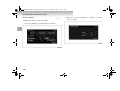
Adding an Intermediate Destination
3. Touch [Itinerary List].
E08107100011
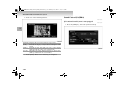
An Intermediate Destination can be added to the current route.
1. Touch [Add] in the Itinerary List screen (p. 77). The Destination Search screen is displayed.
2. Touch one of the search methods to search for the location.
1
1-81
BK-MMCSE12007EN_Combi01_ENG_NLD.book Page 82 Thursday, November 16, 2006 4:13 PM
Mitsubishi Multi Communication System
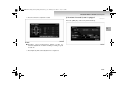
4. Touch [Add] in the sequence position in which it is to be
visited. The searched location is added to the route as a
Intermediate Destination.
1
1-82
5. Touch [Start]. Guidance starts for the changed route.
BK-MMCSE12007EN_Combi01_ENG_NLD.book Page 83 Thursday, November 16, 2006 4:13 PM
Mitsubishi Multi Communication System
Deleting
3. Touch [Done].
E08107200012
A destination or Intermediate Destination can be deleted.
1. Touch [Delete] in the itinerary list screen (p. 1-77).
The Delete Itinerary screen is displayed.
2. Touch the location to delete.
1
4. Touch [Yes].
NOTE
● The locations targeted for deletion are displayed with a
highlight. Touch a location again to remove it from the
deletion target.
● Multiple locations can be selected at the same time
● Touch [Select All] to delete all locations at the same time.
1-83
BK-MMCSE12007EN_Combi01_ENG_NLD.book Page 84 Thursday, November 16, 2006 4:13 PM
Mitsubishi Multi Communication System
5. Touch [Start]. Guidance starts for the changed route.
Option
E08107300013
Settings related to the route can be performed.
Touch [Option] in the itinerary list screen (p. 77). The Route
Options screen is displayed. The remaining operations are the
same as from step 3 of “Route Options” (p. 1-295).
1
1-84
BK-MMCSE12007EN_Combi01_ENG_NLD.book Page 85 Thursday, November 16, 2006 4:13 PM
Mitsubishi Multi Communication System
Start Demo
2. Touch [Start Demo].
E08107400014
The set route can be viewed with a demo.
1. Display the Navi Menu, and touch [Navigation Tools].
The Navigation Tools screen is displayed.
1
The demo is started.
1-85
BK-MMCSE12007EN_Combi01_ENG_NLD.book Page 86 Thursday, November 16, 2006 4:13 PM
Mitsubishi Multi Communication System
Stop Demo
Stopping the demo that is operating.
1. Display the Navigation Tools screen during the demo.
2. Touch [Stop Demo]. The demo is stopped.
1
1-86
Deleting the Route
E08107500015
Deleting a created route.
1. Touch [Route] on the current location screen. The route
menu is displayed.
BK-MMCSE12007EN_Combi01_ENG_NLD.book Page 87 Thursday, November 16, 2006 4:13 PM
Mitsubishi Multi Communication System
2. Touch [Delete Route].
Address Book
E08107900019
Storing a New Location
E08103800010
If frequently visited locations are stored in advance in the
address book, the route to the stored location can be calculated.
A maximum of 99 locations can be stored.
From the Navi Menu
E08108000017
Storing a location from the Navi Menu.
1. Search for the location. Refer to “Destination” (p. 1-40).
2. Touch [Address Book]. The information screen for the
location to be stored is displayed.
3. Touch [Yes]. The route is deleted.
1-87
1
BK-MMCSE12007EN_Combi01_ENG_NLD.book Page 88 Thursday, November 16, 2006 4:13 PM
Mitsubishi Multi Communication System
3. Touch [Set to Address Book]. The displayed location is
stored in the address book.
From the Scroll Menu
E08108100018
Storing a location from the scroll menu.
1. Scroll the map and place the cursor on the stored location,
and press the [ENT] key.
1
NOTE
● Stored location information other than “Country” can be
edited. Edit the icon or name as described in “Editing a
Location” (p. 1-94).
1-88
BK-MMCSE12007EN_Combi01_ENG_NLD.book Page 89 Thursday, November 16, 2006 4:13 PM
Mitsubishi Multi Communication System
2. Touch [Address Book]. The information screen for the
location to be stored is displayed.
NOTE
● If there are several POIs in the scroll, a list is displayed,
and the POIs to be registered can be selected.
1
1-89
BK-MMCSE12007EN_Combi01_ENG_NLD.book Page 90 Thursday, November 16, 2006 4:13 PM
Mitsubishi Multi Communication System
3. Touch [Set to Address Book]. The displayed location is
stored in the address book.
The Different Items
E08108200019
The screen displays information about the stored location.
Icon:
Adjust:
1
Name:
Street:
City:
Country:
TEL:
NOTE
● Stored location information other than “Country” can be
edited. Edit the icon or name as described in “Editing a
Location” (p. 1-94).
1-90
NOTE
An icon can be selected from 24 different types to
use as a mark for the stored location when it is set.
Refer to “Icons” (p. 1-93)
A stored location can be changed to a different
location.If location was stored from scroll, editing
cannot be performed.
The name of a stored location can be input. The
name input here is displayed on the map.
The name of a street can be input.
The name of a city can be input.
The name of the country of the currently stored
location is displayed. This cannot be edited.
A telephone number can be input.
● Refer to “Editing a Location” (p. 1-94) for details on editing information.
BK-MMCSE12007EN_Combi01_ENG_NLD.book Page 91 Thursday, November 16, 2006 4:13 PM
Mitsubishi Multi Communication System
When Storing Your Home
2. Touch [Yes].
E08108300010
Storing the home location.
1. Display the Navi Menu and touch [Go Home].
1
3. Touch [Register] of “Home Location”.
1-91
BK-MMCSE12007EN_Combi01_ENG_NLD.book Page 92 Thursday, November 16, 2006 4:13 PM
Mitsubishi Multi Communication System
4. Touch one of the search methods to search for the location.
1
1-92
5. Touch [Set].
BK-MMCSE12007EN_Combi01_ENG_NLD.book Page 93 Thursday, November 16, 2006 4:13 PM
Mitsubishi Multi Communication System
6. Touch each item to input information.
Icons
E08108400011
The icons that can be set for a stored location are the following
24 icons (including a space) and “Home
” for a total of 25
icons.
1
NOTE
● Storing/deleting of the home location and changing information can also be performed from “Home Location” in
“Personal Settings” (p. 1-302).
7. Touch [Set as Home]. The storing of the home location is
completed.
NOTE
● Only one location can be set as “HOME”.
● The number to the side of the icon shows the priority
when the icons are ordered in a list.
1-93
BK-MMCSE12007EN_Combi01_ENG_NLD.book Page 94 Thursday, November 16, 2006 4:13 PM
Mitsubishi Multi Communication System
Editing a Location
2. Touch [Personal].
E08103900011
The information about stored locations in the address book can
be edited or deleted.
1. Display the Navi Menu, and touch [Navigation Settings].
1
The Personal Settings screen is displayed.
1-94
BK-MMCSE12007EN_Combi01_ENG_NLD.book Page 95 Thursday, November 16, 2006 4:13 PM
Mitsubishi Multi Communication System
2. Touch the stored location to change.
NOTE
● Touch [Register] of “Address Book” to create a new location to store. Store using the same operations as “Storing a
New Location” (p. 1-87).
Editing
E08108500012
Editing information about a stored location.
1
1. Touch [Edit] of “Address Book” in the Personal Settings
screen.
NOTE
● Touch [Icon] to order the locations in icon sequence.
Refer to “Icons” (p. 1-93) for details on the icon priority.
● Touch [Name] to order the stored location names in alphabetical sequence.
● Touch [Date] to order the registration dates with the newest at the top.
1-95
BK-MMCSE12007EN_Combi01_ENG_NLD.book Page 96 Thursday, November 16, 2006 4:13 PM
Mitsubishi Multi Communication System
3. Touch the item to change.
1
NOTE
● Refer to “The Different Items” (p. 1-90) for details on the
items to change.
1-96
4. Touch [Set] after changing the item. Repeat steps 3 and 4
until all the desired items have been changed.
BK-MMCSE12007EN_Combi01_ENG_NLD.book Page 97 Thursday, November 16, 2006 4:13 PM
Mitsubishi Multi Communication System
NOTE
● [Set] is not available for “Icon”. The change is set by
touching the icon button.
5. Touch [Set to Address Book]. The information change is
completed.
1
1-97
BK-MMCSE12007EN_Combi01_ENG_NLD.book Page 98 Thursday, November 16, 2006 4:13 PM
Mitsubishi Multi Communication System
Deleting
3. Touch [Done].
E08108600013
Deleting a stored location.
1. Touch [Delete] of “Address Book” in the Personal Settings screen.
2. Touch the stored location to delete.
1
4. Touch [Yes]. The selected stored locations are deleted.
NOTE
● The stored locations targeted for deletion are displayed
with a highlight. Touch a location again to remove it from
the deletion target.
● Multiple locations can be selected at the same time.
● Touch [Select All] to delete all stored locations at the
same time.
1-98
BK-MMCSE12007EN_Combi01_ENG_NLD.book Page 99 Thursday, November 16, 2006 4:13 PM
Mitsubishi Multi Communication System
TMC (Traffic Message Channel)
NOTE
E08108700014
This function uses TMC (Traffic Message Channel) to display
traffic information such as traffic jams and construction sites
on the map.
● If there is no TMC traffic information, even if [TMC] is
touched TMC traffic information is not displayed.
Viewing the Traffic Information
1
E08108800015
Traffic information can be viewed if a TMC symbol is displayed on the map screen.
1. Touch [TMC].
The TMC symbol closest to the current location is displayed.
NOTE
● The location displayed for the traffic information can be
stored. Refer to “Storing from the TMC Traffic Information Screen” (p. 1-103).
1-99
BK-MMCSE12007EN_Combi01_ENG_NLD.book Page 100 Thursday, November 16, 2006 4:13 PM
Mitsubishi Multi Communication System
2. Touch [ >> ].
1
NOTE
Each time [ >> ] is touched, TMC symbols are displayed
in sequence of distance from the current location, starting
from the closest.
1-100
● Touch [ << ] to display the previous TMC symbol.
● Touch [Back] to display the current location screen.
BK-MMCSE12007EN_Combi01_ENG_NLD.book Page 101 Thursday, November 16, 2006 4:13 PM
Mitsubishi Multi Communication System
Automatic Interrupt Function
The traffic information interrupt is displayed automatically.
E08108900016
If a TMC symbol with received data is displayed on the route
while driving, a traffic information interrupt is displayed automatically and the system searches for a detour route.
NOTE
● The default setting for Automatic Notification is ON.
● If Automatic Notification is not set to ON in TMC settings, interrupt display will not be performed. Refer to
“TMC Options” (p. 1-311).
1
1-101
BK-MMCSE12007EN_Combi01_ENG_NLD.book Page 102 Thursday, November 16, 2006 4:13 PM
Mitsubishi Multi Communication System
1. Touch [Yes]. The system searches for a detour route.
2. Touch [New].
1
NOTE
● When [No] is selected for a TMC symbol, No symbol
interrupt is displayed again until the ACC is turned
OFF/ON.
1-102
NOTE
● Touch [Old] to display the current location screen without
changing the route.
BK-MMCSE12007EN_Combi01_ENG_NLD.book Page 103 Thursday, November 16, 2006 4:13 PM
Mitsubishi Multi Communication System
The new route is set.
Set as Surveillance Map
E08109000014
A maximum of three map screens that display traffic information can be stored.
If frequently driven roads are stored in advance, it easy to view
traffic information, without having to scroll the map.
Storing from the TMC Traffic Information Screen
E08109100015
Storing the location displayed for the traffic information.
1. Display the traffic information. Refer to “Viewing the
Traffic Information” (p. 1-99), “Automatic Interrupt
Function” (p. 1-101).
1-103
1
BK-MMCSE12007EN_Combi01_ENG_NLD.book Page 104 Thursday, November 16, 2006 4:13 PM
Mitsubishi Multi Communication System
2. Use the Joy-Stick to place the cursor on the location to be
stored.
4. Touch [Surveillance Map 1 (2, 3)].
1
The data is stored to the selected number.
3. Press the “ENT” key.
1-104
BK-MMCSE12007EN_Combi01_ENG_NLD.book Page 105 Thursday, November 16, 2006 4:13 PM
Mitsubishi Multi Communication System
3. Touch [Set As Surveillance].
NOTE
● If a number is selected where a Surveillance Map has
already been stored, the new data automatically overwrites the old data and is saved.
Storing from the Map Scroll Screen
E08109200016
1. Scroll to the location to store.
1
2. Press the “ENT” key.
1-105
BK-MMCSE12007EN_Combi01_ENG_NLD.book Page 106 Thursday, November 16, 2006 4:13 PM
Mitsubishi Multi Communication System
4. Touch [Surveillance Map 1 (2, 3)]. The data is stored to
the selected number.
Recalling Stored Screens
E08109300017
Displaying on the screen the map screens that have been stored
in advance.
NOTE
● Map screens must have been stored in advance. Refer to
“Set as Surveillance Map” (p. 1-103).
1
1. Press the “MENU” key.
2. Touch [Navigation Tools].
NOTE
● If a number is selected where a Surveillance Map has
already been stored, the new data automatically overwrites the old data and is saved.
1-106
BK-MMCSE12007EN_Combi01_ENG_NLD.book Page 107 Thursday, November 16, 2006 4:13 PM
Mitsubishi Multi Communication System
3. Touch [Surveillance Map].
4. Touch one of the Surveillance Map numbers. The stored
location is displayed.
1
NOTE
● Cannot be selected if no Surveillance Map has been
stored. Refer to “Set as Surveillance Map” (p. 1-103).
NOTE
● At this time, the map can be scrolled to overwrite and save
the data. Refer to “Storing from the Map Scroll Screen”
(p. 1-105).
1-107
BK-MMCSE12007EN_Combi01_ENG_NLD.book Page 108 Thursday, November 16, 2006 4:13 PM
Mitsubishi Multi Communication System
Audio
5. Touch [TMC]. The traffic information is displayed.
E08109400018
Audio Functions
E08109500019
This device can play music CDs (CDDA/CD-TEXT),
MP3/WMA disks (CD-R/RW), and DVDs (DVD-VIDEO).
1
NOTE
● The images used by the audio functions and other related
functions in this manual were created to explain the album
names and title names of the title information. They have
absolutely no connection to the actual existing title information.
NOTE
● Nearby traffic information can be displayed. Refer to
“Viewing the Traffic Information” (p. 1-99).
● If there is no traffic information, a message stating that
there is no information will be displayed.
1-108
BK-MMCSE12007EN_Combi01_ENG_NLD.book Page 109 Thursday, November 16, 2006 4:13 PM
Mitsubishi Multi Communication System
Displaying during Navi Functions
Source Plate
E08109600010
E08109700011
If AV operations are performed while the Navi screen is displayed, “Source plate” (A), which describes the audio playback
status is displayed, and after a moment, “AV Icon” (B) is displayed.
The titles and run time, etc., of the file currently being played
are displayed on screen.
Music CD Playback (Example)
1
1-109
BK-MMCSE12007EN_Combi01_ENG_NLD.book Page 110 Thursday, November 16, 2006 4:13 PM
Mitsubishi Multi Communication System
AV Icon
MP3/WMA
E08109800012
An icon that describes the playback media and playback status
is displayed in the top right of the screen.
,
,
Playing
Error occurred
NOTE
1
● [AV Icons on Map] can be turned [ON] and [OFF]. Refer
to “Other Settings” (p. 1-285).
Music Server
Playing
Error occurred
Common in AV
Audio OFF
Recording CD
Receiving FM/MW/LW
Receiving FM (other than RDS)
Receiving FM(RDS)
Receiving FM (RDS traffic information interrupt)
Receiving FM (RDS emergency information interrupt)
Receiving MW
Receiving LW
Error occurred
Music CD
Playing
Error occurred
1-110
DVD
Playing
Paused
Stopped
Error occurred
Rear Display
Rear-Display ON
Error occurred
BK-MMCSE12007EN_Combi01_ENG_NLD.book Page 111 Thursday, November 16, 2006 4:13 PM
Mitsubishi Multi Communication System
Operation Limits while Driving
Switching to Audio Screen
E08109900013
E08110000014
DVD playback is audio only (no images are displayed) while
driving.
Audio screens for all media are displayed from the Navi
screen.
NOTE
● Set the volume so that sound outside the vehicle can be
heard while driving, so as not to interfere with safe driving.
● If performing operations while driving, make sure not to
hinder safe driving.
● To use [CD] or [DVD], a disk must be inserted into the
device beforehand.
1. Press the [MODE] key.
1-111
1
BK-MMCSE12007EN_Combi01_ENG_NLD.book Page 112 Thursday, November 16, 2006 4:13 PM
Mitsubishi Multi Communication System
Adjusting the Volume
2. Touch one of the items.
E08110200016
The volume can be adjusted within a range of 46 levels, including mute.
NOTE
● Set the volume so that sound outside the vehicle can be
heard while driving, so as not to interfere with safe driving.
● If the playback volume is too loud, distortion may occur.
If this occurs, reduce the volume.
1
1. Press the [VOL +] key. The volume is increased.
NOTE
● If the [AUDIO] key is pressed when the audio has been
turned OFF, the AV screen from before the audio was
turned OFF is displayed.
Ending Audio
E08110100015
Press the [PWR] key. Playback is stopped and the audio is
turned OFF.
NOTE
● Press the [PWR] key again to resume play from where it
stopped.
1-112
BK-MMCSE12007EN_Combi01_ENG_NLD.book Page 113 Thursday, November 16, 2006 4:13 PM
Mitsubishi Multi Communication System
2. Press the [VOL -] key. The volume is decreased.
Displaying the Navi Screen
E08110300017
Press the [NAVI] key.
1
1-113
BK-MMCSE12007EN_Combi01_ENG_NLD.book Page 114 Thursday, November 16, 2006 4:13 PM
Mitsubishi Multi Communication System
The current location screen is displayed.
Inserting and Removing Disks
E08110400018
This section explains how to insert music CDs, MP3/WMA
disks (CD-R/RW), and DVDs (DVD-VIDEO) into the MMCS.
Inserting a disk
1. Press the [OPEN] key. Slide open the monitor panel to
reveal the disk slot.
1
1-114
BK-MMCSE12007EN_Combi01_ENG_NLD.book Page 115 Thursday, November 16, 2006 4:13 PM
Mitsubishi Multi Communication System
2. Insert a disk. Make sure the disk label is on top when
inserting into the slot. When the disk is taken automatically, release your hand.
Removing a disk
1. Press the [(Illustration)] key. The disk is ejected automatically to the disk removal position. Remove the disk.
1
2. Press the [OPEN] key. Slide the monitor panel closed to
return the MMCS to its original state.
!
CAUTION
● When inserting or removing disks, operate it while
parked in a safe location, and do not stop in noparking zones.
● Do not insert hands, fingers, or other foreign objects
into the slot. This may cause injury, smoke, or fire.
● Take care not to pinch your fingers, etc., when opening or closing the monitor panel.
● Make sure the monitor panel is closed while driving.
1-115
BK-MMCSE12007EN_Combi01_ENG_NLD.book Page 116 Thursday, November 16, 2006 4:13 PM
Mitsubishi Multi Communication System
!
1
CAUTION
● Do not leave the monitor panel open, and do not
place any objects on top of the monitor panel.
● The monitor panel cannot be closed when a disk is in
the disk removal state (i.e., partially ejected) from
the disk slot, but depending on the disk state, it may
not be possible to detect that a disk has been ejected.
If the monitor panel is closed while an undetected
ejected disk is still in the slot, there is a risk that
either the disk or the device will be damaged. When
closing the monitor panel, check that there is no
ejected disk in the disk slot before closing.
● Do not press the [DISC] key while the monitor panel
is opening or closing. The disk or the MMCS may be
damaged.
Listening to Radio
E08110500019
Display Contents
E08110600010
1- TP
Displayed during traffic information standby mode.
2- RDS*1
Displayed while RDS data is being received.
3- REG*1
Displayed while REG (Regional Frequencies) data is being
received.
4- Preset number
Displayed when a preset channel has been selected.
1-116
BK-MMCSE12007EN_Combi01_ENG_NLD.book Page 117 Thursday, November 16, 2006 4:13 PM
Mitsubishi Multi Communication System
5- PS name
Displayed while RDS data is being received. When a PS
name (Program Service Name) has not been obtained, the
frequency is displayed.
6- Stereo*1
Displayed while a stereo broadcast is being received.
7- AF*1
Displayed when the AF Check function is “On”.
8- PTY*1
The PTY (Program Type) of the RDS data being received is
displayed. “TRAFINF” is displayed while a traffic information interrupt is being received, and “ALARM” is displayed
while an emergency broadcast interrupt is being received.
9- [ ]
Touch this button to display the Sub Menu.
10- [PTY]*1
Touch this button to display the PTY preset screen.
11- [Seek]
This function searches until it finds broadcasting stations
that can be received in the current location.
12- [Tune]
Touch this button to change the frequency by one step.
Touch and hold the button to change the frequency continuously.
13- Preset CH
Touch this button to receive a stored frequency. Touch and
hold this button for preset storage.
Basic Operations
E08110700011
1. Press the [MODE] key.
2. Touch [FM], [MW] or [LW]. Radio is received.
1
NOTE
● With FM, either [FM1], [FM2] or [FM3] can be selected
using the touch panel.
NOTE
● *1: Only displayed or selected when FM is being received.
1-117
BK-MMCSE12007EN_Combi01_ENG_NLD.book Page 118 Thursday, November 16, 2006 4:13 PM
Mitsubishi Multi Communication System
Selecting Stations
Auto-Store
E08110800012
1
1. Receive radio.
2. Touch either [
Tune] or [Tune
] to select the frequency. The frequency is changed by one step. Touch and
hold the touch panel button to select receivable frequencies automatically.
NOTE
● Touch either [ Seek] or [Seek ] here to search continuously until broadcasting stations that can be received in
the current location are found.
1-118
E08110900013
1. Touch [
].
BK-MMCSE12007EN_Combi01_ENG_NLD.book Page 119 Thursday, November 16, 2006 4:13 PM
Mitsubishi Multi Communication System
2. Touch [Auto-Store]. A list is displayed of the broadcasting
stations that can be currently received.
Preset Channel
E08111000011
Storing
Touch and hold one of the preset channels.
1
NOTE
● With FM, it is stored in the FM3 preset channel.
● With FM, when a PS name has been obtained for a broadcasting station, the PS name is displayed.
1-119
BK-MMCSE12007EN_Combi01_ENG_NLD.book Page 120 Thursday, November 16, 2006 4:13 PM
Mitsubishi Multi Communication System
The broadcasting station currently being received is stored to
the preset channel.
Recalling
Touch one of the preset channels. The touched broadcasting
station is received.
1
NOTE
● With FM, a PI search is started.
1-120
BK-MMCSE12007EN_Combi01_ENG_NLD.book Page 121 Thursday, November 16, 2006 4:13 PM
Mitsubishi Multi Communication System
PTY
2. Touch [LIST].
E08111100012
Can only be operated with FM.
1. Touch [PTY].
1
NOTE
● After a short time, a search for the PTY that was selected
the previous time is started automatically.
● Touch and hold the PTY preset channel here for preset
storage.
1-121
BK-MMCSE12007EN_Combi01_ENG_NLD.book Page 122 Thursday, November 16, 2006 4:13 PM
Mitsubishi Multi Communication System
3. Touch one of the PTY. A search for the selected PTY is
started automatically.
When the station is received, the name of the broadcasting
station is displayed on the source plate.
1
NOTE
● If the station cannot be received, “Empty” is displayed.
1-122
BK-MMCSE12007EN_Combi01_ENG_NLD.book Page 123 Thursday, November 16, 2006 4:13 PM
Mitsubishi Multi Communication System
PI Search
PTY Types
E08111200013
NEWS
INFO
EDUCATE
CULTURE
VARIED
ROCK M
LIGHT M
OTHER M
FINANCE
SOCIAL
PHONE IN
LEISURE
COUNTRY
OLDIES
DOCUMENT
AFFAIRS
SPORT
DRAMA
SCIENCE
POP M
EASY M
CLASSICS
WEATHER
CHILDREN
RELIGION
TRAVEL
JAZZ
NATION M
FOLK M
When recalling broadcasting stations that are stored in the preset channels, the same broadcasting station (AF station) or the
same type of station (REG station) with the best reception
quality is received automatically.
Touch a preset channel. The AF station with the best reception
quality is received and stored in the preset channel.
NOTE
● Display will be in the language selected in Settings. Refer
to “Language” (p. 1-283).
1-123
1
BK-MMCSE12007EN_Combi01_ENG_NLD.book Page 124 Thursday, November 16, 2006 4:13 PM
Mitsubishi Multi Communication System
A REG station is received if an AF station cannot be received.
If a REG station can be received, “REG” is displayed on the
source plate.
Traffic Information Standby
E08111300014
This function is for automatically receiving stations that broadcast traffic information when the traffic information broadcast
starts.
NOTE
● The traffic information standby must have been set to
[On] in advance. Refer to “Automatic Notification”
(p.1-312).
● The traffic information standby does not function during
LW, MW or audio OFF.
1
When there is a traffic information interrupt while the Navi
Screen is being displayed
NOTE
● If there is no REG station, the broadcasting station stored
in the preset channel is received.
● The station is not stored in the preset channel.
● With REG stations, the contents of the broadcast may vary
according to the time slot.
Traffic information is displayed on the source plate, and the
reception of traffic information is started.
1-124
BK-MMCSE12007EN_Combi01_ENG_NLD.book Page 125 Thursday, November 16, 2006 4:13 PM
Mitsubishi Multi Communication System
Emergency Information Interrupt
RDS Settings
E08111400015
When emergency information is received while driving, it is
automatically displayed on the screen.
E08111500016
1. Touch [
].
1
NOTE
● The emergency information interrupt is displayed regardless of the function settings.
● The emergency information interrupt is displayed even
during audio OFF. However, note that the interrupt is not
displayed while LW or MW is being received.
1-125
BK-MMCSE12007EN_Combi01_ENG_NLD.book Page 126 Thursday, November 16, 2006 4:13 PM
Mitsubishi Multi Communication System
2. Touch [RDS Settings].
3. Touch [On] or [Off] for “AF Check”, “REG” or
“TP Search”.
1
AF Check
Automatic tracking can be set to on or off, so that when the
reception quality becomes lower, it searches for a broadcasting station with a better reception quality.
REG
A setting can be made to disable or enable switching to
regional frequencies during AF Check.
TP Search
Automatic selection of traffic information stations can be set
to on or off.
1-126
BK-MMCSE12007EN_Combi01_ENG_NLD.book Page 127 Thursday, November 16, 2006 4:13 PM
Mitsubishi Multi Communication System
NOTE
● For the TP Search, the traffic information standby must
have been set to [On] in advance. Refer to “Automatic
Notification” (p. 1-312).
● If the received station is not a traffic information station
(TP station), after 45 seconds a search for a traffic information station (TP station) starts automatically.
Listening to Music CDs
E08111600017
If a music CD is inserted into the device, the tracks will be
played automatically, and the track can be recorded to the system’s hard drive device (HDD) if set initially to do so.
Simultaneously, Gracenote CDDB Music Recognition Service
on the HDD is accessed, and the title information obtained.
NOTE
● If the information was obtained from the built-in the database or with CD-TEXT, the disk title, track title currently
being played, and the artist name is displayed on the
source plate. The track title list is displayed in the audio
screen.
● With music CDs, the title information cannot always be
obtained. Refer to “Obtaining Title Information”
(p.1-140).
● If playing a CD in which there are no blanks (i.e. soundless parts) between the tracks, a brief silence between the
tracks is still stored to the music server, but this is not a
malfunction.
1-127
1
BK-MMCSE12007EN_Combi01_ENG_NLD.book Page 128 Thursday, November 16, 2006 4:13 PM
Mitsubishi Multi Communication System
Display Contents
E08111700018
1
1- Album Name
The name of the album for the track currently being played
is displayed.
2- Track Number and Track Name
The number and name of the track currently being played is
displayed.
3- HOME
Touch this button to move the cursor to the track currently
being played.
4- [ ]
Touch this button to display the Sub Menu.
5- Track Number and Track Name
While driving, these are unavailable and cannot be selected.
1-128
6- [
Track] and [Track
]
Touch these buttons to move down and up the tracks. Touch
and hold to rewind or fast-forward a track.
7- Cursor
Displays the item currently selected.
8- Cursor Position
Cursor position and total number of album tracks
9- Playback Mode
The currently selected playback mode is displayed.
10- Playback Time
The playback time for the track currently being played is
displayed.
11- Artist Name
The name of the artist whose album (track) currently being
played is displayed.
BK-MMCSE12007EN_Combi01_ENG_NLD.book Page 129 Thursday, November 16, 2006 4:13 PM
Mitsubishi Multi Communication System
Basic Operations
E08111800019
Track Selection
Touch either [
Track] or [Track
] to select the track.
Playback
Insert a CD into the device. Playback or recording is started
automatically.
· Refer to “Inserting and Removing Disks” (p. 1-114).
· Refer to “Switching to Audio Screen” (p. 1-111).
1
Track] Use to select the previous track or the start of the
track currently being played. Touch and hold to
rewind. Play resumes when the button is released.
[Track
] Use to select the next track. Touch and hold to fastforward. Play resumes when the button is released.
[
1-129
BK-MMCSE12007EN_Combi01_ENG_NLD.book Page 130 Thursday, November 16, 2006 4:13 PM
Mitsubishi Multi Communication System
Changing the Playback Mode
2. Touch [Repeat].
E08111900010
Repeat playback, random playback, and scan playback can all
be performed from the CD playback screen.
Repeat Playback
The track currently being played can be listened to repeatedly.
1
1. Touch [
].
The track currently being played is played repeatedly.
1-130
BK-MMCSE12007EN_Combi01_ENG_NLD.book Page 131 Thursday, November 16, 2006 4:13 PM
Mitsubishi Multi Communication System
2. Touch [Scan].
NOTE
● Touch [Repeat] again to cancel repeat playback.
● Repeat playback is disabled during recording.
Scan Playback
The start of each track is played for approximately 10 seconds
each. Use to find a desired track.
1. Touch [
1
].
1-131
BK-MMCSE12007EN_Combi01_ENG_NLD.book Page 132 Thursday, November 16, 2006 4:13 PM
Mitsubishi Multi Communication System
Scan playback will be performed from the track after the
track currently being played. Playback of each track on
the CD will be performed for approximately 10 seconds.
Random Playback
The track order can be changed and played randomly on the
CD currently being played.
1. Touch [
1
3. Touch the name of the track during playback.
Scanning is stopped, and the selected track is played.
NOTE
● Scan playback is cancelled automatically if the scan
returns to the first track.
● Even if [Scan] is touched again, scanning is stopped, and
the selected track is played.
● Repeat playback is disabled during recording.
1-132
].
BK-MMCSE12007EN_Combi01_ENG_NLD.book Page 133 Thursday, November 16, 2006 4:13 PM
Mitsubishi Multi Communication System
2. Touch [Random].
NOTE
● Touch [Random] again to cancel random playback.
● Repeat playback is disabled during recording.
1
Tracks on the CD are played in random order.
1-133
BK-MMCSE12007EN_Combi01_ENG_NLD.book Page 134 Thursday, November 16, 2006 4:13 PM
Mitsubishi Multi Communication System
Displaying during Recording
Recording to the Music Server
E08112000018
E08112100019
Tracks on music CDs can be recorded to the HDD built into
this device at approximately x4 speed.
NOTE
1
● The use of recorded tracks for purposes other than personal enjoyment is prohibited by copyright law.
● Recorded sounds may suffer from noise occurring or the
sound quality may be different from original sound.
● Tracks that have been recorded to the music server cannot
be reproduced in another medium (CD-R/RW, HDD, etc.)
● Previously recorded tracks cannot be recorded again from
the same CD.
● Turning OFF the engine or removing the music CD during
recording will result in defective recording.
● During recording, the navigation system may be slow to
operate.
● Recording may be slower than the x4 speed due to the
processing load on the device or the status of the music
CD.
● If sound skipping or other errors occur, return to the start
of that track and restart the recording.
● Even if there are no blanks between tracks on the CD, a
brief silence is stored in the HDD between tracks.
1-134
1- REC symbol
During recording, this symbol is displayed in red, and when
all recordings have finished, the display is turned OFF. The
numbers describe the percentage of the number of tracks that
have finished being recorded out of the total number of CD
tracks, so if recording a single track, “00%” is displayed.
2- Recording Status Symbol
Tracks being recorded are displayed in red, and those that
are not being recorded are displayed in blue. No symbol is
displayed for tracks that have finished being recorded.
BK-MMCSE12007EN_Combi01_ENG_NLD.book Page 135 Thursday, November 16, 2006 4:13 PM
Mitsubishi Multi Communication System
Recording
2. Touch [REC. Setting].
E08112200010
With auto recording, all tracks are recorded automatically
when a music CD is inserted, and with manual recording only
the selected tracks can be recorded.
NOTE
● If the available HDD space is insufficient, recording is not
possible.
1
Recording Settings
Set the music CD recording method.
1. During music CD playback, touch [
].
3. Touch one of the settings.
1-135
BK-MMCSE12007EN_Combi01_ENG_NLD.book Page 136 Thursday, November 16, 2006 4:13 PM
Mitsubishi Multi Communication System
4. Touch [Back].
The recording settings are completed.
[Auto REC.]
[Manual REC.]
1
[Single REC.]
Recording to the music server is performed
automatically when a music CD is inserted.
Refer to “Auto Recording” (p. 1-136).
Tracks can be recorded individually during
playback. Refer to “Manual Recording”
(p.1-136).
Only one track from the music CD is recorded.
Refer to “Single Recording” (p. 1-137).
Auto Recording
Recording to the music server is performed automatically when
a music CD is inserted.
NOTE
● Recording must have been set to [Auto REC.] in advance.
Refer to “Recording Settings” (p. 1-135).
Insert a CD.
All the tracks on the music CD are recorded automatically on
the HDD and played back as the recording proceeds without
waiting for the recording to complete.
NOTE
● The default factory setting is set to auto recording.
● If a track that has finished being recorded is selected during recording, the recording is continued, and the selected
track is played. If a track that has not yet been recorded is
selected, the recording underway is stopped and recording
of the selected track is started, then the track is played
back as the recording proceeds without waiting for the
recording to complete.
1-136
Manual Recording
Tracks can be recorded individually during playback.
NOTE
● Recording must have been set to [Manual REC.] in
advance. Refer to “Recording Settings” (p. 1-135).
1. Play the music CD track to be recorded.
2. Touch [REC. Start].
BK-MMCSE12007EN_Combi01_ENG_NLD.book Page 137 Thursday, November 16, 2006 4:13 PM
Mitsubishi Multi Communication System
Recording is started, and the track is played from the start.
Single Recording
Only one track from the music CD is recorded.
NOTE
● Recording must have been set to [Single REC.] in
advance. Refer to “Recording Settings” (p. 1-135).
1. Play the music CD to be recorded.
2. Touch [REC. start].
1
NOTE
● If another track is selected during recording, the recording
is stopped, and the selected track is played.
1-137
BK-MMCSE12007EN_Combi01_ENG_NLD.book Page 138 Thursday, November 16, 2006 4:13 PM
Mitsubishi Multi Communication System
If the track being played is the first track, recording is
started.
Stopping Recording
E08112300011
1. During music CD recording, touch [
1
NOTE
● If another track is selected during recording, the recording
is stopped, and the selected track is played.
● With single recording, recording cannot be started even if
[REC. start] is touched when any track other than the first
track is being played.
1-138
].
BK-MMCSE12007EN_Combi01_ENG_NLD.book Page 139 Thursday, November 16, 2006 4:13 PM
Mitsubishi Multi Communication System
2. Touch [REC. stop].
Recording is stopped.
1
1-139
BK-MMCSE12007EN_Combi01_ENG_NLD.book Page 140 Thursday, November 16, 2006 4:13 PM
Mitsubishi Multi Communication System
Obtaining Title Information
E08112400012
The playlist title information can be obtained from the
Gracenote CDDB database on the HDD. Searching for tracks
on the music server, etc., can be performed smoothly by obtaining the title information.
1
Gracenote CDDB
E08112500013
Company Outline
Music identification technology and related data information is
supplied by Gracenote and the Gracenote CDDB music identification service. Gracenote is the industry standard for music
identification technology and related data information distribution. For details, refer to www.gracenote.com.
The Gracenote CDDB database built into this device cannot
assure 100 % the contents of the data.
Patents and Trademarks
For patents and trademarks, refer to “Gracenote CDDB R
Music Recognition Service (SM)” (p. 1-16).
Updating Gracenote CDDB
Gracenote CDDB® database on the HDD can be updated.
NOTE
● Do not remove the disk or turn OFF the engine while the
update is in progress.
● Map data DVD (sold separately) is necessary to update
the Gracenote CDDB database.
● Unless the disk is inserted, [CDDB Updating] is not displayed.
● The update takes approximately five minutes.
1-140
1. Insert a disk. Refer to “Inserting and Removing Disks”
(p. 1-114).
2. Press the [MODE] key.
3. Touch [CDDB Updating].
BK-MMCSE12007EN_Combi01_ENG_NLD.book Page 141 Thursday, November 16, 2006 4:13 PM
Mitsubishi Multi Communication System
Obtaining Title Information
E08112600014
When a music CD is inserted into the device, the title information can be obtained from the built-in HDD automatically at
any time. If the title information cannot be obtained, obtain it
using the CD text information.
The information that can be obtained is the album title, album
artist, track title, track artist, and genre.
NOTE
NOTE
● If the ACC is turned OFF, the update is incomplete. The
obtained update data is deleted. If the ACC is turned OFF
and the update is cancelled, perform update again from
the start.
● If there is no CD text information, the title is displayed as
“No Title”, and the artist is displayed as “No Name”.
● Title information from music CDs sold after the period
during which this device went on sale cannot be obtained
from the HDD. Further, it may not be possible to obtain
information from earlier music CDs, either.
● Title information can be obtained for original playlist
only.
● After recording a music CD, to obtain the title information, it is necessary to use the music server.
1-141
1
BK-MMCSE12007EN_Combi01_ENG_NLD.book Page 142 Thursday, November 16, 2006 4:13 PM
Mitsubishi Multi Communication System
1. Touch [
].
1
2. Touch [Function Settings].
1-142
3. Touch [Title Edit].
BK-MMCSE12007EN_Combi01_ENG_NLD.book Page 143 Thursday, November 16, 2006 4:13 PM
Mitsubishi Multi Communication System
4. Touch the playlist name or track name to be edited. Refer
to “Selecting Tracks from the List Screen” (p. 1-171).
5. Touch [CDDB]. If the title information could be obtained,
the title candidate selection screen is displayed.
1
6. Touch the titles to be selected for storage. The selected
titles are stored.
[(Album Name)] Displayed if the information could be
obtained.
[N/A]
The title could not be registered. Enter the
desired title from the playlist edit screen or the
track edit screen. Refer to “Changing Title”
(p. 1-199).
1-143
BK-MMCSE12007EN_Combi01_ENG_NLD.book Page 144 Thursday, November 16, 2006 4:13 PM
Mitsubishi Multi Communication System
Display Contents
Listening to MP3/WMA Discs
E08112700015
E08112800016
If an MP3/WMA disk is inserted into the device, the display is
switched automatically to the CD screen, and track playback is
started.
NOTE
1
● This manual mainly explains MP3 playback. WMA playback, however, is a similar operation.
● Tracks on MP3/WMA disks cannot be saved to the music
server.
● To display title information such as artist name and album
title, etc., the ID3 Tag or WMA Tag information must be
included in the MP3/WMA file on the disk. Refer to
“MP3/WMA files” (p. 1-156).
1- MP3/WMA Mark
Describes the type of media currently being played.
2- HOME
Touch this button to move the cursor to the track currently
being played.
3- [ ]
Touch this button to display the Sub Menu.
4- Folder Number/Folder Name
With track lists, the track number and file name (excluding
the extension) is displayed.
5- [ Folder] and [Folder ]
Touch these buttons to move down and up the folders.
1-144
BK-MMCSE12007EN_Combi01_ENG_NLD.book Page 145 Thursday, November 16, 2006 4:13 PM
Mitsubishi Multi Communication System
6- [
Track] and [Track
]
Touch these buttons to move down and up the tracks. Touch
and hold to rewind or fast-forward a track.
7- Cursor
Displays the item currently selected.
8- Folder Layer Button
Touch this button to display the list of upper layer folders.
9- Cursor Position
Cursor position/total number of folders or tracks at current
level.
10- Playback Mode
The currently selected playback mode is displayed.
11- Playback Time
The playback time for the track currently being played is
displayed.
12- Track Number and Track Name
The number and name of the track currently being played is
displayed.
13- Artist Name
The name of the artist whose track (folder) is currently being
played is displayed.
14- Album Name (Folder Name)
The name of the album (name of the folder) for the track
currently being played is displayed.
Basic Operations
E08112900017
Playback
Insert an MP3/WMA disc into the device. Playback is started
automatically.
· Refer to “Inserting and Removing Disks” (p. 1-114).
· Refer to “Switching to Audio Screen” (p. 1-111).
1-145
1
BK-MMCSE12007EN_Combi01_ENG_NLD.book Page 146 Thursday, November 16, 2006 4:13 PM
Mitsubishi Multi Communication System
Moving Folders
Folders can be moved by one layer at a time.
1. Touch the folder name. Each time a folder name is
touched, the lower layer folder list is displayed, and the
folder layer mark is increased.
1
1-146
2. Touch the folder layer button (A). The selected folder list
is displayed.
BK-MMCSE12007EN_Combi01_ENG_NLD.book Page 147 Thursday, November 16, 2006 4:13 PM
Mitsubishi Multi Communication System
Track Selection
Touch either [ Folder] and [Folder
[Track
].
Changing the Playback Mode
], or [
Track] and
E08113000015
Repeat playback, random playback, and scan playback can all
be performed from the MP3/WMA disk playback screen.
Repeat Playback
The track currently being played can be listened to repeatedly.
1. Touch [
1
].
[ Folder] Selects the previous folder.
[Folder ] Selects the next folder.
[
Track] Use to select the previous track or the start of the
track currently being played. Touch and hold to
rewind. Play resumes when the button is released.
[Track
] Use to select the next track. Touch and hold to fastforward. Play resumes when the button is released.
1-147
BK-MMCSE12007EN_Combi01_ENG_NLD.book Page 148 Thursday, November 16, 2006 4:13 PM
Mitsubishi Multi Communication System
2. Touch [Repeat].
3. Touch [Repeat] again. All tracks in the folder currently
being played play repeatedly.
1
The track currently being played plays repeatedly.
NOTE
● Each time [Repeat] is touched, the playback mode
changes as follows: Repeat → Folder Repeat → Off.
1-148
BK-MMCSE12007EN_Combi01_ENG_NLD.book Page 149 Thursday, November 16, 2006 4:13 PM
Mitsubishi Multi Communication System
Scan Playback
The start of each track is played for approximately 10 seconds
each. Use to find a desired track.
1. Touch [
2. Touch [Scan].
].
1
Performs scan playback on the first track in all the folders
on the disc.
1-149
BK-MMCSE12007EN_Combi01_ENG_NLD.book Page 150 Thursday, November 16, 2006 4:13 PM
Mitsubishi Multi Communication System
3. Touch [Scan] again. Performs scan playback on the first
track in all the folders on the disk.
Random Playback
The track order can be changed and played randomly on the
MP3/WMA disk currently being played.
1. Touch [
1
NOTE
● Each time [Scan] is touched, the playback mode changes
as follows: Scan → Folder Scan → Off.
4. Touch the name of the track during playback. Scanning is
stopped, and the selected track is played.
NOTE
● Scan playback is cancelled automatically if the scan
returns to the first track.
1-150
].
BK-MMCSE12007EN_Combi01_ENG_NLD.book Page 151 Thursday, November 16, 2006 4:13 PM
Mitsubishi Multi Communication System
2. Touch [Random].
3. Touch [Random] again. Performs random playback on all
the tracks on the disk.
1
Performs random playback on all the tracks in the folder
currently being played.
NOTE
● Each time [Random] is touched, the playback mode
changes as follows: Random → All Random → Off.
1-151
BK-MMCSE12007EN_Combi01_ENG_NLD.book Page 152 Thursday, November 16, 2006 4:13 PM
Mitsubishi Multi Communication System
Supported disc types
E08113100016
DVD video
● DVD videos with the following marks displayed on the
package are supported. (For example: in the case of a “2”
region number)
E08113200017
Discs with the mark (logo) to the left displayed
(the “DVD” logo with “Video” printed below)
can be played.
1
Region numbers
● DVD video has regional playback restriction settings. The
playback region restrictions are displayed as the region
number, and a video cannot be played on equipment with
any other region code.
● DVD videos with the region number or “ALL” displayed
can be played on the system.
Region number
1-152
Region
1
North America (including the United States,
Canada, etc.)
2
Japan, Europe, Middle East, (including Japan,
UK, France, the other European countries,
Saudi Arabia, etc.)
3
Southeast Asia (including South Korea, Taiwan, Singapore, Hong Kong, and other Southeast Asian countries)
4
Pacific Region, South America (including
Australia, New Zealand, Brazil, Argentina,
and other South American countries)
BK-MMCSE12007EN_Combi01_ENG_NLD.book Page 153 Thursday, November 16, 2006 4:13 PM
Mitsubishi Multi Communication System
Region number
Region
5
Russia, Africa (including Russia, Ukraine,
Ethiopia, Kenya, and other African countries)
6
Mainland China (China)
Music CD
E08113300018
CDs with the mark (logo) below can be played.
CD-DA (8 cm, 12 cm music disc)
Marks on the package
1
The marks displayed on the package signify the following.
Mark: example
Meaning of mark
CD-R/CD-RW
Region number
Number of camera angles available.
CD-TEXT (8 cm, 12 cm)
Number of subtitle languages available.
Number of languages available.
1-153
BK-MMCSE12007EN_Combi01_ENG_NLD.book Page 154 Thursday, November 16, 2006 4:13 PM
Mitsubishi Multi Communication System
What are MP3/WMA?
MP3/WMA
1
E08113500010
E08113600011
CD-ROM and CD-R/RW discs with MP3/WMA format files
written on a computer can be played on the system.
There are restrictions on the type of files and media that can be
used, so read the following information carefully before writing MP3/WMA files to discs. Also be sure to carefully read the
user manual for your CD-R/RW drive or recording software
and use your equipment accordingly.
MP3 is an abbreviation of “MPEG-1 Audio Layer 3”.
MPEG is an abbreviation of “Motion Pictures Experts Group”,
which is a standard for compressing digital video data for use
in media such as video CDs.
MP3 is one of the audio compression schemes covered by the
MPEG digital audio compression standards. MP3 compression
reduces the number of bytes in a song by eliminating large
sound waves within the sound range that is imperceptible to the
human ear, producing high quality audio files with a low volume of data.
MP3 compression allows for the contents of a conventional
music CD to be reduced by a factor of about 10. This means
that the contents of 10 music CDs can be recorded on a single
CR-R or CD-RW.
WMA is an abbreviation of Windows Media Audio, which is
another audio compression standard.
WMA can be used to create and save audio files at a higher
compression rate than with MP3.
Microsoft, Windows Media, and Microsoft Corporation are
registered trademarks in the United States and/or other countries.
NOTE
● Never give copies of music CDs or files to others or
upload them to an Internet server, as such behaviour is
illegal, whether for profit or not.
● Do not change the file extension of any file that is not
MP3 to “.mp3” or any file that is not WMA to “.wma”.
Playing discs with such files can cause system recognition
errors that result in loud noise that could damage your
speakers.
● Proper playback may be impossible, depending on the
recorder and recording software used to write to the disc.
In such cases, refer to the user manual for the device or
software that was used.
● Extensions are sometimes not added, depending on the
computer operating system, version, software, or settings.
In such cases, add either “.mp3” or “.wma” extensions
and then write to disc.
● Unsupported MP3 and WMA files may not playback
properly, and file and folder names may not be displayed
properly.
1-154
BK-MMCSE12007EN_Combi01_ENG_NLD.book Page 155 Thursday, November 16, 2006 4:13 PM
Mitsubishi Multi Communication System
Supported MP3/WMA standards
Supported MP3 file specifications are listed below.
E08113700012
Compatible CD-R/RW formats are listed below.
Name
Standard
CD-R/RW format specifica- ISO9660 Level 1
tions
ISO 9660
expanJoliet
sion
Description
Has file names with a
maximum of 8 characters
and extensions with 3
characters.
(Capital roman characters
and the underscore “_”
can be used.)
A maximum of 64 characters can be used as file
names.
Multisession
Supported
Maximum
number of
trees
8 trees (including roots)
Maximum
number of
folders
255 folders
Maximum
number of
files
400 files (Total number on the disc, not including files other than MP3 and WMA)
Item
MPEG1 AUDIO LAYER3
MPEG2 AUDIO LAYER3
Standard
Sampling frequency [Hz]
Contents
MPEG1
32k/44.1k/48k
MPEG2
16k/22.05k/24k
MPEG1
32/40/48/56/64/80/96/112/
128/160/192/224/256/320
MPEG2
32/40/48/56/64/80/96/112/
128/144/160
Bit rate [kbps]
1
Variable bit rate (VBR)
Supported
Channel mode
Stereo/joint stereo/dual
channel/monaural
ID3-Tag
Ver. 1.0, Ver 1.1, title, artist
name, album name
Max. number of levels
8 (including the root directory)
Max. number of folders
255 folders
Max. number of files
400 files (Total number on
disk. Does not include
other than MP3 or WMA
files.)
1-155
BK-MMCSE12007EN_Combi01_ENG_NLD.book Page 156 Thursday, November 16, 2006 4:13 PM
Mitsubishi Multi Communication System
Supported WMA file specifications are listed below.
MP3/WMA files
E08113800013
Item
Contents
Standard
Windows Media Audio
Version7.0
Sampling frequency [Hz]
22.05k/32k/44.1k/48k
1
Bit rate [kbps]
Sampling frequency [Hz]
22.05k ................32
32k ............... 48, 64
44.1k ..48, 64, 80, 96, 128,
160, 192, 256, 320
48k ............................64,
96, 128, 160, 192
VBR (Variable bit rate)
Supported
Channel mode
Stereo/monaural
WMA-Tag
Title, artist name, album
name
Max. number of levels
8 (including the root directory)
Max. number of folders
255 folders
Max. number of files
400 files (Total number on
disk. Does not include
other than MP3 or WMA
files.)
1-156
● In MP3 and WMA files, data such as song names, artist
names, album names, and genre names are recorded as an
“ID3-Tag” or a “WMA-Tag”, and this information can be
indicated on screens such as the system display.
● Any player that supports MP3/WMA will recognize
folder trees in the same way that a computer does: [genre]
→ [artist] → [album] → [song (MP3/WMA file)], and
songs are searchable in this way.
BK-MMCSE12007EN_Combi01_ENG_NLD.book Page 157 Thursday, November 16, 2006 4:13 PM
Mitsubishi Multi Communication System
Handling of discs
E08113900014
● The use of special shaped, damaged discs (like cracked
discs) or low-quality discs (like warped discs or burrs on
the discs) will damage the DVD player.
1
1-157
BK-MMCSE12007EN_Combi01_ENG_NLD.book Page 158 Thursday, November 16, 2006 4:13 PM
Mitsubishi Multi Communication System
1
● In the following circumstances, moisture can form on
discs and inside the audio system, preventing normal
operation.
• When there is high humidity (for example, when it is
raining).
• When the temperature suddenly rises, such as right after
the heater is turned on in cold weather.
● To clean a disc, use a soft, clean, dry cloth. Wipe directly
from the centre hole toward the outer edge. Do not wipe in
a circle. Never use any chemicals such as benzine, paint
thinner, a disc spray cleaner, or an anti-static agent on the
disc.
In this case, wait until the moisture has had time to dry
out.
● When the DVD player is subjected to violent vibrations,
such as during off-road driving, the tracking may not
work.
● When storing discs, always store them in their separate
cases. Never place discs in direct sunlight, or in any place
where the temperature or humidity is high.
● Never touch the flat surface of the disc without a label.
This will damage the disc surface and could affect the
sound quality. When handling a disc, always hold it by the
outer edge and the centre hole.
● Do not use a ball point pen, felt pen, pencil, etc. to write
on the label surface of the disc.
1-158
BK-MMCSE12007EN_Combi01_ENG_NLD.book Page 159 Thursday, November 16, 2006 4:13 PM
Mitsubishi Multi Communication System
● Do not put additional labels (A) or stickers (B) on compact discs. Also, do not use any compact disc on which a
label or sticker has started to peel off or any disc that has
stickiness or other contamination left by a peeled-off label
or sticker. If you use such a compact disc, the DVD player
may stop working properly and you may not be able to
eject the disc.
Notes on CD-Rs/RWs
E08114000012
● You may have trouble playing back some CD-R/RW discs
recorded on CD recorders (CD-R/RW drives), either due
to their recording characteristics or dirt, fingerprints,
scratches, etc. on the disc surface.
● CD-R/RW discs are less resistant to high temperatures and
high humidity than ordinary music CDs. Leaving them
inside a vehicle for extended periods may damage them
and make playback impossible.
● The unit may not successfully play back a CD-R/RW that
was made by the combination of writing software, a CD
recorder (CD-R/RW drive) and a disc if they are incompatible with one another.
● This player cannot play the CD-R/RW discs if the session
is not closed.
● Be sure to observe the handling instructions for the CDR/RW disc.
!
WARNING
● Operating the DVD player in a manner other than
specifically instructed herein may result in hazardous radiation exposure. Do not remove the cover
and attempt to repair the DVD player by yourself.
There are no user serviceable parts inside. In case of
malfunction, we recommend you to have it checked.
1-159
1
BK-MMCSE12007EN_Combi01_ENG_NLD.book Page 160 Thursday, November 16, 2006 4:13 PM
Mitsubishi Multi Communication System
Music Server
Copyright
1
E08114100013
E08114300015
This product incorporates copyright protection technology that
is protected by U.S. patents and other intellectual property
rights. Use of this copyright protection technology must be
authorized by Macrovision, and is intended for home and other
limited viewing uses only unless otherwise authorized by Macrovision. Reverse engineering or disassembly is prohibited.
The music server can play and record CD tracks. It is part of
the MMCS hard drive device (HDD).
1-160
NOTE
● The tracks on the HDD cannot be transferred to another
vehicle’s navigation/audio system, and the HDD itself
cannot be replaced.
● Tracks that have been recorded to the HDD cannot be
reproduced in another medium (CD-R, MD, etc.)
BK-MMCSE12007EN_Combi01_ENG_NLD.book Page 161 Thursday, November 16, 2006 4:13 PM
Mitsubishi Multi Communication System
Display Contents
E08114400016
1- Track Number and Track Name
The number and name of the track currently being played is
displayed.
2- Cursor
Displays the item currently selected.
3- HOME
Touch this button to move the cursor to the track currently
being played.
4- [ ]
6- [ Playlist] and [Playlist ]
Touch these buttons to move down and up the playlists.
7- [
Track] and [Track
]
Touch these buttons to move down and up the tracks. Touch
and hold to rewind or fast-forward a track.
8- List Button
Touch this button to display the group list, playlist, and track
list.
9- Cursor Position
Group lists: Cursor position and total number of groups
Playlists:
Cursor position and total number of playlists
Track lists: Cursor position and total number of tracks
10- Playback Time
The playback time for the track currently being played is
displayed.
11- Playback Mode
The currently selected playback mode is displayed.
12- Artist Name
The name of the artist whose track (playlist) is currently
being played is displayed.
13- Playlist Number/Playlist Name
The number and name of the playlist currently being played
is displayed.
Configuration
E08114500017
Touch this button to display the Sub Menu.
5- Number/Title
Group lists: Group number and group name
Playlists:
Playlist number and playlist name
Track lists: Track number and track name
1-161
1
BK-MMCSE12007EN_Combi01_ENG_NLD.book Page 162 Thursday, November 16, 2006 4:13 PM
Mitsubishi Multi Communication System
Group
E08114600018
01 Original
1
01 Original Playlist
01 Track
02 Original Playlist
02 Track
9999 Original Playlist
99 Track
02 My Best
01 My Favorites
01 Track
02 My Frequency
02 Track
50 Track
03 (New Group)
01 User Playlist
01 Track
02 User Playlist
02 Track
999 User Playlist
99 Track
04 (New Group)
99 (New Group)
1-162
Available music server groups already set at the factory are
“Original” and “My Best”. User groups are created by the customer.
“Original” Group
● The location to which the original playlist that is created
automatically when a track from a music CD is stored.
The group number is “01”.
● User playlists cannot be stored in the “Original” Group.
● This group cannot be deleted, and nor can its name be
changed.
● A maximum of 9999 original playlists can be stored.
“My Best” Group
● The location to which playlists, etc, created automatically
based on the information played by the Music Server are
stored. The group number is “02”.
● “My Favourites” and “My Frequency” are stored.
● This group cannot be deleted, and nor can its name be
changed.
User Group (New Group)
● The location to which user playlists are stored. The group
numbers are “03” to “99”.
● A maximum of 999 user playlists can be stored in one
User Group.
● This group can be newly created (97 user playlists max),
deleted, or the name can be changed.
BK-MMCSE12007EN_Combi01_ENG_NLD.book Page 163 Thursday, November 16, 2006 4:13 PM
Mitsubishi Multi Communication System
Playlist
E08114700019
A playlist is a location that can store a maximum of 99 tracks.
Original Playlist
● A playlist created automatically when recording from a
music CD.
● Normally, these playlists are managed separately for each
music CD album.
● Different from user playlists, these playlists store the
tracks comprising the actual data.
● The playlist names and artist names can be changed,
deleted, and the genre set.
User Playlist
● The playlist to which favourite tracks that have been
selected from the original playlist by the customer can be
registered.
● Tracks in user playlists constantly reference tracks in the
original playlist, and so are not actual data. Consequently,
if the tracks in the original playlist are deleted, the referenced track in the user playlist is also deleted.
● Groups can be changed, playlist names, and artist names
can be changed and deleted, the playback order can be
changed, and tracks can be stored.
My Favourites
● The location where favourite tracks can be stored easily.
● Tracks can be deleted, their playback order changed, and
tracks can be stored.
My Frequency
● The playlist to which tracks are automatically stored and
updated from the original playlist.
● The playback order cannot be changed, and tracks cannot
be added.
1-163
1
BK-MMCSE12007EN_Combi01_ENG_NLD.book Page 164 Thursday, November 16, 2006 4:13 PM
Mitsubishi Multi Communication System
Listening to the Music Server
E08114800010
Basic Operations
E08114900011
Playback
Press the [MODE] key, and touch [Music Server].
1
NOTE
● All playlists play repeatedly.
● The Music Server can play even while a music CD is
being recorded. The Music Server cannot play tracks
being recorded until the recording has been completed.
The Music Server screen is displayed, and playback starts automatically.
1-164
BK-MMCSE12007EN_Combi01_ENG_NLD.book Page 165 Thursday, November 16, 2006 4:13 PM
Mitsubishi Multi Communication System
Track Selection
Touch [ Playlist] and [Playlist
[Track
] to select the track.
] or [
Track] and
Switching Lists
You can toggle between the group lists, playlists, and track
lists.
1. Touch [Group]. The group list is displayed.
1
[ Playlist] To select the previous playlist.
[Playlist ] To select the next playlist.
[
Track] To select the previous track or the start of the track
currently being played. Touch and hold to rewind.
Play resumes when the button is released.
[Track
] To select the next track. Touch and hold to fastforward. Play resumes when the button is released.
1-165
BK-MMCSE12007EN_Combi01_ENG_NLD.book Page 166 Thursday, November 16, 2006 4:13 PM
Mitsubishi Multi Communication System
2. Touch [Playlist]. The list of playlists is displayed.
3. Touch [Track]. The list of tracks is displayed.
1
NOTE
● It is not possible to toggle directly from group list to track
list.
1-166
BK-MMCSE12007EN_Combi01_ENG_NLD.book Page 167 Thursday, November 16, 2006 4:13 PM
Mitsubishi Multi Communication System
Changing the Playback Mode
2. Touch [Repeat].
E08115000019
Repeat playback, random playback, and scan playback can all
be performed from the Music Server playback screen.
NOTE
● Repeat playback, random playback, and scan playback
cannot be performed by group.
1
Repeat Playback
The track currently being played can be listened to repeatedly.
1. Touch [
].
The track currently being played plays repeatedly.
1-167
BK-MMCSE12007EN_Combi01_ENG_NLD.book Page 168 Thursday, November 16, 2006 4:13 PM
Mitsubishi Multi Communication System
3. Touch [Repeat] again. All tracks in the playlist currently
being played play repeatedly.
Scan Playback
The start of each track is played for approximately 10 seconds
each. Use to find a desired track.
1. Touch [
1
NOTE
● Each time [Repeat] is touched, the playback mode
changes as follows: Repeat → Playlist Repeat → Off.
1-168
].
BK-MMCSE12007EN_Combi01_ENG_NLD.book Page 169 Thursday, November 16, 2006 4:13 PM
Mitsubishi Multi Communication System
2. Touch [Scan].
3. Touch [Scan] again. Performs scan playback of the first
track in all playlists in the group currently being played.
1
Performs scan playback on all the tracks in the playlist
currently being played.
NOTE
● Each time [Scan] is touched, the playback mode changes
as follows: Scan → Playlist Scan → Off.
4. Touch the name of the track during playback. The track
currently being scanned is played.
NOTE
● Scan playback is cancelled automatically if the scan
returns to the first track.
1-169
BK-MMCSE12007EN_Combi01_ENG_NLD.book Page 170 Thursday, November 16, 2006 4:13 PM
Mitsubishi Multi Communication System
Random Playback
The track order can be changed and played randomly on the
Music Server currently being played.
1. Touch [
2. Touch [Random].
].
1
Performs random playback on all the tracks in the playlist
currently being played.
1-170
BK-MMCSE12007EN_Combi01_ENG_NLD.book Page 171 Thursday, November 16, 2006 4:13 PM
Mitsubishi Multi Communication System
3. Touch [Random] again. Performs random playback of all
the tracks in the [Original] group.
Searching for Desired Tracks
E08115100010
Selecting Tracks from the List Screen
E08115200011
Groups, playlists, and tracks to which the desired track has
been saved can be selected and played.
NOTE
● When searching for a track, touch [HOME] to display the
track list of the track currently being played.
1. Touch [Group]. The group list is displayed.
NOTE
● Each time [Random] is touched, the playback mode
changes as follows: Random → Playlist Random → Off.
1-171
1
BK-MMCSE12007EN_Combi01_ENG_NLD.book Page 172 Thursday, November 16, 2006 4:13 PM
Mitsubishi Multi Communication System
2. Touch one of the groups.
3. Touch [Playlist]. The list of playlists is displayed.
1
NOTE
● The list of playlists is also displayed if a group name in
the list is touched.
1-172
BK-MMCSE12007EN_Combi01_ENG_NLD.book Page 173 Thursday, November 16, 2006 4:13 PM
Mitsubishi Multi Communication System
4. Touch one of the playlists.
NOTE
● Touch the name of a playlist in the list. The first track is
played.
● Touch [My Frequency] in the My Best group. The track
lists are automatically updated using the conditions specified in “Setting the “My Frequency” conditions”
(p. 1-191).
6. Touch one of the track names. The track is played.
5. Touch [Track]. The list screen of tracks is displayed.
1-173
1
BK-MMCSE12007EN_Combi01_ENG_NLD.book Page 174 Thursday, November 16, 2006 4:13 PM
Mitsubishi Multi Communication System
Searching Using the Search Function
2. Touch [Function Settings].
E08115300012
You can search for a track in the Music Server in several ways.
Search conditions can be a combination of the recording
period, genre, playlist name, track name, artist name, number
of playbacks, and playback period.
1
1. Touch [
].
3. Touch [Search].
1-174
BK-MMCSE12007EN_Combi01_ENG_NLD.book Page 175 Thursday, November 16, 2006 4:13 PM
Mitsubishi Multi Communication System
4. Touch the item to select. Refer to “Table of Search Conditions” (p. 1-179).
5. Touch one of the conditions.
Repeat step 4 and step 5 above to specify the conditions.
1
1-175
BK-MMCSE12007EN_Combi01_ENG_NLD.book Page 176 Thursday, November 16, 2006 4:13 PM
Mitsubishi Multi Communication System
6. Touch [Search Start]. A list of tracks that satisfy the
search conditions are is displayed.
7. Touch one of the track names. The track is played.
1
NOTE
● Even if the display is switched to the Navi screen during a
search, the search continues, and a message is displayed
after the search has been completed.
● If there are no tracks that satisfy the search conditions, a
message is displayed, and the search ends.
1-176
BK-MMCSE12007EN_Combi01_ENG_NLD.book Page 177 Thursday, November 16, 2006 4:13 PM
Mitsubishi Multi Communication System
Registering Search Results to a Playlist
Tracks in lists that are displayed as a result of searches using
the search function can be registered to newly-created playlists.
3. Touch the group to be used for storage.
NOTE
● The playlists created here are all user playlists. Refer to
“User Playlist” (p. 1-163).
1
1. Search for tracks using the search function. Refer to
“Searching Using the Search Function” (p. 1-174).
2. Touch [Create Playlist].
NOTE
● To select a group, a user group must been created beforehand. Refer to “Creating User Groups” (p. 1-181).
● If a group has not been created, a group with the name of
today’s date is created automatically, and go to next step.
● Group names can be edited. Refer to “Changing Group
Names” (p. 1-201).
1-177
BK-MMCSE12007EN_Combi01_ENG_NLD.book Page 178 Thursday, November 16, 2006 4:13 PM
Mitsubishi Multi Communication System
4. Enter the playlist title. Refer to “How to Enter Text”
(p. 1-35).
1
NOTE
● The date has been entered as playlist name beforehand.
1-178
5. Touch [Set]. The search result tracks are registered to the
newly-created playlist, and registered to the selected
group.
BK-MMCSE12007EN_Combi01_ENG_NLD.book Page 179 Thursday, November 16, 2006 4:13 PM
Mitsubishi Multi Communication System
Table of Search Conditions
The setting (default setting) immediately after purchase is
“No Limit”.
Item
Condition
Recorded Time] [No Limit]
Item
Category
Details
Excludes the recording
period from the search conditions.
Playlist Name
[Within a Week] Searches for tracks recorded
within the past week
[Within a
Month]
Searches for tracks recorded
within the past month
[Within Half a
Year]
Searches for tracks recorded
within the past six months.
[Half a Year or
More Before]
Searches for tracks recorded
no earlier than the past six
months.
[Within a Year] Searches for tracks recorded
within the past year.
[A Year or
More Before]
Searches for tracks recorded
no earlier than the past year.
[Within Three
Year]
Searches for tracks recorded
within the past three years.
[Three Year or
More Before]
Searches for tracks recorded
no earlier than the past three
years.
Track Name
Condition
Details
[No Limit]
Excludes genre from the
search conditions.
[Category]
Searches for tracks in one
relevant genre.
[No Limit]
Excludes the playlist name
from the search conditions.
[Keyboard
Input]
Enter part of the playlist
name using the character
input screen to perform a
search. Refer to “How to
Enter Text” (p. 1-35).
[Playlist
Name]*1
Searches for tracks in one
relevant playlist name.
[No Limit]
Excludes the track name
from the search conditions.
[Keyboard
Input]
Enter part of the track name
using the character input
screen to perform a search.
Refer to “How to Enter
Text” (p. 1-35).
[Track Name]*1 Enter part of the track name
using the character input
screen to perform a search.
Refer to “How to Enter
Text” (p. 1-35).
1-179
1
BK-MMCSE12007EN_Combi01_ENG_NLD.book Page 180 Thursday, November 16, 2006 4:13 PM
Mitsubishi Multi Communication System
Item
Artist Name
Condition
[No Limit]
Excludes the artist name
from the search conditions.
[Keyboard
Input]
Enter part of the artist name
using the character input
screen to perform a search.
Refer to “How to Enter
Text” (p. 1-35).
1
Play Count
Item
Played Time
Condition
Details
[No Limit]
Excludes the playback
period from the search conditions.
[Within Half a
Year]
Searches for tracks played
within the past six months.
[Half a Year or
More Before]
Searches for tracks played at
least six months ago.
[Artist Name]*1 Searches for tracks with the
relevant artist name(s).
[Within a Year] Searches for tracks played
within the past year.
[No Limit]
Excludes number of playback from the search conditions.
[A Year or
More Before]
Searches for tracks played
more than a year ago.
[0 Time]
Searches for tracks that have
never been played.
[Within Three
Year]
Searches for tracks played
within the past three years.
[1~5 Times
Repeat]
Searches for tracks that have
been played one to five times
in the past.
[Three Year or
More Before]
Searches for tracks played
more than three years ago.
[6 Over Times
Repeat]
1-180
Details
Searches for tracks that have
been played six or more
times in the past.
*1: If a name is not registered in the title information, the name
is not displayed in the conditions list.
BK-MMCSE12007EN_Combi01_ENG_NLD.book Page 181 Thursday, November 16, 2006 4:13 PM
Mitsubishi Multi Communication System
Editing User Groups
2. Touch [New Group].
E08115400013
User groups, user playlists, and user tracks can be edited.
Creating User Groups
E08115500014
New groups can be created, and registered to the group list on
the Music Server.
1. Touch [
1
].
1-181
BK-MMCSE12007EN_Combi01_ENG_NLD.book Page 182 Thursday, November 16, 2006 4:13 PM
Mitsubishi Multi Communication System
3. Enter the name of the new group. Refer to “How to Enter
Text” (p. 1-35).
1
NOTE
● The date has been entered as the group name beforehand.
1-182
4. Touch [Set]. The group is registered to the list.
BK-MMCSE12007EN_Combi01_ENG_NLD.book Page 183 Thursday, November 16, 2006 4:13 PM
Mitsubishi Multi Communication System
Creating User Playlists
2. Touch [Function Settings].
E08115600015
New playlists can be created, and stored in the user groups.
1. Touch [
].
1
3. Touch [New Playlist].
1-183
BK-MMCSE12007EN_Combi01_ENG_NLD.book Page 184 Thursday, November 16, 2006 4:13 PM
Mitsubishi Multi Communication System
4. Touch the group to be used for storage.
5. Enter the name of the new playlist. Refer to “How to
Enter Text” (p. 1-35).
1
NOTE
● If a group has not been created, a group with the name of
today’s date is created automatically, and go to step 5.
● To select a group, a user group must been created beforehand. Refer to “Creating User Groups” (p. 1-181).
● Group names can be edited. Refer to “Changing Group
Names” (p. 1-201).
1-184
NOTE
● The current date is automatically assigned as the playlist
name until you enter a different name.
BK-MMCSE12007EN_Combi01_ENG_NLD.book Page 185 Thursday, November 16, 2006 4:13 PM
Mitsubishi Multi Communication System
6. Touch [Set].
7. Touch [Search from a Playlist] or [Search by Conditions].
Select the search method for the tracks stored in the
newly-created playlists.
• Refer to Continues in “Search from a Playlist”
(p. 1-186).
• Refer to Continues in “Search by Conditions”
(p. 1-188).
1-185
1
BK-MMCSE12007EN_Combi01_ENG_NLD.book Page 186 Thursday, November 16, 2006 4:13 PM
Mitsubishi Multi Communication System
Search from a Playlist
1. Touch the playlist containing the tracks to be searched.
2. Touch the track to be stored.
1
NOTE
● Touch to select, and touch again to cancel the selection.
● If you transfer to another group or playlist after a track has
been selected, the selection is cancelled.
● A maximum of 99 tracks can be registered.
1-186
BK-MMCSE12007EN_Combi01_ENG_NLD.book Page 187 Thursday, November 16, 2006 4:13 PM
Mitsubishi Multi Communication System
3. Touch [Set].
4. Touch [Complete]. The playback screen is displayed.
1
NOTE
● Touch [Group] to change the group name. Refer to
“Changing Group Names” (p. 1-201).
● Touch [Add] to add tracks to the newly-created playlist.
● Touch [Delete] to select and delete a stored track. Refer to
“Deleting One Item” (p. 1-214).
● Touch [Order Change] to change the track playback order.
Refer to “Changing the Track Playback Order” (p. 1-212).
1-187
BK-MMCSE12007EN_Combi01_ENG_NLD.book Page 188 Thursday, November 16, 2006 4:13 PM
Mitsubishi Multi Communication System
Search by Conditions
1. Specify the conditions. Refer to “Searching Using the
Search Function” (p. 1-174).
2. Touch [Search Start]. The search starts using the specified
conditions.
3. Touch [Set].
1
NOTE
● Touching the track name will cancel the selection.
● A maximum of 99 tracks can be registered.
1-188
BK-MMCSE12007EN_Combi01_ENG_NLD.book Page 189 Thursday, November 16, 2006 4:13 PM
Mitsubishi Multi Communication System
4. Touch [Complete]. Registration is completed.
Adding Tracks to Playlists
E08115700016
Tracks can be added to the user playlists, but tracks cannot be
added to either My Favourites or My Frequency in the My Best
groups, or to the original playlists.
1. Touch the user playlist to add a track.
1
NOTE
● Touch [Group] to change the group name. Refer to
“Changing Group Names” (p. 1-201).
● Touch [Add] to add tracks to the newly-created playlist.
● Touch [Delete] to select and delete a stored track. Refer to
“Deleting One Item” (p. 1-214).
● Touch [Order Change] to change the track playback order.
Refer to “Changing the Track Playback Order” (p. 1-212).
2. Touch [
].
1-189
BK-MMCSE12007EN_Combi01_ENG_NLD.book Page 190 Thursday, November 16, 2006 4:13 PM
Mitsubishi Multi Communication System
3. Touch [Function Settings].
1
4. Touch [Playlist Edit].
1-190
5. Touch [Add Track].
BK-MMCSE12007EN_Combi01_ENG_NLD.book Page 191 Thursday, November 16, 2006 4:13 PM
Mitsubishi Multi Communication System
The screen for selecting the track search method is displayed.
• Refer to Continues in “Search from a Playlist”
(p. 1-186).
• Refer to Continues in “Search by Conditions”
(p. 1-188).
Setting the “My Best” Group
E08115800017
The “My Frequency” conditions in the “My Best” group can be
set, and tracks can be added to the “My Favourites” playlist.
Setting the “My Frequency” Conditions
E08115900018
The “My Frequency” search period can be set.
1. Touch [
1
].
1-191
BK-MMCSE12007EN_Combi01_ENG_NLD.book Page 192 Thursday, November 16, 2006 4:13 PM
Mitsubishi Multi Communication System
2. Touch [My Freq. Setting].
1
1-192
3. Touch the conditions to be set. The selected conditions are
set.
BK-MMCSE12007EN_Combi01_ENG_NLD.book Page 193 Thursday, November 16, 2006 4:13 PM
Mitsubishi Multi Communication System
“My Frequency” Set Conditions
Registers the tracks listened to frequently in
the past 30 days.
[The past 3 months] Registers the tracks listened to frequently in
the past three months, including this month.
[The past 6 months] Registers the tracks listened to frequently in
the past six months, including this month.
Deleting the Playback History
All histories of the tracks played in the past can be deleted.
[The past 30 days]
1. Touch [
].
1
NOTE
● A maximum of 50 tracks can be registered in “My Frequency”.
● The “My Frequency” list is updated automatically whenever it is played.
● The “My Frequency” track names can be edited, but
tracks cannot be edited, nor can the playback order be
changed. Refer to “Changing Title” (p. 1-199).
1-193
BK-MMCSE12007EN_Combi01_ENG_NLD.book Page 194 Thursday, November 16, 2006 4:13 PM
Mitsubishi Multi Communication System
2. Touch [My Freq. Setting].
1
3. Touch [Play Hist. Delete].
1-194
4. Touch [Yes]. All histories of the tracks played in the past
are deleted.
BK-MMCSE12007EN_Combi01_ENG_NLD.book Page 195 Thursday, November 16, 2006 4:13 PM
Mitsubishi Multi Communication System
Adding to “My Favourites”
2. Touch [My Favourites].
E08116000016
Favourite tracks can be added to “My Favourites” while being
played by the Music Server.
1. Touch [
].
1
1-195
BK-MMCSE12007EN_Combi01_ENG_NLD.book Page 196 Thursday, November 16, 2006 4:13 PM
Mitsubishi Multi Communication System
3. Touch [Yes]. The track being played is added to the
“My Favourites” playlist.
Editing Detailed Information
E08116100017
Displays detailed list information.
The information for registered playlists or tracks can be edited.
NOTE
● The “My Frequency” and “My Favourites” playlists cannot be edited, so the track edit screen is displayed.
● Even if the title name or artist name, etc., are changed,
they return to as they were before when the title information is obtained. Refer to “Obtaining Title Information”
(p. 1-140).
1
1. Touch [
NOTE
● A maximum of 50 tracks can be registered to
“My Favourites”.
● Track names can be edited, and the playback order
changed or deleted.
• Refer to “Changing Title” (p. 1-199).
• Refer to “Changing the Track Playback Order”
(p. 1-212).
• Refer to “Deleting One Item” (p. 1-214).
1-196
].
BK-MMCSE12007EN_Combi01_ENG_NLD.book Page 197 Thursday, November 16, 2006 4:13 PM
Mitsubishi Multi Communication System
2. Touch [Function Settings].
4. Touch the playlist name or track name to be edited. Refer
to “Selecting Tracks from the List Screen” (p. 1-171).
1
3. Touch [Title Edit].
The edit screen is displayed.
1-197
BK-MMCSE12007EN_Combi01_ENG_NLD.book Page 198 Thursday, November 16, 2006 4:13 PM
Mitsubishi Multi Communication System
Original Playlist Edit Screen
1
User Playlist Edit Screen
1-198
Track Edit Screen
BK-MMCSE12007EN_Combi01_ENG_NLD.book Page 199 Thursday, November 16, 2006 4:13 PM
Mitsubishi Multi Communication System
Changing Titles
E08116200018
1. Touch [Edit] in “Title”.
2. Enter the title, and touch [Set]. Refer to “How to Enter
Text” (p. 1-35).
The title is changed.
1
1-199
BK-MMCSE12007EN_Combi01_ENG_NLD.book Page 200 Thursday, November 16, 2006 4:13 PM
Mitsubishi Multi Communication System
Changing Artist Names
2. Touch [Keyboard input].
E08116300019
1. Touch [Edit] in either “Artist” or “Track Artist”.
1
NOTE
● If already registered, the artist name in the list can be
selected by being touched.
1-200
BK-MMCSE12007EN_Combi01_ENG_NLD.book Page 201 Thursday, November 16, 2006 4:13 PM
Mitsubishi Multi Communication System
3. Enter the artist name, and touch [Set]. Refer to “How to
Enter Text” (p. 1-35).
The artist name is changed.
Changing Group Names
E08116400010
NOTE
● Original playlists and My Best groups cannot be changed.
1. Touch [Edit] in “Group”.
1
1-201
BK-MMCSE12007EN_Combi01_ENG_NLD.book Page 202 Thursday, November 16, 2006 4:13 PM
Mitsubishi Multi Communication System
2. Touch [Group Name Edit].
1
NOTE
● The currently selected group can be stored again to a new
group by touching that other group.
1-202
3. Enter the group name and touch [Set]. Refer to “How to
Enter Text” (p. 1-35).
Group name is changed.
BK-MMCSE12007EN_Combi01_ENG_NLD.book Page 203 Thursday, November 16, 2006 4:13 PM
Mitsubishi Multi Communication System
Changing Categories
E08116500011
2. Touch the category to be selected. The category is
changed.
NOTE
● Categories can be changed for original playlists only.
1. Touch the [Edit] button in “Category”.
1
1-203
BK-MMCSE12007EN_Combi01_ENG_NLD.book Page 204 Thursday, November 16, 2006 4:13 PM
Mitsubishi Multi Communication System
Changing the Playback Order
Category Types
E08116600012
Alternative & Punk
1
Blues
Books & Spoken
Children’s Music
Classical
Country
Data
Easy Listening
Electronica / Dance
Folk
Gospel & Religious
Hip Hop/Rap
Holiday
Industrial
Jazz
Latin
Metal
New Age
Pop
R&B
Reggae
Rock
Soundtrack
Unclassifiable
World
1-204
The order of the groups, playlists, and tracks that are being
played (i.e., the list order) can be changed.
NOTE
● If changing the track playback order, first select a playlist
in which the tracks to be changed are registered.
1. Touch [
].
BK-MMCSE12007EN_Combi01_ENG_NLD.book Page 205 Thursday, November 16, 2006 4:13 PM
Mitsubishi Multi Communication System
2. Touch [Function Settings].
3. Touch [Playlist Edit].
• Refer to Continues in “Changing the Group Playback
Order” (p. 1-206).
• Refer to Continues in “Changing the Playlist Playback
Order” (p. 1-209).
• Refer to Continues in “Changing the Track Playback
Order” (p. 1-212).
1-205
1
BK-MMCSE12007EN_Combi01_ENG_NLD.book Page 206 Thursday, November 16, 2006 4:13 PM
Mitsubishi Multi Communication System
Changing the Group Playback Order
2. Touch [Group].
E08116700013
1. Touch [Order Change of Playlist].
1
3. Touch [Order Change].
1-206
BK-MMCSE12007EN_Combi01_ENG_NLD.book Page 207 Thursday, November 16, 2006 4:13 PM
Mitsubishi Multi Communication System
4. Touch [Transpose].
5. Touch the group whose order is to be changed.
1
NOTE
● Touch [Standard] to change to the registered order.
1-207
BK-MMCSE12007EN_Combi01_ENG_NLD.book Page 208 Thursday, November 16, 2006 4:13 PM
Mitsubishi Multi Communication System
6. Touch [
] and [
] to move the position.
1
NOTE
● The list numbers beside the titles change automatically.
● The playback order can be changed by directly touching
the location to be moved to.
1-208
7. Touch [Set]. The playback order is changed.
BK-MMCSE12007EN_Combi01_ENG_NLD.book Page 209 Thursday, November 16, 2006 4:13 PM
Mitsubishi Multi Communication System
Changing the Playlist Playback Order
E08116800014
2. Touch one of the conditions. The playback order is
changed.
Auto Changing
1. Touch [Order Change of Playlist].
1
Playback Order Types
[Old Order of Recording]
[New Order of Recording]
[Order of Playlist Name]
Changes to the old order at the time
of recording.
Changes order to from newest
recording time.
The order is changed to alphabetical
order.
1-209
BK-MMCSE12007EN_Combi01_ENG_NLD.book Page 210 Thursday, November 16, 2006 4:13 PM
Mitsubishi Multi Communication System
Manual Changing
1. Touch [Order Change of Playlist].
2. Touch [Transpose].
1
3. Touch the playlist whose order is to be changed.
1-210
BK-MMCSE12007EN_Combi01_ENG_NLD.book Page 211 Thursday, November 16, 2006 4:13 PM
Mitsubishi Multi Communication System
4. Touch [
] and [
] to move the position.
5. Touch [Set]. The playback order is changed.
1
NOTE
● The list numbers beside the titles change automatically.
● The playback order can be changed by directly touching
the location to be moved to.
1-211
BK-MMCSE12007EN_Combi01_ENG_NLD.book Page 212 Thursday, November 16, 2006 4:13 PM
Mitsubishi Multi Communication System
Changing the Track Playback Order
2. Touch the track whose order is to be changed.
E08116900015
NOTE
● The playback order of original playlists and “My Frequency” cannot be changed.
1
1. Touch [Order Change of Track].
1-212
BK-MMCSE12007EN_Combi01_ENG_NLD.book Page 213 Thursday, November 16, 2006 4:13 PM
Mitsubishi Multi Communication System
3. Touch [
] and [
] to move the position.
4. Touch [Set]. The playback order is changed.
1
NOTE
● The list numbers beside the titles change automatically.
● The playback order can be changed by directly touching
the location to be moved to.
1-213
BK-MMCSE12007EN_Combi01_ENG_NLD.book Page 214 Thursday, November 16, 2006 4:13 PM
Mitsubishi Multi Communication System
Deleting
1. Touch [
].
E08117000013
Deleting One Item
E08117100014
User groups, original playlists, user playlists, and all tracks can
be deleted one at a time.
1
NOTE
● If an original playlist or original track is deleted, the track
is also deleted simultaneously from the My Best group
and user group.
● If all the original tracks are deleted, the original playlist is
also deleted automatically.
● Even if a user playlist is deleted, the tracks are not deleted.
● Even if all user tracks are deleted, the user playlist is not
deleted, and even if all user playlists are deleted, the user
group is not deleted.
1-214
2. Touch [Function Settings].
BK-MMCSE12007EN_Combi01_ENG_NLD.book Page 215 Thursday, November 16, 2006 4:13 PM
Mitsubishi Multi Communication System
3. Touch [Delete].
5. Touch the group, playlist, or track to be deleted.
1
4. Touch [Group], [Playlist], or [Track].
1-215
BK-MMCSE12007EN_Combi01_ENG_NLD.book Page 216 Thursday, November 16, 2006 4:13 PM
Mitsubishi Multi Communication System
6. Touch [Yes]. The selected group, playlist, or track is
deleted.
Deleting All Items
E08117200015
All recorded tracks can be deleted all at once. All tracks are
deleted regardless of whether they are in original playlists or
user playlists.
NOTE
● Anything deleted all at once cannot be recovered.
● If you transfer the vehicle, Mitsubishi recommends that,
for copyright purposes, you erase any recorded tracks.
1
1. Touch [
1-216
].
BK-MMCSE12007EN_Combi01_ENG_NLD.book Page 217 Thursday, November 16, 2006 4:13 PM
Mitsubishi Multi Communication System
2. Touch [Function Settings].
4. Touch [Yes].
1
3. Touch [Delete All].
1-217
BK-MMCSE12007EN_Combi01_ENG_NLD.book Page 218 Thursday, November 16, 2006 4:13 PM
Mitsubishi Multi Communication System
Visual
5. Touch [Yes]. All recorded tracks are deleted, and the
device is restarted.
E08117300016
Watching DVDs
E08117400017
If a DVD is inserted into the MMCS, it automatically switches
to DVD playback. It will display the DVD image if the vehicle
is not moving.
1
NOTE
● For safety reasons, while driving, video is not displayed,
and playback is audio only.
● To watch a DVD, stop the car in a safe location.
1-218
BK-MMCSE12007EN_Combi01_ENG_NLD.book Page 219 Thursday, November 16, 2006 4:13 PM
Mitsubishi Multi Communication System
Display Contents
E08117500018
1- [Search]
Touch this button to select the chapter or title, or specify the
number.
2- [Sound]
The sound language changes each time this button is
touched.
3- [Subtitle]
The subtitle language changes each time this button is
touched.
4- [Angle]
The angle changes each time this button is touched.
5- [No. Entry]
The title or chapter can be specified by entering a number
after this button is touched.
6- [ Title], [Title ]
Touch these buttons to move down and up the titles.
7- [
Chapter], [Chapter
]
Touch these buttons to move down and up the chapters.
Touch and hold to rewind or fast-forward.
8- [Menu]
Touch this button to display the DVD content title menu.
9- [Return]
Touch this button to play the specified range determined on
the disk.
10- [Slow]
Touch this button to play in slow motion.
11- [Stop]
Touch this button to stop the playback.
12- [Pause]
Touch this button to pause the playback.
13- [Play]
Touch this button (when the playback is paused or during
slow motion playback) to resume normal playback.
14- Playback Time
The playback time is displayed.
15- Playback Status
Displays the current playback status using symbols.
16- Prohibited operation symbol
Displayed when the requested operation cannot be performed.
17- Chapter number
The number of the chapter currently being played is displayed.
18- Title number
The number of the title currently being played is displayed.
1-219
1
BK-MMCSE12007EN_Combi01_ENG_NLD.book Page 220 Thursday, November 16, 2006 4:13 PM
Mitsubishi Multi Communication System
Basic Operations
E08117600019
1. Insert a DVD into the device. The display is switched to
DVD images automatically.
• Refer to “Inserting and Removing Disks” (p. 1-114).
• Refer to “Switching to Audio Screen” (p. 1-111).
2. Touch the screen while the DVD is displayed. The operations menu screen is displayed.
1
Playback
Touch [Play]. This resumes playback from paused or slow
motion playback.
Pausing
Touch [Pause]. The DVD playback is paused. The image is
stopped and frozen.
1-220
BK-MMCSE12007EN_Combi01_ENG_NLD.book Page 221 Thursday, November 16, 2006 4:13 PM
Mitsubishi Multi Communication System
Stopping
Touch [Stop]. The DVD playback is stopped. The image disappears, and the blue back screen is displayed.
Selecting Chapters
Touch [
Chapter] or [Chapter
] during playback.
NOTE
● When the chapter has played for one second or more,
touch [
Chapter] to play from the start of the current
chapter.
Selecting Titles
Touch [ Title] or [Title
] during playback.
Slow Motion Playback
Touch [Slow].
NOTE
● Each time [Slow] is touched, the playback speed is
changed in the following order: 1/2 → 1/8 → 1/32 → 1/2.
● Touch [Play] to cancel slow motion playback.
NOTE
● Touch [Play] here to resume playback. (Resume Playback)
● Touch [Stop] again and touch [Play] to play the DVD
from the beginning.
Fast-Forwarding and Rewinding
Touch and hold [
Chapter] or [Chapter
] during playback. When the button is released, the playback screen is displayed.
Return Playback
A specified range determined on the disk beforehand can be
played.
Touch [Return] during playback.
NOTE
● Depending on the disk, return playback may not be possible.
1-221
1
BK-MMCSE12007EN_Combi01_ENG_NLD.book Page 222 Thursday, November 16, 2006 4:13 PM
Mitsubishi Multi Communication System
Operations Menu
E08117700010
Touch the screen during DVD playback to enable the operations menu screen.
1
1-222
Playback Using Search
1. Touch [Search] in the operations menu screen.
2. Touch [Title] or [Chapter].
BK-MMCSE12007EN_Combi01_ENG_NLD.book Page 223 Thursday, November 16, 2006 4:13 PM
Mitsubishi Multi Communication System
3. Enter the number, and touch [Enter]. Playback is started
from the specified title or chapter.
Playback Using Numerical Inputs
Playback can be selected by entering the number of the chapter
or title.
1. Touch [No. Entry] in the operations menu screen.
2. Touch the number of the desired chapter or title.
1
1-223
BK-MMCSE12007EN_Combi01_ENG_NLD.book Page 224 Thursday, November 16, 2006 4:13 PM
Mitsubishi Multi Communication System
3. Touch [Enter]. Playback is started from the specified title
or chapter.
Switching Audio
With DVDs on which multiple languages have been recorded,
audio can be switched during playback. (Multi-Audio)
1. Touch [Sound] in the operations menu screen.
2. Touch [Sound]. The current sound language is displayed.
1
NOTE
● For some DVDs, this operation may not be possible.
NOTE
● Thereafter, the sound language is switched to another
whenever [Sound] is touched.
1-224
BK-MMCSE12007EN_Combi01_ENG_NLD.book Page 225 Thursday, November 16, 2006 4:13 PM
Mitsubishi Multi Communication System
Switching Subtitles
With disks on which multiple subtitle languages have been
recorded, the subtitles can be switched during playback.
(Multi-Subtitles)
1. Touch [Subtitle] in the operations menu screen.
2. Touch [Subtitle]. The current subtitle language is displayed.
Switching Angles
If images filmed using multiple cameras have been recorded on
the disk, the camera angles can be switched during playback.
(Multi-Angle)
NOTE
● The angle mark display is operated using [Angle icon] in
the default settings menu. Refer to “Displaying Angle
Marks” (p. 1-231).
1. Touch [Angle] in the operations menu screen.
2. Touch [Angle]. The current angle is displayed.
NOTE
● Thereafter, the subtitles are switched to another language
whenever [Subtitle] is touched.
NOTE
● Thereafter, the angle is switched to another angle whenever [Angle] is touched.
1-225
1
BK-MMCSE12007EN_Combi01_ENG_NLD.book Page 226 Thursday, November 16, 2006 4:13 PM
Mitsubishi Multi Communication System
Displaying DVD Menus
Display the menus recorded on the DVD.
The menus are displayed.
Touch [Menu] in the operations menu screen.
1
NOTE
● Select a menu recorded on the disk by moving the joystick
up, down, left, and right, and press the [ENT] key. Touch
screen operations cannot be performed.
1-226
BK-MMCSE12007EN_Combi01_ENG_NLD.book Page 227 Thursday, November 16, 2006 4:13 PM
Mitsubishi Multi Communication System
Playing DVDs with Viewing Restrictions
E08117800011
If playable scenes have been restricted using “Viewing Restrictions” (p. 1-232), when a DVD with viewing restrictions is
played, playback skips the restricted scenes. Further, depending on the DVD, a screen to enter a password may be displayed
if a viewing-restricted scene approaches. This section explains
what happens if a screen for entering a password is displayed.
1
NOTE
● Depending on the disk, playback may become disabled if
the viewing restriction level is changed. After the viewing
restriction level has been changed, if playing this type of
disk, remove the disk once, and insert a disk with no viewing restrictions to change to a playable level.
When a viewing-restricted scene approaches and the password
entry screen is displayed, touch [Back]. Playback skips the
viewing-restricted scene.
NOTE
● Depending on the disk, playback may be unable to continue even if [Back] is touched.
● Use the password entry screen to enter the password set
using “Viewing Restrictions” (p. 1-232) to enable playback without skipping the viewing-restricted scenes.
1-227
BK-MMCSE12007EN_Combi01_ENG_NLD.book Page 228 Thursday, November 16, 2006 4:13 PM
Mitsubishi Multi Communication System
Displaying the Default Settings Menu
3. Touch [DVD Settings].
E08117900012
1
After setting the default settings, there is no need to change the
subtitle settings, etc., each time during DVD playback.
The following settings are possible: menu language, sound language, subtitle language, angle mark display, audio compression (dynamic range control), and viewing restriction (parental
lock).
NOTE
● With [Sound Language], [Subtitle Language], and [Menu
Language], the language specified by the disk is played if
the selected language is not available on the disk.
1. Touch [Stop] in the operations menu screen during playback.
The default settings menu is displayed.
2. Touch the screen.
1-228
BK-MMCSE12007EN_Combi01_ENG_NLD.book Page 229 Thursday, November 16, 2006 4:13 PM
Mitsubishi Multi Communication System
NOTE
● Continuation of the playback is disabled when the default
settings menu is displayed.
● Touch [Default] in the default settings menu to return all
items, other than viewing restrictions, to their default settings.
2. Touch one of the languages. The selected languages are
set.
Language Settings
1
E08118000010
Set the menu language, sound language, and subtitle language
default settings.
1. Touch [Menu Language], [Sound Language] or [Subtitle
Language] in the default settings menu. The language settings screen is displayed.
NOTE
● If the language you want to set is not in the list, touch
[Others]. Refer to “If “Others” Has Been Selected”
(p. 1-230).
1-229
BK-MMCSE12007EN_Combi01_ENG_NLD.book Page 230 Thursday, November 16, 2006 4:13 PM
Mitsubishi Multi Communication System
If “Others” Has Been Selected
If the language that you want to set is not displayed in the
menu languages, sound languages, or subtitles languages list,
other languages are available.
2. Enter the desired language code. Refer to see “Language
Codes” (p. 1-237).
1. Touch [Others] in the language settings screen.
1
3. Touch [Enter]. The language corresponding to the language code entered is set.
1-230
BK-MMCSE12007EN_Combi01_ENG_NLD.book Page 231 Thursday, November 16, 2006 4:13 PM
Mitsubishi Multi Communication System
Displaying Angle Marks
Audio Compression
E08118100011
E08118200012
Set default settings for the angle mark display during playback
on the multi-angle (p. 1-225) screen.
This function (dynamic range control) controls the bandwidth
of loud and soft sounds at a fixed rate during DVD playback,
and makes even small sounds audible.
Touch [Angle icon] in the default settings menu. This turns
[ON] and [OFF] the angle mark display.
NOTE
● Audio compression effects can be obtained from Dolby
digital audio only.
Touch [Dynamic Range Comp.] in the default settings menu.
This turns [ON] and [OFF] the audio compression.
NOTE
● Angle marks are displayed only for DVDs on which
multi-angles have been recorded.
1-231
1
BK-MMCSE12007EN_Combi01_ENG_NLD.book Page 232 Thursday, November 16, 2006 4:13 PM
Mitsubishi Multi Communication System
Viewing Restrictions (Parental Lock)
E08118300013
Depending on the disk, viewing of scenes that you do not want
children to see (e.g. adult content and violent scenes) can be
restricted.
NOTE
1
● Set a password when using for the first time. Viewing
restrictions cannot be operated unless a password has been
set.
● Disks that do not have the viewing control level on the
disk package cannot be viewing-controlled, even if the
level has been set.
● The viewing level is recorded to the disk. Check the disk
package.
● Depending on the disk, only scenes that are viewingrestricted may be skipped during playback. For details,
refer to the disk user guide.
● Depending on the disk, playback may become disabled if
the viewing restriction level is changed. After the viewing
restriction level has been changed, if playing this type of
disk, remove the disk once, and insert a disk with no viewing restrictions to change to a playable level.
1-232
Setting Passwords and Viewing Restriction Levels
1. Touch [Parental Lock] in the default settings menu.
BK-MMCSE12007EN_Combi01_ENG_NLD.book Page 233 Thursday, November 16, 2006 4:13 PM
Mitsubishi Multi Communication System
2. Enter a user-selected 4-digit password, and touch [Enter].
4. Enter the level, and touch [Enter].
The password and viewing restrictions level settings are
now complete.
Level 1
Level 2~7
Level 8
Only disks for children are played.
Disks with adult content are prohibited. (i.e., disks
for children and general disks are played.)
All disks are played.
3. Enter the 4-digit password again for confirmation, and
touch [Enter].
1-233
1
BK-MMCSE12007EN_Combi01_ENG_NLD.book Page 234 Thursday, November 16, 2006 4:13 PM
Mitsubishi Multi Communication System
Changing the Level
The viewing restriction level set can be changed.
1. Touch [Parental Lock] in the default settings menu.
1
1-234
2. Enter the stored password, and touch [Enter].
BK-MMCSE12007EN_Combi01_ENG_NLD.book Page 235 Thursday, November 16, 2006 4:13 PM
Mitsubishi Multi Communication System
3. Enter the level, and touch [Enter]. The viewing restriction
level change is completed.
Changing the Password
The set password can be changed.
1. Touch [Change Password] in the password entry screen.
1
1-235
BK-MMCSE12007EN_Combi01_ENG_NLD.book Page 236 Thursday, November 16, 2006 4:13 PM
Mitsubishi Multi Communication System
2. Enter the current password, and touch [Enter].
4. Enter the new password again for confirmation, and touch
[Enter]. The password change is completed.
If You Have Forgotten the Password
If you have forgotten your password, clear the password, and
reset as necessary.
1. Display the password entry screen.
1
3. Enter the new password, and touch [Enter].
2. Touch [Clear] five times in succession without entering
any characters. A message is displayed, and the password
is cleared.
1-236
BK-MMCSE12007EN_Combi01_ENG_NLD.book Page 237 Thursday, November 16, 2006 4:13 PM
Mitsubishi Multi Communication System
Language Codes
Language
Code
E08118400014
Language
Code
Dansk
6865
Deutsch
6869
Afar
6565
Bhutani
6890
Abkhazian
6566
Greek
6976
Afrikaans
6570
English
6978
Amharic
6577
Esperanto
6979
Arabic
6582
Español
6983
Assamese
6583
Estonian
6984
Aymara
6589
Basque
6985
Azerbaijani
6590
Farsi
7065
Bashkir
6665
Finnish
7073
Byelorussian
6669
Fiji
7074
Bulgarian
6671
Faeroese
7079
Bihari
6672
Français
7082
Bislama
6673
Frisian
7089
Bengali
6678
Irish
7165
Tibetan
6679
Scots-Gaelic
7168
Breton
6682
Galician
7176
Catalan
6765
Guarani
7178
Corsican
6779
Gujarati
7185
Czech
6783
Hausa
7265
Welsh
6789
Hebrew
7269
1
1-237
BK-MMCSE12007EN_Combi01_ENG_NLD.book Page 238 Thursday, November 16, 2006 4:13 PM
Mitsubishi Multi Communication System
Language
1
Code
Language
Code
Hindi
7273
Lingala
7678
Croatian
7282
Laotian
7679
Hungarian
7285
Lithuanian
7684
Armenian
7289
Latvian
7686
Interlingua
7365
Malagasy
7771
Indonesian
7368
Maori
7773
Interlingue
7369
Macedonian
7775
Inupiak
7375
Malayalam
7776
Icelandic
7383
Mongolian
7778
Italiano
7384
Moldavian
7779
Japanese
7465
Marathi
7782
Javanese
7487
Malay
7783
Georgian
7565
Maltese
7784
Kazakh
7575
Burmese
7789
Greenlandic
7576
Nauru
7865
Cambodian
7577
Nepali
7869
Kannada
7578
Nederlands
7876
Korean
7579
Norwegian
7879
Kashmiri
7583
Occitan
7967
Kurdish
7585
Oromo
7977
Kirghiz
7589
Oriya
7982
Latin
7665
Punjabi
8065
1-238
BK-MMCSE12007EN_Combi01_ENG_NLD.book Page 239 Thursday, November 16, 2006 4:13 PM
Mitsubishi Multi Communication System
Language
Code
Language
Code
Polish
8076
Sesotho
8384
Pashto
8083
Sundanese
8385
Português
8084
Svenska
8386
Quechua
8185
Swahili
8387
Rhaeto-Romance
8277
Tamil
8465
Kirundi
8278
Telugu
8469
Romanian
8279
Tajik
8471
Russian
8285
Thai
8472
Kinyarwanda
8287
Tigrinya
8473
Sanskrit
8365
Turkmen
8475
Sindhi
8368
Tagalog
8476
Sangro
8371
Setswana
8478
Serbo-Croatian
8372
Tonga
8479
Sinhalese
8373
Turkish
8482
Slovak
8375
Tsonga
8483
Slovenian
8376
Tatar
8484
Samoan
8377
Twi
8487
Shona
8378
Ukrainian
8575
Somali
8379
Urdu
8582
Albanian
8381
Uzbek
8590
Serbia
8382
Vietnamese
8673
Siswati
8383
Volapuk
8679
1
1-239
BK-MMCSE12007EN_Combi01_ENG_NLD.book Page 240 Thursday, November 16, 2006 4:13 PM
Mitsubishi Multi Communication System
Language
1
Code
AUX/Video Entertainment System/Rear View
Camera
Wolof
8779
Xhosa
8872
Yiddish
8973
Yoruba
8979
Chinese
9072
By connecting your own video equipment etc. to Auxiliary
Video connecter (RCA), you can show the playback on the
MMCS.
Zulu
9085
NOTE
E08118500015
AUX (Vehicles with Video Entertainment System only)
E08118600016
● Images will not be shown while the car is moving.
● External input terminal is not available on some models.
Connecting to Auxiliary Video connecter (RCA)
Using a video cable sold on the market, connect the video
equipment, etc. to Auxiliary Video connecter (RCA).
1-240
BK-MMCSE12007EN_Combi01_ENG_NLD.book Page 241 Thursday, November 16, 2006 4:13 PM
Mitsubishi Multi Communication System
PAJERO
Switching to Auxiliary Video connecter (RCA)
Switching to Auxiliary Video connecter (RCA) will show the
video from the connected equipment.
1. Press the [MODE] key.
2. Touch [AUX].
1
OUTLANDER
1- Video (Yellow)
2- Audio Left (White)
3- Audio Right (Red)
The video from the equipment connected to Auxiliary
Video connecter (RCA) will be shown.
NOTE
● If no equipment is connected to Auxiliary Video connecter (RCA), [AUX] will not be displayed.
1-241
BK-MMCSE12007EN_Combi01_ENG_NLD.book Page 242 Thursday, November 16, 2006 4:13 PM
Mitsubishi Multi Communication System
Video Entertainment System*
E08118700017
If upgraded to the manufacturer’s optional Video Entertainment System, media being played in the Video Entertainment
System can be played.
NOTE
1
● While driving, DVD and other visual images cannot be
played using the front seat monitor.
● This operation is not possible if no Video Entertainment
System has been connected.
● This device can display in the Video Entertainment System the audio screen being played, and be operated using
a special remote control.
● For details, refer to the owner’s manual for the Video
Entertainment System.
Switching to Rear Display
Media played using the Video Entertainment System can be
played using this device.
1. Press the [MODE] key.
2. Touch [Rear Display]. The image currently being played
is displayed using the Video Entertainment System.
NOTE
● While playing media other than video on the Video Entertainment System, only the sound is played from the speakers.
1-242
BK-MMCSE12007EN_Combi01_ENG_NLD.book Page 243 Thursday, November 16, 2006 4:13 PM
Mitsubishi Multi Communication System
Operations
Media being played using the Video Entertainment System can
be operated using this device. Track and chapter selections can
be made by touching the buttons displayed at the bottom of the
screen.
Rear View Camera
E08118800018
The manufacturer’s optional rear view camera displays images
from the back of the vehicle while reversing, to enable blind
spots to be covered during reversing manoeuvres.
NOTE
● Read the separate user manual for the position of the rear
view camera and the area of rear view screen display.
NOTE
● AUX operations cannot be performed.
● Operations such as fast-forward and rewind cannot be performed by touching and holding these buttons.
● For detailed operation instructions and media that can be
operated, refer to the user manual for the Video Entertainment System.
Rear View Camera Display
● When the engine is turned ON, if the selector lever is set
to reverse, the rear view image from the vehicle is displayed automatically.
● If the selector lever is in any other position than reverse,
the display is returned to the original image.
● There are limits to the area that can be displayed on
screen. When reversing, make sure to check the rear visually, and use the rear view screen as additional support.
● The rear view camera uses a special lens, so the sense of
distance displayed onscreen is different from the actual
distance.
● While reversing, a buzzer informs you that the selector
lever is in the reverse position, and is not to warn you that
there are any obstacles.
1-243
1
BK-MMCSE12007EN_Combi01_ENG_NLD.book Page 244 Thursday, November 16, 2006 4:13 PM
Mitsubishi Multi Communication System
1
● In the following cases, screen visibility may be poor, but
this is not a malfunction.
• Dark places (night)
• Sunlight and headlight beams are striking the camera
lens directly
If high-luminosity spots are reflected on the screen, specific CCD camera spotting may occur.
“Spotting” is the phenomenon by which a tail forms
above and below (i.e., vertically) when a high-luminosity spot (the sun reflecting on the bumper, etc.) is displayed on screen.
● If the glass in front of the camera lens is dirty, obstacles
cannot be checked sufficiently. If there are water drops,
snow, or mud, etc., on the lens, wipe off gently, taking
care not to scratch the glass.
Information
E08118900019
Calendar
E08119000017
Displays the calendar. Special days and anniversaries, etc, can
be checked and set.
Press the [INFO] key, and touch [Calendar].
NOTE
● Today’s date is displayed in yellow.
● Touch the date on the calendar directly to set the special
day. Refer to “Setting Special Days” (p. 1-245).
● The special day icon is displayed on the left of the date,
and the anniversary icon is displayed on the right of the
date.
1-244
BK-MMCSE12007EN_Combi01_ENG_NLD.book Page 245 Thursday, November 16, 2006 4:13 PM
Mitsubishi Multi Communication System
● Touch [ ] in [Year] to display the calendar for the previous year, or touch [ ] to display the calendar for the next
year, or touch [ ] in [Month] to display the calendar for
the previous month, or touch [ ] to display the calendar
for the next month.
● Touch [Anniversary] to set an anniversary. Refer to “Setting Anniversaries” (p. 1-249).
● Special days that have been set are deleted automatically
three days after the special day has passed.
Setting Special Days
E08119100018
Setting a new special day. A maximum of 200 special days can
be set.
1. Touch the date to be set.
1
NOTE
● Touch a date that has already been set as a special day to
enable editing. Refer to “Editing Special Days”
(p. 1-247).
● Dates that have already passed, including today, cannot be
set as special days.
1-245
BK-MMCSE12007EN_Combi01_ENG_NLD.book Page 246 Thursday, November 16, 2006 4:13 PM
Mitsubishi Multi Communication System
2. Touch [Icon].
1
3. Touch one of the icons.
1-246
4. Touch [Memo].
BK-MMCSE12007EN_Combi01_ENG_NLD.book Page 247 Thursday, November 16, 2006 4:13 PM
Mitsubishi Multi Communication System
5. Enter a short description of the special day, and touch
[Set]. Refer to “How to Enter Text” (p. 1-35).
Editing Special Days
E08119200019
Editing a special day that has been set.
1. Touch the date to be edited.
1
NOTE
● Up to 30 characters can be entered for one memo.
6. Touch [Set]. The special day settings are completed.
1-247
BK-MMCSE12007EN_Combi01_ENG_NLD.book Page 248 Thursday, November 16, 2006 4:13 PM
Mitsubishi Multi Communication System
2. Touch [Icon] or [Memo] to edit. The remaining operations
are the same as from step 2 of “Setting Special Days”
(p. 1-245).
Deleting Special Days
E08119300010
Deleting a special day that has been set.
1. Touch the special day to be deleted.
1
1-248
BK-MMCSE12007EN_Combi01_ENG_NLD.book Page 249 Thursday, November 16, 2006 4:13 PM
Mitsubishi Multi Communication System
2. Touch [Delete].
Setting Anniversaries
E08119400011
Setting a new anniversary. A maximum of 20 anniversaries can
be set.
1. Touch [Anniversary].
1
3. Touch [Yes]. The special day deletion is completed.
1-249
BK-MMCSE12007EN_Combi01_ENG_NLD.book Page 250 Thursday, November 16, 2006 4:13 PM
Mitsubishi Multi Communication System
2. Touch [New Event].
3. Touch [Icon].
1
NOTE
● Multiple anniversaries can be set for the same day.
● If setting multiple anniversaries for the same day, the
anniversary set first is prioritized, and the relevant icon
displayed.
1-250
4. Touch one of the icons.
BK-MMCSE12007EN_Combi01_ENG_NLD.book Page 251 Thursday, November 16, 2006 4:13 PM
Mitsubishi Multi Communication System
5. Touch [Date].
7. Touch [Set].
8. Touch [Memo].
1
6. Touch [
] or [
] to set the month or day.
1-251
BK-MMCSE12007EN_Combi01_ENG_NLD.book Page 252 Thursday, November 16, 2006 4:13 PM
Mitsubishi Multi Communication System
9. Enter a short description of the anniversary, and touch
[Set]. Refer to “How to Enter Text” (p. 1-35).
1
NOTE
● Up to 30 characters can be entered for one memo.
1-252
10. Touch [Set]. The anniversary settings are completed.
BK-MMCSE12007EN_Combi01_ENG_NLD.book Page 253 Thursday, November 16, 2006 4:13 PM
Mitsubishi Multi Communication System
Editing Anniversaries
2. Touch the anniversary to be edited.
E08119500012
Editing an anniversary that has been set.
1. Touch [Anniversary]. The Anniversary list is displayed.
1
1-253
BK-MMCSE12007EN_Combi01_ENG_NLD.book Page 254 Thursday, November 16, 2006 4:13 PM
Mitsubishi Multi Communication System
The Anniversary Setting screen is displayed. The remaining operations are the same as from step 3 of “Setting
Anniversaries” (p. 1-249).
Deleting Anniversaries
E08119600013
Deleting an anniversary that has been set.
1. Touch [Anniversary]. The Anniversary list is displayed.
2. Touch the anniversary to be deleted. The Anniversary Setting screen is displayed.
1
1-254
BK-MMCSE12007EN_Combi01_ENG_NLD.book Page 255 Thursday, November 16, 2006 4:13 PM
Mitsubishi Multi Communication System
3. Touch [Delete].
Trip (OUTLANDER only)
E08119700014
Driving information can be checked or set.
Press [INFO] key and then touch [Trip].
1
4. Touch [Yes]. The anniversary deletion is completed.
1-255
BK-MMCSE12007EN_Combi01_ENG_NLD.book Page 256 Thursday, November 16, 2006 4:13 PM
Mitsubishi Multi Communication System
The Trip screen will be shown.
Reset Mode
E08119800015
The average speed, average fuel consumption, instantaneous
fuel consumption information can be checked in Trip screen
1/3. There are two Reset modes: “Auto Reset Mode” automatically resets the average speed and average fuel consumption;
“Manual Reset Mode” enables resetting when desired.
1
NOTE
● In “Auto Reset Mode”, if the ignition key is in Off condition for longer than 4 hours, the average speed and average fuel consumption will be reset automatically.
Changing the Reset Mode
1. Display Trip screen 1/3.
2. Touch [Manual].
1-256
BK-MMCSE12007EN_Combi01_ENG_NLD.book Page 257 Thursday, November 16, 2006 4:13 PM
Mitsubishi Multi Communication System
Reset mode is changed from “Auto Reset Mode” to “Manual Reset Mode”.
● Average speed and average fuel consumption can be displayed on a graph in 5-min. intervals by touching [Graph].
1
NOTE
● To return to “Auto Reset Mode”, touch [Auto].
● In “Manual Reset Mode”, average speed and average fuel
consumption can be reset by touching [Reset].
1-257
BK-MMCSE12007EN_Combi01_ENG_NLD.book Page 258 Thursday, November 16, 2006 4:13 PM
Mitsubishi Multi Communication System
Driving Distance and Time
E08119900016
The distance to empty, distance driven after refueling, and driving time can be checked on Trip screen 2/3.
Driving Time
The time from when ignition key was set on to when key is set
off is measured.
It is reset when the ignition key is set from off to on.
Lap Time
E08120000017
Time, distance, speed, fuel consumption, etc. for Lap Time can
be measured and displayed in Trip screen 3/3.
1
1. Display Trip screen 3/3.
2. Touch [Start].
Distance to Empty
The distance to empty is measured and displayed based on the
current remaining fuel quantity and recent average fuel consumption.
It is reset when the ignition key is set from on to off.
Distance Driven After Refueling
The distance driven after refueling is automatically displayed.
It is reset when refueling is performed.
Touching [Refuel] resets the Distance Driven After Refueling.
1-258
BK-MMCSE12007EN_Combi01_ENG_NLD.book Page 259 Thursday, November 16, 2006 4:13 PM
Mitsubishi Multi Communication System
Measurement starts. At this time, no display is shown
because vehicle speed and fuel consumption are being calculated.
3. Touch [Lap]. The current measurement results are shown
in “A”.
1
1-259
BK-MMCSE12007EN_Combi01_ENG_NLD.book Page 260 Thursday, November 16, 2006 4:13 PM
Mitsubishi Multi Communication System
NOTE
● When [Lap] is touched again, the measurement results
shown in “A” are transferred to “B”.
4. Touch [Stop]. Calculation is cancelled and the measurement results are shown in Total View (A).
1
NOTE
● When [Start] is touched, measurement is continued.
● Even if the ignition key is set to off during measurement,
measurement is cancelled. At that time, measurement is
started again when the ignition key is set to on.
5. Touch [Reset].
1-260
BK-MMCSE12007EN_Combi01_ENG_NLD.book Page 261 Thursday, November 16, 2006 4:13 PM
Mitsubishi Multi Communication System
6. Touch [Yes].
All measurement results are rest.
1
NOTE
● During Lap measurement, if the Lap Time exceeds 20
hours or the distance exceeds 2000 km, the message “The
lap time range was exceeded. All values will be reset.”
will be displayed and the values will be reset.
1-261
BK-MMCSE12007EN_Combi01_ENG_NLD.book Page 262 Thursday, November 16, 2006 4:13 PM
Mitsubishi Multi Communication System
Environment (OUTLANDER only)
E08120100018
● The freezing mark is shown when there is a danger of the
road surface being frozen.
The outside temperature, altitude, and air pressure can be
checked.
Press [INFO] key and then touch [Environment].
1
● Units can be switched between “m” and “ft”. Refer to
“Unit” in “Settings” (p. 1-284).
NOTE
● The displayed graph shows the average value in 5-min.
intervals.
1-262
BK-MMCSE12007EN_Combi01_ENG_NLD.book Page 263 Thursday, November 16, 2006 4:13 PM
Mitsubishi Multi Communication System
Air Conditioner (OUTLANDER only)
E08120200019
The status of the air conditioner can be checked.
Press [INFO] key and then touch [Air Conditioner].
● When A/C Cut in is set to On, source plate will be shown
when air conditioner or humidity operation is performed
when Navi screen, etc. is displayed. Refer to “A/C Cut in”
(p. 1-286).
1
123456-
Blower speed indicator
Air selection/Mode selection indicator
Auto mode indicator
Air conditioner indicator
Rear window demister indicator
Front window demister indicator
NOTE
● Units can be changed between metric and US systems.
Refer to “Unit” in “Settings” (p. 1-284).
1-263
BK-MMCSE12007EN_Combi01_ENG_NLD.book Page 264 Thursday, November 16, 2006 4:13 PM
Mitsubishi Multi Communication System
Mobile Phone (OUTLANDER only)*
2. Enter the telephone number.
E08120300010
It is possible to make and receive phone calls.
For details, refer to the section titled “Features and controls” in
the vehicle owner’s manual.
Making phone calls
1
1. Press [INFO] and then touch [Mobile Phone].
NOTE
● Touch [Redial] to dial again the number previously
dialled.
● Touch [Clear] to delete one character at a time.
1-264
BK-MMCSE12007EN_Combi01_ENG_NLD.book Page 265 Thursday, November 16, 2006 4:13 PM
Mitsubishi Multi Communication System
3. Touch [Dial]. Transmission will start. When the phone is
connected, the On phone screen is displayed.
Receiving phone calls
1. When the incoming call screen is displayed, press [OFF
HOOK] key.
1
1-265
BK-MMCSE12007EN_Combi01_ENG_NLD.book Page 266 Thursday, November 16, 2006 4:13 PM
Mitsubishi Multi Communication System
The On phone screen is displayed.
During AV playback
If a phone call is received while AV playback is being performed, the phone source plate will interrupt the display and
the audio will change to the telephone.
1
NOTE
● Even when the displayed source plate is the AV or A/C
source plate, the display will be interrupted.
● If the current location screen is displayed, touching the
Phone icon (A) will cause the phone source plate to be
displayed.
● Not displayed in “Turn List” or “Arrow Guide” mode, or
when an intersection information map is shown.
● For some models of cellular phones, the Bluetooth® connection may be disconnected when a phone call is
received with the cellular phone.
2. Press the [ON HOOK] key. The connection will be disconnected.
1-266
NOTE
● The audio of the AV will be muted. AV playback will not
be stopped.
BK-MMCSE12007EN_Combi01_ENG_NLD.book Page 267 Thursday, November 16, 2006 4:13 PM
Mitsubishi Multi Communication System
Other Info
E08120400011
System information and information about the current location
can be viewed.
Support Info
E08120500012
System information for this navigation system can be viewed.
Press the [INFO] key, and touch [Support Info]. The Support
Info screen is displayed.
About version updates
● To update the map data version, insert the DVD containing the new map data. A screen for selecting whether or
not data should be automatically updated will appear.
● Insert the version update key, and follow the procedures
on the screen.
● For the operating procedure, please refer to the instruction
manual included with the map data DVD (sold separately). For details, please contact a MITSUBISHI
Authorized Service Point.
SW Version:
The software version of the system is displayed.
MAP Version: The map data version is displayed.
CDDB Version: The database version of the title information is
displayed.
1-267
1
BK-MMCSE12007EN_Combi01_ENG_NLD.book Page 268 Thursday, November 16, 2006 4:13 PM
Mitsubishi Multi Communication System
Vehicle Position
Shown when valid signals are received from
only 3 or fewer GPS satellites. (The position is
calculated in 2D: Latitude and longitude.)
E08120600013
The name of the current location, latitude and longitude, and
the number of GPS satellites being received can be viewed.
Press the [INFO] key, and touch [Vehicle Position].
1
No icon:
Valid signals cannot be received from any GPS
satellite and position cannot be calculated.
5- Name of current location
NOTE
● Touch [North-Up] to switch to displaying north at the top
of the map.
● Touch [Heading-Up] to switch to displaying the vehicle
direction at the top of the map.
● Touch the[ ], [ ], [ ] and [ ] to view the sky
maps by rotating or changing the angle.
The Vehicle screen is displayed.
1- GPS satellite position diagram
Shows the direction of vehicle travel and the position of the
GPS satellite receivers.
2- Longitude and latitude of current location
3- Number of receiving GPS satellites
4- GPS position measuring status
Shown when valid signals can be received
from only 4 or more GPS satellites. (The position is calculated in 3D: Latitude, longitude,
and altitude.)
1-268
BK-MMCSE12007EN_Combi01_ENG_NLD.book Page 269 Thursday, November 16, 2006 4:13 PM
Mitsubishi Multi Communication System
Settings
E08120700014
Adjusting the Screen
E08120800015
Adjustments related to the screen display.
Display Off
1
E08120900016
Turns OFF the monitor display.
Press the [SET] key, and touch [Display Off].
NOTE
● To turn ON the display again, either touch the screen, or
press any key.
The monitor display is turned OFF.
1-269
BK-MMCSE12007EN_Combi01_ENG_NLD.book Page 270 Thursday, November 16, 2006 4:13 PM
Mitsubishi Multi Communication System
Picture Control
E08121000014
Adjustments related to the picture quality.
1. Press the [SET] key, and touch [Picture Control].
1
1-270
2. Touch [-] or [+] for “Brightness”, “Contrast”, or “Black
Level” to adjust.
BK-MMCSE12007EN_Combi01_ENG_NLD.book Page 271 Thursday, November 16, 2006 4:13 PM
Mitsubishi Multi Communication System
NOTE
● Brightness can be adjusted with headlights ON and OFF
separately.
● If adjusting the picture quality while a DVD image is displayed, “Tint” and “Colour Intensity” can also be
adjusted.
Wide Screen
E08121100015
Switches between wide screen and other displays for DVD
image etc.
1. Press the [SET] key, and touch [Wide Screen].
1
● Tint cannot be adjusted while PAL images are being displayed.
3. Touch [Back]. The picture quality adjustment is completed.
1-271
BK-MMCSE12007EN_Combi01_ENG_NLD.book Page 272 Thursday, November 16, 2006 4:13 PM
Mitsubishi Multi Communication System
2. Touch one of the following buttons.
Sound Control (PAJERO)
E08121200016
If Premium Sound System is not equipped
E08121300017
1. Press the [SET] key, and touch [Sound Control].
1
[Normal] Displays the screen in normal 4:3 aspect ratio.
[Full]
Extends the display evenly both left and right in wide
mode.
[Wide]
Extends the left and right parts only of the display
while leaving the centre as is in wide mode.
[Zoom] Magnifies the image displayed using 4:3 aspect ratio.
(The top and bottom are out of frame.)
3. Touch [Back]. Wide screen switching is completed.
1-272
BK-MMCSE12007EN_Combi01_ENG_NLD.book Page 273 Thursday, November 16, 2006 4:13 PM
Mitsubishi Multi Communication System
2. Touch each item to adjust the sound.
If Premium Surround System is equipped
E08121400018
Press the [SET] key, and touch [Sound Control].
1
NOTE
● Touching “Speed Compensated Volume & EQ on”
switches adjustment of volume and EQ according to speed
on and off.
3. Touch [Back]. The sound adjustment is completed.
1-273
BK-MMCSE12007EN_Combi01_ENG_NLD.book Page 274 Thursday, November 16, 2006 4:13 PM
Mitsubishi Multi Communication System
The Sound Control menu screen is displayed.
Audio Control
1. Touch [Audio Control] in the Sound Control menu screen.
2. Touch each item to adjust the sound.
1
NOTE
● Touching “Speed Compensated Volume & EQ on”
switches adjustment of volume and EQ according to speed
on and off.
3. Touch [Back]. The sound adjustment is completed.
Equalizer Type
The Equalizer type can be selected.
NOTE
● Selection is not possible when [CINEMA] has been
selected from [Sound Field].
1-274
BK-MMCSE12007EN_Combi01_ENG_NLD.book Page 275 Thursday, November 16, 2006 4:13 PM
Mitsubishi Multi Communication System
1. Touch [Equalizer Type] in the Sound Control menu
screen.
2. Touch one of the Equalizer types.
Sound Field
The Sound Field can be selected.
1. Touch [Sound Field] in the Sound Control menu screen.
2. Touch one of the [Sound Field].
1
[NONE]
Sounds good for all types of music (especially for
jazz and classic).
[POP]
Tight bass and high frequency sound
[ROCK]
Tuned for hard rock and heavy metal with powerful drums, guitars, and vocals.
[R&B]
Clear bass and well-defined vocals
[COUNTRY] Enhanced main vocals
3. Touch [Back]. The sound adjustment is completed.
[NORMAL] Optimized for accurate vocal and instrument reality.
[STUDIO]
Places the listener in the control room of a recording studio with a crisp and accurate forward
placed sound stage.
[CLUB]
Places the listener in the music at a dance or jazz
club with sound coming from all directions.
[CONCERT] Utilizing sound reflections in the Digital Signal
Processor, CONCERT gives the impression that
the listener is at concert hall performance.
1-275
BK-MMCSE12007EN_Combi01_ENG_NLD.book Page 276 Thursday, November 16, 2006 4:13 PM
Mitsubishi Multi Communication System
NOTE
● [CINEMA] and [MUSIC] cannot be selected when
[STEREO] has been selected from [Surround Mode].
3. Touch [Back]. The sound adjustment is completed.
1
Surround Mode
The Surround Mode can be selected.
1. Touch [Surround Mode] in the Sound Control menu
screen.
2. Touch one of the [Surround Mode].
NOTE
● [5.1ch Surround]
This setting is only possible for discs recorded in 5.1ch
surround.
● [DOLBY PRO LOGIC II]
This setting is not possible for discs recorded in 5.1ch surround.
3. Touch [Back]. The sound adjustment is completed.
Listening Position
The Listening Position can be selected.
NOTE
● Selection is not possible when [STEREO] has been
selected from [Surround Mode].
1. Touch [Listening Position] in the Sound Control menu
screen.
1-276
BK-MMCSE12007EN_Combi01_ENG_NLD.book Page 277 Thursday, November 16, 2006 4:13 PM
Mitsubishi Multi Communication System
2. Touch one of the [Listening Position].
Sound Control (OUTLANDER)
E08121200029
If Premium Sound System is not equipped
E08121300020
1. Press the [SET] key, and touch [Sound Control].
1
3. Touch [Back]. The sound adjustment is completed.
1-277
BK-MMCSE12007EN_Combi01_ENG_NLD.book Page 278 Thursday, November 16, 2006 4:13 PM
Mitsubishi Multi Communication System
2. Touch each item to adjust the sound.
If Premium Surround System is equipped
E08121400021
Press the [SET] key, and touch [Sound Control].
1
NOTE
● Touching “Speed Compensated Volume & EQ on”
switches adjustment of volume and EQ according to speed
on and off.
3. Touch [Back]. The sound adjustment is completed.
1-278
BK-MMCSE12007EN_Combi01_ENG_NLD.book Page 279 Thursday, November 16, 2006 4:13 PM
Mitsubishi Multi Communication System
The Sound Control menu screen is displayed.
Audio Control
1. Touch [Audio Control] in the Sound Control menu screen.
2. Touch each item to adjust the sound.
1
NOTE
● Touching “Speed Compensated Volume & EQ on”
switches adjustment of volume and EQ according to speed
on and off.
3. Touch [Back]. The sound adjustment is completed.
1-279
BK-MMCSE12007EN_Combi01_ENG_NLD.book Page 280 Thursday, November 16, 2006 4:13 PM
Mitsubishi Multi Communication System
Music Type
The Music type can be selected.
Sound Field
The Sound Field can be selected.
1. Touch [Music Type] in the Sound Control menu screen.
2. Touch one of the Music types.
1. Touch [Sound Field] in the Sound Control menu screen.
2. Touch one of the [Sound Field].
[NORMAL] Sounds good for all types of music.
[POP]
Tight bass and high frequency sound
[ROCK]
Tuned for hard rock and heavy metal with powerful drums, guitars, and vocals.
[HIP-HOP] Deep bass punch and well-defined vocals.
[COUNTRY] Enhanced main vocals.
[NORMAL] Allows the listeners to enjoy an image of a sound
stage where music is performed so that the instrumental sound surrounds them, while keeping the
vocalist in front.
[STAGE]
Places the image of a sound stage in front of the
driver with the vocalist in the centre (for driver
only).
[LIVE]
Front seat occupants are surrounded by sound
from front and rear speakers.
1
3. Touch [Back]. The sound adjustment is completed.
1-280
BK-MMCSE12007EN_Combi01_ENG_NLD.book Page 281 Thursday, November 16, 2006 4:13 PM
Mitsubishi Multi Communication System
[HALL]
Places the image of a sound stage in front of the
driver with the vocalist in the centre (for driver
only). Sound reflections are added to the rear
speakers to simulate the experience of being at a
concert hall. Best with classical or vocalist music.
System Settings
E08121500019
The basic settings required by the navigation function can be
performed here.
Press the [SET] key, and touch [System].
3. Touch [Back]. The sound adjustment is completed.
1
1-281
BK-MMCSE12007EN_Combi01_ENG_NLD.book Page 282 Thursday, November 16, 2006 4:13 PM
Mitsubishi Multi Communication System
The System Settings screen is displayed.
Time
E08121600010
Changing the time zone.
1. Touch [Time].
2. Touch [On] or [Off] for “RDS Auto Correct”.
1
NOTE
● [On] or [Off] for [GMT], [GMT +1], [GMT +2] and
“Summer Time” can be selected only when RDS Auto
Correct is [Off].
3. Touch [On] or [Off] for “Summer Time”.
1-282
BK-MMCSE12007EN_Combi01_ENG_NLD.book Page 283 Thursday, November 16, 2006 4:13 PM
Mitsubishi Multi Communication System
4. Touch [Back]. The time zone settings are completed, and
the display returns to the System Settings screen.
Language
E08121700011
Changing the language used by the system.
1. Touch [Language].
2. Touch one of the language.
1
[English]
[Français]
[Deutsch]
[Nederlands]
[Português]
[Español]
[Svenska]
[Italiano]
[Dansk]
Change to English.
Change to French.
Change to German.
Change to Dutch.
Change to Portuguese.
Change to Spanish.
Change to Swedish.
Change to Italian.
Change to Danish.
3. Touch [Back]. The setting change is completed.
1-283
BK-MMCSE12007EN_Combi01_ENG_NLD.book Page 284 Thursday, November 16, 2006 4:13 PM
Mitsubishi Multi Communication System
Unit
E08121800012
OUTLANDER
Changes units for distance display.
1. Touch [Unit].
2. Touch one of the units.
1
PAJERO
3. Touch [Back]. The setting change is completed.
1-284
BK-MMCSE12007EN_Combi01_ENG_NLD.book Page 285 Thursday, November 16, 2006 4:13 PM
Mitsubishi Multi Communication System
Other Settings
E08121900013
Settings related to the guidance.
1. Touch [Others].
2. Touch each item to change the setting.
Guidance Voice
Changing the settings for the guidance voice.
[Female]
[Male]
Guidance in a female voice.
Guidance in a male voice.
NOTE
● Only a male voice is available for Dutch, and different
dialects can be selected.
Beep Sound Volume
The operations volume can be set at four discrete levels. [0] is
mute.
Keyboard Layout
Changing the layout of the keyboard.
[Alphabet]
3. Touch [Back]. The setting change is completed.
Guidance Volume
The audio guidance volume can be changed using eight discrete levels.
[-]
[+]
The volume is decreased.
The volume is increased.
1-285
1
BK-MMCSE12007EN_Combi01_ENG_NLD.book Page 286 Thursday, November 16, 2006 4:13 PM
Mitsubishi Multi Communication System
[PC]
Sensor Calibration
Pressing each [Clear] resets the vehicle pulse and sensor learning level.
NOTE
● [Clear] cannot be selected while driving.
1
A/C Cut in (OUTLANDER only)
Sets whether display can be interrupted while operating air
conditioner.
[On]
[Off]
Colour Scheme
Set the colour scheme for the menu screen, etc.
[Red]
[Blue]
The menu is displayed using a red colour scheme.
The menu is displayed using a blue colour scheme.
AV Icons on Map
It is possible to set whether or not to display icons displaying
the audio status on map screen.
[On]
[Off]
1-286
AV icon is on the screen.
AV icon is not on the screen.
Display can be interrupted.
Display cannot be interrupted.
BK-MMCSE12007EN_Combi01_ENG_NLD.book Page 287 Thursday, November 16, 2006 4:13 PM
Mitsubishi Multi Communication System
Equipment (OUTLANDER only)
3. Touch the item name.
E08122000011
Performs setting of vehicle equipment.
1. Press the [SET] key and then touch [Equipment].
The Equipment screen is displayed.
2. Touch the equipment group name.
1
4. Touch the status.
1-287
BK-MMCSE12007EN_Combi01_ENG_NLD.book Page 288 Thursday, November 16, 2006 4:13 PM
Mitsubishi Multi Communication System
5. Touch [Back]. Equipment setting is finished.
Equipment items that can be set
E08122100012
Refer to the section titled “Features and Controls” in the vehicle owner’s manual for details on setting these items.
1
Keyless Entry System
● Turn Signal Lights Answerback
● Horn Answerback Sounds at Keyless Entry Lock
● Duration of Horn Answerback Sound
● Multi Mode Keyless Entry System
Keyless Operation System
● Turn Signal Lights Answerback
● Horn Answerback Sounds at Keyless Entry Lock
● Duration of Horn Answerback Sounds
● Multi Mode Keyless Operation System
● Door Entry and Engine Start Function
● Keyless Operation Answerback Beep Sounds
● Time for Remote Unlock Inactivation after Locking
Wipers
● Windshield Wipers Intermittent Operation
● Wipers Linked to Washer
● Rear Wiper Intermittent Interval
● Rear Wiper Continuous Operation
Exterior Lights/Interior Lights
● Headlight Auto-cutout Function
● Sensitivity for Auto Light
● Auto Light Linked to Wiper
● Interior Light Auto-cutout Time
● Duration Dome Light Remains On after Door is Closed
Theft Alarm
● Theft Alarm
● Duration of Pre-Alarm
● Panic Alarm
Power Windows
● Timer Function after Ignition Switch Off
● Open Operation after Ignition Switch Off
(Operation can be performed only from the driver’s side
seat switch.)
● Power Window Position Prohibited by Lock-switch
Turn Signal
● Operation in Key Position
● Lane-change Signals (Flash Three Times with 1 Touch)
Power Door Locks
● Automatic Relocking after Unlocked by Remote
● Unlock Operation
● Automatic Unlock when Transmission Shifted to Park
Others
● Auto Fold Mirrors
● Auto Cut of ACC Power
1-288
BK-MMCSE12007EN_Combi01_ENG_NLD.book Page 289 Thursday, November 16, 2006 4:13 PM
Mitsubishi Multi Communication System
Initialization of equipment settings
E08122200013
The setting contents are initialized and returned to the settings
at the time of factory shipment.
2. Touch [Yes]. Initialization of equipment settings is complete.
1. Display the Equipment screen and touch [Reset all].
1
1-289
BK-MMCSE12007EN_Combi01_ENG_NLD.book Page 290 Thursday, November 16, 2006 4:13 PM
Mitsubishi Multi Communication System
Screen Options
2. Touch [Screen].
E08122300014
Settings related to the display.
1. Display the Navi Menu, and touch [Navigation Settings].
1
The Screen Options screen is displayed.
1-290
BK-MMCSE12007EN_Combi01_ENG_NLD.book Page 291 Thursday, November 16, 2006 4:13 PM
Mitsubishi Multi Communication System
3. Touch each item to change the setting.
4. Touch [Back]. The Screen Options screen is displayed.
The setting change is completed.
One/Two Maps
E08122400015
Changing between the one map screen and two maps screen.
[One Map]
1
NOTE
● Touch [Default] to return to the factory settings.
1-291
BK-MMCSE12007EN_Combi01_ENG_NLD.book Page 292 Thursday, November 16, 2006 4:13 PM
Mitsubishi Multi Communication System
[Two Maps]
Select Icons
Setting specific POI icons to be displayed on the map.
1. Touch [Select].
2. Touch [ ] of “POI Icons on Map”.
3. Touch a checkbox to select a POI to display.
1
NOTE
● Two maps are displayed only when Guidance Mode is set
to Guidance Map. Refer to “Guidance Mode” (p. 1-299).
Points of Interest (POI) Icons on Map
E08122500016
Setting whether or not to display the POI icons on the map.
Individual settings for whether or not to display can also be
made for each POI.
[Show All] Displays all icons on the map.
[Hide All] Hides all icons from the map.
[Select]
Only the icons selected in advance are shown on the
map.
1-292
NOTE
● The screen changes between
and
each time it is
touched.
● Touch [Default] to return to the factory settings.
● For facilities displayed as
, detailed settings can be performed.
BK-MMCSE12007EN_Combi01_ENG_NLD.book Page 293 Thursday, November 16, 2006 4:13 PM
Mitsubishi Multi Communication System
4. Touch [Back]. The display returns to the Screen Options
screen, and the setting of specific POI icons to be displayed on the map is completed.
POI Icons
The 40 POI icon types are shown below.
Further, five icon categories have been set based on application
and are displayed in different colours.
Icons/Name
Category
AIRPORT
B
AMUSEMENT PARK
E
BOWLING
E
BUS STATION
B
CAR HIRE
B
CASINO
E
CINEMA
E
CITY CENTRE
—
CITY HALL
C
CIVIC / COMMUNITY CENTRE
C
COMMUTER TRAIN STATION
B
CONVENTION / EXHIBITION CENTRE
C
FERRY TERMINAL
B
GOLF COURSE
E
HAMLET
—
HISTORICAL MONUMENT
E
A (Green)
Shopping, Money & Business
B (Dark Blue)
Car & Travel
C (Brown)
Public Places & Emergency
HOSPITAL
C
D (Orange)
Restaurant
HOTEL
B
E (Blue)
Recreation & Attraction
ICE SKATING
E
MAJOR COMPANIES
A
MARINA
E
1-293
1
BK-MMCSE12007EN_Combi01_ENG_NLD.book Page 294 Thursday, November 16, 2006 4:13 PM
Mitsubishi Multi Communication System
Icons/Name
Category
Menu/Map Colour
E08122600017
1
1-294
Setting the menu and map colours.
MUSEUM
E
NIGHT LIFE/MUSIC CLUB
D
PARK & RIDE
B
PARKING
B
PETROL STATION
B
PUBLIC SPORT AIRPORT
E
RECREATION AREA
E
REST AREA
B
RESTAURANT
D
SHOPPING CENTRE
A
SKI RESORT
E
SPORTS COMPLEX
E
THEATER / OPERA
E
TOLL BOOTH
B
TOURIST ATTRACTION
E
Current Street Name
TOURIST INFORMATION
B
TRAIN STATION
B
Set whether or not to display the name of the street you are
driving on the current location screen.
UNIVERSITY / COLLEGE
C
WINERY
E
1. Touch [Change].
2. Touch the colour for each item.
3. Touch [Back]. Returns to the Screen Options screen.
E08122700018
[On]
[Off]
Street name is on the screen.
Street name is not on the screen.
BK-MMCSE12007EN_Combi01_ENG_NLD.book Page 295 Thursday, November 16, 2006 4:13 PM
Mitsubishi Multi Communication System
Address Book Name
Route Options
E08122800019
Set whether or not to display the name of the stored location on
the map.
E08123000018
Setting the route search conditions.
1. Display the Navi Menu and touch [Navigation Settings].
[On]
[Off]
Stored location name is on the map.
Stored location name is not on the map.
1
Vehicle Tracking
E08122900010
Set whether or not to display vehicle tracking by marking the
driven road on the map, or whether to delete vehicle tracking
that already exists.
[Clear]
[On]
[Off]
Deletes vehicle tracking that already exists.
Vehicle tracking is on the map.
Vehicle tracking is not on the map.
1-295
BK-MMCSE12007EN_Combi01_ENG_NLD.book Page 296 Thursday, November 16, 2006 4:13 PM
Mitsubishi Multi Communication System
2. Touch [Route].
3. Touch each item to change the setting.
4. Touch [Back]. The setting change is completed.
1
The route options screen is displayed.
NOTE
● Touch [Default] to return to the factory settings.
1-296
BK-MMCSE12007EN_Combi01_ENG_NLD.book Page 297 Thursday, November 16, 2006 4:13 PM
Mitsubishi Multi Communication System
Route Priority
Avoid Selected Areas
E08123100019
E08123500013
Setting the route search priority.
Setting whether or not to use the set avoid areas (p. 1-303).
[Fast]
[Yes]
[No]
[Short]
[Easy]
Searches for a short route in terms of time (arriving
quickly at the destination), using motorways and
major roads.
Searches for the route on the map with the shortest
distance.
Searches for a route that is easy to drive, with few
left or right turns (in particular left turns).
Avoid Time Restricted Roads
E08123600014
Setting whether or not to take time restrictions into account
when performing the search.
[Yes]
Minimize Motorways
Calculates a route that avoids selected areas.
Calculates a route that uses the avoid areas.
E08123200010
Takes time restricted roads into account when calculating a route.
Does not take time restricted roads into account
when calculating a route.
Setting the conditions for using motorways.
[No]
[Yes]
Avoid Traffic Problems
[No]
Calculates a route that uses motorways as little as
possible.
Calculates a route that uses motorways.
Minimize Toll Roads
E08123700015
Setting whether or not to search for routes that avoid TMC
symbols.
E08123300011
Setting the conditions for using toll roads.
[Yes]
[Yes]
[No]
[No]
Calculates a route that uses toll roads as little as possible.
Calculates a route that uses toll roads.
Calculates a route that avoids TMC symbols as
much as possible.
Calculates a route that does not avoid TMC symbols.
Minimize Ferries
E08123400012
Setting the conditions for using ferries.
[Yes]
[No]
Calculates a route that uses ferries as little as possible.
Calculates a route that uses ferries.
1-297
1
BK-MMCSE12007EN_Combi01_ENG_NLD.book Page 298 Thursday, November 16, 2006 4:13 PM
Mitsubishi Multi Communication System
Guidance
2. Touch [Guidance].
E08123800016
Setting the route guidance, and the display for the route search
results.
1. Display the Navi Menu and touch [Navigation Settings].
1
The Guidance screen is displayed.
1-298
BK-MMCSE12007EN_Combi01_ENG_NLD.book Page 299 Thursday, November 16, 2006 4:13 PM
Mitsubishi Multi Communication System
3. Touch each item to change the setting.
4. Touch [Back]. The setting change is completed.
Guidance Mode
E08123900017
Setting the guidance mode.
1. Touch [Change]. The Guidance Mode Setting screen is
displayed.
2. Touch one of the modes. Refer to “Junction Guidance”
(p. 1-31) for details on each mode.
NOTE
● Touch [Default] to return to the factory settings.
1-299
1
BK-MMCSE12007EN_Combi01_ENG_NLD.book Page 300 Thursday, November 16, 2006 4:13 PM
Mitsubishi Multi Communication System
Time/Distance remaining
3. Touch [Back].
E08124100016
Setting whether to display the arrival time and direction (direction icon) of both the destination and the Intermediate Destination.
[Destination]
1
[Next Dest.]
[Off]
Displays the time and direction to the destination.
Displays the time and direction to the next
location to be reached (Intermediate Destination or destination).
Does not display the arrival time. The direction icon displays the direction to the destination.
POI Icons on Guidance Map
E08124200017
Arrival Time
E08124000015
Setting the display method for the arrival time at the destination.
[Estimated Time] The estimated time of arrival is displayed.
[Remaining
The time required for driving (remaining time)
Driving Time]
is displayed.
1-300
Setting whether or not to display POI icons on the junction
guidance map.
[On]
[Off]
POI icons is on the map.
POI icons is not on the map.
BK-MMCSE12007EN_Combi01_ENG_NLD.book Page 301 Thursday, November 16, 2006 4:13 PM
Mitsubishi Multi Communication System
List Orientation
Personal Settings
E08124300018
Changing the list orientation.
[Down]
[Up]
The list is displayed with the current location at the
top.
The list is displayed with the destination at the top.
E08124400019
Individual user settings such as the address book, home location and avoid areas can stored and edited.
1. Display the Navi Menu and touch [Navigation Settings].
1
NOTE
● Changes to the list orientation apply to the following
screens.
• Turn List Screen (p. 1-32)
• Motorway List Screen (p. 1-64)
• Route Outline Screen (p. 1-73)
• Avoid Street Screen (p. 1-75)
1-301
BK-MMCSE12007EN_Combi01_ENG_NLD.book Page 302 Thursday, November 16, 2006 4:13 PM
Mitsubishi Multi Communication System
2. Touch [Personal].
3. Touch each item to change the setting.
Address Book
E08124500010
If frequently visited locations are stored in advance in the
address book, the route to the stored location can be calculated.
The locations can be stored or edited in the address book.
A maximum of 99 items can be stored.
1
[Register]
[Edit]
[Delete]
The Personal Settings screen is displayed.
A new location can be stored. Touch [Register], and
then use the same operations as “Storing a New
Location” (p. 1-87).
Editing information about a stored location. Refer to
“Editing” (p. 1-95).
Deleting a stored location. Refer to “Deleting”
(p. 1-83).
Home Location
E08124600011
Storing the home location and editing the information.
[Register]
[Edit]
[Delete]
1-302
Storing the home location. When a home location
has already been stored, a new one cannot be stored
until the old location is deleted with [Delete]. Refer
to “When Storing Your Home” (p. 1-91).
[Edit] Editing the home information. The operations
are the same as from step 3 of “Editing” (p. 1-95).
Deleting the home location. The operations are the
same as from step 3 of “Deleting” (p. 1-83).
BK-MMCSE12007EN_Combi01_ENG_NLD.book Page 303 Thursday, November 16, 2006 4:13 PM
Mitsubishi Multi Communication System
Avoid Areas
3. Touch [Near Current Area] or [Jump to Other Area].
E08124700012
Areas to be avoided in a route search can be stored and edited.
A maximum of 5 items can be stored.
Registering
Storing a new avoid area.
1
1. Touch [Register].
2. Touch one of the [Empty] displays.
NOTE
● When touching [Jump to Other Area], refer to
“Address/Junction” (p. 1-42) to search for the location of
the avoid area.
1-303
BK-MMCSE12007EN_Combi01_ENG_NLD.book Page 304 Thursday, November 16, 2006 4:13 PM
Mitsubishi Multi Communication System
4. Touch [Set Area].
1
NOTE
● Scroll using the joystick to change the position from the
displayed location to a different location. After the change
has been completed, press the [ENT] key.
1-304
● Touch [Adjust Size] to widen or shrink the range of the
avoid area. Complete by touching [Set Area] after the
change.
BK-MMCSE12007EN_Combi01_ENG_NLD.book Page 305 Thursday, November 16, 2006 4:13 PM
Mitsubishi Multi Communication System
5. Touch the [Name] button.
6. Input the name of the avoid area. Refer to “How to Enter
Text” (p. 1-35).
1
7. Touch [Set].
1-305
BK-MMCSE12007EN_Combi01_ENG_NLD.book Page 306 Thursday, November 16, 2006 4:13 PM
Mitsubishi Multi Communication System
8. Touch [Set]. The storing of the avoid area is completed.
Editing
Editing an avoid area that has already been stored.
1. Touch [Edit].
2. Touch the avoid area to edit.
1
NOTE
● Touch [Active] to activate the setting to avoid the avoid
area.
● Touch [Inactive] to inactivate the setting to avoid the
avoid area.
1-306
BK-MMCSE12007EN_Combi01_ENG_NLD.book Page 307 Thursday, November 16, 2006 4:13 PM
Mitsubishi Multi Communication System
3. Touch one of the items to edit.
5. Touch [Set]. The editing of the avoid area is completed.
1
NOTE
● Touch [Adjust] to change the position or change the range
in the same way as step 4 of “Registering” (p. 1-304).
● Touch the [Name] button to change the name of the avoid
area in the same way as step 5 of “Registering” (p. 1-305).
4. Touch [Set].
1-307
BK-MMCSE12007EN_Combi01_ENG_NLD.book Page 308 Thursday, November 16, 2006 4:13 PM
Mitsubishi Multi Communication System
Deleting
Deleting a stored avoid area.
● Touch [Info] to display the map of the avoid area vicinity.
1. Touch [Delete].
2. Touch the avoid area to delete.
1
3. Touch [Done].
NOTE
● The avoid areas targeted for deletion are displayed with a
highlight. Touch a location again to remove it from the
deletion target.
● Multiple locations can be selected at the same time.
● Touch [Select All] to delete all avoid areas at the same
time.
1-308
BK-MMCSE12007EN_Combi01_ENG_NLD.book Page 309 Thursday, November 16, 2006 4:13 PM
Mitsubishi Multi Communication System
4. Touch [Yes]. The deletion of the selected avoid areas is
completed.
Delete Previous 20
E08124900014
Destinations from the previous 20 set destinations can be
selected and deleted.
1. Touch [Select]. The Delete Previous 20 screen is displayed.
2. Touch the location to delete.
My Categories
E08124800013
Frequently used POI categories can be stored in “My Categories”.
A maximum of six category items can be stored in “My Categories”.
Touch [Edit]. A list is displayed of all categories. The remaining operations are the same as “Editing My Categories”
(p. 1-55).
NOTE
● The locations targeted for deletion are displayed with a
highlight. Touch a location again to remove it from the
deletion target.
● Multiple locations can be selected at the same time.
● Touch [Select All] to delete all locations at the same time.
1-309
1
BK-MMCSE12007EN_Combi01_ENG_NLD.book Page 310 Thursday, November 16, 2006 4:13 PM
Mitsubishi Multi Communication System
● Touch [Info] to display a map of the vicinity and corresponding information.
1
3. Touch [Done].
1-310
4. Touch [Yes]. The deletion of the selected locations is
completed.
BK-MMCSE12007EN_Combi01_ENG_NLD.book Page 311 Thursday, November 16, 2006 4:13 PM
Mitsubishi Multi Communication System
TMC Options
2. Touch [TMC].
E08125000012
Automatic display, icons and other settings can be set for TMC
(Traffic Message Channel), which displays traffic information
such as traffic jams and construction sites on the map.
1. Touch [Navigation Settings].
1
1-311
BK-MMCSE12007EN_Combi01_ENG_NLD.book Page 312 Thursday, November 16, 2006 4:13 PM
Mitsubishi Multi Communication System
3. Touch each item to change the setting. The TMC Options
screen is displayed.
TMC Icons on Map
E08125200014
The setting for displaying TMC icons can be selected with
[Show All], [Hide All] or [Select].
When [Select] has been selected
1. After selecting Select, touch [
Map screen is displayed.
1
]. The TMC Icons on
Automatic Notification
E08125100013
Automatic Interrupt of TMC traffic information can be set to
[On] or [Off].
NOTE
● [ ] can be selected only when [Select] has been
selected.
1-312
BK-MMCSE12007EN_Combi01_ENG_NLD.book Page 313 Thursday, November 16, 2006 4:13 PM
Mitsubishi Multi Communication System
2. Touch the check box. The icon display setting changes.
Current Station
E08125300015
The TMC station can be selected manually.
NOTE
● If both a pay station and free station can be received at the
same time, priority is given to the pay station.
● The station changes automatically based on the current
location of the vehicle.
1. Touch [Select a Station].
NOTE
● When a station is currently being received, the name of
the broadcasting station is displayed.
TMC Icons Types
Accident
Contraflow
Diversion
Information
Narrow Road
Parking Information
Congestion
Road Works
Slippery Road
Other Hazards
1-313
1
BK-MMCSE12007EN_Combi01_ENG_NLD.book Page 314 Thursday, November 16, 2006 4:13 PM
Mitsubishi Multi Communication System
2. Touch [Search Station]. A list the names of broadcasting
stations that can be received in the current location is displayed.
3. Select the name of the broadcasting station and touch
[Back]. The selected broadcasting station is received.
1
NOTE
NOTE
● A telop, “There are no TMC channels available”, is displayed if there is a station that can be received.
1-314
● If a free station is selected when both a pay station and a
free station can be received at the same time, reception of
the free station will continue as long as possible. When
reception is no longer possible, priority will be given to
the pay station when selecting.
LIMITED WARRANTY
NAVTEQ warrants that, subject to the warnings set out below, for a period of 12 months after
acquisition of your copy of the Database, it will perform substantially in accordance with NAVTEQ’s
Criteria for Accuracy and Completeness existing on the date you acquired the Database; these
criteria are available from NAVTEQ at your request. If the Database does not perform in accordance
with this limited warranty, NAVTEQ will use reasonable efforts to repair or replace your
non-conforming copy of the Database. If these efforts do not lead to performance of the Database in
accordance with the warranties set out herein, you will have the option to either receive a
reasonable refund of the price you paid for the Database or to rescind this Agreement. This shall be
NAVTEQ’s entire liability and your sole remedy against NAVTEQ. Except as expressly provided in
TRANSFER OF LICENSE
You may not transfer the Database to third parties, except when installed in the system for which it
was created or when you do not retain any copy of the Database, and provided that the transferee
agrees to all terms and conditions of this Agreement and confirms this in writing to NAVTEQ.
Multi-disc sets may only be transferred or sold as a complete set as provided by NAVTEQ and not
as subset thereof.
LIMITATIONS ON USE
The Database is restricted for use in the specific system for which it was created. Except to the
extent explicitly permitted by mandatory laws (e.g. national laws based on the European Software
Directive (91/250) and the Database Directive (96/9)), you may not extract or reutilize substantial
parts of the contents of the Database nor reproduce, copy, modify, adapt, translate, disassemble,
decompile, reverse engineer any portion of the Database. If you wish to obtain interoperability
information as meant in (the national laws based on) the European Software Directive, you shall
grant NAVTEQ reasonable opportunity to provide said information on reasonable terms, including
costs, to be determined by NAVTEQ.
LICENSE GRANT
NAVTEQ grants you a non-exclusive license to use the Database for your personal use or, if
applicable, for use in your business’ internal operations. This license does not include the right to
grant sub-licenses.
OWNERSHIP
The Database and the copyrights and intellectual property or neighboring rights therein are owned
by NAVTEQ or its licensors. Ownership of the media on which the Database is contained is retained
by NAVTEQ and/or your supplier until after you have paid in full any amounts due to NAVTEQ
and/or your supplier pursuant to this Agreement or similar agreement(s) under which goods are
provided to you.
NOTICE TO THE USER
THIS IS A LICENSE AGREEMENT - AND NOT AN AGREEMENT FOR SALE - BETWEEN YOU
AND NAVTEQ B.V. FOR YOUR COPY OF THE NAVTEQ NAVIGABLE MAP DATABASE,
INCLUDING ASSOCIATED COMPUTER SOFTWARE, MEDIA AND EXPLANATORY PRINTED
DOCUMENTATION PUBLISHED BY NAVTEQ (JOINTLY “THE DATABASE”). BY USING THE
DATABASE, YOU ACCEPT AND AGREE TO ALL TERMS AND CONDITIONS OF THIS END
USER LICENSE AGREEMENT (“AGREEMENT”). IF YOU DO NOT AGREE TO THE TERMS OF
THIS AGREEMENT, PROMPTLY RETURN THE DATABASE, ALONG WITH ALL OTHER
ACCOMPANYING ITEMS, TO YOUR SUPPLIER FOR A REFUND.
PLEASE READ THIS END USER LICENSE AGREEMENT CAREFULLY
BEFORE USING THE NAVTEQ DATABASE
END USER LICENSE AGREEMENT
BK-MMCSE12007EN_Combi01_ENG_NLD.book Page 315 Thursday, November 16, 2006 4:13 PM
1-315
1-316
GOVERNING LAW
This Agreement shall be governed by the laws of the jurisdiction, in which you reside at the date of
acquisition of the Database. Should you at that moment reside outside the European Union or
Switzerland, the law of the jurisdiction within the European Union or Switzerland where you
acquired the Database shall apply. In all other cases, or if the jurisdiction where you acquired the
Database cannot be defined, the laws of the Netherlands shall apply. The courts competent at your
place of residence at the time you acquired the Database shall have jurisdiction over any dispute
arising out of, or relating to this Agreement, without prejudice to NAVTEQ’s right to bring claims at
your then current place of residence.
WARNINGS
The Database reflects reality as existing before you received the Database and it comprises data
and information from government and other sources, which may contain errors and omissions.
Accordingly, the Database may contain inaccurate or incomplete information due to the passage of
time, changing circumstances, and due to the nature of the sources used. The Database does not
include or reflect information on - inter alia - neighborhood safety; law enforcement; emergency
assistance; construction work; road or lane closures; vehicle or speed restrictions; road slope or
grade; bridge height, weight or other limits; road or traffic conditions; special events; traffic
congestion; or travel time.
THE LIMITED WARRANTY AND LIMITATION OF LIABILITY, SET FORTH IN THIS AGREEMENT,
DO NOT AFFECT OR PREJUDICE YOUR STATUTORY RIGHTS WHERE YOU HAVE
ACQUIRED THE DATABASE OTHERWISE THAN IN THE COURSE OF A BUSINESS.
LIMITATION OF LIABILITY
The price of the Database does not include any consideration for assumption of risk of
consequential, indirect or unlimited direct damages which may arise in connection with your use of
the Database. Accordingly, in no event shall NAVTEQ be liable for any consequential or indirect
damages, including without limitation, loss of revenue, data, or use, incurred by you or any third
party arising out of your use of the Database, whether in an action in contract or tort or based on a
warranty, even if NAVTEQ has been advised of the possibility of such damages. In any event
NAVTEQ’s liability for direct damages is limited to the price of your copy of the Database.
If you did not acquire the Database from NAVTEQ directly, you may have statutory rights against
the person from whom you have acquired the Database in addition to the rights granted by
NAVTEQ hereunder according to the law of your jurisdiction. The above warranty of NAVTEQ shall
not affect such statutory rights and you may assert such rights in addition to the warranty rights
granted herein.
this section, NAVTEQ does not warrant nor make any representations regarding the use of results
of the use of the Database in terms of its correctness, accuracy, reliability, or otherwise. NAVTEQ
does not warrant that the Database is or will be error free. No oral or
written information or advice provided by NAVTEQ, your supplier or any other person shall create
a warranty or in any way increase the scope of the limited warranty described above. The limited
warranty set forth in this Agreement does not affect or prejudice any statutory legal rights that you
may have under the legal warranty against hidden defects.
BK-MMCSE12007EN_Combi01_ENG_NLD.book Page 316 Thursday, November 16, 2006 4:13 PM
© 2006 NAVTEQ All rights reserved.
© EuroGeographics
Copyright Geomatics Ltd.
Source: IgeoE – Portugal
Copyright ©2003; Top-Map Ltd.
© Based upon Crown Copyright material.
Información geográfica propiedad del CNIG
Copyright © 2000; Norwegian Mapping Authority
© Bundesamt für Eich- und Vermessungswesen
source: Géoroute® IGN France & BD Carto® IGN France
Based upon electronic data © National Land Survey Sweden
Topografische Grundlage: © Bundesamt für Landestopographie
Die Grundlagendaten wurden mit Genehmigung der zuständigen Behörden entnommen
La Banca Dati Italiana è stata prodotta usando quale riferimento anche cartografia numerica ed al tratto prodotta e
fornita dalla Regione Toscana
BK-MMCSE12007EN_Combi01_ENG_NLD.book Page 317 Thursday, November 16, 2006 4:13 PM
1-317
BK-MMCSE12007EN_Combi01_ENG_NLD.book Page 318 Thursday, November 16, 2006 4:13 PM