1
Installation
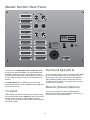
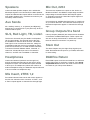
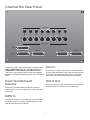
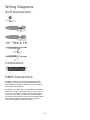
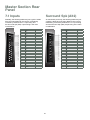
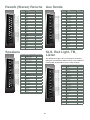
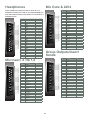
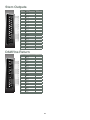
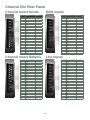
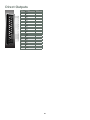
On the rear panels of the Custom Series 75 you will find the input and output connections on a combination of DB25,
TRS and XLR connectors. The wiring diagrams for each connector can be found in the Wiring Diagrams section of this
manual.
The following section details the console connections.
Health & Safety
Connections
When initially setting up the Custom Series 75 console
there are a number of health and safety aspects which
must be considered. See the H & S document provided
with the console when delivered for in depth information,
and observe the following at all times.
Countless input and output options, not all of which
will apply to any one studio setup, can be found on the
Series 75. It is recommended that you read this section
of the manual thoroughly, decide exactly which features
will be utilised in your studio, then purchase the cabling
necessary to get the most out of your console.
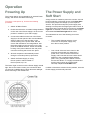
»» Make sure the power supply and interfaces
are switched off, and have been off for
at least 1 minute, before connecting/
disconnecting power to the console.
A patch bay simplifies the connection of external devices
and can be made to order, however is not necessary.
Available in 24, 32, 40 or 56 point layouts, the patch
bay is a 19" panel that resides in a specially designed
Channel bin on either the left or right side of the console.
Patch points are terminated to DB25 connectors on the
rear of the patch bay for easy connection of console
inputs/outputs and external devices.
»» Be aware that it is unsafe to expose the console
directly to liquid. Position the console away from
air conditioners that may drip water unexpectedly.
It is also not recommended to house water, i.e.,
in a vase, on or in close proximity to the console.
The size of your studio setup will be the major factor
when considering cabling. Individual pre-made cables are
easily purchased and may be a time saving option.
»» In the unlikely event of the console failing
to operate due to an internal issue, contact
the supplier immediately for instructions on
how to proceed. Alternatively, navigate to
'Contact Us' on the Series 75 website (http://
www.customseries75.com), or have the
console professionally serviced at one of our
service centres (details on our website).
Make sure the power supply and interfaces are
switched off, and have been off for at least 1 minute,
before connecting or disconnecting power.
5