1
INDEX
Chapter 1. Installation
Contents of the box
5
Choosing a location for installation
5
Installation
6
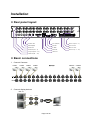
Rear panel layout
6
Basic connections
6
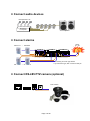
Connect audio devices (optional)
7
Connect alarms (optional)
7
Connect RS-485 PTZ camera (optional)
7
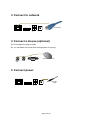
Connect to network (optional)
8
Connect a mouse (optional)
8
Connect power
8
Time adjustment
9
Chapter 2. Pre-acknowledgement
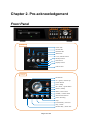
Front panel
10
Infrared remote controller
11
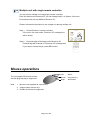
Mouse operations
12
Virtual keyboard
13
Login
13
User management
14
Daylight saving time (DST)
15
Shutdown (Auto power off)
16
Chapter 3. Operation
View panel
17
Camera pane
17
Status bar
18
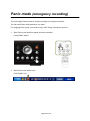
Panic mode (emergency recording)
20
Live monitoring
21
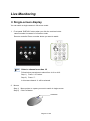
Single-screen display
21
Page 2 of 69