1
PE Socket 200AV T1000 User Manual
4.5.
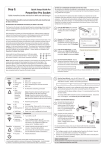
Checking that the PE Sockets are working correctly
The PE Socket has two push buttons that can be accessed from the front and three LED lights directly
underneath the 4 port managed switch Ethernet ports. The function of each is described in Section 5.
R
For the first 15 minutes after the power has been switched on, the PE Sockets will remain awake and
displays its status via the front LED lights. This is designed as a visual check to see if all the units are
working and able to connect to each other.
After the 15 minutes has elapsed, each unit will go to sleep if there is no active Ethernet connection
plugged into it. (The Power light will go red.) The 15 minute timer can be restarted by either power cycling
the devices or by pressing of the reset button (R) for 3 seconds on the PE Socket.
1. Within this 15 minute window, check that all PE Sockets are correctly installed and able to
communicate with each other.
For each PE Socket check the status of the lights:
a) the Power light should be solid green which indicates that the device is powered on. If it has
turned red, then the unit has gone to sleep (blinking means it is attempting to pair with other
units).
b) the PLC Connection light should be a solid colour showing that it is connected to other
PE Sockets.
2. The PE Socket automatically wakes up from sleep mode within a couple of seconds when the device
connected via an Ethernet cable is powered up and the Ethernet link becomes active.
Once the PE Sockets are installed and powered up, setting up the network is very easy.
© Power Ethernet Limited 2013
Version 1.24
Page 13 of 44