1
User Manual
Package contents
Your package will include the following items
1. Garage Door module
2. Relay cable (connected to module)
3. Power supply (110v/220v) with adapter for your country
4. A wire (not shown)
Requirements
For installation and initial configuration you will require:
● Your username and password (these will have been emailed to you upon completion of your
order)
● Know the name and password for your Wifi network.
Configuring the module
The configuration will take about 3 minutes.
The module needs to be setup with your the details of your wifi network and your username and
password. These steps will guide you through the installation process.
1.
2.
3.
4.
Plugin the module and wait until the middle light stops flashing.
On your phone, connect to the “PGDO” WiFi network.
Open the app on your Android or Apple phone.
Select settings, under device settings enter the following:
a. Username supplied to you by us in the username field near the bottom.
b. Password supplied to you by us in the password field at the bottom.
c. Enter the name of your Wifi network in the SSID field.
d. Enter the password for your Wifi network in the password field.
5. Click “Send”
User Manual
6. The settings will be sent to the device, it will then reboot (you will see the lights go off and then
come on and blink until the device has rebooted)
7. When the device reboots, it will connect to your wifi network. When two lights are on, this
indicates it has registered with the phone-garage-door-opener service.
8. If you plug in the cable, you will hear a clicking sound which will occur when you active the app.
Resetting the module
Hold the button down for 10 seconds to reset the module to the default state.
Installing the module
The installation will take 5-10 minutes and will require a screwdriver.
Note: Control circuits garage door motors and all circuits in the door module are low voltage. You will
not be shocked.
1. Ensure you have a Wifi signal at your garage door opener. The easiest way to do this is to use
your phone and ensure it can connect to your home wifi when standing next to your garage door
opener. The module will get a bit better signal than most phones as it has a higher gain antenna.
2. The next step is to connect the two free wires to the garage door.
3. Depending on your garage door, the connection may differ slightly.
○ If you already have a press-button inside your garage, then simply connect the
User Manual
module to the same place the two wires from the press-button go to.
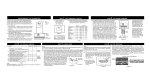
If you do not have a press-button then connect the wires to the two points shown in the
diagrams below. Currently we have Chamerlain models show, but the module will work
with any garage door opener. Please let us know if you need assistance.
4. Plugin the module, allow a minute for it to initialise and then test by using the Phone Garage
Door Opener app.
○
Example Garage Doors
Chamberlain basic
models.
Chamberlain
premium and late
models.
User Manual
Wiring
Your module connections. These will be pre-wired, but shown below for completeness.
Help / Contact
Thanks for purchasing the Phone Garage Door Opener. If you are unsure which terminals to use, please
contact us with the make and model of your opener and we will assist as soon as possible.