1
SmartFindExpress 2.3
Administrator User Guide
NOTE: Refer to the System Administrator
User Guide for
or more detailed information
on all of the Administrator features in the
system.
Logging into SmartFindExpress
1. Open your Internet browser and access the
SmartFindExpress site. The system
Welcome message and any district
district-wide
announcements are displayed
displayed.
District-wide
Announcements
2. Two identifiers are required to log in to the
system:
tem: User ID and Password. C
Click Submit
to access the system.
Enter User ID
and Password
3. If you have forgotten your password, click
the ‘Trouble signing in?’ link.
4. Follow the instructions on the screen and
then click Submit. Your password will be
sent to the email address on your profile.
5. Upon successful login, your home page is
1. Enter User ID
2. Enter Security
Code
3. Click Submit
displayed. From your home page, you can
manage your personal information and
perform a variety
riety of administrative tasks.
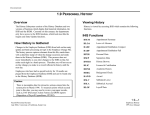
From your Home Page you can:
June 2013
Modify Profile Information
Get Help While You Work
Perform Administrative tasks
Create, access and run reports
eSchool Solutions Proprietary Documentation – Company confidential/Do Not Distribute
2