1
Prioritization Plustm – Author/Approver Guide
Approving the Program Write-up (Approver)
As an Approver you are also a member of the Author Team but you have the additional responsibility of determining
when the writing is done. You do this by approving the program write-up.
Approval is (almost) Final
It is best to have reviewed the entire write-up content before approving a write-up. It can be undone, but you
cannot do it yourself. To retract an approval a Task Force member must agree to remove your approval so you
can continue to revise text. In that case, you must approve the program write-up again when you are complete.
Note: Your Steering Committee may set deadlines and is able to approve your write-up
for you when deadlines have passed if the Approver has not done so. Please be aware
of your institution’s project schedule and policies.
Approve the Program Write-up
Approval is at the program level which means you are approving the entire write-up including Program
summary, all Criteria summaries, and all Criterion Question responses.
Note: If your institution has chosen to enable “Proposed Scores” as an Approver you can
suggest scores. Your proposed scores (at either question or criterion level) will be used
as input advice to the Task Force but will not be included in the final scoring. It will,
however, enable you to highlight differences between programs for which you are
responsible. The scoring control will be at either the Criteria level or the Question level
depending on your institution’s setup options. The Proposed Score drop-down will be
next to the [Save] button at the appropriate level. Select the appropriate score and then
[Save]
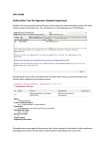
To approve the write-up, navigate to the program summary level by setting the Criteria drop down to “none –
Program Summary” and select the [Approve Program Write-Up] button.
You will be presented with a confirmation form that will list every component of the program write-up. You can
proceed to [Approve Program Write-Up] at the bottom of the form or [Cancel] at this point.
Prioritization Plus™ Author/Approver Guide 3.00 July 17, 2014
Page 10