1
PMAC NC User Manual
Table of Contents
INTRODUCTION .......................................................................................................................................................3
Getting Started...........................................................................................................................................................3
Step1 Unpack the ADV810 and the controller. .........................................................................................................3
Step2 Power to the ADV810 .....................................................................................................................................3
Step3 Verification of the software on ADV810 ........................................................................................................3
Step4 Testing the ADV810 Control Panel. ...............................................................................................................4
Step5 Connecting ADV810 to Controller and to the machine ..................................................................................5
Step6: Communication set up....................................................................................................................................5
Step7: Motor Setup....................................................................................................................................................6
Step8: CNC Setup using CNC AutoPilot. .................................................................................................................7
Step9: CNC setup using NC Registry. ......................................................................................................................7
Step 10: User PLC.....................................................................................................................................................7
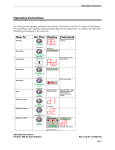
OPERATING INSTRUCTIONS FOR DELTA TAU NC FOR WINDOWS........................................................9
Getting Started...........................................................................................................................................................9
OPERATING INSTRUCTIONS FOR ADV810 CONTROL PANEL .................................................................10
General Screen Display Breakdown........................................................................................................................12
Function Keys .........................................................................................................................................................14
F2 – Pos..............................................................................................................................................................14
F3 – Prog............................................................................................................................................................15
F4 -- Offset..........................................................................................................................................................15
F5 – Tools...........................................................................................................................................................17
F6 – Settings .......................................................................................................................................................18
F7 – Diag............................................................................................................................................................19
F8 – Rewind........................................................................................................................................................21
F9 – Editor..........................................................................................................................................................21
F10 – MSG..........................................................................................................................................................22
F11 – OPER........................................................................................................................................................22
Operational Modes ..................................................................................................................................................23
Manual Mode......................................................................................................................................................23
Auto Mode...........................................................................................................................................................24
MDI Mode...........................................................................................................................................................26
DNC Mode..........................................................................................................................................................27
CNC AUTOPILOT....................................................................................................................................................32
Introduction .............................................................................................................................................................32
How to Use CNC AutoPilot ....................................................................................................................................35
Axis - Motor Definitions .....................................................................................................................................36
Position Units .....................................................................................................................................................37
Display Format...................................................................................................................................................37
Reset All..................................................................................................................................................................37
Std PLC TAB ..........................................................................................................................................................38
Machine Name ....................................................................................................................................................39
PLC Path ............................................................................................................................................................39
PMAC Type.........................................................................................................................................................39
ENABLE PLC .....................................................................................................................................................39
SAVE PLC...........................................................................................................................................................39
Enable.................................................................................................................................................................39
Cntl Panel ................................................................................................................................................................39
Adv. Settings .......................................................................................................................................................40
Override..............................................................................................................................................................40
% Spindle Override.............................................................................................................................................41
% Feedrate Override ..........................................................................................................................................41
Table of Contents
i