1
3 Quick Start
3.1 Key function
Descriptions for key functions:
Power key
•
•
•
•
Press this key for a long time to start up
Under starting up state, press this key for a long
time to pop up shutdown option
Under starting up state, press this key to close the
screen
Under starting up state or when breakdown
appears, press the power key for 7 seconds to
make your device enter into shutdown state
3.2 Starting up and turning off
Starting up
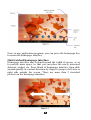
Press the power key for 3 seconds, you can see the starting up
picture. After the system is started, the machine enters into screen
lock state, please unlock according to direction indication of sliding
icon on the interface.
Turning off
1.
2.
After pressing the power key for a long time, the
shutdown option will pop up.
Click OK.
3.3 Unlocking and closing of the screen
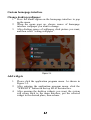
The machine will close automatically when the screen is left unused
1.
After the screen being left unused for a period of time, the
machine will close screen automatically, so as to save
battery power.
7