1
V03
U s e r ’ s M a n u a l NWTC
Features:
Precaution:
n Simple counting function
1. Install the weighing pan properly.
n Available on 3 weighing units :
2. For ensuring the accuracy , please warm
kg / g / lb.oz
up the scale after powered on and make
n Capable to display Net/Gross weight
certain the bubble appearing in the center
n Auto power off after not been operated
in 15 minutes
of the level indicator.
3. Do not operate the scale in an unstable
temperature environment.(Normal 0℃~ 40℃)
4. Avoid wind blowing & vibrating the equipment
when using.
NWTC WEIGHING SCALE
1
V03
Function Keys:
: power - ON/OFF switch
: to select kg / g / lb.oz / pcs
: to reset the weight to zero
: to switch net weight / gross weight
: to tare
Operation for Simple Counting:
1.
Press
to select “pcs”.
2.
Use
to choose the sampling quantity “ =
3.
Put the objects according to the above quantity on the weighing pan , press
4.
displays when sampling.
or
or
,
or
=
,
=
,
=
”.
.
displays when completed sampling.
*For accurate counting ,more sampling quantity is better.
5.
After sampling, remove the samples from the weighing pan, turn off the scale and turn on
again, scale is ready for simple counting.
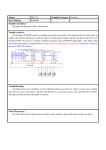
Trouble Shooting
Error Message
1.
2.
1.
2.
Trouble shooting
Weighing pan is interfered by something , remove the object
from weighing pan and power on the scale again.
Load cell is defective.
The PCB is defective.
Load cell is defective.
Power off and power on the scale again.
1.
2.
Weighing pan is interfered by something , remove the object
from weighing pan and power on the scale again.
Replace new battery.
Check if the object is over weighing capacity.
Check if place a wrong weight master while calibration.
NWTC WEIGHING SCALE
For all your scales and balances, visit www.MidlandScales.com
2