1
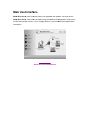
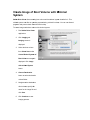
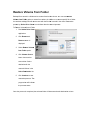
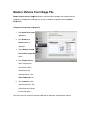
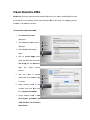
Overview Stellar Drive Clone for Mac, creates clone and image of hard drive or volume as well as restores backup and volume image. Clone created can be used as a backup or as a startup disk. Entire content from the source is copied to destination, retaining every details of the original drive which makes the clone drive bootable. The cloning process will erase data from the destination drive beyond recovery. The software creates hard drive or volume image for backup purpose and can recover data from it at any moment. In addition, you can restore volume from a folder or a mountable volume image file to its previous state. Another important feature of Stellar Drive Clone is the ability to create bootable DMG and minimal system, which comes handy when Mac OS crashes or fails to boot. What's new in this version? Support for encrypted volume. Key Features: New look GUI. Creates a complete replica of drive or volume. Can resize the volume of the destination drive to make full use of it. Supports cloning of drive volume to another volume, folder or connected network drive. Creates image of the hard drive or volume for backup purpose. Restores volume from a folder or a mountable volume image. Creates bootable DMG and Minimal System for Mac OS X. Preferences can be set to personalize end task activities and software up dation. Support for Partition Map scheme MBR (Master Boot Record). Support for ExFAT file system. Clones Solid State Drive( SSD ) to Mac Drive. Clones NTFS formatted drive into ExFAT formatted drive in Lion OS. Take backup of your data. Schedule automatic backup of data periodically.