1
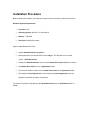
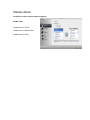
Installation Procedure Before installing the software, check that your system meets the minimum system requirements: Minimum System Requirements Processor: Intel Operating System: Mac OS 10.5.0 and above Memory: 1 GB RAM Hard Disk: 50 MB of free space Steps to install Stellar Drive Clone Unpack StellarDriveClone.dmg.zip file. Decompress the zip file and double click the dmg file. This step will mount a virtual volume - StellarDriveClone. Double-click StellarDriveClone volume to open Stellar Drive Clone application window. Drag Stellar Drive Clone file to the Applications folder. To launch the software, double click on Stellar Drive Clone file in Applications folder. This displays License Agreement. If user accepts the License Agreement, then the software is launched; otherwise, it terminates. To remove the software, drag and drop the StellarDriveClone file from Applications folder to Trash.