1
Why Stellar Drive Clone?
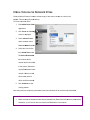
Creates Clone of Hard Drive/Volume
Clone of hard drive/volume involves creating a copy of entire drive or volume content. A Clone, created
using Stellar Drive Clone, can be used as backup or a boot drive. A clone is useful if there is a need to
upgrade hard drive, reboot or restore system or when a full system backup is needed. Stellar Drive Clone
can be used to create clone of drive/volume to a drive, volume, folder or a network drive.
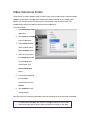
Capable of Resizing Volumes on Target Drive
Stellar Drive Clone creates clone of a drive to another hard drive having size equal or greater than the
source drive. If the target drive is of higher capacity, Stellar Drive Clone can resize volumes in the target
drive to make full use. By default, drive cloning takes place without any changes. So, if the target drive
has more space then the free space left after cloning will be of no use. For making the drive space useful,
you need to choose Resize volume(s) of destination drive in the application and specify the new volume
size.
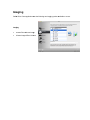
Creates Image of Hard Drive/Volume
Image file contains complete content of the source hard drive or volume. Using image files you can
restore the entire disk or a volume in the event of system crash. Stellar Drive Clone supports creating
image of both hard drive and volumes.
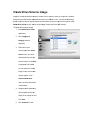
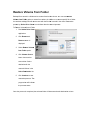
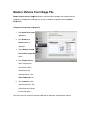
Restores Volume from Folder/Image File
Restore feature is used to copy back the data from the cloned folder or an image file to the volume to put
it into its original state. Restoration process by Stellar Drive Clone is much faster than the manual
process.
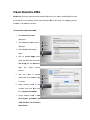
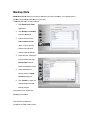
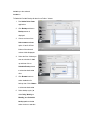
Creates Bootable DMG
Bootable feature of Stellar Drive Clone allows users to create personal bootable DMG for Mac OS X.
The bootable Mac DMG can include one or more installed applications into it. Stellar Drive Clone is
installed automatically into the bootable DMG. The compatibility of the DMG depends on the machine it is
created. This means that if the DMG is created on PowerPC, you can use it to boot PowerPC machine
only.
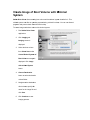
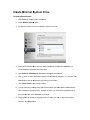
Creates Minimal System Drive
Stellar Drive Clone can be used to create a minimal system that can be used to boot the system in case
of emergency. This feature will copy all the system files from an installed Mac OS X to another volume.
The result of the copy is a minimal system with Apple’s default applications and an empty user’s folder
containing default folders, preferences etc.