1
Contents
Preface
About this manual.................................................................................................................9
Using the Profile XP Documentation Set .........................................................................9
Manual Descriptions ......................................................................................................10
How this manual is organized........................................................................................11
Getting more information ....................................................................................................12
Grass Valley Product Support ............................................................................................13
Safety Summaries
General Safety Summary ...................................................................................................15
Safety Terms and Symbols ................................................................................................16
Service Safety Summary ....................................................................................................17
Certifications and Compliances ..........................................................................................17
Chapter 1
Introducing the Profile XP Media Platform
Profile XP Media Platform features ....................................................................................19
About channels and factory default configuration..........................................................26
Video compression for standard definition ....................................................................27
Video compression for high definition............................................................................27
Fibre Channel RAID storage .........................................................................................28
Fibre Channel and/or Ethernet IP Video Networks........................................................28
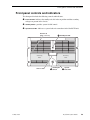
Front panel controls and indicators ....................................................................................29
Rear Panel View.................................................................................................................32
Standard accessories.........................................................................................................33
Profile XP Media Platform system overview.......................................................................34
High level block diagram ...............................................................................................34
Board level block diagram .............................................................................................35
Starting the Profile XP system............................................................................................43
Logging on Windows NT ....................................................................................................44
Automatic Logon............................................................................................................44
Logging on as Administrator..........................................................................................44
Logging on as Profile .....................................................................................................45
Shutting down the Profile XP system .................................................................................46
Chapter 2
Working with Configuration Manager
Tour of Configuration Manager ..........................................................................................48
File System ....................................................................................................................48
Network .........................................................................................................................49
Video setup items ..........................................................................................................50
Audio setup items ..........................................................................................................51
License Configuration ....................................................................................................52
Channel Configuration...................................................................................................53
Viewing hardware settings summary dialog boxes........................................................54
Viewing board location information ....................................................................................56
Saving and restoring your system settings.........................................................................57
Saving a copy of your system configuration ..................................................................57
Opening saved configuration files .................................................................................58
Importing system settings...................................................................................................59
Importing a configuration ...............................................................................................60
Remote configuration .........................................................................................................62
13 May 2005
Profile XP System Guide
3