1
Getting Started
1--5
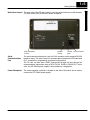
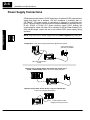
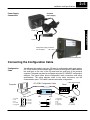
Power Receptacle
Location
RX LED
(Green)
TX LED
(Red)
RJ12 Connection
Serial
Communications
Port
The serial communications port is a 6-pin RJ12 connector, which supports RS-232
interface wiring. This port is used for communications between the OP-panel and
PLC, as well as for programming your panel configurations.
The OP--440 can also draw +5VDC input power through this port through the
communications cable when using a DL05, DL105, DL205 or DL405 PLC. In this
case, the OP--PS400 power supply is only needed for configuration.
Power Receptacle
The center-negative connector is located on the side of the panel, and is used to
connect the OP--PS400 power supply.
Getting Started
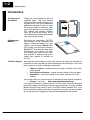
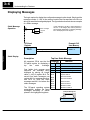
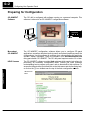
Back-Panel Layout The back side of the OP--440 contains a serial communications port with transmit
(TX) and receive (RX) LEDs and a power receptacle.