1
Getting Started
Chapters
4
5
Appendices
A
The main contents of this manual are organized into the following five chapters:
Getting Started
Introduces the physical and functional characteristics.
Discusses the 4 line LED display. Also provides introduction
to planning your system.
Installation and
Specifications
Shows how to prepare for system installation, including
specifications and mounting instructions. Includes
connecting cables part numbers and specifications.
Understanding the
Features
Configuring the
Operator Panel
Programming
Examples
Explains the features and functions of the OP--440. Teaches
concept of how data is exchanged between the panel and
the PLC.
Shows how to use the OP--WINEDIT configuration software to
configure your panel. Shows how to load the software on your
personal computer, call up the screens you will need and how to
download the configuration program to your panel.
Provides example programs for using the standard functions and
features. These examples include ladder logic for implementing
messages using DirectLOGIC compatibles and Allen-Bradley SLC
5/03, 5/04 and Micrologix CPUs. Also includes troubleshooting
information.
Additional reference information is in the following appendices:
Worksheets
Has worksheets that you can use to help setup your OP-panel.
Conventions Used
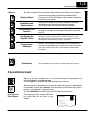
When you see the “notepad” icon in the left-hand margin, the paragraph to its
immediate right will be a special note.
The word NOTE: in boldface will mark the beginning of the text.
When you see the “exclamation mark” icon in the left-hand margin, the paragraph to
its immediate right will be a warning. This information could prevent injury, loss of
property, or even death (in extreme cases).
The word WARNING: in boldface will mark the beginning of the text.
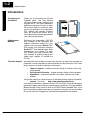
Key Topics for
Each Chapter
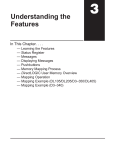
The beginning of each chapter will list the
key topics that can be found in that
chapter.
1
Getting Started
1
2
3
1--3