1
single modules
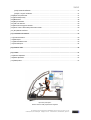
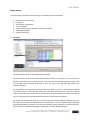
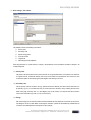
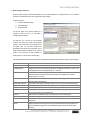
The pacer function
In some case you would like to perform a step-test on the field, where you have difficulties to control the speed.
Although the absolute speed is not decisive for h/p/cosmos para analysis, as the step-load increments do not have to be
constant for the h/p/cosmos para analysis, it is sometimes nevertheless desirable to be able to have a set speed.
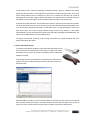
Pacers are regular sound signal generators. You can install a cheap pair of speakers on our laptop (with integrated
amplifier) to emit sound signals. Next you have to mark the field with marks in regular distances to each other (e.g. all 25
or 50 m).
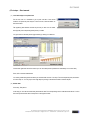
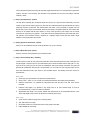
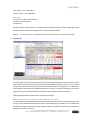
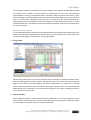
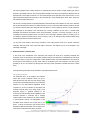
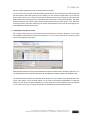
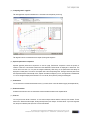
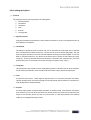
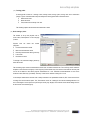
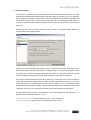
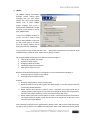
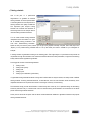
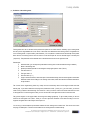
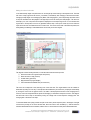
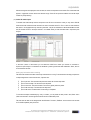
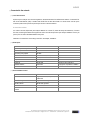
Now select „Pacer active“ in the pacer function and adjust the impulse period. For this, press “Period“. Enter the target
speed [km/h] and marking distance [m] for the current run (Step). From this h/p/cosmos para analysis will calculate the
impulse period. Afterwards adjust the sound signal (Panel „Signal“). Then enter the run time and press „Start“ below.
h/p/cosmos para analysis will now emit a regular sound signal via the speakers. The runner has to have reached the
next mark at each signal.
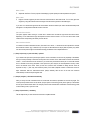
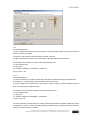
If you want to have several athletes run at the same time, you have to set the respective amount of pacers, select
different sound signals and start the watches/pacers. Each athlete has to listen to his sound signal. You can test each
pacer-sound with the lower speaker-icon to prepare the athlete.
.
file: l:\manuals\h-p-cosmos para analysis\version 2.0\en\20050203_manual_h-p-cosmos_para_analysis_2 0_en.doc
© 2005 h/p/cosmos sports & medical gmbh [email protected] created 03.02.2005 printed 03.02.2005 page: 62 of 67
LN