1
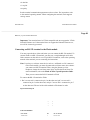
RS-232 cable connects Flash
to the modem
Modem A
Remote Flash module
Telephone
Network
RS-232 cable connects the PC and the
modem (or PC has an internal modem)
Modem B
RS-232 terminal or PC running
communication/terminal emulation software
Flash Maintenance Manual
P0881604 Draft
Page 29
Before you perform Flash Maintenance 23
Connecting a printer to the Flash module
Connecting and using a printer to print Flash Reports is optional. Before you install
the printer, make sure you have an RS-232 cable. If you are connecting a printer,
we recommend using a ribbon cable RS-232 connector.
Printer check list
The following printer specifications must be met before you connect the printer:
Ë serial printer type
Note: Flash does not work with a parallel printer unless a serial to parallel
interface is used.
Ë printer speeds must support 1200 baud
Ë hardware and software compatibility
Note: Flash supports XON/XOFF, and all reports are terminated by line feed/
carriage return.
Ë cable type must be straight through (modem cable)
You must open the door of the unit before you can connect the printer. To connect
a printer:
1. Plug the male end of the RS-232 cable into the RS-232 port of the Flash
module.
2. Plug the female end of the RS-232 cable into the serial port, located at the
back of the printer.
Important: The Flash module serial port is a standard RS-232 connector. Make