1
1. Installation and Connection of the Program
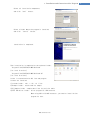
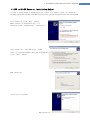
This manual describes how to operate User Program(GUI) for Ezi-SERVO Pus-R. For more information,
refer related manuals.
(1) User Manual-Text
(2) User Manual-Communication Function
(3) User Manual-Position Table Function
1. Installation and Connection of the Program
Ezi-SERVO Plus-R consists of two operation modes as follows:
1) Using Motion Library(DLL) provided for the program from Windows 2000/XP/VISTA.
2) Using Position Table(PT) and external signals input by the user.
For the operation modes above, refer to each related manual.
This chapter describes the user program used for installation and running test of the
controller. Ezi-SERVO Plus-R is associated with RS-485. So, the user needs to convert RS-232C
or USB for the PC into RS-485
1.1 Installation Environment of PC
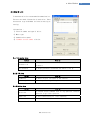
Machine Type :
Compatible with PC/AT
RS-232C Port or USB Port
Hard disk more than 10MB
Screen SVGA(1024×768 or more)
CPU Pentium4 2.0 GHz or more
OS: Windows 2000/XP/VISTA should be normally installed.
1.2 User Program(GUI) Version
Thers are 2 kinds of program version for SERVO Plus-R.
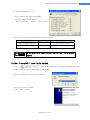
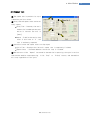
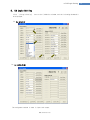
(1) Firmware program in drive :
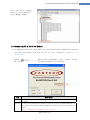
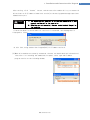
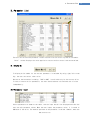
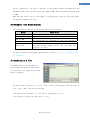
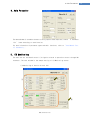
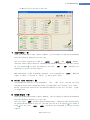
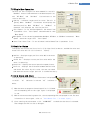
After connect the User Program(GUI),
Version number can be check in ‘Board List’
Window.
www.fastech.co.kr
4