1
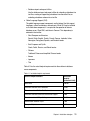
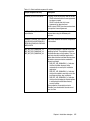
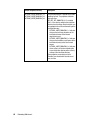
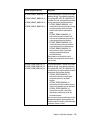
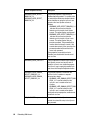
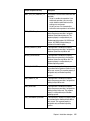
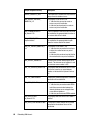
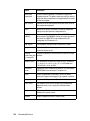
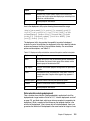
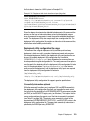
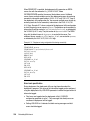
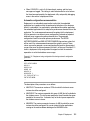
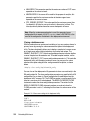
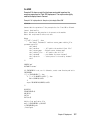
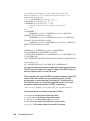
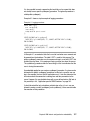
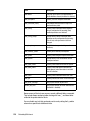
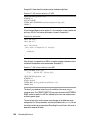
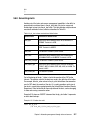
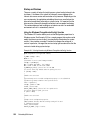
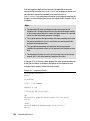
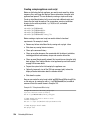
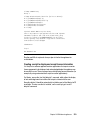
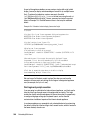
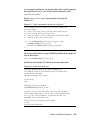
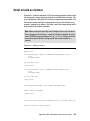
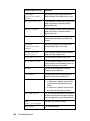
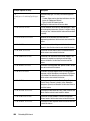
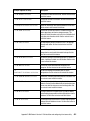
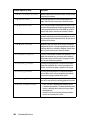
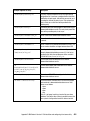
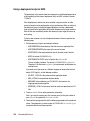
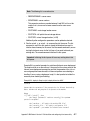
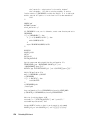
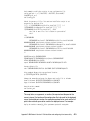
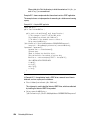
This command can be used in conjunction with other command-line options. See Table 5-3 on page 118 for the deployment assistant command-line options and their description. Examples of packaging Informix using the deployment assistant In this section, we show examples of snapshot creation based on a Linux environment in which: The ifxdeployassist command is invoked from /tmp. Data is packaged with the snapshot. The command in Example 5-2 creates a snapshot of the database server at /tmp/informix1.tar.gz. The snapshot in this example contains the installed files and instance information, but will not contain data. The informix1:localhost:9088:SQLI value directs the deployment assistant to take a snapshot of the informix1 instance, which is configured for localhost and connects to service port 9088 using the SQLI protocol. Example 5-2 Archive snapshot of instance with all defaults, data excluded ifxdeployassist --command-line -i informix1:localhost:9088:SQLI The command in Example 5-3 creates the database server archive snapshot, including data. The archive format and location are explicitly specified. The command creates a snapshot of the server at /opt/snapshot1.tar and all of its associated data at /opt/snapshot1_db_tar. The deployment assistant is directed to take a snapshot of informix2 instance in this example. Example 5-3 Archive snapshot of instance with data ifxdeployassist -c -d -i informix2:localhost:9090:SQLI -a tar -f /opt/snapshot1 Example 5-4 creates a snapshot of data at /tmp/informix2_db.tar.gz. In this example, the protocol is not specified. Therefore, the default (SQLI) will be used. The example shows the usage of the -d and the -m command-line options to package only the server data. Example 5-4 Archive snapshot of instance, capturing data only ifxdeployassist -cvdni --instance ids1170_2:localhost:9288 Chapter 5. Deployment 119