1
WinBatch Functions
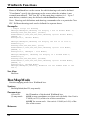
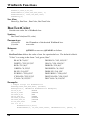
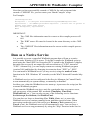
All buttons and Box commands after the tag are forever erased.
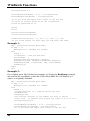
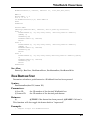
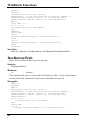
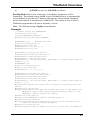
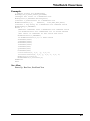
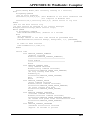
Example:
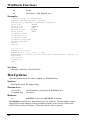
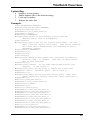
; sample script for BoxDataTag
BoxesUp("0,0,1000,1000",@zoomed)
;Changes the title of a WinBatch box.
BoxCaption(1,"Random Rectangles")
;Creates a push-button in a WinBatch box
BoxButtonDraw(1,1,
"E&xit", "750,860,900,930")
;Creates a tag entry in a WinBatch box command stack
BoxDataTag(1,"ACORN")
while 1
;Removes commands from a WinBatch box command stack
;if BoxDataClear was commented out it would exceed
;the limit of commands in the stack and error
BoxDataClear(1,"ACORN")
if BoxButtonStat(1,1)==1 then break
x=Random(1000)
y=Random(1000)
s=Random(1000)
t=Random(1000)
r=Random(255)
g=Random(255)
b=Random(255)
color=strcat(r, ",", g, ",", b)
location=strcat(x, ",", y, ",", s, ",", t)
BoxColor(1,color,0)
BoxDrawRect(1,location,2)
endwhile
exit
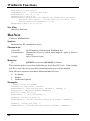
See Also:
BoxesUp, BoxNew BoxDataTag
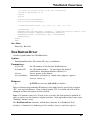
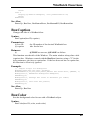
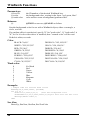
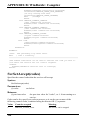
BoxDataTag
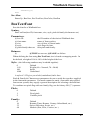
Creates a tag entry in a WinBatch box command stack.
Syntax:
BoxDataTag(box ID, tag)
Parameters:
(i) box ID
(s) tag
the ID number of the desired WinBatch box.
tag to be created.
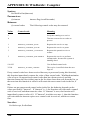
Returns:
(i)
@TRUE on success; @FALSE on failure.
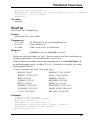
Places a tag into the data stack for the specified box. Usually one tag per box is all
that is needed. Multiple tags are allowed, but not advised. The tag "TOP" is
automatically placed at the top of the data stack .
62