1
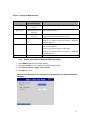
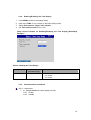
Table 2-1 Log Input Mode Settings
Setup Item
Selectable Items
Description
(Selectable Range)
Range
Same as the DCV
Sets the range.
range
Span Lower
Varies depending on the
Span Upper
Varies depending on the
Sets the span lower limit.
input type
input type
Scale Lower
1.0E-15 to 1.0E+15
Sets the span upper limit.
* Span Lower must be less than Span Upper.
Sets the scale lower limit.
1.00E-15 to 1.00E+15 when the number of displayed
mantissa digits is 3.
Scale Upper
1.0E-15 to 1.0E+15
Sets the scale upper limit.
* 15 decades maximum.
* Scale Lower must be less than Scale Upper.
1.00E-15 to 1.00E+15 when the number of displayed
mantissa digits is 3.
Unit
Up to 6 characters
Sets the unit (alphanumeric characters).
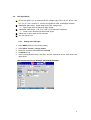
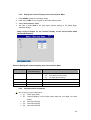
2.2.2. Setting the Number of Displayed Mantissa Digits
1.
2.
3.
4.
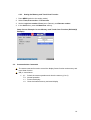
Press MENU (switch to the setting mode).
Hold down FUNC for 3 s to switch to the basic setting mode.
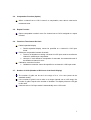
Select Environment > Digits, Time indicate.
Set Digits to 2 or 3.
Setup Screen Example for the Number of Displayed Mantissa Digits (DX1000(N)
Example)
5