1
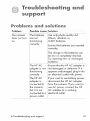
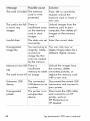
Error
_÷ssages
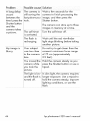
Connedion
k_w_n the
The camera
iimight be
connected to a
computer
through a USB
:_hub.
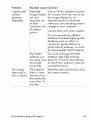
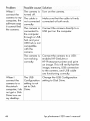
_:ailed
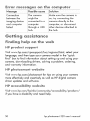
Getting
Finding
on the
¢o_puter
ilMake sure the camera is
ion, try connecting the
camera directly to the
icomputer, or disconnect
iother devices attached to
the hub.
assistance
hemp on the web
HP produ¢'t
support
Visit www.hp.com/cposup_r_ilociregion_Lh_rnl,
select your
language, and then type your camera model in the "quick
find" box to find information about setting up and using your
camera, downloading drivers, solving a problem, ordering,
and warranty information.
HP photosm_rt
webslte
Visit w_.hp_com/photosm_ff
for tips on using your camera
more effectively and creatively as well as HP digital camera
driver updates and software.
HP _¢¢esslb_Hty
webs_tg
Visit www.hp com/kpin_o/communih/!_ccessibilib//pr_rv
if you have a disability and need help.
50
/
hp photosmart 320 user's manual