1
Table of Contents
X-Trigger-8R
Page1~Page3
AR32 Configuration Software Operating Guide
Page6~Page12
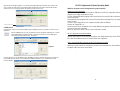
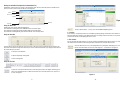
In this option, user can activate Time Trigger Mode for desired SHOW by editing show events to AR-32C,
including Calendar Mode and Weekly Mode. Commonly, the Calendar Mode will take precedence of the
Weekly Mode.
For example,
If you have set up two events(A1and A2) within one day, and A1 in the Calendar Mode, A2 in the Weekly
Mode. Only A1 in the Calendar Mode will be performed, however A2 will be void.
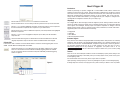
Click the "Save" icon to confirm and save your current settings in memory for the
selected show.
Click the "DEL" icon to delete your current setting if you're not satisfied.
Click the "DownLoad To AR32" icon to download those shows which events have been edited
well to your AR-32.
Exiting the AR-32 Configuration Software
Click the "Exit" icon at the top-right c orner of the Tool Bar to exit the AR-32 Configuration
Software.
1
Special Note:
Up to 32 shows allows to be programmed through operating AR-32 configuration software, but the user
can only trigger Show1~Show8 by switching on/off external 8 dy contacts(Contact1~Contact8). When
any of Contact1~ Contact8 disables, Show 32 is running automatically and others shows disables
whatever you do.
-12-