1
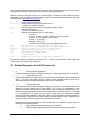
Select the COM port connected to your TGL-FL and click the “Connect” button.
Information confirms you have indeed communicated with the T/Guard and you will be provided with
additional menu items.
6.2 Acquire and Display Temperature Data
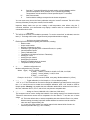
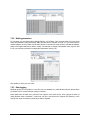
The “Acquire Temperatures” application will display up to 64 temperatures (16 temperatures for up to 4
instruments), as follows:
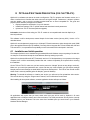
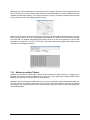
This window also includes a “Graph” button, which will open an additional window that will show a trend
graphic for all previously selected channels (channel selection should be made prior to opening this second
window). See section 6.2.2 for more information.
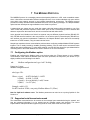
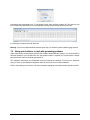
The main window also includes a feature whereby the user can save the data acquired since this window
was open; this data file has the default extension .tem, and is a .CSV type file that can be directly read by
Excel. Direct saving to an .xls file is also possible. Please note that data is being acquired ONLY when the
“Acquire temperatures” window is active; however, the data will be saved only after the “Save log” button is
clicked; this will open the following window:
Document no. G1041r03
Copyright Neoptix Canada LP
24