1
8 RS-485 CONVERTERS
8.1 RS-485 to USB converter
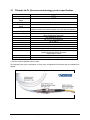
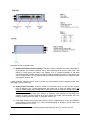
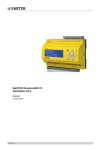
As most PC computers today don’t have serial ports, Neoptix recommends using a RS-485 to USB converter
(also called adapter). It works great with all TGL-FL, T/Guard, T/Guard2, T/Guard-405 and T/Guard-408
systems. This converter works for both 2W and 4W RS-485 installations; no external power supply is
required. It also offers 2000V RMS optical isolation, which is great for electrically noisy applications or when
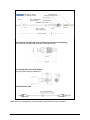
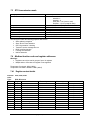
grounding may be a problem. The following figure shows this adapter (when purchased form Neoptix, the
adapter will be fitted with a DB9 connector suitable for use for both 2W and 4W applications, part number
NXP-349):
Note that this converter requires a special software driver that needs to be installed before you use the
device; you will find all details on the CD that comes with the unit.
Furthermore, the converter has 4 dip switches that need to be configured depending on your exact
installation: there are 2 possibilities, as follows:
a) If you have a 2W (2-wire, also called “half-duplex”) installation, then the four dip switches must be set
as follows:
a. Switch 1 must be on (RS-485 mode)
b. Switch 2 must be on (Echo Off)
c. Switch 3 must be on (2 Wire mode)
d. Switch 4 must be on (2 Wire mode).
b) If you have a 4W (4-wire, also called “full-duplex”) installation, then the four dip switches must be set
as follows:
a. Switch 1 must be on (RS-485 mode)
b. Switch 2 must be off (Echo On)
c. Switch 3 must be off (4 Wire mode)
d. Switch 4 must be off (4 Wire mode).
Warning: When dealing with very long cables (e.g., more than 300 meters), your RS-485 network might need
a termination resistor (typically 120Ω). Consult Neoptix for more details.
Document no. G1041r03
Copyright Neoptix Canada LP
37