1
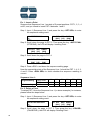
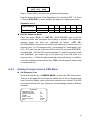
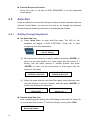
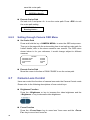
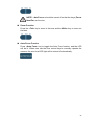
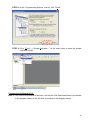
Each sequence line can be composed of up to 32 preset positions when setting through the keyboard. (2) If press <4> <ENTER> for PST, <1> <5> <ENTER> for SPD and <5> <ENTER> for DWELL, for example, the LCD will display as shown below. 001. PST SPD DWELL [004] [15] [005] Description: The first preset point for sequence 1 is preset position 4. The dome camera will stay at that position for 5 seconds and go to the next point at speed 15. Follow the above steps to set other sequence lines; press <SETUP> (PLAY/ENDSEQ) to end the setting when finished. 001. PST SPD DWELL [004] [15] [005] (3) Press ▲ and ▼ keys to scroll up or down all pages. Users can also press ◄ and ► keys to move the cursor. See the diagram follows. Execute Sequence Function Press a number key to specify a sequence line that you want to execute and then press <RUN SEQ> (see the illustrations above) to start running sequential preset points. The LCD will display as shown below. 001 P/T/Z/F/OSD Cam Running Sequence 1 Insert or Delete Setting Users can insert or delete one of the serial points from a sequence line easily. Press the key <AUTO PAN> (STOP/INS) to insert a point into the sequence line; press the key <CRUISE> (PAUSE/DEL) to remove a point from this sequence line. See the illustrations below for the keys mentioned here. 21