1
Overview
NOTE: This manual refers to operation while using QA BeamChecker
Plus Communication Software version 2.2.X. If using a previous
version, contact Standard Imaging for the latest revision of the QA
BeamChecker Plus Communication Software.
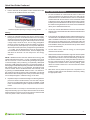
cause a red light to flash, an audio alert to sound, and require the
RESET button to be pushed on the front of the instrument to continue.
Additional information is also presented on the large alphanumeric
display on the front of the unit.
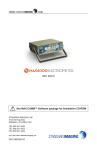
The QA BeamChecker Plus (QABC+) is a reliable and uncomplicated
measurement instrument for daily quality assurance testing of linear
accelerator, TomoTherapy Hi·Art System®, or other rotational delivery
treatment machine output. It assists medical physicists in verifying
that the constancy, symmetry, flatness, and other parameters of a
beam are not changing over time.
For rotational treatment machines or for dynamic beam delivery,
such as enhanced dynamic wedge, the core functionality is very
similar, however instead of selecting an energy to deliver, a plan
is configured. This plan could be a particular energy, wedge angle,
jaw width in the case of a TomoTherapy system or any other unique
identifier. In typical use for rotational delivery such as RapidArc™,
first a CT image of the QA BeamChecker Plus must be acquired in
order to contour its internal ion chambers. Using the image and its
contours, a treatment plan is developed and delivered to the unit
as a baseline measurement. Subsequent exposures compare the
total composite dose delivered to each chamber to their baseline
value, with any deviation signaling a problem with the beam delivery.
Potential problems tested could include gantry rotation, dose rate,
and/or delivery position.
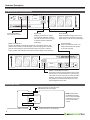
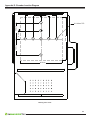
The QA BeamChecker Plus consists of the standalone detector unit
with 8 parallel plate ionization chambers, a Power/Data Cradle, and
PC-based software for baselining the current machine parameters
and viewing data in real-time. In the TomoTherapy mode, the
additional Precision TomoTherapy Leveling Platform is required for
proper testing of laser alignment.
Usage Overview
The physicist initially “baselines” each accelerator energy, using
the included software. This stores a picture of the current beam
constancy, flatness and symmetry, and generates a unique identifier
for each energy. This energy identifier is the key for “Wire-Free”
standalone operation of the QA BeamChecker Plus.
After initially creating baselines by connecting the QA BeamChecker
Plus and using the accompanying software, no cables are
required and no software is needed for day to day operation of the
instrument.
In daily use for linear accelerators, the QA BeamChecker Plus is
simply placed back on the treatment couch using the baselined setup
data parameters, a field size of 20 x 20 cm, and typically an SSD of
100 cm. Linear accelerator energies may be delivered in any order,
and temperature and pressure corrections are automatically made
by an on-board sensor. A unique flip feature is used to measure
both photons and electrons. When the “photon side” is faced toward
the beam, 3.5 cm of water-equivalent buildup is provided over the
detectors, while the “electron” side provides 1.5 cm. To switch sides,
the unit is simply flipped over, and the MODE / PLAN button on the
front of the unit is pushed to indicate the change and to invert the
display. No additional buildup or trips into the treatment vault are
typically required. In daily use for TomoTherapy or other rotational
units, only the photon side is used. The following are evaluated for
TomoTherapy mode: laser alignment (both fixed and moving), static
output constancy, static energy constancy, lateral profile constancy,
and dynamic output constancy.
Following an exposure, the QA BeamChecker Plus identifies the
energy of the beam that was just used. It then applies this reading to
look up the baseline parameters for that beam energy, and compares
them with the present readings. Daily measurements falling within the
physicist-selected acceptance parameters (known as Action Levels)
result in a green light displaying on the front panel of the device for
about 10 seconds, followed by the unit re-arming itself for the next
measurement. All data is stored on the QA BeamChecker Plus for
later downloading. Measurements outside acceptance parameters
4
About one month’s worth of data can be stored on the QA
BeamChecker Plus before downloading is required, although
downloading may be done at any time. The Power/Data Cradle
provides the link to the computer’s RS-232 port, and the included
software makes downloading and trending the data quick and easy.
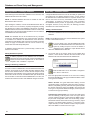
The simple four tab interface guides the physicist through all the
steps needed to evaluate data. Values for flatness, symmetry, and
constancy are graphically displayed for analysis and review. Data
can be viewed in graph or table form, and can easily be printed for
archiving, if desired.
Hi·Art System® is a registered trademark of TomoTherapy Incorporated.
RapidArc™ is a trademark of Varian Medical Systems.