1
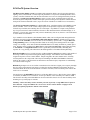
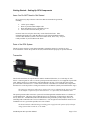
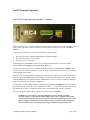
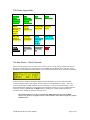
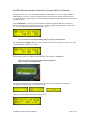
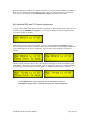
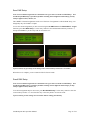
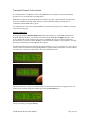
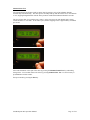
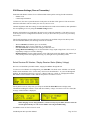
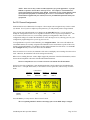
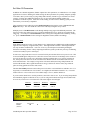
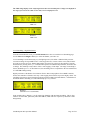
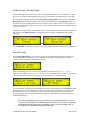
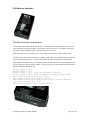
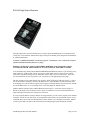
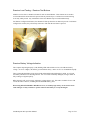
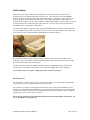
FlexTX Transmitter Operation The FlexTX Transmitter User Interface – Overview All RC4-TXD-Series user-interfaces consist of a 16-key keypad, a 20-character x 2-line LCD display, and a rotary control. The rotary control can also be pressed as a button, usually the equivalent of the Select / Enter key. Twelve of the keypad keys are used to select a function or function-group: The green keys invoke transmitter DMX channel assignment settings. The yellow keys invoke receiver settings. The blue keys are test functions. The bottom 4 keys include Exit to escape any previously invoked function, generic user-interface functions Left/-/No and Right/+/Yes, and the Select / Enter key. In some cases, the screen will show a number of parameters on screen. The Left/-/No and Right/+/Yes keys move the cursor between parameters, and the blinking cursor indicates the parameter that is active for editing with the rotary control. The value of the selected parameter is adjusted by turning the rotary control. In most cases, the new value is saved by pressing the Enter button on the keypad, or pressing the rotary control knob. In other cases, as when adjusting RX receiver parameters before sending them to a receiver, values will remain as displayed while you navigate between parameters and screens. In some modes, as when editing a DMX/CV Assignment, the Left/-/No and Right/+/Yes keys increment or decrement a specific value on the screen, usually the RF channel (-/+). This is the case when there are only two parameters on screen – one adjusted with the rotary control and the other with the -/+ buttons. To escape any mode and return to the main Watch Channels screen, press EXIT. WARNING: For test purposes, some FlexTX firmware versions includes a transmit interruption feature. From the main Channel Watch page, wireless channels will stop being sent when the Select/Enter key is pressed, and will resume when the EXIT key is pressed. The small rectangular Transmit LED on the transmitter transceiver indicates when channels are being transmitted. If it is not steadily shimmering, press EXIT to resume transmission. Soundsculpture RC4 Operation Manual Page 7 of 43