1
7-Host Computer Setup
Chapter 7 - Host Computer Setup
This chapter is an overview of setting up storage volumes on Macintosh and Windows
based computers. To ensure complete installation and ease of use, take a few minutes
to read this chapter before installation.
1. Volume Setup on Apple Macintosh
Installation on a MacOS system requires MacOS X or greater, and any of the following:
1. Compatible SATA Host Bus Adapter with external ports.
2. FireWire 800 or FireWire 400 ports
3. USB 2.0 port
!
Before you begin, please make sure you are logged in with administrative
privileges. If you are unsure about your privilege level, please consult your
Macintosh OS-X user manual or with your system administrator.
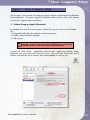
Launch the “Disk Utility” application located under Applications/Utilities folder.
Highlight your new drive and select the “Erase” tab, select the desired file system
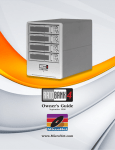
format, and click the “Erase” button. Your PlatinumRAID is ready to use!
PlatinumRAID Pro Owner’s Manual
51