1
13. Connecting to other equipment
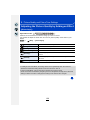
Functions that cannot be used on 3D pictures
∫ Functions that cannot be used during 3D recording
When recording with the 3D interchangeable lens (H-FT012: optional), the following
feature will be disabled:
(Recording functions)
• Auto Focus/Manual Focus operation
• Aperture setting
• Zoom operation
• Recording motion pictures¢1
• [Glistening Water]/[Glittering Illuminations]/[Handheld Night Shot] (Scene Guide Mode)
• [Rough Monochrome]/[Impressive Art]/[High Dynamic]/[Toy Effect]/[Toy Pop]/[Star Filter]/[One
Point Color]/[Sunshine] (Creative Control Mode)
• Defocus control function
¢1 The motion picture button, Creative Video Mode and the [Motion Picture] menu will be
unavailable or unusable.
([Rec] menu)
• [Picture Size]¢2/[Quality]¢3/[SH] of [Burst Rate]/[i.Dynamic]/[i.Resolution]/
[iHandheld Night Shot]/[iHDR]/[HDR]/[Multi Exp.]/[EFC] ([Shutter Type])/[Red-Eye Removal]/
[Shading Comp.]/[Ex. Tele Conv.]/[Digital Zoom]/[Stabilizer]
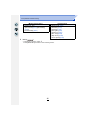
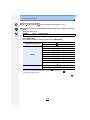
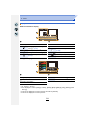
¢2 The setting is fixed as shown below.
Aspect ratio
[4:3]
[3:2]
[16:9]
[1:1]
Picture size
1824k1368
1824k1216
1824k1024
1712k1712
¢3 When attaching 3D interchangeable lens, the following icons are displayed.
[
] ([3D+Fine]):
[
] ([3D+Standard]):
Both MPO images and fine JPEG images are recorded
simultaneously.
Both MPO images and standard JPEG images are recorded
simultaneously.
([Custom] menu)
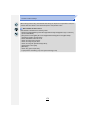
• [AF/AE Lock]/[Quick AF]/[Pinpoint AF Time]/[Pinpoint AF Display]/[AF Assist Lamp]/[Focus/
Release Priority]/[AF+MF]/[MF Assist]/[MF Assist Display]/[MF Guide]/[Rec Area]/[Remaining
Disp.]/[Video Button]/[Power Zoom Lens]/[Lens w/o Focus Ring]/[Touch AF] in [Touch Settings]
∫ Functions that cannot be used during 3D picture playback
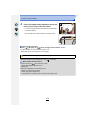
During the 3D playback of 3D pictures on a 3D-compatible TV, the following functions are
disabled.
• [Highlight] ([Custom] menu)
• Playback Zoom
([Playback] menu)
• [Location Logging]/[Clear Retouch]/[Title Edit]/[Text Stamp]/[Video Divide]/[Time Lapse Video]/
[Stop Motion Video]/[Resize]/[Cropping]/[Rotate]/[Rotate Disp.]/[Favorite]/[Print Set]/[Protect]/
[Face Rec Edit]/[Delete Confirmation]
287