1
14. Others
Flash
The flash is not activated.
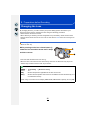
• Is the flash closed?
> Open the flash. (P200)
• When the electronic shutter is used, the flash is not activated. (P165)
> Set [Shutter Type] to [AUTO] or [EFC].
• When [Silent Mode] is set to [ON], the flash is not activated. (P184)
> Set [Silent Mode] to [OFF].
The flash is activated 2 times.
• The flash is activated 2 times.
The interval between the first and second flash is longer when Red-Eye Reduction (P203) is
set so the subject should not move until the second flash is activated.
Monitor
The Monitor is too bright or dark.
• Check [Monitor Luminance] setting. (P48)
• Perform [Monitor Display]. (P47)
It may flicker for an instant or the brightness of the screen may change
significantly for an instant.
• This occurs due to the aperture of the lens changing when the shutter button is pressed
halfway, or when the brightness of the subject changes. This is not a malfunction.
• This may occur more often when a bright lens, such as the interchangeable lens (H-H020A), is
used for recording in brightly lit outdoor environments.
Black, red, blue and green dots appear on the Monitor.
• This is not a malfunction.
These pixels do not affect the recorded pictures.
Noise appears on the monitor.
• In dark places, noise may appear to maintain the brightness of the monitor.
331